Introduction
Home Health Care Management Software is a digital platform that helps home health agencies manage patients, caregivers, visits, documentation, scheduling, billing, compliance, reporting, and care coordination from one place. In simple words, it replaces scattered spreadsheets, paper forms, manual follow-ups, and disconnected billing work with a more organized system.
It matters now because home-based care is growing fast. Agencies need better visibility into field staff, patient care plans, EVV, payer rules, clinical notes, mobile documentation, and compliance workflows. A good platform can reduce missed visits, billing delays, documentation gaps, and caregiver communication issues.
Common use cases include:
- Patient intake and care plan management
- Caregiver scheduling and visit tracking
- Electronic visit verification
- Billing, claims, payroll, and payer coordination
- Mobile documentation for field clinicians
- Compliance reporting and audit preparation
Buyers should evaluate:
- Ease of use
- Scheduling depth
- EVV support
- Billing and payroll features
- Mobile app quality
- Clinical documentation
- Compliance support
- Integrations
- Reporting and analytics
- Support and onboarding
Best for: Home health agencies, private duty care providers, hospice providers, personal care agencies, multi-location care businesses, clinical operations teams, billing teams, compliance officers, and care coordinators.
Not ideal for: Very small teams that only need basic appointment scheduling, independent caregivers without agency workflows, or organizations already using a full EHR with home care modules that meet all operational needs.
Key Trends in Home Health Care Management Software
- AI-assisted documentation: More platforms are adding smart note support, visit summaries, task suggestions, and workflow automation to reduce manual data entry.
- Mobile-first caregiver experience: Agencies now expect field staff to complete notes, clock in, upload signatures, and communicate from mobile devices.
- EVV as a core requirement: Electronic visit verification is no longer optional for many care models, especially where payer and compliance rules apply.
- Integrated billing and payroll: Agencies want one connected workflow from visit completion to claim submission, invoice generation, and caregiver payroll.
- Interoperability with EHR and payer systems: APIs, data exports, referral integrations, and payer connectivity are becoming important buying criteria.
- Better compliance visibility: Audit trails, role-based access, visit logs, documentation checks, and reporting dashboards are becoming standard expectations.
- Multi-location and franchise support: Growing agencies need centralized control while allowing location-level operations.
- Caregiver retention tools: Training, communication, shift matching, and performance visibility are becoming more important because staffing remains a major challenge.
- Cloud deployment dominance: Most modern platforms are cloud-based, with mobile apps and browser access replacing legacy desktop-heavy tools.
- Outcome and performance analytics: Agencies increasingly want dashboards for visit completion, billing delays, missed shifts, caregiver utilization, and patient outcomes.
How We Selected These Tools
The tools below were selected using a practical buyer-focused evaluation approach:
- Market recognition in home health, home care, hospice, or personal care operations
- Breadth of core features such as scheduling, EVV, billing, documentation, and reporting
- Fit for different agency sizes, from small care providers to enterprise networks
- Mobile support for caregivers and clinicians working in the field
- Integration potential with billing, payroll, EHR, payer, CRM, and communication tools
- Compliance-oriented workflows such as audit logs, visit verification, and access controls
- Usability for office staff, caregivers, clinicians, billing teams, and administrators
- Scalability for multi-location or high-volume care organizations
- Support, onboarding, training, and customer success signals
- Practical value compared with complexity and implementation effort
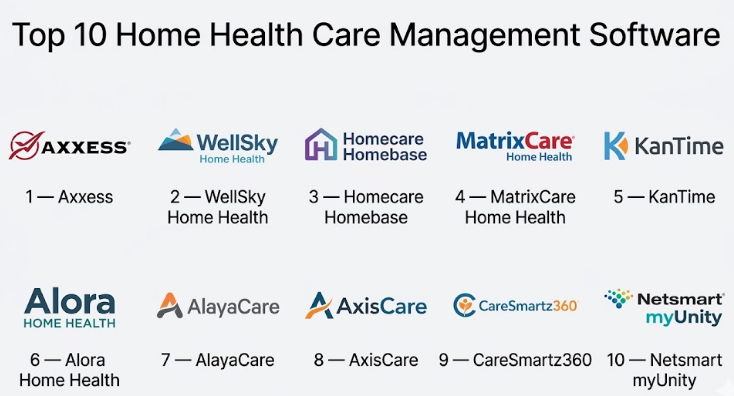
Top 10 Home Health Care Management Software
#1 — Axxess
Short description :
Axxess is a widely recognized healthcare-at-home platform built for home health, hospice, palliative care, and home care providers. It supports agencies that need clinical documentation, scheduling, billing, compliance, mobile access, and operational visibility. The platform is suitable for growing agencies that want a connected system rather than separate tools for each department. It is especially useful for organizations managing both office workflows and field staff activity. Axxess is often considered by agencies that need strong home health functionality with modern cloud access.
Key Features
- Home health and hospice workflow support
- Scheduling and visit management
- Mobile documentation for field teams
- Billing and revenue cycle support
- EVV and compliance-related workflows
- Reporting and operational dashboards
- Care coordination tools
Pros
- Strong fit for home-based care organizations
- Broad feature set for clinical and administrative workflows
- Cloud and mobile access support distributed teams
Cons
- May require structured onboarding for new users
- Smaller agencies may find some workflows more advanced than needed
- Pricing and package details may vary by agency needs
Platforms / Deployment
Web / iOS / Android
Cloud
Security & Compliance
HIPAA-oriented workflows are commonly associated with healthcare-at-home platforms. Specific certifications such as SOC 2 or ISO 27001: Not publicly stated.
Integrations & Ecosystem
Axxess supports home health operations that commonly need connections between clinical, billing, compliance, and administrative workflows.
- Billing and payer workflows
- Mobile caregiver and clinician workflows
- Reporting and analytics
- EVV-related workflows
- Care coordination processes
Support & Community
Axxess offers customer support and onboarding resources for agencies. Documentation, implementation support, and training availability may vary by plan and organization size.
#2 — WellSky Home Health
Short description :
WellSky Home Health is designed for agencies that need operational control, clinical workflows, billing support, and home health management in one system. It is often considered by mid-market and enterprise care providers because of its broader healthcare ecosystem. The platform helps agencies manage referrals, documentation, scheduling, billing, and reporting. It is suitable for organizations that want a mature system with home health industry depth. Agencies with complex operations may find it useful for scaling standardized workflows.
Key Features
- Clinical documentation management
- Referral and intake workflows
- Scheduling and visit coordination
- Billing and claims support
- Reporting and dashboards
- Compliance-focused workflows
- Support for home health agency operations
Pros
- Strong recognition in home health care software
- Good fit for agencies needing mature operational workflows
- Useful for organizations with billing and compliance complexity
Cons
- May feel heavy for very small agencies
- Implementation may require planning and training
- Some advanced functionality may depend on configuration
Platforms / Deployment
Web / Mobile access may vary
Cloud
Security & Compliance
Healthcare-focused compliance capabilities are expected. Specific public certification details: Not publicly stated.
Integrations & Ecosystem
WellSky’s ecosystem supports care coordination, home health operations, and healthcare administration.
- Referral management
- Billing and claims workflows
- Analytics and reporting
- Clinical documentation
- Healthcare operations systems
Support & Community
WellSky provides onboarding and support resources for healthcare organizations. Support depth may vary depending on the contract, module selection, and agency size.
#3 — Homecare Homebase
Short description :
Homecare Homebase is a home-based care EHR platform focused on simplifying workflows for home health and hospice providers. It is commonly evaluated by larger agencies that need clinical, operational, billing, and analytics capabilities in a connected environment. The platform is built to support high-volume care delivery and field-based documentation. It can help agencies standardize workflows across teams and locations. It is best suited for organizations that need depth rather than a lightweight starter tool.
Key Features
- Home health and hospice EHR workflows
- Clinical documentation
- Scheduling and visit coordination
- Billing and revenue cycle workflows
- Mobile tools for field staff
- Analytics and reporting
- Operational workflow standardization
Pros
- Strong fit for larger home health and hospice providers
- Deep workflow support for care delivery
- Useful for agencies needing integrated operations
Cons
- May be complex for smaller teams
- Implementation can require change management
- Pricing and support details are typically customized
Platforms / Deployment
Web / Mobile access may vary
Cloud
Security & Compliance
Healthcare compliance support is central to the category. Specific certifications: Not publicly stated.
Integrations & Ecosystem
Homecare Homebase supports connected home-based care workflows across clinical, administrative, and financial operations.
- Billing workflows
- Clinical documentation
- Analytics
- Mobile field documentation
- Operational dashboards
Support & Community
Support is generally oriented toward agency implementation, onboarding, and operational success. Exact support tiers: Varies / Not publicly stated.
#4 — MatrixCare Home Health
Short description :
MatrixCare Home Health is an EHR and care management platform designed for home health, hospice, palliative care, and related care settings. It is suitable for agencies that want clinical documentation, regulatory guidance, collaboration, and cross-setting visibility. MatrixCare is often considered by organizations that operate across multiple post-acute care environments. The platform focuses on clinician-friendly workflows and operational coordination. It is a strong option for agencies seeking a mature healthcare software ecosystem.
Key Features
- Home health EHR capabilities
- Clinical documentation
- Regulatory workflow support
- Cross-care-setting coordination
- Reporting and analytics
- Scheduling and care management
- Collaboration tools
Pros
- Good fit for post-acute and multi-service care providers
- Strong clinical workflow orientation
- Useful for agencies needing care coordination depth
Cons
- May be more than needed for small private duty teams
- Setup and training may require time
- Some details may vary by module and care setting
Platforms / Deployment
Web / Mobile access may vary
Cloud
Security & Compliance
Healthcare security and compliance controls are expected. Specific certifications: Not publicly stated.
Integrations & Ecosystem
MatrixCare fits into broader healthcare and post-acute care ecosystems where agencies need connected data and workflows.
- EHR workflows
- Clinical documentation
- Reporting and analytics
- Care coordination
- Post-acute care operations
Support & Community
MatrixCare offers support and implementation resources for healthcare organizations. Support structure may vary by customer size and selected products.
#5 — KanTime
Short description :
KanTime is a home health and post-acute care software platform built for agencies managing clinical, billing, scheduling, payroll, compliance, and administrative workflows. It is often used by organizations that need strong back-office and field operation alignment. The platform supports different care lines and is suitable for agencies with complex operational needs. KanTime can be a strong fit for growing and mid-sized providers that need more workflow control. It is especially relevant for teams that want end-to-end visibility from intake to billing.
Key Features
- Patient intake and admission workflows
- Scheduling and care coordination
- Clinical documentation
- Billing and claims support
- Payroll-related workflows
- EVV and compliance workflows
- Reporting and analytics
Pros
- Strong operational depth for home health agencies
- Useful for connecting clinical and billing workflows
- Suitable for growing agencies with process complexity
Cons
- May require training for full adoption
- Smaller teams may not need all features
- Configuration may take planning
Platforms / Deployment
Web / Mobile access may vary
Cloud
Security & Compliance
HIPAA-related compliance support is commonly expected in this category. Specific certifications: Not publicly stated.
Integrations & Ecosystem
KanTime supports multiple operational areas that often need integration across agency departments.
- Billing and claims
- Payroll workflows
- EVV
- Clinical documentation
- Reporting tools
- Administrative workflows
Support & Community
KanTime provides support and onboarding for agencies. Documentation and support depth may vary by implementation scope.
#6 — Alora Home Health
Short description :
Alora Home Health is a home health software platform designed for agencies that need clinical documentation, scheduling, billing, EVV, and mobile access. It is often positioned as a practical choice for small to mid-sized agencies that need a balanced system without unnecessary complexity. Alora supports field documentation and back-office operations. It can help teams reduce paperwork and improve visit tracking. Agencies looking for a user-friendly home health solution may consider Alora.
Key Features
- Clinical documentation
- Scheduling and visit tracking
- EVV support
- Billing and payer workflows
- Mobile access for field staff
- Reporting tools
- Electronic signatures and forms
Pros
- Practical fit for small and mid-sized agencies
- Covers common home health workflows
- Mobile-friendly documentation support
Cons
- Enterprise-scale needs may require deeper evaluation
- Advanced integration needs should be validated
- Some details may vary by package
Platforms / Deployment
Web / iOS / Android
Cloud
Security & Compliance
Healthcare compliance support is expected. Specific certifications: Not publicly stated.
Integrations & Ecosystem
Alora supports common home health agency workflows where scheduling, clinical documentation, and billing must stay connected.
- Billing workflows
- EVV
- Mobile documentation
- Reporting
- Care management workflows
Support & Community
Alora provides support and training resources. Support experience may vary by plan, agency size, and implementation requirements.
#7 — AlayaCare
Short description :
AlayaCare is a home-based care software platform focused on home care, home health, scheduling, clinical documentation, remote patient monitoring, and care operations. It is suitable for agencies that want a modern cloud platform with strong operational and data capabilities. AlayaCare is often considered by organizations looking for flexibility, mobile tools, and analytics. It can support growing agencies and larger care networks. The platform is relevant for teams that want a technology-forward approach to home-based care delivery.
Key Features
- Care planning and documentation
- Scheduling and route support
- Mobile caregiver tools
- Client and patient management
- Reporting and analytics
- Remote care and monitoring capabilities
- Workflow automation
Pros
- Modern platform approach
- Strong fit for data-driven care organizations
- Useful for agencies needing mobile and operational flexibility
Cons
- May require careful implementation planning
- Smaller agencies may need only simpler tools
- Advanced features may depend on configuration
Platforms / Deployment
Web / iOS / Android
Cloud
Security & Compliance
Security and healthcare compliance controls are expected. Specific certifications: Not publicly stated.
Integrations & Ecosystem
AlayaCare supports a connected ecosystem for home-based care workflows and data-driven operations.
- APIs and data workflows
- Scheduling tools
- Mobile care delivery
- Reporting and analytics
- Care coordination
- Remote care workflows
Support & Community
AlayaCare provides onboarding and customer support resources. Support tier details: Varies / Not publicly stated.
#8 — AxisCare
Short description :
AxisCare is home care management software designed for private duty home care agencies. It focuses on scheduling, caregiver management, EVV, billing, payroll, client management, and agency operations. It is well suited for small to mid-sized home care agencies that want a practical system for daily operations. The platform helps agencies manage caregivers, shifts, communication, and business workflows. AxisCare is a good fit for non-medical and personal care agencies looking for operational control.
Key Features
- Caregiver scheduling
- Client and caregiver management
- EVV support
- Billing and payroll workflows
- CRM and intake workflows
- Mobile caregiver access
- Reporting and agency dashboards
Pros
- Strong fit for private duty home care
- Practical scheduling and caregiver management features
- Useful for agencies focused on daily operations
Cons
- May not fit complex clinical home health needs
- Advanced healthcare EHR requirements should be validated
- Some features may vary by plan
Platforms / Deployment
Web / iOS / Android
Cloud
Security & Compliance
Home care compliance features are expected. Specific certifications: Not publicly stated.
Integrations & Ecosystem
AxisCare supports the daily workflow ecosystem of home care agencies.
- EVV workflows
- Billing and payroll
- CRM and intake
- Caregiver mobile app
- Reporting
- Communication workflows
Support & Community
AxisCare provides onboarding, support, and training resources for agencies. Support details may vary by plan and agency size.
#9 — CareSmartz360
Short description :
CareSmartz360 is an all-in-one home care management platform for independent agencies, franchise networks, facility staffing, and growing home care businesses. It supports scheduling, billing, payroll, CRM, caregiver management, EVV, reporting, and mobile access. The platform is especially useful for agencies that want centralized operations and multi-location visibility. It also highlights AI-powered capabilities for improving operational efficiency. CareSmartz360 is a strong fit for private duty and non-medical home care providers.
Key Features
- Scheduling and shift management
- EVV and time tracking
- Billing and payroll workflows
- CRM and client intake
- Caregiver management
- Reporting and analytics
- Multi-location and franchise support
Pros
- Good fit for growing and multi-location agencies
- Strong operational coverage for home care
- Includes CRM, billing, payroll, and caregiver workflows
Cons
- Clinical home health depth should be evaluated carefully
- Agencies may need onboarding to configure workflows
- Some advanced features may depend on plan or setup
Platforms / Deployment
Web / iOS / Android
Cloud
Security & Compliance
HIPAA compliance is commonly stated for CareSmartz360. Other certifications such as SOC 2 or ISO 27001: Not publicly stated.
Integrations & Ecosystem
CareSmartz360 supports operational workflows across the full home care agency lifecycle.
- Scheduling and EVV
- Billing and payroll
- CRM and marketing workflows
- Caregiver training and management
- Reporting
- Multi-location operations
Support & Community
CareSmartz360 provides onboarding, support, training, and customer resources. Support availability may vary by plan and agency type.
#10 — Netsmart myUnity
Short description :
Netsmart myUnity is a healthcare platform used across post-acute, home health, hospice, and senior care settings. It is suitable for organizations that need enterprise-grade clinical, operational, and interoperability support. The platform is often considered by providers managing multiple care settings and complex compliance requirements. It helps connect clinical documentation, care coordination, billing, and operational workflows. myUnity is best suited for larger organizations rather than very small agencies needing simple scheduling software.
Key Features
- Post-acute and home health workflows
- Clinical documentation
- Care coordination
- Billing and operational support
- Interoperability-focused workflows
- Reporting and analytics
- Multi-setting care support
Pros
- Strong fit for enterprise and post-acute organizations
- Supports complex care environments
- Useful for organizations needing broad healthcare connectivity
Cons
- May be too advanced for small agencies
- Implementation may require significant planning
- Pricing and package details are typically customized
Platforms / Deployment
Web / Mobile access may vary
Cloud / Hybrid may vary
Security & Compliance
Healthcare-grade compliance and security controls are expected. Specific certifications: Not publicly stated.
Integrations & Ecosystem
Netsmart myUnity fits into larger healthcare technology ecosystems where interoperability and multi-setting care coordination matter.
- EHR workflows
- Interoperability tools
- Billing workflows
- Clinical documentation
- Analytics
- Care coordination systems
Support & Community
Netsmart provides enterprise-oriented implementation and support resources. Support model may vary based on product scope and contract.
Comparison Table
| Tool Name | Best For | Platform(s) Supported | Deployment | Standout Feature | Public Rating |
|---|---|---|---|---|---|
| Axxess | Home health and hospice agencies | Web, iOS, Android | Cloud | Broad healthcare-at-home ecosystem | N/A |
| WellSky Home Health | Mid-market and enterprise agencies | Web, mobile access may vary | Cloud | Mature home health operations support | N/A |
| Homecare Homebase | Larger home health and hospice providers | Web, mobile access may vary | Cloud | Integrated EHR and operational workflows | N/A |
| MatrixCare Home Health | Post-acute and multi-service providers | Web, mobile access may vary | Cloud | Cross-setting care coordination | N/A |
| KanTime | Growing home health agencies | Web, mobile access may vary | Cloud | End-to-end clinical and billing workflows | N/A |
| Alora Home Health | Small to mid-sized agencies | Web, iOS, Android | Cloud | Practical home health workflow coverage | N/A |
| AlayaCare | Modern home-based care organizations | Web, iOS, Android | Cloud | Data-driven care operations | N/A |
| AxisCare | Private duty home care agencies | Web, iOS, Android | Cloud | Caregiver scheduling and EVV | N/A |
| CareSmartz360 | Growing home care and franchise networks | Web, iOS, Android | Cloud | Multi-location home care operations | N/A |
| Netsmart myUnity | Enterprise post-acute care providers | Web, mobile access may vary | Cloud / Hybrid may vary | Multi-setting healthcare platform | N/A |
Evaluation & Home Health Care Management Software
| Tool Name | Core (25%) | Ease (15%) | Integrations (15%) | Security (10%) | Performance (10%) | Support (10%) | Value (15%) | Weighted Total (0–10) |
|---|---|---|---|---|---|---|---|---|
| Axxess | 9 | 8 | 8 | 8 | 8 | 8 | 8 | 8.25 |
| WellSky Home Health | 9 | 7 | 8 | 8 | 8 | 8 | 7 | 7.95 |
| Homecare Homebase | 9 | 7 | 8 | 8 | 8 | 8 | 7 | 7.95 |
| MatrixCare Home Health | 8 | 7 | 8 | 8 | 8 | 8 | 7 | 7.70 |
| KanTime | 8 | 7 | 8 | 8 | 8 | 7 | 8 | 7.75 |
| Alora Home Health | 8 | 8 | 7 | 7 | 8 | 7 | 8 | 7.65 |
| AlayaCare | 8 | 8 | 8 | 8 | 8 | 7 | 7 | 7.80 |
| AxisCare | 8 | 8 | 7 | 7 | 8 | 7 | 8 | 7.65 |
| CareSmartz360 | 8 | 8 | 7 | 8 | 8 | 7 | 8 | 7.75 |
| Netsmart myUnity | 9 | 7 | 9 | 8 | 8 | 8 | 7 | 8.10 |
These scores are comparative, not absolute. A higher score does not automatically mean the tool is best for every agency. Enterprise platforms may score high on depth but require more implementation effort. Smaller agencies may get better value from simpler tools even if the total score is slightly lower. Buyers should validate features, integrations, compliance needs, and pricing through demos and pilots.
Which Home Health Care Management Software
Solo / Freelancer
Solo caregivers or very small care businesses may not need a full enterprise platform. A lightweight scheduling, client management, and invoicing tool may be enough if there are no complex clinical documentation or payer billing needs.
If a formal home care platform is required, tools like AxisCare, Alora Home Health, or CareSmartz360 may be easier to evaluate first because they offer practical operational features without necessarily starting at enterprise complexity.
SMB
Small and mid-sized agencies should focus on usability, scheduling, EVV, billing, payroll, caregiver communication, and onboarding quality. The best option is usually the one that staff can adopt quickly.
Good options to compare include Axxess, Alora Home Health, AxisCare, CareSmartz360, and KanTime. Agencies should pay close attention to mobile app experience because field adoption often decides whether the system succeeds.
Mid-Market
Mid-market agencies usually need deeper workflows, stronger reporting, role-based controls, multi-location visibility, and better integrations. They may also need stronger billing, claims, referral, and compliance workflows.
Axxess, WellSky Home Health, KanTime, MatrixCare, AlayaCare, and Homecare Homebase are strong candidates for this segment. The right choice depends on whether the agency prioritizes clinical depth, billing strength, caregiver operations, or analytics.
Enterprise
Enterprise buyers should focus on scalability, implementation support, interoperability, security controls, advanced reporting, workflow standardization, and multi-entity management.
Homecare Homebase, WellSky Home Health, MatrixCare, Netsmart myUnity, Axxess, and AlayaCare are stronger candidates for larger organizations. Enterprises should run a structured RFP process, check integration requirements, and involve clinical, billing, compliance, IT, and operations teams.
Budget vs Premium
Budget-conscious buyers should avoid buying the most advanced system before confirming actual needs. A smaller agency may get better results from a simpler platform that staff can use daily.
Premium platforms are better when the agency has complex care lines, high visit volume, strict reporting needs, multiple locations, or deep billing complexity. The cost may be justified if it reduces missed revenue, audit risk, and operational delays.
Feature Depth vs Ease of Use
Feature-rich platforms are powerful, but they can slow adoption if workflows are difficult. Ease of use is especially important for caregivers, nurses, schedulers, and billing staff who use the system every day.
Agencies should ask vendors to demonstrate real workflows, not just dashboards. Test intake, scheduling, documentation, EVV, billing, reporting, and caregiver mobile use before making a decision.
Integrations & Scalability-
Integration needs grow as agencies expand. A small agency may only need payroll and billing exports, while a larger organization may need EHR, payer, CRM, accounting, HR, telephony, analytics, and referral integrations.
Buyers should check API availability, data export options, integration costs, and implementation timelines. Scalability is not just about user count; it also includes locations, roles, workflows, reporting, and compliance complexity.
Security & Compliance Needs
Home health care software handles sensitive patient and caregiver information, so security should be reviewed carefully. Agencies should evaluate MFA, RBAC, audit logs, encryption, backup practices, data access controls, and compliance support.
Do not assume a platform has SOC 2, ISO 27001, GDPR, or other certifications unless the vendor clearly provides proof. For HIPAA-related use cases, confirm business associate agreement availability, audit controls, data handling policies, and breach response processes.
Frequently Asked Questions
1. What is Home Health Care Management Software?
Home Health Care Management Software helps agencies manage patients, caregivers, visits, scheduling, documentation, billing, payroll, EVV, and reporting. It brings daily care operations into one system so teams can reduce manual work and improve visibility.
2. How much does Home Health Care Management Software cost?
Pricing varies by vendor, agency size, number of users, modules, visit volume, and implementation needs. Some vendors use subscription pricing, while others offer custom quotes. If pricing is not clearly published, write it as Varies / N/A during evaluation.
3. Is Home Health Care Management Software only for medical home health agencies?
No. Some tools are built for skilled home health, while others support private duty, personal care, non-medical home care, hospice, palliative care, or post-acute care. Buyers should choose based on care model, payer type, documentation needs, and compliance rules.
4. What is EVV in home care software?
EVV means Electronic Visit Verification. It helps verify that a caregiver or clinician visited the correct client, at the correct time, and often at the correct location. It is important for compliance, payer reporting, and reducing visit disputes.
5. How long does implementation usually take?
Implementation depends on agency size, data migration, workflows, integrations, training, and vendor support. A small agency may go live faster, while a multi-location or enterprise agency may need a phased rollout with testing and staff training.
6. What are common mistakes when choosing home health software?
Common mistakes include focusing only on price, ignoring caregiver mobile usability, skipping billing workflow testing, not checking integrations, and assuming compliance features without proof. Agencies should test real workflows before signing a contract.
7. Is cloud-based home health software secure?
Cloud-based software can be secure when it includes strong access controls, encryption, MFA, audit logs, backup processes, and compliance support. Buyers should request clear security documentation and avoid assuming certifications that are not publicly stated.
8. Can home health software integrate with payroll and accounting tools?
Many platforms support billing, payroll, exports, APIs, or integrations, but the exact options vary by vendor. Agencies should validate whether their preferred payroll, accounting, payer, or HR system is supported before purchase.
9. Can agencies switch from one home health software to another?
Yes, but switching requires planning. Agencies must review data migration, active patient records, caregiver profiles, billing history, documentation, reporting needs, and staff training. A pilot rollout can reduce disruption.
10. What are alternatives to Home Health Care Management Software?
Alternatives include general EHR systems, scheduling tools, CRM platforms, payroll software, spreadsheets, or custom internal tools. However, these alternatives may lack EVV, home care billing, care documentation, compliance workflows, and caregiver mobile support.
Conclusion
Home Health Care Management Software has become a core operating system for agencies that want better control over care delivery, scheduling, documentation, billing, EVV, compliance, and field staff coordination. The best platform is not always the biggest or most expensive one. It depends on agency size, care model, payer mix, clinical needs, caregiver workflows, reporting requirements, and integration complexity.
