Introduction
Bookmark managers help users save, organize, search, tag, and revisit online resources such as articles, tools, documents, research pages, videos, product pages, references, and learning materials. Instead of losing useful links inside browser folders, chat messages, emails, or scattered notes, bookmark managers create a structured system for long-term information access.
Bookmark managers matter because online information grows quickly, and users need a reliable way to store what is useful without creating digital clutter. Professionals use them for research, competitive tracking, content planning, learning, project documentation, and personal knowledge management. A good bookmark manager does more than save links; it helps users build a searchable knowledge library.
Common use cases include:
- Saving research articles and reference pages
- Organizing tools, resources, and product links
- Creating reading lists for later review
- Sharing curated collections with teams or students
- Managing client resources and project references
- Tracking competitor pages and useful industry content
- Storing tutorials, guides, and documentation
- Building a personal knowledge base from web resources
Buyers should evaluate:
- Tagging and folder organization
- Search quality
- Browser extension support
- Cross-device sync
- Notes and annotations
- Read-it-later features
- Collection sharing
- Import and export options
- Privacy and data control
- Team collaboration features
Best for: Researchers, writers, students, marketers, developers, consultants, educators, founders, content creators, and knowledge workers who save and revisit many online resources.
Not ideal for: Users who only save a few casual links and are comfortable with basic browser bookmarks. A built-in browser bookmark folder may be enough for very light use.
Key Trends in Bookmark Managers
- AI-assisted organization: Modern tools are starting to classify, tag, summarize, or recommend saved resources automatically.
- Read-it-later plus bookmarking: Users increasingly want one tool for saving links, reading articles, and organizing long-term references.
- Visual collections: Bookmark managers now support boards, cards, thumbnails, and collections for better browsing.
- Team-based knowledge sharing: Businesses use bookmark collections for onboarding, research, sales enablement, and internal learning.
- Better search and tagging: Full-text search, tags, filters, and notes are becoming essential for large bookmark libraries.
- Browser-first capture: Strong browser extensions remain important because users want to save links without breaking workflow.
- Cross-device access: Users expect bookmarks to sync across web, mobile, desktop, and browser environments.
- Privacy-focused storage: Some users prefer local-first or self-hosted bookmark tools to control their saved data.
- Integration with knowledge tools: Bookmark managers are often used with note-taking, RSS, content curation, and project management apps.
- Collaborative resource libraries: Shared collections are becoming important for teams, classrooms, communities, and agencies.
How We Selected These Tools
The tools below were selected based on practical usefulness, recognition, organization quality, platform support, and fit across different workflows. The list includes personal bookmark managers, read-it-later tools, visual collection tools, team resource libraries, and privacy-friendly options.
The evaluation considered:
- Market adoption and user recognition
- Bookmark saving and organization quality
- Folder, tag, and collection support
- Search and retrieval experience
- Browser extension and mobile capture support
- Read-it-later and annotation features
- Collaboration and sharing options
- Privacy and data control
- Import and export flexibility
- Fit for solo users, SMBs, mid-market teams, and enterprises
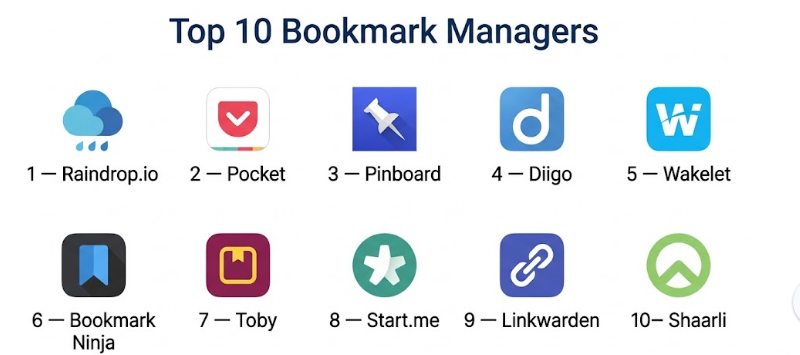
Top 10 Bookmark Managers
#1 — Raindrop.io
Short description :
Raindrop.io is a modern bookmark manager designed for users who want clean organization, visual collections, tagging, search, and cross-device access. It is useful for designers, developers, researchers, marketers, students, and professionals who save many types of web resources. The tool works well for both personal and team bookmark libraries. Its strength is combining visual design with practical organization features.
Key Features
- Bookmark saving and collection management
- Tags, folders, and nested organization
- Visual previews and thumbnails
- Full-text search in advanced plans
- Browser extensions
- Mobile and desktop access
- Shared collections for collaboration
Pros
- Clean and modern interface
- Strong organization with tags and collections
- Good for both personal and team use
Cons
- Some advanced features may require paid access
- Large libraries require tagging discipline
- Not a full note-taking or research writing tool
Platforms / Deployment
- Web / Windows / macOS / Linux / iOS / Android
- Cloud
Security & Compliance
Not publicly stated for major enterprise compliance certifications. Standard account-based security applies.
Integrations & Ecosystem
Raindrop.io fits well into reading, research, and content organization workflows.
- Browser extensions
- Mobile saving
- Shared collections
- Import and export workflows
- Visual bookmark boards
- Productivity and knowledge workflows
Support & Community
Raindrop.io provides documentation and support resources. It has a strong user base among designers, developers, researchers, and productivity-focused users.
#2 — Pocket
Short description :
Pocket is a popular save-it-later and bookmark-style tool that helps users save articles, videos, and web pages for later reading. It is especially useful for people who discover content during the day but want a clean reading experience later. Pocket is simple, easy to use, and suitable for students, writers, marketers, researchers, and everyday readers. It is stronger for reading and saving than complex folder-based bookmark management.
Key Features
- Save articles, videos, and web pages
- Offline reading support
- Clean reading mode
- Tag-based organization
- Cross-device sync
- Browser and mobile saving
- Saved content library
Pros
- Very easy to use
- Excellent for read-it-later workflows
- Good mobile and offline reading experience
Cons
- Folder-based organization is limited
- Less suitable for complex resource libraries
- Collaboration features are limited
Platforms / Deployment
- Web / iOS / Android
- Cloud
Security & Compliance
Not publicly stated for major enterprise compliance certifications. Standard consumer account protections apply.
Integrations & Ecosystem
Pocket works well with everyday browsing and reading habits.
- Browser saving
- Mobile sharing
- Offline article reading
- Tag organization
- Reading list workflows
- Basic content discovery
Support & Community
Pocket has help resources and a large general user base. It is widely used by readers, writers, and productivity-focused users.
#3 — Pinboard
Short description :
Pinboard is a minimalist bookmark manager built for users who value speed, simplicity, tagging, and long-term link storage. It is popular with developers, researchers, writers, and users who prefer a lightweight system over a visually heavy interface. Pinboard focuses on practical bookmarking rather than social feeds or polished visuals. It is a strong choice for users who want a fast, text-first bookmark archive.
Key Features
- Fast bookmark saving
- Tag-based organization
- Searchable bookmark archive
- Private and public bookmarks
- Simple interface
- Import options
- Lightweight workflow
Pros
- Fast and distraction-free
- Strong for users who prefer simple tagging
- Good for long-term bookmark archiving
Cons
- Interface is very minimal
- Limited visual previews
- Not ideal for users wanting modern boards or collaboration
Platforms / Deployment
- Web
- Cloud
Security & Compliance
Not publicly stated for major enterprise compliance certifications. Standard account security applies.
Integrations & Ecosystem
Pinboard is built around simple and reliable bookmarking.
- Browser bookmarklets
- Tag-based workflows
- Import and export
- Third-party app support
- Personal archive workflows
- Developer-friendly usage patterns
Support & Community
Pinboard has a loyal community among technical users and long-time bookmark power users. Support is generally product-focused rather than enterprise-style.
#4 — Diigo
Short description :
Diigo is a bookmark manager and annotation tool designed for users who want to save web pages, highlight content, add notes, and organize resources. It is useful for students, teachers, researchers, writers, and teams that need more than simple link storage. Diigo is especially helpful when users want to annotate saved pages and build knowledge from web resources. It works well for education and research-driven workflows.
Key Features
- Bookmark saving
- Web highlighting and annotation
- Tags and lists
- Notes on saved pages
- Group sharing
- Research library organization
- Browser extension support
Pros
- Strong annotation and highlighting features
- Useful for research and education
- Good for saving context with bookmarks
Cons
- Interface may feel dated to some users
- Not as visually polished as newer tools
- Advanced features may require paid plans
Platforms / Deployment
- Web / iOS / Android
- Cloud
Security & Compliance
Not publicly stated for major enterprise compliance certifications. Users should review sharing and group privacy settings.
Integrations & Ecosystem
Diigo supports research and learning workflows.
- Browser extensions
- Web annotation
- Group sharing
- Tags and lists
- Highlight saving
- Research collection workflows
Support & Community
Diigo provides help resources and has a user base among educators, researchers, and knowledge workers.
#5 — Wakelet
Short description :
Wakelet is a visual bookmark and content collection tool that helps users save, organize, and present links, articles, videos, images, notes, and resources in shareable collections. It is especially useful for educators, students, creators, community managers, and teams that need visually organized resource pages. Wakelet is not only for storing bookmarks; it is also useful for presenting curated resources to others.
Key Features
- Visual collections
- Save links, videos, articles, and notes
- Shareable resource pages
- Collaboration features
- Browser and mobile saving
- Collection layouts
- Education-friendly workflows
Pros
- Excellent for shareable collections
- Easy to use and visually clear
- Strong for education and community resource sharing
Cons
- Not a deep personal archive tool
- Advanced search and automation are limited
- Less suitable for complex private bookmark libraries
Platforms / Deployment
- Web / iOS / Android
- Cloud
Security & Compliance
Not publicly stated for major enterprise compliance certifications. Users should review privacy and sharing settings before using it for sensitive resources.
Integrations & Ecosystem
Wakelet is strong for public or team-facing collections.
- Browser saving
- Mobile capture
- Shareable collections
- Classroom resources
- Team collaboration
- Content presentation workflows
Support & Community
Wakelet has help resources and an active user community, especially in education, digital learning, and creator communities.
#6 — Bookmark Ninja
Short description :
Bookmark Ninja is a dedicated bookmark manager focused on fast access, simple organization, and browser-independent bookmark storage. It is useful for users who work across multiple browsers and devices and want a centralized bookmark dashboard. Bookmark Ninja is especially practical for professionals who need quick access to frequently used sites, tools, dashboards, and resources. It favors simplicity and speed over complex content curation.
Key Features
- Browser-independent bookmark management
- Dashboard-style bookmark access
- Categories and folders
- Cross-device sync
- Quick search
- Import from browsers
- Private bookmark organization
Pros
- Fast and practical for daily bookmark access
- Good for users with many browser bookmarks
- Simple and focused interface
Cons
- Less modern visual curation than board-based tools
- Limited annotation features
- Not designed for social sharing or publishing
Platforms / Deployment
- Web
- Cloud
Security & Compliance
Not publicly stated for major enterprise compliance certifications. Standard account-based security applies.
Integrations & Ecosystem
Bookmark Ninja is mainly focused on browser-independent access.
- Browser import
- Dashboard organization
- Folder-based bookmarks
- Cross-device access
- Quick search
- Personal productivity workflows
Support & Community
Support resources are available. Community strength is smaller than broader consumer tools, but the product is useful for focused bookmark management.
#7 — Toby
Short description :
Toby is a browser-based bookmark and tab management tool designed to help users organize work sessions, links, and browser tabs into structured collections. It is useful for professionals, designers, developers, students, and teams that often work with many open tabs. Toby helps reduce browser clutter by turning tabs into organized spaces. It works especially well for project-based bookmarking and context switching.
Key Features
- Tab and bookmark collections
- Workspace-style organization
- Browser extension workflow
- Team collection sharing
- Project-based link grouping
- Quick access dashboard
- Drag-and-drop organization
Pros
- Excellent for reducing tab overload
- Good for project-based browsing
- Useful for teams sharing resource collections
Cons
- Browser-focused workflow may not fit everyone
- Less suitable for long-term article archiving
- Advanced team features may require paid plans
Platforms / Deployment
- Web / Browser extension
- Cloud
Security & Compliance
Not publicly stated for major enterprise compliance certifications. Team users should review workspace permissions and sharing settings.
Integrations & Ecosystem
Toby works closely with browser workflows.
- Browser tab saving
- Project collections
- Team sharing
- Workspace dashboards
- Drag-and-drop resource organization
- Productivity workflows
Support & Community
Toby provides support resources and is used by productivity-focused professionals who manage many tabs and project resources.
#8 — Start.me
Short description :
Start.me is a start page and bookmark manager that lets users create personalized dashboards with bookmarks, widgets, feeds, notes, and productivity shortcuts. It is useful for professionals, teams, educators, and users who want a visual homepage for daily resources. Start.me is stronger than a basic bookmark folder because it brings links, information widgets, and frequently used resources together in one dashboard.
Key Features
- Visual bookmark dashboards
- Custom start pages
- Widgets and notes
- RSS feed blocks
- Team pages
- Browser access
- Sharing and publishing options
Pros
- Good for daily resource dashboards
- Useful for teams and classrooms
- Combines bookmarks with widgets and feeds
Cons
- May feel less focused than pure bookmark tools
- Design can become cluttered without structure
- Advanced features may require paid plans
Platforms / Deployment
- Web
- Cloud
Security & Compliance
Not publicly stated for major enterprise compliance certifications. Workspace and sharing controls may vary by plan.
Integrations & Ecosystem
Start.me works well as a personalized productivity hub.
- Bookmark dashboards
- RSS widgets
- Notes
- Team resource pages
- Browser homepage workflows
- Shared dashboards
Support & Community
Start.me provides help resources and is used by individuals, teams, and educators who want organized start pages and shared resource hubs.
#9 — Linkwarden
Short description :
Linkwarden is a bookmark manager focused on saving, organizing, and preserving web links. It is especially useful for users who care about long-term link storage and want more control over their bookmark archive. It can appeal to developers, researchers, technical users, and teams that want structured bookmark management with archiving support. Its value is stronger when users need saved links to remain useful even if pages change later.
Key Features
- Bookmark saving and organization
- Collection-based structure
- Tag support
- Link preservation and archiving
- Team collaboration options
- Search and filtering
- Self-hosted or cloud options depending on setup
Pros
- Strong for long-term link preservation
- Good for technical users and teams
- Offers more control than basic browser bookmarks
Cons
- Setup may be more technical for self-hosted use
- Less beginner-friendly than simple bookmark tools
- Design may not suit users wanting visual boards
Platforms / Deployment
- Web
- Cloud / Self-hosted
Security & Compliance
Security depends on deployment and configuration. For self-hosted setups, security is Varies / N/A based on hosting, updates, access control, and backup practices.
Integrations & Ecosystem
Linkwarden is useful for structured bookmark preservation.
- Browser saving workflows
- Collection organization
- Team spaces
- Link archiving
- Self-hosted workflows
- Import and export options
Support & Community
Support depends on deployment and plan. Community strength is stronger among technical users, open-source users, and people interested in self-hosted productivity tools.
#10 — Shaarli
Short description :
Shaarli is a lightweight, self-hosted bookmark manager for users who want control, simplicity, and ownership of their saved links. It is suitable for technical users, developers, privacy-conscious readers, and small teams that prefer self-hosted tools. Shaarli is not built for polished visual collections, but it is fast, flexible, and practical for maintaining a private or public link archive. It is best for users comfortable managing their own setup.
Key Features
- Self-hosted bookmark management
- Tag-based organization
- Public or private link sharing
- Lightweight interface
- Import and export support
- Simple link archive
- Customizable deployment
Pros
- Strong data ownership
- Lightweight and fast
- Good for privacy-focused technical users
Cons
- Requires technical setup
- Interface is basic
- No formal enterprise-style support
Platforms / Deployment
- Web
- Self-hosted
Security & Compliance
Security depends on the user’s hosting, access controls, update process, and server configuration. Compliance is Varies / N/A.
Integrations & Ecosystem
Shaarli supports simple self-hosted bookmarking.
- Bookmarklets
- Tag organization
- Public or private link pages
- Import and export
- Self-hosted workflows
- Lightweight web access
Support & Community
Support is community-driven. Users should be comfortable with documentation, hosting, and troubleshooting.
Comparison Table
| Tool Name | Best For | Platform(s) Supported | Deployment | Standout Feature | Public Rating |
|---|---|---|---|---|---|
| Raindrop.io | Visual bookmark organization | Web, Windows, macOS, Linux, iOS, Android | Cloud | Collections, tags, and visual previews | N/A |
| Read-it-later saving | Web, iOS, Android | Cloud | Clean offline reading | N/A | |
| Pinboard | Minimal bookmark archiving | Web | Cloud | Fast tag-based bookmarking | N/A |
| Diigo | Research and web annotation | Web, iOS, Android | Cloud | Highlights and notes on web pages | N/A |
| Wakelet | Shareable resource collections | Web, iOS, Android | Cloud | Visual collections for sharing | N/A |
| Bookmark Ninja | Browser-independent bookmarks | Web | Cloud | Central bookmark dashboard | N/A |
| Toby | Tab and workspace organization | Web, Browser extension | Cloud | Project-based tab collections | N/A |
| Start.me | Bookmark dashboard pages | Web | Cloud | Custom start pages and widgets | N/A |
| Linkwarden | Link preservation and teams | Web | Cloud / Self-hosted | Bookmark archiving and collections | N/A |
| Shaarli | Self-hosted bookmark control | Web | Self-hosted | Lightweight private link archive | N/A |
Evaluation & Bookmark Managers
| Tool Name | Core (25%) | Ease (15%) | Integrations (15%) | Security (10%) | Performance (10%) | Support (10%) | Value (15%) | Weighted Total (0–10) |
|---|---|---|---|---|---|---|---|---|
| Raindrop.io | 9 | 8 | 8 | 7 | 9 | 8 | 8 | 8.15 |
| 7 | 9 | 7 | 7 | 8 | 7 | 8 | 7.65 | |
| Pinboard | 8 | 7 | 7 | 7 | 8 | 7 | 8 | 7.45 |
| Diigo | 8 | 7 | 7 | 7 | 8 | 7 | 7 | 7.40 |
| Wakelet | 8 | 9 | 6 | 7 | 8 | 7 | 8 | 7.75 |
| Bookmark Ninja | 8 | 8 | 6 | 7 | 8 | 7 | 8 | 7.60 |
| Toby | 8 | 8 | 7 | 7 | 8 | 7 | 8 | 7.75 |
| Start.me | 8 | 8 | 7 | 7 | 8 | 7 | 8 | 7.75 |
| Linkwarden | 8 | 7 | 7 | 8 | 8 | 7 | 8 | 7.70 |
| Shaarli | 7 | 6 | 6 | 8 | 8 | 6 | 9 | 7.10 |
The scoring is comparative and should be treated as a shortlist guide, not a universal ranking. Raindrop.io scores strongly for balanced bookmark management, while Pocket is better for reading saved articles. Wakelet is stronger for visual collections, Toby is better for tab-based workflows, and Linkwarden or Shaarli may be better for users who care about self-hosting and control.
Which Bookmark Manager Is Right for You?
Solo / Freelancer
Solo users and freelancers should choose based on how they save and reuse links. Raindrop.io is a strong all-round option for organized bookmark collections. Pocket is better if most saved links are articles to read later. Pinboard is better for users who want a fast, minimal, tag-first system.
Freelancers who manage multiple clients may prefer Raindrop.io, Toby, or Start.me because they can create separate collections or dashboards for each project. Researchers and writers may prefer Diigo because it supports highlights and notes.
SMB
Small businesses often need shared resource libraries, onboarding links, vendor tools, competitor pages, and internal knowledge collections. Raindrop.io, Wakelet, Start.me, Toby, and Linkwarden can be practical options.
SMBs should focus on simplicity. The best bookmark system is one that team members actually maintain. Shared collections, clear naming, and basic tagging are usually more valuable than overly complex structures.
Mid-Market
Mid-market companies may need bookmark managers for marketing research, sales enablement, technical documentation, product references, and competitive tracking. Raindrop.io is a strong general option, while Linkwarden can work well for teams that need link preservation.
Start.me can be useful for department dashboards, while Toby can support project-based browser workflows. Diigo may fit training, research, and education-oriented teams.
Enterprise
Enterprises should evaluate bookmark managers based on security, access control, admin features, data ownership, export options, and governance. Consumer-focused bookmark managers may not meet all enterprise requirements.
For enterprise use, Linkwarden may be considered when self-hosting or link preservation is important. Raindrop.io or Start.me may work for lighter team resource sharing, but strict environments should validate authentication, workspace controls, audit needs, retention, and compliance expectations.
Budget vs Premium
Budget-focused users can start with basic browser bookmarks, Pocket, Shaarli, or other low-cost tools. Self-hosted tools can reduce subscription cost but require technical ownership.
Premium tools may be worth paying for when users need full-text search, advanced organization, shared collections, browser-independent access, visual dashboards, team collaboration, or link preservation.
Feature Depth vs Ease of Use
For ease of use, Pocket, Wakelet, Bookmark Ninja, and Start.me are beginner-friendly. They are simple enough for users who want quick saving and easy access.
For feature depth, Raindrop.io, Diigo, Linkwarden, Toby, and Shaarli offer more specialized workflows. They are better when bookmarks are part of research, project management, self-hosting, or team knowledge sharing.
Integrations & Scalability
Raindrop.io and Pocket fit well into common browsing and reading workflows. Toby scales well for tab-heavy professionals. Start.me scales as a dashboard system. Linkwarden and Shaarli scale better for users who want technical control and self-hosted ownership.
Scalability depends on how well the tool handles folders, tags, search, sharing, imports, exports, and user discipline. A large bookmark library without good naming and tagging can become difficult to use.
Security & Compliance Needs
For personal use, standard account security may be enough. For professional use, users should review account protection, sharing permissions, data storage, export options, and workspace access.
For sensitive links or internal resources, self-hosted options may be attractive. However, self-hosting is only secure when the system is properly configured, updated, backed up, and access-controlled.
Frequently Asked Questions
1. What is a bookmark manager?
A bookmark manager is a tool that helps users save, organize, search, and revisit web links. It improves on basic browser bookmarks by adding tags, collections, search, sharing, notes, previews, and cross-device access.
2. Why should I use a bookmark manager instead of browser bookmarks?
Browser bookmarks are fine for simple needs, but they can become messy when you save many links. A dedicated bookmark manager offers better search, tagging, organization, sharing, and long-term link management.
3. Which bookmark manager is best for personal use?
Raindrop.io is a strong all-round option for personal bookmark management. Pocket is better for reading saved articles, while Pinboard is better for users who want a fast and minimal tag-based archive.
4. Which bookmark manager is best for teams?
Raindrop.io, Wakelet, Start.me, Toby, and Linkwarden can work well for teams depending on the use case. Teams should prioritize shared collections, permissions, search, export options, and ease of maintenance.
5. Are bookmark managers useful for research?
Yes. Bookmark managers are very useful for research because they help organize references, articles, tools, reports, and useful pages. Diigo is especially helpful when highlights and notes are important.
6. Can bookmark managers save articles for offline reading?
Some tools support offline reading or read-it-later workflows. Pocket is strong for offline article reading, while other bookmark managers may focus more on saving and organizing links than offline reading.
7. What is the difference between a bookmark manager and a read-it-later app?
A bookmark manager focuses on storing and organizing links for long-term access. A read-it-later app focuses on saving articles for comfortable reading later. Some tools combine both, but their strengths may differ.
8. Are self-hosted bookmark managers better?
Self-hosted bookmark managers are better for users who want more control over storage and data ownership. However, they require setup, updates, backups, and security management. Hosted tools are easier for most users.
9. Can I import bookmarks from my browser?
Many bookmark managers support importing browser bookmarks, often through standard export files. Before switching, users should check import and export options to avoid lock-in.
10. What is the biggest mistake users make with bookmark managers?
The biggest mistake is saving too many links without tags, folders, or regular cleanup. A bookmark manager works best when users create a simple structure and review saved links periodically.
Conclusion
Bookmark managers help users turn scattered web links into organized, searchable, and reusable knowledge. The best tool depends on how you save, read, share, and revisit information. Raindrop.io is a strong all-round choice for visual bookmark organization, Pocket is ideal for read-it-later workflows, Diigo is useful for research annotation, Wakelet works well for shareable collections, Toby helps manage browser tabs, and Linkwarden or Shaarli may fit users who want more control through self-hosting. There is no single best bookmark manager for everyone.
