Introduction
Media player software helps users play, organize, stream, control, and manage audio and video files across devices. These tools support common formats such as MP4, MKV, AVI, MOV, MP3, FLAC, WAV, subtitles, playlists, streaming links, DVDs, local libraries, and network media. A good media player reduces playback issues, improves viewing quality, supports subtitles properly, and gives users more control over their media experience.
Media player software still matters because users consume content across many formats and devices. Some people need a lightweight player for movies and music, while others need advanced codec support, subtitle controls, media library management, casting, streaming, or home theater features. Professionals may use media players for training videos, offline media review, event recordings, internal videos, or creative previews.
Common use cases include:
- Playing local video and audio files
- Watching movies with subtitles
- Managing music and video libraries
- Streaming content from local network storage
- Playing DVDs, Blu-ray files, or archived media
- Reviewing training videos and recordings
- Creating playlists for music or events
- Casting media to TVs or home theater setups
Buyers should evaluate:
- Supported audio and video formats
- Subtitle support
- Codec compatibility
- Playback performance
- Hardware acceleration
- Library management
- Playlist support
- Streaming and casting features
- Cross-platform availability
- Privacy, security, and update reliability
Best for: Students, professionals, home users, media enthusiasts, educators, trainers, creators, IT teams, and anyone who regularly plays audio or video files.
Not ideal for: Users who only stream content from subscription platforms and do not play local files, manage media libraries, or need advanced playback control.
Key Trends in Media Player Software
- Wider format support: Users expect players to handle MKV, MP4, HEVC, AV1, FLAC, subtitles, and high-resolution audio/video formats.
- Hardware acceleration: Smooth playback of large files depends on GPU acceleration and optimized decoding.
- 4K and HDR playback: More users need support for higher-resolution video and better color handling.
- Subtitle customization: Subtitle timing, font control, language support, and external subtitle loading remain important.
- Streaming from local servers: Home users increasingly play media from NAS devices, home servers, and shared folders.
- Privacy-focused playback: Some users prefer offline players that do not force accounts, tracking, or cloud dependency.
- Cross-device continuity: Media libraries are often accessed from desktop, mobile, TV, and browser environments.
- Open-source preference: Many technical users prefer open-source players for transparency and format flexibility.
- Home theater workflows: Media centers are becoming more important for large personal video and music collections.
- Lightweight performance: Users still value fast startup, low resource usage, and smooth playback on older devices.
How We Selected These Tools
The media players below were selected based on practical usefulness, recognition, platform coverage, format support, playback stability, community trust, and fit for different user types. The list includes lightweight players, advanced open-source players, music-focused players, home theater platforms, and general-purpose media apps.
The evaluation considered:
- Format and codec support
- Playback stability and performance
- Subtitle handling and customization
- Ease of use for casual users
- Advanced controls for power users
- Media library and playlist features
- Streaming and network playback support
- Cross-platform availability
- Privacy and offline usability
- Fit for solo users, SMBs, creative teams, and enterprise-like internal media workflows
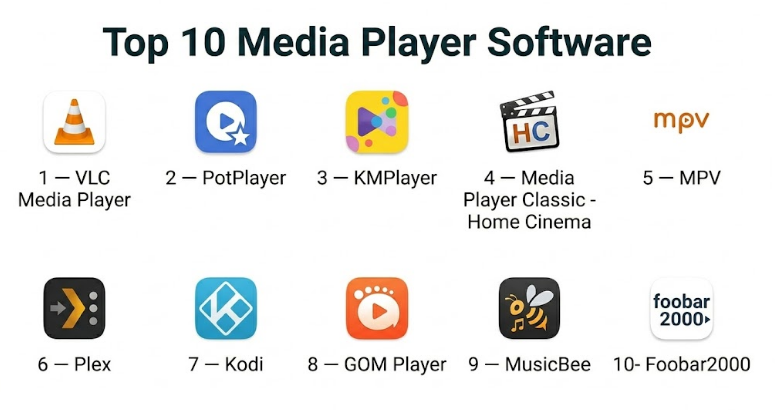
Top 10 Media Player Software
#1 — VLC Media Player
Short description :
VLC Media Player is one of the most widely recognized media players for playing almost any common audio or video file. It is known for broad codec support, simple usability, and strong cross-platform availability. VLC works well for casual users, students, professionals, IT teams, and technical users who need reliable playback without installing many extra codec packs. It is especially useful when users frequently receive media files in different formats.
Key Features
- Supports many audio and video formats
- Subtitle loading and synchronization
- Playlist support
- Network stream playback
- DVD and media disc support
- Audio and video filters
- Cross-platform availability
Pros
- Very broad format compatibility
- Lightweight and reliable for daily playback
- Strong open-source community support
Cons
- Interface feels basic compared with modern media apps
- Library management is limited
- Advanced settings may confuse beginners
Platforms / Deployment
- Windows / macOS / Linux / iOS / Android
- Local
Security & Compliance
Open-source software with regular updates. Enterprise compliance certifications are Not publicly stated. Users should download only from trusted official distribution sources.
Integrations & Ecosystem
VLC is strongest as a standalone player but supports many playback scenarios.
- Local file playback
- Network streams
- DVD playback
- Subtitle files
- Playlist workflows
- Command-line usage for advanced users
Support & Community
VLC has extensive documentation, a large user community, and strong long-term recognition. Support is mostly community and documentation-based.
#2 — PotPlayer
Short description :
PotPlayer is a powerful Windows media player known for strong playback performance, advanced settings, codec support, subtitle controls, and customization. It is popular among users who want more control than a basic player provides. PotPlayer is especially useful for advanced video playback, high-resolution files, subtitle-heavy content, and users who like detailed configuration options.
Key Features
- Wide video and audio format support
- Advanced subtitle controls
- Hardware acceleration
- Playlist management
- Playback speed control
- Video filters and effects
- Customizable interface and shortcuts
Pros
- Excellent performance on Windows
- Deep playback customization
- Strong subtitle and video control features
Cons
- Windows-focused
- Settings may feel overwhelming
- Users should be careful during installation and configuration
Platforms / Deployment
- Windows
- Local
Security & Compliance
Not publicly stated for major enterprise compliance certifications. Users should use safe installation practices and keep software updated.
Integrations & Ecosystem
PotPlayer is best for advanced local playback workflows.
- Local video playback
- Subtitle files
- Playlist workflows
- Hardware acceleration
- Keyboard shortcut customization
- Video rendering configuration
Support & Community
PotPlayer has a strong user base among Windows power users. Support is mainly through documentation, user forums, and community tutorials.
#3 — KMPlayer
Short description :
KMPlayer is a feature-rich media player designed for users who want broad format support, subtitle handling, high-resolution playback, and a customizable viewing experience. It supports many video and audio formats and is commonly used for everyday media playback. KMPlayer is suitable for users who want more features than a basic default player but do not necessarily need a full media center.
Key Features
- Supports many media formats
- Subtitle support
- High-resolution video playback
- Playback speed controls
- Playlist features
- Audio and video adjustment tools
- Mobile app availability
Pros
- Good format compatibility
- Useful playback controls
- Suitable for everyday video watching
Cons
- Interface and user experience may vary by version
- May include extra features some users do not need
- Not as clean as lightweight media players
Platforms / Deployment
- Windows / macOS / iOS / Android
- Local / Cloud-assisted features may vary
Security & Compliance
Not publicly stated for major enterprise compliance certifications. Users should review installation settings and update practices.
Integrations & Ecosystem
KMPlayer supports common media consumption workflows.
- Local file playback
- Subtitle files
- Playlist management
- Mobile playback
- Video setting adjustments
- High-resolution media playback
Support & Community
KMPlayer has documentation and a broad user base. Community support is available through user discussions and tutorials.
#4 — Media Player Classic – Home Cinema
Short description :
Media Player Classic – Home Cinema is a lightweight Windows media player designed for users who prefer a simple, fast, and classic interface. It is especially useful for older systems, minimal setups, and users who want quick video playback without heavy software. While it is not as modern-looking as newer apps, it remains valued for speed, low resource usage, and practical playback control.
Key Features
- Lightweight video playback
- Supports common media formats
- Subtitle support
- Keyboard shortcuts
- Playlist support
- Low system resource usage
- Simple classic interface
Pros
- Very lightweight and fast
- Good for older or low-resource PCs
- Simple and distraction-free
Cons
- Windows-only
- Interface looks dated
- Limited modern library and streaming features
Platforms / Deployment
- Windows
- Local
Security & Compliance
Open-source style community-driven software. Major enterprise compliance certifications are Not publicly stated. Users should install from trusted sources.
Integrations & Ecosystem
Media Player Classic – Home Cinema is focused on simple local playback.
- Local video files
- Subtitle files
- Playlist playback
- Keyboard-driven usage
- External codecs depending on setup
- Lightweight desktop workflows
Support & Community
Support is mainly community-driven. It remains popular among users who prefer simple Windows media playback.
#5 — MPV
Short description :
MPV is a lightweight, open-source media player designed for users who value performance, scripting, keyboard controls, and advanced playback behavior. It is popular among developers, Linux users, power users, and people who prefer minimal interfaces. MPV may not look like a traditional media app, but it is powerful, customizable, and efficient. It is especially useful for advanced users who want control without interface clutter.
Key Features
- Lightweight playback engine
- Strong format support
- Keyboard-driven controls
- Scripting and customization
- Hardware acceleration support
- Subtitle support
- Command-line friendly usage
Pros
- Fast and highly customizable
- Excellent for technical users
- Open-source and lightweight
Cons
- Minimal interface may not suit beginners
- Setup and customization can require technical knowledge
- Library management is not the focus
Platforms / Deployment
- Windows / macOS / Linux
- Local
Security & Compliance
Open-source software. Major enterprise compliance certifications are Not publicly stated. Security depends on safe installation, updates, and configuration.
Integrations & Ecosystem
MPV is highly flexible for technical workflows.
- Command-line playback
- Scripting
- Subtitle files
- Hardware acceleration
- Custom configurations
- Integration with other tools by advanced users
Support & Community
MPV has strong community support among developers and power users. Documentation and community scripts are important parts of its ecosystem.
#6 — Plex
Short description :
Plex is a media server and player platform designed for users who want to organize, stream, and access personal media libraries across devices. It is especially useful for home theater users, families, media collectors, and users with movies, shows, music, and photos stored on computers or servers. Plex is more than a simple media player because it combines library management, metadata, streaming, and multi-device access.
Key Features
- Personal media server
- Movies, TV, music, and photo libraries
- Metadata and artwork organization
- Streaming to multiple devices
- User profiles and sharing options
- Remote access depending on setup
- Apps for many device types
Pros
- Excellent for home media libraries
- Strong multi-device playback
- Good library organization and metadata features
Cons
- Requires server setup for personal media
- Some advanced features may require paid plans
- Privacy and access settings need careful configuration
Platforms / Deployment
- Web / Windows / macOS / Linux / iOS / Android / Smart TV platforms
- Local server / Cloud-assisted remote access
Security & Compliance
Security depends on server configuration, account settings, remote access controls, and update practices. Enterprise compliance details are Not publicly stated for general personal use.
Integrations & Ecosystem
Plex fits home media and personal library workflows.
- Media server libraries
- Smart TV apps
- Mobile streaming
- Remote access
- Metadata organization
- Home theater workflows
Support & Community
Plex has documentation, support resources, and a large community of home media users and server enthusiasts.
#7 — Kodi
Short description :
Kodi is an open-source media center platform designed for organizing and playing videos, music, photos, and other media in a home theater interface. It is popular among users who want a customizable media center experience on TVs, computers, and media boxes. Kodi is highly flexible and supports many add-ons, skins, and library layouts. It is best for users who want full control over a home media environment.
Key Features
- Home theater media center
- Video, music, and photo library management
- Metadata and artwork support
- Add-on ecosystem
- Custom skins and layouts
- Local and network media playback
- Remote control support
Pros
- Highly customizable
- Excellent for home theater setups
- Open-source and community-driven
Cons
- Setup can take time
- Add-on quality varies
- Not as simple as basic media players
Platforms / Deployment
- Windows / macOS / Linux / Android / TV devices depending on setup
- Local / Network
Security & Compliance
Open-source software. Security depends on installation source, add-ons, updates, and network configuration. Enterprise compliance certifications are Not publicly stated.
Integrations & Ecosystem
Kodi is built around home theater flexibility.
- Local libraries
- Network storage
- Add-ons
- Custom skins
- Remote controls
- Media center hardware workflows
Support & Community
Kodi has a large community, documentation, and many user-created guides. Community quality is strong, but users should be careful with third-party add-ons.
#8 — GOM Player
Short description :
GOM Player is a media player designed for users who want easy playback, subtitle support, and compatibility with common media formats. It is often used for watching movies, shows, downloaded videos, and subtitle-heavy content. GOM Player includes playback controls, subtitle search features depending on version, and support for different video formats. It is a practical option for everyday video playback.
Key Features
- Video and audio playback
- Subtitle support
- Playback speed control
- Codec support
- Playlist features
- Screen capture tools
- Format compatibility features
Pros
- Useful for everyday playback
- Good subtitle support
- Suitable for casual users
Cons
- Interface and installation experience may not suit everyone
- Advanced users may prefer VLC, MPV, or PotPlayer
- Some features vary by version
Platforms / Deployment
- Windows / macOS / iOS / Android depending on version
- Local
Security & Compliance
Not publicly stated for major enterprise compliance certifications. Users should follow safe installation and update practices.
Integrations & Ecosystem
GOM Player supports common media viewing workflows.
- Local file playback
- Subtitle files
- Playlist playback
- Basic capture tools
- Mobile playback
- Playback customization
Support & Community
GOM Player provides support resources and has a broad casual user base. Community discussion is available through general software forums and tutorials.
#9 — MusicBee
Short description :
MusicBee is a music-focused media player and library manager for users who want strong audio organization, tagging, playlists, and customization. It is especially useful for people with large music collections who need better control than a basic audio player provides. MusicBee supports audio playback, metadata editing, library organization, syncing, and customization. It is best for music collectors and audio-focused users rather than video playback.
Key Features
- Music library management
- Audio playback
- Tag editing
- Smart playlists
- Album artwork management
- Audio format support
- Customizable interface
Pros
- Excellent for large music libraries
- Strong tagging and organization
- Good customization options
Cons
- Focused mainly on audio, not video
- Windows-focused
- Interface may take time to configure
Platforms / Deployment
- Windows
- Local
Security & Compliance
Not publicly stated for major enterprise compliance certifications. Local usage security depends on device and file storage practices.
Integrations & Ecosystem
MusicBee supports personal music library workflows.
- Local music folders
- Metadata tagging
- Album artwork
- Playlist management
- Device sync workflows
- Audio customization
Support & Community
MusicBee has documentation and a dedicated community of music library users. Community support is valuable for customization and setup.
#10 — Foobar2000
Short description :
Foobar2000 is a lightweight and highly customizable audio player designed for users who want efficient music playback, advanced tagging, plugin support, and control over large audio libraries. It is popular among audio enthusiasts, technical users, and people who prefer a clean, configurable music player. Foobar2000 is not focused on video playback, but it is one of the strongest options for serious audio management.
Key Features
- Lightweight audio playback
- Large music library support
- Advanced tagging
- Plugin architecture
- Customizable layout
- Playlist management
- Broad audio format support
Pros
- Very lightweight and fast
- Excellent for advanced audio users
- Highly customizable
Cons
- Not ideal for video playback
- Interface is plain by default
- Customization may require effort
Platforms / Deployment
- Windows / macOS / iOS / Android depending on version
- Local
Security & Compliance
Not publicly stated for major enterprise compliance certifications. Users should install plugins carefully and keep software updated.
Integrations & Ecosystem
Foobar2000 is strong for audio-focused workflows.
- Local music libraries
- Audio plugins
- Tagging workflows
- Playlist management
- Format conversion depending on components
- Advanced customization
Support & Community
Foobar2000 has a dedicated technical community and strong documentation. It is especially valued by users who want deep audio control.
Comparison Table
| Tool Name | Best For | Platform(s) Supported | Deployment | Standout Feature | Public Rating |
|---|---|---|---|---|---|
| VLC Media Player | General audio and video playback | Windows, macOS, Linux, iOS, Android | Local | Broad format compatibility | N/A |
| PotPlayer | Advanced Windows video playback | Windows | Local | Deep playback customization | N/A |
| KMPlayer | Everyday video playback | Windows, macOS, iOS, Android | Local | Subtitle and high-resolution playback | N/A |
| Media Player Classic – Home Cinema | Lightweight Windows playback | Windows | Local | Fast classic media playback | N/A |
| MPV | Technical users and minimalists | Windows, macOS, Linux | Local | Lightweight scripting-friendly playback | N/A |
| Plex | Personal media libraries | Web, Windows, macOS, Linux, iOS, Android, TV devices | Local server / Cloud-assisted | Media server and streaming library | N/A |
| Kodi | Home theater media centers | Windows, macOS, Linux, Android, TV devices | Local / Network | Customizable media center | N/A |
| GOM Player | Casual video users | Windows, macOS, iOS, Android | Local | Subtitle-friendly playback | N/A |
| MusicBee | Music library management | Windows | Local | Audio library organization | N/A |
| Foobar2000 | Advanced audio users | Windows, macOS, iOS, Android | Local | Lightweight customizable audio playback | N/A |
Evaluation & Media Player Software
| Tool Name | Core (25%) | Ease (15%) | Integrations (15%) | Security (10%) | Performance (10%) | Support (10%) | Value (15%) | Weighted Total (0–10) |
|---|---|---|---|---|---|---|---|---|
| VLC Media Player | 9 | 8 | 7 | 8 | 9 | 8 | 10 | 8.55 |
| PotPlayer | 9 | 7 | 7 | 7 | 9 | 7 | 9 | 8.05 |
| KMPlayer | 8 | 8 | 7 | 7 | 8 | 7 | 8 | 7.65 |
| Media Player Classic – Home Cinema | 8 | 8 | 6 | 7 | 9 | 7 | 9 | 7.80 |
| MPV | 9 | 5 | 8 | 8 | 9 | 7 | 9 | 7.90 |
| Plex | 9 | 7 | 9 | 7 | 8 | 8 | 8 | 8.15 |
| Kodi | 9 | 6 | 9 | 7 | 8 | 8 | 9 | 8.10 |
| GOM Player | 7 | 8 | 6 | 7 | 8 | 7 | 8 | 7.35 |
| MusicBee | 8 | 7 | 7 | 7 | 8 | 8 | 9 | 7.80 |
| Foobar2000 | 8 | 6 | 8 | 7 | 9 | 8 | 9 | 7.90 |
The scoring is comparative and should be used as a shortlist guide, not a universal ranking. VLC is the strongest all-round option for most users. PotPlayer and MPV are better for advanced playback control. Plex and Kodi are stronger for home media libraries and media center workflows. MusicBee and Foobar2000 are better for audio-focused users.
Which Media Player Software Is Right for You?
Solo / Freelancer
Solo users who need a simple, reliable media player should start with VLC Media Player. It handles most common formats and works across many operating systems. Users who work only on Windows and want more control may prefer PotPlayer or Media Player Classic – Home Cinema.
Freelancers reviewing client videos, training clips, or downloaded media should prioritize format compatibility, subtitle controls, playback speed, and screenshot support.
SMB
Small businesses may need media players for training videos, internal recordings, product demos, event clips, or offline presentations. VLC is practical because it is simple and cross-platform. For teams with a shared video library, Plex may be useful if they need organized streaming from a central system.
SMBs should avoid relying on one device or one file format. A flexible player reduces playback issues during meetings, training, and presentations.
Mid-Market
Mid-market organizations may require better internal media access, training libraries, and controlled playback environments. Plex can be useful for organized internal media libraries, while VLC remains a reliable general-purpose player for individual devices.
Creative teams may prefer VLC, MPV, or PotPlayer for review workflows, while audio teams may use MusicBee or Foobar2000 for managing large music or sound libraries.
Enterprise
Enterprises should evaluate media player software based on security, deployment control, update management, file compatibility, and internal policy requirements. VLC may be suitable for broad general playback, but enterprise IT teams should validate installation, update, and security practices.
For internal media libraries, Plex-like server workflows may be useful, but governance, access controls, licensing, data storage, and network security should be reviewed carefully.
Budget vs Premium
Many strong media players are free or low-cost, including VLC, MPV, Media Player Classic – Home Cinema, Kodi, MusicBee, and Foobar2000. These options are powerful enough for most users.
Premium or paid features may matter when users need media server features, remote access, advanced library management, or specialized professional workflows. The cost is only justified when the tool saves time or solves a real playback or library problem.
Feature Depth vs Ease of Use
For ease of use, VLC, KMPlayer, GOM Player, and Apple or default system players are simpler for everyday playback. They require less setup and work well for general users.
For feature depth, PotPlayer, MPV, Plex, Kodi, MusicBee, and Foobar2000 are stronger. These tools provide more configuration, library control, automation, and advanced playback behavior.
Integrations & Scalability
Plex and Kodi scale better for home theater and media library workflows. VLC and MPV are better for direct file playback. MusicBee and Foobar2000 scale well for large music libraries.
Scalability depends on library size, file types, device count, network setup, metadata needs, subtitle requirements, and whether users need remote access or only local playback.
Security & Compliance Needs
For personal users, the main security concerns are safe downloads, regular updates, and avoiding untrusted codec packs or plugins. Open-source tools should still be installed from trusted sources.
For businesses, IT teams should review deployment methods, update policies, file handling, plugin usage, and whether the software communicates externally. Media server setups require extra attention to access controls and network exposure.
Frequently Asked Questions
1. What is media player software?
Media player software is an application used to play audio and video files on a computer, phone, tablet, or media device. It may support local files, playlists, subtitles, network streams, DVDs, music libraries, or home media servers.
2. Which media player is best for most users?
VLC Media Player is a strong all-round choice for most users because it supports many formats, works across platforms, and is simple enough for everyday playback. However, advanced users may prefer PotPlayer, MPV, Plex, or Kodi depending on the workflow.
3. Which media player is best for Windows?
VLC, PotPlayer, Media Player Classic – Home Cinema, KMPlayer, MusicBee, and Foobar2000 are strong Windows options. VLC is best for broad compatibility, PotPlayer is better for advanced video control, and MusicBee or Foobar2000 are better for music libraries.
4. Which media player is best for Mac?
VLC and MPV are strong options for Mac users who need flexible video playback. Plex can be useful for media libraries, while Foobar2000 and other audio-focused tools may fit users who manage music collections.
5. Which media player is best for subtitles?
VLC, PotPlayer, KMPlayer, GOM Player, MPV, and Kodi are commonly used for subtitle-heavy playback. Users should look for subtitle timing adjustment, external subtitle loading, font control, and language support.
6. What is the difference between VLC and Plex?
VLC is mainly a local media player for playing files directly. Plex is a media server and library platform for organizing and streaming personal media across devices. VLC is simpler, while Plex is better for organized media libraries.
7. What is the difference between Kodi and Plex?
Kodi is a customizable local media center, often used for home theater setups. Plex uses a server-client model and is better for streaming a personal library across devices. Kodi gives more local customization, while Plex is often easier for multi-device access.
8. Which media player is best for music libraries?
MusicBee and Foobar2000 are strong choices for music libraries. MusicBee is easier for users who want rich library organization, while Foobar2000 is better for advanced users who want lightweight performance and customization.
9. Are free media players safe?
Free media players can be safe when downloaded from trusted official sources and kept updated. Users should avoid unofficial installers, unnecessary codec packs, suspicious plugins, and bundled software.
10. Can media players play 4K videos?
Many modern media players can play 4K videos if the device hardware supports it. VLC, PotPlayer, MPV, Plex, and Kodi can be suitable depending on codec, hardware acceleration, file size, and system performance.
Conclusion
Media player software remains important because users still need reliable, flexible, and high-quality playback across many audio and video formats. The best choice depends on the workflow. VLC Media Player is the safest all-round recommendation for most people, while PotPlayer and MPV are better for advanced video users. Plex and Kodi are stronger for home theater and organized media libraries. MusicBee and Foobar2000 are excellent for audio-focused users, and Media Player Classic – Home Cinema remains useful for lightweight Windows playback.
