Introduction
Content curation tools help users discover, collect, organize, save, share, and repurpose useful content from different sources. Instead of manually searching across blogs, websites, newsletters, social platforms, RSS feeds, and industry publications, these tools help bring relevant content into one structured workflow.
For marketers, creators, educators, researchers, founders, and knowledge workers, content curation is not just about saving links. It is about finding high-quality information, filtering noise, building topic expertise, supporting social media calendars, creating newsletters, tracking competitors, and sharing useful insights with an audience.
Common use cases include:
- Finding industry news and trending topics
- Saving useful articles for later review
- Curating posts for social media channels
- Building newsletters from selected content
- Creating research libraries for teams
- Monitoring competitors and market changes
- Sharing learning resources with students or employees
- Supporting thought leadership and content strategy
Buyers should evaluate:
- Source discovery quality
- RSS and web monitoring support
- AI recommendations and filtering
- Topic and keyword tracking
- Social media publishing support
- Newsletter creation features
- Team collaboration
- Tagging and organization
- Analytics and engagement tracking
- Security, privacy, and workspace controls
Best for: Marketers, content teams, social media managers, educators, researchers, consultants, founders, community managers, and knowledge workers who regularly collect and share useful information.
Not ideal for: Users who only save a few articles occasionally or do not need content discovery, tagging, team workflows, or publishing features. A simple browser bookmark folder or note app may be enough for very light use.
Key Trends in Content Curation Tools
- AI-assisted discovery: Tools increasingly recommend content based on topics, keywords, audience interests, and reading behavior.
- Newsletter-first curation: Many users curate content directly into email newsletters, community updates, and weekly digests.
- Social media workflow integration: Content curation tools now connect more closely with scheduling, publishing, and analytics platforms.
- Research-to-content workflows: Marketers and writers use curated research as input for blogs, reports, posts, and campaigns.
- RSS and source control: RSS remains important for users who want direct control over sources instead of algorithmic feeds.
- Team-based knowledge sharing: Businesses use curated libraries to share market updates, customer insights, and competitor intelligence.
- Visual collections: Tools now support boards, collections, magazines, and topic hubs for better presentation.
- Content quality filtering: Users want tools that reduce duplicate, low-value, or irrelevant content.
- Multi-format curation: Articles, videos, podcasts, newsletters, social posts, and PDFs are increasingly managed together.
- Privacy and governance: Teams need clearer controls over saved content, workspace permissions, and sharing rules.
How We Selected These Tools
The tools below were selected based on practical usefulness, recognition, feature depth, source discovery capability, and fit across different user types. The list balances individual curation apps, marketing-focused platforms, RSS-based discovery tools, newsletter-friendly tools, and team-oriented content hubs.
The evaluation considered:
- Market adoption and mindshare
- Source discovery and topic monitoring capability
- Ease of saving, tagging, and organizing content
- Social sharing and publishing support
- Newsletter and content distribution features
- Collaboration features for teams
- Integration with productivity and marketing workflows
- Reading and review experience
- Support resources and community strength
- Value for solo users, SMBs, mid-market teams, and enterprises
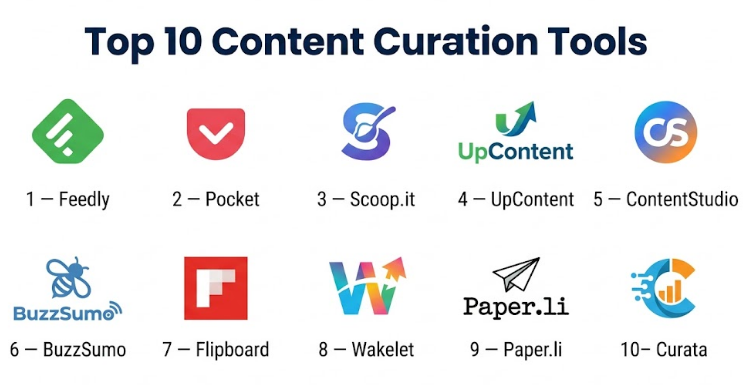
Top 10 Content Curation Tools
#1 — Feedly
Short description :
Feedly is a powerful content curation and RSS-based discovery tool for professionals who want to follow trusted sources, topics, publications, newsletters, and industry updates in one place. It is especially useful for marketers, researchers, analysts, cybersecurity teams, content creators, and executives who need structured information monitoring. Feedly works well when users want control over sources instead of relying only on social feeds or search engines.
Key Features
- RSS and web feed aggregation
- Topic and keyword monitoring
- Folder-based source organization
- Boards for saving curated content
- AI-assisted discovery in advanced plans
- Team sharing features
- Clean web and mobile reading experience
Pros
- Strong for professional content discovery
- Good for tracking many trusted sources
- Useful for research, monitoring, and content planning
Cons
- Advanced features may require paid plans
- Setup takes time when building many feeds
- Not a complete social publishing platform by itself
Platforms / Deployment
- Web / iOS / Android
- Cloud
Security & Compliance
Security features vary by plan. Specific compliance certifications are Not publicly stated for all use cases. Enterprise users should validate requirements before adoption.
Integrations & Ecosystem
Feedly fits well into research, marketing, and productivity workflows. Users can collect articles, organize sources, and move insights into other tools.
- RSS feeds
- Newsletter sources
- Browser saving
- Team boards
- Read-it-later workflows
- Automation and productivity workflows
Support & Community
Feedly provides help resources and documentation. It has a strong user base among professionals who use RSS and topic monitoring for research and content discovery.
#2 — Pocket
Short description :
Pocket is a simple and popular save-it-later tool that helps users collect articles, videos, and online content for later reading. It is useful for individuals, writers, students, marketers, and professionals who find valuable content throughout the day but want to review it later in a cleaner environment. While it is not a full marketing content curation platform, it is very useful for personal curation and reading workflows.
Key Features
- Save articles, videos, and web pages
- Offline reading support
- Tag-based organization
- Clean reading mode
- Cross-device sync
- Basic content discovery
- Saved content library
Pros
- Very easy to use
- Good for personal content saving
- Strong distraction-free reading experience
Cons
- Limited team collaboration features
- Not designed for full content marketing workflows
- Advanced organization can become difficult at scale
Platforms / Deployment
- Web / iOS / Android
- Cloud
Security & Compliance
Not publicly stated for major enterprise compliance certifications. Standard consumer account security applies.
Integrations & Ecosystem
Pocket works well with everyday browsing and reading habits.
- Browser saving
- Mobile sharing
- Offline article reading
- Tag organization
- Reading list workflows
- Basic discovery features
Support & Community
Pocket has help resources and a large general user base. It is commonly used by readers, writers, and productivity-focused users.
#3 — Scoop.it
Short description :
Scoop.it is a content curation platform designed for discovering, organizing, and publishing curated content around specific topics. It is useful for marketers, consultants, educators, and businesses that want to build topic pages, share curated resources, and support thought leadership. Scoop.it is stronger than basic bookmarking tools because it connects discovery, curation, and publishing into one workflow.
Key Features
- Topic-based content discovery
- Curated content pages
- Content suggestions
- Publishing workflows
- Social sharing support
- Team collaboration options
- Content organization by themes
Pros
- Good for topic-based curation
- Useful for thought leadership and audience education
- Supports publishing curated collections
Cons
- May be more than casual users need
- Advanced business features may require paid plans
- Less suitable for deep RSS power-user workflows
Platforms / Deployment
- Web
- Cloud
Security & Compliance
Not publicly stated for major enterprise compliance certifications. Security details may vary by plan and workspace setup.
Integrations & Ecosystem
Scoop.it supports marketing and publishing-oriented curation.
- Content discovery workflows
- Social sharing
- Topic pages
- Team content review
- Publishing workflows
- Marketing content support
Support & Community
Scoop.it provides documentation and support resources. It is used by marketers, educators, and content teams focused on curated publishing.
#4 — UpContent
Short description :
UpContent is a content curation platform built for businesses, marketers, sales teams, and professionals who need to discover relevant third-party content and share it with audiences. It is especially useful for organizations that use curated content for newsletters, social selling, employee advocacy, or customer education. UpContent focuses on helping teams find quality content aligned with business themes.
Key Features
- Topic-based content discovery
- Curated content recommendations
- Content approval workflows
- Team collaboration
- Newsletter and social sharing support
- Relevance filtering
- Integration-friendly workflows
Pros
- Strong for business content curation
- Useful for marketing and sales enablement
- Helps teams maintain content consistency
Cons
- Best value is for active business users
- May be too structured for casual readers
- Pricing and advanced features may vary
Platforms / Deployment
- Web
- Cloud
Security & Compliance
Not publicly stated for major compliance certifications. Enterprise users should review security and account controls before adoption.
Integrations & Ecosystem
UpContent is designed to connect curated content with marketing and communication workflows.
- Social media tools
- Newsletter workflows
- Employee advocacy workflows
- Content approval systems
- CRM or sales enablement workflows depending on setup
- Team collaboration processes
Support & Community
Support resources are available. Community strength is mostly professional and business-focused rather than broad consumer-oriented.
#5 — ContentStudio
Short description :
ContentStudio is a content marketing and social media management platform that includes content discovery and curation features. It is useful for marketers, agencies, social media managers, and SMBs that want to discover trending content, plan posts, schedule social updates, and manage publishing workflows. Its value comes from combining curation with social media execution.
Key Features
- Content discovery
- Social media scheduling
- Topic and keyword monitoring
- Content planning calendar
- Team collaboration
- Analytics and reporting
- Multi-channel publishing
Pros
- Combines curation and social publishing
- Useful for agencies and social media teams
- Good for planning content calendars
Cons
- May feel heavy for users who only need reading
- Advanced capabilities may require paid plans
- Not focused purely on research libraries
Platforms / Deployment
- Web
- Cloud
Security & Compliance
Not publicly stated for all compliance certifications. Account-level security and workspace controls may vary by plan.
Integrations & Ecosystem
ContentStudio fits into social media and marketing workflows.
- Social media platforms
- Content calendar workflows
- Team approval processes
- Analytics dashboards
- Content discovery feeds
- Publishing workflows
Support & Community
ContentStudio offers support resources and documentation. It is mainly used by marketers, agencies, and social media teams.
#6 — BuzzSumo
Short description :
BuzzSumo is a content research and discovery tool used by marketers, SEO professionals, PR teams, and content strategists to find popular topics, trending content, influencers, and competitive insights. It is not a traditional bookmarking-style curation tool, but it is very strong for discovering content worth curating, analyzing engagement patterns, and planning content strategy.
Key Features
- Content discovery by topic
- Trending content research
- Competitor content analysis
- Influencer discovery
- Alerts and monitoring
- Content performance insights
- Topic research support
Pros
- Strong for content research and trend discovery
- Useful for SEO and marketing strategy
- Helps identify high-performing content themes
Cons
- More research-focused than reading-focused
- Advanced plans may be expensive for small users
- Not a simple personal curation library
Platforms / Deployment
- Web
- Cloud
Security & Compliance
Not publicly stated for major enterprise compliance certifications. Business users should validate security controls based on plan.
Integrations & Ecosystem
BuzzSumo is used mainly in marketing, SEO, and PR workflows.
- Content research workflows
- Alerts and monitoring
- Competitor analysis
- Influencer research
- Topic discovery
- Reporting workflows
Support & Community
BuzzSumo provides documentation and support resources. It has strong recognition among marketers, SEO teams, and content strategists.
#7 — Flipboard
Short description :
Flipboard is a visual content curation app that lets users follow topics, publishers, and interests in a magazine-style format. It is useful for casual readers, creators, educators, and professionals who want an enjoyable way to discover and save content. Flipboard is less technical than RSS tools and more focused on visual discovery, browsing, and curated collections.
Key Features
- Magazine-style content discovery
- Topic following
- Publisher following
- Curated magazines
- Save and share articles
- Mobile-friendly reading
- Visual browsing experience
Pros
- Very easy and enjoyable to use
- Strong visual presentation
- Good for broad topic discovery
Cons
- Less control than RSS tools
- Not ideal for deep professional monitoring
- Limited advanced filtering and workflow automation
Platforms / Deployment
- Web / iOS / Android
- Cloud
Security & Compliance
Not publicly stated for major enterprise compliance certifications. Standard consumer account controls apply.
Integrations & Ecosystem
Flipboard is best for discovery and visual reading.
- Topic feeds
- Publisher following
- Curated collections
- Article saving
- Social-style sharing
- Mobile reading workflows
Support & Community
Flipboard has help resources and a large user community. It is popular among readers who prefer visual and topic-based browsing.
#8 — Wakelet
Short description :
Wakelet is a content curation tool that helps users collect, organize, and present articles, videos, social posts, images, PDFs, and notes into shareable collections. It is especially useful for educators, students, creators, community managers, and teams that want to build resource collections. Wakelet stands out because it focuses on visual collections and easy sharing rather than complex feed monitoring.
Key Features
- Curated collections
- Save articles, videos, images, and notes
- Visual content boards
- Collaboration features
- Shareable resource pages
- Classroom and education-friendly workflows
- Browser and mobile saving
Pros
- Excellent for resource collections
- Easy to use and share
- Strong for education and community use cases
Cons
- Not a deep RSS monitoring tool
- Limited advanced analytics
- Less suitable for enterprise intelligence workflows
Platforms / Deployment
- Web / iOS / Android
- Cloud
Security & Compliance
Not publicly stated for major enterprise compliance certifications. Users should review privacy and sharing settings before using it for sensitive material.
Integrations & Ecosystem
Wakelet supports visual collection and sharing workflows.
- Browser saving
- Mobile capture
- Shareable collections
- Classroom resource workflows
- Team collaboration
- Content presentation workflows
Support & Community
Wakelet has help resources and an active user community, especially among educators, creators, and digital learning professionals.
#9 — Paper.li
Short description :
Paper.li is a content curation and publishing tool designed to help users create automated online newspapers or curated content digests. It is useful for individuals, small businesses, creators, and marketers who want to publish topic-based collections without manually building every issue from scratch. Paper.li is strongest when users want automated curation presented in a readable format.
Key Features
- Automated content curation
- Topic-based content collection
- Online newspaper-style publishing
- Social sharing support
- Content scheduling
- Source and topic configuration
- Digest-style presentation
Pros
- Good for automated curated publishing
- Useful for topic-based newsletters or digests
- Saves time for recurring content sharing
Cons
- Automation may require manual review for quality
- Less flexible than full content marketing platforms
- Not ideal for deep research workflows
Platforms / Deployment
- Web
- Cloud
Security & Compliance
Not publicly stated for major enterprise compliance certifications. Standard cloud account security applies.
Integrations & Ecosystem
Paper.li is designed around publishing curated digests.
- Topic-based sources
- Social sharing
- Automated content selection
- Curated web publications
- Digest workflows
- Audience-facing content pages
Support & Community
Paper.li provides user support resources. Its community is mainly made up of creators, marketers, and small businesses using automated curation.
#10 — Curata
Short description :
Curata is a content curation and content marketing platform built for businesses that need to discover, organize, and share relevant third-party content. It is suitable for marketing teams that use curated content to support campaigns, newsletters, thought leadership, and audience engagement. Curata is more business-focused than casual curation tools and is best suited for teams with structured content operations.
Key Features
- Content discovery and curation
- Topic-based recommendations
- Content organization
- Publishing support
- Team workflows
- Content marketing alignment
- Analytics and performance insights
Pros
- Strong business content curation focus
- Useful for marketing teams and thought leadership
- Supports structured content operations
Cons
- May be too advanced for individuals
- Pricing and product availability may vary
- Requires process discipline to get full value
Platforms / Deployment
- Web
- Cloud
Security & Compliance
Not publicly stated for major compliance certifications. Business users should validate security, data handling, and account controls before adoption.
Integrations & Ecosystem
Curata fits content marketing and business publishing workflows.
- Content discovery
- Marketing workflow support
- Publishing processes
- Team review workflows
- Analytics
- Campaign content support
Support & Community
Support availability may vary by plan and business agreement. It is mainly relevant for marketing teams and business users rather than casual readers.
Comparison Table
| Tool Name | Best For | Platform(s) Supported | Deployment | Standout Feature | Public Rating |
|---|---|---|---|---|---|
| Feedly | Professional source monitoring | Web, iOS, Android | Cloud | RSS and topic-based discovery | N/A |
| Personal save-it-later reading | Web, iOS, Android | Cloud | Clean reading and saved content | N/A | |
| Scoop.it | Topic-based curated publishing | Web | Cloud | Curated topic pages | N/A |
| UpContent | Business content curation | Web | Cloud | Curated content for teams | N/A |
| ContentStudio | Social media and content teams | Web | Cloud | Curation plus social publishing | N/A |
| BuzzSumo | Content research and trends | Web | Cloud | Trending content discovery | N/A |
| Visual content discovery | Web, iOS, Android | Cloud | Magazine-style curation | N/A | |
| Wakelet | Education and resource collections | Web, iOS, Android | Cloud | Shareable visual collections | N/A |
| Paper.li | Automated curated digests | Web | Cloud | Online newspaper-style publishing | N/A |
| Curata | Enterprise content marketing teams | Web | Cloud | Business-focused curation workflow | N/A |
Evaluation & Content Curation Tools
| Tool Name | Core (25%) | Ease (15%) | Integrations (15%) | Security (10%) | Performance (10%) | Support (10%) | Value (15%) | Weighted Total (0–10) |
|---|---|---|---|---|---|---|---|---|
| Feedly | 9 | 8 | 9 | 8 | 9 | 8 | 8 | 8.45 |
| 7 | 9 | 7 | 7 | 8 | 7 | 8 | 7.65 | |
| Scoop.it | 8 | 8 | 7 | 7 | 8 | 7 | 7 | 7.50 |
| UpContent | 8 | 7 | 8 | 7 | 8 | 7 | 7 | 7.60 |
| ContentStudio | 8 | 8 | 8 | 7 | 8 | 8 | 8 | 7.95 |
| BuzzSumo | 9 | 7 | 7 | 7 | 8 | 8 | 7 | 7.75 |
| 7 | 9 | 6 | 7 | 8 | 7 | 8 | 7.55 | |
| Wakelet | 8 | 9 | 6 | 7 | 8 | 7 | 8 | 7.75 |
| Paper.li | 7 | 8 | 6 | 7 | 7 | 7 | 7 | 7.00 |
| Curata | 8 | 7 | 8 | 7 | 8 | 7 | 7 | 7.60 |
The scoring is comparative and should be used as a shortlist guide, not as a universal ranking. A tool with a higher score may be stronger overall, but the right choice depends on the workflow. Feedly is better for source monitoring, ContentStudio is better for social publishing, BuzzSumo is stronger for research, Wakelet is better for visual collections, and Pocket is better for personal reading.
Which Content Curation Tool Is Right for You?
Solo / Freelancer
Solo users and freelancers should start with simple tools that reduce friction. Pocket is useful for saving and reading content later. Feedly is better if the user wants to follow multiple trusted sources regularly. Wakelet works well for creators, educators, and consultants who want to build shareable collections.
Freelancers who create content for clients may benefit from Feedly and BuzzSumo. Feedly helps monitor sources, while BuzzSumo helps identify topics and content patterns that are already gaining attention.
SMB
Small businesses should choose tools that support repeatable content discovery and sharing. Feedly is strong for monitoring industry sources. ContentStudio is useful when content curation needs to connect with social scheduling and publishing. UpContent can help teams curate business-relevant content for newsletters, sales enablement, or audience education.
SMBs should avoid using too many tools at once. A simple workflow with discovery, review, approval, and publishing is usually better than a complicated stack.
Mid-Market
Mid-market companies often need content curation for marketing, sales, leadership updates, competitive intelligence, and internal knowledge sharing. Feedly, UpContent, ContentStudio, and BuzzSumo are strong candidates.
Marketing teams may prefer ContentStudio for publishing workflows. Research and strategy teams may prefer Feedly or BuzzSumo. Teams that need curated content for newsletters or customer education may consider UpContent or Scoop.it.
Enterprise
Enterprise teams should evaluate security, governance, team permissions, content approval, and integration with existing marketing systems. Curata, Feedly, UpContent, ContentStudio, and BuzzSumo may be relevant depending on the use case.
Enterprises should not choose only based on content discovery. They should validate account controls, workflow approvals, team roles, data handling, reporting, and whether the tool fits internal compliance requirements.
Budget vs Premium
Budget-focused users can start with Pocket, Flipboard, Wakelet, or free/basic plans of RSS and curation tools. These are good for personal reading, education, and lightweight content organization.
Premium tools may be worth it when content curation directly supports marketing output, newsletters, social media publishing, audience engagement, or business research. Feedly, ContentStudio, UpContent, BuzzSumo, and Curata are better suited when curation is part of a serious business workflow.
Feature Depth vs Ease of Use
For ease of use, Pocket, Flipboard, and Wakelet are strong choices. They are simple, visual, and easy to adopt.
For feature depth, Feedly, ContentStudio, BuzzSumo, UpContent, and Curata are stronger. They support more structured discovery, monitoring, publishing, analytics, and business workflows.
Integrations & Scalability
ContentStudio is strong when curation needs to connect with social media publishing. Feedly is strong when curation starts with source monitoring. BuzzSumo is valuable when the workflow starts with trend research and content analysis.
For scalable team workflows, look for shared workspaces, role-based access, review processes, publishing integrations, tagging, and reporting. Small teams may not need all of this, but growing teams usually do.
Security & Compliance Needs
For personal users, basic account security may be enough. For businesses, especially those managing customer-facing content, security and governance matter more.
Teams should review authentication options, workspace permissions, data storage, export controls, approval workflows, and whether the platform is appropriate for confidential research or internal strategy content.
Frequently Asked Questions
1. What is a content curation tool?
A content curation tool helps users discover, save, organize, and share useful content from different sources. It can be used for reading, research, newsletters, social media, education, marketing, and knowledge sharing.
2. How is content curation different from content creation?
Content creation means producing original content, such as blogs, videos, reports, or posts. Content curation means finding, organizing, and sharing existing useful content with added context, structure, or commentary.
3. Which content curation tool is best for marketers?
Feedly, ContentStudio, BuzzSumo, UpContent, Scoop.it, and Curata are strong options for marketers. The right choice depends on whether the main need is discovery, social publishing, research, newsletters, or business content workflows.
4. Which tool is best for personal content saving?
Pocket is one of the simplest options for personal content saving and later reading. Feedly is better if the user wants to follow many regular sources, while Wakelet is better for building visual collections.
5. Can content curation tools help with social media?
Yes. Tools like ContentStudio, Scoop.it, UpContent, and Paper.li can support social sharing or publishing workflows. They help users find relevant content and organize it for audience engagement.
6. Are content curation tools useful for SEO?
Yes, but indirectly. They help marketers discover trending topics, monitor competitors, understand audience interests, and build better content ideas. However, curation alone does not replace original SEO content creation.
7. Can teams collaborate inside content curation tools?
Many business-focused tools support team workflows, shared libraries, approvals, and publishing coordination. Feedly, ContentStudio, UpContent, Scoop.it, and Curata are more suitable for team use than basic personal reading apps.
8. What is the biggest mistake in content curation?
The biggest mistake is sharing content without context. Good curation adds value by selecting relevant pieces, organizing them clearly, and explaining why they matter to the audience.
9. Are AI features important in content curation?
AI can help with discovery, filtering, summarization, and topic recommendations. However, human judgment is still important because not every recommended article is accurate, relevant, or suitable for your audience.
10. Can content curation tools replace a content calendar?
Some tools include content calendar features, especially platforms like ContentStudio. However, many curation tools are better used alongside a content calendar rather than as a complete replacement.
Conclusion
Content curation tools help individuals and teams turn scattered online information into organized, useful, and shareable knowledge. The best tool depends on the workflow. Feedly is strong for source monitoring, Pocket is ideal for personal saving, ContentStudio supports social publishing, BuzzSumo helps with content research, Wakelet is excellent for visual collections, and UpContent or Curata may fit structured business curation. There is no single best platform for everyone. A solo creator may need a simple reading and saving tool, while a marketing team may need discovery, collaboration, approvals, publishing, and analytics.
