Introduction
RSS aggregators are tools that collect updates from websites, blogs, newsletters, publications, podcasts, forums, and other online sources into one organized reading dashboard. Instead of checking many websites manually, users can subscribe to RSS feeds and receive new content automatically in one place.
RSS aggregators are still highly relevant because readers want more control over what they consume. Social media feeds are often noisy and algorithm-driven, while RSS gives users a cleaner, source-first way to follow trusted content. For professionals, RSS aggregators are useful for industry monitoring, research, content discovery, competitive intelligence, learning, and daily reading routines.
Common use cases include:
- Following blogs, websites, and online publications
- Monitoring industry news and competitor updates
- Tracking product announcements and changelogs
- Organizing research sources for writing and analysis
- Reading newsletters and web feeds in one place
- Building a distraction-free daily reading system
- Tracking niche communities, podcasts, and technical updates
Buyers should evaluate:
- Feed management and folder organization
- RSS, Atom, and newsletter support
- Search and filtering capability
- Offline reading
- Mobile and desktop experience
- Tagging and saved articles
- Automation rules
- Sharing and team collaboration
- Import and export options
- Privacy, security, and account controls
Best for: Researchers, writers, developers, marketers, analysts, founders, consultants, students, journalists, and professionals who follow many sources and want a clean reading workflow.
Not ideal for: Users who only read from a few websites occasionally, prefer social media discovery, or do not want to organize sources manually.
Key Trends in RSS Aggregators
- Renewed interest in open web reading: Many users are returning to RSS because it gives more control than algorithm-based feeds.
- AI-assisted filtering: Some modern aggregators help summarize, prioritize, or filter high-volume feeds.
- Newsletter-to-RSS workflows: Users increasingly want newsletters, articles, and feeds inside one reading system.
- Better mobile reading: RSS apps now focus heavily on clean mobile reading, offline access, and fast sync.
- Advanced rules and automation: Power users want automatic tagging, filtering, muting, and priority rules.
- Team intelligence workflows: Businesses use RSS aggregators for competitor monitoring, industry tracking, and research sharing.
- Privacy-conscious reading: Users care more about who controls their reading data and source subscriptions.
- Integration with knowledge tools: RSS feeds are often connected to note-taking, read-it-later, and research systems.
- Cleaner distraction-free interfaces: Readers want less clutter and more control over layout, typography, and reading flow.
- Support for niche sources: RSS remains valuable for following independent blogs, technical sites, podcasts, and smaller publications.
How We Selected These Tools
The RSS aggregators in this list were selected based on usefulness, recognition, feed management capability, platform support, reading experience, and fit for different user types.
The evaluation considered:
- Market adoption and user recognition
- RSS and Atom feed support
- Folder, tag, and source organization
- Search, filtering, and saved article features
- Mobile and desktop usability
- Offline reading and sync reliability
- Support for power users and casual readers
- Privacy and data control options
- Integration with read-it-later and productivity workflows
- Value across solo, SMB, mid-market, and enterprise scenarios
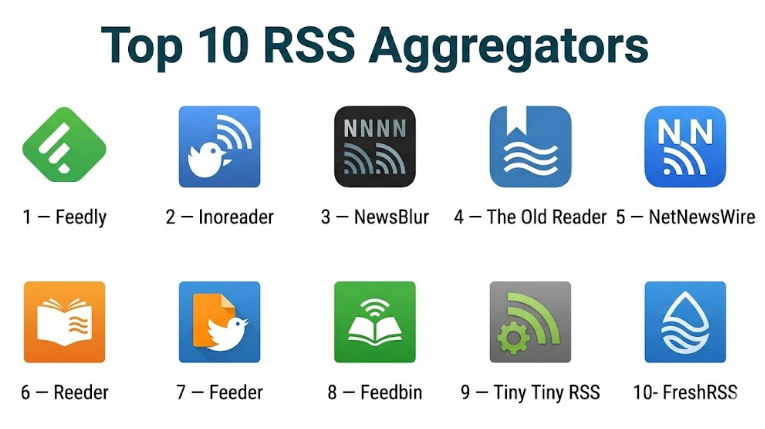
Top 10 RSS Aggregators
#1 — Feedly
Short description :
Feedly is one of the most recognized RSS aggregators for professionals, teams, and individuals who want to follow many trusted sources in one organized workspace. It supports blogs, news sites, publications, newsletters, and topic-based monitoring. Feedly is especially useful for marketers, analysts, researchers, cybersecurity teams, content teams, and executives who need structured information tracking. Its strength is combining classic RSS reading with modern monitoring and organization features.
Key Features
- RSS and web feed aggregation
- Folder-based source organization
- Boards for saving and grouping articles
- Keyword and topic monitoring
- Team sharing features
- AI-assisted discovery and filtering in advanced plans
- Clean web and mobile reading experience
Pros
- Strong for professional source monitoring
- Good balance of simplicity and advanced features
- Useful for individuals and teams
Cons
- Advanced capabilities may require paid plans
- Initial setup can take time
- Casual readers may not need its full feature set
Platforms / Deployment
- Web / iOS / Android
- Cloud
Security & Compliance
Security details vary by plan. Enterprise-grade features may be available in business tiers, but specific certifications should be verified directly. If unsure, use “Varies / N/A.”
Integrations & Ecosystem
Feedly works well with professional reading, research, and monitoring workflows. It is often used as a central place to collect and route insights.
- RSS feeds
- Newsletter sources
- Saved article workflows
- Team boards
- Browser saving
- Automation and productivity workflows
Support & Community
Feedly has documentation, support resources, and a strong professional user base. It is widely discussed by users who rely on RSS for research, monitoring, and content discovery.
#2 — Inoreader
Short description :
Inoreader is a powerful RSS aggregator built for users who want deep control over feeds, filtering, automation, and reading workflows. It is especially useful for power users, journalists, researchers, analysts, developers, and professionals who follow high volumes of content. Inoreader stands out because it supports rules, tags, search, filters, and structured organization. It is one of the strongest options for people who want more than a basic feed reader.
Key Features
- RSS and Atom feed support
- Feed folders and tags
- Rules and automation
- Article search
- Saved articles
- Offline reading
- Newsletter and web feed support
Pros
- Excellent for high-volume reading
- Strong filtering and automation
- Good for research and monitoring workflows
Cons
- Can feel complex for beginners
- Some advanced tools require paid access
- Less visual than magazine-style readers
Platforms / Deployment
- Web / iOS / Android
- Cloud
Security & Compliance
Not publicly stated for major enterprise compliance certifications. Standard account security applies.
Integrations & Ecosystem
Inoreader supports flexible feed-based workflows and can fit into broader productivity systems.
- RSS and Atom feeds
- Newsletter subscriptions
- Browser extensions
- Saved article workflows
- Automation rules
- Import and export options
Support & Community
Inoreader provides documentation and support resources. It has a strong community among RSS power users and people who manage large reading libraries.
#3 — NewsBlur
Short description :
NewsBlur is an RSS aggregator designed for users who want feed control, story training, original-site reading, and flexible organization. It is useful for people who follow blogs, independent media, technology sites, niche publications, and professional sources. NewsBlur provides a more traditional RSS experience but includes smart filtering and training features that help users surface relevant stories. It is a strong choice for serious readers who want control without excessive complexity.
Key Features
- RSS feed subscriptions
- Feed folders and organization
- Story training and filtering
- Original site and text view
- Saved stories
- Social reading features
- Web and mobile apps
Pros
- Good balance of traditional RSS and smart filtering
- Useful for niche and independent sources
- Strong for readers who want control
Cons
- Interface may feel less modern than some newer tools
- Not ideal for users who prefer visual discovery
- Best suited for regular RSS users
Platforms / Deployment
- Web / iOS / Android
- Cloud
Security & Compliance
Not publicly stated for major enterprise compliance certifications. Standard account protections apply.
Integrations & Ecosystem
NewsBlur is centered around RSS and structured reading.
- RSS subscriptions
- Feed folders
- Saved stories
- Story training
- Text view and original view
- Mobile sync
Support & Community
NewsBlur has documentation and an active RSS-focused user community. Support is more community and product-resource driven than enterprise-style.
#4 — The Old Reader
Short description :
The Old Reader is a simple RSS aggregator inspired by classic feed reading workflows. It is designed for people who want a clean, familiar way to follow blogs, news sources, and websites without heavy algorithmic recommendations. The Old Reader is especially suitable for users who liked traditional RSS readers and want straightforward subscriptions, folders, and reading lists. It is not the most advanced option, but its simplicity is part of its appeal.
Key Features
- RSS feed reading
- Folder-based organization
- Article saving
- Basic sharing features
- Simple reading interface
- Import and export support
- Web-based access
Pros
- Simple and familiar RSS experience
- Easy to use for classic feed readers
- Good for low-friction daily reading
Cons
- Fewer advanced automation features
- Interface may feel basic
- Limited enterprise capabilities
Platforms / Deployment
- Web
- Cloud
Security & Compliance
Not publicly stated for major enterprise compliance certifications. Standard account-based access applies.
Integrations & Ecosystem
The Old Reader is focused on classic RSS reading rather than broad integrations.
- RSS feed subscriptions
- Folder organization
- Article saving
- Basic sharing
- Feed import and export
- Browser-based reading
Support & Community
Support resources are available, and the tool has a loyal user base among classic RSS readers. Community strength is moderate compared with larger platforms.
#5 — NetNewsWire
Short description :
NetNewsWire is a clean, open-source RSS aggregator built for Apple users. It is fast, simple, and privacy-friendly, making it attractive for developers, writers, bloggers, researchers, and readers who prefer a lightweight RSS experience. NetNewsWire is especially useful for people who want direct control over sources without algorithmic news feeds. Its open-source nature and clean design make it a respected option among RSS enthusiasts.
Key Features
- RSS and Atom feed support
- Clean reading interface
- Folder organization
- Fast syncing depending on setup
- Open-source design
- Keyboard-friendly reading
- Apple ecosystem support
Pros
- Fast and distraction-free
- Privacy-friendly appeal
- Strong for Apple users
Cons
- Limited to Apple platforms
- Not designed for team workflows
- Fewer advanced AI or automation features
Platforms / Deployment
- macOS / iOS
- Local / Cloud sync depending on configuration
Security & Compliance
Open-source and privacy-friendly design. Major enterprise compliance certifications are Not publicly stated.
Integrations & Ecosystem
NetNewsWire works well for users who prefer simple source control.
- RSS and Atom feeds
- Feed syncing depending on selected service
- Folder organization
- External browser reading
- Apple ecosystem workflows
- Local reading control
Support & Community
NetNewsWire has an open-source community and user documentation. Support is community-oriented rather than formal enterprise support.
#6 — Reeder
Short description :
Reeder is a polished RSS reader for Apple users who want a refined reading experience across feeds and read-it-later sources. It is best for individuals who value design, speed, and a calm reading interface. Reeder supports RSS workflows and can connect with several feed services depending on setup. It is especially useful for readers who want a premium-feeling experience without too much complexity.
Key Features
- RSS feed reading
- Clean reading interface
- Multiple reading views
- Feed service support
- Read-it-later style workflows
- Keyboard and gesture-friendly experience
- Smooth Apple device experience
Pros
- Excellent reading experience
- Strong visual polish
- Good for Apple-focused users
Cons
- Apple ecosystem focused
- Not ideal for team collaboration
- Advanced monitoring features are limited
Platforms / Deployment
- macOS / iOS
- Local / Cloud sync depending on feed service
Security & Compliance
Not publicly stated for major compliance certifications. Security depends partly on the connected feed service and device setup.
Integrations & Ecosystem
Reeder works as a refined front-end for feed reading and saved article workflows.
- RSS feed services
- Read-it-later workflows
- Apple device sync patterns
- External browser support
- Local reading workflows
- Feed account connections
Support & Community
Reeder has a dedicated user base among Apple productivity users and RSS readers. Support is generally product-resource based.
#7 — Feeder
Short description :
Feeder is an RSS aggregator designed for users and teams who need simple feed monitoring, source tracking, and content updates. It works well for professionals who want to follow websites, blogs, product updates, jobs, changelogs, or market sources from one dashboard. Feeder is useful for people who want RSS without building a complicated reading system. It balances simplicity with practical monitoring features.
Key Features
- RSS and feed tracking
- Feed folders
- Browser extension support
- Email digest options
- Team sharing features
- Keyword monitoring in some plans
- Web and mobile access
Pros
- Simple setup and clean workflow
- Useful for monitoring business sources
- Good for users who want email-style updates
Cons
- Advanced features may require paid plans
- Less powerful than deep RSS tools for automation
- Not as strong for long-form reading workflows
Platforms / Deployment
- Web / iOS / Android
- Cloud
Security & Compliance
Not publicly stated for major compliance certifications. Standard account-level protections apply.
Integrations & Ecosystem
Feeder is practical for monitoring and notification-based reading.
- RSS feeds
- Browser extension
- Email digests
- Team source sharing
- Website update monitoring
- Feed organization workflows
Support & Community
Feeder provides help resources and support channels. Community presence is moderate, mostly among users who need simple feed monitoring.
#8 — Feedbin
Short description :
Feedbin is a clean RSS aggregator built for users who want a reliable, minimal, and developer-friendly feed reading experience. It supports RSS reading, saved content, newsletters, and podcast-oriented feeds depending on workflow. Feedbin is appreciated by users who prefer a straightforward paid service with less clutter and more control. It is a good choice for readers who want simplicity without giving up important RSS capabilities.
Key Features
- RSS feed reading
- Newsletter reading support
- Saved articles
- Tagging and organization
- Clean reading interface
- Sync support with compatible apps
- Search and archive features
Pros
- Clean and focused experience
- Good for serious individual readers
- Works well with third-party RSS apps
Cons
- Paid model may not suit casual users
- Less visual than magazine-style apps
- Team features are limited
Platforms / Deployment
- Web
- Cloud
Security & Compliance
Not publicly stated for major enterprise compliance certifications. Standard account-based security applies.
Integrations & Ecosystem
Feedbin fits well into independent RSS workflows.
- RSS and Atom feeds
- Newsletter reading
- Third-party reader support
- Saved article workflows
- Tags and organization
- Search and archive workflows
Support & Community
Feedbin has documentation and a loyal user base among RSS enthusiasts. Support is generally direct and product-focused.
#9 — Tiny Tiny RSS
Short description :
Tiny Tiny RSS is a self-hosted RSS aggregator for users who want control over their feed data, hosting environment, and reading setup. It is best for technical users, developers, privacy-conscious readers, and organizations that prefer self-managed infrastructure. Tiny Tiny RSS is flexible and powerful, but it requires more setup and maintenance than hosted RSS services. It is not the easiest tool for beginners, but it is valuable for users who want ownership and control.
Key Features
- Self-hosted RSS aggregation
- Feed folders and labels
- Filtering and rules
- Plugin support
- Multi-user support depending on setup
- Web-based reading
- Customizable deployment
Pros
- Strong data control
- Self-hosted flexibility
- Useful for technical users
Cons
- Requires technical setup
- Maintenance is user responsibility
- Not ideal for casual readers
Platforms / Deployment
- Web
- Self-hosted
Security & Compliance
Security depends on the user’s hosting, configuration, authentication setup, and maintenance practices. Compliance is Varies / N/A.
Integrations & Ecosystem
Tiny Tiny RSS is flexible because users control the environment.
- RSS and Atom feeds
- Plugins
- Custom hosting
- Filtering rules
- Multi-user setups
- API or extension-based workflows depending on configuration
Support & Community
Support is community-driven. Users should be comfortable reading documentation, maintaining servers, and troubleshooting hosting issues.
#10 — FreshRSS
Short description :
FreshRSS is a free and self-hosted RSS aggregator built for users who want control, privacy, and long-term feed ownership. It is suitable for developers, technical teams, privacy-conscious readers, and organizations that prefer open-source infrastructure. FreshRSS provides a clean web interface, feed management, user accounts, and flexible deployment options. It is one of the strongest choices for self-hosted RSS reading.
Key Features
- Self-hosted RSS aggregation
- Multi-user support
- Feed folders and categories
- Web-based reading
- Import and export options
- Extension support
- API support for compatible clients
Pros
- Free and open-source
- Strong control over data and hosting
- Good for privacy-conscious users
Cons
- Requires hosting and maintenance
- Setup can be technical
- Not as polished as premium hosted tools
Platforms / Deployment
- Web
- Self-hosted
Security & Compliance
Security depends on hosting, configuration, updates, access controls, and deployment practices. Compliance is Varies / N/A.
Integrations & Ecosystem
FreshRSS supports flexible self-hosted RSS workflows.
- RSS and Atom feeds
- Compatible feed reader clients
- API-based access
- Import and export
- Extensions
- Multi-user environments
Support & Community
FreshRSS has community documentation and open-source support channels. It is best suited for users comfortable with technical setup and self-managed systems.
Comparison Table
| Tool Name | Best For | Platform(s) Supported | Deployment | Standout Feature | Public Rating |
|---|---|---|---|---|---|
| Feedly | Professionals and teams | Web, iOS, Android | Cloud | RSS monitoring with boards and topic tracking | N/A |
| Inoreader | Power users and researchers | Web, iOS, Android | Cloud | Advanced rules, filters, and search | N/A |
| NewsBlur | Traditional RSS readers | Web, iOS, Android | Cloud | Story training and original-site reading | N/A |
| The Old Reader | Classic RSS experience | Web | Cloud | Simple traditional feed reading | N/A |
| NetNewsWire | Apple users and privacy-focused readers | macOS, iOS | Local / Cloud | Open-source RSS reading | N/A |
| Reeder | Apple users wanting polished reading | macOS, iOS | Local / Cloud | Premium reading interface | N/A |
| Feeder | Simple feed monitoring | Web, iOS, Android | Cloud | Browser and email-based feed tracking | N/A |
| Feedbin | Minimal paid RSS service users | Web | Cloud | Clean RSS and newsletter reading | N/A |
| Tiny Tiny RSS | Technical self-hosters | Web | Self-hosted | Full control over RSS hosting | N/A |
| FreshRSS | Open-source self-hosted users | Web | Self-hosted | Free self-hosted multi-user RSS | N/A |
Evaluation & RSS Aggregators
| Tool Name | Core (25%) | Ease (15%) | Integrations (15%) | Security (10%) | Performance (10%) | Support (10%) | Value (15%) | Weighted Total (0–10) |
|---|---|---|---|---|---|---|---|---|
| Feedly | 9 | 8 | 9 | 8 | 9 | 8 | 8 | 8.45 |
| Inoreader | 9 | 7 | 8 | 7 | 8 | 8 | 8 | 8.05 |
| NewsBlur | 8 | 7 | 7 | 7 | 8 | 7 | 8 | 7.55 |
| The Old Reader | 7 | 8 | 6 | 6 | 7 | 6 | 8 | 7.00 |
| NetNewsWire | 7 | 8 | 6 | 8 | 9 | 7 | 9 | 7.70 |
| Reeder | 8 | 9 | 7 | 7 | 9 | 7 | 8 | 7.95 |
| Feeder | 8 | 8 | 7 | 7 | 8 | 7 | 8 | 7.70 |
| Feedbin | 8 | 8 | 7 | 7 | 8 | 7 | 8 | 7.70 |
| Tiny Tiny RSS | 8 | 5 | 7 | 8 | 7 | 6 | 8 | 7.10 |
| FreshRSS | 8 | 6 | 7 | 8 | 8 | 7 | 9 | 7.55 |
The scoring is comparative and should be used as a practical shortlist guide, not as a universal ranking. A hosted tool like Feedly may score higher for ease, ecosystem, and team use, while a self-hosted tool like FreshRSS may be better for data control and long-term ownership. Apple users may prefer Reeder or NetNewsWire because of reading experience, while technical users may prefer Tiny Tiny RSS or FreshRSS for control.
Which RSS Aggregator Is Right for You?
Solo / Freelancer
Solo users and freelancers should choose based on how much control they need. If you want a simple but powerful hosted reader, Feedly, Inoreader, Feeder, or Feedbin can work well. If you are an Apple user who values a polished reading experience, Reeder or NetNewsWire may be a better fit.
Freelancers who monitor clients, competitors, industry blogs, and marketing trends should consider Feedly or Inoreader because they offer stronger organization and monitoring features.
SMB
Small businesses can use RSS aggregators to monitor competitors, industry news, vendor updates, customer trends, and content ideas. Feedly and Inoreader are practical choices because they scale better across many sources and support organized folders.
If the team wants simple source monitoring without complex workflows, Feeder can be a good fit. If the business has technical capability and wants more control, FreshRSS may be considered.
Mid-Market
Mid-market teams usually need structured information monitoring, content discovery, product research, and repeatable workflows. Feedly is strong for professional teams, while Inoreader is useful for advanced feed filtering and rules.
For technical teams, FreshRSS or Tiny Tiny RSS can work if self-hosting aligns with internal infrastructure policies. However, the business must be ready to manage updates, uptime, backups, and access control.
Enterprise
Enterprises should evaluate RSS aggregators based on security, admin control, team sharing, data governance, and integration with existing research workflows. Feedly is often suitable for professional monitoring use cases, especially for teams that need structured reading and shared boards.
Self-hosted options such as FreshRSS and Tiny Tiny RSS may appeal to organizations with strict data control requirements, but they require internal technical ownership. Enterprises should validate authentication, hosting, backups, support, and compliance expectations before adopting self-hosted tools.
Budget vs Premium
Budget-conscious users can start with NetNewsWire, FreshRSS, Tiny Tiny RSS, or basic plans of hosted RSS tools. These can be enough for individual reading and simple source tracking.
Premium options such as Feedly, Inoreader, Reeder, Feedbin, and Feeder may be worth it when they save time through better sync, cleaner interfaces, advanced search, rules, saved articles, newsletter support, or team workflows.
Feature Depth vs Ease of Use
For ease of use, The Old Reader, Feeder, Reeder, and NetNewsWire are strong choices. They help users start reading quickly without building complicated workflows.
For feature depth, Feedly, Inoreader, Tiny Tiny RSS, and FreshRSS are better. They support more control, customization, filtering, and structured source management.
Integrations & Scalability
Feedly and Inoreader are better for scalable professional workflows because they support richer organization, monitoring, and ecosystem connections. Feedbin is useful for users who want a clean hosted RSS service that works with other reader apps.
FreshRSS and Tiny Tiny RSS are scalable for technical users, but scalability depends on hosting quality, database setup, maintenance, and user management.
Security & Compliance Needs
For personal use, standard hosted RSS tools may be enough. For professional or sensitive monitoring, users should review account security, storage, privacy settings, export options, and sharing controls.
For organizations with strict data control requirements, self-hosted RSS aggregators can be attractive. However, self-hosting does not automatically mean secure. Security depends on correct setup, patching, backups, access control, and monitoring.
Frequently Asked Questions
1. What is an RSS aggregator?
An RSS aggregator is a tool that collects updates from websites, blogs, publications, podcasts, and other feed-enabled sources into one reading interface. It allows users to follow trusted sources directly instead of relying only on search engines or social media feeds.
2. Why should I use an RSS aggregator?
An RSS aggregator helps reduce information overload by giving you a controlled reading list. You decide which sources to follow, organize them into folders, and read updates without visiting many websites manually.
3. Are RSS aggregators still useful?
Yes. RSS remains useful because it gives readers direct control over sources. It is especially valuable for professionals, researchers, developers, writers, and anyone who follows many blogs, publications, changelogs, or niche websites.
4. What is the difference between RSS aggregators and news apps?
News apps often rely on algorithms, publisher partnerships, or personalized feeds. RSS aggregators allow users to subscribe directly to specific sources. RSS is more source-controlled, while news apps are usually more discovery-focused.
5. Which RSS aggregator is best for beginners?
The Old Reader, Feeder, Reeder, and NetNewsWire are good for beginners because they are simple and easy to understand. Feedly is also beginner-friendly, but it becomes more powerful as users add more sources and organize them properly.
6. Which RSS aggregator is best for power users?
Inoreader is strong for power users because of rules, filters, tags, and search. Feedly is also strong for professional monitoring. Tiny Tiny RSS and FreshRSS are good for technical users who want self-hosted control.
7. Can RSS aggregators track newsletters?
Some RSS aggregators support newsletter reading or email-to-feed workflows. Feedbin, Inoreader, Feedly, and Feeder may support this depending on plan and setup. Users should confirm the exact workflow before choosing.
8. Are self-hosted RSS aggregators better?
Self-hosted RSS aggregators are better for users who want more control over hosting and data. However, they require technical setup, updates, backups, and security management. Hosted tools are easier for most users.
9. Can businesses use RSS aggregators?
Yes. Businesses use RSS aggregators to monitor competitors, market trends, industry publications, product updates, job postings, regulatory news, and customer-related topics. Feedly and Inoreader are especially useful for structured business monitoring.
10. What are common mistakes when using RSS aggregators?
A common mistake is subscribing to too many sources without organizing them. This creates noise. A better approach is to create focused folders, review feeds regularly, remove low-value sources, and use filters where available.
Conclusion
RSS aggregators remain valuable because they give users control over what they read, where updates come from, and how information is organized. They are especially useful for professionals who want reliable source monitoring without depending only on algorithmic feeds. The best RSS aggregator depends on your workflow. Feedly and Inoreader are strong for professional monitoring and power users, NewsBlur and The Old Reader are good for traditional RSS reading, Reeder and NetNewsWire fit Apple-focused readers, while FreshRSS and Tiny Tiny RSS suit technical users who want self-hosted control.
