Introduction
Model distillation and compression tooling helps AI teams reduce model size, improve inference speed, lower memory usage, cut serving costs, and make models easier to deploy on CPUs, GPUs, edge devices, mobile devices, and production servers. These tools are used to optimize machine learning models through techniques such as quantization, pruning, knowledge distillation, sparsity, graph optimization, operator fusion, compilation, and runtime acceleration.
This category matters because AI models are becoming larger and more expensive to run. A model may perform well in training, but if it is too slow, too costly, or too large for production hardware, it becomes difficult to deploy at scale. Compression and optimization tooling helps teams make models more practical without always retraining from scratch.
Common use cases include:
- Reducing large model inference cost
- Compressing models for edge and mobile deployment
- Improving CPU and GPU inference speed
- Quantizing models to lower precision
- Pruning unnecessary model weights
- Distilling large teacher models into smaller student models
- Optimizing transformer and computer vision models
- Preparing models for production serving platforms
- Improving latency for real-time AI applications
- Lowering memory usage for constrained hardware
Buyers should evaluate:
- Supported frameworks and model formats
- Quantization support
- Pruning and sparsity support
- Knowledge distillation workflows
- Hardware acceleration support
- Compatibility with CPUs, GPUs, NPUs, and edge devices
- Integration with serving platforms
- Ease of use and automation
- Model accuracy preservation
- Production readiness and support maturity
Best for: ML engineers, MLOps teams, AI infrastructure teams, edge AI teams, data scientists, platform engineers, LLMOps teams, embedded AI teams, and enterprises deploying AI models at scale.
Not ideal for: Teams only doing early research experiments, notebook demos, or small models where inference cost, latency, memory, and deployment size are not yet major concerns.
Key Trends in Model Distillation & Compression Tooling
- LLM quantization growth: Teams are heavily using lower-precision formats to reduce memory and serve large language models more efficiently.
- Edge AI deployment: More models are being compressed for mobile, IoT, robotics, cameras, vehicles, and industrial devices.
- Hardware-aware optimization: Compression tools increasingly optimize for specific CPUs, GPUs, NPUs, and AI accelerators.
- Post-training quantization: Teams prefer compression methods that do not require expensive retraining when possible.
- Quantization-aware training: For accuracy-sensitive workloads, training-time quantization remains important.
- Sparse model execution: Sparsity and pruning are becoming more relevant when hardware and runtimes can benefit from sparse computation.
- Model compilation: Compilation frameworks are helping convert models into hardware-optimized execution graphs.
- Open model optimization: Open-source LLMs and vision models are driving demand for flexible compression pipelines.
- Cost-quality tradeoff analysis: Teams want to compare model size, latency, throughput, memory, and accuracy together.
- Production-first optimization: Compression is moving from research notebooks into CI/CD, MLOps, and serving workflows.
How We Selected These Tools
The tools below were selected based on recognition, practical usefulness, framework support, optimization capability, hardware relevance, and fit across different production AI workflows.
The evaluation considered:
- Market adoption and engineering mindshare
- Support for quantization, pruning, distillation, or compilation
- Compatibility with common ML frameworks
- Hardware acceleration support
- Production serving readiness
- Ease of integration into MLOps pipelines
- Support for traditional ML, computer vision, NLP, and LLM workloads
- Documentation and community maturity
- Fit for startups, SMBs, mid-market teams, and enterprises
- Usefulness for both cloud and edge AI deployment
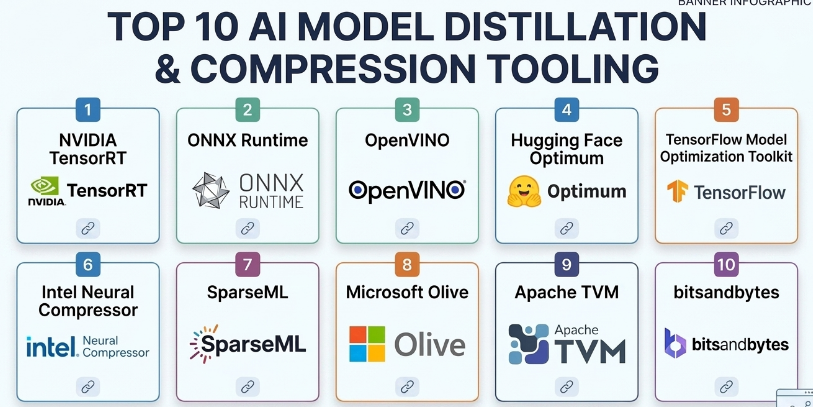
Top 10 Model Distillation & Compression Tooling
#1 — NVIDIA TensorRT
Short description :
NVIDIA TensorRT is a high-performance deep learning inference optimizer and runtime designed for NVIDIA GPUs. It helps optimize trained models through precision calibration, layer fusion, kernel tuning, and graph optimization. TensorRT is especially useful for computer vision, speech, NLP, recommendation, and LLM inference workloads where latency and throughput matter. It is a strong fit for production teams running AI workloads on NVIDIA GPU infrastructure.
Key Features
- GPU inference optimization
- FP16 and INT8 precision support
- Layer and tensor fusion
- Kernel auto-tuning
- Dynamic shape support
- Integration with NVIDIA inference ecosystem
- Runtime acceleration for production deployments
Pros
- Excellent performance on NVIDIA GPUs
- Strong for latency-sensitive inference
- Useful for high-throughput production workloads
Cons
- Best suited for NVIDIA hardware
- Optimization workflow can require expertise
- Some models may need conversion or compatibility work
Platforms / Deployment
- Linux / Windows depending on setup
- GPU / Cloud / On-premise / Edge hardware with NVIDIA support
Security & Compliance
Not publicly stated as a standalone compliance-certified platform. Security depends on deployment environment, container security, model artifact handling, runtime configuration, and infrastructure controls.
Integrations & Ecosystem
TensorRT fits strongly into NVIDIA-centered AI deployment workflows.
- NVIDIA GPUs
- NVIDIA Triton Inference Server
- ONNX model workflows
- CUDA ecosystem
- Edge devices with NVIDIA hardware
- Containerized inference environments
Support & Community
NVIDIA provides documentation, developer resources, enterprise ecosystem support, and a large technical community around TensorRT and GPU inference optimization.
#2 — ONNX Runtime
Short description :
ONNX Runtime is a cross-platform inference runtime designed to run machine learning models in the ONNX format efficiently across different hardware targets. It supports graph optimization, quantization, hardware execution providers, and deployment across cloud, desktop, mobile, and edge environments. ONNX Runtime is especially useful for teams that want a portable model execution layer across frameworks and hardware. It is a strong choice for production inference where interoperability matters.
Key Features
- ONNX model execution
- Graph optimization
- Quantization tooling
- Multiple execution providers
- CPU, GPU, and accelerator support
- Cross-platform deployment
- Integration with many ML frameworks through ONNX export
Pros
- Strong model portability
- Useful across cloud, desktop, edge, and mobile scenarios
- Good hardware provider ecosystem
Cons
- Requires ONNX conversion compatibility
- Model export may need debugging
- Advanced optimization depends on hardware provider support
Platforms / Deployment
- Windows / Linux / macOS / iOS / Android / Edge environments
- Cloud / Local / Edge / Hybrid
Security & Compliance
Not publicly stated as a standalone compliance-certified platform. Security depends on application deployment, runtime environment, model storage, access controls, and platform configuration.
Integrations & Ecosystem
ONNX Runtime works well in cross-framework and production deployment workflows.
- PyTorch model export
- TensorFlow model export workflows
- ONNX model format
- CPU and GPU execution providers
- Edge and mobile deployments
- Production inference services
Support & Community
ONNX Runtime has strong documentation, active ecosystem support, and broad adoption among engineering teams looking for portable inference optimization.
#3 — OpenVINO
Short description :
OpenVINO is an AI inference optimization toolkit focused on accelerating deep learning models, especially on Intel hardware. It helps optimize models for CPUs, integrated GPUs, VPUs, and edge environments. OpenVINO is useful for computer vision, speech, generative AI, and edge AI scenarios where efficient inference on Intel-based systems matters. It is a practical choice for teams deploying models outside large GPU servers.
Key Features
- Model optimization for Intel hardware
- Quantization support
- Model conversion and optimization
- CPU and accelerator inference support
- Edge deployment support
- Runtime performance improvements
- Support for multiple AI model types
Pros
- Strong for Intel-based inference
- Good edge and CPU optimization
- Useful for computer vision and industrial AI workflows
Cons
- Best value appears on supported Intel hardware
- Model conversion may require tuning
- Not a universal replacement for GPU-focused tools
Platforms / Deployment
- Windows / Linux / macOS depending on version and setup
- CPU / GPU / Edge / On-premise / Cloud
Security & Compliance
Not publicly stated as a standalone compliance-certified platform. Security depends on deployment architecture, application controls, model storage, device configuration, and infrastructure governance.
Integrations & Ecosystem
OpenVINO fits AI deployment workflows targeting Intel environments.
- Intel CPUs and accelerators
- Edge AI devices
- Computer vision pipelines
- Model conversion workflows
- Runtime optimization
- Industrial and embedded AI deployments
Support & Community
OpenVINO has documentation, tutorials, developer resources, and community adoption among teams working with Intel-optimized inference and edge AI.
#4 — Hugging Face Optimum
Short description :
Hugging Face Optimum is an optimization toolkit designed to accelerate transformer models and other AI workloads across different hardware backends. It helps teams apply quantization, export models, optimize inference, and connect Hugging Face models with performance-focused runtimes. Optimum is especially useful for NLP, transformer, and LLM workflows where teams want to reduce latency and deployment cost while staying close to the Hugging Face ecosystem.
Key Features
- Transformer model optimization
- Quantization workflows
- Export to optimized runtimes
- Hardware backend support
- Integration with model libraries
- Support for inference acceleration
- Practical workflows for NLP and LLM models
Pros
- Strong fit for Hugging Face model users
- Useful for transformer and LLM optimization
- Helps bridge research models and production inference
Cons
- Best suited for Hugging Face ecosystem workflows
- Hardware backend support varies by setup
- Some optimization paths require technical tuning
Platforms / Deployment
- Python / Linux / Cloud environments / Local environments
- Cloud / Local / Hybrid depending on backend
Security & Compliance
Compliance is Varies / N/A. Security depends on model source, deployment environment, artifact storage, access controls, and runtime configuration.
Integrations & Ecosystem
Optimum works naturally with transformer and model hub workflows.
- Hugging Face Transformers
- ONNX Runtime workflows
- Intel optimization workflows
- GPU and accelerator backends depending on setup
- Quantization tooling
- LLM deployment pipelines
Support & Community
Hugging Face Optimum benefits from the broader Hugging Face ecosystem, documentation, examples, and active community adoption among AI developers.
#5 — TensorFlow Model Optimization Toolkit
Short description :
TensorFlow Model Optimization Toolkit is a set of tools for optimizing TensorFlow and Keras models using techniques such as quantization, pruning, clustering, and quantization-aware training. It is useful for teams deploying models to mobile, edge, and production environments where model size and inference performance matter. It is especially relevant for TensorFlow Lite and TensorFlow-based model deployment workflows.
Key Features
- Post-training quantization
- Quantization-aware training
- Model pruning
- Weight clustering
- TensorFlow Lite optimization support
- Keras model integration
- Edge and mobile deployment preparation
Pros
- Strong fit for TensorFlow and Keras users
- Useful for mobile and edge optimization
- Supports training-aware compression methods
Cons
- Mainly focused on TensorFlow ecosystem
- Requires experimentation to preserve accuracy
- Not ideal for non-TensorFlow workflows
Platforms / Deployment
- Python / TensorFlow / TensorFlow Lite environments
- Local / Cloud / Mobile / Edge
Security & Compliance
Not publicly stated as a standalone compliance-certified toolkit. Security depends on model development environment, data handling, deployment target, and application controls.
Integrations & Ecosystem
TensorFlow Model Optimization Toolkit fits TensorFlow production and edge workflows.
- TensorFlow
- Keras
- TensorFlow Lite
- Mobile deployment
- Edge inference
- Quantization-aware training pipelines
Support & Community
It has documentation and community support through the TensorFlow ecosystem. It is most useful for teams already working with TensorFlow-based model training and deployment.
#6 — Intel Neural Compressor
Short description :
Intel Neural Compressor is an optimization toolkit designed to improve deep learning inference performance through quantization, pruning, distillation-related workflows, and hardware-aware optimization. It is especially useful for teams deploying models on Intel CPUs and accelerators. The tool supports multiple frameworks and helps reduce model size while maintaining acceptable accuracy. It is a strong fit for teams optimizing enterprise inference workloads on CPU-heavy infrastructure.
Key Features
- Post-training quantization
- Quantization-aware training support
- Pruning support
- Knowledge distillation workflows depending on setup
- Multi-framework support
- Intel hardware optimization
- Accuracy-aware tuning
Pros
- Strong for Intel CPU inference optimization
- Supports multiple compression techniques
- Useful for enterprise and edge workloads
Cons
- Best results are hardware and workload dependent
- Requires tuning and validation
- Documentation and workflow depth may require ML engineering skill
Platforms / Deployment
- Linux / Python environments
- CPU / Cloud / On-premise / Edge depending on setup
Security & Compliance
Not publicly stated as a standalone compliance-certified tool. Security depends on deployment environment, model artifacts, runtime controls, and infrastructure governance.
Integrations & Ecosystem
Intel Neural Compressor fits performance optimization workflows across frameworks.
- TensorFlow
- PyTorch
- ONNX Runtime
- Intel hardware acceleration
- OpenVINO workflows
- Enterprise inference pipelines
Support & Community
Intel provides documentation and developer resources. Community adoption is strongest among teams optimizing inference on Intel infrastructure.
#7 — SparseML
Short description :
SparseML is a model optimization toolkit focused on sparsity, pruning, quantization, and efficient model deployment. It helps teams compress models and improve inference efficiency while preserving accuracy. SparseML is especially useful for teams exploring sparse models, efficient transformers, computer vision models, and CPU-friendly inference optimization. It is relevant when teams want to make models smaller and faster without fully changing the architecture.
Key Features
- Model pruning
- Sparsity workflows
- Quantization support
- Recipe-based optimization
- Framework integration
- Accuracy-aware compression
- Deployment-oriented optimization
Pros
- Strong focus on sparsity and pruning
- Useful for reducing model size
- Practical for efficient inference workflows
Cons
- Requires tuning and evaluation
- Hardware must benefit from sparsity to show full value
- May require workflow changes for training and deployment
Platforms / Deployment
- Python / ML training environments / Inference environments
- Local / Cloud / Hybrid
Security & Compliance
Compliance is Varies / N/A. Security depends on training data handling, model storage, deployment environment, and access controls.
Integrations & Ecosystem
SparseML fits optimization and efficient deployment workflows.
- PyTorch workflows
- ONNX workflows depending on setup
- Pruning recipes
- Quantization workflows
- Sparse model deployment
- Efficient CPU inference pipelines
Support & Community
SparseML has documentation and community awareness among teams working on model sparsity and efficient inference.
#8 — Microsoft Olive
Short description :
Microsoft Olive is a model optimization toolchain designed to automate model compression and optimization across different hardware targets and execution environments. It helps teams apply techniques such as quantization, graph optimization, conversion, and hardware-aware tuning. Olive is especially useful for teams working with ONNX Runtime, Windows AI workflows, cloud deployments, and hardware-specific optimization pipelines. Its strength is automation across the optimization workflow.
Key Features
- Automated model optimization workflows
- Quantization support
- Graph optimization
- Model conversion
- Hardware-aware tuning
- ONNX Runtime integration
- Pipeline-style optimization configuration
Pros
- Good for automating optimization pipelines
- Strong fit with ONNX Runtime workflows
- Useful for hardware-targeted deployment preparation
Cons
- Requires understanding of optimization goals
- Best value appears in structured deployment pipelines
- Setup may be complex for beginners
Platforms / Deployment
- Python / Windows / Linux / Cloud environments depending on setup
- Local / Cloud / Hybrid
Security & Compliance
Compliance is Varies / N/A. Security depends on model artifacts, optimization environment, deployment target, identity controls, and infrastructure setup.
Integrations & Ecosystem
Olive fits model optimization and deployment workflows.
- ONNX Runtime
- Azure-focused workflows depending on setup
- Hardware-specific optimization
- Quantization pipelines
- Model conversion pipelines
- CI/CD and MLOps optimization flows
Support & Community
Microsoft Olive has developer documentation and ecosystem relevance for teams optimizing models for ONNX Runtime and Microsoft-centered AI deployment environments.
#9 — Apache TVM
Short description :
Apache TVM is an open-source machine learning compiler framework that helps optimize models for different hardware backends. It is used to compile and tune models for CPUs, GPUs, and specialized accelerators. TVM is especially useful for advanced teams working on hardware-aware optimization, edge deployment, custom accelerators, and performance-critical inference. It is powerful but more technical than many high-level compression tools.
Key Features
- ML model compilation
- Hardware backend optimization
- Operator-level tuning
- Support for multiple frameworks through model import
- CPU, GPU, and accelerator targets
- Edge deployment relevance
- Auto-tuning workflows
Pros
- Strong hardware-aware optimization
- Useful for advanced performance engineering
- Supports many deployment targets
Cons
- High learning curve
- Requires compiler and systems knowledge
- Not a simple plug-and-play compression tool
Platforms / Deployment
- Linux / Development environments / Embedded and accelerator targets
- Local / Cloud / Edge / Hybrid
Security & Compliance
Not publicly stated as a standalone compliance-certified framework. Security depends on deployment, compiled artifacts, infrastructure, and target device controls.
Integrations & Ecosystem
Apache TVM fits advanced model compilation and hardware optimization workflows.
- Deep learning frameworks through import paths
- CPUs and GPUs
- Edge devices
- Custom accelerators
- Compiler optimization workflows
- Auto-tuning pipelines
Support & Community
Apache TVM has open-source community support and is mainly used by advanced AI infrastructure, compiler, and systems engineering teams.
#10 — bitsandbytes
Short description :
bitsandbytes is a lightweight optimization library widely used in large language model workflows for low-bit quantization and memory-efficient training or inference patterns. It is especially useful for AI developers working with transformer models and constrained GPU memory. While it is not a full enterprise compression platform, it is highly practical for reducing memory requirements when working with large models. It is popular in experimentation, fine-tuning, and efficient LLM deployment workflows.
Key Features
- Low-bit quantization workflows
- Memory-efficient model loading
- LLM-focused optimization support
- Integration with transformer workflows
- Useful for constrained GPU environments
- Supports efficient fine-tuning patterns depending on setup
- Developer-friendly Python usage
Pros
- Very practical for LLM memory reduction
- Useful for experimentation and fine-tuning
- Strong adoption in open-source LLM workflows
Cons
- Not a complete model serving or governance platform
- Hardware and compatibility limitations may apply
- Requires technical understanding of quantization tradeoffs
Platforms / Deployment
- Python / Linux environments / GPU environments
- Local / Cloud / Hybrid depending on setup
Security & Compliance
Compliance is Varies / N/A. Security depends on the model source, Python environment, dependency management, deployment setup, and data handling practices.
Integrations & Ecosystem
bitsandbytes fits modern LLM experimentation and optimization workflows.
- Transformer models
- Hugging Face workflows
- GPU memory optimization
- Low-bit quantization
- Fine-tuning workflows
- Research and prototype deployments
Support & Community
bitsandbytes has strong community awareness in the LLM ecosystem. Support is mainly documentation, open-source discussion, and community-driven troubleshooting.
Comparison Table
| Tool Name | Best For | Platform(s) Supported | Deployment | Standout Feature | Public Rating |
|---|---|---|---|---|---|
| NVIDIA TensorRT | NVIDIA GPU inference optimization | Linux, Windows, GPU environments | Cloud / On-premise / Edge | High-performance GPU runtime optimization | N/A |
| ONNX Runtime | Portable model inference | Windows, Linux, macOS, iOS, Android | Cloud / Local / Edge / Hybrid | Cross-platform optimized ONNX execution | N/A |
| OpenVINO | Intel hardware inference optimization | Windows, Linux, macOS | Cloud / Local / Edge | Intel-optimized model acceleration | N/A |
| Hugging Face Optimum | Transformer and LLM optimization | Python, Linux, cloud environments | Cloud / Local / Hybrid | Hugging Face model optimization workflows | N/A |
| TensorFlow Model Optimization Toolkit | TensorFlow model compression | Python, TensorFlow, TensorFlow Lite | Cloud / Local / Mobile / Edge | Quantization and pruning for TensorFlow models | N/A |
| Intel Neural Compressor | CPU and Intel-focused compression | Linux, Python environments | Cloud / On-premise / Edge | Accuracy-aware quantization and pruning | N/A |
| SparseML | Sparsity and pruning workflows | Python, ML environments | Cloud / Local / Hybrid | Recipe-based sparse model optimization | N/A |
| Microsoft Olive | Automated model optimization pipelines | Python, Windows, Linux | Cloud / Local / Hybrid | Automated hardware-aware optimization | N/A |
| Apache TVM | Advanced model compilation | Linux, embedded and accelerator targets | Cloud / Local / Edge / Hybrid | Hardware-aware ML compilation | N/A |
| bitsandbytes | LLM low-bit quantization | Python, Linux, GPU environments | Cloud / Local / Hybrid | Memory-efficient LLM quantization | N/A |
Evaluation & Model Distillation and Compression Tooling
| Tool Name | Core (25%) | Ease (15%) | Integrations (15%) | Security (10%) | Performance (10%) | Support (10%) | Value (15%) | Weighted Total (0–10) |
|---|---|---|---|---|---|---|---|---|
| NVIDIA TensorRT | 10 | 6 | 9 | 8 | 10 | 9 | 9 | 8.75 |
| ONNX Runtime | 9 | 8 | 9 | 8 | 9 | 8 | 9 | 8.65 |
| OpenVINO | 9 | 7 | 8 | 8 | 9 | 8 | 9 | 8.35 |
| Hugging Face Optimum | 8 | 8 | 9 | 7 | 8 | 8 | 9 | 8.25 |
| TensorFlow Model Optimization Toolkit | 8 | 7 | 8 | 7 | 8 | 8 | 9 | 7.90 |
| Intel Neural Compressor | 9 | 6 | 8 | 7 | 9 | 8 | 9 | 8.10 |
| SparseML | 8 | 6 | 7 | 7 | 8 | 7 | 8 | 7.35 |
| Microsoft Olive | 8 | 7 | 9 | 7 | 8 | 8 | 8 | 8.00 |
| Apache TVM | 9 | 4 | 8 | 7 | 10 | 7 | 8 | 7.70 |
| bitsandbytes | 8 | 7 | 8 | 7 | 8 | 7 | 9 | 7.80 |
The scoring is comparative and should be used as a shortlist guide, not as a universal ranking. TensorRT is excellent for NVIDIA GPU performance, ONNX Runtime is strong for portability, OpenVINO and Intel Neural Compressor are valuable for Intel-focused optimization, and Hugging Face Optimum is practical for transformer and LLM workflows. Apache TVM is powerful but requires deep technical skill, while bitsandbytes is highly useful for LLM memory reduction.
Which Model Distillation & Compression Tooling Is Right for You?
Solo / Freelancer
Solo ML engineers and freelancers should choose tools based on the model framework and target hardware. If working with Hugging Face transformer models, Optimum and bitsandbytes are practical starting points. If deploying ONNX models, ONNX Runtime is a strong option.
For GPU-heavy work on NVIDIA hardware, TensorRT can provide major performance gains, but it may require more setup. For TensorFlow mobile workflows, TensorFlow Model Optimization Toolkit is more natural.
SMB
Small businesses should prioritize simplicity, deployment fit, and cost savings. ONNX Runtime, Hugging Face Optimum, OpenVINO, TensorFlow Model Optimization Toolkit, and Intel Neural Compressor can provide practical optimization without requiring a full research team.
SMBs should avoid optimizing blindly. Always compare model accuracy, latency, memory usage, and cost before and after compression.
Mid-Market
Mid-market teams often need repeatable optimization pipelines, support for multiple model types, and production deployment integration. ONNX Runtime, Microsoft Olive, TensorRT, OpenVINO, and Intel Neural Compressor are strong options depending on infrastructure.
If the team serves models across different hardware environments, ONNX Runtime and Olive can support more portable workflows. If the team has GPU-heavy workloads, TensorRT should be evaluated carefully.
Enterprise
Enterprises should evaluate compression tooling based on governance, hardware strategy, model lifecycle, CI/CD integration, reproducibility, monitoring, and support. TensorRT, ONNX Runtime, OpenVINO, Intel Neural Compressor, Microsoft Olive, and Apache TVM may all be relevant depending on the environment.
Enterprises should create standardized optimization pipelines instead of allowing every team to compress models differently. Consistency matters for debugging, audits, rollback, and performance comparison.
Budget vs Premium
Many compression and optimization tools are open-source or free to use, but operational cost still exists. Teams need engineering time, testing infrastructure, benchmark datasets, and deployment validation.
Premium value usually appears through hardware investment, enterprise support, managed platforms, or reduced inference cost. A tool that saves GPU memory or lowers latency can quickly justify adoption in high-traffic systems.
Feature Depth vs Ease of Use
For ease of use, ONNX Runtime, Hugging Face Optimum, TensorFlow Model Optimization Toolkit, and bitsandbytes are more approachable for many developers.
For feature depth, TensorRT, Apache TVM, Intel Neural Compressor, Microsoft Olive, and SparseML offer more advanced optimization paths but require stronger technical understanding.
Integrations & Scalability
TensorRT scales well for NVIDIA GPU inference. ONNX Runtime scales well across multiple execution environments. OpenVINO and Intel Neural Compressor fit Intel-based deployment. Hugging Face Optimum works well for transformer pipelines. Microsoft Olive is useful when teams want automated optimization workflows.
Scalability depends on target hardware, model size, batch size, latency requirements, throughput goals, deployment architecture, and monitoring.
Security & Compliance Needs
Compression tooling itself does not guarantee compliance. Security depends on how models, datasets, artifacts, containers, runtimes, and deployment environments are managed.
Teams should protect model artifacts, validate dependencies, scan containers, control access to optimization pipelines, and ensure compressed models do not leak sensitive training data or behave differently in unsafe ways.
Frequently Asked Questions
1. What is model compression?
Model compression is the process of reducing a model’s size, memory usage, or compute cost while trying to preserve acceptable accuracy. Common methods include quantization, pruning, distillation, sparsity, and graph optimization.
2. What is knowledge distillation?
Knowledge distillation trains a smaller student model to imitate a larger teacher model. The goal is to keep much of the teacher model’s performance while making the student model faster, cheaper, and easier to deploy.
3. What is quantization?
Quantization reduces the numerical precision of model weights or activations. For example, a model may move from full precision to lower precision to reduce memory usage and improve inference speed.
4. What is pruning?
Pruning removes less important model weights, neurons, channels, or structures. The goal is to make the model smaller or faster while preserving accuracy as much as possible.
5. Which tool is best for NVIDIA GPU inference?
NVIDIA TensorRT is a strong choice for optimizing inference on NVIDIA GPUs. It provides graph optimization, precision calibration, kernel tuning, and runtime acceleration for high-performance deployment.
6. Which tool is best for portable model inference?
ONNX Runtime is a strong option for portable inference because it supports the ONNX model format and multiple execution providers across different hardware and platforms.
7. Which tool is best for TensorFlow models?
TensorFlow Model Optimization Toolkit is useful for TensorFlow and Keras workflows, especially when teams need quantization, pruning, clustering, or TensorFlow Lite deployment.
8. Which tool is best for LLM quantization?
bitsandbytes, Hugging Face Optimum, ONNX Runtime workflows, and hardware-specific tools can be useful depending on the model, hardware, and deployment target. The best choice depends on memory limits, accuracy needs, and serving stack.
9. Does compression always reduce accuracy?
Not always, but compression can reduce accuracy if applied aggressively. Teams should always benchmark accuracy, latency, memory, and cost after compression before deploying to production.
10. What is the biggest mistake teams make with model compression?
The biggest mistake is optimizing only for smaller size or faster speed without validating model quality. A compressed model that is fast but inaccurate can damage user experience and business outcomes.
11. Can compression reduce inference cost?
Yes. Compression can reduce memory usage, improve throughput, allow smaller hardware, and lower GPU or CPU cost. However, savings depend on workload volume, hardware, model type, and deployment architecture.
12. How should I choose model compression tooling?
Start with your model framework, target hardware, and deployment goal. Choose TensorRT for NVIDIA GPUs, ONNX Runtime for portability, OpenVINO or Intel Neural Compressor for Intel hardware, TensorFlow Model Optimization Toolkit for TensorFlow models, Optimum for Hugging Face workflows, and TVM for advanced compiler-level optimization.
Conclusion
Model distillation and compression tooling is essential for turning large or expensive models into practical production systems. The best tool depends on the model framework, target hardware, latency needs, cost goals, and team skill level. NVIDIA TensorRT is excellent for GPU-accelerated inference, ONNX Runtime is strong for portable model execution, OpenVINO and Intel Neural Compressor are useful for Intel-focused optimization, and Hugging Face Optimum is practical for transformer and LLM workflows. TensorFlow Model Optimization Toolkit fits TensorFlow and mobile deployment, SparseML supports sparsity and pruning, Microsoft Olive helps automate optimization pipelines, Apache TVM is powerful for advanced compiler-level optimization, and bitsandbytes is valuable for LLM memory reduction.
