Introduction
Virtual lab simulators are digital platforms that allow students, teachers, trainers, and professionals to perform lab-style experiments in a safe, interactive, and controlled online environment. Instead of depending only on physical labs, learners can explore science, engineering, medical, coding, electronics, chemistry, biology, physics, and technical concepts through simulations, guided activities, visual models, and experiment-based learning.
Virtual lab simulators matter because many schools, colleges, and training centers face challenges such as limited lab equipment, safety risks, high setup costs, time restrictions, and lack of access for remote learners. A virtual lab can help learners practice experiments repeatedly, understand concepts visually, make mistakes safely, and prepare better before entering a real lab.
Common use cases include:
- Chemistry, physics, and biology experiments
- Medical and anatomy simulations
- Electronics and circuit practice
- Engineering and robotics learning
- Coding and cybersecurity labs
- Remote science education
- Pre-lab preparation before physical experiments
- Skill-based technical training
- Safety training and procedure practice
- Assessment-based practical learning
Buyers should evaluate:
- Subject and curriculum coverage
- Simulation realism
- Ease of use for students and teachers
- Assessment and reporting tools
- Device and browser compatibility
- Offline or low-bandwidth support
- Classroom management features
- Safety and compliance alignment
- Teacher resources and lesson plans
- Cost, licensing, and scalability
Best for: Schools, colleges, universities, coaching centers, STEM programs, technical institutes, medical training centers, corporate training teams, remote learning programs, and educators who want safer and more flexible practical learning.
Not ideal for: Courses that require mandatory hands-on physical equipment practice, regulated clinical practice, or tactile skill development that cannot be fully replaced by simulation.
Key Trends in Virtual Lab Simulators
- Remote practical learning: Virtual labs are becoming essential for students who cannot access physical labs regularly.
- STEM-focused adoption: Science, technology, engineering, and mathematics remain the strongest use cases for virtual lab simulation.
- AI-guided learning: Some platforms are adding intelligent hints, adaptive feedback, and personalized learning pathways.
- Safety-first training: Simulations help students practice risky experiments without chemical, electrical, biological, or mechanical hazards.
- Assessment integration: Teachers increasingly need lab reports, quiz results, progress tracking, and performance analytics.
- Cloud-based access: Browser-based labs make it easier for students to learn from home, school, or shared devices.
- Immersive 3D environments: More platforms are using realistic 3D models, virtual instruments, and interactive lab spaces.
- Hybrid lab learning: Virtual labs are often used before or after real lab sessions to improve understanding and retention.
- Cost-efficient lab expansion: Institutions use simulators to offer more experiments without buying large amounts of physical equipment.
- Career-ready technical labs: Virtual environments are also used for coding, cybersecurity, networking, electronics, and workplace training.
How We Selected These Tools
The virtual lab simulators below were selected based on educational usefulness, subject coverage, recognition, simulation depth, classroom readiness, student engagement, and fit across different learning environments.
The evaluation considered:
- Subject and curriculum relevance
- Quality of simulations and visual learning
- Ease of use for students and teachers
- Assessment and progress tracking features
- Support for remote and hybrid learning
- Platform availability and accessibility
- Teacher resources and lesson support
- Suitability for schools, colleges, and training centers
- Safety and practical learning value
- Fit for solo educators, SMB institutions, mid-market education groups, and enterprise-scale academic programs
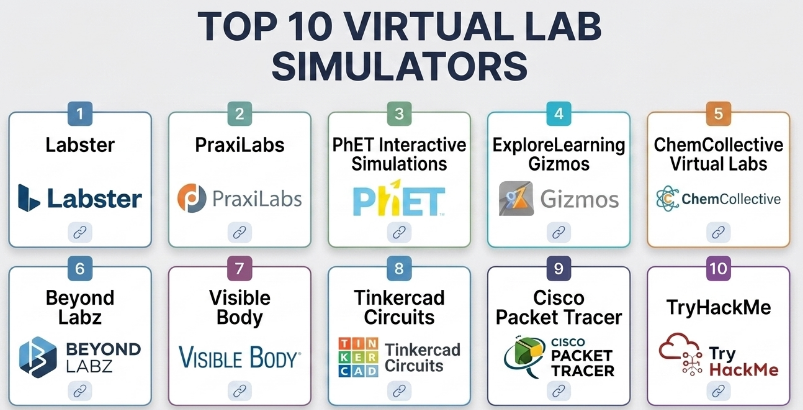
Top 10 Virtual Lab Simulators
#1 — Labster
Short description :
Labster is a widely recognized virtual lab simulation platform focused on science education, especially biology, chemistry, physics, and related STEM subjects. It provides interactive lab environments where students can perform experiments, follow guided learning paths, and understand complex concepts through visual simulations. Labster is especially useful for schools, colleges, and universities that want structured virtual lab experiences. It works well as a supplement to physical labs and remote science learning.
Key Features
- Interactive science simulations
- Biology, chemistry, physics, and STEM lab coverage
- Guided experiment workflows
- Scenario-based learning
- Student progress tracking
- Assessment and quiz support
- Classroom and higher education use cases
Pros
- Strong science simulation depth
- Good for remote and hybrid lab learning
- Useful teacher and student learning structure
Cons
- May require institutional licensing
- Best value depends on curriculum alignment
- Cannot fully replace hands-on physical lab practice
Platforms / Deployment
- Web / Browser-based access
- Cloud
Security & Compliance
Not publicly stated for all compliance requirements. Institutions should review student data handling, account controls, privacy policies, and integration settings before adoption.
Integrations & Ecosystem
Labster fits structured academic science workflows.
- Learning management systems
- Science course modules
- Student assignments
- Virtual experiments
- Pre-lab and post-lab learning
- Assessment workflows
Support & Community
Labster provides education-focused resources, support, and implementation guidance. It is commonly used in science education environments.
#2 — PraxiLabs
Short description :
PraxiLabs is a virtual science lab platform designed for chemistry, physics, and biology education. It helps students perform experiments online using interactive simulations and step-by-step learning. PraxiLabs is useful for schools and universities that want to provide practical lab exposure without depending only on physical lab availability. It supports remote learning, pre-lab preparation, and repeated practice.
Key Features
- Chemistry, physics, and biology simulations
- Step-by-step virtual experiments
- Visual lab equipment interaction
- Student learning guidance
- Experiment repetition
- Teacher support tools
- Remote learning support
Pros
- Good subject coverage for science labs
- Useful for repeated practice
- Helps reduce physical lab dependency
Cons
- Simulation realism may vary by experiment
- Requires device and internet access
- Curriculum fit should be evaluated before purchase
Platforms / Deployment
- Web / Browser-based access
- Cloud
Security & Compliance
Not publicly stated for major compliance certifications. Schools should review student privacy, login controls, and data handling before use.
Integrations & Ecosystem
PraxiLabs supports virtual science education workflows.
- Science experiments
- Teacher-led assignments
- Remote practical learning
- Pre-lab preparation
- Visual demonstrations
- Student self-practice
Support & Community
PraxiLabs provides educational support resources and guidance for institutions using virtual labs in science courses.
#3 — PhET Interactive Simulations
Short description :
PhET Interactive Simulations provides free interactive simulations for science and mathematics learning. It is especially useful for teachers, students, and schools that want easy-to-use visual simulations for physics, chemistry, biology, earth science, and math concepts. PhET is not always a full lab management platform, but it is excellent for concept exploration, classroom demonstrations, and student-driven discovery. It is widely used by educators for explaining abstract topics visually.
Key Features
- Interactive science and math simulations
- Physics, chemistry, biology, math, and earth science coverage
- Visual concept exploration
- Classroom demonstration support
- Student-friendly interface
- Many simulations usable directly in browsers
- Useful for inquiry-based learning
Pros
- Very accessible for teachers and students
- Strong for concept visualization
- Useful across many grade levels
Cons
- Not a complete lab management system
- Limited formal assessment workflows
- Simulation depth varies by topic
Platforms / Deployment
- Web / Browser-based access
- Cloud / Some simulations may support offline-style classroom use depending on setup
Security & Compliance
Not publicly stated as an enterprise compliance platform. Schools should review usage policies and student data requirements based on deployment approach.
Integrations & Ecosystem
PhET fits classroom concept-learning workflows.
- Science demonstrations
- Math visualization
- Inquiry-based learning
- Teacher lesson activities
- Student exploration
- Hybrid classroom support
Support & Community
PhET has strong educator adoption and many teacher-created learning activities. Community support is broad because many educators use it for science and math teaching.
#4 — ExploreLearning Gizmos
Short description :
ExploreLearning Gizmos provides interactive math and science simulations for classroom learning. It is designed to help students explore concepts through visual models, guided inquiry, and teacher-supported activities. Gizmos is useful for schools that want curriculum-aligned simulations with classroom-ready activities. It is especially strong for teachers who want structured resources rather than standalone open-ended simulations.
Key Features
- Math and science simulations
- Teacher-guided inquiry activities
- Student exploration tools
- Classroom-ready lessons
- Visual learning models
- Assessment and activity support
- Curriculum-oriented simulation library
Pros
- Good classroom-ready structure
- Useful for both math and science
- Supports guided inquiry learning
Cons
- May require paid school licensing
- Best fit depends on curriculum needs
- Not a replacement for all hands-on labs
Platforms / Deployment
- Web / Browser-based access
- Cloud
Security & Compliance
Not publicly stated for all compliance requirements. Schools should review account setup, student privacy, rostering, and reporting controls before adoption.
Integrations & Ecosystem
Gizmos fits classroom simulation workflows.
- Science and math lessons
- Teacher assignments
- Student exploration
- Curriculum support
- Digital activity sheets
- Classroom assessment workflows
Support & Community
ExploreLearning provides teacher resources, support, and implementation guidance. It is well suited for school-based math and science instruction.
#5 — ChemCollective Virtual Labs
Short description :
ChemCollective Virtual Labs is a chemistry-focused virtual lab environment that helps students practice chemistry experiments, problem-solving, and conceptual understanding. It is useful for chemistry teachers, students, and institutions that want virtual practice for chemical reactions, solutions, stoichiometry, and lab reasoning. ChemCollective is especially helpful for pre-lab preparation and reinforcing chemistry concepts through experimentation.
Key Features
- Chemistry-focused virtual lab environment
- Solution preparation and reaction simulation
- Conceptual chemistry problem-solving
- Lab-style interaction
- Experiment practice
- Useful for stoichiometry and chemical reasoning
- Classroom and self-study support
Pros
- Strong focus on chemistry learning
- Useful for pre-lab preparation
- Helps students practice safely
Cons
- Limited beyond chemistry
- Interface may feel less modern than some commercial tools
- Assessment and classroom management features may be limited
Platforms / Deployment
- Web / Browser-based access depending on setup
- Cloud / Local-style use may vary
Security & Compliance
Not publicly stated as a full compliance-certified education platform. Institutions should evaluate usage approach and student data needs.
Integrations & Ecosystem
ChemCollective fits chemistry education workflows.
- Chemistry problem-solving
- Virtual experiments
- Teacher demonstrations
- Pre-lab activities
- Student practice
- Concept reinforcement
Support & Community
ChemCollective has recognition among chemistry educators and is useful as a teaching resource for virtual chemistry practice.
#6 — Beyond Labz
Short description :
Beyond Labz is a virtual lab simulation platform focused on science education, with simulations for chemistry, physics, biology, and physical science. It allows learners to perform virtual experiments in realistic lab-style environments. Beyond Labz is useful for schools, homeschooling programs, and science educators who want interactive practical learning without requiring a full physical lab for every activity.
Key Features
- Virtual chemistry, physics, and biology labs
- Realistic lab-style simulations
- Experiment-based learning
- Student exploration tools
- Visual scientific instruments
- Repeated practice
- Classroom and home learning support
Pros
- Good range of science lab simulations
- Useful for visual practical learning
- Helps students prepare for real experiments
Cons
- May require licensing
- Teacher guidance improves learning value
- Content fit should be checked by subject and grade level
Platforms / Deployment
- Windows / macOS / Web options may vary by version
- Local / Cloud depending on setup
Security & Compliance
Not publicly stated for major compliance certifications. Schools should evaluate installation, account, privacy, and student data practices.
Integrations & Ecosystem
Beyond Labz supports practical science learning workflows.
- Virtual science experiments
- Classroom demonstrations
- Home science practice
- Lab preparation
- Student exploration
- Science curriculum support
Support & Community
Beyond Labz provides support resources and is used by science educators seeking virtual practical lab experiences.
#7 — Visible Body
Short description :
Visible Body provides interactive 3D anatomy and physiology learning tools for students, educators, and healthcare learners. While it is not a general science lab simulator, it is highly relevant for virtual anatomy labs, medical education, and health science learning. Learners can explore body systems, organs, muscles, bones, and physiology concepts in a visual and interactive way. It is especially useful for anatomy classes and medical training programs.
Key Features
- 3D anatomy models
- Body system exploration
- Physiology animations
- Interactive quizzes
- Visual medical education
- Muscle, bone, organ, and system learning
- Classroom and self-study use cases
Pros
- Strong anatomy and health science learning
- High visual learning value
- Useful for medical and allied health education
Cons
- Focused mainly on anatomy and physiology
- Not a general chemistry or physics lab simulator
- Full access may require paid licensing
Platforms / Deployment
- Web / Windows / macOS / iOS / Android features may vary
- Cloud / Local app features depending on setup
Security & Compliance
Not publicly stated for all education compliance requirements. Institutions should review user accounts, data handling, and licensing setup.
Integrations & Ecosystem
Visible Body fits health science education workflows.
- Anatomy lessons
- Physiology demonstrations
- Student self-study
- Medical training
- 3D visual exploration
- Assessment support depending on setup
Support & Community
Visible Body provides educational resources and support. It is recognized among anatomy, healthcare, and medical education users.
#8 — Tinkercad Circuits
Short description :
Tinkercad Circuits is a virtual electronics and circuit simulation tool that helps students and makers design, test, and learn circuits online. It is especially useful for electronics education, Arduino learning, STEM classes, and beginner engineering projects. Students can build circuits virtually before using physical components. It is a strong choice for schools teaching electronics, coding, and maker-based learning.
Key Features
- Virtual circuit building
- Arduino simulation
- Electronics component library
- Code-based circuit interaction
- Beginner-friendly design interface
- STEM project support
- Safe circuit experimentation
Pros
- Excellent for beginner electronics learning
- Useful before physical prototyping
- Good for STEM and maker education
Cons
- Limited for advanced professional circuit design
- Focused on electronics, not general science labs
- Requires teacher guidance for structured learning
Platforms / Deployment
- Web / Browser-based access
- Cloud
Security & Compliance
Security depends on account settings, classroom usage, and student data policies. Schools should review privacy and account management before use.
Integrations & Ecosystem
Tinkercad Circuits fits maker and electronics learning workflows.
- STEM classrooms
- Arduino learning
- Electronics labs
- Coding activities
- Student projects
- Virtual prototyping
Support & Community
Tinkercad has strong education and maker community adoption. Many teachers use it for introductory electronics and coding lessons.
#9 — Cisco Packet Tracer
Short description :
Cisco Packet Tracer is a network simulation tool used for learning networking concepts, building virtual networks, configuring devices, and practicing network troubleshooting. It is especially useful for students, instructors, and IT training programs. While it is not a science lab simulator, it is a strong virtual lab for networking education. It allows learners to practice router, switch, wireless, IoT, and network design concepts safely.
Key Features
- Network topology simulation
- Router and switch configuration practice
- Packet flow visualization
- Troubleshooting exercises
- IoT and wireless simulation features
- Classroom and self-paced learning
- IT certification training support
Pros
- Strong for networking education
- Safe practice environment for students
- Useful for IT labs without physical equipment
Cons
- Focused on networking, not general labs
- Interface may feel technical for beginners
- Best learning value requires structured instruction
Platforms / Deployment
- Windows / macOS / Linux depending on version
- Local
Security & Compliance
Not publicly stated for enterprise compliance as a virtual lab platform. Security depends on installation source, user accounts, device controls, and institutional policies.
Integrations & Ecosystem
Cisco Packet Tracer fits networking education workflows.
- Networking labs
- IT training
- Router and switch practice
- Troubleshooting exercises
- Certification preparation
- Classroom simulations
Support & Community
Cisco Packet Tracer has a large education and networking training community. It is widely used by students and instructors in networking programs.
#10 — TryHackMe
Short description :
TryHackMe is a virtual cybersecurity lab and learning platform that provides hands-on security training through guided rooms, challenges, and simulated environments. It is useful for students, beginners, IT professionals, cybersecurity learners, and organizations training security skills. While it is not a traditional science lab simulator, it is highly relevant as a virtual lab for cybersecurity education. Learners can practice ethical hacking, defense, networking, and security operations in controlled environments.
Key Features
- Virtual cybersecurity labs
- Guided learning rooms
- Capture-the-flag style challenges
- Beginner to advanced pathways
- Browser-based or VPN-based lab access depending on setup
- Security skill practice
- Team and classroom training options
Pros
- Strong hands-on cybersecurity learning
- Good for beginners and career learners
- Practical lab-based training environment
Cons
- Focused on cybersecurity, not general academic science
- Requires responsible and ethical use
- Some advanced content may require paid access
Platforms / Deployment
- Web / Browser-based labs / Cloud lab environments
- Cloud
Security & Compliance
Security depends on account management, lab access, user permissions, and responsible usage policies. Institutions should set clear ethical guidelines for cybersecurity training.
Integrations & Ecosystem
TryHackMe fits cybersecurity education workflows.
- Security labs
- Ethical hacking practice
- Defensive security training
- Classroom cybersecurity modules
- Skill paths
- Team training environments
Support & Community
TryHackMe has a large learning community, structured paths, and support resources for cybersecurity learners and educators.
Comparison Table
| Tool Name | Best For | Platform(s) Supported | Deployment | Standout Feature | Public Rating |
|---|---|---|---|---|---|
| Labster | Science and STEM virtual labs | Web | Cloud | Immersive science lab simulations | N/A |
| PraxiLabs | Chemistry, physics, and biology labs | Web | Cloud | Step-by-step virtual science experiments | N/A |
| PhET Interactive Simulations | Science and math concept learning | Web | Cloud / Offline-style options vary | Free interactive concept simulations | N/A |
| ExploreLearning Gizmos | Classroom math and science simulations | Web | Cloud | Curriculum-oriented simulation activities | N/A |
| ChemCollective Virtual Labs | Chemistry practice | Web | Cloud / Local-style use varies | Chemistry-focused virtual lab reasoning | N/A |
| Beyond Labz | School science lab simulations | Windows, macOS, Web options vary | Local / Cloud | Realistic multi-subject science labs | N/A |
| Visible Body | Anatomy and health science learning | Web, Windows, macOS, iOS, Android | Cloud / Local app features vary | 3D anatomy and physiology exploration | N/A |
| Tinkercad Circuits | Electronics and Arduino learning | Web | Cloud | Virtual circuit and Arduino simulation | N/A |
| Cisco Packet Tracer | Networking education | Windows, macOS, Linux | Local | Virtual network configuration labs | N/A |
| TryHackMe | Cybersecurity training labs | Web, cloud labs | Cloud | Hands-on cybersecurity lab rooms | N/A |
Evaluation & Virtual Lab Simulators
| Tool Name | Core (25%) | Ease (15%) | Integrations (15%) | Security (10%) | Performance (10%) | Support (10%) | Value (15%) | Weighted Total (0–10) |
|---|---|---|---|---|---|---|---|---|
| Labster | 9 | 8 | 8 | 8 | 8 | 9 | 8 | 8.35 |
| PraxiLabs | 8 | 8 | 7 | 7 | 8 | 8 | 8 | 7.85 |
| PhET Interactive Simulations | 8 | 9 | 7 | 8 | 8 | 8 | 10 | 8.45 |
| ExploreLearning Gizmos | 8 | 8 | 8 | 8 | 8 | 8 | 8 | 8.00 |
| ChemCollective Virtual Labs | 7 | 7 | 6 | 7 | 7 | 7 | 9 | 7.25 |
| Beyond Labz | 8 | 7 | 7 | 7 | 8 | 7 | 8 | 7.55 |
| Visible Body | 9 | 8 | 7 | 8 | 9 | 8 | 8 | 8.15 |
| Tinkercad Circuits | 8 | 9 | 7 | 8 | 8 | 8 | 9 | 8.25 |
| Cisco Packet Tracer | 9 | 7 | 7 | 8 | 8 | 8 | 9 | 8.15 |
| TryHackMe | 9 | 8 | 7 | 8 | 8 | 8 | 8 | 8.15 |
The scoring is comparative and should be used as a shortlist guide, not as a universal ranking. Labster and PraxiLabs are strong for structured science labs, while PhET is excellent for accessible science and math simulations. Tinkercad Circuits is better for electronics, Cisco Packet Tracer is stronger for networking, TryHackMe is best for cybersecurity labs, and Visible Body is highly useful for anatomy and health science education.
Which Virtual Lab Simulator Is Right for You?
Solo / Freelancer
Solo tutors and independent trainers should choose based on subject focus. For science tutoring, PhET, Labster, PraxiLabs, ChemCollective, and Beyond Labz can be useful. For electronics, Tinkercad Circuits is a strong option. For cybersecurity training, TryHackMe is more suitable.
Freelancers should avoid choosing a simulator only because it looks visually attractive. The tool should match the learning outcome, student level, and teaching method.
SMB
Small schools, coaching centers, and training institutes should focus on ease of use, curriculum fit, device compatibility, and cost. PhET is useful for accessible simulations, while Labster, PraxiLabs, ExploreLearning Gizmos, and Beyond Labz can support more structured science learning.
For technical training centers, Cisco Packet Tracer and TryHackMe may be more relevant than science-focused tools.
Mid-Market
Mid-sized schools, colleges, and training groups may need multiple virtual lab tools across departments. Science departments may use Labster, PraxiLabs, Gizmos, and Beyond Labz. Health science programs may use Visible Body. Engineering or maker programs may use Tinkercad Circuits.
Mid-market institutions should evaluate reporting, teacher dashboards, student progress tracking, and integration with learning management systems before adoption.
Enterprise
Universities, large school networks, enterprise training teams, and technical academies should evaluate virtual lab simulators based on scalability, account management, data privacy, reporting, accessibility, curriculum alignment, and support.
For enterprise-scale training, the platform should support structured learning pathways, user management, progress tracking, support processes, and consistent access across many learners.
Budget vs Premium
Budget-focused educators can start with accessible simulation tools such as PhET, ChemCollective, Tinkercad Circuits, Cisco Packet Tracer, and selected free or low-cost learning environments.
Premium tools may be worth it when institutions need realistic lab environments, guided activities, teacher dashboards, assessments, curriculum alignment, and support.
Feature Depth vs Ease of Use
For ease of use, PhET, Tinkercad Circuits, and selected guided tools are beginner-friendly. They are useful when teachers want quick demonstrations or student exploration.
For feature depth, Labster, PraxiLabs, Beyond Labz, Visible Body, Cisco Packet Tracer, and TryHackMe offer deeper subject-specific learning, but they may require more structured instruction.
Integrations & Scalability
Scalability depends on student accounts, classroom management, learning platform integration, reporting, device access, and internet reliability.
Schools should test virtual labs with real students before wide rollout. A simulator that works well for one teacher may require training and support before it works across an entire institution.
Security & Compliance Needs
Schools and training providers should review student privacy, account permissions, data storage, reporting access, classroom sharing settings, and ethical use policies.
For cybersecurity labs, clear rules are especially important. Learners should understand responsible use, legal boundaries, and safe practice environments.
Frequently Asked Questions
1. What is a virtual lab simulator?
A virtual lab simulator is a digital platform that allows learners to perform experiments, practice procedures, or explore technical concepts in an online or simulated environment. It helps students learn practical skills without needing full physical lab access.
2. Can virtual labs replace physical labs?
Virtual labs can support and enhance physical labs, but they do not always replace hands-on practice. They are best used for preparation, revision, remote learning, safety training, and concept understanding.
3. Which virtual lab simulator is best for science education?
Labster, PraxiLabs, PhET Interactive Simulations, ExploreLearning Gizmos, ChemCollective, and Beyond Labz are strong options for science education. The best choice depends on subject, grade level, budget, and curriculum needs.
4. Which virtual lab is best for chemistry?
ChemCollective, Labster, PraxiLabs, and Beyond Labz are useful for chemistry learning. ChemCollective is especially focused on chemistry reasoning and virtual lab practice.
5. Which virtual lab is best for electronics?
Tinkercad Circuits is a strong option for beginner electronics, circuit building, and Arduino simulation. It helps students test circuits safely before using physical components.
6. Which virtual lab is best for networking?
Cisco Packet Tracer is a strong virtual lab tool for networking education. It helps students practice routers, switches, network design, packet flow, and troubleshooting.
7. Which virtual lab is best for cybersecurity?
TryHackMe is useful for cybersecurity training because it provides guided labs, practice environments, and hands-on challenges for ethical hacking and defensive security learning.
8. Are virtual labs useful for remote learning?
Yes. Virtual labs are very useful for remote learning because students can practice experiments and technical skills from home or outside a physical lab environment.
9. What is the biggest mistake schools make with virtual labs?
The biggest mistake is using virtual labs as entertainment instead of structured learning. Teachers should connect each simulation to clear learning outcomes, activities, questions, and assessments.
10. Do virtual labs require high-end computers?
Some virtual labs run in a browser and work on standard devices, while advanced 3D or technical labs may need better hardware and internet. Schools should test performance before rollout.
11. Can teachers track student progress in virtual labs?
Many commercial virtual lab platforms offer student progress tracking, assignments, and reports. Free or open simulation tools may have limited tracking and may require separate classroom management.
12. How should I choose the right virtual lab simulator?
Start with the subject, learner level, curriculum needs, device availability, teacher training, and budget. Shortlist two or three tools, test real lessons, check reporting and privacy, and choose the simulator that improves practical understanding.
Conclusion
Virtual lab simulators help make practical learning safer, more flexible, and more accessible. They are especially valuable when physical lab access is limited, experiments are costly, or students need repeated practice before handling real equipment. The best tool depends on the subject and learning goal. Labster and PraxiLabs are strong for structured science labs, PhET is excellent for accessible science and math simulations, ChemCollective supports chemistry learning, Beyond Labz offers multi-subject science labs, and Visible Body is valuable for anatomy education. Tinkercad Circuits is ideal for electronics, Cisco Packet Tracer is strong for networking, and TryHackMe is useful for cybersecurity training.
