Introduction
AR education apps use augmented reality to place digital learning objects, 3D models, animations, labels, simulations, and interactive visuals into the real world through phones, tablets, or AR-supported devices. Instead of only reading from textbooks or watching static videos, learners can explore subjects in a more visual and hands-on way.
AR education apps matter because many learners understand better when they can see, rotate, interact with, and explore concepts. A biology student can examine the human body in 3D, a chemistry learner can visualize molecules, a child can interact with alphabets, and a history student can experience historical objects more clearly. These apps make learning more engaging, especially for students who struggle with abstract concepts.
Common use cases include:
- Visualizing human anatomy and organs
- Learning science through 3D models
- Exploring space, planets, and geography
- Supporting classroom demonstrations
- Helping children learn alphabets, animals, and numbers
- Making history, art, and culture more interactive
- Training learners through simulations
- Supporting remote and hybrid education
Buyers should evaluate:
- Subject coverage
- Age group suitability
- 3D model quality
- Ease of use for students and teachers
- Device compatibility
- Offline access
- Classroom management features
- Safety and privacy controls
- Content accuracy
- Pricing and learning value
Best for: Students, teachers, schools, parents, tutors, training centers, science educators, STEM programs, museums, and learning-focused organizations that want more visual and interactive education.
Not ideal for: Learners who only need simple reading material, exam-only practice, or low-device classrooms where AR-supported phones or tablets are not available.
Key Trends in AR Education Apps
- Interactive 3D learning: Students increasingly expect models they can rotate, zoom, and explore from different angles.
- STEM-focused AR: Science, anatomy, astronomy, engineering, and mathematics are leading AR education use cases.
- Mobile-first learning: Most AR education apps are designed for smartphones and tablets because these are easier to access than headsets.
- Classroom demonstration tools: Teachers use AR to explain complex concepts visually during lessons.
- Gamified learning: AR apps often include challenges, rewards, quizzes, and missions to increase engagement.
- Remote learning support: AR can help students understand practical topics even when they are outside a physical lab.
- AI and AR combination: Some tools are beginning to combine AI guidance with AR visuals for more personalized learning.
- Skill-based training: AR is being used for medical, technical, safety, and workplace training simulations.
- Better content libraries: Schools increasingly prefer apps with ready-made curriculum-aligned content.
- Privacy awareness: Education buyers now pay closer attention to student data, app permissions, and account safety.
How We Selected These Tools
The AR education apps below were selected based on practical learning value, recognition, subject coverage, usability, visual quality, device support, and suitability for different learner types.
The evaluation considered:
- Educational usefulness
- AR interaction quality
- Subject and curriculum relevance
- Ease of use for teachers and students
- Visual and 3D model quality
- Student engagement features
- Platform availability
- Classroom or individual learning fit
- Safety and privacy expectations
- Value for schools, parents, and learners
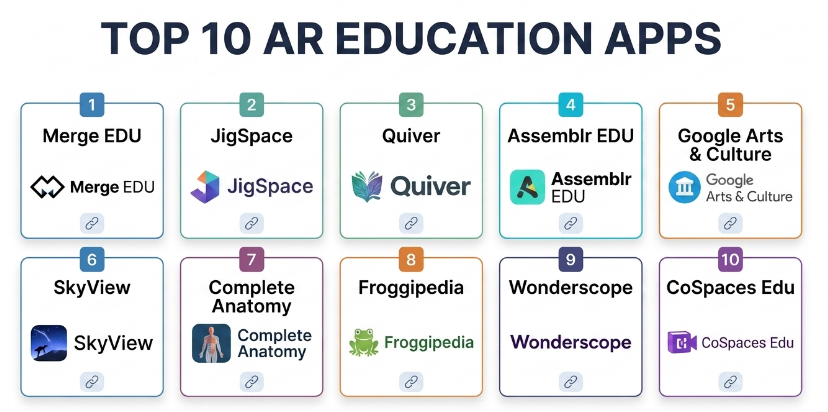
Top 10 AR Education Apps
#1 — Merge EDU
Short description :
Merge EDU is an AR learning platform designed for classrooms, STEM education, and hands-on digital exploration. It allows students to interact with 3D objects using compatible devices and learning materials. Teachers can use it to explain science, anatomy, engineering, space, and other topics in a more visual way. It is especially useful for schools that want structured AR learning activities.
Key Features
- Interactive 3D learning objects
- STEM-focused AR activities
- Classroom-friendly lessons
- Hands-on object exploration
- Teacher support materials
- Science and engineering visuals
- Works with compatible AR devices and accessories
Pros
- Strong for classroom STEM learning
- Good hands-on student engagement
- Useful for visual and practical learning
Cons
- Best experience may require compatible accessories
- May need teacher preparation
- Not ideal for non-STEM-heavy use cases
Platforms / Deployment
- iOS / Android / Web features may vary
- Cloud / Device-based AR
Security & Compliance
Not publicly stated for all compliance requirements. Schools should review student data policies, account controls, and classroom privacy settings before adoption.
Integrations & Ecosystem
Merge EDU fits interactive STEM learning workflows.
- Classroom AR lessons
- 3D object exploration
- Science activities
- Teacher-guided demonstrations
- Student hands-on learning
- STEM lab-style workflows
Support & Community
Merge EDU provides teacher resources and support materials. It is commonly used in STEM-focused classroom environments.
#2 — JigSpace
Short description :
JigSpace is an AR presentation and learning app that helps users explain complex ideas through interactive 3D demonstrations. It is useful for education, training, product explanation, and visual storytelling. Teachers and trainers can use it to show how machines, systems, objects, or processes work step by step. It is especially helpful when learners need to understand structure, movement, and process.
Key Features
- Interactive 3D presentations
- Step-by-step visual explanations
- AR object placement
- 3D model viewing
- Training and education use cases
- Visual storytelling tools
- Shareable demonstrations
Pros
- Good for explaining complex processes
- Strong visual presentation experience
- Useful beyond traditional classrooms
Cons
- Content creation may take time
- Advanced use may require 3D design knowledge
- Less focused on full curriculum learning
Platforms / Deployment
- iOS / Web features may vary
- Cloud / AR-supported devices
Security & Compliance
Not publicly stated for major education compliance certifications. Organizations should review workspace, sharing, and data handling settings.
Integrations & Ecosystem
JigSpace supports visual learning and training workflows.
- AR demonstrations
- 3D product explanations
- Classroom presentations
- Training content
- Visual process walkthroughs
- Shareable learning experiences
Support & Community
JigSpace has learning resources and product support. It is useful for educators, trainers, and teams creating visual explanations.
#3 — Quiver
Short description :
Quiver is an AR coloring and learning app that turns printed coloring pages into animated 3D experiences. It is especially useful for young learners, early education classrooms, and parents who want to combine creativity with interactive learning. Children can color pages and then see their artwork come alive through AR. It is a simple but engaging way to introduce AR learning to younger students.
Key Features
- AR coloring pages
- Animated 3D experiences
- Creative learning activities
- Early education support
- Printable activity sheets
- Interactive visual engagement
- Child-friendly learning design
Pros
- Very engaging for young children
- Combines creativity with learning
- Easy for parents and teachers to use
Cons
- Limited depth for older students
- Requires printed pages for many activities
- Best for creative and early learning use cases
Platforms / Deployment
- iOS / Android
- Device-based AR
Security & Compliance
Not publicly stated for major compliance certifications. Parents and schools should review app permissions and child privacy settings.
Integrations & Ecosystem
Quiver fits creative classroom and home learning workflows.
- Printable worksheets
- Coloring activities
- AR animations
- Early learning lessons
- Parent-child learning
- Classroom creative sessions
Support & Community
Quiver has user resources and is popular in early learning and creative education settings.
#4 — Assemblr EDU
Short description :
Assemblr EDU is an AR education platform that allows teachers and students to create, explore, and share interactive 3D learning content. It supports classroom lessons, visual explanations, and student projects across many subjects. Teachers can use ready-made materials or build custom AR learning experiences. It is useful for schools that want both content consumption and content creation.
Key Features
- AR lesson creation
- 3D content library
- Classroom learning activities
- Student project support
- Interactive objects and scenes
- Multi-subject learning
- Sharing and presentation features
Pros
- Good for teacher-created AR lessons
- Supports student creativity
- Useful across different subjects
Cons
- Content creation may require learning time
- Advanced design may need practice
- Free and paid features may differ
Platforms / Deployment
- Web / iOS / Android
- Cloud / AR-supported devices
Security & Compliance
Not publicly stated for all education compliance needs. Schools should review account, student workspace, and sharing controls.
Integrations & Ecosystem
Assemblr EDU works well for classroom AR content creation.
- Teacher lesson design
- Student AR projects
- 3D object libraries
- Classroom presentations
- Visual learning modules
- Multi-subject AR activities
Support & Community
Assemblr EDU provides learning resources, tutorials, and community-style educational content for teachers and students.
#5 — Google Arts & Culture
Short description :
Google Arts & Culture offers digital access to art, history, cultural objects, museums, and immersive learning experiences. Some experiences use AR to let users explore artworks, cultural objects, and educational visuals more interactively. It is useful for students, teachers, art lovers, history learners, and cultural education programs. It helps make museum-style learning more accessible from anywhere.
Key Features
- Art and culture exploration
- Museum-style learning
- AR-supported experiences where available
- High-quality visual content
- Historical and cultural collections
- Interactive educational features
- Search and topic discovery
Pros
- Strong for art, history, and culture learning
- Useful for self-guided exploration
- High-quality educational visuals
Cons
- Not a dedicated classroom management platform
- AR availability may vary by feature
- Less focused on STEM simulation
Platforms / Deployment
- Web / iOS / Android
- Cloud / AR-supported device features may vary
Security & Compliance
Security depends on Google account settings and app usage. Specific education compliance for every use case is Not publicly stated.
Integrations & Ecosystem
Google Arts & Culture fits visual cultural learning workflows.
- Museum learning
- Art exploration
- History education
- Cultural object viewing
- AR experiences where supported
- Classroom discussion activities
Support & Community
Google provides help resources. The platform is widely used by educators, students, museums, and general learners.
#6 — SkyView
Short description :
SkyView is an astronomy learning app that uses AR to help users identify stars, planets, constellations, and satellites by pointing a device at the sky. It is useful for students, parents, science teachers, astronomy clubs, and curious learners. The app makes space learning more interactive by connecting classroom concepts with the real sky. It is especially helpful for visual astronomy education.
Key Features
- AR sky mapping
- Star and planet identification
- Constellation learning
- Satellite tracking
- Space object information
- Night sky exploration
- Beginner-friendly interface
Pros
- Excellent for astronomy learning
- Easy and engaging for all age groups
- Connects real-world observation with education
Cons
- Focused mainly on astronomy
- Accuracy depends on device sensors and location settings
- Less useful indoors without sky access
Platforms / Deployment
- iOS / Android
- Device-based AR
Security & Compliance
Not publicly stated for major compliance certifications. Users should review location permissions and device privacy settings.
Integrations & Ecosystem
SkyView fits astronomy and science learning workflows.
- Outdoor sky observation
- Classroom astronomy lessons
- Family learning
- Science club activities
- Space topic exploration
- Location-based learning
Support & Community
SkyView has user support resources and a broad audience among astronomy learners and casual sky watchers.
#7 — Complete Anatomy
Short description :
Complete Anatomy is a detailed anatomy learning platform that supports 3D body exploration and interactive medical education. It is widely used by medical students, healthcare learners, anatomy teachers, and professionals who need a visual understanding of human body systems. AR-supported experiences can help learners examine anatomy in a more immersive way. It is especially strong for health science and medical education.
Key Features
- Detailed 3D anatomy models
- Human body system exploration
- Layer-based anatomy viewing
- Interactive learning tools
- Medical education support
- Quizzes and learning features may vary
- AR-supported anatomy visualization where available
Pros
- Strong for medical and anatomy education
- High-quality 3D visual learning
- Useful for students and instructors
Cons
- May be too advanced for younger learners
- Full feature access may require paid plans
- Best suited for anatomy-focused education
Platforms / Deployment
- Windows / macOS / iOS / Android features may vary
- Cloud / Local app features depending on setup
Security & Compliance
Not publicly stated for all compliance needs. Educational institutions should review account, data, and license settings before adoption.
Integrations & Ecosystem
Complete Anatomy fits healthcare and anatomy learning workflows.
- Medical education
- Anatomy lessons
- 3D body exploration
- Instructor demonstrations
- Student self-study
- Health science training
Support & Community
Complete Anatomy provides learning resources and support. It has strong recognition in anatomy and medical education communities.
#8 — Froggipedia
Short description :
Froggipedia is an AR-based biology learning app that helps students study frog anatomy and life cycles through interactive visual content. It is useful for schools, biology learners, and students who want a more ethical and visual alternative to traditional dissection-based learning. The app allows learners to explore biological structures in a more interactive way. It is especially helpful for life science demonstrations.
Key Features
- AR frog anatomy exploration
- Life cycle learning
- Interactive biology visuals
- Dissection-style learning alternative
- Student-friendly interface
- Science classroom support
- 3D biological models
Pros
- Strong for biology education
- Ethical alternative to physical dissection
- Engaging visual learning experience
Cons
- Focused on a narrow biology use case
- Limited subject coverage beyond frog anatomy
- May not replace full lab education
Platforms / Deployment
- iOS
- Device-based AR
Security & Compliance
Not publicly stated for major compliance certifications. Schools should review app permissions and device usage policies.
Integrations & Ecosystem
Froggipedia fits biology classroom and lab learning workflows.
- Biology demonstrations
- Anatomy exploration
- Life cycle learning
- AR-based science activities
- Student self-study
- Classroom visual learning
Support & Community
Support resources may vary. The app is most relevant for biology teachers and students using AR for life science education.
#9 — Wonderscope
Short description :
Wonderscope is an AR storytelling and literacy app designed for children. It uses interactive stories and AR characters to encourage reading, speaking, and engagement. Children can participate in stories by reading lines and interacting with characters in their real environment. It is especially useful for early literacy, language development, and story-based learning.
Key Features
- AR storytelling
- Interactive characters
- Reading and speaking practice
- Child-friendly experiences
- Story-based learning
- Voice interaction features
- Creative literacy support
Pros
- Strong for early reading engagement
- Makes storytelling interactive
- Useful for younger learners
Cons
- Limited use for older students
- Focused on literacy and storytelling
- Content library depth may vary
Platforms / Deployment
- iOS features may vary
- Device-based AR
Security & Compliance
Not publicly stated for major compliance certifications. Parents and schools should review microphone permissions and child privacy settings.
Integrations & Ecosystem
Wonderscope supports early literacy and creative learning.
- Story reading
- Voice interaction
- AR characters
- Parent-child learning
- Classroom story sessions
- Language engagement activities
Support & Community
Support resources may vary. The app is mainly useful for parents and educators focused on child literacy.
#10 — CoSpaces Edu
Short description :
CoSpaces Edu is a creative education platform that lets students build interactive 3D worlds, simulations, and AR or VR learning experiences. It is useful for coding, storytelling, STEM, design thinking, project-based learning, and digital creativity. Students can create their own scenes and experiences rather than only consuming ready-made content. It is especially valuable for schools that want students to learn by building.
Key Features
- 3D world creation
- AR and VR project support
- Student coding activities
- Classroom management features
- Interactive storytelling
- STEM and creative projects
- Teacher assignment workflows
Pros
- Strong for project-based learning
- Encourages creativity and coding
- Useful across many subjects
Cons
- Requires teacher guidance for best results
- Content creation takes time
- May be more complex than simple AR viewer apps
Platforms / Deployment
- Web / iOS / Android features may vary
- Cloud / AR-supported devices
Security & Compliance
Not publicly stated for all education compliance needs. Schools should review student account, classroom, and data privacy settings.
Integrations & Ecosystem
CoSpaces Edu supports creative classroom workflows.
- Student projects
- Coding lessons
- AR and VR creation
- Storytelling activities
- STEM simulations
- Teacher assignments
Support & Community
CoSpaces Edu has teacher resources, tutorials, and a strong education community around project-based AR and VR learning.
Comparison Table
| Tool Name | Best For | Platform(s) Supported | Deployment | Standout Feature | Public Rating |
|---|---|---|---|---|---|
| Merge EDU | STEM classrooms | iOS, Android, Web features vary | Cloud / Device-based AR | Hands-on 3D STEM learning | N/A |
| JigSpace | Visual demonstrations and training | iOS, Web features vary | Cloud / AR-supported devices | Step-by-step 3D explanations | N/A |
| Quiver | Early learning and creativity | iOS, Android | Device-based AR | AR coloring pages | N/A |
| Assemblr EDU | Teacher-created AR lessons | Web, iOS, Android | Cloud / AR-supported devices | AR lesson and project creation | N/A |
| Google Arts & Culture | Art, history, and culture learning | Web, iOS, Android | Cloud / AR-supported features vary | Museum-style visual exploration | N/A |
| SkyView | Astronomy learning | iOS, Android | Device-based AR | AR sky and constellation viewing | N/A |
| Complete Anatomy | Medical and anatomy education | Windows, macOS, iOS, Android features vary | Cloud / Local app features vary | Detailed 3D anatomy learning | N/A |
| Froggipedia | Biology and frog anatomy | iOS | Device-based AR | AR frog anatomy exploration | N/A |
| Wonderscope | Child literacy and storytelling | iOS features vary | Device-based AR | Interactive AR storytelling | N/A |
| CoSpaces Edu | Student AR and VR creation | Web, iOS, Android features vary | Cloud / AR-supported devices | Build-your-own AR learning worlds | N/A |
Evaluation & AR Education Apps
| Tool Name | Core (25%) | Ease (15%) | Integrations (15%) | Security (10%) | Performance (10%) | Support (10%) | Value (15%) | Weighted Total (0–10) |
|---|---|---|---|---|---|---|---|---|
| Merge EDU | 9 | 8 | 7 | 7 | 8 | 8 | 8 | 8.05 |
| JigSpace | 8 | 8 | 7 | 7 | 8 | 7 | 8 | 7.70 |
| Quiver | 7 | 9 | 5 | 7 | 8 | 7 | 8 | 7.45 |
| Assemblr EDU | 8 | 8 | 7 | 7 | 8 | 8 | 8 | 7.85 |
| Google Arts & Culture | 8 | 9 | 7 | 8 | 8 | 8 | 9 | 8.15 |
| SkyView | 8 | 9 | 5 | 7 | 8 | 7 | 8 | 7.55 |
| Complete Anatomy | 9 | 7 | 7 | 7 | 9 | 8 | 8 | 8.00 |
| Froggipedia | 7 | 8 | 5 | 7 | 8 | 6 | 7 | 7.00 |
| Wonderscope | 7 | 8 | 5 | 7 | 7 | 6 | 7 | 6.85 |
| CoSpaces Edu | 9 | 7 | 8 | 7 | 8 | 8 | 8 | 8.05 |
The scoring is comparative and should be used as a shortlist guide, not as a universal ranking. Merge EDU and CoSpaces Edu are strong for classroom STEM and project-based learning. Complete Anatomy is best for medical and anatomy education. Google Arts & Culture is excellent for art and history exploration, while Quiver and Wonderscope are better for younger learners.
Which AR Education App Is Right for You?
Solo / Freelancer
Solo tutors, independent educators, and freelance trainers should choose based on subject and student age. For STEM lessons, Merge EDU and Assemblr EDU are practical options. For anatomy, Complete Anatomy is stronger. For young children, Quiver and Wonderscope are easier to use.
Freelancers should avoid choosing an app only because it looks visually impressive. The app should support the lesson objective and help the learner understand the topic better.
SMB
Small schools, coaching centers, and training institutes should focus on content coverage, device compatibility, and teacher readiness. Merge EDU, Assemblr EDU, CoSpaces Edu, and Google Arts & Culture can support classroom learning across different subjects.
For small education businesses, the best AR app is one that teachers can use consistently without spending too much time preparing every lesson from scratch.
Mid-Market
Mid-sized schools, edtech teams, and training organizations may need a mix of ready-made AR content and student creation tools. Merge EDU is useful for STEM exploration, while CoSpaces Edu is strong for project-based learning and coding.
Assemblr EDU can support teacher-created lessons, and Complete Anatomy can serve medical or health science programs. The right mix depends on curriculum goals.
Enterprise
Large institutions, universities, healthcare training organizations, and education networks should evaluate AR education apps based on scalability, licensing, account management, teacher training, student privacy, device requirements, and content accuracy.
For enterprise-level adoption, the app should not only be engaging. It should fit curriculum planning, learning outcomes, classroom workflow, privacy requirements, and IT support processes.
Budget vs Premium
Budget-focused users can start with simple AR learning apps that work on existing smartphones or tablets. Quiver, SkyView, and Google Arts & Culture can be useful for lightweight learning activities.
Premium tools may be worth it when schools need structured lessons, deeper subject content, classroom management, high-quality 3D models, student projects, or specialized medical and STEM content.
Feature Depth vs Ease of Use
For ease of use, Quiver, SkyView, Google Arts & Culture, and Wonderscope are beginner-friendly. They are useful when the goal is quick engagement.
For feature depth, Merge EDU, Assemblr EDU, Complete Anatomy, JigSpace, and CoSpaces Edu offer stronger educational workflows, but they may require more teacher preparation.
Integrations & Scalability
CoSpaces Edu and Assemblr EDU are more suitable for classroom projects and repeatable lessons. Merge EDU is strong for structured STEM activities. Google Arts & Culture is useful for cultural and visual exploration but may not provide full classroom management.
Scalability depends on device availability, teacher training, student accounts, lesson planning, and content management.
Security & Compliance Needs
Schools should review privacy policies, account controls, student data handling, camera permissions, microphone permissions, location permissions, and sharing settings before using AR apps with students.
For younger learners, parental consent, safe classroom use, and device supervision are especially important. AR learning should be engaging but also safe and age-appropriate.
Frequently Asked Questions
1. What is an AR education app?
An AR education app uses augmented reality to place digital learning content into the real world through a phone, tablet, or AR-supported device. It helps students interact with 3D models, animations, objects, and simulations.
2. How do AR education apps help students learn?
AR apps make learning more visual and interactive. Students can rotate models, explore objects, see processes in action, and understand abstract concepts more clearly than with only text or flat images.
3. Which AR education app is best for STEM learning?
Merge EDU, Assemblr EDU, CoSpaces Edu, and JigSpace are strong options for STEM learning. They support 3D exploration, simulations, project creation, and visual demonstrations.
4. Which app is best for anatomy learning?
Complete Anatomy is a strong option for anatomy and medical education because it provides detailed 3D human body models and interactive exploration tools.
5. Which AR education app is best for young children?
Quiver and Wonderscope are good options for younger learners. Quiver supports AR coloring activities, while Wonderscope supports interactive storytelling and early literacy.
6. Are AR education apps useful for teachers?
Yes. Teachers can use AR apps to explain difficult topics visually, make lessons more interactive, and support students who learn better through visual and hands-on experiences.
7. Do AR education apps require special devices?
Many AR education apps work on smartphones and tablets. Some advanced experiences may work better with newer devices, compatible accessories, or AR-supported hardware.
8. Can AR apps replace textbooks?
No. AR apps should support textbooks, lessons, labs, and teacher instruction. They are best used as visual learning tools, not as complete replacements for structured curriculum.
9. Are AR education apps safe for students?
They can be safe when used with proper supervision and privacy checks. Schools and parents should review app permissions, camera use, student accounts, and sharing settings.
10. What is the biggest mistake schools make with AR learning?
The biggest mistake is using AR only for excitement without connecting it to learning outcomes. AR should help students understand a concept better, not just act as a visual gimmick.
11. Can AR education apps be used for remote learning?
Yes. AR apps can support remote learning by helping students explore models, simulations, and visual lessons from home. However, device access and teacher guidance are important.
12. How should I choose the right AR education app?
Start with the subject, learner age, device availability, and lesson goal. Choose Merge EDU for STEM, Complete Anatomy for anatomy, SkyView for astronomy, Quiver for young children, and CoSpaces Edu for student-created AR projects.
Conclusion
AR education apps can make learning more visual, practical, and engaging by allowing students to interact with 3D objects, simulations, stories, and real-world overlays. The best app depends on the subject, age group, classroom setup, and learning objective. Merge EDU and CoSpaces Edu are strong for STEM and project-based learning, Complete Anatomy is excellent for medical and anatomy education, Google Arts & Culture supports art and history exploration, SkyView is ideal for astronomy, and Quiver or Wonderscope can help younger learners engage with creative and literacy-based activities.
