Introduction
Time blocking apps are productivity tools that help individuals and teams schedule their day into focused work intervals. Instead of managing tasks in a simple list, these apps allow users to allocate specific blocks of time to different activities, improving focus, efficiency, and work-life balance. with hybrid work and remote teams becoming standard, time blocking apps have become essential for maximizing productivity and preventing burnout.
Real-world use cases include:
- Freelancers allocating dedicated hours for client projects and personal tasks.
- Remote teams coordinating meetings, collaborative work, and deep focus periods.
- Students organizing study sessions, assignments, and revision blocks.
- Managers scheduling focused review, planning, and strategic work periods.
- Health-conscious professionals planning workout, meditation, and break intervals.
When evaluating time blocking apps, buyers should consider:
- Ease of creating and adjusting time blocks
- Integration with calendars and task management tools
- Notification and reminder features
- Visual representation of daily schedules
- Collaboration and shared scheduling features
- AI suggestions for optimizing time
- Cross-platform accessibility (desktop and mobile)
- Security and privacy standards
- Reporting and analytics on time usage
- Customization of recurring schedules
Best for: Professionals, teams, and students who need structured daily planning and productivity management.
Not ideal for: Users who prefer flexible, ad-hoc scheduling or rely on simple task lists without strict time allocations.
Key Trends in Time Blocking Apps
- AI-powered scheduling: Apps suggest optimal blocks based on habits and priority.
- Integration-first design: Seamless syncing with Google Calendar, Outlook, task managers.
- Cross-platform synchronization: Mobile and web access with offline support.
- Focus-enhancing features: Pomodoro techniques, distraction blockers, and notifications.
- Team coordination: Shared blocks and collaborative scheduling for hybrid teams.
- Gamification and motivation: Rewards, streaks, and visual progress for engagement.
- Analytics and reporting: Insights on time allocation, productivity patterns, and overwork risks.
- Privacy & security: Encrypted data storage, SSO, and compliance features.
- Recurring task automation: Auto-repeat and smart reminders for consistent habits.
- Subscription flexibility: Freemium to enterprise plans depending on team size and features.
How We Selected These Tools (Methodology)
- Market adoption & mindshare: Popularity among individuals, SMBs, and enterprises.
- Feature completeness: Focused scheduling, notifications, analytics, and integration capabilities.
- Reliability/performance: Smooth syncing across devices, low latency, and minimal downtime.
- Security posture: Encryption, SSO/MFA, and privacy compliance.
- Integration ecosystem: Compatibility with calendars, task managers, and productivity apps.
- Customer fit across segments: Suitable for freelancers, students, SMBs, and enterprise teams.
- Ease of use & onboarding: Intuitive setup and minimal learning curve.
- Community & support: Documentation, knowledge base, and responsive support.
- Innovation & AI adoption: Smart scheduling, AI suggestions, and optimization features.
- Scalability: Handles growing teams, projects, and complex scheduling requirements.
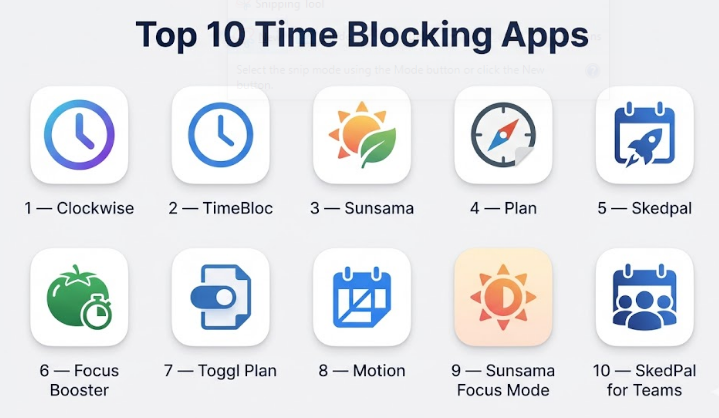
Top 10 Time Blocking Apps
#1 — Clockwise
Short description : Clockwise is a smart calendar assistant that optimizes schedules by automatically creating blocks of uninterrupted focus time while adjusting meetings dynamically. Ideal for teams and individuals aiming to protect deep work periods.
Key Features
- AI-powered focus time scheduling
- Automated meeting adjustments
- Team calendar optimization
- Analytics on focus vs meeting time
- Integration with Google Calendar
- Mobile and desktop access
Pros
- Saves time by automating schedule optimization
- Improves deep work consistency
Cons
- Primarily integrates with Google Calendar
- AI suggestions may require manual adjustment
Platforms / Deployment
- Web / iOS / Android
- Cloud
Security & Compliance
- SSO/SAML
- GDPR
- Not publicly stated for SOC 2
Integrations & Ecosystem
Supports key productivity tools:
- Slack
- Google Workspace
- Zoom
- Zapier
- Calendar APIs
Support & Community
- Documentation
- Email support
- Active user forums
#2 — TimeBloc
Short description : TimeBloc is a visual time-blocking app for individuals, offering an intuitive interface to plan daily, weekly, and monthly schedules, ideal for personal productivity and habit tracking.
Key Features
- Drag-and-drop time blocks
- Habit and goal tracking
- Reminders and notifications
- Multiple views: daily, weekly, monthly
- Mobile-first interface
Pros
- Simple, intuitive design
- Focuses on individual productivity
Cons
- Limited team collaboration features
- Fewer integrations with external tools
Platforms / Deployment
- iOS / Android
- Cloud
Security & Compliance
- Not publicly stated
Integrations & Ecosystem
- Calendar sync
- Limited third-party integrations
- API access: Varies / N/A
Support & Community
- Email support
- Documentation
#3 — Sunsama
Short description : Sunsama combines time blocking with task management, enabling professionals to plan daily workflows and balance personal and work tasks seamlessly.
Key Features
- Daily workflow planner
- Integration with task management tools
- Drag-and-drop time blocks
- Focused work and task prioritization
- Recurring scheduling templates
Pros
- Balanced planning for personal and work tasks
- Clean, easy-to-read visual interface
Cons
- Subscription-based, may be costly for individuals
- Limited offline capabilities
Platforms / Deployment
- Web / iOS
- Cloud
Security & Compliance
- Not publicly stated
Integrations & Ecosystem
- Trello, Asana, Jira
- Slack, Google Calendar
- Zapier
Support & Community
- Knowledge base
- Email support
- User forums
#4 — Plan
Short description : Plan is a collaborative calendar and task manager combining time blocking with team task coordination, ideal for hybrid teams managing shared schedules and projects.
Key Features
- Time block scheduling
- Task assignment and prioritization
- Collaborative calendar for teams
- Visual daily and weekly planning
- Analytics on time allocation
Pros
- Excellent for team collaboration
- Integrates tasks and calendar in one interface
Cons
- Learning curve for new users
- Mobile app features limited
Platforms / Deployment
- Web / iOS / Android
- Cloud
Security & Compliance
- SSO/SAML
- Not publicly stated for SOC 2
Integrations & Ecosystem
- Google Workspace, Outlook
- Slack, Zoom
- API for custom integrations
Support & Community
- Documentation
- Email support
- Community forums
#5 — Skedpal
Short description : Skedpal uses AI to automate time allocation based on priorities and deadlines, making it suitable for individuals and small teams managing dynamic schedules.
Key Features
- AI-driven time allocation
- Task prioritization and rescheduling
- Smart notifications
- Visual timeline interface
- Recurring scheduling support
Pros
- Automates schedule optimization
- Ideal for dynamic workloads
Cons
- Fewer collaboration features
- Subscription may be expensive
Platforms / Deployment
- Web / Windows / macOS / iOS / Android
- Cloud
Security & Compliance
- Not publicly stated
Integrations & Ecosystem
- Calendar sync
- Task management integrations
- API access Varies / N/A
Support & Community
- Email support
- Documentation
#6 — Focus Booster
Short description : Focus Booster applies the Pomodoro technique within a time-blocking framework, helping individuals maintain focus and productivity with timed work sessions.
Key Features
- Pomodoro timer integration
- Customizable work/break cycles
- Progress tracking and reporting
- Goal and habit tracking
- Simple dashboard
Pros
- Enhances focus through timed sessions
- Easy for individuals to adopt
Cons
- Limited collaboration or team features
- Mobile app lacks some dashboard functionality
Platforms / Deployment
- Web / Windows / macOS / iOS / Android
- Cloud
Security & Compliance
- Not publicly stated
Integrations & Ecosystem
- Calendar sync
- Task import
- Varies / N/A
Support & Community
- Email support
- Documentation
#7 — Toggl Plan
Short description : Toggl Plan combines task management with visual time blocking, enabling teams to coordinate schedules and track projects effectively.
Key Features
- Visual timeline and roadmap
- Task assignment and deadlines
- Team collaboration and shared calendars
- Project planning templates
- Notifications and reminders
Pros
- Clear visualization of team schedules
- Easy drag-and-drop adjustments
Cons
- Limited AI optimization features
- May be overkill for individuals
Platforms / Deployment
- Web / iOS / Android
- Cloud
Security & Compliance
- SSO/SAML
- Not publicly stated
Integrations & Ecosystem
- Slack, Google Workspace
- Calendar sync
- API for automation
Support & Community
- Knowledge base
- Email support
- Active community
#8 — Motion
Short description : Motion automatically schedules tasks into time blocks, adjusting for deadlines and priorities, helping professionals manage both planned and reactive work efficiently.
Key Features
- AI-driven scheduling
- Task prioritization
- Calendar integration
- Real-time schedule adjustments
- Analytics on productivity
Pros
- Dynamic schedule optimization
- Reduces manual planning effort
Cons
- AI may override user preferences
- Premium subscription required for full features
Platforms / Deployment
- Web / iOS / Android
- Cloud
Security & Compliance
- Not publicly stated
Integrations & Ecosystem
- Google Calendar, Outlook
- Task managers via API
Support & Community
- Email support
- Documentation
#9 — Sunsama Focus Mode
Short description : Sunsama Focus Mode emphasizes concentrated work periods, integrating daily time blocks with task management and team coordination.
Key Features
- Focused work sessions
- Task management integration
- Daily schedule planning
- Visual timeline and progress tracking
- Collaboration with teams
Pros
- Encourages deep work
- Combines task management and time blocking
Cons
- Team features limited compared to enterprise tools
- Requires consistent daily use
Platforms / Deployment
- Web / iOS / Android
- Cloud
Security & Compliance
- Not publicly stated
Integrations & Ecosystem
- Calendar sync
- Task management tools
Support & Community
- Email support
- Knowledge base
#10 — SkedPal for Teams
Short description : SkedPal for Teams extends AI-driven time blocking to collaborative environments, allowing small to mid-sized teams to balance workloads and optimize schedules dynamically.
Key Features
- Team scheduling optimization
- AI task allocation
- Visual calendar interface
- Real-time adjustments
- Notifications and reminders
Pros
- Scales AI time blocking to teams
- Helps balance individual workloads
Cons
- Requires training to use AI effectively
- Higher subscription for team use
Platforms / Deployment
- Web / iOS / Android
- Cloud
Security & Compliance
- Not publicly stated
Integrations & Ecosystem
- Google Workspace, Outlook
- Calendar APIs
- Slack
Support & Community
- Email support
- Documentation
Comparison Table (Top 10)
| Tool Name | Best For | Platform(s) Supported | Deployment | Standout Feature | Public Rating |
|---|---|---|---|---|---|
| Clockwise | Professionals, Teams | Web, iOS, Android | Cloud | AI focus time scheduling | N/A |
| TimeBloc | Individuals | iOS, Android, Web | Cloud | Intuitive visual time blocking | N/A |
| Sunsama | Professionals, Teams | Web, iOS | Cloud | Workflow planning and task integration | N/A |
| Plan | Teams, Hybrid Teams | Web, iOS, Android | Cloud | Collaborative scheduling | N/A |
| SkedPal | Individuals, Small Teams | Web, Windows, macOS, iOS, Android | Cloud | AI-driven time allocation | N/A |
| Focus Booster | Individuals | Web, Windows, macOS, iOS, Android | Cloud | Pomodoro time management | N/A |
| Toggl Plan | Teams | Web, iOS, Android | Cloud | Visual timeline and roadmap | N/A |
| Motion | Professionals | Web, iOS, Android | Cloud | Dynamic AI schedule adjustments | N/A |
| Sunsama Focus Mode | Professionals, Teams | Web, iOS, Android | Cloud | Deep work time blocking | N/A |
| SkedPal for Teams | Small / Mid Teams | Web, iOS, Android | Cloud | AI scheduling for team collaboration | N/A |
Evaluation & Scoring
| Tool Name | Core (25%) | Ease (15%) | Integrations (15%) | Security (10%) | Performance (10%) | Support (10%) | Value (15%) | Weighted Total (0–10) |
|---|---|---|---|---|---|---|---|---|
| Clockwise | 9 | 8 | 8 | 8 | 9 | 8 | 8 | 8.45 |
| TimeBloc | 7 | 9 | 6 | 6 | 7 | 7 | 8 | 7.3 |
| Sunsama | 8 | 8 | 8 | 7 | 8 | 7 | 8 | 7.95 |
| Plan | 8 | 7 | 8 | 7 | 8 | 7 | 8 | 7.85 |
| SkedPal | 8 | 7 | 7 | 7 | 8 | 7 | 8 | 7.85 |
| Focus Booster | 7 | 9 | 5 | 6 | 7 | 6 | 7 | 7.05 |
| Toggl Plan | 8 | 8 | 8 | 7 | 8 | 7 | 7 | 7.85 |
| Motion | 8 | 7 | 7 | 7 | 8 | 7 | 7 | 7.55 |
| Sunsama Focus Mode | 7 | 8 | 6 | 6 | 7 | 6 | 7 | 6.95 |
| SkedPal for Teams | 8 | 7 | 7 | 7 | 8 | 7 | 7 | 7.55 |
Interpretation: Scores compare apps across features, usability, integration, and support. Weighted totals indicate overall suitability for personal vs team productivity.
Which Time Blocking App
Solo / Freelancer
- TimeBloc, Focus Booster, and SkedPal provide individual-focused scheduling and habit tracking.
SMB
- Sunsama, Plan, and Toggl Plan enable small teams to coordinate schedules and tasks efficiently.
Mid-Market
- Clockwise and SkedPal for Teams optimize team time blocks and meeting management.
Enterprise
- Clockwise, Plan, and Motion deliver scalable AI-driven scheduling and analytics for large teams.
Budget vs Premium
- Free or low-cost: Focus Booster, TimeBloc
- Premium/Enterprise: Sunsama, SkedPal, Motion for advanced AI and team collaboration
Feature Depth vs Ease of Use
- Feature-heavy: SkedPal, Motion, Clockwise — suitable for complex schedules
- Lightweight and intuitive: TimeBloc, Focus Booster — easier for quick adoption
Integrations & Scalability
- Robust: Clockwise, Sunsama, Plan — integrate with calendars, task tools, and team apps
- Limited: Focus Booster, TimeBloc — mostly personal use
Security & Compliance Needs
- Enterprise-focused: Clockwise, Plan — SSO, GDPR compliance
- Personal use: TimeBloc, Focus Booster — standard account-level security
Frequently Asked Questions (FAQs)
1. What pricing models are common for time blocking apps?
Apps range from freemium with basic features to subscription-based premium or enterprise plans offering AI optimization, reporting, and team collaboration.
2. Are these apps easy to learn?
Individual-focused apps like TimeBloc and Focus Booster are intuitive, while team-focused solutions like Clockwise or Motion may require onboarding.
3. Can I track both personal and work tasks?
Yes, most apps allow personal and professional blocks on the same calendar with notifications for both.
4. How secure is my schedule data?
Enterprise apps offer SSO, MFA, and encryption. Personal-focused apps usually rely on basic account authentication.
5. Do these apps integrate with calendars and task managers?
Yes. Most integrate with Google Calendar, Outlook, Slack, and task management platforms. Some offer APIs for custom workflows.
6. Can time blocks be adjusted dynamically?
Yes, AI-enabled apps like Clockwise and Motion can adjust schedules in real-time based on priorities or meetings.
7. Are these apps suitable for remote teams?
Absolutely. Cloud-based access, shared calendars, and team collaboration features make them ideal for distributed teams.
8. How do AI features help in time management?
AI optimizes scheduling, prioritizes tasks, identifies conflicts, and predicts productivity trends for better planning.
9. Can I switch tools if needed?
Yes, most apps allow exporting time blocks or calendars. Transitioning may require manual adjustments for complex schedules.
10. Are mobile apps included?
Most time blocking apps offer mobile access to create, view, and adjust schedules on the go.
Conclusion
Time blocking apps a powerful approach to managing both personal and professional schedules. They combine visual scheduling, AI optimization, and analytics to help users focus on priorities and reduce distractions. Choosing the right app depends on individual needs, team size, collaboration requirements, and integration preferences.
