Introduction
Digital reading and annotation apps help users read, highlight, organize, and revisit content across PDFs, ebooks, web articles, research papers, documents, and notes. These tools are useful for anyone who needs to capture ideas, mark important passages, add comments, build summaries, or turn reading into reusable knowledge.
In a modern work and learning environment, people read across many formats and devices. Professionals review reports, students annotate study material, researchers manage papers, and creators collect ideas from books and articles. A good digital reading and annotation app reduces scattered information and makes reading more active, structured, and searchable.
Common use cases include:
- Reading and highlighting PDFs, ebooks, and web articles
- Annotating academic papers and research material
- Saving online articles for focused reading later
- Reviewing legal, business, or technical documents
- Creating study notes from textbooks and class material
- Organizing highlights for writing, research, and knowledge management
Buyers should evaluate:
- Supported file formats
- Highlighting and annotation quality
- Search and organization features
- Cross-device sync
- Offline reading support
- Export options
- Integration with note-taking tools
- Privacy and data control
- Ease of use
- Long-term knowledge management value
Best for: Students, researchers, writers, consultants, legal professionals, educators, product managers, and knowledge workers who read deeply and need to retain important information.
Not ideal for: Users who only read casually and do not need highlights, notes, exports, or structured organization. A basic ebook reader or browser reading mode may be enough for simple reading.
Key Trends in Digital Reading & Annotation Apps
- AI-assisted summaries: More tools now help users summarize long documents, articles, and research notes.
- Cross-format reading: Users expect one place to read PDFs, web pages, newsletters, ebooks, and saved documents.
- Highlight-to-note workflows: Annotation is becoming part of personal knowledge management, not just reading.
- Cloud sync across devices: Readers want to start on desktop, continue on tablet, and review on mobile.
- Offline-first reading: Offline access remains important for students, travelers, and field workers.
- Research-focused workflows: Academic users need citation support, paper organization, and searchable libraries.
- Stylus-based annotation: Tablet users increasingly prefer handwriting, drawing, and visual markup.
- Privacy-aware reading: Users are paying more attention to where their documents and annotations are stored.
- Better export options: Markdown, PDF, text, and note-app exports matter for long-term usability.
- Distraction-free reading: Clean reading views, typography controls, and focus modes are becoming standard.
How We Selected These Tools
The tools below were selected based on practical usefulness for reading, annotation, organization, and long-term knowledge capture. The list includes a balanced mix of PDF annotation tools, read-it-later apps, academic research tools, note-based reading apps, and tablet-first markup tools.
Selection logic included:
- Strong recognition among students, professionals, researchers, and knowledge workers
- Ability to support active reading through highlights, notes, comments, or markup
- Support for common formats such as PDFs, articles, documents, and ebooks
- Cross-platform availability where applicable
- Usability for both casual and serious reading workflows
- Export and organization options
- Integration potential with note-taking, research, or productivity systems
- Fit across individual, academic, professional, and business use cases
- Reliability and performance for long documents
- Practical value without relying on invented ratings or unsupported claims
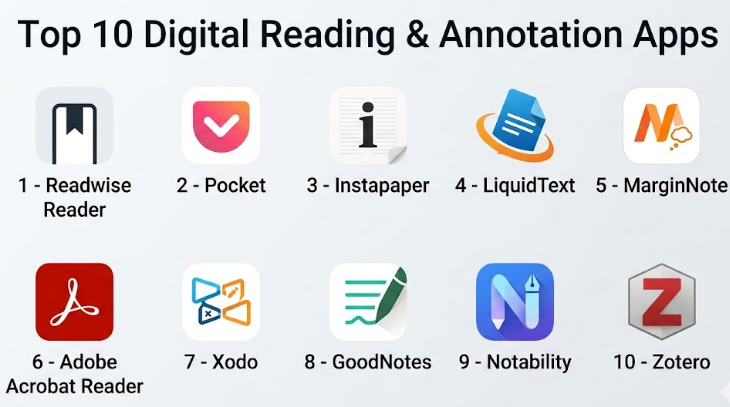
Top 10 Digital Reading & Annotation Apps
#1 — Readwise Reader
Short description :
Readwise Reader is a modern reading and annotation app designed for people who consume articles, newsletters, PDFs, and online content regularly. It helps users save content, highlight key ideas, organize reading queues, and later review important passages. It is especially useful for knowledge workers, writers, researchers, and professionals who want reading to connect with long-term learning. Its strength is not just reading, but turning highlights into reusable knowledge.
Key Features
- Save articles, PDFs, newsletters, and web content
- Highlight and annotate important passages
- Organize reading with tags and filters
- Clean reading interface for focused consumption
- Review highlights over time
- Supports knowledge management workflows
- Useful for building a personal reading archive
Pros
- Excellent for serious readers and knowledge workers
- Strong highlight management and review workflow
- Good for connecting reading with writing and research
Cons
- May feel advanced for casual readers
- Best value appears when used consistently
- Some users may prefer simpler read-it-later apps
Platforms / Deployment
- Web / iOS / Android
- Cloud
Security & Compliance
Not publicly stated for major enterprise compliance certifications. Standard account-based access and cloud storage practices apply.
Integrations & Ecosystem
Readwise Reader works well for users who want to connect reading with note-taking and knowledge workflows. It is commonly used alongside productivity and note systems.
- Read-it-later workflows
- Highlight review workflows
- Note-taking app exports
- Browser-based saving
- Newsletter reading workflows
Support & Community
Readwise Reader has helpful documentation and an active user community around reading, highlighting, and personal knowledge management. Support availability may vary by plan.
#2 — Pocket
Short description :
Pocket is a popular read-it-later app that allows users to save articles, web pages, and online content for later reading. It is best suited for people who collect content throughout the day and want a clean, distraction-free reading experience. While its annotation depth is not as advanced as research-focused tools, it is simple, accessible, and practical for everyday reading. It works well for professionals, students, and general readers who need a reliable content-saving workflow.
Key Features
- Save web articles for later reading
- Clean reader mode
- Tag-based organization
- Offline reading support
- Cross-device synchronization
- Basic highlighting options
- Content discovery features
Pros
- Simple and easy to use
- Good for saving articles quickly
- Strong offline reading experience
Cons
- Annotation features are limited compared to PDF-focused tools
- Less suitable for academic research
- Organization can become messy without tagging discipline
Platforms / Deployment
- Web / iOS / Android
- Cloud
Security & Compliance
Not publicly stated for advanced enterprise compliance. Standard consumer account protections apply.
Integrations & Ecosystem
Pocket fits well into browser-based and mobile reading workflows. It is useful for users who save content from many sources.
- Browser extensions
- Mobile sharing menu
- Tag-based reading lists
- Offline article access
- Basic content recommendation ecosystem
Support & Community
Pocket provides user help resources and has a large user base. Community discussion is common because the app is widely used by readers and productivity users.
#3 — Instapaper
Short description :
Instapaper is a focused read-it-later app built for clean article reading, highlighting, and saving important passages. It is especially useful for users who prefer a minimal reading environment without heavy distractions. Writers, researchers, students, and professionals can use it to store web articles and revisit key ideas. Compared with complex knowledge systems, Instapaper is lighter and easier to adopt.
Key Features
- Save articles and web pages
- Distraction-free reading mode
- Highlight important passages
- Notes and text-focused reading
- Offline reading support
- Folder-based organization
- Simple export options
Pros
- Very clean reading experience
- Good for long-form article reading
- Easy to learn and use
Cons
- Limited advanced annotation features
- Not ideal for complex PDF research workflows
- Collaboration features are limited
Platforms / Deployment
- Web / iOS / Android
- Cloud
Security & Compliance
Not publicly stated for major enterprise certifications. Standard consumer app security applies.
Integrations & Ecosystem
Instapaper works best as a lightweight reading queue and article archive.
- Browser saving
- Mobile sharing
- Offline reading
- Highlight export workflows
- Simple organization folders
Support & Community
Support is generally documentation-based. Community strength is moderate, mainly among long-form readers and productivity-focused users.
#4 — LiquidText
Short description :
LiquidText is a powerful reading and annotation tool designed for deep document review, research, and analysis. It is especially useful for students, researchers, legal professionals, consultants, and analysts who work with long PDFs, contracts, academic papers, or reports. Unlike basic PDF readers, LiquidText allows users to pull excerpts, connect ideas, compare sections, and build visual workspaces. It is a strong option for serious document-heavy workflows.
Key Features
- Advanced PDF annotation
- Excerpt pulling and idea linking
- Visual workspace for document analysis
- Multi-document review
- Highlighting, comments, and handwritten notes
- Document comparison support
- Useful for research-heavy reading
Pros
- Excellent for deep reading and complex document analysis
- Strong visual thinking and annotation workflow
- Valuable for academic, legal, and consulting use cases
Cons
- Can feel complex for beginners
- May be more than casual readers need
- Best experience is often on larger screens or tablets
Platforms / Deployment
- Windows / macOS / iOS
- Cloud / Local storage depending on setup
Security & Compliance
Not publicly stated for major compliance certifications. Users should review storage and sync settings based on document sensitivity.
Integrations & Ecosystem
LiquidText is built mainly for document-centered workflows rather than broad app ecosystems.
- PDF import and export
- Cloud storage file access
- Document workspace exports
- Stylus-based tablet workflows
- Research and legal document review workflows
Support & Community
LiquidText provides support resources and tutorials. It has a strong niche user base among students, researchers, and professionals who perform intensive reading.
#5 — MarginNote
Short description :
MarginNote is a reading, annotation, mind mapping, and study tool designed for users who want to transform reading into structured learning. It is popular among students, researchers, and lifelong learners because it combines PDF annotation, flashcards, outlines, and visual maps. It is particularly useful when reading textbooks, research papers, and study documents. MarginNote is more than a reader; it is a study system for organizing and reviewing knowledge.
Key Features
- PDF and document annotation
- Mind mapping from highlights
- Flashcard creation
- Outline-based reading structure
- Excerpt and note linking
- Study review workflows
- Visual knowledge organization
Pros
- Strong for students and academic reading
- Combines annotation with study and memory tools
- Good for turning reading into structured notes
Cons
- Learning curve can be high
- Interface may feel dense for casual users
- Best suited for study-heavy workflows
Platforms / Deployment
- macOS / iOS
- Local / Cloud sync depending on configuration
Security & Compliance
Not publicly stated for enterprise compliance certifications. Security depends partly on chosen sync and storage settings.
Integrations & Ecosystem
MarginNote is strongest within study and document workflows.
- PDF import
- Flashcard workflows
- Mind map export
- Note export
- Apple ecosystem workflows
Support & Community
MarginNote has user guides, tutorials, and an active learning-focused user community. Support availability may vary based on region and platform.
#6 — Adobe Acrobat Reader
Short description :
Adobe Acrobat Reader is one of the most recognized PDF reading and annotation apps. It is suitable for individuals, teams, students, businesses, and professionals who frequently work with PDF documents. Users can highlight, comment, fill forms, sign documents, and review files across devices. While it may not be the most advanced knowledge management tool, it remains a strong standard choice for PDF reading and document markup.
Key Features
- PDF reading and annotation
- Highlighting, comments, and notes
- Form filling and signing
- Cloud document access
- Search within PDFs
- Document sharing and review
- Cross-device PDF access
Pros
- Familiar and widely used
- Strong PDF compatibility
- Good for professional document workflows
Cons
- Advanced features may require paid plans
- Less focused on personal knowledge management
- Can feel heavy compared with lightweight PDF readers
Platforms / Deployment
- Web / Windows / macOS / iOS / Android
- Cloud / Local
Security & Compliance
Security features vary by plan and environment. Enterprise-grade controls may be available in business plans, but specific compliance should be verified directly. If unsure, treat as “Varies / N/A.”
Integrations & Ecosystem
Adobe Acrobat Reader fits well into business document workflows.
- Cloud document storage
- PDF review workflows
- Form and signature workflows
- File sharing
- Office document workflows
Support & Community
Adobe provides extensive documentation, product help, and business support options. Community support is broad due to widespread adoption.
#7 — Xodo
Short description :
Xodo is a PDF reader and annotation app designed for users who need practical markup, document review, and PDF editing features. It is useful for students, professionals, and teams who want a flexible PDF tool across web, desktop, and mobile environments. Xodo supports highlighting, comments, signatures, form filling, and collaboration-oriented document workflows. It is a strong choice for users who need practical PDF handling without unnecessary complexity.
Key Features
- PDF reading and markup
- Highlighting, comments, and drawing tools
- Form filling
- PDF editing capabilities
- Cross-platform access
- File conversion features
- Document sharing workflows
Pros
- Good balance of reading and PDF editing
- Works across multiple platforms
- Useful for students and professionals
Cons
- Advanced features may require paid access
- Less specialized for research knowledge management
- Interface can vary across platforms
Platforms / Deployment
- Web / Windows / iOS / Android
- Cloud / Local
Security & Compliance
Not publicly stated for major compliance certifications. Users working with sensitive files should review storage and sharing settings carefully.
Integrations & Ecosystem
Xodo works well for general PDF workflows.
- Cloud storage access
- PDF export and conversion
- Form workflows
- Signature workflows
- Cross-device file access
Support & Community
Xodo provides help resources and support documentation. Community presence is moderate, mainly around PDF productivity and document workflows.
#8 — GoodNotes
Short description :
GoodNotes is a digital note-taking and annotation app widely used for handwritten notes, PDF markup, study planning, and document organization. It is especially strong for tablet users who prefer writing with a stylus. Students, teachers, planners, and professionals use it to annotate PDFs, organize notebooks, and create handwritten knowledge systems. It works best for visual learners and people who prefer a paper-like digital experience.
Key Features
- Handwritten notes
- PDF annotation
- Digital notebooks and folders
- Searchable handwriting
- Templates and planners
- Stylus support
- Cross-device sync
Pros
- Excellent handwriting and tablet experience
- Strong for students and visual learners
- Good PDF annotation workflow
Cons
- Less ideal for web article reading
- Collaboration is not its strongest use case
- Best experience depends on stylus-enabled devices
Platforms / Deployment
- iOS / macOS / Windows / Web
- Cloud / Local depending on setup
Security & Compliance
Not publicly stated for major enterprise compliance certifications. Account and sync security depend on platform and storage configuration.
Integrations & Ecosystem
GoodNotes fits well into tablet-first study and planning workflows.
- PDF import and export
- Cloud storage access
- Handwritten note organization
- Planner templates
- Study notebook workflows
Support & Community
GoodNotes has a large user community, strong template ecosystem, and extensive learning resources. Support is generally available through documentation and help channels.
#9 — Notability
Short description :
Notability is a digital note-taking and annotation app focused on handwritten notes, PDF markup, audio notes, and study workflows. It is popular with students, educators, and professionals who attend lectures, meetings, or review sessions. Its combination of writing, highlighting, recording, and organizing makes it useful for active learning and document review. Notability is a good choice for users who want reading and note-taking in one flexible workspace.
Key Features
- PDF annotation
- Handwriting and typing support
- Audio recording with notes
- Highlighting and drawing tools
- Notebook organization
- Templates and study layouts
- Cross-device sync
Pros
- Strong for lectures, meetings, and study notes
- Good handwritten annotation experience
- Audio note support is useful for review
Cons
- Less focused on long-form web article reading
- Advanced features may require subscription
- Best suited for tablet-based workflows
Platforms / Deployment
- iOS / macOS
- Cloud
Security & Compliance
Not publicly stated for major compliance certifications. Users should evaluate sync and storage settings for sensitive documents.
Integrations & Ecosystem
Notability works well in education and meeting workflows.
- PDF import and export
- Cloud storage support
- Audio-note workflows
- Planner and template ecosystem
- Apple ecosystem workflows
Support & Community
Notability has documentation, user support, and a large education-focused community. Many users share templates, workflows, and study methods.
#10 — Zotero
Short description :
Zotero is a research management tool that helps users collect, organize, annotate, and cite academic sources. It is especially useful for researchers, students, academics, and writers who work with papers, references, and scholarly material. While it is not a general read-it-later app, it is one of the strongest options for academic reading and annotation workflows. Its value increases when users need source organization, notes, and citation management together.
Key Features
- Research library management
- PDF storage and annotation
- Citation and bibliography support
- Tags and collections
- Notes linked to sources
- Browser-based source capture
- Sync across devices
Pros
- Excellent for academic and research workflows
- Strong source organization and citation support
- Useful for long-term research libraries
Cons
- Not ideal for casual article reading
- Interface may feel academic or technical
- Collaboration and storage needs may require planning
Platforms / Deployment
- Windows / macOS / Linux / iOS / Web access features vary
- Local / Cloud sync optional
Security & Compliance
Not publicly stated for major enterprise compliance certifications. Users can keep local libraries and choose sync settings based on needs.
Integrations & Ecosystem
Zotero has a strong research ecosystem.
- Browser capture
- PDF annotation
- Word processor citation workflows
- Research library organization
- Export and import formats
- Academic writing workflows
Support & Community
Zotero has strong documentation and a large academic community. Community forums and user guides are helpful for troubleshooting and workflow design.
Comparison Table
| Tool Name | Best For | Platform(s) Supported | Deployment | Standout Feature | Public Rating |
|---|---|---|---|---|---|
| Readwise Reader | Knowledge workers and serious readers | Web, iOS, Android | Cloud | Highlight review and reading workflow | N/A |
| Casual and daily article readers | Web, iOS, Android | Cloud | Save articles for later reading | N/A | |
| Instapaper | Long-form article reading | Web, iOS, Android | Cloud | Clean distraction-free reading | N/A |
| LiquidText | Deep document analysis | Windows, macOS, iOS | Cloud / Local | Visual document workspace | N/A |
| MarginNote | Students and researchers | macOS, iOS | Local / Cloud | Annotation with mind maps and flashcards | N/A |
| Adobe Acrobat Reader | General PDF reading and markup | Web, Windows, macOS, iOS, Android | Cloud / Local | Standard PDF annotation and review | N/A |
| Xodo | Practical PDF markup and editing | Web, Windows, iOS, Android | Cloud / Local | PDF annotation and document handling | N/A |
| GoodNotes | Handwritten PDF annotation | iOS, macOS, Windows, Web | Cloud / Local | Stylus-based handwritten notes | N/A |
| Notability | Study notes and audio-supported annotation | iOS, macOS | Cloud | PDF markup with audio notes | N/A |
| Zotero | Academic research reading | Windows, macOS, Linux, iOS | Local / Cloud | Research library and citation workflow | N/A |
Evaluation & Digital Reading and Annotation Apps
| Tool Name | Core (25%) | Ease (15%) | Integrations (15%) | Security (10%) | Performance (10%) | Support (10%) | Value (15%) | Weighted Total (0–10) |
|---|---|---|---|---|---|---|---|---|
| Readwise Reader | 9 | 8 | 8 | 7 | 8 | 8 | 8 | 8.10 |
| 7 | 9 | 7 | 7 | 8 | 7 | 8 | 7.65 | |
| Instapaper | 7 | 9 | 6 | 7 | 8 | 7 | 8 | 7.50 |
| LiquidText | 9 | 7 | 6 | 7 | 8 | 7 | 8 | 7.65 |
| MarginNote | 9 | 7 | 6 | 7 | 8 | 7 | 8 | 7.65 |
| Adobe Acrobat Reader | 8 | 8 | 8 | 8 | 8 | 8 | 7 | 7.90 |
| Xodo | 8 | 8 | 7 | 7 | 8 | 7 | 8 | 7.75 |
| GoodNotes | 8 | 9 | 6 | 7 | 8 | 8 | 8 | 7.90 |
| Notability | 8 | 8 | 6 | 7 | 8 | 7 | 7 | 7.35 |
| Zotero | 9 | 7 | 8 | 8 | 8 | 8 | 9 | 8.20 |
The scoring is comparative, not absolute. A high score does not mean the tool is best for every reader. For example, Zotero is excellent for research but may not be ideal for casual article reading. GoodNotes is strong for handwritten annotation, while Readwise Reader is better for highlight review and knowledge workflows. Use the score as a shortlist filter, then test based on your real reading format and device setup.
Which Digital Reading and Annotation App Is Right for You?
Solo / Freelancer
Freelancers should choose based on reading style. If you mostly read articles and client research, Readwise Reader, Pocket, or Instapaper can work well. If you review PDFs, contracts, or project documents, Xodo or Adobe Acrobat Reader may be more practical.
For freelance writers, consultants, and analysts, Readwise Reader is especially useful because highlights can become reusable ideas. If you use a tablet for handwritten planning or reviewing documents, GoodNotes is a strong option.
SMB
Small teams usually need simple sharing, document review, and readable workflows. Adobe Acrobat Reader and Xodo are practical for business PDFs, proposals, forms, and review cycles. For team members who read industry articles and collect insights, Readwise Reader can support knowledge capture.
SMBs should avoid overcomplicating the workflow. A simple combination of PDF annotation, shared storage, and a reading queue often works better than forcing everyone into a complex research system.
Mid-Market
Mid-market organizations often need document review, research organization, and repeatable knowledge workflows. Adobe Acrobat Reader, Xodo, Zotero, and Readwise Reader are good candidates depending on the department.
Research, education, and content teams may benefit from Zotero and Readwise Reader. Operations, legal, and compliance teams may prefer PDF-focused tools such as Adobe Acrobat Reader or LiquidText for deeper document analysis.
Enterprise
Enterprises should prioritize security, admin control, document handling, and compatibility with existing systems. Adobe Acrobat Reader is often suitable for standardized PDF workflows. Zotero can support academic or research teams, but enterprise use should be evaluated carefully based on storage, governance, and collaboration requirements.
For sensitive documents, enterprises should test access controls, export policies, account management, retention needs, and compliance expectations before rolling out any annotation tool broadly.
Budget vs Premium
Budget-focused users can start with basic PDF readers, Pocket, Instapaper, or Zotero depending on the use case. Students and personal users should choose based on whether they need article reading, PDF annotation, handwritten notes, or academic citations.
Premium tools are worth considering when they save real time. LiquidText, MarginNote, Readwise Reader, GoodNotes, and Notability can justify the cost when used daily for research, study, writing, or professional document review.
Feature Depth vs Ease of Use
For ease of use, Pocket, Instapaper, GoodNotes, and Xodo are approachable. They are good choices when users want to start quickly without building a complex system.
For feature depth, LiquidText, MarginNote, Zotero, and Readwise Reader are stronger. They support deeper reading workflows, but users should expect a learning curve and a need for consistent organization.
Integrations & Scalability
If integration matters, choose tools that fit your existing reading and note workflow. Readwise Reader works well for highlight review and knowledge workflows. Zotero supports research and writing workflows. Adobe Acrobat Reader and Xodo fit document-heavy business workflows.
Scalability also depends on content volume. A casual reader may only need folders and tags. A researcher may need collections, citations, metadata, annotations, and exports.
Security & Compliance Needs
For sensitive reading material, evaluate where files are stored, whether offline or local storage is available, and how sharing works. Local-first or configurable tools may be better for users who want more control over private documents.
Enterprise teams should not rely only on feature lists. They should validate authentication, storage, admin controls, encryption, retention, export, and compliance requirements before choosing a standard tool.
Frequently Asked Questions
1. What is a digital reading and annotation app?
A digital reading and annotation app helps users read documents, articles, PDFs, ebooks, or research papers while adding highlights, notes, comments, drawings, or bookmarks. These apps make reading more active and help users remember, organize, and reuse important information later.
2. Which app is best for reading web articles?
Pocket and Instapaper are strong choices for simple article saving and distraction-free reading. Readwise Reader is better if you want deeper highlighting, review, and knowledge management workflows across articles, newsletters, and PDFs.
3. Which app is best for PDF annotation?
Adobe Acrobat Reader, Xodo, LiquidText, GoodNotes, and Notability are strong PDF annotation options. Acrobat and Xodo are practical for general PDF work, while LiquidText is better for deep analysis and GoodNotes or Notability are better for handwritten markup.
4. Which app is best for students?
GoodNotes, Notability, MarginNote, and Zotero are useful for students. GoodNotes and Notability are strong for handwritten notes and class PDFs, MarginNote is good for study mapping and flashcards, and Zotero is excellent for research papers and citations.
5. Which app is best for researchers?
Zotero is one of the strongest options for academic research because it supports source management, PDF annotation, notes, and citations. LiquidText and MarginNote are also useful for deep reading and connecting ideas across long documents.
6. Are these apps secure for sensitive documents?
Security varies by tool and setup. Some tools store files in the cloud, while others allow local storage or user-controlled sync. For sensitive documents, check storage location, sharing controls, authentication options, and export behavior before using the app.
7. Can I use these apps offline?
Many reading and annotation apps support offline reading, especially PDF tools and read-it-later apps. However, sync, exports, and cloud access may require an internet connection. Always test offline behavior before relying on it for travel, study, or field work.
8. Do annotation apps support handwritten notes?
Yes, tools like GoodNotes, Notability, MarginNote, LiquidText, Xodo, and Adobe Acrobat Reader support handwritten or drawing-based annotation depending on the platform. Tablet users with a stylus usually get the best experience.
9. Can I export my highlights and notes?
Many tools allow some form of export, but formats vary. Some export PDFs with annotations, while others export text, notes, Markdown, or research metadata. Export quality matters if you plan to move notes into another knowledge management system.
10. What is the common mistake users make with annotation apps?
A common mistake is highlighting too much without reviewing or organizing the highlights later. Annotation should support understanding, not just decoration. A better workflow is to highlight selectively, add short notes, and review key ideas regularly.
Conclusion
Digital reading and annotation apps are no longer just simple PDF viewers or article-saving tools. They now support deeper workflows for study, research, writing, business review, and personal knowledge management. The best app depends on what you read, how you annotate, which devices you use, and whether you need exports, collaboration, handwriting, citation management, or long-term highlight review. A casual reader may be happy with Pocket or Instapaper, while a researcher may need Zotero, LiquidText, or MarginNote. A tablet-first student may prefer GoodNotes or Notability, while business users may choose Adobe Acrobat Reader or Xodo for practical document workflows.
