Introduction
Newsreader apps help users collect, organize, read, and monitor news from multiple sources in one place. Instead of visiting many websites separately, users can follow topics, publishers, newsletters, RSS feeds, categories, and personalized recommendations through a single reading experience.
In a fast-moving information environment, newsreader apps matter because professionals, students, researchers, investors, marketers, and everyday readers need faster access to reliable updates without drowning in noise. A good newsreader app helps users save time, reduce distraction, compare viewpoints, and stay informed on topics that matter.
Common use cases include:
- Tracking industry news and competitor updates
- Following technology, business, finance, sports, health, or politics
- Reading RSS feeds and newsletters in one dashboard
- Saving articles for later reading
- Monitoring breaking news and alerts
- Building a daily reading habit
- Organizing trusted publishers and topics
Buyers should evaluate:
- Source coverage and publisher variety
- RSS support and custom feed control
- Personalization and topic filtering
- Offline reading
- Search and archive features
- Saved article and read-later support
- Bias awareness or perspective comparison
- Mobile and desktop experience
- Notification controls
- Privacy and data handling
Best for: Professionals, students, researchers, executives, journalists, marketers, investors, and general readers who want organized access to news and updates.
Not ideal for: Users who read only one or two news websites, prefer social media feeds, or do not need saved topics, RSS feeds, alerts, or source organization.
Key Trends in Newsreader Apps
- AI-based personalization: Newsreader apps increasingly recommend stories based on reading behavior, followed topics, and interests.
- RSS revival: Many professionals still prefer RSS because it gives direct control over sources without relying only on algorithms.
- Bias and perspective tools: More users want to compare coverage across different publishers and viewpoints.
- Newsletter integration: Newsreaders are becoming inbox alternatives for curated newsletters and topic-based updates.
- Read-it-later workflows: Saving, tagging, and organizing articles is now important for researchers and busy professionals.
- Cleaner reading experiences: Distraction-free reading modes help users focus without pop-ups and clutter.
- Better mobile-first design: Most users consume news on phones, so smooth mobile reading is a major requirement.
- Topic monitoring: Users want custom feeds for business, technology, markets, public policy, health, sports, and local news.
- Notification control: Smart alerts are replacing noisy breaking-news notifications.
- Privacy expectations: Users increasingly care about tracking, personalization settings, and control over reading data.
How We Selected These Tools
These newsreader apps were selected based on practical usefulness, recognition, reading experience, topic coverage, and suitability for different reader types.
The evaluation considered:
- Market adoption and recognition among regular news readers
- RSS and custom feed support where applicable
- Source variety and topic discovery
- Reading comfort across mobile and desktop
- Search, save, and archive capabilities
- Support for newsletters or read-later workflows
- Personalization and recommendation quality
- Usability for both casual and professional readers
- Security and privacy expectations
- Fit for solo users, teams, researchers, and business users
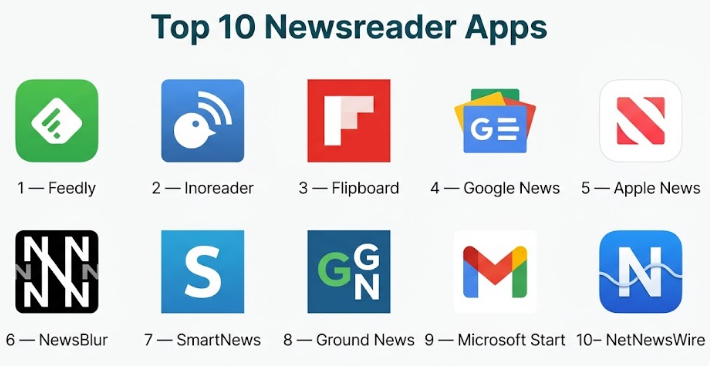
Top 10 Newsreader Apps
#1 — Feedly
Short description :
Feedly is a powerful newsreader and RSS platform built for professionals who want to follow websites, blogs, publications, newsletters, and industry topics in one organized workspace. It is widely used by marketers, analysts, researchers, product teams, cybersecurity professionals, and executives who need structured information monitoring. Feedly is especially useful for people who prefer source control instead of relying only on algorithmic news feeds.
Key Features
- RSS feed management
- Topic and source organization
- Folders and boards
- Saved articles
- Keyword monitoring
- Team sharing options
- AI-assisted research features in advanced plans
Pros
- Strong RSS and source control
- Good for professional news monitoring
- Useful for topic-based research workflows
Cons
- Advanced features may require paid plans
- Setup takes time if many feeds are added
- Casual readers may find it more powerful than needed
Platforms / Deployment
- Web / iOS / Android
- Cloud
Security & Compliance
Not publicly stated for all compliance details. Enterprise security features may vary by plan. Use “Varies / N/A” when evaluating strict compliance requirements.
Integrations & Ecosystem
Feedly works well with productivity, research, and automation workflows. It is useful when readers want to collect articles and send insights into other systems.
- RSS feeds
- Browser saving
- Read-later workflows
- Team boards
- Automation tools
- Research and monitoring workflows
Support & Community
Feedly provides documentation, help resources, and support options. It has a strong professional user base around RSS, research, and industry monitoring.
#2 — Inoreader
Short description :
Inoreader is a feature-rich RSS and newsreader app designed for users who want deep control over feeds, rules, filters, and reading workflows. It is suitable for power users, researchers, journalists, analysts, and anyone who follows many sources. Inoreader stands out because it combines traditional RSS reading with automation, filtering, search, and organization features.
Key Features
- RSS feed reader
- Feed folders and tags
- Rules and filters
- Article search
- Offline reading
- Saved articles
- Newsletter and web feed support
Pros
- Excellent for power users
- Strong filtering and automation options
- Good for large reading libraries
Cons
- Interface may feel complex for beginners
- Some advanced features require paid access
- Casual readers may not use its full depth
Platforms / Deployment
- Web / iOS / Android
- Cloud
Security & Compliance
Not publicly stated for major enterprise compliance certifications. Standard account-based security applies.
Integrations & Ecosystem
Inoreader supports structured reading and automation-friendly workflows.
- RSS and web feeds
- Newsletter subscriptions
- Browser extensions
- Saved article workflows
- Automation rules
- Export and organization options
Support & Community
Inoreader has documentation, support resources, and an active base of RSS-focused users. It is especially appreciated by readers who need advanced control.
#3 — Flipboard
Short description :
Flipboard is a visually rich newsreader app that presents articles, stories, and topics in a magazine-style format. It is best for casual and semi-professional readers who want a beautiful reading experience across topics like business, lifestyle, technology, design, culture, sports, and current affairs. Flipboard is less technical than RSS-heavy tools and more focused on discovery and curated reading.
Key Features
- Magazine-style news feed
- Topic-based discovery
- Curated collections
- Save articles
- Follow publishers and interests
- Mobile-friendly reading
- Personalized recommendations
Pros
- Very easy and enjoyable to use
- Strong visual reading experience
- Good for broad topic discovery
Cons
- Less control than RSS-based tools
- Not ideal for deep professional monitoring
- Advanced filtering is limited
Platforms / Deployment
- Web / iOS / Android
- Cloud
Security & Compliance
Not publicly stated for major enterprise compliance certifications. Standard consumer account controls apply.
Integrations & Ecosystem
Flipboard is designed more for discovery and curated reading than deep integrations.
- Publisher following
- Topic-based feeds
- Article saving
- Social-style sharing
- Mobile discovery workflows
Support & Community
Flipboard has help resources and a large general reader community. It is popular with users who prefer visual browsing and curated reading.
#4 — Google News
Short description :
Google News is a widely used news aggregation app that organizes stories from many publishers and topics. It is suitable for general readers who want broad coverage, local updates, breaking news, and personalized recommendations. Google News is especially convenient for users already connected to the Google ecosystem and those who want fast access to a wide range of sources.
Key Features
- Personalized news feed
- Topic and publisher following
- Local news coverage
- Full coverage views
- Breaking news alerts
- Saved stories
- Mobile and web access
Pros
- Broad source coverage
- Easy to use for everyday readers
- Strong topic and local news discovery
Cons
- Less manual control than RSS readers
- Personalization may create repetitive feeds
- Not designed as a deep research archive
Platforms / Deployment
- Web / iOS / Android
- Cloud
Security & Compliance
Security depends on the user’s account settings and Google ecosystem controls. Specific newsreader compliance details are not publicly stated.
Integrations & Ecosystem
Google News works naturally with the broader Google environment.
- Google account personalization
- Topic following
- Publisher following
- Local news discovery
- Saved stories
- Mobile notifications
Support & Community
Google News has standard help resources and a large user base. Support is mostly self-service through help documentation.
#5 — Apple News
Short description :
Apple News is a newsreader and magazine-style reading app for users in the Apple ecosystem. It provides curated stories, topic feeds, publisher channels, and a polished reading experience. It is best for iPhone, iPad, and Mac users who want a simple and clean app for reading news, magazines, and saved articles without managing RSS feeds manually.
Key Features
- Curated news feed
- Publisher and topic following
- Magazine-style reading
- Saved stories
- Personalized recommendations
- Mobile and desktop sync
- Premium content options in supported regions
Pros
- Clean and polished reading interface
- Strong fit for Apple users
- Easy discovery of topics and publishers
Cons
- Limited outside the Apple ecosystem
- Availability and content can vary by region
- Less customizable than RSS tools
Platforms / Deployment
- iOS / iPadOS / macOS
- Cloud
Security & Compliance
Security is tied to Apple account and device controls. Specific compliance details for newsreading workflows are Not publicly stated.
Integrations & Ecosystem
Apple News works best within Apple devices and services.
- Apple account sync
- Saved stories
- Topic following
- Publisher channels
- Device-level reading continuity
- Notification controls
Support & Community
Apple provides product support resources. Community discussion is common among Apple users, but the app is less community-driven than open newsreader platforms.
#6 — NewsBlur
Short description :
NewsBlur is an RSS-focused newsreader app for users who want control over feeds, folders, training, and reading preferences. It is well-suited for people who follow blogs, independent publications, niche sources, and professional news streams. NewsBlur is practical for users who want a traditional but flexible feed reader with intelligent filtering and reading customization.
Key Features
- RSS feed reader
- Feed folders
- Story training and filtering
- Saved stories
- Original site and text view
- Mobile and web access
- Social reading features
Pros
- Good RSS control
- Useful story training features
- Strong for niche and independent sources
Cons
- Interface may feel less modern than some competitors
- Not ideal for casual visual browsing
- Advanced users benefit most
Platforms / Deployment
- Web / iOS / Android
- Cloud
Security & Compliance
Not publicly stated for enterprise compliance certifications. Standard account security applies.
Integrations & Ecosystem
NewsBlur supports RSS-centered reading and source control.
- RSS subscriptions
- Feed folders
- Saved stories
- Story filtering
- Browser-based reading
- Mobile sync
Support & Community
NewsBlur has documentation and an engaged RSS user community. It is especially valued by people who prefer independent feed control.
#7 — SmartNews
Short description :
SmartNews is a mobile-first news app focused on delivering trending stories, local news, breaking updates, and personalized topics. It is useful for readers who want quick access to major headlines without building a custom RSS setup. SmartNews works well for casual readers, commuters, and people who prefer a simple app for daily news discovery.
Key Features
- Personalized news feed
- Breaking news alerts
- Local news
- Topic-based browsing
- Offline-friendly reading options
- Publisher coverage
- Mobile-first layout
Pros
- Easy for everyday news reading
- Good for quick headline scanning
- Strong mobile experience
Cons
- Limited deep research features
- Less source control than RSS tools
- Notification settings may need tuning
Platforms / Deployment
- iOS / Android
- Cloud
Security & Compliance
Not publicly stated for major enterprise compliance certifications. Standard consumer app security applies.
Integrations & Ecosystem
SmartNews is primarily built as a standalone mobile news experience.
- Topic feeds
- Local news
- Notifications
- Saved articles
- Publisher discovery
- Mobile reading workflows
Support & Community
SmartNews provides user help resources. Community strength is broad but mostly consumer-oriented.
#8 — Ground News
Short description :
Ground News is a newsreader app focused on media comparison, source transparency, and perspective awareness. It is useful for readers who want to understand how different outlets cover the same story. The app is especially valuable for people concerned about bias, source diversity, and balanced news consumption. It works well for students, researchers, policy readers, and anyone trying to avoid a one-sided news diet.
Key Features
- Story comparison across sources
- Media bias indicators
- Source ownership context
- Coverage comparison
- Topic following
- Saved stories
- Personalized reading feed
Pros
- Strong for comparing perspectives
- Useful for bias-aware reading
- Helps users avoid single-source dependency
Cons
- Not a traditional RSS power tool
- Some advanced features may require subscription
- May not replace a general newsreader for all users
Platforms / Deployment
- Web / iOS / Android
- Cloud
Security & Compliance
Not publicly stated for major enterprise compliance certifications. Standard account security applies.
Integrations & Ecosystem
Ground News focuses on perspective comparison rather than broad workflow automation.
- Topic following
- Story comparison
- Source analysis
- Saved articles
- Bias and coverage insights
- Mobile and web reading
Support & Community
Ground News has support resources and a growing audience of readers who care about media literacy and balanced coverage.
#9 — Microsoft Start
Short description :
Microsoft Start is a personalized news and content app that delivers headlines, local updates, weather, finance, sports, entertainment, and topic-based stories. It is suitable for users who want a general-purpose news experience connected to the Microsoft ecosystem. It is not a deep RSS reader, but it works well for everyday news consumption and personalized information discovery.
Key Features
- Personalized news feed
- Local news and weather
- Finance and sports updates
- Topic following
- Breaking news alerts
- Cross-device availability
- Microsoft ecosystem connection
Pros
- Good for general daily news
- Simple topic personalization
- Useful for Microsoft users
Cons
- Less control than RSS platforms
- Not designed for research-heavy workflows
- Feed quality depends on personalization settings
Platforms / Deployment
- Web / Windows / iOS / Android
- Cloud
Security & Compliance
Security is tied to Microsoft account controls. Specific compliance details for newsreader use are Not publicly stated.
Integrations & Ecosystem
Microsoft Start fits into broader Microsoft content and device workflows.
- Microsoft account personalization
- Windows widgets and feed experiences
- Topic feeds
- Local updates
- Saved content
- Mobile notifications
Support & Community
Microsoft provides product help and support resources. Community support is broad because of the wider Microsoft user base.
#10 — NetNewsWire
Short description :
NetNewsWire is a clean, open-source RSS reader built for Apple users who prefer a fast, simple, and privacy-friendly feed reading experience. It is useful for readers who want direct control over sources without recommendation algorithms. NetNewsWire is especially appealing to developers, writers, bloggers, researchers, and users who enjoy classic RSS workflows.
Key Features
- RSS and Atom feed reading
- Clean reading interface
- Folder organization
- Sync support depending on setup
- Open-source design
- Keyboard-friendly reading
- Fast performance
Pros
- Simple and distraction-free
- Strong privacy-friendly appeal
- Good for Apple users who prefer RSS
Cons
- Limited to Apple ecosystem
- Not designed for broad news discovery
- Fewer advanced AI or analytics features
Platforms / Deployment
- macOS / iOS
- Local / Cloud sync depending on configuration
Security & Compliance
Open-source and privacy-friendly design. Major enterprise compliance certifications are Not publicly stated.
Integrations & Ecosystem
NetNewsWire focuses on simple RSS reading.
- RSS and Atom feeds
- Feed syncing depending on chosen service
- Folder organization
- External browser reading
- Apple ecosystem workflows
- Local reading control
Support & Community
NetNewsWire has an open-source community and user documentation. Support is community-oriented rather than enterprise-style.
Comparison Table
| Tool Name | Best For | Platform(s) Supported | Deployment | Standout Feature | Public Rating |
|---|---|---|---|---|---|
| Feedly | Professional news monitoring | Web, iOS, Android | Cloud | RSS and topic intelligence | N/A |
| Inoreader | Power users and researchers | Web, iOS, Android | Cloud | Rules, filters, and feed control | N/A |
| Visual news discovery | Web, iOS, Android | Cloud | Magazine-style reading | N/A | |
| Google News | General readers | Web, iOS, Android | Cloud | Broad source coverage | N/A |
| Apple News | Apple ecosystem users | iOS, iPadOS, macOS | Cloud | Curated Apple reading experience | N/A |
| NewsBlur | RSS-focused readers | Web, iOS, Android | Cloud | Feed training and filtering | N/A |
| SmartNews | Mobile daily news readers | iOS, Android | Cloud | Quick mobile news discovery | N/A |
| Ground News | Bias-aware readers | Web, iOS, Android | Cloud | Source and perspective comparison | N/A |
| Microsoft Start | Microsoft ecosystem users | Web, Windows, iOS, Android | Cloud | Personalized general news feed | N/A |
| NetNewsWire | Apple RSS users | macOS, iOS | Local / Cloud | Open-source RSS reading | N/A |
Evaluation & Newsreader Apps
| Tool Name | Core (25%) | Ease (15%) | Integrations (15%) | Security (10%) | Performance (10%) | Support (10%) | Value (15%) | Weighted Total (0–10) |
|---|---|---|---|---|---|---|---|---|
| Feedly | 9 | 8 | 9 | 8 | 9 | 8 | 8 | 8.45 |
| Inoreader | 9 | 7 | 8 | 7 | 8 | 8 | 8 | 8.05 |
| 7 | 9 | 6 | 7 | 8 | 7 | 8 | 7.55 | |
| Google News | 8 | 9 | 7 | 8 | 9 | 7 | 9 | 8.20 |
| Apple News | 8 | 9 | 6 | 8 | 9 | 8 | 7 | 7.95 |
| NewsBlur | 8 | 7 | 7 | 7 | 8 | 7 | 8 | 7.55 |
| SmartNews | 7 | 9 | 6 | 7 | 8 | 7 | 8 | 7.45 |
| Ground News | 8 | 8 | 6 | 7 | 8 | 7 | 8 | 7.55 |
| Microsoft Start | 7 | 9 | 7 | 8 | 8 | 7 | 8 | 7.70 |
| NetNewsWire | 7 | 8 | 6 | 8 | 9 | 7 | 9 | 7.70 |
The scoring is comparative, not absolute. A higher score means the app is broadly strong across features, usability, ecosystem, security posture, performance, support, and value. However, the best choice depends on reading style. RSS power users may prefer Feedly, Inoreader, NewsBlur, or NetNewsWire, while casual readers may prefer Google News, Flipboard, SmartNews, or Microsoft Start. Users who care about source comparison should strongly consider Ground News.
Which Newsreader App Is Right for You?
Solo / Freelancer
Freelancers should choose a newsreader based on their work category. Writers, consultants, designers, marketers, and independent professionals benefit from Feedly or Inoreader because they can follow industry blogs, client sectors, competitors, and topic-specific sources.
For lighter daily reading, Google News, Flipboard, or SmartNews may be enough. If the freelancer wants a clean RSS setup without too much noise, NetNewsWire is a good option for Apple users.
SMB
Small businesses need newsreader apps for industry monitoring, competitor tracking, market updates, and content inspiration. Feedly and Inoreader are strong options because they allow structured topic monitoring and feed organization.
For general team awareness, Google News or Microsoft Start can be simple enough. If the business wants to monitor multiple viewpoints on public issues, Ground News can add useful perspective.
Mid-Market
Mid-market companies often need more structured information workflows. Marketing teams, product teams, research teams, and leadership groups may benefit from Feedly because of its professional monitoring features. Inoreader is also valuable when teams need custom feed control and filtering.
Ground News may be useful for communications, policy, public affairs, and research teams that need to compare coverage across sources. Standard news apps may be useful for individuals, but structured RSS tools are better for repeatable monitoring.
Enterprise
Enterprises should evaluate newsreader apps based on governance, security, source management, access control, and integration with internal workflows. Feedly is often a strong fit for professional monitoring use cases, while Inoreader can work well for advanced feed management.
For enterprise-wide casual news access, Microsoft Start or Google News may be enough, but they are not replacements for structured intelligence workflows. Enterprises should validate account management, data handling, export controls, and team sharing requirements before adopting any tool at scale.
Budget vs Premium
Budget-conscious users can start with Google News, Flipboard, SmartNews, Microsoft Start, or NetNewsWire. These options are suitable for daily reading and broad topic discovery.
Premium tools such as Feedly, Inoreader, and Ground News may be worth paying for when users need advanced filtering, topic monitoring, saved research workflows, or source comparison. The right choice depends on whether better organization saves real time.
Feature Depth vs Ease of Use
For ease of use, Google News, Apple News, Flipboard, SmartNews, and Microsoft Start are more beginner-friendly. They require little setup and work well for general reading.
For feature depth, Feedly, Inoreader, NewsBlur, and NetNewsWire are better for users who want feed control. Ground News is different because its depth is focused on coverage comparison and media perspective rather than RSS control.
Integrations & Scalability
Feedly and Inoreader are stronger for users who want scalable source monitoring and workflow integrations. NewsBlur and NetNewsWire are better for focused RSS reading, while Google News and Microsoft Start are stronger for general ecosystem convenience.
If your reading workflow connects with research, content creation, or reporting, choose a tool that supports saving, tagging, folders, exports, or integration with your existing productivity stack.
Security & Compliance Needs
For personal reading, standard account security may be enough. For business or enterprise use, check authentication, data storage, user management, privacy settings, and export behavior.
If sensitive research or competitive intelligence is involved, avoid relying only on consumer news apps. Use tools with clearer workspace controls, team management, and data handling options where available.
Frequently Asked Questions
1. What is a newsreader app?
A newsreader app collects news articles, stories, feeds, and updates from multiple sources into one reading interface. It helps users follow topics, publishers, RSS feeds, local updates, and saved stories without visiting many websites manually.
2. What is the difference between a newsreader and an RSS reader?
A newsreader may use algorithms, publisher feeds, local news, and personalized recommendations. An RSS reader gives users more direct control by letting them subscribe to specific feeds from websites, blogs, and publications.
3. Which newsreader app is best for professionals?
Feedly and Inoreader are strong choices for professionals because they support structured source monitoring, topic tracking, folders, saved articles, and advanced feed organization. Ground News is useful when comparing media perspectives is important.
4. Which app is best for casual daily reading?
Google News, Apple News, Flipboard, SmartNews, and Microsoft Start are good for casual daily reading. They are easy to set up and provide broad topic discovery without requiring manual RSS feed management.
5. Are newsreader apps free?
Many newsreader apps offer free access with basic features. Premium plans may include advanced search, more feeds, deeper filtering, AI features, offline access, saved article tools, team features, or ad-free reading experiences.
6. Can newsreader apps reduce information overload?
Yes, but only if configured properly. Users should follow trusted sources, create focused topic folders, limit unnecessary alerts, and review saved articles regularly. Without discipline, any news app can become another noisy feed.
7. Are newsreader apps good for research?
Yes. Feedly, Inoreader, NewsBlur, Ground News, and NetNewsWire are useful for research workflows. Researchers can follow niche sources, monitor topics, compare coverage, save articles, and organize information by subject.
8. Can I use newsreader apps offline?
Some apps support offline reading, especially mobile-first news apps and RSS readers with sync features. Offline support varies by tool and plan, so users should test this before relying on it for travel or field work.
9. How do I avoid biased news feeds?
Follow multiple sources, compare coverage, avoid relying on one publisher, and use tools that show different viewpoints. Ground News is especially useful for users who want to compare how different outlets cover the same story.
10. What is the biggest mistake users make with newsreader apps?
The biggest mistake is following too many sources without organizing them. This creates noise instead of clarity. A better approach is to create focused folders, remove low-value feeds, and set specific reading times.
Conclusion
Newsreader apps are valuable because they help users turn scattered information into a structured reading flow. The right app depends on whether you want simple daily headlines, deep RSS control, source comparison, local news, professional monitoring, or a clean reading environment. There is no single best option for every reader. Feedly and Inoreader are strong for professionals and power users, Google News and Flipboard work well for general readers, Ground News is useful for perspective comparison, and NetNewsWire is a clean choice for Apple users who prefer RSS.
