Introduction
Cross-browser testing platforms help teams test websites and web applications across different browsers, operating systems, devices, screen sizes, and versions without maintaining a large in-house device lab. In simple words, they help confirm that a website works properly on Chrome, Firefox, Safari, Edge, mobile browsers, tablets, and real devices before users face issues.
In the modern software world, this matters because users access products from many environments. A checkout page may work on Chrome but fail on Safari. A dashboard may look perfect on desktop but break on mobile. A login flow may pass in one browser but fail in another because of JavaScript, CSS, or device-specific behavior.
Common use cases include regression testing, visual testing, mobile browser testing, responsive UI checks, accessibility validation, and CI/CD test automation.
Buyers should evaluate browser/device coverage, automation support, real device access, debugging tools, CI/CD integrations, security controls, reporting quality, performance, pricing flexibility, and support.
Best for: QA teams, developers, product teams, ecommerce companies, SaaS businesses, agencies, enterprises, and teams shipping web or mobile experiences across many browsers and devices.
Not ideal for: very small static websites, teams testing only one internal browser, or projects where open-source local testing with Playwright, Selenium, or Cypress is enough.
Key Trends in Cross-browser Testing Platforms
- AI-assisted testing is becoming more common, especially for test creation, debugging, visual validation, and flaky test analysis.
- Real device testing is now a stronger requirement, because emulators alone may not reveal touch, camera, network, browser, and performance issues.
- Playwright and Cypress support is becoming more important, along with traditional Selenium and Appium support.
- Visual testing is moving beyond screenshots, with AI-based comparison helping teams detect layout, UI, and rendering issues faster.
- CI/CD integration is now expected, not optional, especially for teams using GitHub Actions, Jenkins, GitLab CI, Azure DevOps, CircleCI, and Bitbucket.
- Security and compliance expectations are higher, especially for enterprise buyers needing SSO, RBAC, audit logs, secure tunnels, and private testing options.
- Parallel testing is a major buying factor, because teams want faster feedback without waiting for long sequential test runs.
- Hybrid and private deployment needs are growing, especially in finance, healthcare, government, and regulated industries.
- Testing platforms are becoming quality platforms, combining browser testing, mobile testing, accessibility, visual testing, analytics, and test management.
- Usage-based pricing needs careful review, because test minutes, parallel sessions, device access, and automation volume can affect total cost.
How We Selected These Tools
The tools below were selected using practical evaluation logic, not promotional claims.
- Market adoption and general industry recognition in web and mobile testing.
- Strength of cross-browser and cross-device testing coverage.
- Support for automation frameworks such as Selenium, Playwright, Cypress, Appium, and related tools.
- Availability of real devices, browsers, operating systems, and responsive testing environments.
- CI/CD, project management, and developer workflow integrations.
- Debugging capabilities such as screenshots, videos, logs, network data, and console output.
- Suitability for different team sizes, from freelancers to enterprise QA teams.
- Security posture signals such as SSO, access controls, private testing, and enterprise readiness.
- Support quality, documentation depth, onboarding resources, and ecosystem maturity.
- Balance between ease of use, feature depth, scalability, and price/value.
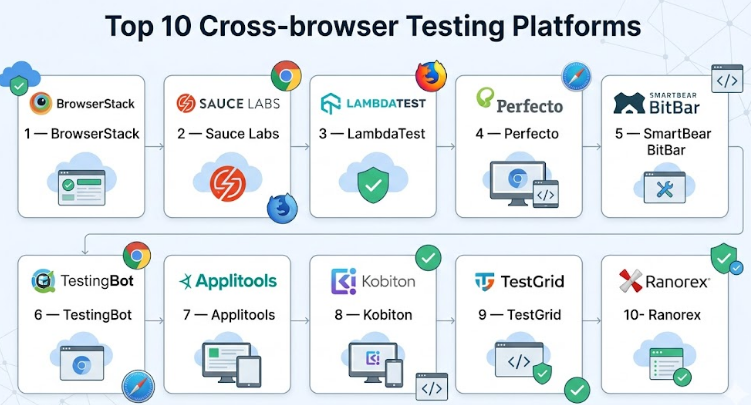
Top 10 Cross-browser Testing Platforms
#1 — BrowserStack
Short description :
BrowserStack is one of the most widely recognized cloud-based platforms for cross-browser and real device testing. It helps teams test websites, web apps, and mobile apps across many browser, operating system, and device combinations. It is suitable for QA teams, developers, product teams, and enterprises that need broad coverage without managing local infrastructure. BrowserStack supports manual testing, automated testing, visual testing, accessibility testing, and test reporting workflows. It is especially useful for teams that want fast setup, strong device coverage, and smooth CI/CD integration.
Key Features
- Live cross-browser testing on desktop and mobile environments.
- Automated testing support for Selenium, Playwright, Cypress, and related frameworks.
- Real device cloud for iOS and Android testing.
- Visual testing and screenshot comparison capabilities.
- Local testing support for private or staging environments.
- Test reporting, debugging logs, screenshots, and video recordings.
- Integrations with CI/CD and project management tools.
Pros
- Very strong browser and device coverage for modern QA teams.
- Easy to adopt for both manual testers and automation engineers.
- Good fit for teams that need scalable testing without maintaining device labs.
Cons
- Pricing may become expensive for high automation volume.
- Advanced usage requires careful parallel session planning.
- Enterprise-level controls may require higher-tier plans.
Platforms / Deployment
Web / Windows / macOS / Linux / iOS / Android
Cloud / Hybrid options for private/local testing
Security & Compliance
SSO/SAML, MFA, encryption, RBAC, audit logs, and enterprise security controls are commonly available depending on plan. SOC 2 and GDPR support are publicly associated with BrowserStack. Some compliance details may vary by plan.
Integrations & Ecosystem
BrowserStack has a strong developer and QA ecosystem with integrations across automation frameworks, CI/CD tools, bug tracking platforms, and test management systems.
- Selenium
- Playwright
- Cypress
- Appium
- Jenkins
- GitHub Actions
- Jira
- Slack
Support & Community
BrowserStack provides detailed documentation, onboarding resources, enterprise support options, tutorials, and framework-specific guides. The ecosystem is mature, making it easier for teams to find examples, SDKs, and integration help.
#2 — Sauce Labs
Short description :
Sauce Labs is a cloud testing platform focused on web, mobile, and continuous testing workflows. It is well suited for enterprise engineering teams that need scalable automated testing, cross-browser coverage, real device access, analytics, and quality insights. Sauce Labs supports manual and automated tests across browsers, operating systems, emulators, simulators, and real devices. It is often used by teams that already have strong CI/CD practices and want testing to become part of the release pipeline. Its strength is enterprise-scale testing with automation, reporting, and governance.
Key Features
- Cross-browser manual and automated testing.
- Support for Selenium, Appium, Cypress, Playwright, and related frameworks.
- Real device, emulator, and simulator access.
- Test analytics and debugging tools.
- Parallel test execution for faster feedback.
- Secure testing tunnels for private environments.
- Enterprise-focused continuous testing workflows.
Pros
- Strong enterprise testing capabilities.
- Good automation framework coverage.
- Useful for teams with large test suites and release pipelines.
Cons
- Can feel complex for small teams with simple testing needs.
- Cost may be high for heavy enterprise usage.
- Setup and optimization may require experienced QA engineers.
Platforms / Deployment
Web / Windows / macOS / Linux / iOS / Android
Cloud / Hybrid options for secure private testing
Security & Compliance
SSO/SAML, access controls, encryption, secure tunnels, and enterprise security options are commonly available. SOC 2, ISO 27001, and GDPR-related controls are publicly associated with Sauce Labs. Exact availability may vary by contract or plan.
Integrations & Ecosystem
Sauce Labs integrates well with CI/CD, automation frameworks, test management, and DevOps workflows.
- Selenium
- Appium
- Cypress
- Playwright
- Jenkins
- GitHub Actions
- GitLab CI
- Jira
Support & Community
Sauce Labs offers documentation, enterprise onboarding, support plans, training resources, and a mature QA community. It is better suited for teams that want structured testing workflows and platform-level quality reporting.
#3 — LambdaTest
Short description :
LambdaTest is a cloud-based cross-browser testing and digital experience testing platform used by developers and QA teams. It supports manual browser testing, automated testing, real device testing, responsive testing, visual testing, and CI/CD workflows. LambdaTest is suitable for startups, SMBs, agencies, and growing engineering teams that need broad testing coverage at a flexible price point. It supports popular automation frameworks and offers parallel execution to reduce test cycle time. It is often chosen by teams that want a balance of coverage, usability, and affordability.
Key Features
- Manual and automated cross-browser testing.
- Selenium, Playwright, Cypress, Puppeteer, and Appium support.
- Real device cloud for mobile web and app testing.
- Screenshot and responsive testing.
- Visual regression testing capabilities.
- Parallel test execution.
- CI/CD and issue-tracking integrations.
Pros
- Good balance of features and price/value.
- Strong support for modern automation frameworks.
- Useful for teams moving from manual to automated testing.
Cons
- Enterprise governance depth may vary by plan.
- Large-scale automation users need to monitor usage carefully.
- Some advanced AI and analytics features may require specific tiers.
Platforms / Deployment
Web / Windows / macOS / Linux / iOS / Android
Cloud / Hybrid options depending on requirements
Security & Compliance
SSO/SAML, secure tunnel, access controls, and enterprise security features are available in higher plans. SOC 2 and GDPR-related information is publicly associated with LambdaTest. Some compliance details may vary by plan.
Integrations & Ecosystem
LambdaTest has a broad ecosystem for automation, CI/CD, collaboration, and bug tracking.
- Selenium
- Playwright
- Cypress
- Puppeteer
- Appium
- Jenkins
- Jira
- GitHub Actions
Support & Community
LambdaTest provides documentation, tutorials, product guides, and support options. Its community presence is strong among automation testers, developers, and QA engineers.
#4 — Perfecto
Short description :
Perfecto by Perforce is an enterprise-focused testing platform for web and mobile applications. It is designed for teams that need secure, scalable, and reliable testing across real devices, browsers, and operating systems. Perfecto is especially relevant for regulated industries, large enterprises, and teams with complex mobile and web testing needs. It supports automation, continuous testing, device access, analytics, and secure testing workflows. Its strength is enterprise readiness, governance, and support for large-scale quality engineering.
Key Features
- Web and mobile testing in cloud environments.
- Real device testing for mobile applications.
- Automation support for common testing frameworks.
- Test analytics and reporting.
- Secure enterprise testing workflows.
- Continuous testing support for DevOps pipelines.
- Support for large-scale distributed QA teams.
Pros
- Strong fit for enterprise and regulated environments.
- Good real device and mobile testing focus.
- Useful for teams needing governance, stability, and support.
Cons
- May be more than small teams need.
- Pricing is usually enterprise-oriented.
- Setup may require planning and onboarding.
Platforms / Deployment
Web / Windows / macOS / Linux / iOS / Android
Cloud / Hybrid / Private options may be available depending on contract
Security & Compliance
Enterprise security features such as SSO, access controls, encryption, and secure testing options are commonly available. Specific certifications and compliance details should be verified during procurement.
Integrations & Ecosystem
Perfecto connects with automation, DevOps, and enterprise delivery workflows.
- Selenium
- Appium
- Jenkins
- Jira
- CI/CD tools
- Test management tools
- Enterprise reporting workflows
Support & Community
Perfecto provides enterprise support, documentation, onboarding, training, and professional services. It is best suited for organizations that need structured support and mature testing operations.
#5 — SmartBear BitBar
Short description :
SmartBear BitBar is a cloud-based web and mobile testing platform designed for teams that need access to browsers and real devices without maintaining infrastructure. It supports manual and automated testing across desktop browsers, mobile browsers, and applications. BitBar fits well for QA teams already using SmartBear tools or organizations that want a testing platform connected to a broader software quality ecosystem. It can support both exploratory testing and automated execution. Its value is strongest when combined with test management, API testing, and other SmartBear products.
Key Features
- Cross-browser testing on desktop and mobile browsers.
- Real device cloud for mobile testing.
- Manual and automated testing support.
- Parallel test execution.
- Integration with SmartBear testing ecosystem.
- Support for common automation frameworks.
- Cloud-based device and browser access.
Pros
- Good fit for teams already using SmartBear products.
- Supports both web and mobile testing needs.
- Helps reduce device lab maintenance.
Cons
- Ecosystem value is strongest inside SmartBear workflows.
- Some teams may prefer more developer-first platforms.
- Advanced configuration may require testing experience.
Platforms / Deployment
Web / Windows / macOS / Linux / iOS / Android
Cloud
Security & Compliance
Enterprise security features may be available depending on SmartBear plan and contract. Specific certifications should be verified during vendor review.
Integrations & Ecosystem
BitBar fits naturally into SmartBear’s broader quality ecosystem while also supporting common automation and CI/CD workflows.
- Selenium
- Appium
- Jenkins
- Jira
- SmartBear tools
- CI/CD pipelines
- Test management workflows
Support & Community
SmartBear provides documentation, support resources, and enterprise support options. Community strength is supported by SmartBear’s broader testing ecosystem.
#6 — TestingBot
Short description :
TestingBot is a cross-browser, mobile, and automated testing platform for teams that need cloud access to browsers and devices. It supports Selenium, Playwright, Cypress, Puppeteer, Appium, and other modern automation frameworks. TestingBot is suitable for developers, QA engineers, agencies, SMBs, and teams that want a practical cloud testing platform without excessive complexity. It includes manual testing, automated testing, visual testing, and CI/CD integrations. It is a strong option for teams that want flexible framework support and straightforward cloud testing.
Key Features
- Cross-browser testing across desktop and mobile browsers.
- Support for Selenium, Playwright, Cypress, Puppeteer, and Appium.
- Real device testing for iOS and Android.
- Visual testing capabilities.
- Parallel execution.
- CI/CD and bug tracking integrations.
- Local testing for private environments.
Pros
- Broad automation framework support.
- Practical option for SMBs and developer-led teams.
- Easier to understand than some enterprise-heavy platforms.
Cons
- Enterprise ecosystem may be less extensive than larger vendors.
- Advanced governance features may vary by plan.
- Buyers should validate device/browser coverage for their exact needs.
Platforms / Deployment
Web / Windows / macOS / Linux / iOS / Android
Cloud
Security & Compliance
SSO, secure tunnel, and access control options may be available depending on plan. Specific compliance certifications should be verified before purchase.
Integrations & Ecosystem
TestingBot integrates with common development, automation, and CI/CD tools.
- Selenium
- Playwright
- Cypress
- Puppeteer
- Appium
- Jenkins
- GitHub Actions
- Jira
Support & Community
TestingBot provides documentation, support resources, and integration guides. Community visibility is smaller than the largest platforms, but it remains practical for many QA and development teams.
#7 — Applitools
Short description :
Applitools is best known for AI-powered visual testing and visual validation across browsers, devices, and screen sizes. While it is not a traditional browser farm in the same way as BrowserStack or Sauce Labs, it is highly relevant for cross-browser testing because it helps teams detect visual differences at scale. Applitools is useful for teams that care deeply about UI consistency, design systems, responsive layouts, and visual regression. It works well with automation frameworks and can reduce manual screenshot review. Its strongest value is visual quality, not general device lab access.
Key Features
- AI-powered visual testing.
- Cross-browser and cross-device visual validation.
- Ultrafast grid for parallel visual test execution.
- Integration with Selenium, Cypress, Playwright, and other frameworks.
- Component and responsive UI testing support.
- Visual regression detection.
- Test result review and baseline management.
Pros
- Excellent for visual regression testing.
- Helps reduce false positives compared with basic pixel comparison.
- Strong fit for design-heavy products and front-end teams.
Cons
- Not a full replacement for functional browser testing.
- Requires good baseline management.
- Pricing and value depend on test volume and UI complexity.
Platforms / Deployment
Web / Windows / macOS / Linux / iOS / Android through supported testing environments
Cloud / Hybrid depending on setup
Security & Compliance
Enterprise security options may include SSO, access controls, and secure workflows. Specific certifications should be verified during vendor review.
Integrations & Ecosystem
Applitools integrates with common automation and front-end testing workflows.
- Selenium
- Cypress
- Playwright
- WebdriverIO
- Storybook
- Jenkins
- GitHub Actions
- Jira
Support & Community
Applitools provides strong documentation, tutorials, SDKs, and enterprise support. It has a respected community among front-end engineers, QA automation teams, and visual testing practitioners.
#8 — Kobiton
Short description :
Kobiton is primarily a mobile device testing platform, but it is relevant for cross-browser testing when mobile browser and real device coverage are important. It helps teams test mobile web and mobile applications across real iOS and Android devices. Kobiton supports manual testing, automation, device lab management, visual testing, and Appium-based workflows. It is especially useful for mobile-first companies, ecommerce teams, fintech apps, travel apps, and organizations that cannot rely only on emulators. Its strongest value is real mobile device coverage and mobile testing workflows.
Key Features
- Real mobile device testing.
- Mobile web and app testing support.
- Appium automation support.
- Manual testing on real devices.
- Visual testing and device logs.
- Device lab management options.
- CI/CD and bug tracking integrations.
Pros
- Strong real mobile device testing focus.
- Good for teams with mobile-heavy user journeys.
- Useful for validating touch, device, browser, and network behavior.
Cons
- Less focused on desktop browser testing than broader platforms.
- May not be the best first choice for web-only teams.
- Enterprise pricing and deployment options need validation.
Platforms / Deployment
Web / iOS / Android
Cloud / On-prem / Hybrid options may be available depending on plan
Security & Compliance
Enterprise security controls may include SSO, access control, encryption, and private deployment options. Specific compliance certifications should be verified.
Integrations & Ecosystem
Kobiton fits mobile automation and delivery workflows.
- Appium
- Selenium-based workflows where applicable
- Jenkins
- Jira
- CI/CD tools
- Mobile DevOps workflows
- Bug reporting tools
Support & Community
Kobiton provides documentation, customer support, training resources, and enterprise support. It is strongest for teams that need mobile testing expertise and real device coverage.
#9 — TestGrid
Short description :
TestGrid is a testing platform that supports web, mobile, API, performance, and automation testing workflows. It is suitable for teams that want a broader testing suite rather than only browser testing. TestGrid can be useful for QA teams looking for manual and automated testing across browsers and devices, along with test management and reporting capabilities. It can serve SMBs, agencies, and growing teams that want multiple testing functions in one platform. Its value depends on how much of the broader platform a team plans to use.
Key Features
- Cross-browser testing support.
- Mobile app and mobile web testing.
- Test automation capabilities.
- Real device testing options.
- API and performance testing features.
- Test management and reporting.
- CI/CD workflow support.
Pros
- Broad testing scope beyond browser testing.
- Useful for teams wanting multiple QA functions together.
- Can support both manual and automated QA workflows.
Cons
- Browser testing depth should be validated against specialist tools.
- Some features may feel broad rather than deeply specialized.
- Enterprise buyers should review security details carefully.
Platforms / Deployment
Web / Windows / macOS / Linux / iOS / Android
Cloud / Private options may vary
Security & Compliance
Security and compliance details are not always clearly stated for every feature. Buyers should verify SSO, audit logs, RBAC, encryption, and compliance certifications during evaluation.
Integrations & Ecosystem
TestGrid supports common QA and DevOps workflows.
- Selenium
- Appium
- CI/CD tools
- Jira
- API testing workflows
- Performance testing workflows
- Test management workflows
Support & Community
Support, onboarding, and documentation are available, but buyers should validate support depth based on plan. Community visibility is moderate compared with larger platforms.
#10 — Ranorex
Short description :
Ranorex is a test automation platform that supports desktop, web, and mobile application testing. It is not purely a cloud cross-browser testing platform, but it is relevant for teams that need cross-browser automation along with broader UI testing. Ranorex is often used by QA teams that prefer a structured automation environment with record-and-playback support, object recognition, and test management features. It is suitable for teams testing business applications, desktop software, and web applications together. Its strongest value is broader UI automation, not large-scale cloud browser access.
Key Features
- Web, desktop, and mobile test automation.
- Cross-browser testing support.
- Record-and-playback testing features.
- Object recognition and UI automation.
- Test suite management.
- Integration with CI/CD tools.
- Support for technical and less-technical testers.
Pros
- Good for teams testing web plus desktop applications.
- Useful for testers who need lower-code automation workflows.
- Strong structured UI automation capabilities.
Cons
- Not as cloud-native as browser testing platforms.
- Device/browser coverage may depend on setup.
- Less suitable for teams needing massive cloud browser grids.
Platforms / Deployment
Windows-focused authoring environment; web and mobile testing support varies by setup
Self-hosted / Hybrid depending on environment
Security & Compliance
Not publicly stated for all deployment scenarios. Security depends heavily on how the tool is deployed and managed internally.
Integrations & Ecosystem
Ranorex integrates with common development and testing workflows.
- Selenium WebDriver
- Jenkins
- Jira
- Test management tools
- CI/CD pipelines
- Source control workflows
Support & Community
Ranorex provides product documentation, support resources, and training materials. It has a mature user base among UI automation teams, especially where desktop and web testing overlap.
Comparison Table (Top 10)
| Tool Name | Best For | Platform(s) Supported | Deployment | Standout Feature | Public Rating |
|---|---|---|---|---|---|
| BrowserStack | Broad web and mobile testing | Web, Windows, macOS, Linux, iOS, Android | Cloud / Hybrid | Large browser and real device coverage | N/A |
| Sauce Labs | Enterprise continuous testing | Web, Windows, macOS, Linux, iOS, Android | Cloud / Hybrid | Enterprise-scale automation and analytics | N/A |
| LambdaTest | SMBs, startups, QA teams | Web, Windows, macOS, Linux, iOS, Android | Cloud / Hybrid | Strong framework support and parallel testing | N/A |
| Perfecto | Regulated and enterprise teams | Web, Windows, macOS, Linux, iOS, Android | Cloud / Hybrid | Enterprise mobile and web testing governance | N/A |
| SmartBear BitBar | SmartBear ecosystem users | Web, Windows, macOS, Linux, iOS, Android | Cloud | Device and browser testing in SmartBear ecosystem | N/A |
| TestingBot | Developer-led QA teams | Web, Windows, macOS, Linux, iOS, Android | Cloud | Broad framework support with practical cloud testing | N/A |
| Applitools | Visual UI testing teams | Web, Windows, macOS, Linux, iOS, Android | Cloud / Hybrid | AI-powered visual regression testing | N/A |
| Kobiton | Mobile-first teams | Web, iOS, Android | Cloud / On-prem / Hybrid | Real mobile device testing | N/A |
| TestGrid | Broad QA platform needs | Web, Windows, macOS, Linux, iOS, Android | Cloud / Varies | Multi-purpose QA testing platform | N/A |
| Ranorex | UI automation across desktop and web | Windows, Web, Mobile support varies | Self-hosted / Hybrid | Desktop, web, and mobile UI automation | N/A |
Evaluation & Cross-browser Testing Platforms
| Tool Name | Core (25%) | Ease (15%) | Integrations (15%) | Security (10%) | Performance (10%) | Support (10%) | Value (15%) | Weighted Total (0–10) |
|---|---|---|---|---|---|---|---|---|
| BrowserStack | 9 | 9 | 9 | 8 | 9 | 9 | 8 | 8.75 |
| Sauce Labs | 9 | 8 | 9 | 9 | 9 | 9 | 7 | 8.60 |
| LambdaTest | 8 | 9 | 9 | 8 | 8 | 8 | 9 | 8.45 |
| Perfecto | 8 | 7 | 8 | 9 | 8 | 9 | 7 | 7.95 |
| SmartBear BitBar | 8 | 7 | 8 | 8 | 8 | 8 | 7 | 7.65 |
| TestingBot | 8 | 8 | 8 | 7 | 8 | 7 | 8 | 7.75 |
| Applitools | 8 | 8 | 8 | 8 | 9 | 8 | 7 | 8.00 |
| Kobiton | 8 | 8 | 7 | 8 | 8 | 8 | 7 | 7.65 |
| TestGrid | 7 | 8 | 7 | 7 | 7 | 7 | 8 | 7.30 |
| Ranorex | 7 | 7 | 7 | 7 | 7 | 7 | 7 | 7.00 |
These scores are comparative, not absolute. A higher score does not mean the tool is always the best choice for every team. For example, Applitools may score lower as a general browser platform but can be the strongest option for visual regression. Kobiton may not be the best web-only tool, but it can be excellent for mobile-first testing. Use the scores as a shortlist guide, then validate with a pilot.
Which Cross-browser Testing Platforms
Solo / Freelancer
Solo developers and freelancers usually need simple setup, flexible pricing, and quick manual testing. LambdaTest, TestingBot, and BrowserStack are strong options because they are easier to start with and support common browsers and devices. If the project is small, open-source local testing with Playwright may also be enough.
SMB
Small and mid-sized businesses need a balance of cost, browser coverage, automation, and integrations. LambdaTest, BrowserStack, TestingBot, and TestGrid are practical choices. SMB teams should focus on parallel testing limits, CI/CD support, mobile browser coverage, and how easily bugs can be shared with developers.
Mid-Market
Mid-market companies usually need stronger reporting, automation reliability, and team collaboration. BrowserStack, Sauce Labs, LambdaTest, SmartBear BitBar, and Applitools are good candidates. If the team has a growing design system, Applitools can add strong visual testing value alongside a broader browser testing tool.
Enterprise
Enterprises should focus on security, compliance, scalability, role-based access, audit logs, private testing, support SLAs, and procurement readiness. Sauce Labs, BrowserStack, Perfecto, SmartBear BitBar, and Kobiton are strong enterprise candidates. Regulated industries should validate compliance documents directly before signing.
Budget vs Premium
Budget-conscious teams should compare LambdaTest, TestingBot, and TestGrid first. Premium buyers with large automation needs should evaluate BrowserStack, Sauce Labs, Perfecto, and Applitools. The right choice depends on test volume, number of parallel sessions, real device requirements, and support expectations.
Feature Depth vs Ease of Use
BrowserStack and LambdaTest offer a strong balance of depth and usability. Sauce Labs and Perfecto provide more enterprise depth but may require more planning. TestingBot is practical and straightforward. Applitools is easy to understand for visual testing but requires discipline around visual baselines.
Integrations & Scalability-
For CI/CD-heavy teams, prioritize BrowserStack, Sauce Labs, LambdaTest, TestingBot, and Applitools. Check support for Jenkins, GitHub Actions, GitLab CI, Azure DevOps, Jira, Slack, and test management tools. Also validate parallel execution limits, API access, reporting exports, and secure tunnel performance.
Security & Compliance Needs
Security-focused buyers should review SSO, SAML, MFA, RBAC, audit logs, encryption, secure local testing, private device options, and compliance documentation. Sauce Labs, BrowserStack, Perfecto, and SmartBear BitBar are often stronger candidates for enterprise security reviews. Never assume compliance; verify it during procurement.
Frequently Asked Questions (FAQs)
1. What is a cross-browser testing platform?
A cross-browser testing platform helps teams test websites or web applications across multiple browsers, operating systems, devices, and screen sizes. It reduces the need to maintain physical devices or local browser labs.
2. Why is cross-browser testing important?
Users visit websites from different browsers and devices. A page that works well on Chrome may behave differently on Safari, Firefox, Edge, or mobile browsers. Testing helps prevent layout issues, broken flows, and poor user experience.
3. How are these platforms usually priced?
Most platforms use subscription-based pricing. Pricing may depend on users, parallel sessions, test minutes, real device access, automation volume, and enterprise features. Always check usage limits before choosing a plan.
4. Can small teams use cross-browser testing platforms?
Yes. Small teams can benefit from cloud browser testing because they avoid buying and maintaining many devices. However, if the website is simple, local testing with open-source tools may be enough.
5. What is the difference between real device testing and emulator testing?
Real device testing uses actual phones, tablets, or systems, while emulators simulate device behavior. Emulators are useful, but real devices often reveal issues related to touch, hardware, browser behavior, performance, and networks.
6. Which automation frameworks should a platform support?
Most modern teams should look for Selenium, Playwright, Cypress, Appium, Puppeteer, and WebdriverIO support. The best choice depends on the existing test framework used by the development and QA team.
7. What are common mistakes when choosing a testing platform?
Common mistakes include choosing only by price, ignoring parallel testing limits, not checking real device coverage, skipping security review, and failing to test CI/CD integration before purchase.
8. How long does onboarding usually take?
Basic manual testing can often start quickly, but automation onboarding takes more planning. Teams need to configure frameworks, environments, secure tunnels, CI/CD pipelines, test data, and reporting workflows.
9. Are cross-browser testing platforms secure?
Many leading platforms offer security features such as encryption, SSO, access controls, audit logs, and secure local testing. However, security varies by vendor and plan, so buyers should verify details directly.
10. Can these tools integrate with CI/CD pipelines?
Yes. Most leading platforms integrate with CI/CD tools such as Jenkins, GitHub Actions, GitLab CI, Azure DevOps, CircleCI, and Bitbucket. This allows browser tests to run automatically during builds and releases.
Conclusion
Cross-browser testing platforms are now essential for teams that want to deliver reliable digital experiences across browsers, devices, and operating systems. The best platform depends on the team’s size, test volume, automation maturity, security needs, and product type. BrowserStack, Sauce Labs, and LambdaTest are strong general-purpose choices, while Perfecto and Kobiton are better for enterprise and mobile-heavy testing. Applitools is especially useful when visual quality and UI consistency matter. TestingBot, TestGrid, SmartBear BitBar, and Ranorex can also be strong choices depending on workflow and budget.
