Introduction
Device Testing Clouds are platforms that allow developers, QA engineers, and testing teams to test applications on real devices and browsers through the cloud. Instead of buying and maintaining physical smartphones, tablets, and desktops, teams can access large device libraries remotely for manual and automated testing.
These platforms have become essential because businesses now support many operating systems, screen sizes, browsers, and app versions. A single application may need testing across Android, iOS, Windows, macOS, Chrome, Safari, Firefox, Edge, and many device combinations. Managing all of this internally can become expensive and difficult.
Real-world use cases include mobile app testing, cross-browser web testing, CI/CD automation validation, regression testing, localization testing, and performance testing across real devices.
Buyers should evaluate:
- Real device availability
- Browser coverage
- Automation framework support
- CI/CD integration capabilities
- Testing speed and scalability
- Security and compliance controls
- Parallel testing support
- Reporting and debugging tools
- Ease of onboarding
- Pricing flexibility
Best for: QA teams, developers, DevOps engineers, mobile app companies, SaaS businesses, enterprise IT teams, fintech, e-commerce, gaming, healthcare, and organizations shipping apps frequently.
Not ideal for: very small projects with limited device support needs, teams only testing on a few internal devices, or businesses that rely only on simulator/emulator testing.
Key Trends in Device Testing Clouds
- AI-powered test optimization is growing, helping reduce flaky tests and improve automation reliability.
- Real device testing is becoming more important as app complexity and device fragmentation continue increasing.
- Shift-left testing practices are expanding, integrating testing earlier into development pipelines.
- Parallel testing adoption is rising to reduce release cycles and improve deployment speed.
- Security-focused testing environments are becoming standard, especially for finance and healthcare sectors.
- Visual regression testing is gaining traction for UI-heavy applications.
- Cross-platform mobile testing frameworks are seeing stronger support, especially for Flutter and React Native.
- Self-healing automation features are emerging, reducing maintenance overhead for QA teams.
- Enterprise compliance requirements are increasing, especially around data handling and auditability.
- Cloud-native testing infrastructure is replacing physical labs for scalability and cost efficiency.
How We Selected These Tools (Methodology)
- Evaluated global adoption and enterprise recognition.
- Considered availability of real devices and browser coverage.
- Reviewed automation framework compatibility.
- Analyzed CI/CD integration flexibility.
- Prioritized scalability for enterprise workloads.
- Considered debugging and reporting capabilities.
- Evaluated security posture and enterprise readiness.
- Included tools suitable for both SMB and enterprise environments.
- Balanced developer-focused and enterprise-grade platforms.
- Considered onboarding experience and ecosystem maturity.
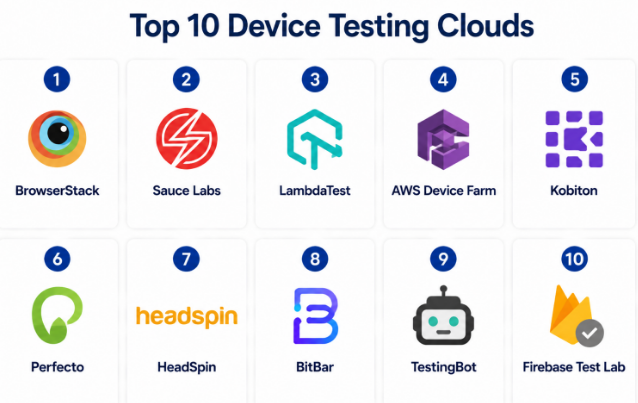
Top 10 Device Testing Clouds
#1 — BrowserStack
Short description :
BrowserStack is one of the most widely used cloud testing platforms for web and mobile application testing. It provides access to thousands of real devices and browsers for manual and automated testing. Teams use BrowserStack for cross-browser validation, mobile testing, automation execution, and visual testing workflows. It supports developers, QA engineers, and enterprise testing teams. The platform is popular because of its broad compatibility and fast setup experience.
Key Features
- Real device cloud testing
- Cross-browser testing support
- Selenium, Cypress, Playwright, and Appium support
- Parallel test execution
- Visual testing and screenshot comparison
- Local testing for staging environments
- CI/CD integrations and automation pipelines
Pros
- Very broad device and browser coverage.
- Strong automation ecosystem support.
- Fast onboarding for teams.
Cons
- Premium plans can become expensive at scale.
- Advanced enterprise usage may require careful cost management.
- Large automation suites may require optimization planning.
Platforms / Deployment
Web / Windows / macOS / Linux / iOS / Android
Cloud
Security & Compliance
Supports SSO, RBAC, audit logs, encryption, and enterprise security controls. SOC 2 and GDPR support are publicly referenced. Additional certifications may vary.
Integrations & Ecosystem
BrowserStack integrates well with major CI/CD and testing ecosystems. It is widely adopted across developer and QA environments.
- Jenkins
- GitHub Actions
- GitLab CI/CD
- Selenium
- Cypress
- Playwright
Support & Community
Strong documentation, onboarding resources, enterprise support options, and a large testing community.
#2 — Sauce Labs
Short description :
Sauce Labs is an enterprise-grade testing cloud platform focused on web, mobile, and API testing. It supports automated and manual testing workflows across browsers, operating systems, and real devices. Sauce Labs is often used by enterprises that require scalable testing infrastructure with advanced reporting and analytics. It supports both development and QA teams working with continuous delivery pipelines. The platform is known for automation flexibility and enterprise testing depth.
Key Features
- Real device and emulator testing
- Cross-browser automation support
- Automated mobile testing workflows
- Test analytics and reporting dashboards
- Parallel test execution
- CI/CD pipeline integrations
- API testing support
Pros
- Strong enterprise automation support.
- Mature testing infrastructure.
- Broad framework compatibility.
Cons
- Enterprise configuration may feel complex initially.
- Pricing can be higher for advanced usage.
- Some teams may need onboarding assistance.
Platforms / Deployment
Web / Windows / macOS / Linux / iOS / Android
Cloud
Security & Compliance
Supports SSO, RBAC, audit logging, encryption, and enterprise-grade access controls. SOC 2 and other compliance support may vary by offering.
Integrations & Ecosystem
Sauce Labs integrates with modern DevOps and automation ecosystems, making it suitable for enterprise CI/CD pipelines.
- Jenkins
- Azure DevOps
- CircleCI
- Selenium
- Appium
- Playwright
Support & Community
Enterprise support is strong, with good documentation and onboarding resources. Community support is mature within QA automation circles.
#3 — LambdaTest
Short description :
LambdaTest is a cloud-based testing platform for browser and mobile application testing. It supports both manual and automated testing workflows with real devices and browsers. LambdaTest is popular among startups, SMBs, and growing enterprises because of its broad feature set and accessible pricing structure. The platform supports automation, visual testing, and scalable test execution. It is commonly used for cross-browser compatibility validation and mobile app testing.
Key Features
- Real browser and device testing
- Cross-browser compatibility validation
- Automated testing workflows
- Visual regression testing
- Parallel execution support
- Geolocation and localization testing
- CI/CD integrations
Pros
- Strong balance between pricing and features.
- Good support for modern automation frameworks.
- Easy onboarding experience.
Cons
- Very large enterprises may require advanced customization validation.
- Complex automation suites may need tuning.
- Device availability can vary by workload demand.
Platforms / Deployment
Web / Windows / macOS / Linux / iOS / Android
Cloud
Security & Compliance
Supports enterprise authentication, encryption, access controls, and testing isolation features. Additional compliance certifications should be verified.
Integrations & Ecosystem
LambdaTest supports many developer, automation, and DevOps workflows.
- GitHub Actions
- Jenkins
- Selenium
- Cypress
- Playwright
- Appium
Support & Community
Good documentation and onboarding support. Community adoption continues growing rapidly among developers and QA teams.
#4 — AWS Device Farm
Short description :
AWS Device Farm is a cloud testing service provided by Amazon Web Services. It allows teams to test Android, iOS, and web applications across real devices and browsers. The platform integrates naturally with AWS ecosystems and DevOps workflows. It is commonly used by development teams already operating within AWS infrastructure. AWS Device Farm is useful for scalable automation testing and app validation pipelines.
Key Features
- Real Android and iOS device testing
- Automated testing support
- Integration with AWS services
- Parallel testing capabilities
- Video and log capture
- Remote device access
- Browser testing support
Pros
- Good fit for AWS-native environments.
- Strong scalability for automation workloads.
- Flexible cloud-based infrastructure.
Cons
- User interface may feel less polished than specialized competitors.
- Best experience comes with AWS familiarity.
- Device coverage depth should be validated per use case.
Platforms / Deployment
Web / Android / iOS
Cloud
Security & Compliance
Supports IAM-based access control, encryption, audit logging, and AWS security controls. Compliance scope depends on AWS environment configuration.
Integrations & Ecosystem
AWS Device Farm works best within AWS-centric DevOps pipelines and automation environments.
- AWS CodePipeline
- AWS CodeBuild
- Selenium
- Appium
- Jenkins
- CI/CD workflows
Support & Community
Strong AWS documentation and enterprise support availability. Community support is broad among AWS users.
#5 — Kobiton
Short description :
Kobiton is a mobile testing platform focused on real device testing, automation, and mobile DevOps workflows. It helps teams test mobile applications across Android and iOS devices using cloud-hosted infrastructure. Kobiton is often selected by enterprises that need a mix of manual testing, automation, and device lab management. It supports both public cloud and private device configurations. The platform is particularly useful for mobile-first development teams.
Key Features
- Real mobile device testing
- Automated mobile app testing
- Scriptless automation support
- Device lab management
- Performance and crash insights
- Parallel execution
- CI/CD integrations
Pros
- Strong mobile-focused testing capabilities.
- Useful for enterprise mobile DevOps workflows.
- Flexible deployment and device management options.
Cons
- Less focused on broad browser testing.
- Advanced enterprise setup may require planning.
- Automation optimization may take time.
Platforms / Deployment
Web / Android / iOS
Cloud / Hybrid
Security & Compliance
Supports access controls, encryption, and enterprise security workflows. Additional compliance certifications should be verified directly.
Integrations & Ecosystem
Kobiton integrates with automation frameworks and DevOps workflows commonly used for mobile delivery.
- Jenkins
- Selenium
- Appium
- Jira
- CI/CD pipelines
- Test automation workflows
Support & Community
Provides onboarding assistance, enterprise support, and documentation resources. Community size is moderate compared with larger testing clouds.
#6 — Perfecto
Short description :
Perfecto is an enterprise testing cloud focused on mobile and web application testing. It provides real devices, automation testing support, reporting, and advanced testing analytics. The platform is widely used by enterprises requiring scalable testing with advanced debugging and reporting capabilities. Perfecto supports continuous testing strategies across DevOps pipelines. It is particularly strong for organizations prioritizing enterprise-grade reliability.
Key Features
- Real device and browser testing
- Automated testing workflows
- Advanced reporting and analytics
- Parallel execution support
- Network virtualization testing
- Visual validation capabilities
- CI/CD integration support
Pros
- Strong enterprise testing features.
- Advanced reporting and debugging tools.
- Reliable automation infrastructure.
Cons
- Premium pricing for enterprise capabilities.
- Smaller teams may find it excessive.
- Initial setup can require training.
Platforms / Deployment
Web / Windows / macOS / Linux / Android / iOS
Cloud
Security & Compliance
Supports SSO, RBAC, encryption, audit logs, and enterprise-grade access controls. Specific compliance coverage should be verified.
Integrations & Ecosystem
Perfecto integrates with modern DevOps, QA, and enterprise testing ecosystems.
- Jenkins
- Selenium
- Appium
- Jira
- CI/CD platforms
- Reporting workflows
Support & Community
Enterprise support quality is strong. Documentation and onboarding resources are comprehensive.
#7 — HeadSpin
Short description :
HeadSpin is a testing and digital experience platform focused on real-device testing and performance intelligence. It combines app testing with network and user experience analysis. Enterprises use HeadSpin to validate application quality across different devices, locations, and network conditions. It is especially useful for organizations focused on mobile performance and digital experience optimization. The platform supports automated and manual workflows.
Key Features
- Real device testing infrastructure
- Performance monitoring and analytics
- Network condition simulation
- Mobile and web testing support
- Automation framework compatibility
- AI-assisted issue analysis
- Global testing infrastructure
Pros
- Strong performance-focused testing capabilities.
- Useful for digital experience analysis.
- Good global testing coverage.
Cons
- Advanced enterprise positioning may increase cost.
- Smaller teams may not need full analytics depth.
- Setup complexity can vary.
Platforms / Deployment
Web / Android / iOS / Windows / macOS
Cloud
Security & Compliance
Supports enterprise-grade security controls, encryption, and access management. Specific certifications should be validated.
Integrations & Ecosystem
HeadSpin supports integrations with automation and DevOps ecosystems focused on performance and quality engineering.
- Selenium
- Appium
- Jenkins
- CI/CD workflows
- Analytics tools
- Monitoring systems
Support & Community
Provides enterprise onboarding, documentation, and customer support. Community size is smaller but specialized.
#8 — BitBar
Short description :
BitBar is a cloud-based mobile app testing platform that provides real devices for automated and manual testing. It supports Android and iOS application validation with scalable infrastructure. BitBar is commonly used for continuous testing pipelines and mobile QA automation. It supports developers and QA teams working on rapid release cycles. The platform emphasizes automation flexibility and scalable mobile testing.
Key Features
- Real mobile device testing
- Automated test execution
- Parallel testing support
- Mobile CI/CD integration
- Device management capabilities
- Test reporting and analytics
- Open testing framework support
Pros
- Good mobile automation flexibility.
- Supports scalable testing execution.
- Useful for continuous delivery workflows.
Cons
- Broader browser testing capabilities may be limited.
- Enterprise customization needs should be reviewed.
- Community visibility is lower than larger competitors.
Platforms / Deployment
Web / Android / iOS
Cloud
Security & Compliance
Supports enterprise access controls and encrypted testing workflows. Additional compliance details are Not publicly stated.
Integrations & Ecosystem
BitBar integrates with automation and CI/CD tools used for mobile development.
- Jenkins
- Appium
- Selenium
- CI/CD platforms
- Testing frameworks
- Automation workflows
Support & Community
Provides onboarding resources and enterprise support options. Community presence is moderate.
#9 — TestingBot
Short description :
TestingBot is a cloud testing platform for browser and mobile application testing. It offers manual and automated testing capabilities across browsers, operating systems, and real mobile devices. TestingBot is often selected by smaller teams and growing companies that need straightforward testing infrastructure without excessive complexity. The platform supports many modern automation frameworks. It is known for practical usability and testing flexibility.
Key Features
- Browser and mobile testing
- Automated testing support
- Parallel execution
- Real device access
- Screenshot and video capture
- Selenium and Appium support
- CI/CD integrations
Pros
- Simple and practical onboarding.
- Useful for SMB and growing QA teams.
- Broad automation framework compatibility.
Cons
- Enterprise analytics depth may be lighter.
- Massive enterprise workloads should be validated.
- Device inventory depth may vary.
Platforms / Deployment
Web / Windows / macOS / Linux / Android / iOS
Cloud
Security & Compliance
Supports encrypted sessions, authentication controls, and isolated testing environments. Additional certifications are Not publicly stated.
Integrations & Ecosystem
TestingBot integrates with popular testing and CI/CD tools used by developers and QA engineers.
- Selenium
- Appium
- Jenkins
- GitHub Actions
- CI/CD workflows
- Automation pipelines
Support & Community
Documentation is clear and onboarding is straightforward. Community size is moderate but active.
#10 — Firebase Test Lab
Short description :
Firebase Test Lab is a cloud testing service from Google designed for Android and iOS application testing. It allows teams to run tests across real and virtual devices hosted in Google infrastructure. The platform is commonly used by Android-focused development teams and organizations using Firebase services. It supports automated and exploratory testing workflows. Firebase Test Lab is useful for scalable mobile testing integrated with modern development pipelines.
Key Features
- Android and iOS app testing
- Real and virtual device support
- Automated and exploratory testing
- Firebase ecosystem integration
- Test reports and logs
- Scalable execution
- Cloud-based infrastructure
Pros
- Strong fit for Firebase and Google Cloud users.
- Useful for Android-heavy workflows.
- Scalable automated testing support.
Cons
- Less enterprise-focused than some competitors.
- Best value comes with Firebase ecosystem adoption.
- Advanced enterprise analytics may require additional tools.
Platforms / Deployment
Web / Android / iOS
Cloud
Security & Compliance
Supports Google Cloud security controls, encryption, and access management features. Compliance scope depends on deployment configuration.
Integrations & Ecosystem
Firebase Test Lab works well for teams already using Google Cloud and Firebase development workflows.
- Firebase
- Google Cloud
- Android Studio
- CI/CD pipelines
- Automation frameworks
- Mobile development workflows
Support & Community
Large developer community due to Firebase ecosystem popularity. Documentation is strong and onboarding is developer-friendly.
Comparison Table (Top 10)
| Tool Name | Best For | Platform(s) Supported | Deployment | Standout Feature | Public Rating |
|---|---|---|---|---|---|
| BrowserStack | Cross-browser and mobile testing | Windows, macOS, Linux, Android, iOS | Cloud | Large real-device library | N/A |
| Sauce Labs | Enterprise automation testing | Windows, macOS, Linux, Android, iOS | Cloud | Enterprise automation scalability | N/A |
| LambdaTest | SMB and modern automation teams | Windows, macOS, Linux, Android, iOS | Cloud | Cost-effective testing coverage | N/A |
| AWS Device Farm | AWS-native development teams | Android, iOS | Cloud | AWS ecosystem integration | N/A |
| Kobiton | Mobile DevOps workflows | Android, iOS | Cloud / Hybrid | Real mobile device management | N/A |
| Perfecto | Enterprise testing analytics | Windows, macOS, Linux, Android, iOS | Cloud | Advanced reporting and analytics | N/A |
| HeadSpin | Performance-focused testing | Windows, macOS, Android, iOS | Cloud | Performance intelligence insights | N/A |
| BitBar | Mobile automation workflows | Android, iOS | Cloud | Continuous testing support | N/A |
| TestingBot | SMB browser and device testing | Windows, macOS, Linux, Android, iOS | Cloud | Practical automation workflows | N/A |
| Firebase Test Lab | Firebase-based mobile testing | Android, iOS | Cloud | Firebase ecosystem integration | N/A |
Evaluation & Device Testing Clouds
| Tool Name | Core (25%) | Ease (15%) | Integrations (15%) | Security (10%) | Performance (10%) | Support (10%) | Value (15%) | Weighted Total (0–10) |
|---|---|---|---|---|---|---|---|---|
| BrowserStack | 9 | 9 | 9 | 8 | 9 | 8 | 7 | 8.45 |
| Sauce Labs | 9 | 7 | 9 | 9 | 9 | 8 | 6 | 8.20 |
| LambdaTest | 8 | 9 | 8 | 7 | 8 | 8 | 9 | 8.20 |
| AWS Device Farm | 8 | 7 | 8 | 9 | 8 | 8 | 8 | 7.95 |
| Kobiton | 8 | 7 | 7 | 8 | 8 | 7 | 7 | 7.50 |
| Perfecto | 9 | 7 | 8 | 9 | 9 | 8 | 6 | 8.00 |
| HeadSpin | 8 | 7 | 7 | 8 | 9 | 7 | 6 | 7.45 |
| BitBar | 7 | 7 | 7 | 7 | 8 | 7 | 8 | 7.30 |
| TestingBot | 7 | 8 | 7 | 7 | 7 | 7 | 8 | 7.35 |
| Firebase Test Lab | 8 | 8 | 8 | 8 | 8 | 8 | 8 | 8.00 |
These scores are comparative and based on overall enterprise readiness, usability, ecosystem maturity, and value. Higher scores usually indicate stronger all-around platforms, while lower scores may reflect narrower specialization rather than weak quality. Teams should evaluate tools according to their real testing workloads, compliance needs, and CI/CD environments.
Which Device Testing Clouds
Solo / Freelancer
Freelancers and solo developers usually need affordable testing infrastructure with broad device access. LambdaTest, TestingBot, and Firebase Test Lab are practical options for lightweight testing workloads.
SMB
SMBs benefit from platforms that balance usability, automation support, and cost efficiency.
Recommended options:
- LambdaTest
- BrowserStack
- TestingBot
- Firebase Test Lab
Mid-Market
Mid-market companies need scalability, CI/CD integrations, parallel execution, and stronger reporting.
Recommended options:
- BrowserStack
- Sauce Labs
- LambdaTest
- AWS Device Farm
Enterprise
Enterprises should prioritize security, scalability, advanced reporting, and automation depth.
Recommended options:
- Sauce Labs
- BrowserStack
- Perfecto
- HeadSpin
- Kobiton
Budget vs Premium
Budget-focused teams should evaluate LambdaTest, TestingBot, and Firebase Test Lab. Premium enterprise buyers may prefer Sauce Labs, BrowserStack, Perfecto, or HeadSpin.
Feature Depth vs Ease of Use
BrowserStack and LambdaTest offer strong usability. Sauce Labs and Perfecto provide deeper enterprise functionality but may require more setup and expertise.
Integrations & Scalability-
Organizations with mature DevOps pipelines should prioritize strong CI/CD integrations, API support, and scalable parallel execution capabilities.
Security & Compliance Needs
Finance, healthcare, and enterprise SaaS organizations should validate encryption, audit logging, access controls, session isolation, and compliance support before adoption.
Frequently Asked Questions (FAQs)
1. What is a device testing cloud?
A device testing cloud is a platform that allows teams to test applications on real devices and browsers hosted remotely. It removes the need to maintain large physical device labs internally.
2. Why are real devices important for testing?
Real devices help identify performance issues, UI inconsistencies, crashes, and compatibility problems that emulators or simulators may not fully reproduce.
3. Are these platforms suitable for automation testing?
Yes. Most device testing clouds support automation frameworks such as Selenium, Appium, Cypress, and Playwright for scalable automated testing.
4. Can these platforms support CI/CD pipelines?
Most leading platforms integrate directly with CI/CD tools to enable automated test execution during build and deployment workflows.
5. What are the common pricing models?
Pricing is usually based on parallel sessions, device access, testing minutes, or enterprise licensing agreements.
6. Are these platforms secure enough for enterprise applications?
Many enterprise-focused platforms provide encrypted sessions, access controls, audit logging, and isolated environments. Buyers should verify exact compliance needs.
7. Which platform is best for mobile app testing?
BrowserStack, Sauce Labs, Kobiton, and Perfecto are strong options depending on budget, automation needs, and enterprise complexity.
8. What is the biggest mistake teams make during testing adoption?
One common mistake is relying only on emulator testing instead of validating applications on real devices under realistic conditions.
9. Can these platforms test both Android and iOS apps?
Yes. Most leading device testing clouds support both Android and iOS testing environments.
10. Is maintaining an internal device lab still useful?
Some enterprises still maintain limited internal labs for specialized testing, but cloud testing platforms are usually more scalable and cost-efficient.
Conclusion
Device Testing Clouds have become a critical part of modern software delivery because applications now need to work reliably across many devices, operating systems, browsers, and network conditions. Platforms like BrowserStack, Sauce Labs, LambdaTest, Perfecto, and AWS Device Farm help organizations accelerate release cycles while improving quality assurance coverage. However, the best choice depends on testing scale, automation maturity, security requirements, budget, and development ecosystem alignment. Smaller teams may prefer usability and cost efficiency,
