Introduction
Cloud hosting platforms help businesses host websites, applications, databases, APIs, storage, and digital products on cloud infrastructure instead of relying only on physical servers. In simple words, cloud hosting gives teams flexible computing power, storage, networking, security, and deployment options through an online platform.
Cloud hosting matters because modern businesses need fast performance, strong uptime, global reach, secure infrastructure, and scalable resources. It is useful for websites, SaaS products, eCommerce stores, mobile apps, enterprise applications, AI workloads, backups, and DevOps environments.
Best for: startups, developers, IT teams, SaaS companies, eCommerce businesses, agencies, enterprises, and growing digital businesses.
Not ideal for: very small static websites with no traffic needs, teams with no technical skills, or businesses that only need a basic shared hosting plan.
Key Trends in Cloud Hosting Platforms
- AI-ready infrastructure is becoming important for workloads using machine learning, automation, and data processing.
- Multi-cloud and hybrid cloud hosting are growing as businesses avoid depending on one provider.
- Edge hosting is improving performance by placing workloads closer to users.
- Security controls like MFA, IAM, encryption, audit logs, and DDoS protection are now expected.
- Managed Kubernetes and container hosting are becoming common for modern applications.
- Cost optimization is a major focus because cloud bills can grow quickly.
- Green cloud hosting and energy-efficient data centers are becoming more important.
- Serverless hosting is growing for teams that want scaling without server management.
- Backup, disaster recovery, and high availability are now basic business requirements.
- Developer-first deployment workflows are becoming simpler and more automated.
How We Selected These Tools
- Market adoption and strong industry recognition.
- Breadth of cloud hosting services and infrastructure options.
- Reliability, performance, and global infrastructure strength.
- Security posture and enterprise-readiness.
- Developer experience, documentation, and platform maturity.
- Support for startups, SMBs, and enterprise buyers.
- Integration with DevOps, databases, storage, networking, and monitoring tools.
- Pricing flexibility and practical value for different business sizes.
- Scalability for websites, apps, APIs, containers, and enterprise workloads.
- Fit for modern cloud-native and AI-ready infrastructure needs.
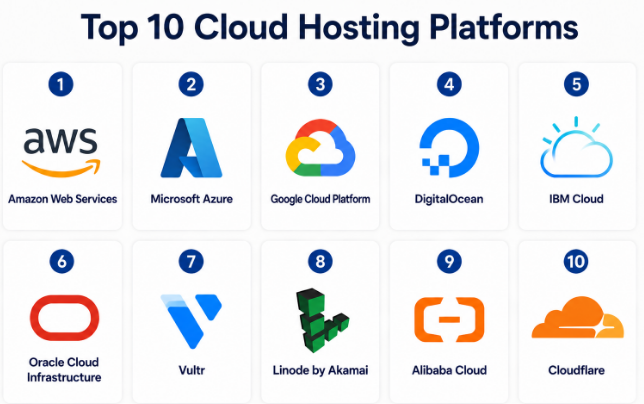
Top 10 Cloud Hosting Platforms
#1 — Amazon Web Services
Short description :
Amazon Web Services is one of the most widely used cloud hosting platforms for businesses of all sizes. It offers compute, storage, databases, networking, security, analytics, AI, DevOps, and enterprise cloud services. AWS is suitable for startups, SaaS companies, large enterprises, government projects, and high-scale applications. It provides deep flexibility for teams that need strong infrastructure control. It is powerful, but it requires good planning and cloud knowledge.
Key Features
- Virtual servers, containers, and serverless hosting.
- Global cloud infrastructure.
- Managed databases and storage services.
- Advanced networking and security controls.
- AI, analytics, and DevOps services.
- Strong monitoring and automation options.
- Wide marketplace and partner ecosystem.
Pros
- Very broad service portfolio.
- Strong scalability for enterprise workloads.
- Large global ecosystem and community.
Cons
- Pricing can be complex.
- Requires technical expertise.
- Overconfiguration can increase cost and complexity.
Platforms / Deployment
Web / Cloud / Hybrid
Security & Compliance
Supports IAM, MFA, encryption, audit logs, network controls, DDoS protection, and many compliance programs depending on service, region, and configuration.
Integrations & Ecosystem
AWS has a very large ecosystem for DevOps, data, AI, security, monitoring, and enterprise systems.
- CI/CD tools
- Databases
- Monitoring platforms
- Security tools
- Container platforms
- AI and analytics services
Support & Community
AWS has strong documentation, support plans, partner networks, training resources, and a large global community.
#2 — Microsoft Azure
Short description :
Microsoft Azure is a major cloud hosting platform used by enterprises, developers, startups, and Microsoft-focused organizations. It supports virtual machines, app hosting, databases, Kubernetes, AI services, storage, networking, and hybrid cloud. Azure is especially strong for companies using Microsoft products, Windows Server, Microsoft Entra ID, Microsoft 365, and enterprise applications. It is a good fit for regulated industries and large IT environments. It provides strong enterprise governance but requires proper cloud management.
Key Features
- Virtual machines and app hosting.
- Strong hybrid cloud capabilities.
- Managed databases and storage.
- Kubernetes and container services.
- Microsoft identity integration.
- AI and analytics services.
- Enterprise-grade governance tools.
Pros
- Strong fit for Microsoft-based organizations.
- Good hybrid and enterprise cloud support.
- Broad service portfolio.
Cons
- Pricing and licensing can be complex.
- Azure skills are needed for best results.
- Interface can feel heavy for beginners.
Platforms / Deployment
Web / Cloud / Hybrid
Security & Compliance
Supports RBAC, MFA, encryption, audit logs, identity controls, network security, and compliance capabilities depending on service, region, and configuration.
Integrations & Ecosystem
Azure integrates strongly with Microsoft and enterprise IT ecosystems.
- Microsoft Entra ID
- Microsoft 365
- GitHub
- Azure DevOps
- SQL databases
- Monitoring and security tools
Support & Community
Microsoft provides strong documentation, enterprise support, partner services, training resources, and a large developer community.
#3 — Google Cloud Platform
Short description :
Google Cloud Platform is a cloud hosting platform known for strong infrastructure, data analytics, AI, Kubernetes, and developer-friendly services. It is useful for web apps, SaaS products, APIs, data platforms, AI workloads, and cloud-native applications. Google Cloud is especially strong for teams working with containers, analytics, machine learning, and scalable applications. It provides reliable infrastructure and advanced managed services. It is suitable for startups, digital businesses, and enterprises.
Key Features
- Compute, storage, and managed databases.
- Strong Kubernetes and container services.
- AI and machine learning services.
- Data analytics and big data tools.
- Global cloud infrastructure.
- Security and identity controls.
- Developer-friendly deployment options.
Pros
- Strong in AI, data, and Kubernetes.
- Good performance for cloud-native apps.
- Clean developer experience.
Cons
- Smaller enterprise footprint than AWS and Azure in some markets.
- Pricing needs careful monitoring.
- Some teams may need Google Cloud-specific skills.
Platforms / Deployment
Web / Cloud / Hybrid
Security & Compliance
Supports IAM, MFA, encryption, audit logging, network controls, and compliance capabilities depending on service, region, and configuration.
Integrations & Ecosystem
Google Cloud works well with data, AI, DevOps, and cloud-native ecosystems.
- Kubernetes
- BigQuery
- Cloud SQL
- Cloud Storage
- CI/CD tools
- Monitoring tools
Support & Community
Google Cloud provides documentation, support plans, partner resources, and a strong cloud-native developer community.
#4 — DigitalOcean
Short description :
DigitalOcean is a cloud hosting platform focused on simplicity, developer experience, and practical pricing. It is popular with startups, developers, agencies, small businesses, and growing SaaS teams. DigitalOcean offers virtual machines, managed databases, Kubernetes, storage, networking, and app hosting. It is easier to use than many large enterprise clouds. It is best for teams that want cloud hosting without unnecessary complexity.
Key Features
- Simple virtual servers.
- Managed databases.
- Kubernetes hosting.
- Object storage.
- App platform hosting.
- Load balancing and networking.
- Developer-friendly dashboard.
Pros
- Easy to understand and use.
- Good for startups and SMBs.
- Clearer experience than many large clouds.
Cons
- Fewer enterprise services than AWS, Azure, or Google Cloud.
- Advanced compliance needs may require review.
- Not ideal for very complex global enterprise workloads.
Platforms / Deployment
Web / Cloud
Security & Compliance
Supports account security, firewalls, private networking, backups, and encryption options. Some compliance details are Not publicly stated.
Integrations & Ecosystem
DigitalOcean integrates well with developer tools and common cloud-native workflows.
- GitHub
- Docker
- Kubernetes
- Managed databases
- Monitoring tools
- CI/CD tools
Support & Community
DigitalOcean has strong tutorials, documentation, community content, and support options. It is popular among developers and small teams.
#5 — IBM Cloud
Short description :
IBM Cloud is an enterprise-focused cloud hosting platform with strong support for hybrid cloud, AI, security, regulated industries, and business-critical workloads. It is suitable for enterprises, financial services, healthcare, government, and organizations with complex infrastructure needs. IBM Cloud offers virtual servers, Kubernetes, bare metal, storage, databases, AI services, and security solutions. It is especially relevant for companies that need enterprise governance and hybrid cloud options. It may be more suitable for larger organizations than small teams.
Key Features
- Virtual servers and bare metal options.
- Hybrid cloud support.
- Kubernetes and container services.
- Enterprise security services.
- AI and data capabilities.
- Managed databases and storage.
- Industry-focused cloud solutions.
Pros
- Strong enterprise and regulated industry fit.
- Good hybrid cloud capabilities.
- Bare metal options are useful for specific workloads.
Cons
- May feel complex for small teams.
- Ecosystem is smaller than AWS or Azure.
- Pricing and service selection need careful review.
Platforms / Deployment
Web / Cloud / Hybrid
Security & Compliance
Supports identity controls, encryption, security monitoring, and enterprise compliance capabilities depending on service, region, and configuration.
Integrations & Ecosystem
IBM Cloud integrates with enterprise systems, AI services, security tools, and hybrid cloud environments.
- Kubernetes
- Red Hat OpenShift
- IBM Watson services
- Databases
- Security tools
- Enterprise applications
Support & Community
IBM provides enterprise support, documentation, consulting services, and partner support. Community strength varies by product area.
#6 — Oracle Cloud Infrastructure
Short description :
Oracle Cloud Infrastructure is a cloud hosting platform designed for enterprise applications, databases, high-performance computing, and business workloads. It is especially strong for organizations using Oracle databases, ERP systems, and enterprise software. OCI offers compute, storage, networking, Kubernetes, databases, analytics, and security services. It is suitable for enterprise IT, finance, manufacturing, retail, and data-heavy workloads. It can be highly valuable for Oracle-centered environments.
Key Features
- Compute and storage services.
- Strong Oracle database hosting.
- Kubernetes and container support.
- Enterprise networking features.
- Security and identity services.
- High-performance infrastructure options.
- Hybrid and dedicated cloud options.
Pros
- Strong fit for Oracle workloads.
- Good performance for database-heavy applications.
- Enterprise-focused cloud options.
Cons
- Less common for general developer-first workloads.
- Smaller ecosystem than AWS and Azure.
- Best value often depends on Oracle usage.
Platforms / Deployment
Web / Cloud / Hybrid
Security & Compliance
Supports IAM, encryption, audit logs, network controls, and compliance features depending on service, region, and configuration.
Integrations & Ecosystem
OCI integrates strongly with Oracle software and enterprise systems.
- Oracle Database
- Oracle ERP
- Kubernetes
- Monitoring tools
- Security tools
- Enterprise applications
Support & Community
Oracle provides enterprise documentation, support plans, partner services, and specialized support for Oracle workloads.
#7 — Vultr
Short description :
Vultr is a cloud hosting platform known for simple cloud compute, global server locations, and developer-friendly hosting. It is useful for developers, agencies, SMBs, SaaS teams, and businesses needing virtual servers, storage, Kubernetes, and bare metal options. Vultr focuses on speed, practical pricing, and straightforward cloud infrastructure. It is a good choice for teams that want flexible hosting without a large cloud learning curve. It works well for websites, apps, game servers, and backend workloads.
Key Features
- Cloud compute instances.
- Global data center availability.
- Kubernetes support.
- Object storage and block storage.
- Bare metal options.
- Simple dashboard and API.
- Load balancing options.
Pros
- Simple and fast setup.
- Good global hosting options.
- Practical for developers and SMBs.
Cons
- Fewer managed enterprise services.
- Compliance details may vary.
- Not as broad as hyperscale cloud providers.
Platforms / Deployment
Web / Cloud
Security & Compliance
Supports account security, firewalls, private networking, snapshots, and infrastructure security features. Some compliance details are Not publicly stated.
Integrations & Ecosystem
Vultr supports common developer and infrastructure workflows.
- APIs
- Terraform
- Kubernetes
- Storage services
- Monitoring tools
- DevOps workflows
Support & Community
Vultr provides documentation, support options, and a developer-focused community. Enterprise support details vary by plan and account type.
#8 — Linode by Akamai
Short description :
Linode by Akamai is a cloud hosting platform focused on simple Linux cloud servers, developer-friendly infrastructure, and global reach through Akamai. It is useful for developers, agencies, startups, SMBs, and technical teams that want straightforward virtual machines and cloud services. Linode offers compute, storage, Kubernetes, networking, and managed database options. It is known for simplicity and practical infrastructure hosting. It is best for teams that prefer clean cloud hosting without heavy enterprise complexity.
Key Features
- Linux cloud compute.
- Kubernetes hosting.
- Block and object storage.
- Managed database options.
- Networking and firewall tools.
- Global infrastructure support.
- API and developer tooling.
Pros
- Simple cloud hosting experience.
- Good for Linux-based workloads.
- Strong developer appeal.
Cons
- Fewer high-level managed services than hyperscalers.
- Enterprise compliance needs may require review.
- Best suited for technically comfortable teams.
Platforms / Deployment
Web / Cloud
Security & Compliance
Supports account security, cloud firewalls, backups, networking controls, and platform security features. Some compliance details are Not publicly stated.
Integrations & Ecosystem
Linode integrates with common infrastructure and DevOps tools.
- APIs
- Terraform
- Kubernetes
- Linux tools
- Monitoring platforms
- Storage services
Support & Community
Linode has strong documentation, community content, technical guides, and support options. It is popular among developers and Linux-focused teams.
#9 — Alibaba Cloud
Short description :
Alibaba Cloud is a major cloud hosting platform with strong presence in Asia and global infrastructure services. It supports compute, storage, databases, networking, security, analytics, AI, and enterprise cloud solutions. Alibaba Cloud is useful for businesses operating in China, Asia-Pacific, eCommerce, gaming, logistics, and international expansion. It offers a broad cloud portfolio for both startups and enterprises. It is especially relevant for companies needing cloud reach in Asian markets.
Key Features
- Cloud servers and storage.
- Managed databases.
- Security and networking services.
- AI and analytics tools.
- Content delivery and edge services.
- Kubernetes and container support.
- Enterprise cloud solutions.
Pros
- Strong presence in Asia.
- Broad cloud service portfolio.
- Useful for businesses targeting Chinese and APAC markets.
Cons
- May be less familiar to teams outside Asia.
- Documentation and service experience may vary by region.
- Compliance and data residency need careful review.
Platforms / Deployment
Web / Cloud / Hybrid
Security & Compliance
Supports identity, encryption, network security, and compliance-related capabilities depending on region, service, and configuration.
Integrations & Ecosystem
Alibaba Cloud integrates with cloud-native, eCommerce, security, data, and enterprise services.
- Databases
- Kubernetes
- AI tools
- CDN services
- Security tools
- Monitoring services
Support & Community
Alibaba Cloud provides documentation, support plans, regional partner support, and enterprise services. Community strength varies by geography.
#10 — Cloudflare
Short description :
Cloudflare is widely known for CDN, DNS, DDoS protection, edge security, and modern edge hosting services. It is useful for websites, APIs, serverless edge apps, security layers, and globally distributed applications. Cloudflare is not a traditional cloud hosting platform like AWS or Azure, but it is highly relevant for modern web hosting and edge deployment. It helps improve performance, security, and reliability. It is best for teams that want global edge reach and strong web protection.
Key Features
- CDN and edge network.
- DNS and traffic management.
- DDoS protection.
- Serverless edge functions.
- Zero Trust security options.
- Web application firewall.
- Developer platform services.
Pros
- Strong edge performance.
- Excellent security and traffic protection features.
- Useful for global websites and APIs.
Cons
- Not a full replacement for all cloud hosting needs.
- Some advanced features require technical setup.
- Complex backend workloads may need another cloud provider.
Platforms / Deployment
Web / Cloud
Security & Compliance
Supports DDoS protection, WAF, access controls, encryption, Zero Trust features, and audit-related controls depending on plan and configuration.
Integrations & Ecosystem
Cloudflare integrates with web infrastructure, security, DevOps, and edge application workflows.
- DNS tools
- Web frameworks
- Serverless functions
- Security tools
- Analytics
- CI/CD workflows
Support & Community
Cloudflare has strong documentation, developer resources, community discussions, and paid support options depending on plan.
Comparison Table
| Tool Name | Best For | Platform(s) Supported | Deployment | Standout Feature | Public Rating |
|---|---|---|---|---|---|
| Amazon Web Services | Enterprise and scalable cloud workloads | Web / Cloud | Cloud / Hybrid | Broadest cloud service portfolio | N/A |
| Microsoft Azure | Microsoft-based enterprises | Web / Cloud | Cloud / Hybrid | Strong enterprise and hybrid cloud support | N/A |
| Google Cloud Platform | AI, data, and cloud-native apps | Web / Cloud | Cloud / Hybrid | Strong data and Kubernetes capabilities | N/A |
| DigitalOcean | Developers, startups, and SMBs | Web / Cloud | Cloud | Simple cloud hosting experience | N/A |
| IBM Cloud | Enterprise and regulated workloads | Web / Cloud | Cloud / Hybrid | Hybrid cloud and enterprise focus | N/A |
| Oracle Cloud Infrastructure | Oracle and database-heavy workloads | Web / Cloud | Cloud / Hybrid | Strong Oracle workload support | N/A |
| Vultr | Developers and global cloud servers | Web / Cloud | Cloud | Simple global compute hosting | N/A |
| Linode by Akamai | Linux cloud hosting and SMBs | Web / Cloud | Cloud | Developer-friendly Linux hosting | N/A |
| Alibaba Cloud | Asia-focused cloud hosting | Web / Cloud | Cloud / Hybrid | Strong APAC cloud presence | N/A |
| Cloudflare | Edge hosting and web security | Web / Cloud | Cloud | Global edge network and DDoS protection | N/A |
Evaluation & Cloud Hosting Platforms
| Tool Name | Core (25%) | Ease (15%) | Integrations (15%) | Security (10%) | Performance (10%) | Support (10%) | Value (15%) | Weighted Total (0–10) |
|---|---|---|---|---|---|---|---|---|
| Amazon Web Services | 10 | 7 | 10 | 10 | 9 | 9 | 8 | 9.10 |
| Microsoft Azure | 10 | 7 | 9 | 10 | 9 | 9 | 8 | 8.95 |
| Google Cloud Platform | 9 | 8 | 9 | 9 | 9 | 8 | 8 | 8.65 |
| DigitalOcean | 7 | 9 | 7 | 7 | 7 | 8 | 9 | 7.75 |
| IBM Cloud | 8 | 6 | 8 | 9 | 8 | 8 | 7 | 7.70 |
| Oracle Cloud Infrastructure | 8 | 7 | 8 | 9 | 8 | 8 | 8 | 7.95 |
| Vultr | 7 | 9 | 7 | 7 | 8 | 7 | 9 | 7.75 |
| Linode by Akamai | 7 | 9 | 7 | 7 | 8 | 8 | 9 | 7.85 |
| Alibaba Cloud | 8 | 7 | 8 | 8 | 8 | 7 | 8 | 7.75 |
| Cloudflare | 8 | 8 | 8 | 9 | 9 | 8 | 8 | 8.25 |
Scores are comparative and should not be treated as a universal ranking. A platform with a lower score may still be the best fit for a specific business need. Hyperscale cloud providers score higher in service depth, while developer-focused platforms score higher in simplicity and value. Buyers should use this table to shortlist options, then validate real pricing, security controls, integrations, and support.
Which Cloud Hosting Platform Should You Choose?
Solo / Freelancer
Solo developers usually need simple setup, low cost, and easy management. DigitalOcean, Vultr, Linode by Akamai, and Cloudflare are strong options. They are practical for websites, small apps, APIs, and client projects.
SMB
SMBs should focus on reliability, pricing clarity, support, backups, and easy scaling. DigitalOcean, Linode by Akamai, Vultr, Google Cloud Platform, and Microsoft Azure can be good choices depending on technical skills and business needs.
Mid-Market
Mid-market companies often need better security, monitoring, integrations, and scaling. AWS, Azure, Google Cloud Platform, Oracle Cloud Infrastructure, and Cloudflare are practical choices. These platforms offer stronger infrastructure depth and better long-term flexibility.
Enterprise
Enterprises should prioritize governance, identity management, compliance, audit logs, hybrid cloud, disaster recovery, and support quality. AWS, Microsoft Azure, Google Cloud Platform, IBM Cloud, Oracle Cloud Infrastructure, and Alibaba Cloud are stronger enterprise options.
Budget vs Premium
For budget-friendly hosting, DigitalOcean, Vultr, and Linode by Akamai are strong choices. For premium enterprise needs, AWS, Azure, Google Cloud, IBM Cloud, and Oracle Cloud Infrastructure offer deeper services and governance.
Feature Depth vs Ease of Use
AWS, Azure, and Google Cloud offer the deepest feature sets but need stronger cloud skills. DigitalOcean, Vultr, and Linode are easier to manage. Cloudflare is excellent for edge, security, and performance use cases.
Integrations & Scalability-
AWS, Azure, and Google Cloud are best when deep integrations and large-scale architecture are required. Oracle Cloud is useful for Oracle-heavy workloads. Cloudflare is strong when global web performance and edge security matter.
Security & Compliance Needs
For regulated industries, buyers should check IAM, MFA, encryption, audit logs, network isolation, compliance documentation, backup strategy, and support SLAs. AWS, Azure, Google Cloud, IBM Cloud, Oracle Cloud Infrastructure, and Cloudflare are stronger candidates for serious security needs.
Frequently Asked Questions
1. What is a cloud hosting platform?
A cloud hosting platform provides online infrastructure to host websites, apps, databases, storage, and services. It allows businesses to scale resources without buying and managing physical servers.
2. How is cloud hosting different from traditional hosting?
Traditional hosting often depends on fixed server resources. Cloud hosting is more flexible because resources can scale up or down based on demand, traffic, and workload needs.
3. Which cloud hosting platform is best for beginners?
DigitalOcean, Linode by Akamai, Vultr, and Cloudflare are easier for beginners. AWS, Azure, and Google Cloud are powerful but may require more technical learning.
4. Is cloud hosting secure?
Cloud hosting can be secure when configured properly. Teams must use MFA, strong access controls, encryption, backups, firewall rules, monitoring, and regular security reviews.
5. What is the common pricing model for cloud hosting?
Most cloud platforms use pay-as-you-go pricing, monthly plans, reserved resources, or usage-based billing. Pricing depends on compute, storage, bandwidth, databases, support, and add-on services.
6. Can cloud hosting handle high-traffic websites?
Yes, cloud hosting can support high-traffic websites when designed correctly. Load balancing, CDN, caching, autoscaling, and database optimization are important for performance.
7. What mistakes should buyers avoid?
Common mistakes include choosing only by price, ignoring backup needs, skipping security setup, not monitoring cloud costs, and failing to test performance before production launch.
8. Can I migrate from one cloud hosting platform to another?
Yes, migration is possible, but it requires planning. Applications, databases, storage, DNS, security settings, CI/CD pipelines, and monitoring tools may need changes.
9. What is better: cloud hosting or dedicated hosting?
Cloud hosting is better for flexibility, scaling, and modern applications. Dedicated hosting may be better when a business needs fixed hardware control, predictable workloads, or special infrastructure requirements.
10. Do small businesses need cloud hosting?
Many small businesses benefit from cloud hosting because it provides better uptime, scalability, and flexibility. However, very simple websites may only need basic managed hosting.
Conclusion
Cloud hosting platforms are now a core part of digital business infrastructure. They help companies launch websites, run applications, manage databases, scale services, improve performance, and build secure systems without owning physical servers. The best platform depends on business size, technical skill, budget, workload type, compliance needs, and long-term growth plans. AWS, Azure, and Google Cloud are strong for deep cloud infrastructure and enterprise needs. DigitalOcean, Vultr, and Linode by Akamai are practical for developers, agencies, startups, and SMBs. IBM Cloud, Oracle Cloud Infrastructure, Alibaba Cloud, and Cloudflare serve more specific enterprise, regional, database, security, and edge hosting needs.
