Introduction
Platform-as-a-Service (PaaS) is a cloud platform that helps teams build, deploy, run, and manage applications without handling every server, operating system, runtime, patch, and scaling layer manually. In simple words, PaaS gives developers a ready environment where they can focus more on code and product delivery instead of infrastructure maintenance.
PaaS matters because modern businesses want faster software delivery, stronger security, easier scaling, and lower operational burden. It is useful for web apps, APIs, SaaS products, internal business apps, mobile backends, microservices, and AI-enabled applications.
Best for: developers, startups, SMBs, product teams, SaaS companies, enterprises, IT managers, and teams that want faster application delivery with less infrastructure work.
Not ideal for: teams needing deep infrastructure control, highly customized networking, strict self-managed environments, or workloads better suited to Kubernetes, IaaS, or bare-metal systems.
Key Trends in Platform-as-a-Service (PaaS)
- AI-assisted deployment and operations are becoming more common, helping teams detect issues, optimize performance, and simplify troubleshooting.
- Container-first PaaS platforms are growing because teams want portability across cloud and hybrid environments.
- Security-by-default expectations are stronger, including MFA, RBAC, secrets management, audit logs, and encryption.
- Git-based deployment workflows are now standard for many developer-first platforms.
- Hybrid and multi-cloud support is important for enterprises that do not want to depend on one cloud provider.
- Serverless-style scaling is influencing PaaS, especially for teams that want automatic resource adjustment.
- Observability integrations are becoming essential, including logs, metrics, traces, and alerting.
- Cost visibility is a major buyer concern because easy scaling can also create unexpected cloud bills.
- Compliance readiness matters more for finance, healthcare, government, and enterprise SaaS teams.
- Platform engineering adoption is pushing companies to create internal developer platforms built on PaaS-like workflows.
How We Selected These Tools
- Market adoption and recognition across developers, SMBs, and enterprises.
- Breadth of features for deployment, scaling, runtime support, and application management.
- Fit for different team sizes, from solo developers to large enterprises.
- Ecosystem strength, including integrations, APIs, CI/CD, and marketplace support.
- Security posture signals such as access control, encryption, auditability, and enterprise controls.
- Reliability and performance reputation across production workloads.
- Developer experience, onboarding simplicity, and documentation quality.
- Flexibility across cloud-native, container-based, and traditional app deployment models.
- Support for modern application patterns such as APIs, microservices, and event-driven apps.
- Practical value compared with operational complexity and pricing model.
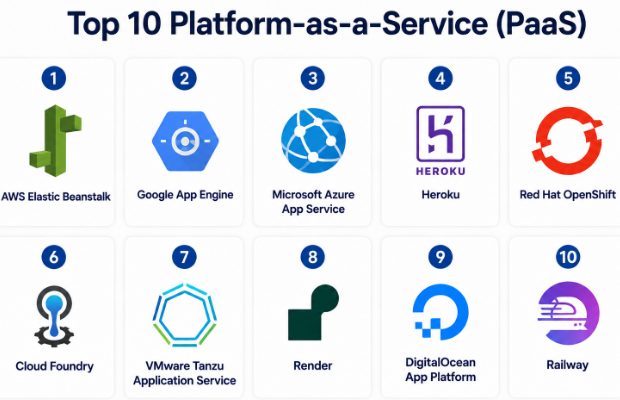
Top 10 Platform-as-a-Service (PaaS)
#1 — AWS Elastic Beanstalk
Short description :
AWS Elastic Beanstalk is a PaaS service for deploying and managing applications on AWS infrastructure. It is useful for teams that want AWS power without manually configuring every compute, load balancing, scaling, and monitoring component. Developers can upload code, choose a runtime, and let the platform handle much of the environment setup. It supports common application stacks and works well for web apps, APIs, and backend services. It is best for teams already using AWS.
Key Features
- Supports popular languages and frameworks.
- Handles provisioning, load balancing, scaling, and monitoring.
- Integrates with AWS services.
- Supports environment configuration and version management.
- Useful for web apps and backend services.
- Provides managed deployment workflows.
Pros
- Good option for teams already invested in AWS.
- Reduces manual infrastructure setup.
- Strong ecosystem through AWS services.
Cons
- AWS learning curve can still be high.
- Pricing depends on underlying resources.
- Less flexible than fully custom AWS architecture.
Platforms / Deployment
Cloud
Security & Compliance
Supports IAM-based access control, encryption options, security groups, and AWS security controls. Specific compliance coverage depends on AWS services, account setup, workload, and region.
Integrations & Ecosystem
AWS Elastic Beanstalk integrates deeply with the AWS ecosystem and is useful when applications need databases, storage, monitoring, identity, networking, and deployment services.
- Amazon RDS
- Amazon S3
- Amazon CloudWatch
- AWS IAM
- AWS CodePipeline
- Elastic Load Balancing
Support & Community
AWS has strong documentation, large community support, enterprise support plans, partner ecosystem, and many learning resources. Support quality depends on the paid support tier.
#2 — Google App Engine
Short description :
Google App Engine is a managed PaaS from Google Cloud for building and running applications without managing servers directly. It is useful for developers who want automatic scaling, managed runtimes, and strong integration with Google Cloud services. It supports standard and flexible environments depending on application needs. It is suitable for APIs, web applications, internal tools, and scalable cloud apps. It works well for teams that prefer managed cloud-native operations.
Key Features
- Fully managed application hosting.
- Automatic scaling support.
- Standard and flexible environment options.
- Integration with Google Cloud services.
- Supports multiple languages and frameworks.
- Built-in traffic splitting and versioning.
Pros
- Strong automatic scaling model.
- Good fit for Google Cloud users.
- Useful for fast deployment of web apps and APIs.
Cons
- Some platform limitations may affect custom workloads.
- Pricing can require careful monitoring.
- Migration may need planning if using platform-specific features.
Platforms / Deployment
Cloud
Security & Compliance
Supports Google Cloud IAM, encryption, identity controls, and logging capabilities. Specific compliance status depends on Google Cloud services, configuration, region, and workload.
Integrations & Ecosystem
Google App Engine connects well with Google Cloud’s data, AI, storage, identity, and monitoring services.
- Cloud SQL
- Firestore
- Cloud Storage
- Cloud Logging
- Cloud Monitoring
- Cloud Build
Support & Community
Google Cloud provides documentation, support plans, training resources, and a strong developer community. Enterprise support depends on selected support level.
#3 — Microsoft Azure App Service
Short description :
Microsoft Azure App Service is a managed platform for hosting web apps, REST APIs, and backend services. It is popular with enterprises, Microsoft-focused teams, and organizations using Azure cloud services. It supports multiple languages, deployment slots, scaling, custom domains, and identity integrations. It is useful for modernizing business applications and running production web workloads. It is especially strong for teams using .NET, Azure DevOps, and Microsoft identity tools.
Key Features
- Managed hosting for web apps and APIs.
- Supports multiple languages and frameworks.
- Deployment slots for safer releases.
- Built-in scaling options.
- Integration with Microsoft identity and Azure services.
- Custom domains and SSL support.
Pros
- Strong enterprise fit.
- Good integration with Microsoft ecosystem.
- Useful deployment and staging features.
Cons
- Azure cost structure can be complex.
- Some advanced configuration requires Azure knowledge.
- Less suitable for teams avoiding cloud vendor lock-in.
Platforms / Deployment
Cloud
Security & Compliance
Supports Azure identity controls, RBAC, managed identities, encryption, networking controls, and logging. Specific compliance coverage depends on Azure services, region, and configuration.
Integrations & Ecosystem
Azure App Service works well with Microsoft and Azure-native services for development, identity, monitoring, databases, and DevOps workflows.
- Azure SQL Database
- Azure DevOps
- GitHub Actions
- Microsoft Entra ID
- Azure Monitor
- Application Insights
Support & Community
Microsoft offers strong documentation, enterprise support options, partner support, and large developer community coverage, especially for .NET and Azure teams.
#4 — Heroku
Short description :
Heroku is a developer-friendly PaaS known for simple app deployment, add-ons, and Git-based workflows. It is popular with startups, small teams, prototypes, SaaS products, and teams that want fast deployment without heavy cloud setup. Heroku abstracts much of the infrastructure work and provides a clean developer experience. It supports many languages and a mature add-on marketplace. It is best for teams that value simplicity and speed.
Key Features
- Git-based deployment workflow.
- Managed dyno-based application runtime.
- Add-on marketplace for databases and services.
- Supports multiple programming languages.
- Simple scaling model.
- Useful CLI and developer tooling.
Pros
- Very easy for developers to start.
- Good for MVPs and SaaS applications.
- Strong add-on ecosystem.
Cons
- Can become costly at scale.
- Less infrastructure control than major cloud platforms.
- Enterprise needs may require careful planning.
Platforms / Deployment
Cloud
Security & Compliance
Supports account security controls, team access, app-level permissions, and encryption options. Specific compliance details vary by plan and use case; some details are Not publicly stated.
Integrations & Ecosystem
Heroku is known for its add-on ecosystem and simple integrations with developer workflows.
- GitHub
- Heroku Postgres
- Redis add-ons
- Logging add-ons
- Monitoring add-ons
- CI/CD workflows
Support & Community
Heroku has strong documentation, a long-standing developer community, and support plans. It remains popular for developer-first deployment workflows.
#5 — Red Hat OpenShift
Short description :
Red Hat OpenShift is an enterprise-grade application platform built around Kubernetes and containers. It is suitable for organizations that need hybrid cloud, enterprise security, DevOps workflows, and container orchestration. It gives teams a PaaS-like developer experience while still supporting advanced Kubernetes operations. OpenShift is widely used in large enterprises, regulated industries, and platform engineering teams. It is best for teams that need control, governance, and scalability.
Key Features
- Kubernetes-based application platform.
- Supports hybrid and multi-cloud deployment.
- Built-in developer and operations tooling.
- Strong container lifecycle management.
- Enterprise security and governance features.
- CI/CD and GitOps-friendly workflows.
Pros
- Strong enterprise and hybrid-cloud fit.
- Good for platform engineering teams.
- Powerful Kubernetes-based flexibility.
Cons
- More complex than simple developer-first PaaS.
- Requires Kubernetes and platform skills.
- May be too heavy for small teams.
Platforms / Deployment
Cloud / Self-hosted / Hybrid
Security & Compliance
Supports RBAC, network controls, image security features, secrets management, audit logs, and enterprise identity integration. Specific compliance depends on deployment model and organization configuration.
Integrations & Ecosystem
OpenShift integrates with enterprise DevOps, security, monitoring, container registry, and automation ecosystems.
- Kubernetes ecosystem
- Red Hat tools
- GitOps tools
- CI/CD pipelines
- Container registries
- Monitoring and logging platforms
Support & Community
Red Hat provides enterprise support, documentation, consulting ecosystem, training, and a strong open-source foundation through Kubernetes and related communities.
#6 — Cloud Foundry
Short description :
Cloud Foundry is an open-source cloud application platform designed to help teams deploy and manage applications across different infrastructure environments. It is known for its developer-friendly push-based deployment model and enterprise platform approach. Cloud Foundry is useful for organizations that want abstraction above infrastructure while supporting multiple languages and services. It is often used in enterprise modernization and internal platform environments. It works well where consistency and portability matter.
Key Features
- Open-source PaaS foundation.
- Supports multi-cloud deployment patterns.
- Developer-friendly application deployment.
- Service marketplace model.
- Supports multiple runtimes.
- Useful for enterprise application modernization.
Pros
- Good abstraction from infrastructure complexity.
- Supports portability across environments.
- Mature enterprise platform model.
Cons
- Less popular among newer startups than Kubernetes-first platforms.
- Requires platform operations expertise.
- Ecosystem momentum varies by organization.
Platforms / Deployment
Cloud / Self-hosted / Hybrid
Security & Compliance
Supports role-based access, identity integration, network controls, and platform-level security features. Specific compliance depends on distribution, deployment, and configuration.
Integrations & Ecosystem
Cloud Foundry supports service brokers and integrations with databases, identity systems, logging, monitoring, and CI/CD tools.
- Service brokers
- Identity providers
- CI/CD tools
- Logging platforms
- Monitoring tools
- Database services
Support & Community
Community support exists through the open-source ecosystem. Enterprise support depends on vendors, distributions, and internal platform teams.
#7 — VMware Tanzu Application Service
Short description :
VMware Tanzu Application Service is an enterprise PaaS built around Cloud Foundry concepts and modern application delivery. It helps enterprises run applications with automated deployment, scaling, routing, and operational controls. It is suitable for organizations modernizing legacy applications and building internal developer platforms. It provides a structured platform for developers while giving operations teams governance and control. It is best for enterprise environments using VMware and Tanzu portfolios.
Key Features
- Enterprise application platform.
- Automated deployment and scaling.
- Supports modern app delivery workflows.
- Strong governance and operational controls.
- Useful for application modernization.
- Works with enterprise infrastructure environments.
Pros
- Strong fit for large enterprises.
- Good for standardizing app delivery.
- Helpful for modernization programs.
Cons
- May be complex for small teams.
- Requires enterprise platform skills.
- Licensing and pricing can vary.
Platforms / Deployment
Cloud / Hybrid
Security & Compliance
Supports enterprise access control, platform security controls, logging, and operational governance. Specific compliance details vary by deployment and customer environment.
Integrations & Ecosystem
Tanzu Application Service integrates with enterprise infrastructure, monitoring, CI/CD, identity, and application modernization workflows.
- VMware ecosystem
- CI/CD systems
- Identity providers
- Monitoring tools
- Logging tools
- Database services
Support & Community
Support is typically enterprise-focused through VMware/Broadcom support channels and partner ecosystems. Community strength depends on Cloud Foundry and Tanzu adoption.
#8 — Render
Short description :
Render is a modern cloud platform for deploying web services, static sites, background workers, cron jobs, and databases. It is popular with developers and startups that want a simpler alternative to complex cloud setup. Render supports Git-based deployment, managed services, and straightforward scaling options. It is useful for SaaS products, APIs, internal apps, and fast-moving product teams. It balances simplicity with practical production features.
Key Features
- Git-based deployment.
- Supports web services, static sites, workers, and cron jobs.
- Managed PostgreSQL and Redis options.
- Automatic deploys from repositories.
- Custom domains and SSL support.
- Simple scaling model.
Pros
- Easy onboarding for developers.
- Good for startups and small teams.
- Clean deployment workflow.
Cons
- May not fit complex enterprise governance needs.
- Advanced infrastructure control is limited.
- Pricing should be reviewed carefully as usage grows.
Platforms / Deployment
Cloud
Security & Compliance
Supports common security controls such as encrypted connections and team access features. Specific certifications and compliance details are Not publicly stated.
Integrations & Ecosystem
Render integrates with common developer tools and managed service workflows.
- GitHub
- GitLab
- PostgreSQL
- Redis
- Docker-based deployments
- Monitoring and logs
Support & Community
Render provides documentation and platform support options. Community is growing among developer-first and startup teams.
#9 — DigitalOcean App Platform
Short description :
DigitalOcean App Platform is a managed PaaS designed for developers, startups, and SMBs that want simple application deployment. It supports deploying apps from source repositories or containers and can manage scaling, SSL, and basic infrastructure tasks. It is useful for web apps, APIs, static sites, and small production services. It works well for teams that already like DigitalOcean’s simple cloud experience. It is best for practical teams that want clarity over complexity.
Key Features
- Managed app deployment from source or containers.
- Supports web services, workers, and static sites.
- Automatic HTTPS support.
- Integration with DigitalOcean managed databases.
- Simple scaling options.
- Developer-friendly interface.
Pros
- Easy to understand and use.
- Good value for smaller teams.
- Works well with DigitalOcean cloud services.
Cons
- Not as feature-deep as large enterprise platforms.
- Advanced networking and governance may be limited.
- May not fit highly complex workloads.
Platforms / Deployment
Cloud
Security & Compliance
Supports HTTPS, access controls, and DigitalOcean platform security features. Specific compliance details for every workload are Not publicly stated.
Integrations & Ecosystem
DigitalOcean App Platform connects with developer tools and DigitalOcean services for simple application hosting.
- GitHub
- GitLab
- Docker containers
- DigitalOcean Managed Databases
- Spaces object storage
- Monitoring tools
Support & Community
DigitalOcean has clear documentation, tutorials, community content, and support options. It is especially friendly for small teams and independent developers.
#10 — Railway
Short description :
Railway is a developer-focused deployment platform designed for fast application hosting, database provisioning, and simple project workflows. It is useful for prototypes, startups, side projects, APIs, and small production applications. Railway focuses on reducing deployment friction and helping teams move from code to running service quickly. It supports modern developer workflows and simple infrastructure setup. It is best for teams that want speed and simplicity over deep platform control.
Key Features
- Fast app deployment workflow.
- Supports databases and services.
- Git-based deployment options.
- Environment variable management.
- Simple project-based interface.
- Useful for prototypes and early-stage products.
Pros
- Very fast to start.
- Good for developers and small teams.
- Simple service provisioning.
Cons
- May not meet complex enterprise requirements.
- Cost and scaling should be reviewed for production growth.
- Limited control compared with cloud-native infrastructure.
Platforms / Deployment
Cloud
Security & Compliance
Supports basic platform security features and project-level access controls. Specific compliance details are Not publicly stated.
Integrations & Ecosystem
Railway integrates with common developer workflows and modern app stacks.
- GitHub
- PostgreSQL
- Redis
- Docker-based apps
- Environment variables
- Deployment logs
Support & Community
Railway has developer-focused documentation and an active user base. Enterprise-grade support details may vary by plan and use case.
Comparison Table
| Tool Name | Best For | Platform(s) Supported | Deployment | Standout Feature | Public Rating |
|---|---|---|---|---|---|
| AWS Elastic Beanstalk | AWS-based app teams | Web / Cloud | Cloud | Managed AWS app deployment | N/A |
| Google App Engine | Google Cloud teams | Web / Cloud | Cloud | Automatic scaling | N/A |
| Microsoft Azure App Service | Enterprise and Microsoft teams | Web / Cloud | Cloud | Strong Azure integration | N/A |
| Heroku | Startups and developer teams | Web / Cloud | Cloud | Simple Git-based deployment | N/A |
| Red Hat OpenShift | Enterprise platform teams | Web / Linux / Cloud | Cloud / Self-hosted / Hybrid | Kubernetes-based enterprise PaaS | N/A |
| Cloud Foundry | Enterprise app modernization | Web / Cloud | Cloud / Self-hosted / Hybrid | Portable application platform | N/A |
| VMware Tanzu Application Service | Large enterprise modernization | Web / Cloud | Cloud / Hybrid | Enterprise app delivery platform | N/A |
| Render | Startups and SaaS teams | Web / Cloud | Cloud | Simple full-stack deployment | N/A |
| DigitalOcean App Platform | SMBs and developers | Web / Cloud | Cloud | Simple managed app hosting | N/A |
| Railway | Solo developers and early-stage apps | Web / Cloud | Cloud | Fast project deployment | N/A |
Evaluation & Platform-as-a-Service (PaaS)
| Tool Name | Core (25%) | Ease (15%) | Integrations (15%) | Security (10%) | Performance (10%) | Support (10%) | Value (15%) | Weighted Total (0–10) |
|---|---|---|---|---|---|---|---|---|
| AWS Elastic Beanstalk | 8 | 7 | 9 | 9 | 8 | 8 | 8 | 8.10 |
| Google App Engine | 8 | 8 | 8 | 9 | 8 | 8 | 7 | 7.95 |
| Microsoft Azure App Service | 9 | 8 | 9 | 9 | 8 | 9 | 7 | 8.40 |
| Heroku | 8 | 9 | 8 | 7 | 7 | 8 | 7 | 7.75 |
| Red Hat OpenShift | 10 | 6 | 9 | 9 | 9 | 9 | 7 | 8.55 |
| Cloud Foundry | 8 | 7 | 7 | 8 | 8 | 7 | 7 | 7.45 |
| VMware Tanzu Application Service | 9 | 7 | 8 | 9 | 8 | 8 | 6 | 7.95 |
| Render | 7 | 9 | 7 | 7 | 7 | 7 | 8 | 7.45 |
| DigitalOcean App Platform | 7 | 9 | 7 | 7 | 7 | 8 | 8 | 7.60 |
| Railway | 6 | 9 | 6 | 6 | 6 | 6 | 8 | 6.75 |
These scores are comparative, not absolute. A higher score does not mean the tool is best for every team. Enterprise platforms score higher on governance and scalability, while developer-first platforms often score higher on ease of use. Buyers should use the scoring table as a shortlist guide, then validate pricing, security, integrations, and operational fit through a pilot.
Which Platform-as-a-Service (PaaS)
Solo / Freelancer
Solo developers usually need fast setup, low friction, and simple pricing. Railway, Render, Heroku, and DigitalOcean App Platform are practical choices. They help developers deploy apps without building full infrastructure knowledge first.
SMB
SMBs should focus on ease of use, predictable cost, and enough scaling room. DigitalOcean App Platform, Render, Heroku, Azure App Service, and AWS Elastic Beanstalk can be good options depending on existing cloud preference.
Mid-Market
Mid-market teams need better security, integrations, monitoring, and deployment controls. Azure App Service, AWS Elastic Beanstalk, Google App Engine, and OpenShift can work well. The right choice depends on cloud strategy and internal skills.
Enterprise
Enterprises should evaluate governance, compliance, hybrid cloud, RBAC, audit logs, identity integration, and long-term support. Red Hat OpenShift, VMware Tanzu Application Service, Azure App Service, AWS Elastic Beanstalk, and Google App Engine are stronger candidates.
Budget vs Premium
For budget-conscious teams, DigitalOcean App Platform, Render, and Railway may be attractive. For premium enterprise needs, OpenShift, Tanzu, Azure App Service, AWS Elastic Beanstalk, and Google App Engine may provide stronger governance and ecosystem depth.
Feature Depth vs Ease of Use
Heroku, Render, Railway, and DigitalOcean App Platform are easier to start with. OpenShift, Tanzu, AWS, Azure, and Google Cloud options offer deeper enterprise capabilities but require more platform knowledge.
Integrations & Scalability-
For deep integrations, choose a platform aligned with your cloud ecosystem. AWS Elastic Beanstalk fits AWS-heavy teams, Azure App Service fits Microsoft environments, and Google App Engine fits Google Cloud users. OpenShift is strong for Kubernetes-based scalability and hybrid setups.
Security & Compliance Needs
Regulated teams should prioritize identity control, audit logs, encryption, network controls, compliance documentation, and support maturity. OpenShift, Tanzu, Azure App Service, AWS Elastic Beanstalk, and Google App Engine are stronger choices for serious governance needs.
Frequently Asked Questions (FAQs)
1. What is Platform-as-a-Service?
Platform-as-a-Service is a cloud model where developers deploy applications without managing all infrastructure layers manually. The provider handles many parts of runtime, scaling, networking, and platform operations.
2. How is PaaS different from IaaS?
IaaS gives more control over servers, storage, and networking. PaaS gives more abstraction, so teams can focus on applications instead of infrastructure setup and maintenance.
3. Is PaaS good for startups?
Yes, PaaS is often useful for startups because it reduces setup time and allows faster product delivery. However, startups should monitor pricing and avoid overusing services without cost controls.
4. Is PaaS secure?
PaaS can be secure when configured properly. Teams should review access control, encryption, audit logs, network settings, secrets management, and compliance requirements before production use.
5. What are common PaaS pricing models?
Common models include pay-as-you-go, instance-based pricing, usage-based pricing, subscription plans, and enterprise contracts. Pricing varies by platform, resource usage, and support tier.
6. What mistakes should teams avoid when choosing PaaS?
Common mistakes include ignoring vendor lock-in, skipping security reviews, underestimating scaling costs, choosing based only on ease of use, and not testing production-like workloads.
7. Can PaaS scale for enterprise workloads?
Yes, many PaaS platforms can scale for enterprise workloads. The right choice depends on architecture, compliance needs, traffic patterns, integrations, and platform operations maturity.
8. How long does PaaS onboarding take?
Simple apps can be deployed quickly, but production onboarding takes longer because teams must configure security, domains, monitoring, CI/CD, backups, access control, and cost alerts.
9. Can teams switch from one PaaS to another?
Yes, but switching may require changes to deployment workflows, environment variables, databases, networking, logging, and platform-specific services. Container-based apps are usually easier to move.
10. What are alternatives to PaaS?
Alternatives include Infrastructure-as-a-Service, Kubernetes, serverless functions, managed containers, and self-hosted platforms. The best alternative depends on control, cost, skill level, and compliance needs.
Conclusion
Platform-as-a-Service helps teams deliver applications faster by reducing the operational work needed to manage infrastructure, runtime environments, deployment pipelines, scaling, and basic platform services. However, the best PaaS platform depends strongly on business size, developer skills, cloud strategy, security expectations, budget, and long-term architecture plans. Developer-first tools like Heroku, Render, Railway, and DigitalOcean App Platform are strong for speed and simplicity. Enterprise platforms like Red Hat OpenShift, VMware Tanzu Application Service, Azure App Service, AWS Elastic Beanstalk, and Google App Engine are better for larger teams that need governance, compliance, scalability, and ecosystem depth.
