Introduction
Nutrition tracking apps help users record food intake, calories, macronutrients, micronutrients, water intake, meal timing, weight goals, and eating habits. In simple words, these apps make it easier to understand what you eat every day and how your food choices affect your health, energy, fitness, and body composition.
These tools are useful for people who want to lose weight, gain muscle, manage protein intake, improve meal quality, track calories, follow specific diets, or build better food habits. Nutrition tracking apps are also helpful for athletes, gym users, coaches, busy professionals, and wellness-focused individuals who want more awareness around daily eating patterns.
However, nutrition apps should be used as guidance tools, not as medical diagnosis tools. People with medical conditions, eating disorders, pregnancy-related nutrition needs, or clinical dietary requirements should consult qualified healthcare or nutrition professionals.
Real-world use cases include:
- Tracking calories for weight loss, weight gain, or maintenance.
- Monitoring protein, carbohydrates, fats, fiber, and sugar intake.
- Planning meals for fitness, bodybuilding, or endurance training.
- Understanding food quality and eating patterns.
- Tracking water intake and meal consistency.
- Logging restaurant meals, packaged foods, and home-cooked meals.
- Supporting nutrition coaching and habit-building programs.
Key evaluation criteria for buyers:
- Food database size and accuracy.
- Barcode scanning and quick food logging.
- Calorie and macro tracking.
- Micronutrient tracking.
- Meal planning and recipe support.
- Diet customization options.
- Wearable and fitness app integrations.
- Ease of use and dashboard clarity.
- Privacy and data handling.
- Free vs premium feature value.
Best for: Fitness users, athletes, weight management users, nutrition coaches, wellness-focused professionals, students, busy parents, body recomposition users, and people trying to build better eating habits.
Not ideal for: Users who need clinical medical nutrition therapy, people who may feel anxious from calorie tracking, or anyone expecting an app to replace a qualified dietitian, nutritionist, or doctor.
Key Trends in Nutrition Tracking Apps
- Macro-focused tracking is growing as more users want to monitor protein, carbs, and fats instead of only counting calories.
- AI-assisted food logging is becoming more popular, helping users estimate meals from photos, text descriptions, or frequent eating patterns.
- Wearable and fitness integrations are now expected, especially for users who connect nutrition with workouts, steps, sleep, and recovery.
- Personalized diet recommendations are expanding, with apps offering goals based on weight, activity level, diet style, and health preferences.
- Habit-based nutrition coaching is becoming important, because many users want sustainable behavior change instead of strict calorie counting.
- Micronutrient tracking is gaining attention, especially for users interested in fiber, sodium, potassium, iron, calcium, vitamins, and overall food quality.
- Recipe and meal planning features are becoming stronger, helping users plan meals instead of only tracking after eating.
- Privacy concerns are increasing, because nutrition apps may collect sensitive health, weight, body, and lifestyle information.
- Community and coaching features are expanding, especially for users who need accountability and guidance.
- Flexible diet support is now important, including vegetarian, vegan, keto, high-protein, low-carb, Mediterranean-style, intermittent fasting, and balanced eating approaches.
How We Selected These Tools
The tools below were selected based on practical usefulness for food logging, calorie tracking, macro tracking, meal planning, nutrition coaching, and long-term habit improvement. The evaluation focused on:
- Market recognition and common usage among nutrition, fitness, and wellness users.
- Strength of food database, barcode scanning, and meal logging features.
- Ability to track calories, macros, micronutrients, water, and body goals.
- Fit for different users, including beginners, athletes, dieters, coaches, and families.
- Ease of use for daily tracking without too much friction.
- Integration with fitness trackers, wearables, health platforms, and workout apps.
- Coaching, recipe, meal planning, and habit-building features.
- Privacy and security visibility where clearly known; otherwise marked as “Not publicly stated.”
- Value for free and premium users.
- Overall usefulness for building sustainable nutrition awareness.
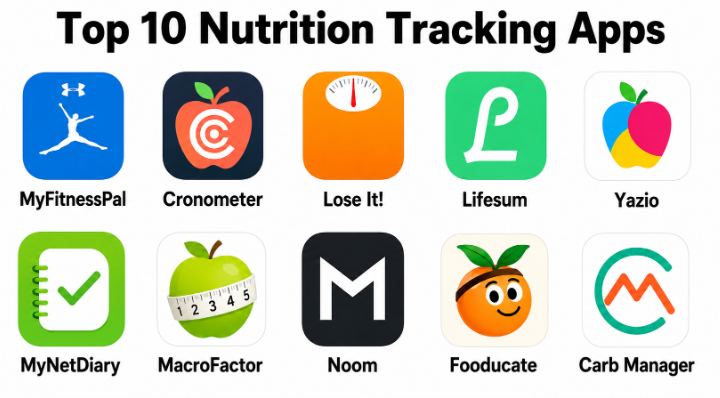
Top 10 Nutrition Tracking Apps
#1 — MyFitnessPal
Short description :
MyFitnessPal is one of the most widely used nutrition tracking apps for calorie counting, macro tracking, meal logging, and weight management. It is popular among beginners, fitness users, athletes, and people trying to improve food awareness. The app includes a large food database, barcode scanning, recipe logging, and integration with many fitness tools. MyFitnessPal is especially useful for users who want a familiar and flexible calorie tracking experience. It is best for people who want broad food logging support and goal-based nutrition tracking.
Key Features
- Calorie and macro tracking.
- Large food database.
- Barcode scanner.
- Recipe and meal logging.
- Weight and goal tracking.
- Fitness app and wearable integrations.
- Premium nutrition insights may vary by plan.
Pros
- Very familiar and widely used.
- Strong food database and quick logging options.
- Good for weight management and general fitness goals.
Cons
- Some advanced features require premium access.
- Food database accuracy can vary due to user-generated entries.
- Tracking may feel time-consuming for some users.
Platforms / Deployment
iOS / Android / Web
Cloud / Mobile app-based
Security & Compliance
Not publicly stated
Integrations & Ecosystem
MyFitnessPal fits users who want nutrition tracking connected with fitness and daily wellness habits.
- Fitness tracker integrations.
- Workout app connections.
- Weight tracking workflows.
- Recipe logging.
- Calorie and macro dashboards.
Support & Community
MyFitnessPal has help resources, app support, and a large user community. Its broad adoption makes it easy for new users to find guidance and examples.
#2 — Cronometer
Short description :
Cronometer is a nutrition tracking app known for detailed micronutrient tracking and higher-quality nutrition data. It is useful for users who want to track not only calories and macros but also vitamins, minerals, fiber, amino acids, and other nutrient details. Cronometer is popular among health-focused users, athletes, keto users, biohackers, and people who care about nutrient quality. It is especially helpful for users who want deeper nutrition visibility than basic calorie apps provide. The app is best for users who value accuracy and nutrient detail.
Key Features
- Calorie, macro, and micronutrient tracking.
- Detailed vitamin and mineral reporting.
- Barcode scanning.
- Custom foods and recipes.
- Diet target customization.
- Biometrics and health metric tracking.
- Fitness and health app integrations.
Pros
- Strong micronutrient tracking.
- Better suited for nutrient-focused users.
- Good for detailed health and fitness tracking.
Cons
- Can feel detailed for beginners.
- Some advanced insights require premium access.
- Food logging still needs user consistency.
Platforms / Deployment
iOS / Android / Web
Cloud / Mobile app-based
Security & Compliance
Not publicly stated
Integrations & Ecosystem
Cronometer works well for users who want deeper nutrition analysis and health metric tracking.
- Wearable and health app integrations.
- Custom nutrition targets.
- Micronutrient dashboards.
- Recipe and food creation.
- Biometric tracking workflows.
Support & Community
Cronometer provides support resources, educational content, and a strong user base among detailed nutrition trackers.
#3 — Lose It!
Short description :
Lose It! is a nutrition and weight management app focused on calorie tracking, goal setting, food logging, and habit awareness. It is beginner-friendly and useful for people who want a simple approach to weight loss or weight maintenance. The app includes barcode scanning, meal logging, food database search, and progress tracking. Lose It! is especially useful for users who want a cleaner and less overwhelming tracking experience. It is best for people whose main goal is weight management through calorie awareness.
Key Features
- Calorie tracking.
- Food database and barcode scanner.
- Weight goal setting.
- Meal and recipe logging.
- Progress charts.
- Macro tracking features may vary by plan.
- Community and challenge features may vary.
Pros
- Easy for beginners.
- Good for weight loss and calorie awareness.
- Simple interface and goal tracking.
Cons
- Advanced macro and nutrition features may require premium.
- Less detailed micronutrient tracking than some competitors.
- Food accuracy still depends on entries selected.
Platforms / Deployment
iOS / Android / Web
Cloud / Mobile app-based
Security & Compliance
Not publicly stated
Integrations & Ecosystem
Lose It! supports users who want a simple nutrition tracker focused on weight goals.
- Food logging.
- Barcode scanning.
- Weight tracking.
- Goal-based calorie budgets.
- Fitness integrations may vary.
Support & Community
Lose It! provides support resources and a user community focused on weight management and healthy habits.
#4 — Lifesum
Short description :
Lifesum is a nutrition tracking and healthy eating app that combines food logging, meal planning, diet plans, water tracking, and lifestyle guidance. It is useful for people who want nutrition tracking with a more lifestyle-friendly and visual experience. Lifesum supports different eating styles, including balanced eating, high-protein, low-carb, and other diet approaches. The app is especially useful for users who want guidance, not just raw calorie numbers. It is best for people who prefer a polished app experience and simple nutrition coaching.
Key Features
- Food and calorie tracking.
- Macro tracking.
- Meal plans and diet guidance.
- Water tracking.
- Recipe suggestions.
- Diet style customization.
- Health score-style feedback.
Pros
- Clean and friendly user experience.
- Good for lifestyle-focused nutrition tracking.
- Useful meal plan and diet guidance options.
Cons
- Some features require premium access.
- Less data-heavy than advanced nutrition tools.
- May not suit users needing detailed micronutrient analysis.
Platforms / Deployment
iOS / Android
Cloud / Mobile app-based
Security & Compliance
Not publicly stated
Integrations & Ecosystem
Lifesum works well for users who want food tracking combined with healthy eating guidance.
- Meal planning.
- Water tracking.
- Diet plan workflows.
- Fitness app integrations may vary.
- Recipe and food logging.
Support & Community
Lifesum provides app support and user guidance. Its strongest appeal is its simple, friendly approach to healthy eating.
#5 — Yazio
Short description :
Yazio is a calorie counter and nutrition tracking app designed for weight loss, muscle gain, healthy eating, and intermittent fasting support. It helps users track calories, macros, meals, recipes, water, and body goals. Yazio is useful for people who want a modern mobile app with food logging and structured nutrition plans. It is especially helpful for users combining nutrition tracking with fasting or fitness goals. The app is best for users who want a simple but goal-oriented nutrition tracker.
Key Features
- Calorie and macro tracking.
- Food database and barcode scanning.
- Meal plans and recipes.
- Water tracking.
- Intermittent fasting timer.
- Weight and body goal tracking.
- Nutrition reports may vary by plan.
Pros
- Good balance of tracking and meal planning.
- Useful for fasting and weight goals.
- Clean mobile experience.
Cons
- Premium required for many advanced features.
- Food database quality may vary by region.
- Not as deep for micronutrients as specialist tools.
Platforms / Deployment
iOS / Android
Cloud / Mobile app-based
Security & Compliance
Not publicly stated
Integrations & Ecosystem
Yazio supports users who want calorie tracking, fasting, and meal planning in one app.
- Food logging.
- Intermittent fasting workflows.
- Recipe planning.
- Water tracking.
- Goal-based nutrition tracking.
Support & Community
Yazio provides app support, help resources, and nutrition-focused user guidance.
#6 — MyNetDiary
Short description :
MyNetDiary is a nutrition tracking app focused on calorie counting, weight management, macros, diabetes-friendly tracking features, and meal planning support. It is useful for users who want structured progress tracking and detailed food logging. The app provides dashboards, reports, barcode scanning, recipes, and goal-based insights. MyNetDiary is especially useful for users who want a practical balance between simplicity and nutritional detail. It is best for people focused on steady weight management and healthier eating habits.
Key Features
- Calorie and macro tracking.
- Barcode scanning.
- Weight and progress tracking.
- Meal planning and recipes.
- Nutrient analysis.
- Diabetes-related tracking features may vary by plan.
- Reports and charts.
Pros
- Good for structured weight management.
- Useful nutrition reports and dashboards.
- Practical balance between simplicity and detail.
Cons
- Some features require premium access.
- Interface preference may vary by user.
- Medical use should be guided by professionals.
Platforms / Deployment
iOS / Android / Web
Cloud / Mobile app-based
Security & Compliance
Not publicly stated
Integrations & Ecosystem
MyNetDiary supports users who want consistent calorie and nutrition tracking with progress reports.
- Food logging.
- Weight tracking.
- Nutrition reports.
- Recipe planning.
- Fitness app integrations may vary.
Support & Community
MyNetDiary provides support resources, educational content, and user guidance for nutrition tracking and weight management.
#7 — MacroFactor
Short description :
MacroFactor is a nutrition coaching and macro tracking app designed for users who want adaptive targets based on real progress. It is popular among fitness users, body recomposition users, strength athletes, and people who track weight trends closely. MacroFactor adjusts calorie and macro recommendations based on user logging, weight changes, and goal direction. It is especially useful for people who want a more coaching-like approach to nutrition tracking. The app is best for serious fitness users who want adaptive macro planning.
Key Features
- Macro and calorie tracking.
- Adaptive nutrition coaching.
- Weight trend analysis.
- Goal-based calorie adjustments.
- Food logging and barcode scanning.
- Progress-based recommendations.
- Strong focus on body composition goals.
Pros
- Excellent for macro-focused users.
- Adaptive coaching helps reduce guesswork.
- Useful for fitness and body recomposition goals.
Cons
- May feel advanced for casual users.
- Requires consistent logging for best results.
- Not mainly designed as a lifestyle recipe app.
Platforms / Deployment
iOS / Android
Cloud / Mobile app-based
Security & Compliance
Not publicly stated
Integrations & Ecosystem
MacroFactor fits users who want data-informed nutrition coaching and macro adjustments.
- Macro tracking.
- Weight trend workflows.
- Fitness goal planning.
- Food logging.
- Adaptive calorie recommendations.
Support & Community
MacroFactor has app support, educational resources, and a strong community among fitness-focused users.
#8 — Noom
Short description :
Noom is a weight management and behavior change app that combines food logging, lessons, coaching-style guidance, and habit-building principles. It is different from pure calorie trackers because it focuses strongly on psychology, behavior, and sustainable routines. Noom is useful for people who want to understand why they eat the way they do and build healthier patterns over time. It is especially helpful for users who need structure and motivation beyond simple macro tracking. The app is best for behavior-focused weight management.
Key Features
- Food logging.
- Behavior-based lessons.
- Weight tracking.
- Coaching-style guidance.
- Habit-building tools.
- Food categorization system.
- Progress and routine support.
Pros
- Strong behavior change focus.
- Useful for users needing structure and motivation.
- Goes beyond basic calorie counting.
Cons
- Subscription cost may be higher than simple trackers.
- Not ideal for users wanting deep macro or micronutrient analytics.
- Coaching experience may vary.
Platforms / Deployment
iOS / Android
Cloud / Mobile app-based
Security & Compliance
Not publicly stated
Integrations & Ecosystem
Noom supports users who need nutrition tracking combined with habit coaching.
- Food logging.
- Weight management programs.
- Behavior lessons.
- Habit tracking.
- Coaching-style support.
Support & Community
Noom provides program support, learning content, and coaching-style user guidance. Its main strength is behavior-focused wellness support.
#9 — Fooducate
Short description :
Fooducate is a nutrition app focused on helping users understand food quality, ingredients, calories, and healthier choices. It is useful for people who want to improve grocery decisions and learn more about packaged foods. The app can help users scan products, review nutrition grades, and understand food composition. Fooducate is especially useful for users who want to go beyond calorie counting and make better food choices. It is best for people who want food education and healthier shopping support.
Key Features
- Food tracking.
- Product scanning.
- Food quality grading.
- Ingredient and nutrition insights.
- Healthier alternative suggestions.
- Weight and goal tracking features may vary.
- Educational nutrition guidance.
Pros
- Strong for food quality awareness.
- Useful during grocery shopping.
- Helps users understand packaged foods better.
Cons
- Less focused on athletic macro tracking.
- Food grading may not match every user’s diet needs.
- Advanced features may require premium access.
Platforms / Deployment
iOS / Android
Cloud / Mobile app-based
Security & Compliance
Not publicly stated
Integrations & Ecosystem
Fooducate fits users who want nutrition tracking connected with food education and grocery decisions.
- Product scanning.
- Food quality review.
- Grocery decision support.
- Basic food logging.
- Nutrition education workflows.
Support & Community
Fooducate provides app support and nutrition education resources. It is useful for users who want to learn healthier food selection habits.
#10 — Carb Manager
Short description :
Carb Manager is a nutrition tracking app focused on low-carb, keto, and macro-based eating. It helps users track carbs, net carbs, calories, macros, recipes, meal plans, fasting, and weight progress. Carb Manager is useful for people following low-carb or ketogenic diets, as well as users who want stricter carbohydrate tracking. The app is especially helpful because general calorie trackers may not provide the same low-carb-specific dashboard. It is best for users who want keto or low-carb nutrition tracking support.
Key Features
- Carb and net carb tracking.
- Calorie and macro tracking.
- Keto and low-carb meal planning.
- Recipe database.
- Fasting tracker features may vary.
- Weight and progress tracking.
- Barcode scanning.
Pros
- Strong for keto and low-carb users.
- Helpful net carb and macro dashboards.
- Good recipe and meal planning support.
Cons
- Less ideal for users not following low-carb diets.
- Premium may be needed for advanced features.
- Diet-specific focus may not suit balanced eating users.
Platforms / Deployment
iOS / Android / Web
Cloud / Mobile app-based
Security & Compliance
Not publicly stated
Integrations & Ecosystem
Carb Manager supports users following keto, low-carb, and macro-based nutrition plans.
- Carb tracking.
- Keto meal planning.
- Recipe workflows.
- Fasting support.
- Weight and macro tracking.
Support & Community
Carb Manager provides app support, educational resources, and a user community focused on low-carb and keto nutrition.
Comparison Table
| Tool Name | Best For | Platform(s) Supported | Deployment | Standout Feature | Public Rating |
|---|---|---|---|---|---|
| MyFitnessPal | General calorie and macro tracking | iOS / Android / Web | Cloud / Mobile app-based | Large food database and broad integrations | N/A |
| Cronometer | Detailed nutrient tracking | iOS / Android / Web | Cloud / Mobile app-based | Micronutrient and vitamin tracking | N/A |
| Lose It! | Beginner-friendly weight management | iOS / Android / Web | Cloud / Mobile app-based | Simple calorie tracking and goals | N/A |
| Lifesum | Lifestyle-focused healthy eating | iOS / Android | Cloud / Mobile app-based | Meal plans and diet guidance | N/A |
| Yazio | Calories, macros, and fasting | iOS / Android | Cloud / Mobile app-based | Nutrition tracking with fasting support | N/A |
| MyNetDiary | Structured weight and nutrition tracking | iOS / Android / Web | Cloud / Mobile app-based | Detailed reports and progress charts | N/A |
| MacroFactor | Adaptive macro coaching | iOS / Android | Cloud / Mobile app-based | Progress-based macro adjustment | N/A |
| Noom | Behavior-based weight management | iOS / Android | Cloud / Mobile app-based | Psychology-based habit coaching | N/A |
| Fooducate | Food quality and grocery decisions | iOS / Android | Cloud / Mobile app-based | Food grading and ingredient awareness | N/A |
| Carb Manager | Keto and low-carb tracking | iOS / Android / Web | Cloud / Mobile app-based | Net carb and keto tracking | N/A |
Evaluation & Nutrition Tracking Apps
| Tool Name | Core (25%) | Ease (15%) | Integrations (15%) | Security (10%) | Performance (10%) | Support (10%) | Value (15%) | Weighted Total (0–10) |
|---|---|---|---|---|---|---|---|---|
| MyFitnessPal | 9 | 8 | 9 | 6 | 8 | 8 | 8 | 8.10 |
| Cronometer | 9 | 7 | 8 | 6 | 8 | 8 | 8 | 7.85 |
| Lose It! | 8 | 9 | 7 | 6 | 8 | 7 | 8 | 7.75 |
| Lifesum | 8 | 9 | 7 | 6 | 8 | 7 | 7 | 7.60 |
| Yazio | 8 | 8 | 7 | 6 | 8 | 7 | 8 | 7.55 |
| MyNetDiary | 8 | 8 | 7 | 6 | 8 | 7 | 8 | 7.55 |
| MacroFactor | 9 | 7 | 7 | 6 | 9 | 8 | 7 | 7.75 |
| Noom | 7 | 8 | 6 | 6 | 8 | 8 | 6 | 7.00 |
| Fooducate | 7 | 8 | 6 | 5 | 7 | 7 | 7 | 6.75 |
| Carb Manager | 8 | 8 | 7 | 6 | 8 | 7 | 8 | 7.55 |
These scores are comparative and should be used as a shortlist guide, not as a medical or clinical ranking. A higher score usually means broader tracking depth, better integrations, or stronger overall usability. A lower score does not mean the app is weak. For example, Fooducate may be excellent for grocery decisions, while MacroFactor is better for adaptive macro coaching. The best choice depends on your nutrition goal, tracking style, budget, and comfort with food logging.
Which Nutrition Tracking App Should You Choose?
Solo / Freelancer
Solo users and freelancers should choose an app that fits their main goal and daily routine. If the goal is general calorie tracking, MyFitnessPal, Lose It!, or MyNetDiary are practical options. If the goal is detailed nutrition quality, Cronometer may be better.
For users who want a simpler, lifestyle-friendly interface, Lifesum or Yazio can feel easier to use. For fitness-focused users who care about macros and body composition, MacroFactor is a strong choice.
SMB
Small wellness teams, fitness coaches, and nutrition-focused businesses may use tracking apps to support clients or employees with healthier habits. MyFitnessPal, Cronometer, Lose It!, and MyNetDiary are useful for general tracking, while Noom supports behavior change.
SMBs should avoid making nutrition tracking feel strict or stressful. The focus should be education, awareness, and sustainable habits.
Mid-Market
Mid-market wellness programs, gyms, fitness communities, and coaching teams may need tools that support goal tracking, habit formation, integrations, and progress visibility. Cronometer, MyFitnessPal, MacroFactor, and Noom may be suitable depending on user goals.
At this stage, teams should think carefully about privacy, user consent, and whether nutrition tracking is optional. Food and body data should be treated with care.
Enterprise
Enterprises should be cautious with nutrition tracking in workplace wellness programs. Apps may collect sensitive health, weight, diet, and lifestyle data. If used, participation should be voluntary, privacy-focused, and clearly separated from employment performance.
Enterprise wellness teams should evaluate data handling, consent, aggregated reporting, vendor security, and whether the app supports a healthy relationship with food.
Budget vs Premium
Budget-conscious users can begin with free versions of MyFitnessPal, Lose It!, Cronometer, Yazio, or Carb Manager depending on availability and goals. These may be enough for basic tracking.
Premium plans are more useful when users need advanced reports, deeper macro analysis, meal planning, fasting support, recipe tools, or adaptive coaching. MacroFactor, Cronometer, Noom, and premium versions of major trackers may be better for serious users.
Feature Depth vs Ease of Use
If ease of use matters most, Lose It!, Lifesum, Yazio, and MyFitnessPal are simple and beginner-friendly. They help users start tracking without too much complexity.
If feature depth matters more, Cronometer, MacroFactor, MyNetDiary, and Carb Manager provide stronger detail for nutrients, macros, coaching, or diet-specific tracking.
Integrations & Scalability
Nutrition tracking becomes more useful when it connects with fitness, steps, workouts, sleep, wearables, and body metrics. MyFitnessPal, Cronometer, Fitbit-connected workflows, MacroFactor, and MyNetDiary can support more connected health tracking depending on user setup.
For coaches or organizations, scalability should include privacy controls, user consent, export options, coaching workflows, and clear boundaries around personal food data.
Security & Compliance Needs
Nutrition apps may collect sensitive data such as weight, eating habits, body goals, medical notes, activity levels, and lifestyle patterns. Users should review privacy settings, account security, data sharing, and app permissions.
If security and compliance details are not clearly available, mark them as “Not publicly stated” and ask the vendor directly before using the app in workplace, healthcare-adjacent, or coaching environments.
Frequently Asked Questions
1. What are nutrition tracking apps?
Nutrition tracking apps are tools that help users log food, calories, macronutrients, micronutrients, water, recipes, meals, weight, and body goals. They help users understand eating patterns and make more informed food choices.
2. Are nutrition tracking apps accurate?
They can be useful, but accuracy depends on food database quality, portion size estimates, user logging habits, and recipe details. Packaged food scans may help, but homemade meals often require manual estimation.
3. Which app is best for calorie tracking?
MyFitnessPal, Lose It!, MyNetDiary, and Yazio are strong options for calorie tracking. The best choice depends on preferred interface, food database quality, and whether you need extra features like meal plans or fasting support.
4. Which app is best for macro tracking?
MacroFactor, MyFitnessPal, Cronometer, and Carb Manager are useful for macro tracking. MacroFactor is especially strong for adaptive macro coaching, while Carb Manager is useful for low-carb and keto users.
5. Which app is best for micronutrient tracking?
Cronometer is one of the strongest choices for micronutrient tracking because it provides detailed nutrient reports beyond basic calories and macros. It is useful for users who care about vitamins, minerals, fiber, and overall nutrient quality.
6. Can nutrition tracking apps help with weight loss?
Yes, they can help users understand calorie intake, portion sizes, and eating patterns. However, long-term success depends on sustainable habits, sleep, activity, stress management, consistency, and realistic goals.
7. Are nutrition apps useful for muscle gain?
Yes. Apps can help users track protein, calories, carbs, fats, and weight trends. Fitness users trying to gain muscle often benefit from macro tracking and consistent meal planning.
8. Can these apps replace a dietitian?
No. Nutrition apps provide tracking and guidance, but they do not replace a qualified dietitian or healthcare professional. People with medical conditions or special dietary needs should seek professional advice.
9. Are nutrition tracking apps safe for everyone?
Not always. Some users may become stressed or overly focused on food numbers. People with a history of eating disorders or anxiety around food should be careful and consult a qualified professional before using strict tracking tools.
10. What common mistakes should users avoid?
Common mistakes include underestimating portions, choosing inaccurate food database entries, tracking only calories but ignoring food quality, obsessing over daily numbers, and expecting perfect results without consistent habits.
Conclusion
Nutrition tracking apps can be very helpful for building awareness around food choices, calories, macros, micronutrients, hydration, meal timing, and long-term eating habits. They give users a clearer picture of what they eat and how those choices connect with weight, energy, fitness, performance, and overall wellness. However, the best app depends on the user’s goal. A beginner may prefer Lose It! or Lifesum, a fitness user may prefer MacroFactor or MyFitnessPal, a nutrient-focused user may choose Cronometer, a keto user may choose Carb Manager, and a behavior-focused user may prefer Noom.
