Introduction
Sleep tracking apps help users understand their sleep habits by monitoring bedtime, wake time, sleep duration, sleep quality, sleep stages, snoring, movement, heart rate, breathing patterns, and recovery trends. In simple words, these apps give users a clearer view of how they sleep and what may be affecting their rest.
Good sleep is closely connected to energy, focus, mood, productivity, fitness recovery, stress control, and long-term wellness. Many people feel tired but do not know whether the issue is late bedtime, irregular routine, poor sleep quality, snoring, stress, screen habits, or inconsistent wake times. Sleep tracking apps help users identify patterns and make better lifestyle decisions.
These apps are useful for individuals, athletes, students, working professionals, wellness coaches, HR teams, and health-focused users who want to improve rest and daily performance. However, they should be treated as wellness tools, not medical diagnosis tools.
Real-world use cases include:
- Tracking sleep duration and sleep quality.
- Monitoring snoring, movement, and wake-up patterns.
- Understanding bedtime consistency and sleep debt.
- Reviewing recovery and readiness after workouts.
- Using smart alarms to wake during lighter sleep.
- Improving sleep routines with insights and reminders.
- Connecting sleep data with fitness and wellness habits.
Key evaluation criteria for buyers:
- Sleep tracking accuracy and consistency.
- Wearable or phone-based tracking support.
- Sleep stage and recovery insights.
- Smart alarm and bedtime reminders.
- Snoring, noise, and breathing tracking.
- Integration with wearables and health platforms.
- Privacy and data handling.
- Ease of use and dashboard clarity.
- Free vs premium feature value.
- Long-term trend analysis and reporting.
Best for: Individuals, fitness users, athletes, students, working professionals, wellness-focused teams, sleep-conscious users, and people trying to improve daily energy and rest quality.
Not ideal for: Users needing medical sleep diagnosis, people with serious sleep disorders who need clinical evaluation, or anyone expecting an app to replace a doctor, sleep specialist, or formal sleep study.
Key Trends in Sleep Tracking Apps
- Wearable-based sleep tracking is becoming more popular because watches, rings, and fitness bands can monitor movement, heart rate, and recovery trends overnight.
- Recovery and readiness scoring is expanding, helping users connect sleep quality with energy, workout recovery, stress, and daily performance.
- Smart alarms are gaining adoption, allowing users to wake during lighter sleep windows instead of fixed alarm times.
- Snoring and sleep sound detection are becoming common, especially in phone-based apps that record nighttime noise patterns.
- Sleep coaching is becoming more personalized, with apps offering bedtime reminders, wind-down routines, and recommendations based on user behavior.
- Integration with health platforms matters more, because users want sleep data connected with activity, heart rate, stress, nutrition, and wellness trends.
- Privacy expectations are rising, since sleep apps may collect sensitive health, audio, location, and biometric-related data.
- Non-wearable tracking is still relevant, especially for users who do not want to sleep with a watch or ring.
- AI-based pattern recognition is increasing, helping apps identify sleep habits and suggest routine improvements.
- Wellness-focused sleep tracking is growing in workplaces, but organizations must handle employee sleep data carefully and ethically.
How We Selected These Tools
The tools below were selected based on practical value for sleep tracking, sleep habit improvement, recovery insights, and wellness monitoring. The evaluation focused on:
- Recognition and adoption among sleep, wellness, and fitness users.
- Strength of sleep duration, quality, stage, and trend tracking.
- Fit for different users, including casual users, athletes, professionals, and health-focused individuals.
- Support for wearables, phones, smart alarms, sound recording, and recovery metrics.
- Ease of use and clarity of sleep reports.
- Integration with health platforms, smart devices, and fitness ecosystems.
- Sleep coaching, reminders, and habit improvement features.
- Privacy and security visibility where clearly known; otherwise marked as “Not publicly stated.”
- Value for free and premium users.
- Practical usefulness for long-term sleep routine improvement.
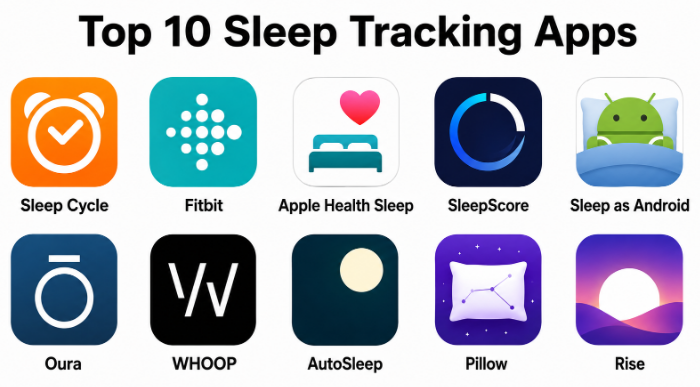
Top 10 Sleep Tracking Apps
#1 — Sleep Cycle
Short description :
Sleep Cycle is a popular sleep tracking app known for its smart alarm, sleep analysis, and phone-based sleep monitoring. It helps users track sleep patterns, detect movement or sound, and wake up during a lighter sleep phase. Sleep Cycle is useful for people who want a simple way to understand sleep quality without needing a wearable device. It provides sleep trend reports, snoring detection, and bedtime insights. The app is best for users who want phone-based sleep tracking with an easy and friendly interface.
Key Features
- Phone-based sleep tracking.
- Smart alarm for lighter sleep wake-up windows.
- Sleep quality trends and reports.
- Snoring and sound detection features.
- Bedtime consistency insights.
- Sleep notes for habit tracking.
- Optional premium analytics.
Pros
- Easy to use without a wearable.
- Smart alarm is useful for smoother wake-ups.
- Good for beginners tracking sleep patterns.
Cons
- Phone-based tracking may be less detailed than wearable tracking.
- Advanced insights may require premium access.
- Audio tracking may raise privacy concerns for some users.
Platforms / Deployment
iOS / Android
Cloud / Mobile app-based
Security & Compliance
Not publicly stated
Integrations & Ecosystem
Sleep Cycle fits users who want simple phone-based sleep tracking and habit insights.
- Mobile sleep tracking.
- Smart alarm workflows.
- Sleep sound monitoring.
- Health platform integration may vary.
- Bedtime habit tracking.
Support & Community
Sleep Cycle provides support resources and app guidance. It has strong recognition among users looking for simple sleep tracking and smart alarms.
#2 — Fitbit
Short description :
Fitbit offers sleep tracking through its wearable devices and mobile app. It tracks sleep duration, sleep stages, heart rate trends, restlessness, and sleep scores depending on the device and plan. Fitbit is useful for people who want sleep insights connected with daily steps, workouts, heart health, stress, and overall wellness. It is especially practical for users already using a Fitbit device. The app is best for users who want sleep tracking as part of a broader fitness and wellness ecosystem.
Key Features
- Wearable-based sleep tracking.
- Sleep stages and sleep score.
- Heart rate-based insights.
- Restlessness and wake time tracking.
- Bedtime reminders and trends.
- Fitness and wellness ecosystem integration.
- Recovery and health metrics may vary by device and plan.
Pros
- Strong for users already using Fitbit devices.
- Connects sleep with activity and wellness data.
- Easy-to-understand sleep score and trends.
Cons
- Requires compatible wearable for best results.
- Some advanced insights may require premium access.
- Accuracy can vary by device and sleep behavior.
Platforms / Deployment
iOS / Android / Wearable devices
Cloud / Mobile app-based
Security & Compliance
Not publicly stated
Integrations & Ecosystem
Fitbit is useful for users who want sleep, activity, and wellness data in one ecosystem.
- Fitbit wearable devices.
- Activity and fitness tracking.
- Heart rate and recovery trends.
- Health platform syncing may vary.
- Wellness habit tracking.
Support & Community
Fitbit has help resources, device support, and a large user community. It is widely used by fitness and wellness users.
#3 — Apple Health Sleep
Short description :
Apple Health Sleep is part of the Apple ecosystem and works with iPhone and Apple Watch to help users track sleep schedules, sleep duration, bedtime routines, and sleep stages depending on device support. It is useful for Apple users who want sleep tracking built into their existing devices without installing many extra tools. The experience is simple, clean, and connected with health data. Apple Health Sleep is best for users who already use iPhone and Apple Watch and want basic-to-moderate sleep insights inside a broader health dashboard.
Key Features
- Sleep schedule setup.
- Apple Watch sleep tracking.
- Sleep duration and trends.
- Sleep stages depending on device support.
- Wind Down and focus mode support.
- Integration with Apple Health.
- Simple health dashboard view.
Pros
- Convenient for Apple ecosystem users.
- No separate sleep app required for basic tracking.
- Good integration with health and wellness data.
Cons
- Best experience requires Apple Watch.
- Sleep insights may feel basic compared with specialized apps.
- Less focused on detailed sleep coaching.
Platforms / Deployment
iOS / Apple Watch
Cloud / Device ecosystem-based
Security & Compliance
Not publicly stated
Integrations & Ecosystem
Apple Health Sleep works best inside the Apple device ecosystem.
- iPhone sleep schedules.
- Apple Watch sleep tracking.
- Apple Health data dashboard.
- Focus and bedtime routines.
- Health and fitness data connection.
Support & Community
Apple provides product documentation and device support. Adoption is easy for users already comfortable with iPhone and Apple Watch.
#4 — SleepScore
Short description :
SleepScore is a sleep tracking app focused on sleep quality measurement, sleep improvement guidance, and personalized recommendations. It uses phone-based sensing methods and provides insights into sleep duration, sleep cycles, and sleep environment factors. SleepScore is useful for users who want structured sleep improvement guidance rather than only a sleep log. The app helps users understand sleep patterns and provides coaching-style suggestions. It is best for users who want sleep tracking with personalized improvement support.
Key Features
- Phone-based sleep tracking.
- Sleep quality scoring.
- Sleep cycle insights.
- Personalized sleep improvement tips.
- Sleep environment tracking features may vary.
- Trend analysis and reports.
- Premium coaching features may vary.
Pros
- Good for structured sleep improvement.
- Does not require a wearable for basic use.
- Offers personalized sleep guidance.
Cons
- Some features may depend on device compatibility.
- Premium access may be needed for deeper insights.
- Tracking method may not suit all sleep environments.
Platforms / Deployment
iOS / Android
Cloud / Mobile app-based
Security & Compliance
Not publicly stated
Integrations & Ecosystem
SleepScore fits users who want guided sleep habit improvement using phone-based tracking.
- Mobile sleep tracking.
- Sleep quality reports.
- Sleep coaching workflows.
- Sleep environment insights.
- Personal wellness tracking.
Support & Community
SleepScore provides app support and educational sleep resources. It is useful for users who want more guided sleep improvement.
#5 — Sleep as Android
Short description :
Sleep as Android is a feature-rich sleep tracking app for Android users. It provides sleep cycle tracking, smart alarms, snoring detection, noise recording, wearable support, and integrations with several devices and services. The app is especially useful for users who like customization and deeper tracking control. It can support gentle wake-ups, sleep graphs, and sleep habit improvement. Sleep as Android is best for Android users who want flexible sleep tracking with many settings and integration options.
Key Features
- Android-based sleep tracking.
- Smart alarm and sleep cycle detection.
- Snoring and noise recording.
- Wearable and device integrations.
- Sleep graphs and trend analysis.
- Lucid dreaming and sleep habit features may vary.
- Customizable alarm and tracking settings.
Pros
- Very feature-rich for Android users.
- Strong smart alarm and sound tracking options.
- Good wearable and device integration flexibility.
Cons
- Interface may feel complex for beginners.
- Only suitable for Android users.
- Advanced setup may require time.
Platforms / Deployment
Android
Cloud / Mobile app-based / Wearable integrations vary
Security & Compliance
Not publicly stated
Integrations & Ecosystem
Sleep as Android is strong for users who want Android-based customization and broad device support.
- Android phone tracking.
- Wearable integrations.
- Smart alarm workflows.
- Noise and snoring tracking.
- Automation and device connections.
Support & Community
Sleep as Android has documentation, user support resources, and a strong community among Android power users.
#6 — Oura
Short description :
Oura provides sleep tracking through its smart ring and companion app. It tracks sleep duration, sleep stages, heart rate, heart rate variability, temperature trends, readiness, and recovery insights. Oura is useful for users who want a small wearable that is comfortable for overnight tracking. It is popular among wellness-focused users, athletes, executives, and people who want recovery-based sleep insights. The app is best for users who want detailed sleep and readiness tracking with a ring-based wearable.
Key Features
- Ring-based sleep tracking.
- Sleep score and readiness score.
- Heart rate and heart rate variability insights.
- Temperature trend tracking.
- Sleep stages and restfulness indicators.
- Recovery and wellness recommendations.
- Long-term trend analysis.
Pros
- Comfortable wearable form factor for sleep.
- Strong recovery and readiness insights.
- Useful for users who dislike sleeping with a watch.
Cons
- Requires Oura Ring hardware.
- Subscription may be required for full insights.
- Hardware cost is higher than app-only options.
Platforms / Deployment
iOS / Android / Oura Ring
Cloud / Wearable-based
Security & Compliance
Not publicly stated
Integrations & Ecosystem
Oura fits users who want sleep tracking connected with recovery and daily readiness.
- Oura Ring wearable.
- Sleep and readiness tracking.
- Recovery trend analysis.
- Health platform integrations may vary.
- Wellness habit tracking.
Support & Community
Oura provides product support, app resources, and a strong user community among wellness, recovery, and performance-focused users.
#7 — WHOOP
Short description :
WHOOP is a wearable-based fitness and recovery platform with strong sleep tracking and strain analysis. It tracks sleep performance, recovery, heart rate variability, resting heart rate, strain, and readiness-style metrics. WHOOP is especially useful for athletes, fitness users, and performance-focused professionals who want to understand how sleep affects recovery. The app gives sleep need recommendations based on strain and recovery goals. It is best for users who want sleep tracking connected with training, performance, and recovery.
Key Features
- Wearable-based sleep tracking.
- Recovery and strain analysis.
- Heart rate variability and resting heart rate insights.
- Sleep need recommendations.
- Coaching-style sleep and recovery guidance.
- Long-term performance trends.
- Fitness and training-focused analytics.
Pros
- Strong for athletes and recovery-focused users.
- Connects sleep with physical strain.
- Useful sleep need and recovery guidance.
Cons
- Requires WHOOP wearable and membership model.
- May be too performance-focused for casual users.
- Best value depends on consistent wearable use.
Platforms / Deployment
iOS / Android / WHOOP wearable
Cloud / Wearable-based
Security & Compliance
Not publicly stated
Integrations & Ecosystem
WHOOP is useful for users who want sleep insights connected with recovery and physical performance.
- WHOOP wearable.
- Fitness strain tracking.
- Recovery analytics.
- Sleep performance reports.
- Training and wellness workflows.
Support & Community
WHOOP provides support resources, coaching-style app guidance, and a strong community among athletes and performance-focused users.
#8 — AutoSleep
Short description :
AutoSleep is a sleep tracking app designed for Apple Watch users. It automatically tracks sleep when the user wears an Apple Watch to bed and provides detailed sleep analysis, sleep rings, sleep quality metrics, and readiness-style insights. AutoSleep is useful for Apple users who want more detailed sleep reporting than basic built-in sleep tracking. The app is especially practical because it works automatically once configured. It is best for Apple Watch users who want deeper sleep analytics without changing wearable devices.
Key Features
- Automatic Apple Watch sleep tracking.
- Sleep duration and quality analysis.
- Sleep rings and visual dashboards.
- Heart rate-based sleep insights.
- Readiness and recovery-style metrics may vary.
- No manual start required after setup.
- Detailed historical trends.
Pros
- Strong choice for Apple Watch users.
- Detailed sleep dashboards.
- Automatic tracking is convenient.
Cons
- Requires Apple Watch for best use.
- Interface may feel data-heavy for beginners.
- Limited value outside Apple ecosystem.
Platforms / Deployment
iOS / Apple Watch
Mobile app-based / Wearable-based
Security & Compliance
Not publicly stated
Integrations & Ecosystem
AutoSleep is built for Apple Watch users who want detailed sleep data and visual analysis.
- Apple Watch sleep tracking.
- iPhone sleep dashboards.
- Heart rate-based sleep insights.
- Apple Health integration.
- Long-term sleep trend review.
Support & Community
AutoSleep has support resources and a strong user base among Apple Watch users who want deeper sleep analytics.
#9 — Pillow
Short description :
Pillow is a sleep tracking app for iPhone and Apple Watch users. It tracks sleep duration, sleep stages, heart rate, audio events, naps, and sleep quality depending on device setup. Pillow is useful for users who want a polished Apple-focused sleep tracking experience with visual reports and sound recording options. It can work with Apple Watch for more detailed tracking. The app is best for Apple users who want a sleep tracker with both analytics and a friendly interface.
Key Features
- Sleep tracking with iPhone and Apple Watch.
- Sleep stage analysis.
- Heart rate tracking with Apple Watch.
- Audio recording for snoring and sleep sounds.
- Smart alarm features.
- Nap tracking.
- Sleep trend reports.
Pros
- Strong for Apple-focused sleep tracking.
- Good visual sleep reports.
- Audio and smart alarm features are useful.
Cons
- Best results require Apple Watch.
- Premium features may require subscription.
- Audio tracking may not suit privacy-sensitive users.
Platforms / Deployment
iOS / Apple Watch
Cloud / Mobile app-based / Wearable-based
Security & Compliance
Not publicly stated
Integrations & Ecosystem
Pillow supports sleep tracking inside the Apple ecosystem.
- iPhone and Apple Watch tracking.
- Apple Health integration.
- Sleep sound recording.
- Smart alarm workflows.
- Nap and sleep trend tracking.
Support & Community
Pillow provides app support and user resources. It is popular among Apple users looking for a richer sleep tracking app experience.
#10 — Rise
Short description :
Rise is a sleep and energy tracking app focused on sleep debt, circadian rhythm, and daily energy predictions. Instead of only showing sleep stages, it helps users understand how sleep timing affects energy throughout the day. Rise is useful for people who want to improve sleep consistency, reduce sleep debt, and plan daily work around natural energy peaks and dips. It is especially helpful for professionals, students, and productivity-focused users. The app is best for users who care about sleep behavior and daily energy management.
Key Features
- Sleep debt tracking.
- Circadian rhythm and energy prediction.
- Sleep schedule insights.
- Habit and routine recommendations.
- Daily energy planning.
- Smart reminders for sleep timing.
- Long-term sleep trend awareness.
Pros
- Strong focus on sleep debt and energy.
- Useful for productivity and routine planning.
- Simple concept for behavior change.
Cons
- Less focused on detailed wearable sleep stages.
- Premium features may require subscription.
- Users wanting medical-style sleep data may prefer other tools.
Platforms / Deployment
iOS / Android
Cloud / Mobile app-based
Security & Compliance
Not publicly stated
Integrations & Ecosystem
Rise supports users who want to connect sleep habits with daily energy and productivity.
- Sleep debt tracking.
- Circadian rhythm planning.
- Energy schedule insights.
- Bedtime reminders.
- Daily routine optimization.
Support & Community
Rise provides support resources and app guidance. Its strongest appeal is for users who want practical sleep behavior improvement rather than only raw sleep data.
Comparison Table
| Tool Name | Best For | Platform(s) Supported | Deployment | Standout Feature | Public Rating |
|---|---|---|---|---|---|
| Sleep Cycle | Phone-based sleep tracking and smart alarms | iOS / Android | Cloud / Mobile app-based | Smart alarm and sound-based sleep tracking | N/A |
| Fitbit | Fitness users and wellness tracking | iOS / Android / Fitbit devices | Cloud / Wearable-based | Sleep score connected with activity data | N/A |
| Apple Health Sleep | Apple users wanting built-in tracking | iOS / Apple Watch | Cloud / Device ecosystem-based | Native Apple ecosystem sleep tracking | N/A |
| SleepScore | Guided sleep improvement | iOS / Android | Cloud / Mobile app-based | Personalized sleep quality insights | N/A |
| Sleep as Android | Android power users | Android | Cloud / Mobile app-based | Customizable Android sleep tracking | N/A |
| Oura | Ring-based recovery and readiness tracking | iOS / Android / Oura Ring | Cloud / Wearable-based | Sleep and readiness via smart ring | N/A |
| WHOOP | Athletes and recovery-focused users | iOS / Android / WHOOP wearable | Cloud / Wearable-based | Sleep need based on strain and recovery | N/A |
| AutoSleep | Apple Watch users wanting detailed sleep data | iOS / Apple Watch | Mobile app-based / Wearable-based | Automatic Apple Watch sleep tracking | N/A |
| Pillow | Apple users wanting sleep and sound reports | iOS / Apple Watch | Cloud / Mobile app-based | Sleep tracking with audio events | N/A |
| Rise | Sleep debt and daily energy planning | iOS / Android | Cloud / Mobile app-based | Circadian rhythm and energy prediction | N/A |
Evaluation & Sleep Tracking Apps
| Tool Name | Core (25%) | Ease (15%) | Integrations (15%) | Security (10%) | Performance (10%) | Support (10%) | Value (15%) | Weighted Total (0–10) |
|---|---|---|---|---|---|---|---|---|
| Sleep Cycle | 8 | 9 | 7 | 5 | 8 | 7 | 8 | 7.60 |
| Fitbit | 8 | 8 | 8 | 6 | 8 | 8 | 7 | 7.65 |
| Apple Health Sleep | 7 | 9 | 8 | 7 | 8 | 8 | 8 | 7.85 |
| SleepScore | 8 | 8 | 6 | 5 | 8 | 7 | 7 | 7.25 |
| Sleep as Android | 8 | 7 | 8 | 5 | 8 | 7 | 8 | 7.40 |
| Oura | 9 | 8 | 8 | 6 | 9 | 8 | 6 | 7.95 |
| WHOOP | 9 | 7 | 8 | 6 | 9 | 8 | 6 | 7.75 |
| AutoSleep | 8 | 8 | 8 | 6 | 8 | 7 | 8 | 7.65 |
| Pillow | 8 | 8 | 8 | 5 | 8 | 7 | 7 | 7.40 |
| Rise | 7 | 9 | 6 | 5 | 8 | 7 | 8 | 7.25 |
These scores are comparative and should be used as a shortlist guide, not as a medical ranking. A higher score usually means broader usability, stronger tracking depth, or better ecosystem fit. A lower score does not mean the app is poor; it may simply serve a more specific user group. For example, Oura and WHOOP are strong for recovery-focused users, while Sleep Cycle and Rise are easier for people who want phone-based sleep habit improvement.
Which Sleep Tracking App Should You Choose?
Solo / Freelancer
Solo users and freelancers should choose a sleep tracking app based on comfort, budget, and lifestyle. If you do not want to wear a device, Sleep Cycle, SleepScore, or Rise may be practical. If you already use an Apple Watch, Apple Health Sleep, AutoSleep, or Pillow can be useful.
If your main issue is waking up tired, a smart alarm app like Sleep Cycle may help. If your main issue is inconsistent energy during the day, Rise may be a better fit.
SMB
Small businesses should be careful when considering sleep tracking as part of wellness programs. Sleep data is personal, so employee participation should always be voluntary. For general wellness education, apps like Sleep Cycle, Rise, Calm-style sleep content, or wearable ecosystems may support healthier routines.
SMBs should avoid collecting individual sleep data unless there is a clear privacy-safe reason. The focus should be education, stress reduction, and better sleep habits, not employee monitoring.
Mid-Market
Mid-market organizations may consider sleep and recovery tools as part of broader wellness programs, especially for high-stress teams, shift workers, or performance-focused roles. Fitbit, Oura, and WHOOP may be useful where wearables are already part of wellness initiatives.
The priority should be privacy, employee choice, and aggregated wellness insights only where appropriate. Sleep tracking should never feel like performance surveillance.
Enterprise
Enterprises should treat sleep tracking data as sensitive wellness information. Before adopting any app or wearable program, they should involve HR, legal, security, and employee representatives. Tools like Fitbit, Oura, or WHOOP may fit wellness programs, but only with strong privacy controls and voluntary participation.
Enterprise buyers should evaluate data ownership, admin access, privacy policies, consent, reporting, and whether the vendor supports organization-level wellness needs without exposing individual health details.
Budget vs Premium
Budget-conscious users can start with phone-based apps like Sleep Cycle, SleepScore, Rise, or built-in tools like Apple Health Sleep if they already use Apple devices. Android users can explore Sleep as Android for flexible tracking.
Premium options like Oura, WHOOP, and some Fitbit devices may be better for users who want deeper recovery insights, wearable tracking, and long-term health patterns.
Feature Depth vs Ease of Use
If ease of use matters most, Sleep Cycle, Apple Health Sleep, Pillow, and Rise are good choices. They are simple enough for everyday users and do not require heavy setup.
If feature depth matters more, Oura, WHOOP, Fitbit, AutoSleep, and Sleep as Android provide more detailed tracking, recovery signals, and wearable-based insights.
Integrations & Scalability
Integration matters if users want sleep data connected with fitness, heart rate, stress, recovery, or health dashboards. Apple Health Sleep, Fitbit, Oura, WHOOP, AutoSleep, and Pillow are stronger for ecosystem-based tracking.
For scalability in wellness programs, organizations should check admin features, privacy settings, aggregated reporting, wearable management, and user consent options.
Security & Compliance Needs
Sleep tracking apps may collect sensitive wellness data such as sleep timing, heart rate, movement, audio recordings, breathing trends, and recovery patterns. Users should review privacy settings carefully.
If security and compliance details are not clearly available, mark them as “Not publicly stated” and ask the vendor directly before using the app in workplace, regulated, or healthcare-adjacent settings.
Frequently Asked Questions
1. What are sleep tracking apps?
Sleep tracking apps are tools that monitor sleep duration, sleep quality, bedtime habits, movement, snoring, wake times, and sometimes heart rate or recovery trends. They help users understand sleep patterns and improve daily routines.
2. Are sleep tracking apps accurate?
Sleep tracking apps can be helpful for trends, but they are not perfect. Wearables may provide more data than phone-only apps, but even wearable results should be treated as estimates, not medical diagnosis.
3. Do I need a wearable for sleep tracking?
No. Apps like Sleep Cycle, SleepScore, and Rise can work without a wearable. However, apps connected to wearables such as Fitbit, Oura, WHOOP, or Apple Watch may provide deeper biometric insights.
4. Which sleep tracking app is best for Apple Watch users?
Apple Health Sleep, AutoSleep, and Pillow are strong choices for Apple Watch users. Apple Health is simple and built-in, while AutoSleep and Pillow provide more detailed sleep reports and visual dashboards.
5. Which sleep tracking app is best for Android users?
Sleep as Android is a strong Android-focused option because it offers smart alarms, sound tracking, wearable integrations, and customization. Sleep Cycle, SleepScore, Fitbit, Oura, WHOOP, and Rise can also work depending on user needs.
6. Can sleep tracking apps detect sleep disorders?
No app should be used as a replacement for medical diagnosis. Some apps may show snoring, restlessness, or poor sleep patterns, but users with serious sleep problems should consult a qualified healthcare professional or sleep specialist.
7. What is a smart alarm?
A smart alarm tries to wake users during a lighter sleep phase within a selected time window. This may make waking feel less harsh compared with a fixed alarm, although results vary from person to person.
8. Are snoring detection features useful?
Snoring detection can help users notice patterns, especially if snoring happens often. However, snoring can have many causes, and frequent loud snoring or breathing concerns should be discussed with a healthcare professional.
9. Are sleep tracking apps safe for privacy?
Privacy depends on the app and its data practices. Users should review permissions, audio recording settings, cloud storage, data sharing, and account privacy. Audio and biometric data should be treated as sensitive.
10. What common mistakes should users avoid?
Common mistakes include obsessing over one bad night, treating app scores as medical truth, ignoring lifestyle habits, sleeping with uncomfortable devices, and checking sleep data in a way that increases stress.
Conclusion
Sleep tracking apps can be useful tools for understanding sleep habits, improving bedtime routines, and connecting rest with daily energy, recovery, focus, and wellness. They help users see patterns that are easy to miss, such as inconsistent bedtimes, short sleep duration, frequent wake-ups, snoring, or poor recovery after stressful days. However, the best app depends on the user’s lifestyle and goal. A casual user may prefer Sleep Cycle or Rise, an Apple Watch user may choose Apple Health Sleep, AutoSleep, or Pillow, an Android power user may prefer Sleep as Android, and a recovery-focused athlete may benefit from Oura, WHOOP, or Fitbit.
