Introduction
Enterprise app distribution platforms help organizations securely deliver, manage, update, and control business applications across employee devices. In plain English, they allow IT teams to push apps to laptops, phones, tablets, kiosks, rugged devices, and remote work devices without depending on manual installation.
For modern businesses, this matters because employees work from many locations, use different devices, and need secure access to internal apps. Companies also need stronger control over compliance, app versions, permissions, and user access. A weak app distribution process can create delays, security gaps, and poor employee experience.
Common use cases include distributing internal mobile apps, managing employee devices, pushing security updates, deploying apps to frontline workers, controlling BYOD devices, and supporting remote onboarding.
Buyers should evaluate:
- Device and operating system coverage
- App deployment controls
- Security and access policies
- Integration with identity tools
- Reporting and audit logs
- Ease of onboarding
- Remote management features
- Scalability for multiple locations
- Support quality
- Overall price/value
Best for: IT managers, endpoint administrators, security teams, enterprise mobility teams, SaaS companies, healthcare, finance, retail, logistics, education, and companies managing large device fleets.
Not ideal for: very small teams with only a few devices, companies that only need public app store distribution, or teams that can manage apps through simple MDM tools without advanced policy controls.
Key Trends in App Distribution Platforms (Enterprise)
- Unified endpoint management is becoming standard, combining app distribution, device security, policy control, and remote troubleshooting in one platform.
- Zero Trust access is influencing app delivery, where apps are distributed based on user identity, device health, role, and compliance state.
- AI-assisted device management is growing, especially for issue detection, automated remediation, and smarter support workflows.
- BYOD management is becoming more privacy-aware, with clearer separation between personal and corporate data.
- Frontline and rugged device support is increasing, especially in retail, logistics, healthcare, field service, and manufacturing.
- macOS and iOS enterprise management are now major priorities, not just Windows and Android.
- Integration with identity platforms is critical, especially SSO, MFA, conditional access, and directory sync.
- Compliance reporting is becoming more important, especially for regulated industries.
- Cloud-first deployment is preferred, but large enterprises still often need hybrid controls.
- Self-service app catalogs are improving employee experience, reducing IT tickets and manual installation work.
How We Selected These Tools
- Selected platforms with strong enterprise recognition and market adoption.
- Prioritized tools that support app distribution across multiple device types.
- Considered UEM, MDM, MAM, and endpoint management capabilities.
- Looked for practical fit across enterprise, mid-market, and growing teams.
- Evaluated security signals such as SSO, RBAC, MFA, encryption, and audit features.
- Considered integration strength with identity, security, productivity, and ITSM tools.
- Balanced broad enterprise platforms with specialist tools for Apple, Android, and frontline use cases.
- Preferred tools with strong documentation, onboarding resources, and support options.
- Avoided weak or unclear tools that do not fit enterprise app distribution well.
- Did not assume ratings, certifications, or pricing where details are uncertain.
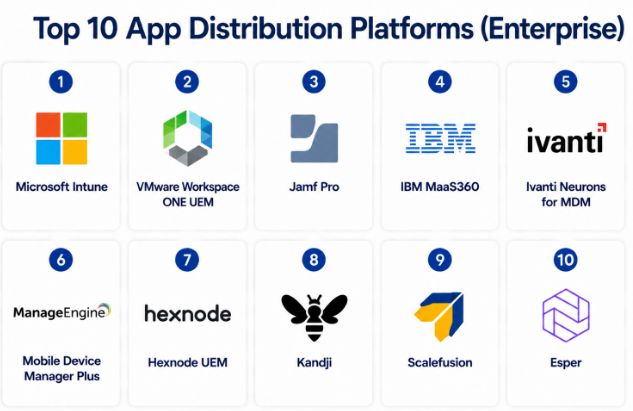
Top 10 App Distribution Platforms (Enterprise)
#1 — Microsoft Intune
Short description :
Microsoft Intune is a widely used enterprise endpoint and app management platform. It helps IT teams distribute apps, manage devices, enforce security policies, and control access across Windows, macOS, iOS, and Android. It is especially strong for organizations already using Microsoft 365, Entra ID, and Defender. Intune works well for enterprises, mid-market companies, education, healthcare, finance, and hybrid work environments. It is often used as the core platform for modern workplace management.
Key Features
- Enterprise app deployment and app protection policies
- Windows, macOS, iOS, and Android device management
- Conditional access integration with Microsoft identity tools
- App configuration and app compliance controls
- Remote wipe, device lock, and security policy enforcement
- Self-service app access through company portal
- Reporting, compliance dashboards, and policy insights
Pros
- Strong fit for Microsoft-heavy environments.
- Good balance of app management, device control, and identity-based security.
- Scales well for large enterprise device fleets.
Cons
- Can feel complex for small teams.
- Advanced setup may require experienced Microsoft administrators.
- Some non-Microsoft ecosystem use cases may need extra integration work.
Platforms / Deployment
Web / Windows / macOS / iOS / Android
Cloud / Hybrid
Security & Compliance
Supports SSO, MFA, RBAC, encryption controls, compliance policies, audit logs, and conditional access. SOC 2, ISO 27001, GDPR, and HIPAA details depend on Microsoft cloud compliance scope.
Integrations & Ecosystem
Microsoft Intune has a very strong ecosystem, especially for organizations using Microsoft cloud services. It connects naturally with identity, endpoint security, productivity, and automation tools.
- Microsoft Entra ID
- Microsoft Defender
- Microsoft 365
- Windows Autopilot
- PowerShell and Graph API
- ServiceNow and ITSM workflows
Support & Community
Microsoft provides documentation, enterprise support plans, partner support, training resources, and a large administrator community. Support quality depends on the customer plan and internal expertise.
#2 — VMware Workspace ONE UEM
Short description :
VMware Workspace ONE UEM is an enterprise mobility and endpoint management platform used for app distribution, device management, access control, and digital workspace delivery. It supports multiple operating systems and is suitable for complex enterprise environments. It is especially useful for organizations with mixed device fleets, regulated needs, and advanced lifecycle management requirements. Workspace ONE is often selected by large enterprises that need mature controls and broad endpoint coverage. It can support corporate-owned, BYOD, and shared device models.
Key Features
- Unified endpoint management across major platforms
- Enterprise app catalog and app deployment workflows
- Device compliance and policy enforcement
- BYOD and corporate-owned device support
- Remote management and troubleshooting features
- Identity and access integration options
- Reporting and lifecycle visibility
Pros
- Strong enterprise-grade endpoint management depth.
- Good fit for large and complex environments.
- Supports many device ownership and deployment models.
Cons
- May require careful implementation planning.
- Can be more than small teams need.
- Licensing and packaging may require close review.
Platforms / Deployment
Web / Windows / macOS / Linux / iOS / Android
Cloud / Hybrid
Security & Compliance
Supports SSO, RBAC, device compliance policies, encryption enforcement, audit logs, and access controls. Specific certifications and compliance coverage may vary by deployment and product scope.
Integrations & Ecosystem
Workspace ONE integrates with identity, security, IT operations, and enterprise productivity ecosystems. It is commonly used where endpoint management must connect with broader digital workspace strategies.
- Identity providers
- Virtual desktop platforms
- Security platforms
- ITSM tools
- Enterprise app catalogs
- APIs and automation workflows
Support & Community
Documentation and enterprise support are available. Community strength is good among enterprise mobility and endpoint management professionals. Support experience depends on licensing and partner involvement.
#3 — Jamf Pro
Short description :
Jamf Pro is a leading Apple device and app management platform. It is designed for organizations that need strong macOS, iOS, iPadOS, and tvOS management. IT teams use Jamf Pro to deploy apps, configure Apple devices, manage security policies, and support Apple-first workplaces. It is especially popular in education, creative teams, technology companies, healthcare, and enterprises with large Apple fleets. Jamf Pro is a strong choice when Apple management depth matters more than broad multi-platform coverage.
Key Features
- Apple-focused app deployment and device management
- Automated enrollment and configuration workflows
- App catalog and self-service portal
- Patch management for macOS apps
- Security policy enforcement for Apple devices
- Inventory, reporting, and compliance visibility
- Integration with Apple Business Manager and Apple School Manager
Pros
- Excellent Apple ecosystem specialization.
- Strong self-service experience for users.
- Mature platform for macOS and iOS management.
Cons
- Not ideal as a full multi-platform UEM for all device types.
- Best value comes when Apple devices are a major part of the fleet.
- Advanced workflows may need Apple management expertise.
Platforms / Deployment
Web / macOS / iOS / iPadOS / tvOS
Cloud / Self-hosted / Hybrid
Security & Compliance
Supports SSO, RBAC, encryption enforcement, device compliance controls, audit logs, and security policy workflows. Specific compliance certifications should be validated based on product edition and deployment.
Integrations & Ecosystem
Jamf has a strong Apple-focused ecosystem and integrates well with Apple enterprise services, identity providers, and security tools.
- Apple Business Manager
- Apple School Manager
- Identity providers
- Endpoint security tools
- Service desk platforms
- API and automation workflows
Support & Community
Jamf has strong documentation, training, support plans, and a large Apple admin community. Community strength is one of its biggest advantages.
#4 — IBM MaaS360
Short description :
IBM MaaS360 is an enterprise mobility management and unified endpoint management platform. It helps organizations distribute apps, manage mobile devices, secure endpoints, and apply compliance policies. It is suitable for enterprises that need mobility management with security, analytics, and policy controls. MaaS360 is often used in regulated environments and organizations with mixed mobile device needs. It can support corporate-owned devices, BYOD, and app-level management.
Key Features
- Mobile device and app management
- Enterprise app distribution and app catalog
- BYOD and corporate-owned device controls
- Policy enforcement and compliance reporting
- Secure container and app protection capabilities
- Remote actions for device control
- Analytics and management dashboards
Pros
- Strong enterprise mobility management heritage.
- Useful for organizations needing policy-driven mobile control.
- Good fit for regulated and security-conscious teams.
Cons
- Interface and workflows may require learning time.
- May not be the simplest choice for smaller companies.
- Broader endpoint needs may require careful fit analysis.
Platforms / Deployment
Web / Windows / macOS / iOS / Android
Cloud
Security & Compliance
Supports SSO, MFA, RBAC, encryption controls, policy enforcement, audit logs, and mobile security controls. Specific compliance details should be verified by product scope.
Integrations & Ecosystem
MaaS360 integrates with enterprise identity, email, security, and IT systems. It is useful where mobile management needs to connect with broader corporate security policies.
- Identity providers
- Email and productivity suites
- Security tools
- Directory services
- APIs
- Enterprise reporting workflows
Support & Community
IBM provides documentation, enterprise support, onboarding resources, and partner assistance. Community strength is moderate compared with some broader ecosystems.
#5 — Ivanti Neurons for MDM
Short description :
Ivanti Neurons for MDM is a cloud-based mobile device and app management platform. It supports app distribution, policy enforcement, device compliance, and secure access for enterprise users. It is useful for organizations managing mobile devices across different roles and locations. Ivanti’s broader ecosystem also supports IT service management, endpoint management, and automation use cases. This makes it suitable for teams that want app distribution connected with wider IT operations.
Key Features
- Mobile app management and app distribution
- iOS, Android, macOS, and Windows support
- Device compliance and security policies
- BYOD and corporate-owned device support
- Remote lock, wipe, and troubleshooting actions
- Identity and access integration options
- Automation and IT operations alignment
Pros
- Good fit for mobile-first enterprise management.
- Can connect with wider Ivanti IT operations tools.
- Useful for policy-based app and device control.
Cons
- Full value may depend on broader Ivanti ecosystem use.
- Product packaging should be reviewed carefully.
- Some advanced workflows may need setup support.
Platforms / Deployment
Web / Windows / macOS / iOS / Android
Cloud
Security & Compliance
Supports SSO, RBAC, encryption controls, policy enforcement, compliance reporting, and audit capabilities. Specific compliance certifications should be verified for the selected edition.
Integrations & Ecosystem
Ivanti works well for IT teams that want endpoint and app management connected with service management, automation, and security operations.
- Identity providers
- ITSM platforms
- Endpoint management tools
- Security platforms
- APIs
- Directory services
Support & Community
Ivanti provides documentation, enterprise support, onboarding resources, and partner support. Community strength is fair, with stronger presence in IT operations and endpoint management circles.
#6 — ManageEngine Mobile Device Manager Plus
Short description :
ManageEngine Mobile Device Manager Plus is an enterprise mobility management platform for managing and distributing apps across mobile and desktop devices. It is often used by SMBs, mid-market companies, schools, and enterprises that want practical device control without excessive complexity. The platform supports app deployment, device enrollment, policy enforcement, remote troubleshooting, and inventory management. It is especially attractive for teams already using other ManageEngine IT tools. It offers a strong balance of features and value.
Key Features
- App distribution and enterprise app catalog
- Mobile device management for iOS and Android
- Windows and macOS management support
- Device enrollment and configuration policies
- Remote troubleshooting and device actions
- Inventory and reporting dashboards
- BYOD and corporate-owned device support
Pros
- Practical and cost-conscious option for many teams.
- Good fit for SMB and mid-market IT teams.
- Works well with broader ManageEngine ecosystem.
Cons
- May not match the deepest enterprise controls of larger UEM platforms.
- Interface can feel functional rather than highly modern.
- Advanced integrations may require configuration effort.
Platforms / Deployment
Web / Windows / macOS / iOS / Android
Cloud / Self-hosted
Security & Compliance
Supports role-based access, device policies, encryption enforcement, remote wipe, and audit/reporting features. Specific compliance certifications are Not publicly stated.
Integrations & Ecosystem
ManageEngine Mobile Device Manager Plus fits well for organizations using ManageEngine for service desk, endpoint management, monitoring, and IT administration.
- ManageEngine ServiceDesk Plus
- Directory services
- Email platforms
- Identity tools
- APIs
- IT reporting workflows
Support & Community
ManageEngine offers documentation, knowledge base resources, support plans, and active product communities. Support experience depends on plan and region.
#7 — Hexnode UEM
Short description :
Hexnode UEM is a unified endpoint management platform that supports app distribution, device management, kiosk management, and policy control. It is used by SMBs, mid-market companies, and enterprises that need flexible endpoint management across mobile, desktop, and rugged devices. Hexnode is especially useful for Android, iOS, Windows, macOS, and kiosk-heavy use cases. It provides app deployment, device restrictions, remote actions, and compliance controls. It is a practical option for teams that need strong coverage without a heavy enterprise setup.
Key Features
- Enterprise app distribution and app inventory
- Multi-platform device management
- Kiosk mode and lockdown management
- Remote actions and troubleshooting
- Device compliance and policy enforcement
- BYOD and corporate-owned device controls
- Reporting and dashboard visibility
Pros
- Strong choice for kiosk and frontline device use cases.
- Broad platform coverage for mixed fleets.
- Easier to adopt than some large enterprise platforms.
Cons
- Very large enterprises may need deeper ecosystem validation.
- Advanced automation may require planning.
- Some compliance details should be verified before regulated use.
Platforms / Deployment
Web / Windows / macOS / iOS / Android
Cloud
Security & Compliance
Supports SSO, MFA, RBAC, encryption policies, audit logs, remote wipe, and device compliance controls. Specific certifications should be verified.
Integrations & Ecosystem
Hexnode integrates with identity, directory, app management, and endpoint workflows. It is also useful for device-specific use cases like kiosks and field devices.
- Apple Business Manager
- Android Enterprise
- Identity providers
- Directory services
- APIs
- IT administration tools
Support & Community
Hexnode provides documentation, support resources, onboarding guidance, and product learning materials. Community strength is moderate but growing.
#8 — Kandji
Short description :
Kandji is an Apple-focused device management and security platform. It helps IT teams deploy apps, configure Apple devices, enforce security policies, and automate common management tasks. Kandji is often chosen by modern companies with large Mac, iPhone, and iPad fleets. It focuses on ease of use, automation, and Apple-first workflows. It is best for organizations that want strong Apple management without building complex scripts and manual processes.
Key Features
- Apple app deployment and device management
- Automated device configuration
- Prebuilt security and compliance templates
- Patch management for supported applications
- Self-service app access
- Inventory and device visibility
- Apple enrollment workflow support
Pros
- Strong Apple-first user experience.
- Good automation for common Apple admin tasks.
- Easier to manage than many traditional endpoint tools.
Cons
- Not suitable as a full multi-platform UEM.
- Best for Apple-heavy environments.
- Some enterprise customization needs may require validation.
Platforms / Deployment
Web / macOS / iOS / iPadOS / tvOS
Cloud
Security & Compliance
Supports SSO, RBAC, encryption enforcement, audit logs, and security policy controls. Specific compliance certifications should be verified directly.
Integrations & Ecosystem
Kandji integrates with Apple services, identity providers, security tools, and IT workflows. Its ecosystem is focused on Apple device lifecycle management.
- Apple Business Manager
- Identity providers
- Endpoint security tools
- Slack or IT notification workflows
- APIs
- Service desk workflows
Support & Community
Kandji provides documentation, onboarding help, and customer support. Community strength is solid among Apple-focused IT teams, though not as broad as older platforms.
#9 — Scalefusion
Short description :
Scalefusion is a mobile device management and endpoint management platform with strong app distribution and kiosk management capabilities. It is often used by businesses managing frontline, field, education, healthcare, logistics, and retail devices. The platform supports Android, iOS, Windows, macOS, and Linux use cases. Scalefusion is useful for companies that need to push apps, lock devices, manage policies, and control distributed device fleets. It is especially practical for shared and purpose-built devices.
Key Features
- App distribution and app management
- Android, iOS, Windows, macOS, and Linux support
- Kiosk mode and device lockdown
- Remote device troubleshooting
- Policy enforcement and compliance checks
- Location and inventory visibility
- BYOD and corporate-owned device options
Pros
- Strong fit for frontline and kiosk device management.
- Broad platform support.
- Practical for distributed teams and branch operations.
Cons
- Enterprise buyers should validate advanced security needs.
- Some integrations may be more limited than larger UEM platforms.
- Complex global deployments may need careful planning.
Platforms / Deployment
Web / Windows / macOS / Linux / iOS / Android
Cloud
Security & Compliance
Supports SSO, MFA, RBAC, encryption enforcement, remote wipe, policy controls, and audit logs. Specific compliance certifications should be verified.
Integrations & Ecosystem
Scalefusion integrates with identity, directory, Android Enterprise, Apple services, and IT workflows. Its ecosystem is strong for device control and field operations.
- Android Enterprise
- Apple Business Manager
- Identity providers
- Directory services
- APIs
- IT workflow tools
Support & Community
Scalefusion provides documentation, onboarding support, and customer assistance. Community strength is moderate, with good relevance for frontline device management teams.
#10 — Esper
Short description :
Esper is an enterprise platform focused on Android device management, app deployment, and dedicated device operations. It is used by companies managing fleets of tablets, kiosks, point-of-sale devices, healthcare devices, logistics devices, and other purpose-built Android endpoints. Esper helps teams deploy apps, manage updates, monitor devices, and control device behavior at scale. It is especially strong when Android devices are part of a product, field workflow, or customer-facing experience. It is less broad than full UEM suites but strong for Android fleet operations.
Key Features
- Android app deployment and version control
- Dedicated device and kiosk management
- Remote device monitoring and actions
- Fleet provisioning and policy control
- App update workflows
- Device health and operational visibility
- API-first device management options
Pros
- Strong choice for Android dedicated device fleets.
- Useful for productized hardware and field operations.
- Good fit for kiosk, retail, logistics, and healthcare device use cases.
Cons
- Not a broad UEM for all operating systems.
- Best suited for Android-heavy environments.
- Teams with mixed endpoint needs may need another platform.
Platforms / Deployment
Web / Android
Cloud
Security & Compliance
Supports device policy controls, access controls, remote actions, and operational security features. Specific compliance certifications are Not publicly stated.
Integrations & Ecosystem
Esper is built for Android fleet operations and developer-friendly workflows. It works well for businesses that need programmatic control over large device deployments.
- Android Enterprise
- APIs
- Device provisioning workflows
- Monitoring workflows
- CI/CD-style app deployment processes
- Business operations systems
Support & Community
Esper provides documentation, onboarding support, and developer-focused resources. Community strength is more specialized around Android fleet and dedicated device use cases.
Comparison Table (Top 10)
| Tool Name | Best For | Platform(s) Supported | Deployment | Standout Feature | Public Rating |
|---|---|---|---|---|---|
| Microsoft Intune | Microsoft-based enterprises | Windows, macOS, iOS, Android | Cloud / Hybrid | Conditional access and Microsoft ecosystem fit | N/A |
| VMware Workspace ONE UEM | Large enterprise endpoint management | Windows, macOS, Linux, iOS, Android | Cloud / Hybrid | Mature UEM controls | N/A |
| Jamf Pro | Apple-first organizations | macOS, iOS, iPadOS, tvOS | Cloud / Self-hosted / Hybrid | Deep Apple device and app management | N/A |
| IBM MaaS360 | Enterprise mobility management | Windows, macOS, iOS, Android | Cloud | Policy-driven mobile management | N/A |
| Ivanti Neurons for MDM | Mobile-first IT operations | Windows, macOS, iOS, Android | Cloud | MDM connected with IT operations | N/A |
| ManageEngine Mobile Device Manager Plus | SMB and mid-market IT teams | Windows, macOS, iOS, Android | Cloud / Self-hosted | Practical value and ManageEngine ecosystem | N/A |
| Hexnode UEM | Kiosk and mixed device fleets | Windows, macOS, iOS, Android | Cloud | Kiosk and frontline device management | N/A |
| Kandji | Apple-focused modern teams | macOS, iOS, iPadOS, tvOS | Cloud | Apple automation and self-service | N/A |
| Scalefusion | Frontline and field devices | Windows, macOS, Linux, iOS, Android | Cloud | Kiosk and distributed device control | N/A |
| Esper | Android dedicated device fleets | Android | Cloud | Android fleet operations | N/A |
Evaluation & App Distribution Platforms (Enterprise)
| Tool Name | Core (25%) | Ease (15%) | Integrations (15%) | Security (10%) | Performance (10%) | Support (10%) | Value (15%) | Weighted Total (0–10) |
|---|---|---|---|---|---|---|---|---|
| Microsoft Intune | 9 | 7 | 9 | 9 | 8 | 8 | 8 | 8.35 |
| VMware Workspace ONE UEM | 9 | 7 | 8 | 9 | 8 | 8 | 7 | 8.05 |
| Jamf Pro | 9 | 8 | 8 | 8 | 9 | 9 | 7 | 8.25 |
| IBM MaaS360 | 8 | 7 | 7 | 8 | 8 | 8 | 7 | 7.55 |
| Ivanti Neurons for MDM | 8 | 7 | 8 | 8 | 8 | 7 | 7 | 7.65 |
| ManageEngine Mobile Device Manager Plus | 8 | 8 | 7 | 7 | 8 | 7 | 9 | 7.80 |
| Hexnode UEM | 8 | 8 | 7 | 8 | 8 | 7 | 8 | 7.75 |
| Kandji | 8 | 9 | 7 | 8 | 9 | 8 | 7 | 8.00 |
| Scalefusion | 8 | 8 | 7 | 7 | 8 | 7 | 8 | 7.65 |
| Esper | 8 | 8 | 7 | 7 | 8 | 7 | 8 | 7.65 |
These scores are comparative, not absolute. A lower score does not mean a weak product; it may simply serve a narrower use case. For example, Esper may score lower in platform breadth but can be very strong for Android fleet operations. Buyers should use this table as a shortlist guide, then validate pricing, integrations, security, and deployment fit through a pilot.
Which App Distribution Platforms (Enterprise)
Solo / Freelancer
Solo users and freelancers usually do not need a full enterprise app distribution platform unless they manage client devices or test apps across fleets. For light needs, simple app store distribution, direct installation, or developer testing tools may be enough.
Best-fit options:
- ManageEngine Mobile Device Manager Plus for low-cost structured management
- Hexnode UEM for simple device and app control
- Kandji if the work is Apple-heavy
SMB
SMBs need a balance of cost, control, and simplicity. They usually want fast onboarding, simple app deployment, basic compliance, and remote support without a large IT team.
Best-fit options:
- ManageEngine Mobile Device Manager Plus
- Hexnode UEM
- Scalefusion
- Microsoft Intune if already using Microsoft 365
Mid-Market
Mid-market companies often need stronger policies, better reporting, multi-platform support, and integration with identity systems. They may also need BYOD support and self-service app catalogs.
Best-fit options:
- Microsoft Intune
- VMware Workspace ONE UEM
- Ivanti Neurons for MDM
- Jamf Pro for Apple-heavy environments
- Scalefusion for frontline device teams
Enterprise
Large enterprises need scalability, security, audit readiness, multi-region support, identity integration, and strong governance. They should focus on platforms with mature policy controls and enterprise support.
Best-fit options:
- Microsoft Intune for Microsoft-first organizations
- VMware Workspace ONE UEM for complex endpoint environments
- Jamf Pro for Apple enterprise fleets
- IBM MaaS360 for mobility-focused enterprise use cases
- Ivanti Neurons for MDM for IT operations alignment
Budget vs Premium
Budget-conscious teams should compare ManageEngine, Hexnode, and Scalefusion. These tools can provide strong app distribution and device control without the complexity of larger enterprise suites.
Premium buyers should evaluate Microsoft Intune, Workspace ONE, Jamf Pro, and Ivanti when security, identity, compliance, and scale matter more than basic cost.
Feature Depth vs Ease of Use
For deep enterprise controls, Microsoft Intune and Workspace ONE are strong options. For Apple-focused ease of use, Kandji and Jamf Pro are better fits. For frontline and kiosk use cases, Hexnode, Scalefusion, and Esper can be simpler and more focused.
Integrations & Scalability-
Companies with mature IT stacks should prioritize identity, ITSM, endpoint security, and automation integrations. Microsoft Intune is strong for Microsoft ecosystems. Workspace ONE fits complex enterprise environments. Jamf Pro and Kandji are strong for Apple workflows. Esper fits Android fleet automation.
Security & Compliance Needs
Regulated industries should validate SSO, MFA, RBAC, audit logs, encryption controls, device compliance, data separation, and compliance documentation before buying. Do not choose only based on features. Run a security review, test policy enforcement, and confirm reporting quality.
Frequently Asked Questions (FAQs)
1. What is an enterprise app distribution platform?
An enterprise app distribution platform helps IT teams deliver apps to company devices securely. It also manages app updates, user access, device policies, and compliance rules.
2. How is it different from a public app store?
A public app store is for general users, while enterprise app distribution is for controlled business use. It allows private app deployment, internal app catalogs, access rules, and device-level controls.
3. What pricing model do these platforms usually follow?
Most platforms use per-device, per-user, or tier-based pricing. Some vendors also offer custom enterprise pricing depending on device count, support level, and advanced features.
4. How long does implementation usually take?
Implementation depends on device count, operating systems, identity setup, and security policies. Small teams may launch quickly, while large enterprises may need phased rollout and testing.
5. What are common mistakes during app distribution setup?
Common mistakes include skipping pilot testing, ignoring user roles, weak app version control, poor BYOD planning, and not validating identity integrations before rollout.
6. Are these platforms secure enough for regulated industries?
Many enterprise platforms offer strong security controls, but buyers must verify exact compliance needs. Review SSO, MFA, RBAC, audit logs, encryption, reporting, and vendor compliance documentation.
7. Can these platforms manage both company-owned and personal devices?
Yes, many platforms support both corporate-owned and BYOD models. However, BYOD setup must be privacy-aware and should separate personal data from business data.
8. Do these tools support app updates and version control?
Most enterprise app distribution platforms support app updates, version deployment, and policy-based delivery. The depth of version control depends on the platform and operating system.
9. Can app distribution platforms integrate with identity providers?
Yes, many integrate with identity providers for SSO, MFA, user groups, and conditional access. This is important for secure role-based app delivery.
10. What is the best platform for Apple devices?
Jamf Pro and Kandji are strong choices for Apple-focused organizations. Microsoft Intune and Workspace ONE can also manage Apple devices, but Apple-first teams often prefer deeper Apple-specific tools.
Conclusion
Enterprise app distribution platforms are now a core part of modern IT operations. They help organizations deliver apps securely, manage updates, protect business data, and support employees across different devices and locations. However, there is no single best platform for every company. Microsoft Intune is strong for Microsoft-first enterprises, Jamf Pro and Kandji are excellent for Apple-focused teams, Workspace ONE is powerful for complex enterprise environments, and tools like Hexnode, Scalefusion, ManageEngine, and Esper fit practical device fleet needs.
