Introduction
VPN clients are software applications that help users create a secure, encrypted connection between their device and a private network or remote service. In simple words, a VPN client protects internet traffic, hides direct network exposure, and allows users to access company systems, cloud resources, internal apps, or private environments safely.
For modern businesses, VPN clients are still important because remote work, hybrid teams, cloud infrastructure, branch offices, contractors, and mobile users all need secure access. While zero-trust tools are growing, VPN clients remain practical for many companies because they are familiar, widely supported, and useful for secure network access.
Common use cases include:
- Secure remote employee access
- Connecting to office networks from home
- Protecting public Wi-Fi traffic
- Accessing cloud and internal applications
- Connecting branch offices and remote teams
- Supporting DevOps, IT, and admin workflows
Buyers should evaluate:
- Security and encryption strength
- Platform support
- Ease of setup
- MFA and identity integration
- Performance and speed
- Split tunneling support
- Logging and audit controls
- Device posture options
- Admin management features
- Pricing and support model
Best for: IT teams, remote employees, DevOps teams, security teams, SMBs, enterprises, consultants, and organizations that need secure remote network access.
Not ideal for: Teams that only need browser-based access, companies fully moved to zero-trust application access, or users who do not need private network connectivity.
Key Trends in VPN Clients
- Zero-trust access is influencing VPN design: VPN clients are adding stronger identity, device trust, and policy-based access.
- Cloud-managed VPN is growing: Many companies prefer centrally managed VPN clients instead of manual device-by-device setup.
- WireGuard-based performance is becoming popular: Lightweight VPN protocols are improving speed and connection stability.
- MFA is now expected: VPN access without multi-factor authentication is no longer suitable for most serious environments.
- Split tunneling is more important: Teams want to route only business traffic through VPN while keeping general internet access fast.
- Mobile VPN usage is increasing: Employees need secure access from phones, tablets, and laptops.
- Compliance pressure is rising: Organizations need access logs, admin control, identity integration, and stronger security visibility.
- Traditional VPN and ZTNA are overlapping: Some tools now combine VPN, device trust, private access, and identity-aware routing.
- Performance matters more: Slow VPNs reduce productivity, especially for distributed teams using cloud tools.
- Open-source and self-hosted options remain strong: Technical teams still prefer control, transparency, and flexible deployment.
How We Selected These Tools
The top VPN clients were selected using practical evaluation logic:
- Strong market recognition and real-world adoption
- Support for secure remote access workflows
- Platform coverage across desktop and mobile
- Enterprise, SMB, developer, and privacy-user fit
- Security features such as encryption, MFA, and identity support
- Performance and reliability signals
- Ease of onboarding and daily usage
- Ecosystem support and admin capabilities
- Balance between commercial, open-source, and privacy-focused tools
- Practical value for modern remote and hybrid work environments
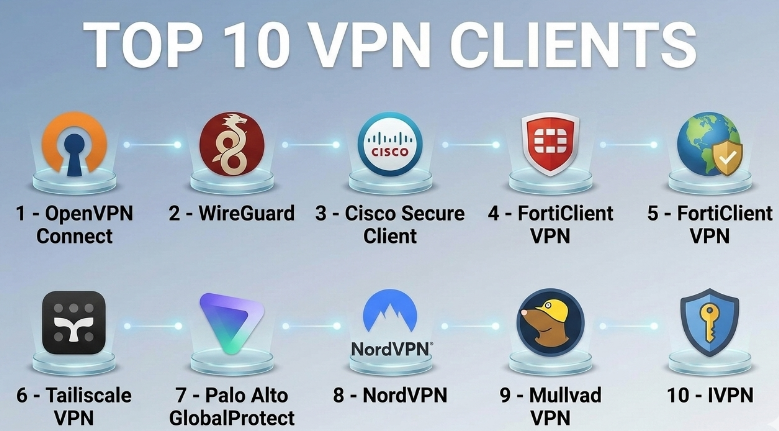
Top 10 VPN Clients
#1 — OpenVPN Connect
Short description :
OpenVPN Connect is the official VPN client for OpenVPN-based environments. It is widely used by businesses, IT teams, cloud administrators, and technical users who need secure remote access. It supports encrypted VPN connections and works well with OpenVPN Access Server and compatible VPN configurations. It is a strong option for teams that want a flexible, widely adopted, and standards-based VPN client. OpenVPN Connect is suitable for both business and technical environments.
Key Features
- Supports OpenVPN protocol
- Works with OpenVPN Access Server
- Cross-platform client support
- Certificate-based authentication
- Secure encrypted tunnel support
- Profile-based VPN configuration
- Suitable for business and personal VPN setups
Pros
- Widely recognized and trusted
- Flexible for many deployment types
- Good fit for self-hosted and business VPN setups
Cons
- Setup may feel technical for beginners
- Performance depends on server configuration
- Admin experience depends on the backend platform
Platforms / Deployment
Windows / macOS / Linux / iOS / Android
Cloud / Self-hosted / Hybrid
Security & Compliance
Supports encrypted VPN connections, certificate-based authentication, and secure tunneling. Specific compliance certifications are Not publicly stated.
Integrations & Ecosystem
OpenVPN Connect works well with OpenVPN-compatible servers and business remote access environments.
- OpenVPN Access Server
- Self-hosted VPN servers
- Cloud VM networks
- Certificate management workflows
- Identity and authentication systems
- Firewall and network security setups
Support & Community
OpenVPN has strong documentation, wide community usage, and commercial support options depending on the product edition. Community strength is high among IT and networking users.
#2 — WireGuard
Short description :
WireGuard is a modern VPN protocol and client approach known for simplicity, speed, and lightweight design. It is popular with developers, infrastructure teams, privacy-focused users, and technical administrators. WireGuard uses a clean configuration model and is often preferred for fast, stable VPN tunnels. It is best for users who want performance and control without a heavy enterprise client interface.
Key Features
- Lightweight VPN protocol
- Strong encryption design
- Fast connection performance
- Simple configuration model
- Cross-platform availability
- Good fit for self-hosted VPNs
- Low overhead compared with older VPN designs
Pros
- Fast and efficient
- Simple for technical users
- Strong fit for developer and infrastructure workflows
Cons
- Not a full enterprise management platform by itself
- Requires technical setup in many cases
- Native admin controls depend on surrounding tools
Platforms / Deployment
Windows / macOS / Linux / iOS / Android
Self-hosted / Hybrid
Security & Compliance
WireGuard is designed around modern encryption and secure tunnel creation. Enterprise compliance certifications are Not publicly stated.
Integrations & Ecosystem
WireGuard is commonly used with self-hosted VPN servers, cloud infrastructure, routers, and modern networking tools.
- Linux servers
- Cloud networks
- Routers and firewalls
- Infrastructure automation
- Container and lab environments
- Private network setups
Support & Community
WireGuard has strong technical documentation and a large open-source community. Enterprise support depends on vendors or platforms built around WireGuard.
#3 — Cisco Secure Client
Short description :
Cisco Secure Client, formerly associated with AnyConnect workflows, is an enterprise-grade VPN and secure access client used by large organizations. It is built for managed environments where IT teams need remote access, endpoint control, identity integration, and centralized policy management. It is best for enterprises with Cisco security infrastructure. Cisco Secure Client is more than a simple VPN client because it can be part of a broader security ecosystem.
Key Features
- Enterprise VPN access
- Centralized policy management
- Secure remote workforce support
- Identity and access integration
- Endpoint security ecosystem support
- Strong admin control options
- Suitable for large organizations
Pros
- Strong enterprise fit
- Works well in Cisco environments
- Useful for managed remote access programs
Cons
- May be complex for small teams
- Best value comes with Cisco ecosystem
- Licensing and setup can require planning
Platforms / Deployment
Windows / macOS / Linux / iOS / Android
Cloud / Hybrid / Enterprise-managed
Security & Compliance
Supports secure remote access, encryption, identity-based controls, and enterprise security workflows. Specific compliance details are Not publicly stated.
Integrations & Ecosystem
Cisco Secure Client fits best inside Cisco security and networking environments.
- Cisco security platforms
- Identity providers
- MFA systems
- Endpoint security tools
- Enterprise firewalls
- Network access policies
Support & Community
Cisco provides enterprise documentation, partner support, and commercial support channels. Community strength is high in enterprise networking teams.
#4 — FortiClient VPN
Short description :
FortiClient VPN is a VPN client commonly used with Fortinet security infrastructure. It is useful for businesses that rely on FortiGate firewalls and Fortinet network security tools. The client supports secure remote access and can be part of a broader endpoint and security fabric strategy. It is best for SMBs, mid-market teams, and enterprises already using Fortinet products.
Key Features
- SSL VPN and IPsec VPN support
- Works with FortiGate environments
- Remote user access
- Endpoint security ecosystem options
- Centralized management possibilities
- Cross-platform support
- Business-friendly VPN workflows
Pros
- Strong fit for Fortinet customers
- Good for business remote access
- Useful for firewall-integrated VPN setups
Cons
- Best experience depends on Fortinet ecosystem
- Setup may need network admin knowledge
- Advanced security features may require paid editions
Platforms / Deployment
Windows / macOS / Linux / iOS / Android
Hybrid / Enterprise-managed
Security & Compliance
Supports encrypted VPN access and Fortinet security ecosystem controls. Specific compliance certifications are Not publicly stated.
Integrations & Ecosystem
FortiClient VPN works best with Fortinet firewalls and security platforms.
- FortiGate
- Fortinet security fabric
- MFA systems
- Endpoint security tools
- Network access policies
- Firewall-based VPN workflows
Support & Community
Fortinet provides documentation and commercial support options. Community strength is strong among network administrators and Fortinet users.
#5 — Palo Alto GlobalProtect
Short description :
GlobalProtect is Palo Alto Networks’ VPN and secure access client for enterprise environments. It is often used by organizations that need secure remote access through Palo Alto firewalls and security platforms. GlobalProtect is suitable for enterprises, regulated environments, and teams that need policy-based access. It is a strong option when VPN access must align with broader network security controls.
Key Features
- Enterprise remote access
- Works with Palo Alto security platforms
- Policy-based access control
- Identity-aware access options
- Endpoint and network security integration
- Suitable for large organizations
- Centralized management
Pros
- Strong enterprise security fit
- Good for Palo Alto customers
- Supports managed access workflows
Cons
- Not ideal for users outside Palo Alto environments
- Requires skilled administration
- Licensing and deployment may be complex
Platforms / Deployment
Windows / macOS / Linux / iOS / Android
Hybrid / Enterprise-managed
Security & Compliance
Supports encrypted VPN access, identity-aware controls, and enterprise security policy enforcement. Specific compliance certifications are Not publicly stated.
Integrations & Ecosystem
GlobalProtect is tightly aligned with Palo Alto Networks security platforms.
- Palo Alto firewalls
- Identity providers
- MFA systems
- Endpoint security workflows
- Security policy platforms
- Enterprise network access controls
Support & Community
Palo Alto Networks provides enterprise documentation and support. Community strength is high among security and network operations teams.
#6 — Tailscale
Short description :
Tailscale is a modern VPN client and private networking platform built on WireGuard technology. It helps teams create secure private networks without complex traditional VPN setup. Tailscale is popular with developers, DevOps teams, startups, SMBs, and distributed engineering teams. It is especially useful for accessing private services, servers, databases, internal tools, and cloud resources with simple identity-based networking.
Key Features
- WireGuard-based private networking
- Easy device-to-device connectivity
- Identity-based access model
- Works across many platforms
- Good for developers and remote teams
- Access control policy support
- Useful for cloud and homelab environments
Pros
- Very easy compared with traditional VPNs
- Strong fit for distributed technical teams
- Good performance and simple onboarding
Cons
- May not replace every enterprise VPN need
- Requires understanding of private network design
- Some advanced controls may need paid plans
Platforms / Deployment
Windows / macOS / Linux / iOS / Android
Cloud / Hybrid
Security & Compliance
Uses WireGuard-based encrypted connectivity and identity-aware access controls. Specific compliance certifications are Not publicly stated.
Integrations & Ecosystem
Tailscale fits cloud-native and developer-focused environments.
- Identity providers
- Cloud servers
- Kubernetes environments
- Internal tools
- Databases
- Developer machines
Support & Community
Tailscale has strong documentation, active community usage, and plan-based support options. It is popular among developers and infrastructure teams.
#7 — Proton VPN
Short description :
Proton VPN is a privacy-focused VPN client used by individuals, remote workers, and privacy-conscious teams. It is designed to protect internet traffic, improve privacy, and support secure browsing across multiple devices. Proton VPN is not mainly an enterprise remote access VPN, but it is useful for users who need personal privacy, public Wi-Fi protection, and secure internet routing. It is best for privacy-first users and small teams with basic VPN needs.
Key Features
- Privacy-focused VPN client
- Multi-platform support
- Secure encrypted traffic
- Kill switch support
- Secure server routing options
- Simple user interface
- Useful for public Wi-Fi protection
Pros
- Strong privacy-focused positioning
- Easy to use across devices
- Good for individual and small-team users
Cons
- Not a full enterprise private network access solution
- Limited compared with business VPN management tools
- Not ideal for complex internal network access
Platforms / Deployment
Windows / macOS / Linux / iOS / Android
Cloud
Security & Compliance
Supports encrypted VPN traffic and privacy-focused security features. Specific enterprise compliance details are Not publicly stated.
Integrations & Ecosystem
Proton VPN is mainly part of a privacy and secure internet access ecosystem.
- Desktop VPN workflows
- Mobile VPN workflows
- Privacy-focused browsing
- Public Wi-Fi protection
- Personal security stack
- Consumer privacy tools
Support & Community
Proton VPN has documentation, user support, and a strong privacy-focused community. Business-grade onboarding varies by plan and use case.
#8 — NordVPN
Short description :
NordVPN is a widely recognized VPN client for individuals, remote workers, and small business users who need secure browsing and private internet access. It is known for a simple user interface, broad device support, and consumer-friendly VPN features. While it is not the same as a traditional enterprise internal access VPN, it is useful for privacy, encrypted browsing, public Wi-Fi safety, and remote work protection.
Key Features
- Cross-platform VPN client
- Encrypted internet traffic
- Kill switch support
- Split tunneling on supported platforms
- Large server network
- Simple app experience
- Useful for personal and small-team privacy
Pros
- Easy for non-technical users
- Broad platform support
- Good for public Wi-Fi and privacy needs
Cons
- Not designed as a full enterprise network VPN
- Internal app access requires different architecture
- Advanced business controls may require separate products
Platforms / Deployment
Windows / macOS / Linux / iOS / Android
Cloud
Security & Compliance
Supports encrypted VPN traffic and user security features. Enterprise compliance certifications are Not publicly stated.
Integrations & Ecosystem
NordVPN fits personal privacy and secure browsing workflows more than traditional corporate network access.
- Desktop VPN use
- Mobile VPN use
- Browser security workflows
- Public Wi-Fi protection
- Privacy-focused internet access
- Small-team security habits
Support & Community
NordVPN offers documentation, onboarding materials, and customer support. Community visibility is strong among consumer VPN users.
#9 — Mullvad VPN
Short description :
Mullvad VPN is a privacy-focused VPN client known for simple usage, strong privacy principles, and straightforward account handling. It is popular among privacy-focused users, technical users, journalists, researchers, and people who want secure internet traffic without unnecessary complexity. Mullvad is not designed as a corporate internal access VPN, but it is strong for privacy, secure browsing, and personal VPN use.
Key Features
- Privacy-focused VPN client
- Simple account model
- Cross-platform support
- WireGuard and OpenVPN support
- Kill switch support
- Secure encrypted traffic
- Minimalist client experience
Pros
- Strong privacy-first approach
- Simple and transparent usage model
- Good for technical privacy users
Cons
- Not built for enterprise private network access
- Limited team management features
- Not ideal for corporate admin workflows
Platforms / Deployment
Windows / macOS / Linux / iOS / Android
Cloud
Security & Compliance
Supports encrypted VPN traffic and privacy-focused access. Specific compliance certifications are Not publicly stated.
Integrations & Ecosystem
Mullvad fits privacy-first internet access workflows.
- Desktop VPN usage
- Mobile VPN usage
- WireGuard workflows
- OpenVPN workflows
- Privacy-focused browsing
- Public network protection
Support & Community
Mullvad has documentation and a strong reputation among privacy-focused users. Enterprise support options are Not publicly stated.
#10 — IVPN
Short description :
IVPN is a privacy-focused VPN client designed for users who want secure internet access, privacy protection, and a simple VPN experience. It is often considered by technical users and privacy-aware individuals who care about clear policies and secure browsing. IVPN is better suited for personal privacy and small-scale secure internet use than enterprise remote access. It is a good option when privacy, simplicity, and strong encryption are more important than corporate network management.
Key Features
- Privacy-focused VPN client
- Cross-platform support
- Encrypted VPN traffic
- WireGuard support
- Kill switch options
- Simple user interface
- Useful for secure browsing
Pros
- Good privacy-focused option
- Simple for daily secure browsing
- Supports modern VPN usage patterns
Cons
- Not a full enterprise VPN management platform
- Limited internal network access use cases
- Not ideal for large IT teams needing admin controls
Platforms / Deployment
Windows / macOS / Linux / iOS / Android
Cloud
Security & Compliance
Supports encrypted VPN traffic and privacy-focused security features. Specific compliance certifications are Not publicly stated.
Integrations & Ecosystem
IVPN is mainly useful for secure internet access and privacy workflows.
- Desktop VPN usage
- Mobile VPN usage
- WireGuard-based usage
- Public Wi-Fi protection
- Privacy-focused browsing
- Personal security workflows
Support & Community
IVPN provides documentation and support resources. Community strength is moderate among privacy-focused users.
Comparison Table
| Tool Name | Best For | Platform(s) Supported | Deployment | Standout Feature | Public Rating |
|---|---|---|---|---|---|
| OpenVPN Connect | Business and self-hosted VPN access | Windows / macOS / Linux / iOS / Android | Cloud / Self-hosted / Hybrid | Flexible OpenVPN-based access | N/A |
| WireGuard | Fast self-hosted VPN tunnels | Windows / macOS / Linux / iOS / Android | Self-hosted / Hybrid | Lightweight high-performance VPN protocol | N/A |
| Cisco Secure Client | Large enterprise remote access | Windows / macOS / Linux / iOS / Android | Cloud / Hybrid | Enterprise secure access ecosystem | N/A |
| FortiClient VPN | Fortinet-based business VPN | Windows / macOS / Linux / iOS / Android | Hybrid | FortiGate-integrated VPN access | N/A |
| Palo Alto GlobalProtect | Enterprise security-driven VPN | Windows / macOS / Linux / iOS / Android | Hybrid | Policy-based secure access | N/A |
| Tailscale | Developer and cloud-native private networks | Windows / macOS / Linux / iOS / Android | Cloud / Hybrid | WireGuard-based identity networking | N/A |
| Proton VPN | Privacy-focused users | Windows / macOS / Linux / iOS / Android | Cloud | Secure privacy-first VPN client | N/A |
| NordVPN | Personal and remote work privacy | Windows / macOS / Linux / iOS / Android | Cloud | Easy secure browsing experience | N/A |
| Mullvad VPN | Privacy-focused technical users | Windows / macOS / Linux / iOS / Android | Cloud | Simple privacy-first account model | N/A |
| IVPN | Privacy and secure browsing | Windows / macOS / Linux / iOS / Android | Cloud | Minimal privacy-focused VPN client | N/A |
Evaluation & VPN Clients
| Tool Name | Core (25%) | Ease (15%) | Integrations (15%) | Security (10%) | Performance (10%) | Support (10%) | Value (15%) | Weighted Total (0–10) |
|---|---|---|---|---|---|---|---|---|
| OpenVPN Connect | 9 | 7 | 8 | 8 | 8 | 8 | 8 | 8.05 |
| WireGuard | 8 | 7 | 8 | 9 | 10 | 8 | 9 | 8.35 |
| Cisco Secure Client | 9 | 7 | 9 | 9 | 8 | 9 | 7 | 8.30 |
| FortiClient VPN | 8 | 8 | 8 | 8 | 8 | 8 | 8 | 8.00 |
| Palo Alto GlobalProtect | 9 | 7 | 9 | 9 | 8 | 9 | 7 | 8.30 |
| Tailscale | 9 | 9 | 9 | 8 | 9 | 8 | 8 | 8.65 |
| Proton VPN | 8 | 9 | 6 | 8 | 8 | 8 | 8 | 7.85 |
| NordVPN | 8 | 9 | 6 | 8 | 8 | 8 | 8 | 7.85 |
| Mullvad VPN | 8 | 8 | 6 | 8 | 8 | 7 | 8 | 7.55 |
| IVPN | 8 | 8 | 6 | 8 | 8 | 7 | 7 | 7.40 |
These scores are comparative and should be used as a starting point, not as a final buying decision. Enterprise VPN clients score higher in admin control and ecosystem fit, while privacy VPN clients score well for personal secure browsing. Tailscale and WireGuard are strong for modern technical teams that want lightweight private networking. Always test performance, access rules, identity integration, and support fit before final selection.
Which VPN Clients
Solo / Freelancer
Solo users usually need simple setup, privacy, and secure internet access. Proton VPN, NordVPN, Mullvad VPN, and IVPN are useful for secure browsing and public Wi-Fi protection. Technical freelancers may prefer WireGuard or Tailscale for private access to servers and development environments.
Recommended shortlist:
- Proton VPN
- NordVPN
- Mullvad VPN
- WireGuard
- Tailscale
SMB
Small businesses need simple deployment, reliable access, and manageable security. OpenVPN Connect is a good fit for traditional business VPN setups. FortiClient VPN works well for companies using Fortinet firewalls. Tailscale is strong for small technical teams that want private access without heavy VPN administration.
Recommended shortlist:
- OpenVPN Connect
- FortiClient VPN
- Tailscale
- WireGuard
Mid-Market
Mid-market teams usually need better access control, scalability, user management, and security visibility. OpenVPN Connect, Tailscale, Cisco Secure Client, and Palo Alto GlobalProtect can fit depending on infrastructure. Companies already using Fortinet or Palo Alto products should consider their matching VPN clients first.
Recommended shortlist:
- Tailscale
- OpenVPN Connect
- Cisco Secure Client
- Palo Alto GlobalProtect
- FortiClient VPN
Enterprise
Enterprises should prioritize identity integration, MFA, access policies, endpoint posture, centralized management, and support. Cisco Secure Client, Palo Alto GlobalProtect, and FortiClient VPN are strong choices for enterprise-managed environments. Tailscale may also fit modern engineering-led organizations that need secure private networking with simpler operations.
Recommended shortlist:
- Cisco Secure Client
- Palo Alto GlobalProtect
- FortiClient VPN
- Tailscale
Budget vs Premium
Budget-focused users can consider WireGuard, OpenVPN Connect, and privacy VPN clients depending on their use case. These options can provide strong value when the team has technical skills.
Premium enterprise tools are better when the company needs centralized administration, support, identity integration, endpoint controls, and policy enforcement. In those cases, the extra cost may be justified by lower risk and easier management.
Feature Depth vs Ease of Use
For ease of use, Tailscale, NordVPN, Proton VPN, and IVPN are simpler for daily users. For deeper enterprise control, Cisco Secure Client, Palo Alto GlobalProtect, and FortiClient VPN are stronger.
For technical flexibility, WireGuard and OpenVPN Connect are excellent choices, but they may require more setup knowledge.
Integrations & Scalability-
For scalable business use, choose a VPN client that integrates with identity providers, MFA, firewall policies, endpoint controls, and cloud infrastructure. Cisco Secure Client, GlobalProtect, and FortiClient VPN are strong for security ecosystems. Tailscale is strong for developer-friendly private networking and cloud access.
Security & Compliance Needs
Security-focused teams should check MFA, encryption, key management, audit logs, admin controls, device posture, and policy enforcement. Do not assume a VPN client is compliant just because it is popular. If compliance is important, verify vendor documentation, contracts, and internal security requirements before adoption.
Frequently Asked Questions
1. What is a VPN client?
A VPN client is software that creates a secure encrypted connection from your device to a private network or VPN service. It helps protect traffic and allows secure access to internal systems or private resources.
2. Are VPN clients still needed?
Yes, VPN clients are still useful for remote work, server access, branch connectivity, public Wi-Fi protection, and private network access. Some companies may replace parts of VPN usage with zero-trust tools, but VPNs remain practical.
3. What is the difference between business VPN and personal VPN?
A business VPN usually gives employees access to internal company systems. A personal VPN mainly protects browsing traffic and privacy. Business VPNs need stronger admin controls, user policies, and access management.
4. Which VPN client is best for enterprises?
Enterprises often consider Cisco Secure Client, Palo Alto GlobalProtect, FortiClient VPN, OpenVPN Connect, and Tailscale. The best option depends on the company’s firewall, identity provider, security policies, and compliance needs.
5. Which VPN client is best for privacy?
Privacy-focused users often consider Proton VPN, Mullvad VPN, IVPN, or NordVPN. These tools are mainly designed for secure browsing and privacy, not complex enterprise internal access.
6. What pricing models are common for VPN clients?
VPN clients may be free, open-source, subscription-based, user-based, device-based, or bundled with firewall/security products. Enterprise pricing often depends on users, support level, and security ecosystem requirements.
7. What are common VPN implementation mistakes?
Common mistakes include weak authentication, no MFA, poor split tunneling rules, unmanaged devices, shared credentials, no logging policy, and not testing performance before rollout. Clear policies and pilot testing help avoid these issues.
8. Do VPN clients slow down internet speed?
VPNs can reduce speed because traffic is encrypted and routed through another network path. Performance depends on protocol, server location, network quality, device power, and configuration. WireGuard-based tools often perform well.
9. Can VPN clients scale for large teams?
Yes, but scaling depends on the tool and architecture. Enterprises need centralized management, identity integration, policy enforcement, monitoring, and support. Consumer VPN tools are usually not enough for large internal access programs.
10. What integrations should VPN clients support?
Important integrations include MFA, SSO, identity providers, firewalls, endpoint security tools, cloud networks, audit systems, and device management platforms. These integrations help improve security and simplify administration.
Conclusion
VPN clients remain important for secure access, remote work, private networking, and internet protection. The best VPN client depends on the user’s real need. A privacy-focused user may choose Proton VPN, Mullvad VPN, IVPN, or NordVPN. A technical user may prefer WireGuard, OpenVPN Connect, or Tailscale. A large enterprise may need Cisco Secure Client, Palo Alto GlobalProtect, or FortiClient VPN because these tools fit stronger security and management requirements.
