Introduction
SSH clients are tools that help users securely connect to remote servers, cloud instances, network devices, containers, and development environments through the Secure Shell protocol. In plain English, an SSH client lets you open a secure remote terminal so you can manage systems without being physically present near them.
In environments, SSH clients matter because infrastructure is more distributed than ever. Teams work across cloud, hybrid, edge, Kubernetes, DevOps platforms, and remote-first operations. A good SSH client is no longer only a black terminal window. Modern teams expect session management, secure key handling, SFTP, multi-tab workflows, automation, audit support, team sharing, and sometimes AI-assisted command support.
Common use cases include:
- Managing Linux servers and cloud VMs
- Accessing production environments securely
- Connecting to network devices
- Running DevOps and SRE troubleshooting commands
- Transferring files through SFTP/SCP
- Managing multi-server workflows
Buyers should evaluate:
- Platform support
- SSH key management
- Ease of session organization
- SFTP/SCP support
- Security controls
- Team collaboration
- Automation and scripting
- Performance with many sessions
- Pricing and licensing
- Support and documentation
Best for: DevOps engineers, system administrators, SRE teams, network engineers, cloud engineers, developers, managed service providers, and IT teams managing remote infrastructure across small, mid-sized, and enterprise environments.
Not ideal for: Users who only need occasional browser-based server access, non-technical users who do not manage infrastructure, or teams already using fully managed cloud shell environments where a standalone SSH client is unnecessary.
Key Trends in SSH Clients
- Cross-platform access is now expected: Teams want SSH clients that work across Windows, macOS, Linux, iOS, and Android.
- Secure credential storage is becoming more important: SSH keys, passwords, identities, and certificates must be protected carefully.
- Team-based vaults and shared sessions are growing: Modern teams need controlled sharing instead of manually passing server details.
- SFTP and file transfer are expected inside the client: Many users prefer one tool for terminal access and file movement.
- Cloud and hybrid infrastructure drive demand: SSH clients must support cloud VMs, private servers, jump hosts, bastion hosts, and VPN-based access.
- Automation matters more: Scripts, snippets, command broadcasting, macros, and saved commands help reduce repetitive work.
- Security teams expect better visibility: Audit logs, access controls, and role-based workflows are becoming more important for organizations.
- AI assistance is emerging carefully: Some tools may add AI command suggestions, documentation help, or troubleshooting support, but SSH users still need strong manual control.
- Portable and lightweight clients remain popular: Many admins still prefer simple tools that launch quickly and do not require heavy setup.
- Terminal customization is now practical, not cosmetic: Themes, profiles, fonts, split panes, and shortcuts improve daily productivity.
How We Selected These Tools
The tools below were selected using practical evaluation logic:
- Strong market adoption and long-term recognition
- Useful SSH-focused features for real-world work
- Support for common operating systems
- Reliability for server, cloud, and network access
- Secure authentication and key handling capabilities
- Fit for developers, admins, SMBs, and enterprises
- Availability of documentation and user community
- Ecosystem value, including SFTP, scripting, tabs, and session management
- Balance between commercial, free, and open-source options
- Practical usefulness for modern 2026+ infrastructure workflows
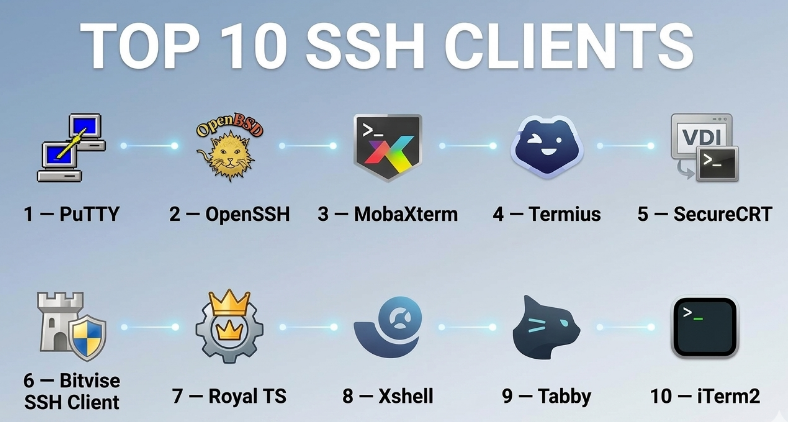
Top 10 SSH Clients
#1 — PuTTY
Short description :
PuTTY is one of the most widely recognized SSH clients, especially for Windows users. It is lightweight, simple, and trusted by many system administrators for basic remote access. It supports SSH, Telnet, serial connections, and key-based authentication through PuTTYgen. PuTTY is best for users who want a free, fast, and no-frills SSH client. It is not the most modern-looking option, but it remains highly practical for everyday server access.
Key Features
- Lightweight SSH and Telnet client
- Supports saved sessions
- Public key authentication support
- PuTTYgen for key generation
- Serial connection support
- Simple terminal configuration
- Free and widely used
Pros
- Very lightweight and easy to install
- Reliable for basic SSH access
- Good fit for Windows administrators
Cons
- Interface feels dated
- Limited team collaboration features
- Not ideal for users needing built-in SFTP workflows
Platforms / Deployment
Windows / Linux
Self-hosted / Local desktop
Security & Compliance
Supports SSH encryption and public key authentication. Enterprise compliance certifications are Not publicly stated.
Integrations & Ecosystem
PuTTY works well with traditional server administration workflows and can be combined with other utilities for key generation, file transfer, and scripting.
- PuTTYgen
- Pageant SSH agent
- PSCP
- PSFTP
- Windows admin workflows
- Command-line usage
Support & Community
PuTTY has a large user base, many tutorials, and long-standing community familiarity. Official enterprise support tiers are Not publicly stated.
#2 — OpenSSH
Short description :
OpenSSH is the standard SSH client and server suite used across Linux, macOS, BSD systems, and Windows environments. It is command-line focused and preferred by developers, DevOps engineers, and system administrators who want a native, scriptable, and standards-based SSH experience. OpenSSH is especially strong for automation, CI/CD workflows, jump hosts, tunnels, and secure remote administration. It is best for technical users who are comfortable with terminal-based workflows.
Key Features
- Native SSH command-line client
- SSH key-based authentication
- SCP and SFTP support
- SSH tunneling and port forwarding
- ProxyJump and bastion host support
- Config file support for reusable profiles
- Strong scripting and automation fit
Pros
- Standard across many operating systems
- Excellent for automation and DevOps workflows
- Lightweight and highly reliable
Cons
- No graphical session manager by default
- Less beginner-friendly than GUI tools
- Requires command-line comfort
Platforms / Deployment
Windows / macOS / Linux / BSD
Self-hosted / Local system
Security & Compliance
Supports strong SSH encryption, public key authentication, agent forwarding, tunneling, and configuration-based security controls. Certifications are Not publicly stated.
Integrations & Ecosystem
OpenSSH integrates naturally with operating systems, scripts, DevOps pipelines, cloud environments, and infrastructure tooling.
- Linux and Unix shells
- Windows terminal workflows
- Git over SSH
- CI/CD pipelines
- Cloud VM access
- Automation scripts
Support & Community
OpenSSH has excellent documentation and a very large technical community. Commercial support depends on the operating system or vendor distribution.
#3 — MobaXterm
Short description :
MobaXterm is a powerful Windows-focused SSH client that combines terminal access, X11 server support, SFTP, remote session management, and multiple network tools in one interface. It is popular among system administrators, network engineers, DevOps teams, and users who manage many remote systems from Windows. MobaXterm is especially useful when users need SSH plus graphical X11 forwarding, tabs, file transfer, and session organization. It offers both free and professional editions.
Key Features
- Tabbed SSH sessions
- Built-in SFTP browser
- X11 server support
- RDP, VNC, Telnet, and serial session options
- Session manager
- Portable and installer versions
- Network tools included
Pros
- Very feature-rich for Windows users
- Strong all-in-one admin toolkit
- Useful for SSH plus file transfer workflows
Cons
- Primarily Windows-focused
- Interface can feel busy for beginners
- Advanced business features may require paid edition
Platforms / Deployment
Windows
Local desktop / Self-hosted
Security & Compliance
Supports SSH encrypted connections and secure file transfer. Enterprise compliance details are Not publicly stated.
Integrations & Ecosystem
MobaXterm works well for Windows-based admin teams that need several remote access protocols in one place.
- SSH
- SFTP
- SCP
- RDP
- VNC
- X11 forwarding
Support & Community
Documentation is available, and the tool has strong visibility among Windows administrators. Professional support is generally tied to paid editions.
#4 — Termius
Short description :
Termius is a modern SSH client designed for individuals and teams that want a clean interface, cross-platform access, device syncing, secure credential storage, and organized host management. It is useful for developers, DevOps engineers, cloud administrators, and teams that work across desktop and mobile devices. Termius stands out because it focuses on modern usability, encrypted vaults, team sharing, and mobile-friendly SSH access. It is a strong option for users who want more than a traditional terminal.
Key Features
- Cross-platform SSH access
- Host and identity management
- Encrypted vault-based storage
- SFTP support
- Team collaboration features
- Mobile SSH access
- Sync across devices
Pros
- Modern and clean interface
- Strong cross-device experience
- Good for teams managing shared infrastructure data
Cons
- Some advanced features may require paid plans
- Cloud-sync model may not fit every security policy
- Less minimal than command-line-only tools
Platforms / Deployment
Windows / macOS / Linux / iOS / Android
Cloud / Local desktop / Hybrid
Security & Compliance
Supports encrypted vaults and secure credential storage. Specific compliance certifications are Not publicly stated.
Integrations & Ecosystem
Termius fits well with cloud operations, remote server administration, and team-based infrastructure workflows.
- SSH
- SFTP
- Team vaults
- Mobile workflows
- Cloud server access
- Identity and key management
Support & Community
Termius provides documentation, onboarding resources, and plan-based support. Community visibility is strong among modern developers and mobile-first users.
#5 — SecureCRT
Short description :
SecureCRT is a professional SSH and terminal emulation client designed for enterprise users, network engineers, system administrators, and operations teams. It supports SSH, Telnet, serial access, tabbed sessions, scripting, logging, and advanced terminal emulation. SecureCRT is best for organizations that need reliability, session control, automation, and mature administrative features. It is especially useful in network device management and enterprise remote access workflows.
Key Features
- SSH and terminal emulation
- Tabbed sessions and session management
- Scripting and automation support
- Logging capabilities
- Secure file transfer support with related tools
- Multi-protocol access
- Strong customization options
Pros
- Mature enterprise-grade tool
- Strong for network and infrastructure teams
- Good automation and session management
Cons
- Paid commercial software
- May feel heavy for casual users
- Interface requires some learning
Platforms / Deployment
Windows / macOS / Linux
Local desktop / Self-hosted
Security & Compliance
Supports SSH encryption, authentication controls, tunneling, and secure remote access. Specific compliance details are Not publicly stated.
Integrations & Ecosystem
SecureCRT is useful in enterprise IT environments where terminal access, automation, and logging matter.
- SSH
- Telnet
- Serial
- RDP on supported environments
- Scripting workflows
- Secure file transfer ecosystem
Support & Community
SecureCRT has professional documentation and commercial support options. It is well known among enterprise administrators and network operations teams.
#6 — Bitvise SSH Client
Short description :
Bitvise SSH Client is a Windows SSH client focused on secure remote login, SFTP file transfer, tunneling, and terminal access. It is commonly used by Windows users who need a practical SSH tool with file transfer and port forwarding features. Bitvise is especially useful for administrators who want a GUI-based SSH client with integrated terminal and SFTP capabilities. It is not as broad as some all-in-one admin suites, but it is strong for secure Windows SSH workflows.
Key Features
- SSH terminal access
- Graphical SFTP file transfer
- Port forwarding and tunneling
- Public key authentication
- Session profiles
- Command-line options
- Windows-focused interface
Pros
- Good Windows SSH and SFTP experience
- Useful tunneling features
- Practical for admin workflows
Cons
- Windows-focused
- Less suitable for macOS/Linux users
- Team collaboration features are limited
Platforms / Deployment
Windows
Local desktop / Self-hosted
Security & Compliance
Supports SSH encryption, key authentication, and tunneling. Compliance certifications are Not publicly stated.
Integrations & Ecosystem
Bitvise works well for Windows users who need SSH and SFTP in one tool.
- SSH
- SFTP
- Port forwarding
- Windows server workflows
- Command-line usage
- Remote administration
Support & Community
Documentation is available, and support depends on licensing and edition. Community visibility is moderate among Windows administrators.
#7 — Royal TS
Short description :
Royal TS is a remote connection management platform that supports SSH along with many other connection types. It is useful for IT teams, managed service providers, administrators, and enterprises that need to organize many remote systems in one place. Royal TS is not only an SSH client; it is more of a connection management tool. It works well when users need centralized organization, credentials, team sharing, and multiple protocol support.
Key Features
- SSH connection management
- Remote desktop and protocol support
- Credential management
- Team sharing options
- Document-based connection organization
- Plugin-based extensibility
- Useful for MSP and IT operations
Pros
- Strong for managing many connections
- Good fit for multi-protocol environments
- Helpful for teams and MSPs
Cons
- More complex than simple SSH tools
- May be unnecessary for solo users
- Some features depend on licensing
Platforms / Deployment
Windows / macOS / iOS / Android
Local desktop / Hybrid
Security & Compliance
Supports credential management and access organization. Specific compliance certifications are Not publicly stated.
Integrations & Ecosystem
Royal TS fits teams that manage SSH, RDP, VNC, and other remote access sessions together.
- SSH
- RDP
- VNC
- Credential stores
- Team documents
- Plugin ecosystem
Support & Community
Royal TS provides documentation and commercial support. It has a strong following among IT operations and managed service teams.
#8 — Xshell
Short description :
Xshell is a professional terminal emulator and SSH client used by administrators, network engineers, and technical teams that need secure remote access with advanced session handling. It supports SSH, Telnet, serial, tabs, scripting, and session organization. Xshell is especially useful for users who manage many servers or network devices from a Windows environment. It offers a polished interface and productivity features for frequent terminal users.
Key Features
- SSH and terminal emulation
- Tabbed session interface
- Session management
- Scripting support
- Multiple protocol support
- Custom keyboard and terminal settings
- Useful for network device access
Pros
- Strong terminal productivity features
- Good for network and server admins
- Polished Windows-focused experience
Cons
- Mainly used in Windows-heavy environments
- Advanced usage may require configuration
- Licensing may matter for business use
Platforms / Deployment
Windows
Local desktop / Self-hosted
Security & Compliance
Supports SSH secure access and key-based authentication. Specific compliance certifications are Not publicly stated.
Integrations & Ecosystem
Xshell is useful in infrastructure and network operations environments.
- SSH
- Telnet
- Serial
- Session folders
- Scripting workflows
- Terminal customization
Support & Community
Documentation and commercial support are available depending on licensing. It has strong recognition among network and infrastructure professionals.
#9 — Tabby
Short description :
Tabby is a modern, open-source terminal application that includes SSH client capabilities. It is designed for users who want a customizable terminal experience with tabs, themes, plugins, profiles, and cross-platform support. Tabby is useful for developers, DevOps engineers, and power users who want a modern alternative to older terminal tools. It is not purely an enterprise SSH management platform, but it is strong for everyday developer workflows.
Key Features
- Modern terminal interface
- SSH profile support
- Tabs and panes
- Plugin support
- Custom themes
- Cross-platform desktop support
- Open-source community model
Pros
- Modern and customizable
- Good developer experience
- Cross-platform support
Cons
- May not fit strict enterprise control needs
- Some advanced workflows depend on plugins
- Less focused on enterprise audit features
Platforms / Deployment
Windows / macOS / Linux
Local desktop / Self-hosted
Security & Compliance
Supports SSH connectivity. Enterprise compliance details are Not publicly stated.
Integrations & Ecosystem
Tabby works well for developers who want one customizable terminal for local shell and remote SSH access.
- SSH profiles
- Local shells
- Plugins
- Themes
- Developer workflows
- Cross-platform terminal usage
Support & Community
Tabby has an open-source community and documentation. Formal enterprise support is Not publicly stated.
#10 — iTerm2
Short description :
iTerm2 is a popular macOS terminal emulator often used with OpenSSH for remote server access. While it is not only an SSH client, many developers and DevOps engineers use it daily for SSH sessions, split panes, profiles, search, hotkeys, and productivity workflows. It is best for macOS users who prefer terminal-based SSH with a powerful local terminal experience. iTerm2 is especially useful for engineers who want speed, customization, and strong keyboard-driven workflows.
Key Features
- Advanced macOS terminal experience
- Works well with OpenSSH
- Split panes and tabs
- Profiles and shortcuts
- Search and session productivity features
- Custom themes and fonts
- Strong developer workflow fit
Pros
- Excellent for macOS power users
- Highly customizable terminal workflow
- Strong productivity features
Cons
- macOS-only
- Not a full team SSH management platform
- Requires command-line comfort
Platforms / Deployment
macOS
Local desktop / Self-hosted
Security & Compliance
Security depends mainly on OpenSSH and local system configuration. Compliance certifications are Not publicly stated.
Integrations & Ecosystem
iTerm2 integrates naturally with macOS developer workflows and command-line tools.
- OpenSSH
- Zsh/Bash/Fish shells
- Git
- Cloud CLI tools
- Kubernetes CLI tools
- Developer scripts
Support & Community
iTerm2 has strong documentation and a large macOS developer community. Enterprise support is Not publicly stated.
Comparison Table
| Tool Name | Best For | Platform(s) Supported | Deployment | Standout Feature | Public Rating |
|---|---|---|---|---|---|
| PuTTY | Basic Windows SSH access | Windows / Linux | Self-hosted | Lightweight classic SSH client | N/A |
| OpenSSH | Developers and automation-heavy teams | Windows / macOS / Linux / BSD | Self-hosted | Native command-line SSH standard | N/A |
| MobaXterm | Windows admins needing SSH plus tools | Windows | Self-hosted | Built-in X11, SFTP, and remote tools | N/A |
| Termius | Cross-platform users and teams | Windows / macOS / Linux / iOS / Android | Cloud / Hybrid | Sync, vaults, and team SSH workflows | N/A |
| SecureCRT | Enterprise and network operations teams | Windows / macOS / Linux | Self-hosted | Mature terminal emulation and scripting | N/A |
| Bitvise SSH Client | Windows SSH and SFTP users | Windows | Self-hosted | Integrated SSH, SFTP, and tunneling | N/A |
| Royal TS | IT teams managing many remote connections | Windows / macOS / iOS / Android | Hybrid | Multi-protocol connection management | N/A |
| Xshell | Network engineers and Windows admins | Windows | Self-hosted | Professional terminal and session control | N/A |
| Tabby | Developers wanting a modern terminal | Windows / macOS / Linux | Self-hosted | Open-source terminal with SSH profiles | N/A |
| iTerm2 | macOS developers and power users | macOS | Self-hosted | Advanced macOS terminal productivity | N/A |
Evaluation & SSH Clients
| Tool Name | Core (25%) | Ease (15%) | Integrations (15%) | Security (10%) | Performance (10%) | Support (10%) | Value (15%) | Weighted Total (0–10) |
|---|---|---|---|---|---|---|---|---|
| PuTTY | 7 | 7 | 6 | 7 | 8 | 7 | 9 | 7.30 |
| OpenSSH | 9 | 7 | 9 | 9 | 9 | 8 | 10 | 8.75 |
| MobaXterm | 9 | 8 | 8 | 7 | 8 | 8 | 8 | 8.15 |
| Termius | 8 | 9 | 8 | 8 | 8 | 8 | 7 | 8.00 |
| SecureCRT | 9 | 8 | 8 | 8 | 9 | 9 | 7 | 8.30 |
| Bitvise SSH Client | 8 | 8 | 7 | 8 | 8 | 7 | 8 | 7.75 |
| Royal TS | 8 | 7 | 9 | 8 | 8 | 8 | 7 | 7.90 |
| Xshell | 8 | 8 | 7 | 8 | 8 | 8 | 7 | 7.75 |
| Tabby | 7 | 8 | 8 | 7 | 8 | 7 | 9 | 7.75 |
| iTerm2 | 7 | 8 | 8 | 7 | 9 | 8 | 9 | 8.00 |
These scores are comparative, not absolute. A higher score does not always mean the tool is the best choice for every team. For example, OpenSSH scores high for automation and standards-based workflows, while Termius may be better for mobile and team-friendly usage. Enterprises may prefer SecureCRT or Royal TS because of mature management features. Solo users may prefer PuTTY, Tabby, OpenSSH, or iTerm2 because they are lightweight and cost-effective.
Which SSH Clients
Solo / Freelancer
Solo users usually need speed, simplicity, and low cost. OpenSSH is the best choice for users comfortable with the command line. PuTTY remains useful for Windows users who want a simple free tool. Tabby is a good fit for users who want a modern interface, and iTerm2 is excellent for macOS developers.
Recommended shortlist:
- OpenSSH
- PuTTY
- Tabby
- iTerm2
SMB
Small and medium businesses often need a balance of ease, security, and team productivity. Termius is useful when team members need shared hosts and cross-device access. MobaXterm is strong for Windows-heavy teams. Bitvise SSH Client works well when integrated SFTP and tunneling are important.
Recommended shortlist:
- Termius
- MobaXterm
- Bitvise SSH Client
- OpenSSH
Mid-Market
Mid-market teams usually manage more servers, more environments, and more access patterns. They may need structured session management, credential handling, and better operational consistency. Royal TS is strong for managing many remote connections. SecureCRT is useful for infrastructure and network teams. Termius can work well for modern distributed teams.
Recommended shortlist:
- Royal TS
- SecureCRT
- Termius
- MobaXterm
Enterprise
Enterprise buyers should focus on security, access governance, team workflows, audit needs, support, and standardization. SecureCRT is a strong fit for mature enterprise terminal access. Royal TS is useful for centralized connection management. OpenSSH remains important for automation and Linux-based infrastructure workflows.
Recommended shortlist:
- SecureCRT
- Royal TS
- OpenSSH
- Termius
Budget vs Premium
For budget-conscious users, OpenSSH, PuTTY, Tabby, and iTerm2 provide strong value. These tools are practical, lightweight, and suitable for many technical users.
Premium tools such as SecureCRT, Royal TS, Termius, and MobaXterm Professional may be worth the cost when teams need better organization, support, session sharing, advanced workflows, or multi-protocol management.
Feature Depth vs Ease of Use
If ease of use matters most, Termius, MobaXterm, and Bitvise SSH Client are strong choices because they provide graphical workflows.
If feature depth matters more, SecureCRT, Royal TS, and OpenSSH are better for advanced users, enterprise admins, and teams that need scripting, automation, or broader remote access control.
Integrations & Scalability-
For scalable technical environments, OpenSSH is excellent because it integrates naturally with automation, Git, cloud tools, scripts, and CI/CD pipelines. Royal TS scales well for teams managing many remote connection types. Termius works well when cross-device syncing and team vaults matter.
Security & Compliance Needs
Security-focused teams should avoid choosing based only on interface design. They should evaluate key storage, MFA options, audit needs, credential sharing rules, access control, and internal compliance policies. OpenSSH is strong for standards-based control, while SecureCRT, Royal TS, and Termius may suit teams needing more structured workflows. For strict compliance, buyers should verify certifications directly with vendors before purchase.
Frequently Asked Questions
1. What is an SSH client?
An SSH client is software that lets you securely connect to a remote server or device. It creates an encrypted terminal session so users can run commands, manage files, troubleshoot systems, and perform administration tasks.
2. Are free SSH clients good enough?
Yes, free SSH clients can be excellent for many users. OpenSSH, PuTTY, Tabby, and iTerm2 are strong options. Paid tools become more useful when teams need collaboration, advanced session management, support, or enterprise workflows.
3. Which SSH client is best for Windows?
For Windows, popular choices include PuTTY, MobaXterm, Bitvise SSH Client, SecureCRT, Xshell, Termius, Tabby, and OpenSSH. The right choice depends on whether the user wants a simple tool, an all-in-one admin suite, or a modern team-friendly interface.
4. Which SSH client is best for macOS?
macOS users often prefer OpenSSH through the terminal, iTerm2, Termius, SecureCRT, Tabby, or Royal TS. iTerm2 is strong for power users, while Termius is easier for users who want organized hosts and cross-device syncing.
5. What pricing models are common for SSH clients?
SSH clients may be free, open-source, freemium, one-time paid, or subscription-based. Enterprise tools may include paid support, team features, commercial licensing, and professional editions. Pricing can vary by user, team, or edition.
6. What are common mistakes when choosing an SSH client?
A common mistake is choosing only based on popularity. Teams should also check security policies, key management, platform support, session organization, file transfer needs, automation, and whether the tool fits their daily workflow.
7. Are SSH clients secure?
SSH clients are secure when configured properly. Security depends on strong encryption, trusted hosts, key management, MFA where available, safe credential storage, and avoiding weak passwords. Poor configuration can still create risk.
8. Do SSH clients support file transfer?
Many SSH clients support SFTP or SCP. MobaXterm, Termius, Bitvise SSH Client, SecureCRT ecosystems, and OpenSSH workflows can support secure file transfer. Some tools include graphical file transfer, while others use command-line methods.
9. Can SSH clients scale for enterprise teams?
Yes, but not every client scales the same way. Enterprises usually need session organization, role control, credential policies, support, and audit-friendly workflows. SecureCRT, Royal TS, Termius, and OpenSSH-based standards can fit different enterprise needs.
10. How difficult is onboarding an SSH client?
Basic onboarding is usually simple. Advanced onboarding can take more time when teams need shared sessions, key rotation, bastion hosts, SSO, vault policies, or standardized configuration files. Documentation and internal guidelines help reduce mistakes.
Conclusion
SSH clients remain a core part of modern IT, DevOps, cloud, and infrastructure operations. The best SSH client depends on the user’s role, operating system, team size, security needs, and daily workflow. A solo developer may be fully satisfied with OpenSSH, PuTTY, Tabby, or iTerm2. A Windows administrator may prefer MobaXterm, Bitvise SSH Client, or Xshell. A mid-market or enterprise team may need SecureCRT, Royal TS, or Termius because session management, credential handling, support, and team workflows become more important at scale.
