Introduction
User onboarding tools help companies guide new users inside a product, app, platform, or software workflow. In simple words, these tools help users understand what to do next after they sign up, log in, or start using a new feature. They can show product tours, tooltips, checklists, banners, walkthroughs, help messages, surveys, and behavior-based guidance.
For modern SaaS and digital products, onboarding is no longer only a welcome screen. It is a complete activation journey. Teams use onboarding tools to reduce confusion, improve product adoption, lower support tickets, increase trial-to-paid conversion, and help users reach value faster.
Common use cases include:
- Guiding new users through first setup
- Showing product tours for complex features
- Creating onboarding checklists
- Announcing new features inside the product
- Segmenting guidance by user role, plan, or behavior
Buyers should evaluate:
- Ease of setup
- No-code builder quality
- Segmentation and targeting
- Analytics and reporting
- Integrations
- Security controls
- Scalability
- Pricing model
- Support quality
- Fit for product, customer success, and growth teams
Best for: SaaS companies, product teams, customer success teams, growth teams, digital adoption teams, and businesses that want to improve activation, adoption, and retention.
Not ideal for: very simple websites, small static tools, teams without enough product traffic, or companies that only need basic email onboarding instead of in-app guidance.
Key Trends in User Onboarding Tools
- AI-assisted onboarding flows are becoming more common, helping teams create product tours, message copy, and user journeys faster.
- Personalized onboarding is now more important than generic product tours. Users expect guidance based on role, industry, use case, plan, and behavior.
- Product analytics and onboarding are merging, allowing teams to see where users drop off and then create guidance at the exact friction point.
- No-code builders are improving, making it easier for product managers and customer success teams to launch onboarding experiences without engineering support.
- Enterprise digital adoption is expanding, especially for internal tools like CRM, ERP, HR software, and finance platforms.
- Compliance and privacy expectations are higher, especially when onboarding tools collect behavioral data inside business applications.
- Integrations matter more than standalone features, because onboarding data must connect with CRM, support, analytics, email, and data warehouse tools.
- Pricing is becoming more usage-based, often depending on monthly active users, seats, tracked users, or feature packages.
- Mobile onboarding is growing, especially for products with both web and app experiences.
- Self-service customer education is rising, combining onboarding flows, help centers, chat, and knowledge bases.
How We Selected These Tools
The tools in this list were selected based on:
- Strong market visibility in user onboarding, product adoption, or digital adoption
- Practical use for SaaS, product-led growth, customer success, and enterprise adoption
- Availability of key onboarding features such as tours, tooltips, checklists, surveys, and segmentation
- Ability to support different company sizes, from startups to enterprises
- Integration potential with analytics, CRM, support, and communication platforms
- Fit for both customer-facing onboarding and internal software adoption
- Ease of use for non-technical teams
- Breadth of use cases across web apps, mobile apps, and enterprise software
- Practical value for improving activation, engagement, and retention
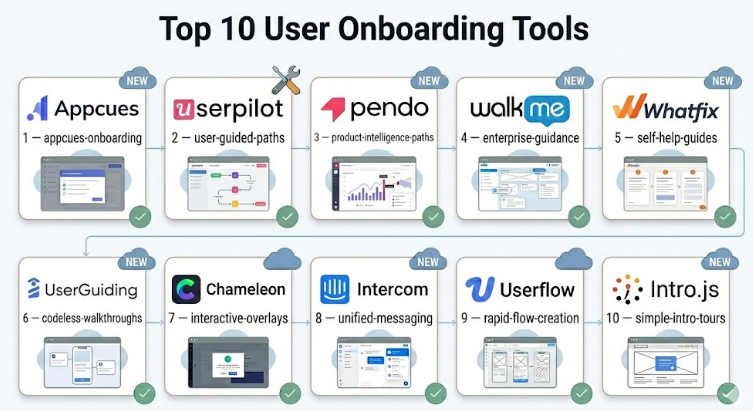
Top 10 User Onboarding Tools
#1 — Appcues
Short description :
Appcues is a popular user onboarding and product adoption platform built mainly for SaaS teams. It helps product, growth, and customer success teams create in-app experiences without heavy engineering work. Teams can build product tours, onboarding checklists, modals, slideouts, tooltips, and announcements. Appcues is useful for improving activation, guiding new users, and promoting feature adoption. It is often a strong fit for companies that want a dedicated onboarding layer on top of their product.
Key Features
- No-code onboarding flow builder
- Product tours, modals, slideouts, and tooltips
- Onboarding checklists
- User segmentation and targeting
- Feature announcements
- Basic engagement and flow analytics
- Integration support with product and marketing tools
Pros
- Easy for product and growth teams to use
- Strong fit for SaaS onboarding and activation
- Good balance between flexibility and usability
Cons
- Advanced use cases may need planning and experimentation
- Pricing may not suit very small teams
- Deep analytics may require additional tools
Platforms / Deployment
Web / Cloud
Security & Compliance
Not publicly stated in this evaluation. Buyers should confirm SSO, RBAC, encryption, audit logs, and compliance requirements directly during procurement.
Integrations & Ecosystem
Appcues fits well into product-led growth stacks where teams need onboarding, analytics, messaging, and customer data to work together.
- Analytics tools
- Customer data platforms
- CRM systems
- Email and lifecycle messaging tools
- Product management workflows
- Web app implementation through SDK/script setup
Support & Community
Appcues provides documentation and customer support resources. Support depth may vary by plan. Community visibility is moderate, mainly among SaaS product and growth teams.
#2 — Userpilot
Short description :
Userpilot is a product growth and user onboarding platform focused on helping SaaS teams improve activation, engagement, and retention. It allows teams to create in-app experiences such as product tours, tooltips, checklists, surveys, and feature prompts. Userpilot is useful for teams that want a mix of onboarding, product analytics, and feedback collection. It is especially relevant for product-led companies that want to personalize guidance based on user behavior.
Key Features
- In-app onboarding flows
- Tooltips, modals, slideouts, and checklists
- User segmentation
- Product usage analytics
- Feature adoption tracking
- In-app surveys and feedback collection
- No-code experience builder
Pros
- Strong for SaaS product adoption
- Useful mix of onboarding and analytics
- Good for behavior-based targeting
Cons
- May require careful setup to avoid too many prompts
- Advanced analytics use cases need clean event planning
- Pricing and packaging should be checked carefully
Platforms / Deployment
Web / Cloud
Security & Compliance
Not publicly stated in this evaluation. Buyers should validate SSO, MFA, GDPR, SOC 2, audit logs, and data retention controls before purchase.
Integrations & Ecosystem
Userpilot works best when connected to the wider product and customer data stack.
- Analytics platforms
- CRM tools
- Customer success platforms
- Data and event tracking tools
- Survey and feedback workflows
- SaaS product environments
Support & Community
Userpilot has documentation, onboarding resources, and support options. Community strength is growing among SaaS product teams, growth teams, and customer success teams.
#3 — Pendo
Short description :
Pendo is a product experience and digital adoption platform used by product teams, customer success teams, and enterprise software teams. It combines product analytics, in-app guides, user feedback, and adoption insights. Pendo is useful for companies that want onboarding and product analytics in one broader platform. It is especially strong for teams that need to understand user behavior before creating targeted in-app guidance.
Key Features
- Product analytics
- In-app guides and walkthroughs
- User segmentation
- Feedback collection
- Roadmap and planning capabilities
- Feature adoption insights
- Support for web and mobile product experiences
Pros
- Strong combination of analytics and guidance
- Good fit for mid-market and enterprise teams
- Useful for data-driven product adoption work
Cons
- May be more than what smaller teams need
- Setup and governance can require planning
- Pricing may be higher than lightweight tools
Platforms / Deployment
Web / iOS / Android / Cloud
Security & Compliance
Not publicly stated in this evaluation. Enterprise buyers should confirm SSO, SAML, RBAC, audit logs, encryption, and compliance status directly.
Integrations & Ecosystem
Pendo fits into larger product operations and customer experience ecosystems.
- CRM platforms
- Product analytics workflows
- Customer success tools
- Feedback and roadmap workflows
- Data export and reporting workflows
- Mobile and web product environments
Support & Community
Pendo has strong documentation, enterprise support options, and broad product community visibility. Support levels may vary by contract and package.
#4 — WalkMe
Short description :
WalkMe is an enterprise digital adoption platform designed to help users complete workflows across business software. It is commonly used for employee onboarding, internal software adoption, change management, and process guidance. WalkMe is different from many SaaS onboarding tools because it focuses strongly on enterprise workflow adoption across complex systems. It is suitable for large organizations using tools such as CRM, ERP, HR, finance, and operations platforms.
Key Features
- Digital adoption workflows
- Step-by-step guidance
- Process automation
- Enterprise software support
- Analytics for user behavior and workflow completion
- In-app help and support prompts
- Segmentation and role-based guidance
Pros
- Strong for complex enterprise environments
- Useful for employee onboarding and internal tool adoption
- Helps reduce training and support dependency
Cons
- May be too complex for small SaaS teams
- Implementation can require planning and specialist support
- Cost may be higher for smaller organizations
Platforms / Deployment
Web / Enterprise applications / Cloud / Hybrid may vary
Security & Compliance
Not publicly stated in this evaluation. Enterprise procurement teams should validate SSO, SAML, RBAC, audit logs, encryption, and compliance requirements.
Integrations & Ecosystem
WalkMe is designed for larger enterprise software ecosystems and multi-application workflows.
- CRM systems
- ERP platforms
- HR software
- Finance systems
- Enterprise web applications
- Internal business platforms
Support & Community
WalkMe generally serves enterprise customers with structured onboarding and support options. Community and implementation partner support may vary by region and contract.
#5 — Whatfix
Short description :
Whatfix is a digital adoption and user onboarding platform used for both customer-facing and employee-facing software guidance. It helps teams create walkthroughs, task lists, self-help widgets, tooltips, and contextual support. Whatfix is often considered for enterprise software adoption, training, and change management. It is useful when users need guidance inside complex applications or multi-step processes.
Key Features
- Interactive walkthroughs
- In-app guidance
- Self-help support widgets
- Task lists and checklists
- User segmentation
- Analytics and adoption tracking
- Multi-application support
Pros
- Strong fit for enterprise digital adoption
- Useful for reducing training and support load
- Good for complex workflows and internal software usage
Cons
- May require implementation planning
- Smaller teams may find it more advanced than needed
- Pricing and packaging may vary by use case
Platforms / Deployment
Web / Desktop application support may vary / Cloud / Hybrid may vary
Security & Compliance
Not publicly stated in this evaluation. Buyers should confirm SSO, RBAC, audit logs, encryption, and compliance status directly.
Integrations & Ecosystem
Whatfix works well in enterprise environments where onboarding is connected with training, support, and workflow completion.
- CRM platforms
- ERP systems
- HR platforms
- Learning and training systems
- Support knowledge bases
- Internal web applications
Support & Community
Whatfix provides enterprise-focused documentation and support. Support depth may depend on package, implementation scope, and customer size.
#6 — UserGuiding
Short description :
UserGuiding is a no-code user onboarding tool designed for SaaS companies and digital product teams. It helps teams create product tours, checklists, tooltips, hotspots, surveys, and resource centers. UserGuiding is often a practical choice for startups and SMBs that want onboarding features without a heavy enterprise implementation. It is useful for improving product adoption quickly with a simpler setup.
Key Features
- Product tours
- Onboarding checklists
- Tooltips and hotspots
- Resource centers
- User segmentation
- In-app surveys
- Basic analytics
Pros
- Easy to start compared with heavier platforms
- Good for SMB and product-led SaaS teams
- Useful onboarding features in one place
Cons
- May not match enterprise DAP depth
- Advanced analytics may be limited for complex teams
- Deep customization may require more evaluation
Platforms / Deployment
Web / Cloud
Security & Compliance
Not publicly stated in this evaluation. Buyers should confirm security and compliance requirements directly.
Integrations & Ecosystem
UserGuiding is useful for teams that need onboarding connected to product and customer workflows.
- Analytics platforms
- CRM tools
- Customer support tools
- Product communication tools
- Web app environments
- Feedback collection workflows
Support & Community
UserGuiding provides documentation and support resources. Community visibility is moderate and mostly focused on SaaS onboarding users.
#7 — Chameleon
Short description :
Chameleon is a product adoption and in-app messaging platform built for SaaS teams that want more personalized user experiences. It helps teams create modals, banners, tooltips, launchers, surveys, and onboarding flows. Chameleon is useful for product teams that need more control over user targeting and in-app communication. It is often a good fit for teams focused on product-led growth, activation, and feature adoption.
Key Features
- In-app product tours
- Tooltips, banners, modals, and launchers
- Microsurveys and feedback prompts
- User segmentation
- A/B testing support may vary by plan
- Product adoption analytics
- Integrations with product and customer tools
Pros
- Good for personalized in-app experiences
- Strong fit for product-led SaaS teams
- Flexible user targeting options
Cons
- Requires thoughtful UX planning
- Advanced use cases may need more setup
- Pricing and features should be checked by plan
Platforms / Deployment
Web / Cloud
Security & Compliance
Not publicly stated in this evaluation. Confirm SSO, encryption, RBAC, audit logs, and compliance needs directly.
Integrations & Ecosystem
Chameleon works best when connected to product analytics, customer data, and communication tools.
- Product analytics tools
- CRM systems
- Customer data platforms
- Messaging tools
- Survey workflows
- Web product environments
Support & Community
Chameleon provides documentation and support resources. Community strength is strongest among product-led SaaS teams and growth teams.
#8 — Intercom
Short description :
Intercom is mainly known as a customer messaging and support platform, but it can also support onboarding through targeted messages, product tours, bots, help content, and customer communication workflows. It is useful for companies that want onboarding, support, and customer engagement in one communication layer. Intercom is a good fit when onboarding depends heavily on chat, help center content, automated messages, and support handoff.
Key Features
- Product tours
- In-app messages
- Chat and support workflows
- Help center and knowledge base
- Bots and automation
- Customer segmentation
- Customer communication history
Pros
- Strong customer messaging ecosystem
- Useful when onboarding and support are closely connected
- Good fit for teams already using Intercom
Cons
- Not only focused on onboarding
- Dedicated onboarding tools may offer deeper product-tour control
- Costs can grow with usage and add-ons
Platforms / Deployment
Web / iOS / Android / Cloud
Security & Compliance
Not publicly stated in this evaluation. Buyers should confirm SSO, MFA, RBAC, audit logs, encryption, and compliance requirements directly.
Integrations & Ecosystem
Intercom has a broad customer communication ecosystem and works well with sales, support, and product workflows.
- CRM tools
- Help desk workflows
- Marketing automation
- Product analytics tools
- Customer data platforms
- Knowledge base systems
Support & Community
Intercom has mature documentation, customer education resources, and broad market usage. Support availability may depend on package and contract.
#9 — Userflow
Short description :
Userflow is a user onboarding platform focused on building product tours, checklists, surveys, and in-app guidance. It is often used by SaaS teams that want a clean, flexible onboarding builder without a very heavy implementation. Userflow can help product and customer success teams guide users through setup, feature discovery, and activation steps. It is suitable for teams that value speed, simplicity, and structured onboarding flows.
Key Features
- Product tours and walkthroughs
- Onboarding checklists
- In-app surveys
- User segmentation
- Flow analytics
- No-code builder
- Support for targeted onboarding experiences
Pros
- Clean onboarding-focused experience
- Good for SaaS activation journeys
- Easier to manage than some enterprise platforms
Cons
- May not be ideal for complex enterprise DAP use cases
- Advanced analytics may require additional tools
- Integration depth should be validated before purchase
Platforms / Deployment
Web / Cloud
Security & Compliance
Not publicly stated in this evaluation. Buyers should validate security controls and compliance status directly.
Integrations & Ecosystem
Userflow is useful for SaaS products that need onboarding connected with customer data and product events.
- CRM tools
- Analytics tools
- Customer messaging platforms
- Product data workflows
- Web apps
- Feedback tools
Support & Community
Userflow provides documentation and support resources. Community size is smaller than some larger platforms but practical for SaaS onboarding teams.
#10 — Intro.js
Short description :
Intro.js is a developer-focused product tour library used to create guided tours and step-by-step walkthroughs inside web applications. Unlike many no-code onboarding platforms, Intro.js is better suited for engineering teams that want direct control over onboarding behavior in code. It is useful for lightweight tours, custom implementation, and teams that prefer a library-based approach. It may not offer the same analytics, segmentation, or lifecycle features as full onboarding platforms.
Key Features
- JavaScript-based product tours
- Step-by-step guided walkthroughs
- Customizable tour behavior
- Lightweight implementation
- Developer control
- Useful for web applications
- Can be extended through custom code
Pros
- Good for teams that prefer code-level control
- Lightweight compared with full SaaS platforms
- Useful for simple product walkthroughs
Cons
- Requires developer involvement
- Limited compared with full onboarding platforms
- Analytics, segmentation, and support features need separate tools
Platforms / Deployment
Web / Self-hosted or embedded through application code
Security & Compliance
Not publicly stated. Security largely depends on how the library is implemented, hosted, and maintained inside the application.
Integrations & Ecosystem
Intro.js is developer-first, so integrations depend on custom implementation.
- JavaScript web applications
- Custom analytics tracking
- Internal product events
- Frontend frameworks
- Self-managed onboarding logic
- Custom UI workflows
Support & Community
Intro.js has developer documentation and community usage. Support is not comparable to enterprise SaaS onboarding vendors and may depend on open-source/community resources or commercial licensing options.
Comparison Table (Top 10)
| Tool Name | Best For | Platform(s) Supported | Deployment | Standout Feature | Public Rating |
|---|---|---|---|---|---|
| Appcues | SaaS onboarding and product adoption | Web | Cloud | No-code onboarding flows | N/A |
| Userpilot | Product-led SaaS growth teams | Web | Cloud | Behavior-based onboarding and analytics | N/A |
| Pendo | Mid-market and enterprise product teams | Web, iOS, Android | Cloud | Product analytics with in-app guidance | N/A |
| WalkMe | Enterprise digital adoption | Web, enterprise apps | Cloud / Hybrid varies | Workflow guidance across complex systems | N/A |
| Whatfix | Enterprise onboarding and software adoption | Web, enterprise apps | Cloud / Hybrid varies | Interactive guidance and self-help | N/A |
| UserGuiding | Startups and SMB SaaS teams | Web | Cloud | Simple no-code tours and checklists | N/A |
| Chameleon | Product-led onboarding personalization | Web | Cloud | Flexible in-app messages and targeting | N/A |
| Intercom | Onboarding plus support and messaging | Web, iOS, Android | Cloud | Customer messaging with onboarding support | N/A |
| Userflow | SaaS onboarding flow creation | Web | Cloud | Clean flow and checklist builder | N/A |
| Intro.js | Developer-led product tours | Web | Self-hosted / embedded | Lightweight code-based walkthroughs | N/A |
Evaluation & User Onboarding Tools
| Tool Name | Core (25%) | Ease (15%) | Integrations (15%) | Security (10%) | Performance (10%) | Support (10%) | Value (15%) | Weighted Total (0–10) |
|---|---|---|---|---|---|---|---|---|
| Appcues | 9 | 9 | 8 | 7 | 8 | 8 | 8 | 8.25 |
| Userpilot | 9 | 8 | 8 | 7 | 8 | 8 | 8 | 8.10 |
| Pendo | 10 | 8 | 9 | 8 | 9 | 9 | 7 | 8.60 |
| WalkMe | 10 | 7 | 9 | 8 | 9 | 9 | 6 | 8.30 |
| Whatfix | 9 | 7 | 9 | 8 | 8 | 9 | 7 | 8.15 |
| UserGuiding | 8 | 9 | 7 | 6 | 8 | 7 | 9 | 7.85 |
| Chameleon | 8 | 8 | 8 | 7 | 8 | 7 | 8 | 7.75 |
| Intercom | 7 | 8 | 9 | 8 | 8 | 9 | 7 | 7.90 |
| Userflow | 8 | 9 | 7 | 7 | 8 | 7 | 8 | 7.85 |
| Intro.js | 6 | 5 | 6 | 5 | 8 | 5 | 9 | 6.25 |
These scores are comparative, not absolute. A higher score does not always mean the tool is the best choice for every company. Enterprise tools score strongly on depth, scalability, and workflow coverage, while lighter tools may score better for speed and value. Teams should use this table to shortlist options, not as the only buying decision.
Which User Onboarding Tools
Solo / Freelancer
For solo founders, freelancers, and very small teams, simplicity and cost matter most. UserGuiding, Userflow, and Intro.js can be practical options depending on technical ability. If the product is still early, avoid overbuilding onboarding before understanding where users actually drop off.
SMB
SMBs usually need fast setup, no-code editing, basic segmentation, checklists, and simple analytics. Appcues, Userpilot, UserGuiding, Chameleon, and Userflow are strong options. The best choice depends on whether the team wants more analytics, easier setup, or stronger personalization.
Mid-Market
Mid-market companies often need stronger governance, better integrations, more segmentation, and deeper reporting. Pendo, Appcues, Userpilot, Chameleon, and Intercom can fit well. If onboarding is closely connected to support, Intercom may be useful. If analytics is central, Pendo may be stronger.
Enterprise
Enterprises usually need scalability, security review, role-based access, governance, and support for complex workflows. WalkMe, Whatfix, and Pendo are strong options for larger organizations. Enterprises should run a proper pilot before full rollout because implementation quality matters as much as software choice.
Budget vs Premium
Budget-conscious teams should look at UserGuiding, Userflow, and Intro.js. Premium buyers should consider Pendo, WalkMe, Whatfix, Appcues, or Userpilot depending on the use case. The cheapest tool is not always the best if it cannot reduce support tickets or improve activation.
Feature Depth vs Ease of Use
If ease of use is the top priority, Appcues, UserGuiding, and Userflow are practical choices. If feature depth matters more, Pendo, WalkMe, and Whatfix are stronger. Chameleon sits between flexibility and usability, especially for product-led teams.
Integrations & Scalability-
For integration-heavy teams, Pendo, Intercom, WalkMe, Whatfix, Appcues, and Userpilot should be evaluated carefully. Teams should check CRM, analytics, customer success, support, data warehouse, and identity provider compatibility before buying.
Security & Compliance Needs
Security-focused buyers should prioritize tools with clear documentation for SSO, SAML, RBAC, audit logs, encryption, data processing, and compliance posture. Enterprise teams should avoid relying only on marketing pages and should validate details through security questionnaires and procurement review.
Frequently Asked Questions (FAQs)
1. What are user onboarding tools?
User onboarding tools help new users understand how to use a product, complete setup, and reach their first success milestone. They usually include product tours, tooltips, checklists, surveys, and in-app messages.
2. How much do user onboarding tools cost?
Pricing varies widely. Some tools are suitable for startups, while enterprise platforms can be more expensive. Pricing may depend on monthly active users, seats, tracked users, features, or custom contracts.
3. How long does implementation take?
Simple tools can often be implemented faster, especially with no-code builders. Enterprise digital adoption platforms may require more planning, technical setup, testing, governance, and stakeholder alignment.
4. What is the biggest mistake companies make with onboarding tools?
The biggest mistake is creating long, generic product tours that users skip. Good onboarding should be contextual, short, behavior-based, and focused on helping users complete meaningful actions.
5. Are user onboarding tools secure?
Many tools offer security controls, but buyers should not assume anything. Always validate SSO, MFA, encryption, RBAC, audit logs, data storage, privacy terms, and compliance requirements before purchase.
6. Can onboarding tools reduce support tickets?
Yes, when used properly. Contextual tooltips, checklists, help widgets, and guided workflows can reduce repetitive questions and help users solve basic issues without contacting support.
7. Do onboarding tools work for mobile apps?
Some tools support mobile onboarding, while others are mainly focused on web applications. If mobile is important, confirm iOS and Android support, SDK quality, and analytics coverage before choosing.
8. What integrations should I check first?
Start with analytics, CRM, customer success, support, email, data warehouse, and identity provider integrations. The tool should fit your existing product and customer data workflow.
9. When should a company switch onboarding tools?
A company should consider switching when the current tool is too limited, difficult to manage, poorly integrated, expensive for its value, or unable to support segmentation, analytics, or scale.
10. What are alternatives to user onboarding tools?
Alternatives include help centers, customer success calls, lifecycle emails, video tutorials, documentation, live chat, webinars, and custom-built onboarding. Many teams use a mix instead of relying on one tool.
Conclusion
User onboarding tools are important because they help users move from confusion to confidence inside a product. The right tool can improve activation, reduce drop-offs, support feature adoption, and lower the burden on customer support teams. However, the best user onboarding tool depends on context. A startup may need a simple no-code tool, while an enterprise may need a full digital adoption platform with governance, analytics, and workflow support. Product-led SaaS teams may prioritize segmentation and experiments, while customer success teams may care more about support handoff and education.
