Introduction
Retirement Planning Tools help people estimate whether they are financially ready for retirement. In simple English, these tools show how much money you may need, how long your savings may last, and what changes you can make before retirement starts.
These platforms usually combine savings, investments, income, expenses, taxes, inflation, pensions, Social Security-style income, retirement age, and future goals into one planning view. Some tools are simple calculators, while others are detailed planning systems used by financial advisors.
Retirement planning matters more now because people are living longer, healthcare costs are rising, income sources are changing, and investors are managing more complex portfolios. Many users also want early retirement, semi-retirement, tax-efficient withdrawals, and better control over future cash flow.
Common use cases include:
- Estimating retirement readiness
- Planning early retirement or financial independence
- Comparing different retirement ages
- Testing withdrawal strategies
- Reviewing tax impact and Roth conversion scenarios
- Tracking net worth and savings progress
- Helping advisors build client retirement plans
Buyers should evaluate:
- Retirement income modeling
- Tax planning support
- Scenario planning
- Investment and account integration
- Monte Carlo simulation
- Ease of use
- Advisor collaboration features
- Security and privacy controls
- Reporting quality
- Pricing and long-term value
Best for: individuals, couples, financial advisors, retirement-focused investors, high-income professionals, pre-retirees, early retirement planners, and families who want a clear long-term financial plan.
Not ideal for: users who only need a simple savings calculator, people with no long-term financial goals, active traders looking for trading tools, or businesses needing institutional pension administration systems.
Key Trends in Retirement Planning Tools
- AI-assisted planning is becoming more common, especially for asking financial questions, summarizing scenarios, and explaining planning gaps in simple language.
- Scenario planning is now a core feature, allowing users to compare early retirement, delayed retirement, part-time work, higher expenses, market downturns, and healthcare changes.
- Tax-aware retirement planning is gaining importance, especially for Roth conversions, withdrawal sequencing, capital gains, and required distribution planning.
- Monte Carlo simulation is becoming mainstream, helping users understand probability-based outcomes instead of relying on one fixed return assumption.
- Account aggregation is improving, but many advanced tools still allow manual entry for privacy-focused users.
- DIY retirement planning tools are becoming more powerful, giving individuals access to features that were earlier available mainly through advisors.
- Advisor-facing platforms are focusing on client collaboration, interactive dashboards, portals, and visual planning conversations.
- Privacy-first and self-controlled planning is growing, especially among users who do not want to connect bank or brokerage accounts.
- Early retirement and FIRE planning features are in demand, including flexible spending, travel years, sabbaticals, and alternative income assumptions.
- Better visualization is becoming a key differentiator, because users want clear charts, timelines, income maps, and simple decision views.
How We Selected These Tools
The tools were selected based on their practical value, recognition in the retirement planning space, and usefulness for different types of users.
- We included tools used by both individual investors and financial advisors.
- We considered feature completeness for retirement income, expenses, taxes, and long-term projections.
- We looked for tools that support scenario planning and future cash-flow modeling.
- We considered whether the platform is suitable for beginners, advanced DIY users, or professional advisors.
- We reviewed account aggregation, manual entry, reporting, and data flexibility.
- We considered planning depth, including tax estimates, Monte Carlo analysis, and withdrawal strategy support.
- We included tools with strong market awareness and practical use cases.
- We avoided guessing public ratings or security certifications.
- We included both premium and more accessible options.
- We treated the scoring as comparative, not as financial advice.
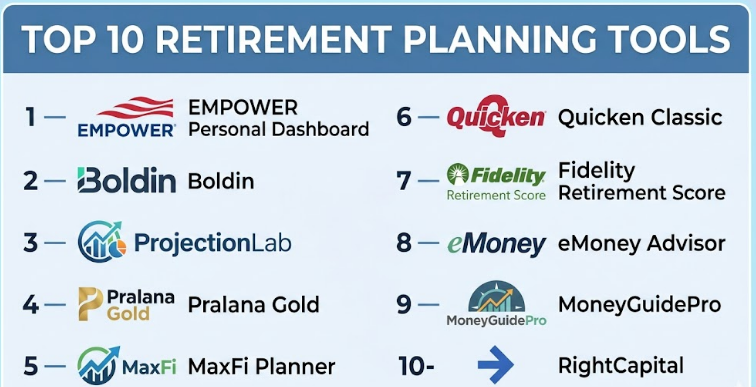
Top 10 Retirement Planning Tools
#1 — Empower Personal Dashboard
Short description :
Empower Personal Dashboard is a personal finance and retirement planning tool for users who want a broad view of their money. It helps users track net worth, investments, spending, savings, and retirement readiness in one dashboard. It is especially useful for people who want a simpler way to see whether their current savings path is enough for retirement. The platform is good for long-term investors who want visibility across multiple financial accounts. It is best suited for individuals and families who want retirement planning without building complex spreadsheets.
Key Features
- Retirement planning dashboard
- Net worth tracking
- Investment account visibility
- Spending and cash-flow tracking
- Portfolio allocation insights
- Retirement readiness estimates
- Account aggregation support
Pros
- Good all-in-one dashboard for personal finance and retirement.
- Useful for users who want account syncing and simple visibility.
- Strong fit for long-term investors and retirement savers.
Cons
- May not be deep enough for advanced tax planning.
- Some users may prefer manual data entry for privacy.
- Not designed as a full advisor practice management system.
Platforms / Deployment
Web / iOS / Android
Cloud
Security & Compliance
Account security features are generally expected for a financial platform. Specific certifications such as SOC 2, ISO 27001, or detailed audit logs are Not publicly stated.
Integrations & Ecosystem
Empower focuses on financial account aggregation and personal dashboard reporting. It is useful for users who want connected accounts rather than fully manual retirement planning.
- Bank account connections
- Brokerage account connections
- Retirement account connections
- Spending data tracking
- Investment portfolio visibility
- Financial planning dashboard
Support & Community
Empower has a mature personal finance user base and helpful onboarding resources. Support availability may vary by account type and service level.
#2 — Boldin
Short description :
Boldin is a retirement planning platform designed for people who want to build detailed retirement scenarios. It helps users model retirement income, expenses, savings, taxes, home equity, healthcare assumptions, and long-term financial goals. It is useful for pre-retirees, early retirement planners, and households that want to test “what if” decisions. Boldin is more detailed than a basic calculator but still designed for everyday users. It is best for users who want a structured retirement plan without immediately hiring an advisor.
Key Features
- Retirement readiness planning
- Scenario comparison
- Tax and withdrawal planning support
- Income and expense modeling
- Net worth tracking
- Goal-based planning
- AI-assisted planning features where available
Pros
- Strong retirement-specific planning depth.
- Good for comparing different life and money scenarios.
- Useful for users who want more than a simple calculator.
Cons
- Setup may take time for users with complex finances.
- Some advanced features may require a paid plan.
- Beginners may need time to understand the assumptions.
Platforms / Deployment
Web
Cloud
Security & Compliance
Security details are available at a general platform level, but specific certifications such as SOC 2 or ISO 27001 are Not publicly stated.
Integrations & Ecosystem
Boldin is built around retirement planning workflows and scenario modeling. Its ecosystem is more planning-focused than trading-focused.
- Retirement income planning
- Tax planning assumptions
- Expense modeling
- Scenario planning
- Net worth inputs
- Advisor collaboration options where available
Support & Community
Boldin provides educational resources, product guidance, and planning support options. Community strength is stronger among DIY retirement planning users than general investors.
#3 — ProjectionLab
Short description :
ProjectionLab is a modern financial planning and retirement modeling tool for users who want flexible scenario planning. It is popular with advanced DIY planners, early retirement users, and people who want to model detailed future cash flows. The platform supports planning for retirement, financial independence, major purchases, lifestyle changes, and long-term goals. It is especially useful for users who prefer control over assumptions instead of simple preset calculators. It is best for analytical users who enjoy testing multiple future paths.
Key Features
- Retirement and financial independence planning
- Scenario modeling
- Monte Carlo-style planning support
- Cash-flow projections
- Tax estimation features
- Manual planning control
- Advanced assumptions and timelines
Pros
- Strong for detailed scenario planning.
- Good fit for early retirement and FIRE users.
- Flexible for users who want control over assumptions.
Cons
- May feel complex for casual users.
- Manual setup requires time and accuracy.
- Not ideal for users who want a very basic calculator.
Platforms / Deployment
Web
Cloud
Security & Compliance
Security and privacy features are important to the platform experience. Specific certifications such as SOC 2 or ISO 27001 are Not publicly stated.
Integrations & Ecosystem
ProjectionLab is centered around flexible planning rather than heavy account aggregation. It is useful for users who want to model decisions carefully.
- Retirement planning scenarios
- FIRE planning
- Tax estimation
- Cash-flow modeling
- Long-term goal planning
- Manual financial inputs
Support & Community
ProjectionLab has a strong following among advanced DIY planners. Documentation and community discussions are useful for users who want to learn planning assumptions deeply.
#4 — Pralana Gold
Short description :
Pralana Gold is a detailed retirement planning tool for users who want deep modeling and advanced assumptions. It is often used by serious DIY planners who want to understand taxes, withdrawals, conversions, spending, and long-term retirement cash flow. The tool is more technical than many consumer apps and may require more time to learn. It is not built mainly for casual users, but it can be powerful for people who want detailed retirement analysis. It is best for advanced users who are comfortable reviewing planning numbers carefully.
Key Features
- Detailed retirement cash-flow planning
- Tax-aware planning support
- Roth conversion scenario modeling
- Withdrawal strategy analysis
- Long-term projection tools
- Social Security-style income assumptions
- Advanced manual inputs
Pros
- Strong depth for serious retirement planning.
- Useful for tax and withdrawal scenario testing.
- Good fit for advanced DIY users.
Cons
- Learning curve can be high.
- Interface may feel less modern than newer tools.
- Not ideal for users wanting quick mobile-first planning.
Platforms / Deployment
Web / Desktop availability may vary
Cloud / Varies / N/A
Security & Compliance
Security and compliance details are Not publicly stated.
Integrations & Ecosystem
Pralana Gold is more focused on detailed planning calculations than broad financial account syncing. It is useful for users who want control and planning depth.
- Retirement cash-flow modeling
- Tax planning assumptions
- Withdrawal planning
- Roth conversion modeling
- Manual data entry
- Long-term projections
Support & Community
Support and documentation are available, but users should expect to spend time learning the tool. Community awareness is stronger among serious retirement planning and FIRE users.
#5 — MaxFi Planner
Short description :
MaxFi Planner is a retirement and lifetime financial planning tool focused on long-term household financial decisions. It helps users evaluate spending, saving, taxes, retirement timing, and lifestyle choices. The tool is useful for people who want to understand sustainable spending and lifetime financial security. It is more planning-focused than portfolio-tracking-focused. It is best for users who want to think carefully about lifetime financial decisions rather than only investment performance.
Key Features
- Lifetime financial planning
- Retirement spending analysis
- Tax-aware planning support
- Social Security-style income modeling
- Scenario planning
- Household cash-flow projections
- Sustainable spending estimates
Pros
- Strong for lifetime planning and retirement decisions.
- Useful for sustainable spending analysis.
- Good fit for thoughtful long-term planners.
Cons
- May feel detailed for casual users.
- Not mainly designed as a daily investment tracker.
- Some users may prefer a more visual interface.
Platforms / Deployment
Web / Desktop availability may vary
Cloud / Varies / N/A
Security & Compliance
Security and compliance details are Not publicly stated.
Integrations & Ecosystem
MaxFi Planner focuses on retirement and lifetime planning assumptions. It is useful for people who want structured projections rather than simple portfolio dashboards.
- Retirement income planning
- Spending strategy modeling
- Tax-aware projections
- Household financial planning
- Scenario comparison
- Long-term cash-flow estimates
Support & Community
Support resources are available, but the tool is better suited for users willing to learn financial planning concepts. Community visibility is moderate compared with larger consumer apps.
#6 — Quicken Classic
Short description :
Quicken Classic is a personal finance software platform that includes investment and retirement planning features. It is useful for users who want budgeting, account tracking, investment visibility, reporting, and long-term planning in one place. Quicken is often preferred by users who want more control than lightweight mobile apps. It can support detailed household finance tracking and retirement planning workflows. It is best for users who want personal finance software with retirement planning included.
Key Features
- Personal finance tracking
- Investment account tracking
- Budgeting and spending reports
- Retirement planning features
- Net worth tracking
- Bill and cash-flow management
- Detailed financial reports
Pros
- Strong all-around personal finance tool.
- Good for users who want detailed household money tracking.
- Useful for combining budgeting, investments, and planning.
Cons
- May feel heavy for users who only need retirement projections.
- Setup and maintenance can take time.
- Some features may vary by plan and platform.
Platforms / Deployment
Windows / macOS / Web / iOS / Android availability may vary
Cloud / Desktop / Hybrid
Security & Compliance
Security features are available at a product level, but specific certifications such as SOC 2 or ISO 27001 are Not publicly stated.
Integrations & Ecosystem
Quicken Classic has a broad personal finance ecosystem. It is useful when retirement planning is part of a larger household finance workflow.
- Bank account connections
- Brokerage tracking
- Budgeting tools
- Spending reports
- Investment performance views
- Retirement planning features
Support & Community
Quicken has a large user base, long history, support resources, and community discussions. New users may need time to learn the full feature set.
#7 — Fidelity Retirement Score
Short description :
Fidelity Retirement Score is a retirement readiness tool designed to help users quickly understand whether they may be on track for retirement. It is useful for individuals who want a simple estimate without building a complex planning model. The tool can help users think about retirement age, savings rate, income needs, and future assumptions. It is not as deep as advanced retirement planning software, but it is helpful for quick planning awareness. It is best for users who want a simple retirement health check.
Key Features
- Retirement readiness estimate
- Simple planning inputs
- Savings and income assumptions
- Retirement age modeling
- Goal-based planning view
- Basic financial gap analysis
- Easy starting point for beginners
Pros
- Easy for beginners to use.
- Good for quick retirement readiness checks.
- Useful starting point before deeper planning.
Cons
- Not as detailed as advanced planning tools.
- Limited customization compared with premium platforms.
- Best suited for high-level planning, not complex tax strategy.
Platforms / Deployment
Web
Cloud
Security & Compliance
Security details depend on the broader financial institution account environment. Specific tool-level certifications are Not publicly stated.
Integrations & Ecosystem
Fidelity Retirement Score works best as part of a broader financial planning and investment ecosystem. It is useful for users already reviewing retirement savings and investment accounts.
- Retirement savings inputs
- Investment account context where available
- Retirement readiness estimates
- Goal planning
- Educational resources
- Planning conversations
Support & Community
Support is available through the broader institution ecosystem. It is better for basic guidance and next-step planning than deep independent modeling.
#8 — eMoney Advisor
Short description :
eMoney Advisor is a professional financial planning platform used by financial advisors and wealth management firms. It helps advisors build detailed financial plans, retirement projections, client portals, cash-flow models, and goal-based planning reports. It is not mainly designed for casual individual users. The platform is suitable for advisory practices that need strong client engagement and planning depth. It is best for professional advisors serving clients with complex retirement and wealth planning needs.
Key Features
- Advisor-led financial planning
- Retirement planning projections
- Client portal
- Cash-flow analysis
- Goal-based planning
- Data aggregation
- Reporting and presentation tools
Pros
- Strong fit for professional financial advisors.
- Good client portal and planning presentation capabilities.
- Useful for complex planning conversations.
Cons
- Not ideal for casual DIY users.
- Pricing and implementation may be higher than consumer tools.
- Requires advisor workflow setup and training.
Platforms / Deployment
Web
Cloud
Security & Compliance
Professional financial planning platforms usually provide enterprise-grade security controls. Specific certifications and compliance details should be verified directly. If not clearly available, treat as Not publicly stated.
Integrations & Ecosystem
eMoney Advisor is built for advisor workflows and financial planning firms. It commonly fits into broader wealth management ecosystems.
- Financial account aggregation
- Client portals
- Advisor planning workflows
- Reporting tools
- CRM and wealth management ecosystem support
- Planning presentations
Support & Community
Support is oriented toward financial advisors and firms. Onboarding, training, and professional services may be available depending on package and firm size.
#9 — MoneyGuidePro
Short description :
MoneyGuidePro is a financial planning platform widely used by financial advisors for goal-based planning and retirement conversations. It helps advisors build plans around client goals, risk tolerance, income needs, and long-term financial choices. The platform is useful for retirement planning, scenario comparison, and client engagement. It is not a simple consumer calculator, but a professional planning system. It is best for advisors who want structured goal-based planning for clients.
Key Features
- Goal-based financial planning
- Retirement income planning
- Scenario analysis
- Risk tolerance tools
- Client engagement workflows
- Advisor planning presentations
- Planning modules for different client needs
Pros
- Strong goal-based planning experience.
- Good for advisor-client retirement conversations.
- Useful for scenario comparison and client education.
Cons
- Not built mainly for DIY consumers.
- May require training for full value.
- Less suitable for users who want simple personal budgeting.
Platforms / Deployment
Web
Cloud
Security & Compliance
Security and compliance details should be verified directly. Specific certifications such as SOC 2 or ISO 27001 are Not publicly stated unless confirmed by the vendor.
Integrations & Ecosystem
MoneyGuidePro fits into the advisor technology ecosystem and supports planning-centered client workflows.
- Advisor planning tools
- Client goal planning
- Risk tolerance workflows
- Scenario analysis
- Retirement income planning
- Reporting and plan presentation tools
Support & Community
Support is focused on advisor users and financial planning practices. Training and documentation are important because the platform is professional-grade.
#10 — RightCapital
Short description :
RightCapital is a modern financial planning platform for advisors who want retirement planning, tax planning, cash-flow analysis, and client collaboration. It is often used by advisory firms that want a flexible and visual planning experience. The platform supports retirement income planning and broader financial planning workflows. It is not mainly intended as a casual consumer app. It is best for advisors who want planning depth with a modern interface and client-friendly visuals.
Key Features
- Retirement planning
- Cash-flow planning
- Tax planning features
- Client portal and collaboration
- Scenario modeling
- Visual planning dashboards
- Advisor workflow support
Pros
- Modern advisor-focused planning experience.
- Strong fit for retirement and tax-aware planning discussions.
- Useful visual tools for client conversations.
Cons
- Not ideal for individual users who want a simple free calculator.
- Requires advisor setup and process alignment.
- Pricing and feature access may vary by firm package.
Platforms / Deployment
Web
Cloud
Security & Compliance
Professional advisor platforms generally provide security controls, but specific certifications should be verified directly. If not clearly available, use Not publicly stated.
Integrations & Ecosystem
RightCapital fits well into advisor technology workflows and broader wealth management processes.
- Advisor client portals
- Retirement planning workflows
- Tax planning tools
- Cash-flow planning
- Client collaboration
- Wealth management ecosystem integrations
Support & Community
RightCapital provides advisor-focused onboarding, documentation, and support. Community strength is stronger among financial advisors than general consumer users.
Comparison Table
| Tool Name | Best For | Platform(s) Supported | Deployment | Standout Feature | Public Rating |
|---|---|---|---|---|---|
| Empower Personal Dashboard | Individuals tracking retirement and net worth | Web, iOS, Android | Cloud | Retirement dashboard with account aggregation | N/A |
| Boldin | DIY retirement planners and pre-retirees | Web | Cloud | Detailed retirement scenario planning | N/A |
| ProjectionLab | Advanced DIY and FIRE planners | Web | Cloud | Flexible future cash-flow modeling | N/A |
| Pralana Gold | Advanced retirement planning users | Web / Desktop varies | Varies / N/A | Detailed tax and withdrawal analysis | N/A |
| MaxFi Planner | Lifetime financial planning users | Web / Desktop varies | Varies / N/A | Sustainable spending and lifetime planning | N/A |
| Quicken Classic | Household finance and retirement tracking | Windows, macOS, Web, iOS, Android varies | Hybrid | Personal finance plus retirement planning | N/A |
| Fidelity Retirement Score | Beginners needing a quick retirement check | Web | Cloud | Simple retirement readiness estimate | N/A |
| eMoney Advisor | Financial advisors and wealth firms | Web | Cloud | Advisor-grade planning and client portal | N/A |
| MoneyGuidePro | Goal-based financial advisors | Web | Cloud | Goal-based retirement planning | N/A |
| RightCapital | Modern advisory firms | Web | Cloud | Visual tax-aware financial planning | N/A |
Evaluation & Retirement Planning Tools
| Tool Name | Core (25%) | Ease (15%) | Integrations (15%) | Security (10%) | Performance (10%) | Support (10%) | Value (15%) | Weighted Total (0–10) |
|---|---|---|---|---|---|---|---|---|
| Empower Personal Dashboard | 8.0 | 8.5 | 8.5 | 7.5 | 8.0 | 8.0 | 8.5 | 8.15 |
| Boldin | 9.0 | 7.5 | 7.0 | 7.0 | 8.0 | 8.0 | 8.0 | 8.05 |
| ProjectionLab | 9.0 | 7.0 | 6.5 | 7.0 | 8.5 | 8.0 | 8.0 | 7.90 |
| Pralana Gold | 9.0 | 6.5 | 6.0 | 6.5 | 8.0 | 7.0 | 8.0 | 7.55 |
| MaxFi Planner | 8.5 | 6.5 | 6.0 | 6.5 | 8.0 | 7.0 | 7.5 | 7.30 |
| Quicken Classic | 7.5 | 7.0 | 8.0 | 7.0 | 8.0 | 8.0 | 8.0 | 7.65 |
| Fidelity Retirement Score | 6.5 | 9.0 | 6.5 | 7.0 | 8.0 | 8.0 | 8.5 | 7.50 |
| eMoney Advisor | 9.0 | 7.0 | 8.5 | 8.0 | 8.5 | 8.5 | 7.0 | 8.20 |
| MoneyGuidePro | 8.5 | 7.5 | 8.0 | 8.0 | 8.0 | 8.5 | 7.0 | 8.00 |
| RightCapital | 8.5 | 8.0 | 8.0 | 8.0 | 8.0 | 8.5 | 7.5 | 8.10 |
The scores are comparative and should not be treated as financial advice. A tool with a high score may still be wrong for a user if it does not match their planning style, budget, or complexity. Advisor platforms score well for professional planning depth but may not fit DIY users. Consumer tools may be easier and cheaper but less advanced for tax, estate, or withdrawal strategy planning.
Which Retirement Planning Tools Should You Choose?
Solo / Freelancer
Solo users and freelancers usually need a tool that is easy to start and does not require heavy setup. If the user wants a quick retirement readiness check, Fidelity Retirement Score or Empower Personal Dashboard can be a good starting point.
For freelancers with irregular income, changing savings rates, and flexible retirement goals, Boldin or ProjectionLab can provide better scenario planning. These tools help users test different savings levels, retirement ages, and future expenses.
Best fit:
- Empower Personal Dashboard for simple retirement and net worth tracking
- Fidelity Retirement Score for quick readiness checks
- ProjectionLab for flexible future planning
SMB
Small business owners often have more complex retirement planning needs. They may have business income, personal investments, retirement accounts, tax planning needs, and uncertain future cash flow.
For this group, Boldin, ProjectionLab, or MaxFi Planner can be useful because they allow scenario-based thinking. If the business owner works with an advisor, RightCapital, MoneyGuidePro, or eMoney Advisor may be more suitable through the advisor relationship.
Best fit:
- Boldin for detailed DIY retirement planning
- ProjectionLab for flexible planning scenarios
- RightCapital for advisor-led business owner planning
Mid-Market
Mid-market users may include high-income professionals, executives, advisory firms, or families with multiple financial goals. They usually need stronger tax, income, and long-term planning support.
For individual users, Pralana Gold, ProjectionLab, and MaxFi Planner are useful if they are comfortable with detailed planning assumptions. For advisor-supported users, eMoney Advisor, MoneyGuidePro, and RightCapital are stronger choices.
Best fit:
- Pralana Gold for advanced DIY retirement modeling
- MaxFi Planner for lifetime spending analysis
- eMoney Advisor for professional planning practices
Enterprise
Enterprise users should usually look beyond simple consumer retirement calculators. Large advisory firms, wealth management teams, banks, and financial institutions need secure workflows, client collaboration, permission controls, reporting, and advisor productivity features.
For this segment, eMoney Advisor, MoneyGuidePro, and RightCapital are more suitable than consumer-focused tools. They are designed for professional financial planning, client meetings, advisor workflows, and firm-level planning processes.
Best fit:
- eMoney Advisor for comprehensive advisor planning
- MoneyGuidePro for goal-based planning
- RightCapital for modern advisor workflows and visual planning
Budget vs Premium
Budget users should start with simple retirement calculators or tools that include free planning features. Empower Personal Dashboard and Fidelity Retirement Score can be useful starting points.
Premium tools are better when planning becomes more serious. If users need tax strategy, Roth conversions, withdrawal planning, multiple scenarios, or advisor collaboration, paid platforms such as Boldin, ProjectionLab, Pralana Gold, or advisor platforms may be worth evaluating.
Choose budget if:
- You only need a high-level retirement estimate
- Your financial life is simple
- You are early in your savings journey
- You do not need tax-heavy modeling
Choose premium if:
- You are close to retirement
- You need withdrawal planning
- You want tax-aware projections
- You have multiple income sources
- You want advisor-level planning depth
Feature Depth vs Ease of Use
The deeper the tool, the more time it usually takes to set up. Pralana Gold, ProjectionLab, and MaxFi Planner are better for users who enjoy detailed assumptions and planning control.
For easier use, Empower Personal Dashboard, Fidelity Retirement Score, and Boldin are more approachable. These tools help users begin planning without needing to understand every technical detail immediately.
Choose feature depth when accuracy and scenario control matter. Choose ease of use when your main goal is clarity and consistency.
Integrations & Scalability
Account integration matters when users want live or regularly updated data. Empower Personal Dashboard and Quicken Classic are useful for account aggregation and broader money tracking.
Advanced planning tools may rely more on manual inputs, which can be better for privacy but requires discipline. Advisor platforms usually offer stronger ecosystem integrations for professional workflows.
Evaluate:
- Account linking support
- Manual entry options
- Import and export features
- Advisor collaboration
- Tax planning workflows
- Multi-account support
- Reporting flexibility
Security & Compliance Needs
Retirement planning tools may store sensitive financial information, so security should be taken seriously. Users should review MFA, encryption, access controls, privacy policies, and data-sharing practices before connecting financial accounts.
For individual users, manual entry can reduce account-linking concerns. For advisors and firms, security expectations are higher because client data is involved. Advisor platforms should be reviewed for firm-level controls, user permissions, audit readiness, and vendor due diligence.
Frequently Asked Questions
1. What is a retirement planning tool?
A retirement planning tool helps estimate whether your savings, investments, income, and expenses can support your retirement goals. It usually models retirement age, spending, inflation, taxes, investment growth, and income sources.
2. Are retirement planning tools free?
Some tools offer free calculators or basic dashboards, while others require paid plans. Free tools are useful for simple checks, but paid tools are often better for detailed tax planning, withdrawals, and long-term scenarios.
3. What is the difference between a retirement calculator and retirement planning software?
A calculator usually gives a quick estimate based on limited inputs. Retirement planning software is more detailed and can include cash flow, taxes, scenarios, investment assumptions, income sources, and reports.
4. Do I need a financial advisor if I use retirement planning software?
Not always, but software does not replace professional advice for complex cases. If you have business income, estate planning needs, tax issues, or large retirement assets, an advisor may still be helpful.
5. What is Monte Carlo simulation in retirement planning?
Monte Carlo simulation tests many possible market outcomes instead of assuming one fixed return. It helps estimate how likely your retirement plan may succeed under different market conditions.
6. Can retirement planning tools help with early retirement?
Yes, some tools are very useful for early retirement planning. They can model lower retirement age, healthcare gaps, part-time income, higher savings rates, and flexible withdrawal strategies.
7. What is the most common mistake in retirement planning?
A common mistake is using unrealistic assumptions. Many users underestimate healthcare costs, inflation, taxes, and how long retirement may last. Good tools help test more conservative scenarios.
8. Are retirement planning tools secure?
Many tools include standard security features, but the details vary by platform. Users should check MFA, encryption, account-linking methods, privacy settings, and whether financial credentials are required.
9. Can I use a spreadsheet instead of a retirement planning tool?
Yes, spreadsheets can work for simple planning and users who like full control. However, they require manual formulas, updates, and assumptions. Retirement tools are usually better for scenario modeling and visualization.
10. Which retirement planning tool is best for beginners?
Beginners may prefer Empower Personal Dashboard, Fidelity Retirement Score, or Boldin. These tools are easier to understand than advanced modeling platforms and can help users start with basic retirement readiness.
Conclusion
Retirement Planning Tools can make long-term financial decisions easier to understand, but the best choice depends on the user’s situation. A beginner may only need a simple retirement readiness tool, while an advanced DIY planner may need deep tax and withdrawal modeling. Financial advisors need professional platforms with client portals, reporting, and collaboration features. Tools like Empower Personal Dashboard and Fidelity Retirement Score are useful starting points, while Boldin, ProjectionLab, Pralana Gold, and MaxFi Planner offer deeper retirement modeling. Advisor-focused platforms such as eMoney Advisor, MoneyGuidePro, and RightCapital are better for professional planning environments.
