Introduction
Personal Finance Budgeting Apps help individuals and families manage income, expenses, savings, debt, bills, and financial goals in one place. In simple words, these apps show where money is going and help users make better money decisions before problems become serious.
They matter now because people are managing more subscriptions, digital payments, loans, credit cards, investments, and irregular expenses than before. A good budgeting app can reduce confusion, improve savings discipline, and help users plan monthly spending with more confidence.
Common use cases include:
- Tracking monthly income and expenses
- Creating budgets by category
- Monitoring bills and subscriptions
- Planning savings goals
- Managing debt payoff
- Reviewing spending trends
Buyers should evaluate:
- Ease of use
- Bank sync support
- Manual entry option
- Budgeting method
- Expense categorization
- Security and privacy
- Reports and insights
- Goal tracking
- Pricing
- Mobile experience
Best for: individuals, couples, families, freelancers, students, working professionals, and small households that want better control over spending and savings.
Not ideal for: businesses needing accounting software, investors needing advanced portfolio management, or users who only want a simple spreadsheet-based budget.
Key Trends in Personal Finance Budgeting Apps
- AI-based spending insights are becoming more common for category suggestions and budget alerts.
- Subscription tracking is now important because users often lose money through forgotten recurring payments.
- Goal-based budgeting is growing, especially for emergency funds, travel, home purchases, and debt payoff.
- Bank sync plus manual tracking is preferred because not every user trusts full automation.
- Privacy-first budgeting is becoming more important as financial data is highly sensitive.
- Couple and family budgeting features are gaining popularity for shared money planning.
- Cash flow forecasting is improving, helping users see future balances before spending.
- Mobile-first budgeting is now expected, with quick expense entry and push notifications.
- Debt management tools are becoming stronger inside budgeting apps.
- Financial wellness education is being added through tips, reports, and money coaching content.
How We Selected These Tools
The tools below were selected based on practical product evaluation logic:
- Strong recognition in the personal finance and budgeting space
- Useful budgeting features for individuals and households
- Support for expense tracking, savings goals, and financial planning
- Ease of use for non-finance users
- Mobile experience and cross-platform availability
- Bank connection or manual tracking flexibility
- Reporting, charts, and category-level insights
- Fit for different users such as beginners, couples, families, and advanced budgeters
- Security posture signals where publicly stated
- Long-term value for personal money management
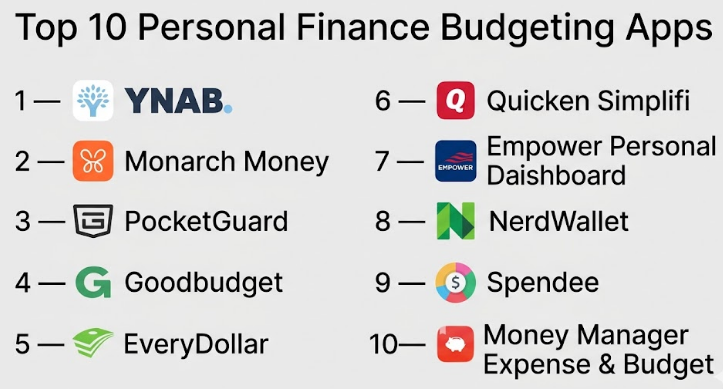
Top 10 Personal Finance Budgeting Apps
#1 — YNAB
Short description :
YNAB is a budgeting app built around the zero-based budgeting method. It helps users give every dollar a purpose before spending it. The app is especially useful for people who want strong control over monthly cash flow, debt payoff, and savings goals. YNAB works well for users who are serious about changing spending behavior. It is not just an expense tracker; it teaches a disciplined budgeting system.
Key Features
- Zero-based budgeting method
- Goal tracking for savings and debt
- Category-based budget planning
- Bank sync where supported
- Manual transaction entry
- Spending reports
- Shared budgeting support
Pros
- Strong budgeting philosophy and habit-building approach.
- Good for users who want deep control over money.
- Useful educational content and onboarding.
Cons
- May feel strict for casual users.
- Requires active budget maintenance.
- Paid pricing may not suit all beginners.
Platforms / Deployment
Web / iOS / Android
Cloud
Security & Compliance
Not publicly stated
Integrations & Ecosystem
YNAB connects budgeting, bank sync, reporting, and money education into one focused ecosystem.
- Bank account syncing where available
- Manual transactions
- Spending categories
- Goal tracking
- Reports and trend views
Support & Community
YNAB has strong documentation, learning resources, and an active user community around budgeting discipline.
#2 — Monarch Money
Short description :
Monarch Money is a modern personal finance app designed for budgeting, net worth tracking, financial goals, and household money management. It is useful for individuals and couples who want a clean dashboard for spending, savings, investments, and cash flow. Monarch is stronger than basic budget trackers because it combines budgeting with overall financial visibility. It is best for users who want a premium, full-picture personal finance experience.
Key Features
- Budget tracking
- Net worth dashboard
- Goal planning
- Cash flow insights
- Transaction categorization
- Investment visibility
- Collaboration for couples or households
Pros
- Clean and modern user experience.
- Good for couples and shared financial planning.
- Strong overall financial dashboard.
Cons
- Premium pricing may not suit budget-conscious users.
- May be more than needed for simple expense tracking.
- Some bank connections may vary by region.
Platforms / Deployment
Web / iOS / Android
Cloud
Security & Compliance
Not publicly stated
Integrations & Ecosystem
Monarch Money is built around connected financial accounts, household visibility, and goal-based planning.
- Bank account connections
- Investment account visibility
- Budget categories
- Goal tracking
- Household collaboration
Support & Community
Support includes onboarding resources and help documentation. Community strength is growing among personal finance users.
#3 — PocketGuard
Short description :
PocketGuard is a budgeting app focused on showing how much money users can safely spend after bills, goals, and necessities. It is useful for people who want a simple answer to “Can I afford this?” The app helps track expenses, bills, subscriptions, and spending limits. PocketGuard is best for users who need practical day-to-day spending control without complex budgeting rules.
Key Features
- Safe-to-spend calculation
- Expense tracking
- Bill monitoring
- Subscription tracking
- Budget category limits
- Bank sync where available
- Savings goal support
Pros
- Simple spending visibility.
- Helpful for controlling overspending.
- Good for subscription and bill awareness.
Cons
- Less flexible than advanced budgeting tools.
- Some features may require paid access.
- Not ideal for users who want detailed custom budget systems.
Platforms / Deployment
Web / iOS / Android
Cloud
Security & Compliance
Not publicly stated
Integrations & Ecosystem
PocketGuard focuses on connected accounts, spending limits, and bill visibility.
- Bank sync
- Bill tracking
- Subscription tracking
- Budget categories
- Savings goals
Support & Community
Support is available through standard help channels. Community visibility is moderate compared with larger finance apps.
#4 — Goodbudget
Short description :
Goodbudget is based on the envelope budgeting method. Users divide money into digital envelopes for categories like groceries, rent, fuel, savings, and debt. It is helpful for people who prefer manual budgeting and do not want full bank automation. Goodbudget is especially useful for couples and families who want shared budget planning. It is simple, practical, and easy to understand.
Key Features
- Envelope budgeting system
- Manual transaction tracking
- Shared household budgets
- Debt tracking
- Spending reports
- Budget category planning
- Cross-device sync
Pros
- Great for users who prefer manual control.
- Simple envelope method is easy to learn.
- Good for couples and families.
Cons
- Less automated than bank-sync apps.
- Manual entry may take time.
- Interface may feel basic to some users.
Platforms / Deployment
Web / iOS / Android
Cloud
Security & Compliance
Not publicly stated
Integrations & Ecosystem
Goodbudget is built around digital envelopes and shared budgeting discipline.
- Envelope categories
- Manual expenses
- Household sharing
- Debt tracking
- Budget reports
Support & Community
Goodbudget offers help resources and budgeting guidance. Community strength is stable among envelope-budgeting users.
#5 — EveryDollar
Short description :
EveryDollar is a budgeting app built around zero-based budgeting. It helps users plan income, assign money to categories, and track monthly spending. The app is useful for people who want a simple budgeting method with a strong focus on financial discipline. EveryDollar works well for users who want to manage bills, expenses, savings, and debt in a structured way.
Key Features
- Zero-based budgeting
- Monthly budget planning
- Expense tracking
- Custom budget categories
- Debt payoff planning
- Goal tracking
- Bank connectivity on paid plans where available
Pros
- Simple budgeting structure.
- Good for users focused on debt control.
- Easy to understand for beginners.
Cons
- Advanced features may require paid access.
- Less flexible for users who dislike strict budgeting.
- Investment tracking is limited.
Platforms / Deployment
Web / iOS / Android
Cloud
Security & Compliance
Not publicly stated
Integrations & Ecosystem
EveryDollar works within a financial planning and budgeting ecosystem focused on income assignment and spending discipline.
- Bank connectivity where supported
- Budget categories
- Debt tracking
- Goal planning
- Monthly budget views
Support & Community
Support resources are available, with strong educational content around budgeting and debt reduction.
#6 — Quicken Simplifi
Short description :
Quicken Simplifi is a personal finance app for budgeting, spending tracking, savings goals, bills, and financial dashboards. It is useful for users who want a cleaner and more modern experience than traditional finance software. Simplifi helps users understand spending patterns and upcoming bills. It is best for people who want a connected money dashboard without heavy accounting complexity.
Key Features
- Spending plan
- Budget tracking
- Bill and subscription tracking
- Savings goals
- Cash flow insights
- Transaction categorization
- Financial reports
Pros
- Strong personal finance dashboard.
- Helpful for bills and cash flow planning.
- Good balance between simplicity and detail.
Cons
- Paid app with limited free use.
- Some users may prefer more manual control.
- Bank sync quality may vary.
Platforms / Deployment
Web / iOS / Android
Cloud
Security & Compliance
Not publicly stated
Integrations & Ecosystem
Quicken Simplifi connects accounts, bills, spending plans, and goals into one personal finance workflow.
- Bank accounts
- Credit cards
- Bill tracking
- Savings goals
- Reports and insights
Support & Community
Support is available through Quicken’s help resources. Community strength is good due to Quicken’s long-standing presence in personal finance.
#7 — Empower Personal Dashboard
Short description :
Empower Personal Dashboard is useful for users who want budgeting plus net worth and investment visibility. It is stronger for financial overview than strict category budgeting. Users can track spending, accounts, investments, and overall financial health. It is best for people who want to see their complete money picture, including assets and liabilities.
Key Features
- Net worth tracking
- Spending insights
- Investment tracking
- Account aggregation
- Cash flow visibility
- Retirement planning tools
- Financial dashboard
Pros
- Strong for net worth and investment overview.
- Good account aggregation.
- Useful for users with multiple financial accounts.
Cons
- Budgeting features are not as deep as YNAB or Goodbudget.
- Not ideal for envelope budgeting.
- Some users may find investment focus more prominent than budgeting.
Platforms / Deployment
Web / iOS / Android
Cloud
Security & Compliance
Not publicly stated
Integrations & Ecosystem
Empower connects financial accounts and gives a broad picture of spending, assets, and investment progress.
- Bank accounts
- Credit cards
- Investment accounts
- Retirement planning tools
- Net worth dashboard
Support & Community
Support is available through standard channels. The product has strong recognition among users who track net worth and investments.
#8 — NerdWallet
Short description :
NerdWallet offers personal finance tools that help users track spending, credit, debt, and financial goals. It is useful for people who want budgeting support along with financial education and product comparison guidance. The app is more guidance-focused than deep budget-control focused. It is best for beginners who want to understand money decisions, credit, and everyday financial planning.
Key Features
- Spending tracking
- Credit score visibility where available
- Financial education
- Debt insights
- Budgeting guidance
- Account tracking
- Personalized money tips
Pros
- Good for financial learning.
- Helpful for beginners.
- Combines budgeting with broader money education.
Cons
- Not as deep as dedicated budget apps.
- May feel more content-driven than tool-driven.
- Advanced budgeting customization is limited.
Platforms / Deployment
Web / iOS / Android
Cloud
Security & Compliance
Not publicly stated
Integrations & Ecosystem
NerdWallet combines personal finance tracking with educational resources and financial decision support.
- Account tracking
- Credit monitoring where available
- Budget insights
- Debt guidance
- Financial education content
Support & Community
Support is available through help resources. Community strength is linked to strong brand recognition in personal finance education.
#9 — Spendee
Short description :
Spendee is a budgeting and expense tracking app with a visual interface. It helps users track spending, create wallets, manage budgets, and understand where money goes. Spendee is useful for individuals, couples, and shared budget situations. It is especially helpful for users who prefer visual charts and simple expense breakdowns rather than complex financial planning.
Key Features
- Expense tracking
- Budget categories
- Shared wallets
- Visual spending charts
- Bank sync where supported
- Manual transaction entry
- Multi-currency support
Pros
- Clean visual expense tracking.
- Useful for shared wallets.
- Good for travel or multi-currency users.
Cons
- Advanced planning features may be limited.
- Some features require paid plans.
- Bank support may vary by country.
Platforms / Deployment
Web / iOS / Android
Cloud
Security & Compliance
Not publicly stated
Integrations & Ecosystem
Spendee focuses on wallets, shared budgets, and visual money tracking.
- Bank sync where available
- Shared wallets
- Multi-currency tracking
- Budget categories
- Spending reports
Support & Community
Support is available through standard app help channels. Community presence is moderate among mobile budgeting users.
#10 — Money Manager Expense & Budget
Short description :
Money Manager Expense & Budget is a practical app for users who want detailed expense tracking and personal budget control. It supports income, expenses, accounts, categories, charts, and reports. The app is especially useful for users who prefer manual control and clear financial records. It works well for people who want a simple but detailed money journal without needing a complex finance platform.
Key Features
- Income and expense tracking
- Budget category management
- Account tracking
- Charts and reports
- Calendar-based transaction view
- Manual entry
- Backup and export options where supported
Pros
- Good for detailed manual tracking.
- Useful reports and charts.
- Simple for daily expense recording.
Cons
- Less automated than bank-sync apps.
- Interface may feel traditional.
- Not ideal for advanced investment or net worth planning.
Platforms / Deployment
iOS / Android
Cloud / Local app ecosystem
Security & Compliance
Not publicly stated
Integrations & Ecosystem
Money Manager is strongest as a personal expense journal and budget tracker.
- Manual expense entry
- Budget categories
- Account tracking
- Reports
- Data backup options where supported
Support & Community
Support varies by app version and platform. Community strength is moderate among users who prefer manual expense tracking.
Comparison Table (Top 10)
| Tool Name | Best For | Platform(s) Supported | Deployment | Standout Feature | Public Rating |
|---|---|---|---|---|---|
| YNAB | Serious zero-based budgeting | Web, iOS, Android | Cloud | Give every dollar a job | N/A |
| Monarch Money | Couples and full financial dashboard | Web, iOS, Android | Cloud | Shared financial planning | N/A |
| PocketGuard | Simple spending control | Web, iOS, Android | Cloud | Safe-to-spend view | N/A |
| Goodbudget | Envelope budgeting | Web, iOS, Android | Cloud | Digital envelopes | N/A |
| EveryDollar | Debt-focused monthly budgeting | Web, iOS, Android | Cloud | Zero-based monthly planning | N/A |
| Quicken Simplifi | Cash flow and bills | Web, iOS, Android | Cloud | Spending plan | N/A |
| Empower Personal Dashboard | Net worth and investments | Web, iOS, Android | Cloud | Complete financial dashboard | N/A |
| NerdWallet | Beginners and financial learning | Web, iOS, Android | Cloud | Budgeting plus education | N/A |
| Spendee | Visual expense tracking | Web, iOS, Android | Cloud | Shared wallets | N/A |
| Money Manager Expense & Budget | Manual expense tracking | iOS, Android | Cloud / Local app ecosystem | Detailed transaction records | N/A |
Evaluation & Personal Finance Budgeting Apps
| Tool Name | Core (25%) | Ease (15%) | Integrations (15%) | Security (10%) | Performance (10%) | Support (10%) | Value (15%) | Weighted Total (0–10) |
|---|---|---|---|---|---|---|---|---|
| YNAB | 9 | 8 | 8 | 7 | 8 | 9 | 8 | 8.30 |
| Monarch Money | 9 | 8 | 8 | 7 | 8 | 8 | 7 | 8.05 |
| PocketGuard | 8 | 9 | 7 | 7 | 8 | 7 | 8 | 7.85 |
| Goodbudget | 8 | 8 | 6 | 7 | 8 | 7 | 8 | 7.45 |
| EveryDollar | 8 | 8 | 7 | 7 | 8 | 8 | 7 | 7.65 |
| Quicken Simplifi | 8 | 8 | 8 | 7 | 8 | 8 | 7 | 7.80 |
| Empower Personal Dashboard | 8 | 7 | 9 | 7 | 8 | 8 | 8 | 8.00 |
| NerdWallet | 7 | 9 | 7 | 7 | 8 | 8 | 8 | 7.65 |
| Spendee | 7 | 8 | 7 | 6 | 8 | 7 | 8 | 7.30 |
| Money Manager Expense & Budget | 7 | 8 | 5 | 6 | 8 | 6 | 8 | 6.95 |
These scores are comparative and based on category fit, not a universal ranking. A high score means the app is strong across several practical budgeting needs. Users should still test bank sync, ease of use, pricing, and privacy before choosing. The best app is the one a user can follow consistently every month.
Which Personal Finance Budgeting App Should You Choose?
Solo / Freelancer
Solo users and freelancers should focus on cash flow, irregular income, and expense visibility. YNAB is strong for disciplined budgeting. PocketGuard is better for quick spending control. Money Manager Expense & Budget is useful for manual tracking.
SMB
Small business owners should remember that these are personal finance apps, not accounting platforms. For personal budgeting, Quicken Simplifi, Monarch Money, and YNAB are useful. For business books, proper accounting software is better.
Mid-Market
Mid-market professionals with multiple accounts, loans, investments, and family expenses may prefer Monarch Money, Empower Personal Dashboard, or Quicken Simplifi. These apps provide broader financial visibility than simple budget trackers.
Enterprise
Enterprise use is limited because these apps are made for individuals and households. Companies should not use consumer budgeting apps to manage employee financial data. For employee financial wellness programs, dedicated enterprise platforms are better.
Budget vs Premium
Free or lower-cost users can explore Goodbudget, NerdWallet, Spendee, or Money Manager Expense & Budget. Premium users who want stronger automation and planning may prefer YNAB, Monarch Money, or Quicken Simplifi.
Feature Depth vs Ease of Use
YNAB and Monarch Money offer deeper budgeting and planning. PocketGuard and NerdWallet are easier for beginners. Goodbudget is simple but powerful for envelope budgeting. Empower is better for users who want a full financial dashboard.
Integrations & Scalability-
Users who want automatic tracking should check bank sync support before subscribing. Manual users may prefer Goodbudget or Money Manager Expense & Budget. Users with investments and multiple accounts may prefer Empower or Monarch Money.
Security & Compliance Needs
Financial data is sensitive. Users should review privacy controls, data sharing practices, login protection, and account connection methods. If security details are unclear, avoid connecting unnecessary accounts and start with manual tracking.
Frequently Asked Questions (FAQs)
1. What is a personal finance budgeting app?
A personal finance budgeting app helps users track income, expenses, savings, bills, and financial goals. It gives a clear view of where money is going and how much can be safely spent.
2. Are budgeting apps free?
Some apps offer free versions, while others require paid subscriptions. Free apps may be enough for simple tracking, but advanced budgeting, bank sync, and reports often require payment.
3. Which budgeting app is best for beginners?
PocketGuard, NerdWallet, Goodbudget, and Money Manager Expense & Budget are beginner-friendly. They help users start tracking money without complex setup.
4. Which app is best for serious budgeting?
YNAB is strong for serious budget control because it uses a strict zero-based budgeting method. It is best for users who are ready to actively manage money.
5. Can budgeting apps connect to bank accounts?
Many apps support bank connections, but availability depends on the app, bank, and region. Users should verify support before choosing a paid plan.
6. Are budgeting apps safe?
Safety depends on the app’s security practices. Users should look for strong login protection, privacy controls, encryption details, and clear data policies before connecting financial accounts.
7. Can couples use budgeting apps together?
Yes. Apps like Monarch Money, Goodbudget, and YNAB can work well for couples or households. Shared budgeting helps both partners understand spending and savings goals.
8. What is the biggest mistake users make?
The biggest mistake is creating a complex budget that is hard to maintain. Start with simple categories, track regularly, and adjust the budget every month.
9. Can I use a spreadsheet instead of a budgeting app?
Yes. A spreadsheet can work well for users who prefer full manual control. However, apps are better for reminders, mobile tracking, bank sync, and automated reports.
10. How long does it take to set up a budgeting app?
Basic setup may take a short time, but building a useful budget takes regular review. Users should spend time adding categories, goals, bills, and starting balances carefully.
Conclusion
Personal Finance Budgeting Apps can make money management easier, clearer, and more disciplined. The right app depends on how a person thinks about money. YNAB is strong for serious zero-based budgeting, Monarch Money is useful for couples and full financial visibility, PocketGuard is good for simple spending control, Goodbudget works well for envelope budgeting, and Empower Personal Dashboard is better for net worth and investment tracking.
