Introduction
Package managers are tools that help developers, IT teams, and platform engineers install, update, remove, publish, and control software packages. In plain English, they reduce manual work by handling dependencies, versions, repositories, and installation steps automatically. Instead of downloading software files one by one, teams can use package managers to keep applications, libraries, plugins, and infrastructure components consistent across different systems.
In the 2026+ software world, package managers matter more because modern teams depend on open-source libraries, containerized workloads, DevOps automation, cloud-native platforms, and secure software supply chains. A weak package management process can create version conflicts, security risks, broken builds, and compliance gaps.
Real-world use cases include installing developer libraries, managing frontend dependencies, controlling operating system tools, handling enterprise desktop software, managing container charts, and supporting CI/CD automation.
Buyers and teams should evaluate package managers based on:
- Ecosystem size
- Dependency resolution
- Security controls
- Lockfile reliability
- CI/CD compatibility
- Private registry support
- Performance
- Governance and auditability
- Documentation quality
- Enterprise support options
Best for: Developers, DevOps teams, platform engineers, security teams, IT administrators, startups, SMBs, and enterprises that need repeatable software installation and dependency control.
Not ideal for: Very small teams using only a few manual tools, non-technical users who do not manage software dependencies, or organizations where a managed platform already handles software provisioning end to end.
Key Trends in Package Managers
- Software supply chain security is now a core requirement, not an optional feature. Teams expect lockfiles, signed packages, vulnerability checks, and trusted registries.
- Private package registries are becoming standard for enterprises that need internal packages, controlled access, and audit trails.
- AI-assisted dependency management is growing, especially for detecting outdated packages, suggesting upgrades, and explaining breaking changes.
- Cloud-native package management is expanding, especially for Kubernetes, container images, Helm charts, and infrastructure automation.
- Reproducible builds are a major focus, with teams relying on lockfiles and deterministic installs to avoid “works on my machine” problems.
- Developer experience is improving, with faster installs, better caching, simpler commands, and clearer error messages.
- Policy-driven package management is increasing, especially in regulated industries where teams must control what packages are allowed.
- Cross-platform package managers are gaining value, as organizations support Windows, macOS, Linux, containers, and remote development environments.
- Integration with CI/CD pipelines is essential, because package installation is now part of automated build, test, release, and deployment workflows.
- Open-source trust and governance are becoming buying criteria, especially where package ecosystems are community-driven.
How We Selected These Tools
- Selected tools with strong market adoption and developer mindshare.
- Included a balanced mix of language-specific, OS-level, enterprise, and cloud-native package managers.
- Prioritized tools used in real-world DevOps, software engineering, and IT operations.
- Considered ecosystem size, documentation, community support, and long-term relevance.
- Evaluated dependency management quality, lockfile behavior, and performance.
- Considered security features such as audit support, registry controls, and access management.
- Included tools suitable for solo developers, SMBs, mid-market teams, and large enterprises.
- Avoided unsupported claims, unknown ratings, and unverified compliance details.
- Focused on practical fit rather than declaring one universal winner.
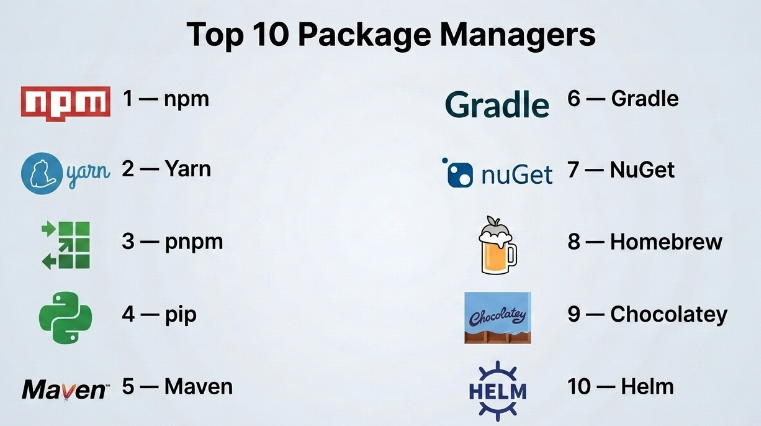
Top 10 Package Managers
#1 — npm
Short description :
npm is one of the most widely used package managers for JavaScript and Node.js development.
It helps developers install, manage, publish, and update JavaScript packages from a large ecosystem.
It is commonly used in frontend, backend, full-stack, and DevOps workflows.
npm is suitable for individual developers, startups, agencies, and large software teams.
Its strong ecosystem makes it a default choice for many JavaScript projects.
However, teams must manage dependency security carefully because the ecosystem is very large.
Key Features
- Large JavaScript and Node.js package ecosystem
- Dependency installation and version management
- Package publishing and registry support
- Lockfile support for repeatable installs
- Script automation through package configuration
- Workspace support for monorepos
- Security audit command for known vulnerabilities
Pros
- Huge ecosystem with strong community adoption
- Easy to start for JavaScript and Node.js projects
- Works well with CI/CD pipelines and modern frontend tooling
Cons
- Large dependency trees can become hard to control
- Security risks require regular auditing and governance
- Performance may vary in very large projects
Platforms / Deployment
Web / Windows / macOS / Linux
Cloud / Self-hosted / Hybrid
Security & Compliance
Supports access controls through registry services, package audit workflows, scoped packages, and token-based authentication. Enterprise compliance details depend on the registry or hosting provider used. SOC 2, ISO 27001, HIPAA: Not publicly stated for npm usage alone.
Integrations & Ecosystem
npm integrates deeply with the JavaScript ecosystem and modern development workflows. It is commonly used in frontend frameworks, backend services, CI/CD systems, and private registries.
- Node.js
- React, Angular, Vue, Next.js
- GitHub Actions, GitLab CI, Jenkins
- Private package registries
- Docker builds
- Monorepo tooling
Support & Community
npm has a very large community, strong documentation, and wide learning resources. Support depends on whether teams use public npm services, private registry tools, or enterprise platforms.
#2 — Yarn
Short description :
Yarn is a JavaScript package manager built to improve dependency installation speed, consistency, and developer experience.
It is widely used for frontend and Node.js projects that need reliable dependency management.
Yarn is popular in teams working with monorepos, workspaces, and large JavaScript codebases.
It offers strong caching and lockfile behavior for predictable installs.
It is a good fit for teams that want more control over dependency resolution.
Some advanced Yarn features may require learning and careful setup.
Key Features
- Fast dependency installation
- Reliable lockfile support
- Workspace and monorepo support
- Offline caching capabilities
- Plug’n’Play support in supported workflows
- Strong package resolution controls
- Script and lifecycle command support
Pros
- Strong fit for large JavaScript projects
- Good workspace support for monorepos
- Helps improve install consistency across teams
Cons
- Advanced configuration can feel complex
- Plug’n’Play may not work smoothly with every tool
- Teams may need migration effort from npm
Platforms / Deployment
Windows / macOS / Linux
Self-hosted / Hybrid
Security & Compliance
Yarn supports lockfiles and dependency integrity checks. Security and compliance controls depend on the registry, CI/CD platform, and enterprise package governance tools used. SOC 2, ISO 27001, HIPAA: Not publicly stated.
Integrations & Ecosystem
Yarn works well with modern JavaScript tooling and is especially useful in workspace-based projects.
- React, Vue, Angular, Next.js
- Node.js applications
- Monorepo tools
- Git-based workflows
- CI/CD pipelines
- Private registries
Support & Community
Yarn has strong documentation and an active developer community. Enterprise support is usually handled through internal platform teams or third-party ecosystem vendors.
#3 — pnpm
Short description :
pnpm is a fast and disk-efficient JavaScript package manager designed for modern development workflows.
It uses a content-addressable store to avoid unnecessary duplication of packages.
This makes it attractive for teams working with large projects, monorepos, and frequent builds.
pnpm is popular among performance-focused JavaScript teams.
It provides strict dependency behavior that can help catch hidden dependency problems.
However, teams moving from npm or Yarn may need some adjustment.
Key Features
- Fast package installation
- Disk-efficient package storage
- Strong monorepo workspace support
- Strict dependency resolution
- Lockfile support for reproducible installs
- Good CI/CD performance
- Compatible with many npm ecosystem packages
Pros
- Excellent performance for large JavaScript projects
- Saves disk space through shared package storage
- Helps identify undeclared dependency issues
Cons
- Some teams may need time to learn its workflow
- Certain older tools may expect npm-style behavior
- Migration requires testing in existing projects
Platforms / Deployment
Windows / macOS / Linux
Self-hosted / Hybrid
Security & Compliance
pnpm supports lockfiles and dependency integrity. Compliance depends on the package registry, security scanning tools, and governance policies used. SOC 2, ISO 27001, HIPAA: Not publicly stated.
Integrations & Ecosystem
pnpm integrates with many modern JavaScript frameworks and CI/CD systems.
- Node.js
- Frontend frameworks
- Monorepos
- CI/CD platforms
- Docker builds
- Private npm-compatible registries
Support & Community
pnpm has strong community adoption, clear documentation, and growing usage among modern JavaScript teams. Formal enterprise support varies by environment.
#4 — pip
Short description :
pip is the standard package installer for Python projects.
It helps developers install Python libraries and manage dependencies from Python package repositories.
It is widely used in data science, automation, backend development, scripting, AI, and DevOps workflows.
pip is simple, flexible, and familiar to most Python users.
It works well for small to medium projects and can be combined with virtual environments.
For large enterprise dependency governance, teams may need additional tooling.
Key Features
- Python package installation
- Requirements file support
- Virtual environment compatibility
- Package version pinning
- Source and wheel package installation
- Works with public and private indexes
- Commonly used in automation and CI/CD
Pros
- Simple and widely understood
- Strong fit for Python development
- Works across many environments and workflows
Cons
- Dependency resolution can require careful management
- Enterprise governance often needs extra tools
- Environment isolation depends on proper setup
Platforms / Deployment
Windows / macOS / Linux
Self-hosted / Hybrid
Security & Compliance
pip supports package integrity workflows depending on configuration and repository usage. Security scanning, access control, and compliance usually come from private indexes, CI/CD tools, and governance platforms. SOC 2, ISO 27001, HIPAA: Not publicly stated.
Integrations & Ecosystem
pip is deeply connected to the Python ecosystem and works across many technical domains.
- Python virtual environments
- Data science tools
- AI and machine learning libraries
- Backend frameworks
- CI/CD systems
- Private package indexes
Support & Community
pip has broad community support and extensive documentation. Support is mainly community-driven unless used with enterprise Python platforms or managed repositories.
#5 — Maven
Short description :
Maven is a mature package and build management tool widely used in Java ecosystems.
It helps teams manage dependencies, project builds, plugins, and standard project structures.
Maven is common in enterprise Java, backend systems, financial platforms, and large-scale software engineering.
It is known for convention-based project management and strong repository integration.
Maven is a good fit for teams that need stability and predictable builds.
Its XML-based configuration can feel verbose for some modern teams.
Key Features
- Java dependency management
- Build lifecycle management
- Plugin ecosystem
- Repository integration
- Standard project structure
- Transitive dependency handling
- Strong enterprise adoption
Pros
- Reliable and mature for Java projects
- Strong enterprise ecosystem
- Works well with private artifact repositories
Cons
- XML configuration can be lengthy
- Less flexible than some newer build tools
- Large builds may require optimization
Platforms / Deployment
Windows / macOS / Linux
Self-hosted / Hybrid
Security & Compliance
Maven supports dependency management through repositories and can be paired with artifact scanning, access controls, and private repository governance. Compliance depends on the repository and enterprise tooling used. SOC 2, ISO 27001, HIPAA: Not publicly stated for Maven itself.
Integrations & Ecosystem
Maven integrates strongly with Java development and enterprise delivery pipelines.
- Java and JVM frameworks
- Spring ecosystem
- CI/CD tools
- Artifact repositories
- IDEs
- Testing frameworks
Support & Community
Maven has long-standing documentation, community support, and enterprise usage. Support often comes from Java platform vendors, internal engineering teams, and repository vendors.
#6 — Gradle
Short description :
Gradle is a build automation and dependency management tool used heavily in Java, Android, Kotlin, and JVM-based projects.
It provides flexible build scripting and strong performance features for complex projects.
Gradle is popular with teams that need customization, multi-project builds, and faster build workflows.
It supports dependency management while also handling advanced build logic.
It is suitable for modern application teams and large engineering organizations.
However, complex Gradle scripts can become difficult to maintain without standards.
Key Features
- Dependency and build management
- Multi-project build support
- Build caching
- Incremental builds
- Kotlin and Groovy DSL support
- Strong Android ecosystem adoption
- Plugin-based extensibility
Pros
- Flexible and powerful for complex builds
- Strong performance capabilities
- Good fit for Android and JVM projects
Cons
- Build scripts can become complex
- Requires discipline in large teams
- Learning curve can be higher than Maven
Platforms / Deployment
Windows / macOS / Linux
Self-hosted / Hybrid
Security & Compliance
Gradle supports dependency locking, verification workflows, and integration with security scanning tools. Enterprise compliance depends on repository, CI/CD, and governance configuration. SOC 2, ISO 27001, HIPAA: Not publicly stated for Gradle usage alone.
Integrations & Ecosystem
Gradle works across modern JVM and Android development workflows.
- Java, Kotlin, Groovy
- Android Studio
- CI/CD platforms
- Artifact repositories
- Testing tools
- Plugin ecosystem
Support & Community
Gradle has strong documentation, community support, and commercial ecosystem options. Enterprise support varies based on the tooling stack used.
#7 — NuGet
Short description :
NuGet is the package manager commonly used for .NET development.
It helps developers add, update, restore, and manage .NET packages across applications and services.
NuGet is important for teams building enterprise applications, APIs, desktop software, cloud services, and Microsoft ecosystem solutions.
It integrates closely with .NET tooling and developer workflows.
It is a strong fit for organizations standardized on Microsoft technologies.
Teams still need governance for internal packages and third-party dependency risks.
Key Features
- .NET package management
- Package restore support
- Version control and dependency resolution
- Private package source support
- IDE integration
- CLI support
- Strong Microsoft ecosystem alignment
Pros
- Natural fit for .NET teams
- Works well with Visual Studio and .NET CLI
- Supports internal and public package sources
Cons
- Best suited for .NET ecosystems
- Governance depends on repository setup
- Complex dependency trees need careful review
Platforms / Deployment
Windows / macOS / Linux
Cloud / Self-hosted / Hybrid
Security & Compliance
NuGet supports package source controls and can be used with private repositories and enterprise identity systems. Compliance details depend on hosting and repository services. SOC 2, ISO 27001, HIPAA: Not publicly stated for NuGet itself.
Integrations & Ecosystem
NuGet is deeply integrated into .NET development and enterprise Microsoft workflows.
- .NET CLI
- Visual Studio
- Azure DevOps
- GitHub Actions
- Private repositories
- CI/CD pipelines
Support & Community
NuGet has strong documentation and broad .NET community support. Enterprise support depends on the Microsoft platform and repository environment used.
#8 — Homebrew
Short description :
Homebrew is a popular package manager for macOS and Linux systems.
It helps developers and IT users install command-line tools, applications, libraries, and utilities quickly.
Homebrew is widely used by developers who need a clean way to manage local development tools.
It is especially common in macOS development environments.
It works well for individual users and engineering teams setting up standard developer machines.
For strict enterprise desktop governance, additional controls may be required.
Key Features
- Command-line package installation
- Large formula and cask ecosystem
- macOS and Linux support
- Simple upgrade and uninstall commands
- Developer tool management
- Community-maintained packages
- Automation-friendly setup
Pros
- Very convenient for developer workstations
- Large package ecosystem
- Simple command structure
Cons
- Enterprise governance may require extra controls
- Package availability depends on community maintenance
- Less suitable for locked-down environments without policy support
Platforms / Deployment
macOS / Linux
Self-hosted / Hybrid
Security & Compliance
Homebrew provides package installation workflows and community-maintained formulas. Enterprise security, audit, and compliance controls depend on internal policies and endpoint management tools. SOC 2, ISO 27001, HIPAA: Not publicly stated.
Integrations & Ecosystem
Homebrew fits naturally into developer workstation automation.
- macOS developer environments
- Shell scripts
- Dotfiles
- CI setup scripts
- Developer onboarding automation
- CLI tools and utilities
Support & Community
Homebrew has strong community support and extensive public documentation. Formal enterprise support is limited unless managed through internal IT or endpoint management practices.
#9 — Chocolatey
Short description :
Chocolatey is a Windows package manager used to install, update, and manage software packages.
It is popular with IT administrators, DevOps teams, and Windows-heavy organizations.
Chocolatey helps automate software setup on desktops, servers, and development environments.
It can reduce manual installation work and improve consistency across Windows machines.
It supports both community and enterprise use cases.
Enterprise teams should review governance, package trust, and internal repository strategy.
Key Features
- Windows software package management
- Command-line installation and updates
- Automation-friendly workflows
- Internal package repository support
- Configuration management compatibility
- Enterprise-focused management options
- Broad Windows software ecosystem
Pros
- Strong fit for Windows environments
- Reduces manual software installation work
- Useful for IT automation and endpoint setup
Cons
- Best value is in Windows-heavy organizations
- Package trust and approval need governance
- Some enterprise features may require paid plans
Platforms / Deployment
Windows
Cloud / Self-hosted / Hybrid
Security & Compliance
Chocolatey supports internal repositories and enterprise governance options depending on edition and setup. SSO/SAML, audit logs, RBAC, SOC 2, ISO 27001, HIPAA: Not publicly stated unless confirmed for a specific plan or environment.
Integrations & Ecosystem
Chocolatey integrates well with Windows automation and IT operations workflows.
- PowerShell
- Windows Server
- Configuration management tools
- Endpoint management workflows
- CI/CD setup scripts
- Internal package repositories
Support & Community
Chocolatey has community documentation and commercial support options. Support strength depends on whether teams use open-source/community packages or enterprise editions.
#10 — Helm
Short description :
Helm is a package manager for Kubernetes applications.
It helps teams define, install, upgrade, and manage Kubernetes resources using packaged charts.
Helm is widely used by DevOps, platform engineering, SRE, and cloud-native teams.
It simplifies application deployment by packaging Kubernetes manifests into reusable templates.
It is useful for managing complex cloud-native workloads across environments.
However, Helm requires Kubernetes knowledge and careful chart governance.
Key Features
- Kubernetes application packaging
- Helm charts for reusable deployments
- Release management
- Upgrade and rollback support
- Template-based configuration
- Works with chart repositories
- Strong cloud-native ecosystem adoption
Pros
- Simplifies Kubernetes application deployment
- Strong fit for platform and DevOps teams
- Supports repeatable release workflows
Cons
- Requires Kubernetes understanding
- Poorly written charts can create deployment risks
- Governance is needed for production usage
Platforms / Deployment
Windows / macOS / Linux
Cloud / Self-hosted / Hybrid
Security & Compliance
Helm supports chart packaging and deployment workflows. Security depends on chart source validation, repository controls, Kubernetes RBAC, image scanning, and cluster policies. SOC 2, ISO 27001, HIPAA: Not publicly stated for Helm itself.
Integrations & Ecosystem
Helm is widely used in Kubernetes and cloud-native delivery pipelines.
- Kubernetes
- GitOps tools
- CI/CD platforms
- Container registries
- Cloud platforms
- Observability and deployment tools
Support & Community
Helm has strong cloud-native community support and broad documentation. Enterprise support usually comes through Kubernetes platform vendors, cloud providers, or internal platform teams.
Comparison Table
| Tool Name | Best For | Platform(s) Supported | Deployment | Standout Feature | Public Rating |
|---|---|---|---|---|---|
| npm | JavaScript and Node.js teams | Windows, macOS, Linux | Cloud / Self-hosted / Hybrid | Huge JavaScript package ecosystem | N/A |
| Yarn | JavaScript teams using workspaces | Windows, macOS, Linux | Self-hosted / Hybrid | Strong workspace and lockfile support | N/A |
| pnpm | Performance-focused JavaScript teams | Windows, macOS, Linux | Self-hosted / Hybrid | Fast, disk-efficient package storage | N/A |
| pip | Python developers and data teams | Windows, macOS, Linux | Self-hosted / Hybrid | Standard Python package installation | N/A |
| Maven | Enterprise Java teams | Windows, macOS, Linux | Self-hosted / Hybrid | Mature Java dependency and build management | N/A |
| Gradle | JVM, Kotlin, and Android teams | Windows, macOS, Linux | Self-hosted / Hybrid | Flexible build and dependency automation | N/A |
| NuGet | .NET development teams | Windows, macOS, Linux | Cloud / Self-hosted / Hybrid | Native .NET package management | N/A |
| Homebrew | macOS and Linux developers | macOS, Linux | Self-hosted / Hybrid | Simple developer workstation package setup | N/A |
| Chocolatey | Windows IT and DevOps teams | Windows | Cloud / Self-hosted / Hybrid | Windows software automation | N/A |
| Helm | Kubernetes and platform teams | Windows, macOS, Linux | Cloud / Self-hosted / Hybrid | Kubernetes application packaging | N/A |
Evaluation & Package Managers
| Tool Name | Core (25%) | Ease (15%) | Integrations (15%) | Security (10%) | Performance (10%) | Support (10%) | Value (15%) | Weighted Total (0–10) |
|---|---|---|---|---|---|---|---|---|
| npm | 9 | 8 | 9 | 7 | 7 | 9 | 9 | 8.35 |
| Yarn | 8 | 7 | 8 | 7 | 8 | 8 | 8 | 7.75 |
| pnpm | 8 | 7 | 8 | 7 | 9 | 8 | 9 | 8.00 |
| pip | 8 | 8 | 8 | 6 | 7 | 9 | 9 | 7.85 |
| Maven | 8 | 6 | 8 | 7 | 7 | 9 | 8 | 7.55 |
| Gradle | 9 | 6 | 8 | 7 | 8 | 8 | 8 | 7.85 |
| NuGet | 8 | 8 | 8 | 7 | 8 | 8 | 8 | 7.95 |
| Homebrew | 7 | 9 | 7 | 6 | 8 | 8 | 9 | 7.65 |
| Chocolatey | 8 | 8 | 7 | 7 | 7 | 7 | 8 | 7.55 |
| Helm | 9 | 6 | 9 | 7 | 8 | 8 | 8 | 8.00 |
These scores are comparative, not absolute. A higher score does not mean the tool is best for every team. For example, npm may score high for JavaScript, but it is not useful for Python or Kubernetes package management. Helm is excellent for Kubernetes but not suitable for general desktop software. Use the score as a shortlist guide, then validate fit through a small pilot.
Which Package Managers
Solo / Freelancer
Solo developers should choose tools based on their main programming language and project type. For JavaScript, npm or pnpm is usually practical. For Python, pip remains simple and familiar. For macOS development machines, Homebrew is very useful for installing local tools quickly.
The best choice is usually the one that reduces setup time and keeps projects repeatable without adding too much complexity.
SMB
SMBs should focus on reliability, speed, and simple governance. npm, pnpm, pip, NuGet, Maven, or Gradle can work depending on the stack. If the team runs Kubernetes, Helm should be considered early.
SMBs should also start using lockfiles, internal documentation, and basic dependency scanning. This helps avoid future technical debt.
Mid-Market
Mid-market companies need stronger package governance. They may use multiple tools across teams, such as npm for frontend, pip for Python, Maven or Gradle for backend, NuGet for .NET, and Helm for Kubernetes.
At this stage, private registries, access control, auditability, and CI/CD integration become more important than simple installation speed.
Enterprise
Enterprises should focus on policy, security, compliance, and standardization. They often need approved package sources, internal mirrors, vulnerability scanning, role-based access, and audit logs.
Enterprises may use multiple package managers, but they should centralize governance through private repositories, security platforms, and platform engineering standards.
Budget vs Premium
Open-source package managers are often free to use, but the total cost comes from governance, security, support, and internal maintenance. Free tools can be excellent for developers, but enterprises may need paid registry platforms, support plans, or security tooling.
Budget-conscious teams should start with strong open-source tools and add paid controls only where risk or scale demands it.
Feature Depth vs Ease of Use
npm, pip, and Homebrew are easy to start with. Gradle, Helm, and enterprise package workflows offer deeper control but require more learning. Teams should avoid choosing a powerful tool if they do not need its complexity.
The right balance depends on team skill, project size, and operational risk.
Integrations & Scalability-
For scalable software delivery, package managers must integrate with CI/CD, source control, private registries, security scanners, and deployment platforms. npm, Maven, Gradle, NuGet, and Helm are especially strong in enterprise delivery pipelines.
Teams should test integrations before standardizing because package workflows often affect build speed and release reliability.
Security & Compliance Needs
Security-focused teams should evaluate lockfiles, package signing, private registries, vulnerability scanning, access control, and audit trails. The package manager alone is rarely enough.
A strong package management strategy combines the package manager, trusted repositories, CI/CD checks, dependency policies, and regular reviews.
Frequently Asked Questions
1. What is a package manager?
A package manager is a tool that installs, updates, removes, and manages software packages. It also handles dependencies so teams do not need to manually download every required library or tool.
2. Are package managers free?
Many popular package managers are free and open source. However, private registries, enterprise governance, security scanning, and premium support may involve additional cost.
3. Which package manager is best for JavaScript?
npm, Yarn, and pnpm are common choices for JavaScript. npm is widely adopted, Yarn is strong for workspaces, and pnpm is useful when speed and disk efficiency are important.
4. Which package manager is best for Python?
pip is the standard package installer for Python. Many teams also combine it with virtual environments and additional dependency management tools for better isolation.
5. What is the biggest mistake teams make with package managers?
The most common mistake is installing dependencies without version control, lockfiles, or security review. This can lead to broken builds, hidden risks, and inconsistent environments.
6. How important is security in package management?
Security is very important because modern applications depend heavily on third-party packages. Teams should review vulnerabilities, control package sources, and avoid unknown or untrusted packages.
7. Can package managers scale for enterprise use?
Yes, but enterprises usually need extra governance. This may include private registries, approved package policies, access controls, audit logs, and automated security checks.
8. How long does onboarding take?
Basic onboarding can be quick for developers familiar with the ecosystem. Enterprise onboarding may take longer because teams must define standards, registries, permissions, and CI/CD workflows.
9. Can I switch from one package manager to another?
Yes, but switching requires testing. Teams should check lockfiles, dependency behavior, CI/CD scripts, build performance, and compatibility before fully migrating.
10. Do package managers replace CI/CD tools?
No. Package managers handle dependencies and packages, while CI/CD tools automate build, test, and deployment workflows. They work together in modern software delivery.
Conclusion
Package managers are now a critical part of modern software delivery. They help teams move faster, reduce manual setup, control dependencies, and support repeatable builds. However, the best package manager depends on the technical environment. JavaScript teams may compare npm, Yarn, and pnpm. Python teams often start with pip. Java teams may choose Maven or Gradle. .NET teams usually rely on NuGet. IT teams managing Windows software may prefer Chocolatey, while Kubernetes teams should evaluate Helm carefully.
