Introduction
API Testing Tools help teams test whether application programming interfaces are working correctly, securely, and reliably. In simple words, these tools check how different software systems communicate with each other. They help validate requests, responses, authentication, performance, errors, contracts, and integrations before an API reaches users.
API testing matters because modern applications depend heavily on APIs for payments, mobile apps, SaaS platforms, microservices, partner integrations, AI systems, and cloud services. A small API failure can break login, checkout, reporting, data sync, or customer experience.
Best for: QA engineers, developers, DevOps teams, platform teams, API product teams, SaaS companies, fintech, healthcare, e-commerce, and enterprise software teams.
Not ideal for: Very small projects with only one or two simple APIs, teams that only need manual browser testing, or businesses without active API development.
Key Trends in API Testing Tools
- Shift-left API testing is becoming common, where developers test APIs earlier in the development cycle.
- AI-assisted test generation is helping teams create test cases faster from API specifications and traffic patterns.
- Contract testing is growing because microservices need stable agreements between producers and consumers.
- Security testing is now part of API testing, especially for authentication, authorization, tokens, headers, and data exposure.
- CI/CD integration is expected, so API tests can run automatically during builds and deployments.
- Mocking and virtualization are more important because teams want to test before dependent services are ready.
- OpenAPI-first workflows are growing, helping teams design, document, test, and monitor APIs from one specification.
- Performance and reliability testing are becoming standard for customer-facing and partner-facing APIs.
- Collaboration features matter more, especially for distributed teams working across product, QA, and engineering.
- Cloud and hybrid deployment options are preferred, depending on security, governance, and internal infrastructure needs.
How We Selected These Tools
- Chose tools widely recognized for API testing, API automation, API design, or API quality workflows.
- Included a mix of developer-first, QA-friendly, open-source, enterprise, and performance-focused tools.
- Considered support for REST, SOAP, GraphQL, gRPC, and modern API standards where applicable.
- Looked at automation, scripting, CI/CD integration, and reporting capabilities.
- Considered collaboration features for teams working across development and QA.
- Evaluated fit for startups, SMBs, mid-market companies, and enterprises.
- Included tools with strong documentation, ecosystem, or community strength.
- Avoided tools where API testing is not a clear or meaningful capability.
- Used “N/A” or “Not publicly stated” where public ratings or compliance details are uncertain.
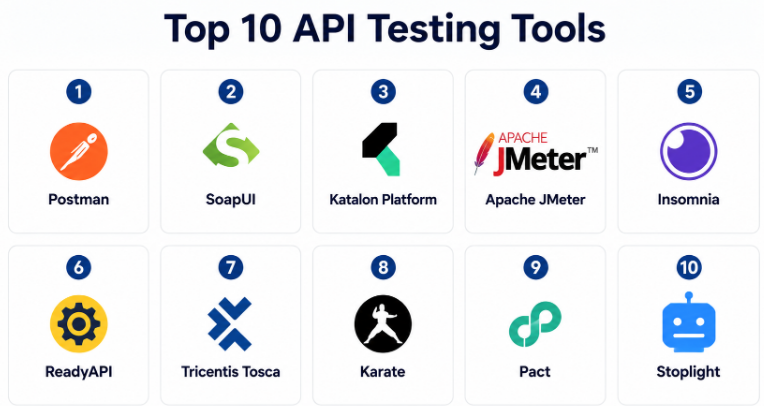
Top 10 API Testing Tools
#1 — Postman
Short description :
Postman is one of the most widely used API platforms for designing, testing, documenting, and collaborating on APIs. It is popular with developers, QA teams, product teams, and DevOps engineers because it provides a simple interface for sending API requests and validating responses. Teams use it for manual testing, automated test collections, mock servers, API documentation, and CI/CD workflows. Postman is suitable for startups, SMBs, and large enterprises that need a collaborative API workspace. It is especially useful when teams want one place to manage API testing and API lifecycle activities.
Key Features
- REST, GraphQL, SOAP, and WebSocket API testing support
- Collections for reusable API requests
- Automated testing with scripts
- Mock server support
- API documentation generation
- Environment and variable management
- CI/CD integration through command-line execution
Pros
- Easy to learn and widely adopted.
- Strong collaboration features for teams.
- Useful for both manual and automated API testing.
Cons
- Advanced automation may require scripting knowledge.
- Large collections can become difficult to manage without discipline.
- Some enterprise features may require paid plans.
Platforms / Deployment
Web / Windows / macOS / Linux / Cloud
Security & Compliance
Supports workspace access control, role-based permissions, SSO options, and secure collaboration features depending on plan. Specific compliance details may vary by plan and deployment.
Integrations & Ecosystem
Postman has a strong API development and testing ecosystem. It works well with modern engineering workflows and can fit into both manual and automated testing processes.
- CI/CD tools
- Git-based workflows
- API gateways
- Monitoring tools
- OpenAPI specifications
- Team collaboration workflows
Support & Community
Postman has strong documentation, learning resources, a large user community, and support options. It is one of the easiest API testing tools for new users to adopt.
#2 — SoapUI
Short description :
SoapUI is a mature API testing tool known for testing SOAP and REST APIs. It is often used by QA teams and enterprises that need functional API testing, regression testing, service validation, and data-driven testing. SoapUI is especially useful in organizations that still work with SOAP services alongside modern REST APIs. It supports both open-source and commercial usage patterns depending on team needs. It is a practical choice for teams that need structured API testing with strong legacy service support.
Key Features
- REST and SOAP API testing
- Functional API test creation
- Data-driven testing support
- Assertions for response validation
- Test suite and test case organization
- Service mocking capabilities
- Security testing options in commercial versions
Pros
- Strong SOAP API testing support.
- Good for structured QA workflows.
- Mature tool with long industry usage.
Cons
- Interface may feel older compared to newer tools.
- Advanced features may require commercial edition.
- Less modern collaboration experience than some cloud tools.
Platforms / Deployment
Windows / macOS / Linux / Self-hosted
Security & Compliance
Security testing features may be available depending on edition. Compliance details are Not publicly stated.
Integrations & Ecosystem
SoapUI fits well into QA-led API testing workflows, especially where SOAP services, enterprise integrations, and structured test suites are important.
- REST services
- SOAP services
- CI/CD tools
- Mock services
- Data-driven test sources
- Enterprise QA workflows
Support & Community
SoapUI has long-standing documentation, community resources, and commercial support options depending on product edition. It is well known among traditional QA teams.
#3 — Katalon Platform
Short description :
Katalon Platform is a software testing platform that supports API, web, mobile, and desktop testing. For API testing, it provides a more guided experience for QA teams that want automation without building everything from scratch. Katalon supports test case creation, reusable test assets, reporting, and CI/CD integration. It is suitable for teams that want API testing as part of a broader quality engineering platform. It works well for QA teams that need both low-code convenience and scripting flexibility.
Key Features
- API, web, mobile, and desktop testing
- REST and SOAP API testing
- Test automation workflows
- Reusable test objects and test cases
- Built-in reporting and analytics
- CI/CD integration support
- Low-code and script-based testing options
Pros
- Good all-in-one testing platform.
- Useful for QA teams with mixed testing needs.
- Easier for non-developer testers than fully code-based tools.
Cons
- May be more than needed for API-only testing.
- Advanced customization may require scripting.
- Pricing and feature access can vary by plan.
Platforms / Deployment
Windows / macOS / Linux / Cloud / Hybrid
Security & Compliance
Supports team access management and enterprise controls depending on plan. Specific compliance details are Not publicly stated.
Integrations & Ecosystem
Katalon integrates with common development and testing workflows. It is suitable for teams that need API testing alongside UI and mobile automation.
- CI/CD platforms
- Test management tools
- Defect tracking systems
- REST and SOAP APIs
- Version control systems
- Reporting dashboards
Support & Community
Katalon provides documentation, tutorials, community resources, and paid support options. It has strong appeal for QA teams that want a structured testing platform.
#4 — Apache JMeter
Short description :
Apache JMeter is an open-source testing tool widely used for performance testing, load testing, and API testing. It is commonly used to test REST APIs, web services, databases, and other network-based systems. JMeter is especially useful when teams want to understand how APIs behave under traffic, stress, and concurrency. It is a strong option for technical QA engineers, performance engineers, and DevOps teams. While powerful, it may require more setup and tuning compared to modern cloud-based tools.
Key Features
- API performance and load testing
- REST and SOAP request support
- Thread groups for load simulation
- Assertions and response validation
- Test plan creation and reuse
- Plugin ecosystem
- Command-line execution for automation
Pros
- Free and open-source.
- Strong for API load and performance testing.
- Flexible for technical users.
Cons
- User interface can feel complex.
- Requires tuning for large-scale tests.
- Collaboration features are limited compared to cloud tools.
Platforms / Deployment
Windows / macOS / Linux / Self-hosted
Security & Compliance
Security depends on local deployment, access control, infrastructure, and test data handling. Compliance details are Not publicly stated.
Integrations & Ecosystem
JMeter works well in performance engineering workflows. It can be used with CI/CD systems and monitoring platforms to validate API behavior under load.
- REST APIs
- SOAP services
- CI/CD tools
- Monitoring systems
- Plugin extensions
- Command-line automation
Support & Community
JMeter has a large open-source community, strong documentation, and many tutorials. Enterprise support may be available through third-party service providers.
#5 — Insomnia
Short description :
Insomnia is an API client and testing tool used by developers to design, debug, and test APIs. It supports REST, GraphQL, gRPC, and other modern API workflows. Insomnia is known for a clean interface and developer-friendly experience. Teams use it for API request testing, environment management, authentication testing, and collaborative API workflows. It is a good choice for developers who want a lightweight but capable API testing workspace.
Key Features
- REST, GraphQL, and gRPC support
- API request creation and testing
- Environment and variable management
- Authentication support
- API design workflow support
- Plugin extensibility
- Team collaboration options
Pros
- Clean and developer-friendly interface.
- Good support for modern API types.
- Useful for quick testing and debugging.
Cons
- May not offer the same enterprise depth as larger platforms.
- Advanced automation may need additional setup.
- Some team features may require paid plans.
Platforms / Deployment
Windows / macOS / Linux / Cloud
Security & Compliance
Supports secure request handling and team controls depending on plan. Specific compliance details are Not publicly stated.
Integrations & Ecosystem
Insomnia fits well into developer workflows and API design processes. It is useful for teams that want fast API testing with support for modern API protocols.
- REST APIs
- GraphQL APIs
- gRPC APIs
- Git workflows
- Plugin ecosystem
- API design tools
Support & Community
Insomnia has active documentation and community usage, especially among developers. Support options may vary by plan and product edition.
#6 — ReadyAPI
Short description :
ReadyAPI is an enterprise API testing platform from SmartBear that supports functional testing, performance testing, security testing, and service virtualization. It is often used by QA teams and enterprises that need structured API quality workflows. ReadyAPI is especially useful for organizations that require deeper testing coverage than basic API clients provide. It works well for teams testing REST, SOAP, and complex enterprise services. It is a strong option where governance, reporting, and repeatable test execution are important.
Key Features
- Functional API testing
- REST and SOAP support
- API performance testing
- API security testing
- Service virtualization
- Data-driven testing
- Test reporting and automation
Pros
- Strong enterprise API testing depth.
- Useful for functional, load, and security testing.
- Good fit for mature QA teams.
Cons
- May be expensive for smaller teams.
- More complex than lightweight API clients.
- Best suited for dedicated QA processes.
Platforms / Deployment
Windows / macOS / Linux / Self-hosted / Hybrid
Security & Compliance
Includes API security testing capabilities and enterprise controls depending on edition. Compliance details are Not publicly stated.
Integrations & Ecosystem
ReadyAPI integrates with broader QA, CI/CD, and API development workflows. It is useful where API testing needs to be standardized across teams.
- REST APIs
- SOAP services
- CI/CD platforms
- Test management tools
- Service virtualization
- Reporting tools
Support & Community
ReadyAPI has enterprise documentation, product support, training resources, and customer success options. It is commonly used by professional QA organizations.
#7 — Tricentis Tosca
Short description :
Tricentis Tosca is an enterprise test automation platform that includes API testing as part of a broader quality engineering suite. It is designed for organizations that want model-based testing, enterprise governance, and automation across multiple application layers. Tosca is used by large teams that need scalable testing across APIs, web, desktop, packaged applications, and business processes. It is best suited for enterprises with complex application portfolios. It may be more than needed for teams focused only on simple API testing.
Key Features
- API test automation
- Model-based test design
- End-to-end testing support
- Risk-based testing workflows
- Enterprise test management integration
- Broad application testing coverage
- Automation for complex business processes
Pros
- Strong enterprise automation capabilities.
- Useful for end-to-end testing beyond APIs.
- Good fit for large regulated organizations.
Cons
- May be too heavy for small teams.
- Requires onboarding and training.
- Pricing can be higher than lightweight tools.
Platforms / Deployment
Windows / Cloud / Hybrid
Security & Compliance
Enterprise controls may include role-based access and governance features depending on deployment and plan. Specific compliance details are Not publicly stated.
Integrations & Ecosystem
Tosca fits into enterprise testing and quality engineering ecosystems. It is useful when API testing must connect with business process testing and packaged application testing.
- Enterprise applications
- API services
- CI/CD tools
- Test management systems
- Defect tracking tools
- Business process workflows
Support & Community
Tricentis provides enterprise support, training, implementation services, documentation, and partner assistance. It is best for teams prepared for structured adoption.
#8 — Karate
Short description :
Karate is an open-source API testing framework that combines API test automation, mocks, performance testing, and assertions in a developer-friendly format. It is popular with engineering teams that want readable API tests without heavy boilerplate code. Karate supports REST, SOAP, GraphQL, and other testing needs. It works well in CI/CD pipelines and is useful for teams that prefer test automation as code. It is especially strong for teams that want API tests that both developers and testers can understand.
Key Features
- Open-source API testing framework
- REST, SOAP, and GraphQL testing support
- Readable test syntax
- Mock server capabilities
- CI/CD-friendly execution
- Assertions and data-driven testing
- Performance testing support
Pros
- Developer-friendly and readable.
- Good for automation-first teams.
- Strong open-source value.
Cons
- Requires technical skills.
- Less visual than GUI-based tools.
- Enterprise support depends on adoption path.
Platforms / Deployment
Windows / macOS / Linux / Self-hosted
Security & Compliance
Security depends on local usage, CI/CD setup, secrets handling, and infrastructure controls. Compliance details are Not publicly stated.
Integrations & Ecosystem
Karate works well with developer and DevOps workflows. It is useful for teams that want API tests versioned alongside application code.
- CI/CD tools
- Git repositories
- REST APIs
- SOAP services
- GraphQL APIs
- Mock services
Support & Community
Karate has strong open-source documentation and community adoption. Support is mainly community-driven unless using third-party services or commercial assistance.
#9 — Pact
Short description :
Pact is a contract testing tool used to verify that services communicate correctly with each other. It is especially useful in microservices environments where one team builds an API and another team consumes it. Pact helps prevent breaking changes by defining and validating expectations between API producers and consumers. It is not a full API testing platform like Postman or ReadyAPI, but it is very valuable for contract testing. It is best suited for engineering teams practicing microservices, CI/CD, and distributed system development.
Key Features
- Consumer-driven contract testing
- Producer and consumer verification
- Microservices testing support
- CI/CD integration
- Contract sharing workflows
- Helps detect breaking API changes
- Supports multiple programming ecosystems
Pros
- Excellent for microservices contract testing.
- Helps reduce integration failures.
- Strong fit for engineering-led teams.
Cons
- Not a full manual API testing tool.
- Requires team discipline and process maturity.
- Best value appears in distributed service environments.
Platforms / Deployment
Self-hosted / Cloud / Hybrid
Security & Compliance
Security depends on deployment, access controls, and hosting model. Compliance details are Not publicly stated.
Integrations & Ecosystem
Pact fits strongly into CI/CD and microservices workflows. It is commonly used alongside other API testing tools rather than replacing them completely.
- CI/CD pipelines
- Microservices
- Git workflows
- API producers and consumers
- Multiple programming languages
- Contract brokers
Support & Community
Pact has a strong open-source community and documentation. Commercial or managed support may depend on selected ecosystem and deployment approach.
#10 — Stoplight
Short description :
Stoplight is an API design, documentation, mocking, and governance platform that also supports API quality workflows. It is useful for teams that want to design and validate APIs around OpenAPI standards. While it is not only an API testing tool, it helps teams improve API consistency, documentation quality, mock testing, and design review. Stoplight is suitable for API product teams, platform teams, and organizations with API-first development practices. It works best when teams want to improve the full API lifecycle, not just send requests.
Key Features
- API design and documentation
- OpenAPI support
- Mock server capabilities
- API governance workflows
- Design review and collaboration
- Specification-based validation
- API lifecycle management support
Pros
- Strong API-first workflow support.
- Helpful for documentation and governance.
- Useful before APIs are fully built.
Cons
- Not a deep load testing tool.
- May need other tools for advanced automation.
- Best suited for design-led API teams.
Platforms / Deployment
Web / Cloud
Security & Compliance
Team access controls and workspace management may be available depending on plan. Compliance details are Not publicly stated.
Integrations & Ecosystem
Stoplight fits API design and governance workflows. It works well with OpenAPI-based teams and can support better testing through better API specifications.
- OpenAPI specifications
- Mock APIs
- Documentation workflows
- Git-based workflows
- API review processes
- Developer portals
Support & Community
Stoplight provides documentation, platform support, and learning resources. Community strength is strongest among API design, documentation, and governance teams.
Comparison Table
| Tool Name | Best For | Platform(s) Supported | Deployment | Standout Feature | Public Rating |
|---|---|---|---|---|---|
| Postman | Teams needing collaborative API testing | Web / Windows / macOS / Linux | Cloud | API collections and collaboration | N/A |
| SoapUI | SOAP and REST API testing | Windows / macOS / Linux | Self-hosted | Strong SOAP testing support | N/A |
| Katalon Platform | QA teams needing broader test automation | Windows / macOS / Linux | Cloud / Hybrid | API plus web and mobile testing | N/A |
| Apache JMeter | API performance and load testing | Windows / macOS / Linux | Self-hosted | Open-source load testing | N/A |
| Insomnia | Developer-focused API testing | Windows / macOS / Linux | Cloud | Clean API client experience | N/A |
| ReadyAPI | Enterprise API quality testing | Windows / macOS / Linux | Self-hosted / Hybrid | Functional, security, and performance testing | N/A |
| Tricentis Tosca | Enterprise end-to-end automation | Windows / Cloud | Hybrid | Model-based enterprise testing | N/A |
| Karate | Code-based API test automation | Windows / macOS / Linux | Self-hosted | Readable automation syntax | N/A |
| Pact | Microservices contract testing | Self-hosted / Cloud | Hybrid | Consumer-driven contract testing | N/A |
| Stoplight | API design and governance workflows | Web | Cloud | OpenAPI design and mock testing | N/A |
Evaluation & API Testing Tools
| Tool Name | Core (25%) | Ease (15%) | Integrations (15%) | Security (10%) | Performance (10%) | Support (10%) | Value (15%) | Weighted Total (0–10) |
|---|---|---|---|---|---|---|---|---|
| Postman | 9 | 9 | 9 | 8 | 8 | 9 | 8 | 8.60 |
| SoapUI | 8 | 7 | 7 | 7 | 7 | 8 | 8 | 7.50 |
| Katalon Platform | 8 | 8 | 8 | 7 | 7 | 8 | 8 | 7.80 |
| Apache JMeter | 8 | 6 | 8 | 6 | 9 | 8 | 10 | 7.95 |
| Insomnia | 8 | 9 | 7 | 7 | 7 | 7 | 8 | 7.65 |
| ReadyAPI | 9 | 7 | 8 | 8 | 8 | 9 | 7 | 8.05 |
| Tricentis Tosca | 8 | 6 | 8 | 8 | 8 | 9 | 6 | 7.50 |
| Karate | 8 | 7 | 8 | 6 | 8 | 7 | 9 | 7.75 |
| Pact | 8 | 6 | 8 | 6 | 7 | 7 | 8 | 7.25 |
| Stoplight | 7 | 8 | 8 | 7 | 6 | 7 | 7 | 7.15 |
The scores are comparative and should not be treated as a universal ranking. A tool with a lower total may still be the best choice for a specific use case. For example, JMeter is excellent for performance testing, while Pact is highly useful for contract testing. Buyers should shortlist tools based on their API type, team skill level, automation goals, and security needs.
Which API Testing Tools Should You Choose?
Solo / Freelancer
Solo developers and freelancers usually need a tool that is simple, fast, and not too expensive. Postman and Insomnia are strong choices for manual API testing, debugging, and basic automation. Karate is also useful if the user prefers code-based automated testing. JMeter is helpful when performance testing is needed.
SMB
Small and medium businesses should look for tools that are easy to adopt and can support growing QA needs. Postman, Katalon Platform, Insomnia, and JMeter are practical options. If the team has limited QA resources, Postman or Katalon may be easier. If the team has strong developers, Karate can provide good automation value.
Mid-Market
Mid-market companies often need API testing integrated with CI/CD, reporting, test management, and collaboration. Postman, ReadyAPI, Katalon Platform, Karate, and JMeter can all fit depending on needs. Pact is useful if the company has microservices and multiple teams working on API consumers and providers.
Enterprise
Enterprises should focus on governance, security, scalability, reporting, role-based access, and standardization. ReadyAPI, Tricentis Tosca, Postman, Katalon Platform, and Stoplight are strong candidates. Enterprises with complex SOAP services may also consider SoapUI or ReadyAPI. Large microservices teams should evaluate Pact for contract testing.
Budget vs Premium
Budget-focused teams can start with Apache JMeter, Karate, SoapUI open-source usage, and Insomnia depending on requirements. Premium buyers may prefer Postman, ReadyAPI, Katalon Platform, Tricentis Tosca, or Stoplight for collaboration, governance, enterprise support, and wider platform coverage.
Feature Depth vs Ease of Use
Postman and Insomnia are easier for quick API testing. ReadyAPI and Tricentis Tosca offer deeper enterprise testing capabilities. JMeter is strong for performance depth but may require more technical setup. Karate and Pact are powerful for automation and contract testing but need developer involvement.
Integrations & Scalability-
For CI/CD and automation, Postman, Karate, JMeter, ReadyAPI, and Pact are strong choices. For API lifecycle and governance, Stoplight and Postman are useful. For broad enterprise test automation, Katalon Platform and Tricentis Tosca offer wider coverage beyond API testing.
Security & Compliance Needs
Security-focused buyers should validate SSO, RBAC, audit logs, encryption, secrets management, test data protection, and compliance documentation before purchasing. Enterprise teams should also check how the tool stores API tokens, credentials, environments, and test results. ReadyAPI, Postman, Tricentis Tosca, and Katalon Platform are often considered by larger teams, but final security approval should come from internal review.
Frequently Asked Questions
1. What is an API testing tool?
An API testing tool helps check whether APIs work correctly, securely, and reliably. It validates requests, responses, status codes, authentication, data formats, and business logic.
2. Why is API testing important?
API testing is important because many applications depend on APIs for login, payments, data exchange, mobile apps, and integrations. A broken API can affect many systems at once.
3. Are API testing tools only for developers?
No. Developers, QA engineers, DevOps teams, security teams, and product teams can all use API testing tools. Some tools are technical, while others are easier for non-developers.
4. What is the difference between API testing and UI testing?
API testing checks the backend communication between systems. UI testing checks how the user interface behaves. API testing is often faster and more stable than UI testing.
5. Which API testing tool is best for beginners?
Postman and Insomnia are beginner-friendly because they provide simple interfaces for sending requests and checking responses. Katalon can also be useful for QA teams that want guided automation.
6. Which tool is best for API performance testing?
Apache JMeter is widely used for API load and performance testing. ReadyAPI can also support performance testing in enterprise environments.
7. What is contract testing?
Contract testing checks whether an API provider and API consumer follow the same agreed behavior. Pact is a popular tool for this, especially in microservices environments.
8. Can API testing tools be used in CI/CD pipelines?
Yes. Many API testing tools support command-line execution, automation, and CI/CD integration. This helps teams run API tests automatically during build and deployment.
9. What are common API testing mistakes?
Common mistakes include testing only happy paths, ignoring authentication errors, skipping negative test cases, not validating response schemas, and not testing performance under load.
10. Do API testing tools support security testing?
Some tools include API security testing features, while others focus mainly on functional testing. Teams should check authentication, authorization, token handling, sensitive data exposure, and access controls.
Conclusion
API Testing Tools are essential for building reliable, secure, and scalable software systems. The right tool depends on your team size, technical skill, API complexity, budget, and testing goals. Postman and Insomnia are strong for everyday API testing and collaboration. ReadyAPI, Tricentis Tosca, and Katalon Platform are better suited for enterprise and structured QA workflows. Apache JMeter is a strong choice for performance testing, while Karate and Pact are valuable for automation-first and microservices teams. Stoplight is useful for API design, governance, and documentation-led workflows.
