Introduction
Academic writing tools help students, researchers, professors, scholars, and professional writers create clear, structured, accurate, and well-formatted academic content. These tools support tasks such as grammar correction, citation management, plagiarism checking, paraphrasing, proofreading, research organization, manuscript editing, note management, and formal tone improvement.
In simple words, academic writing tools make research-based writing easier and more organized. They do not replace original thinking, subject knowledge, or academic integrity. Instead, they help users improve clarity, avoid common writing mistakes, organize sources, follow citation rules, and prepare papers, essays, dissertations, reports, and journal manuscripts more professionally.
Academic writing is different from casual writing because it requires evidence, structure, citations, formal language, logical flow, and careful referencing. A good academic writing tool helps reduce editing time and improves confidence before submission.
Real-world use cases include:
- Writing essays, research papers, theses, and dissertations.
- Checking grammar, spelling, punctuation, and academic tone.
- Managing citations and bibliographies.
- Detecting plagiarism and similarity issues.
- Organizing research notes, PDFs, and references.
- Improving sentence clarity and readability.
- Preparing manuscripts for journal submission.
Key evaluation criteria for buyers:
- Grammar and academic tone accuracy.
- Citation and reference support.
- Plagiarism and similarity checking.
- Research organization features.
- PDF reading and annotation support.
- Paraphrasing and rewriting quality.
- Ease of use for students and researchers.
- Integration with writing tools.
- Security and privacy handling.
- Pricing, storage, and collaboration options.
Best for: Students, researchers, professors, academic editors, PhD scholars, thesis writers, research assistants, librarians, and professionals preparing formal research-based documents.
Not ideal for: Users who want tools to write assignments without original thinking, teams needing deep subject-matter review, or writers working on creative content where formal academic structure is not required.
Key Trends in Academic Writing Tools
- AI-assisted academic writing support is becoming common for grammar correction, clarity improvement, summarization, outlining, and sentence rewriting.
- Academic integrity checks are becoming more important because institutions expect students and researchers to avoid plagiarism, improper citation, and unsupported claims.
- Citation and reference automation is now essential for students and researchers managing multiple sources across long documents.
- Research organization tools are growing in value because users need to manage PDFs, notes, highlights, quotations, and source metadata in one place.
- Formal tone improvement is becoming a core feature, especially for non-native English writers and international researchers.
- Human review remains necessary because AI tools can miss context, academic meaning, research accuracy, and discipline-specific expectations.
- Cloud-based writing and collaboration are growing, especially for co-authored papers, group research projects, and supervisor feedback workflows.
- Privacy and data protection are critical, especially when users handle unpublished research, student data, medical research, or confidential academic work.
- Journal-ready manuscript support is expanding, with tools helping users improve clarity, references, formatting, and readability before submission.
- Lightweight student tools and professional research platforms are becoming clearly different, so users should choose based on project depth.
How We Selected These Tools
The tools below were selected based on practical usefulness for academic writing, research organization, citation management, proofreading, plagiarism review, and manuscript improvement. The evaluation focused on:
- Market recognition among students, researchers, universities, and academic writers.
- Strength of grammar, tone, clarity, and formal writing support.
- Citation, bibliography, and reference management capabilities.
- Research workflow features such as PDF organization, note-taking, tagging, and annotations.
- Plagiarism checking or similarity review support where relevant.
- Fit for different users including students, thesis writers, researchers, and academic teams.
- Ease of use across essays, reports, dissertations, journal manuscripts, and research papers.
- Integration with document editors, browsers, and writing workflows.
- Security and compliance visibility where publicly known; otherwise marked as “Not publicly stated.”
- Overall value based on features, usability, academic relevance, and long-term workflow fit.
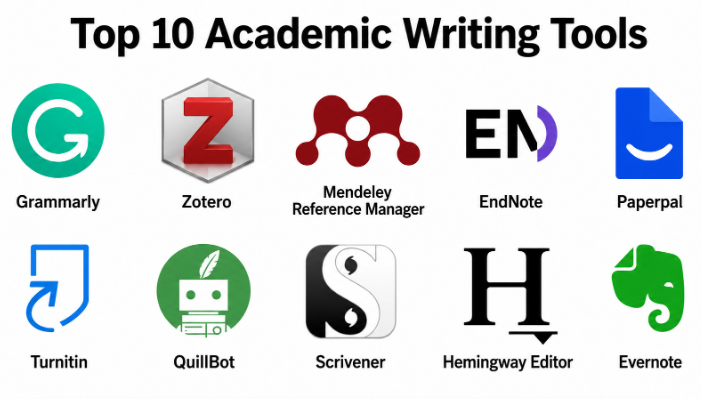
Top 10 Academic Writing Tools
#1 — Grammarly
Short description :
Grammarly is a widely used writing assistant that helps academic writers improve grammar, spelling, punctuation, tone, clarity, and readability. It is useful for students, researchers, teachers, and professionals who want cleaner academic writing. Grammarly can help users refine essays, research papers, emails, reports, and formal documents. Its suggestions are easy to understand, making it helpful for both native and non-native English writers. While it is not a subject expert, it is strong for polishing academic language before review or submission.
Key Features
- Grammar, spelling, and punctuation correction.
- Clarity and conciseness suggestions.
- Tone and formality improvement.
- AI rewriting and sentence improvement support.
- Browser, desktop, and mobile support.
- Plagiarism checking in selected plans.
- Useful for essays, reports, and academic drafts.
Pros
- Easy to use across many writing environments.
- Strong real-time writing correction.
- Helpful for improving clarity and formal tone.
Cons
- Suggestions may not always fit academic discipline context.
- Advanced features require paid plans.
- Human review is still needed for research accuracy.
Platforms / Deployment
Web / Windows / macOS / iOS / Android
Cloud
Security & Compliance
SOC 2 Type 2 and ISO 27001 are publicly stated by the vendor. Other details may vary by plan and agreement.
Integrations & Ecosystem
Grammarly works across many writing workflows and is especially useful for students and researchers who write in different tools.
- Browser-based writing.
- Document editing.
- Email writing.
- Mobile writing.
- Team writing workflows.
Support & Community
Grammarly offers documentation, support resources, and a large user community. Its wide usage makes onboarding simple for students and academic teams.
#2 — Zotero
Short description :
Zotero is a reference management tool designed to help students and researchers collect, organize, cite, and reuse academic sources. It is especially useful for essays, theses, dissertations, journal articles, and literature reviews. Zotero allows users to save references, attach PDFs, add notes, organize collections, and generate citations in different styles. It is widely used because it is practical, flexible, and beginner-friendly. For academic writing, Zotero is valuable because it reduces citation mistakes and keeps research sources organized.
Key Features
- Reference collection and organization.
- Browser-based source capture.
- PDF attachment and metadata management.
- Citation and bibliography generation.
- Word processor integration.
- Tags, notes, and collections.
- Shared libraries for collaboration.
Pros
- Strong free option for academic users.
- Good for managing sources and citations.
- Useful for long research projects.
Cons
- Large cloud storage may require paid upgrades.
- Imported metadata sometimes needs manual cleanup.
- Not a grammar or writing improvement tool.
Platforms / Deployment
Windows / macOS / Linux / Web sync
Desktop / Cloud sync
Security & Compliance
Not publicly stated
Integrations & Ecosystem
Zotero fits naturally into academic research and writing workflows where source management is important.
- Word processor citation plugins.
- Browser reference capture.
- PDF research libraries.
- Group research libraries.
- Citation style workflows.
Support & Community
Zotero has strong documentation, active forums, and a large academic user community. It is especially helpful for students and researchers learning citation management.
#3 — Mendeley Reference Manager
Short description :
Mendeley Reference Manager helps academic writers organize references, manage PDFs, generate citations, and build bibliographies. It is useful for students, researchers, and academic teams that work with many research papers. Mendeley supports cloud-based access and helps users keep academic sources organized across projects. It is especially practical for users who need citation management combined with PDF organization. Academic writers can use it to reduce manual citation work and keep research libraries structured.
Key Features
- Reference library management.
- PDF storage and organization.
- Citation and bibliography generation.
- Word processor integration.
- Cloud sync across devices.
- Search and filtering features.
- Research collaboration options may vary.
Pros
- Good for PDF-heavy research workflows.
- Useful citation and bibliography support.
- Familiar tool in many academic environments.
Cons
- Some metadata may need correction.
- Storage and advanced features may depend on plan.
- Not focused on grammar or style editing.
Platforms / Deployment
Windows / macOS / Web
Desktop / Cloud
Security & Compliance
Not publicly stated
Integrations & Ecosystem
Mendeley supports academic writing workflows where users collect, read, organize, and cite research sources.
- Word processor citation tools.
- PDF research libraries.
- Cloud reference sync.
- Academic writing workflows.
- Research library organization.
Support & Community
Mendeley offers documentation, help resources, and academic user support. It has broad visibility among students and researchers.
#4 — EndNote
Short description :
EndNote is a professional reference management tool used by researchers, universities, medical writers, and academic institutions. It is suitable for users managing large reference libraries, journal manuscripts, dissertations, and systematic research projects. EndNote helps with citation formatting, bibliography generation, PDF organization, duplicate detection, and research library control. It is more advanced than lightweight citation generators and is best for serious academic writing workflows. Users who handle complex research projects may find it especially useful.
Key Features
- Advanced reference library management.
- Large citation style support.
- Word processor integration.
- PDF storage and organization.
- Duplicate detection.
- Group sharing options.
- Strong academic publishing workflow support.
Pros
- Strong for advanced researchers.
- Good for large research libraries.
- Useful for publication-focused writing.
Cons
- Learning curve can be high.
- Paid licensing may not suit casual users.
- More complex than simple citation tools.
Platforms / Deployment
Windows / macOS / Web components may vary
Desktop / Cloud sync options may vary
Security & Compliance
Not publicly stated
Integrations & Ecosystem
EndNote fits academic and institutional writing workflows where citation control and publication preparation matter.
- Word processor citation workflows.
- Journal manuscript preparation.
- Large research libraries.
- Reference import and export.
- Collaborative research workflows.
Support & Community
EndNote has documentation, training resources, and institutional support options. It is commonly supported by universities and research organizations.
#5 — Paperpal
Short description :
Paperpal is an academic writing assistant designed to help students, researchers, and scholars improve formal writing quality. It focuses on grammar, clarity, academic tone, sentence structure, and manuscript readiness. Paperpal is especially useful for non-native English writers and researchers preparing academic papers. It helps make writing clearer, more formal, and easier to understand while keeping an academic style. It is best for users who need language polishing for essays, papers, journal manuscripts, and research-based documents.
Key Features
- Academic grammar and spelling correction.
- Formal tone improvement.
- Sentence clarity and structure suggestions.
- Research-style language polishing.
- Manuscript-focused writing assistance.
- Web-based writing support.
- Useful for students and researchers.
Pros
- Strong focus on academic writing.
- Helpful for formal tone and clarity.
- Useful for research manuscript polishing.
Cons
- Not a complete reference manager.
- Not a replacement for subject-matter review.
- Advanced features may require paid access.
Platforms / Deployment
Web
Cloud
Security & Compliance
Not publicly stated
Integrations & Ecosystem
Paperpal fits academic writing workflows where language clarity and formal presentation matter.
- Academic draft editing.
- Research writing support.
- Formal document polishing.
- Manuscript language improvement.
- Student writing workflows.
Support & Community
Paperpal provides help resources and support options. It is mainly used by academic writers, students, and researchers.
#6 — Turnitin
Short description :
Turnitin is widely known for plagiarism detection, similarity checking, and academic integrity support. It is commonly used by schools, colleges, universities, and academic institutions. Turnitin helps educators and institutions review whether submitted work overlaps with existing sources. For students and writers, it highlights the importance of proper citation, originality, and responsible research writing. It is not mainly a writing assistant for drafting, but it is important in academic quality and integrity workflows.
Key Features
- Similarity and plagiarism checking.
- Academic integrity support.
- Submission review workflows.
- Feedback and grading features may vary.
- Institution-focused usage.
- Source matching and originality review.
- Useful for educators and academic institutions.
Pros
- Strong academic integrity focus.
- Commonly used in education environments.
- Helps identify citation and originality concerns.
Cons
- Usually accessed through institutions.
- Not designed as a general writing improvement tool.
- Similarity results need human interpretation.
Platforms / Deployment
Web
Cloud
Security & Compliance
Not publicly stated
Integrations & Ecosystem
Turnitin fits institutional academic workflows where originality checking and submission review are important.
- Learning management systems.
- Assignment submission workflows.
- Educator review workflows.
- Academic integrity processes.
- Feedback workflows.
Support & Community
Turnitin provides institutional support and documentation. Usage is often guided by schools, colleges, universities, and academic departments.
#7 — QuillBot
Short description :
QuillBot is a writing assistance tool used by students, writers, and academic users for paraphrasing, grammar checking, summarizing, and rewriting. It helps users improve sentence flow and create alternative wording. QuillBot can be helpful for simplifying complex text, improving clarity, and understanding different ways to express an idea. However, users must be careful to maintain originality, cite sources properly, and avoid academic misuse. It is best used as a support tool for revision, not as a shortcut for academic thinking.
Key Features
- Paraphrasing and rewriting support.
- Grammar and spelling checking.
- Summarization tools.
- Sentence improvement suggestions.
- Writing modes may vary by plan.
- Browser extension support.
- Useful for students and content revision.
Pros
- Helpful for rewriting unclear sentences.
- Easy to use for quick improvements.
- Useful for summarizing and paraphrasing practice.
Cons
- Rewritten text needs careful review.
- Can be misused if academic rules are ignored.
- Not a full research or citation management tool.
Platforms / Deployment
Web / Browser extensions
Cloud
Security & Compliance
Not publicly stated
Integrations & Ecosystem
QuillBot supports academic writing revision when users need alternative phrasing or clearer sentence structure.
- Paraphrasing workflows.
- Grammar checking.
- Summarization.
- Student writing support.
- Browser-based writing.
Support & Community
QuillBot provides help resources and support options. It is widely used by students and writers, but responsible use is important in academic settings.
#8 — Scrivener
Short description :
Scrivener is a long-form writing and organization tool useful for theses, dissertations, books, research-heavy essays, and complex writing projects. It helps users break large writing tasks into sections, organize notes, manage drafts, and keep research material close to the manuscript. Scrivener is not a grammar checker or citation manager by default. Its strength is structure, organization, and long-form writing control. Academic writers working on large documents can use it to manage chapters, references, notes, and drafts more clearly.
Key Features
- Long-form writing organization.
- Chapter and section management.
- Research note storage.
- Drafting and outlining tools.
- Distraction-reduced writing environment.
- Project-based writing workspace.
- Useful for theses and dissertations.
Pros
- Excellent for large writing projects.
- Helps organize drafts and research notes.
- Good for structured academic writing.
Cons
- Not a citation manager by itself.
- Not focused on grammar correction.
- Requires learning for best use.
Platforms / Deployment
Windows / macOS / iOS
Desktop / App-based
Security & Compliance
Not publicly stated
Integrations & Ecosystem
Scrivener supports academic writers who need structure and organization for large writing projects.
- Thesis and dissertation drafting.
- Chapter-based writing.
- Research note organization.
- Long-form manuscript planning.
- Draft revision workflows.
Support & Community
Scrivener has documentation, tutorials, and a strong writing community. Many long-form writers use it for books, dissertations, and complex documents.
#9 — Hemingway Editor
Short description :
Hemingway Editor helps writers improve readability by highlighting long sentences, passive voice, complex wording, and hard-to-read sections. Academic writers can use it to make essays, reports, and research summaries clearer. It is especially useful when writing becomes too dense or difficult to follow. Hemingway does not manage citations or deep grammar correction, but it helps improve clarity and sentence simplicity. It is best used during the revision stage after the main academic ideas are already written.
Key Features
- Readability analysis.
- Long sentence detection.
- Passive voice highlighting.
- Complex word suggestions.
- Simple editing interface.
- Clarity-focused writing review.
- Useful for revision and polishing.
Pros
- Helps make writing clearer and easier to read.
- Simple and distraction-free.
- Useful for editing dense academic paragraphs.
Cons
- Not a full grammar checker.
- Not a citation or research tool.
- Can oversimplify academic language if used too strictly.
Platforms / Deployment
Web / Desktop options may vary
Cloud / Desktop options may vary
Security & Compliance
Not publicly stated
Integrations & Ecosystem
Hemingway Editor is useful as a readability layer in academic editing workflows.
- Essay revision.
- Research summary polishing.
- Academic paragraph simplification.
- Draft clarity review.
- Readability improvement.
Support & Community
Hemingway is easy to use and has a simple learning curve. Support resources may be lighter than larger platforms, but the tool is straightforward.
#10 — Evernote
Short description :
Evernote is a note-taking and organization tool that can support academic writing by helping users collect research notes, lecture points, reading summaries, ideas, and project materials. While it is not a dedicated academic writing or citation tool, it can be useful in the research planning stage. Students and researchers can use Evernote to organize thoughts before drafting essays, reports, or papers. It is best for users who need a central place for notes, checklists, images, web clips, and writing ideas. For formal citation and manuscript formatting, it should be combined with other academic tools.
Key Features
- Note-taking and organization.
- Notebook and tag structure.
- Web clipping support.
- Searchable notes.
- Cross-device sync.
- Task and checklist support.
- Useful for research planning.
Pros
- Good for organizing research ideas.
- Easy to use across devices.
- Helpful for early-stage writing preparation.
Cons
- Not a citation manager.
- Not focused on academic grammar checking.
- Advanced organization needs may require paid plans.
Platforms / Deployment
Web / Windows / macOS / iOS / Android
Cloud
Security & Compliance
Not publicly stated
Integrations & Ecosystem
Evernote supports research preparation and academic note organization.
- Research notes.
- Lecture notes.
- Reading summaries.
- Web clipping.
- Draft planning.
Support & Community
Evernote provides documentation, help resources, and a large productivity-focused user community. It is useful for students who need better note organization before writing.
Comparison Table
| Tool Name | Best For | Platform(s) Supported | Deployment | Standout Feature | Public Rating |
|---|---|---|---|---|---|
| Grammarly | Academic proofreading and clarity improvement | Web / Windows / macOS / iOS / Android | Cloud | Real-time grammar and tone support | N/A |
| Zotero | Citation and reference management | Windows / macOS / Linux / Web sync | Desktop / Cloud sync | Strong free reference management | N/A |
| Mendeley Reference Manager | PDF-based research organization | Windows / macOS / Web | Desktop / Cloud | PDF organization with citation support | N/A |
| EndNote | Advanced academic publishing workflows | Windows / macOS / Web components vary | Desktop / Cloud sync options vary | Large reference library management | N/A |
| Paperpal | Academic language polishing | Web | Cloud | Formal academic writing improvement | N/A |
| Turnitin | Academic integrity and similarity checking | Web | Cloud | Plagiarism and originality review | N/A |
| QuillBot | Paraphrasing and sentence rewriting | Web / Browser extensions | Cloud | Rewriting and summarization support | N/A |
| Scrivener | Thesis and long-form writing organization | Windows / macOS / iOS | Desktop / App-based | Large document structure management | N/A |
| Hemingway Editor | Readability improvement | Web / Desktop options vary | Cloud / Desktop options vary | Clear and concise writing review | N/A |
| Evernote | Research notes and idea organization | Web / Windows / macOS / iOS / Android | Cloud | Cross-device academic note organization | N/A |
Evaluation & Academic Writing Tools
| Tool Name | Core (25%) | Ease (15%) | Integrations (15%) | Security (10%) | Performance (10%) | Support (10%) | Value (15%) | Weighted Total (0–10) |
|---|---|---|---|---|---|---|---|---|
| Grammarly | 9 | 9 | 9 | 8 | 9 | 8 | 8 | 8.65 |
| Zotero | 9 | 8 | 8 | 6 | 8 | 8 | 9 | 8.10 |
| Mendeley Reference Manager | 8 | 8 | 7 | 6 | 8 | 7 | 8 | 7.55 |
| EndNote | 9 | 6 | 8 | 6 | 8 | 8 | 6 | 7.45 |
| Paperpal | 8 | 8 | 6 | 5 | 8 | 7 | 7 | 7.20 |
| Turnitin | 8 | 7 | 8 | 6 | 8 | 8 | 6 | 7.35 |
| QuillBot | 7 | 9 | 7 | 5 | 8 | 7 | 8 | 7.35 |
| Scrivener | 8 | 7 | 6 | 5 | 8 | 7 | 8 | 7.15 |
| Hemingway Editor | 6 | 9 | 5 | 5 | 8 | 6 | 8 | 6.75 |
| Evernote | 7 | 8 | 7 | 6 | 8 | 7 | 7 | 7.15 |
These scores are comparative and should be used as a shortlist guide, not as a universal ranking. A higher score usually means broader usefulness across academic writing workflows. A lower score may simply mean the tool is more focused. For example, Turnitin is strong for similarity checking but not for drafting, while Scrivener is strong for long-form organization but not citation formatting. The best choice depends on the exact academic writing problem you need to solve.
Which Academic Writing Tool Should You Choose?
Solo / Freelancer
Solo academic writers, independent researchers, and freelance editors should choose tools based on their biggest writing challenge. If grammar and clarity are the main issues, Grammarly or Paperpal can help. If citation management is the problem, Zotero, Mendeley Reference Manager, or EndNote may be better.
For long writing projects such as dissertations, Scrivener can help organize chapters and notes. For readability improvement, Hemingway Editor is useful during the editing stage.
SMB
Small research teams, education consultants, academic service providers, and training organizations need tools that improve quality without making workflows complex. Grammarly, Zotero, Mendeley Reference Manager, QuillBot, and Evernote can support daily writing, research organization, and editing.
SMBs should avoid using too many disconnected tools. A simple combination of one writing checker, one reference manager, and one note organizer is often enough.
Mid-Market
Mid-market education companies, research groups, and professional writing teams often need collaboration, citation control, originality checks, and consistent quality. Grammarly, Zotero, EndNote, Turnitin, and Paperpal can support these needs.
At this stage, teams should define clear rules for tool usage, academic integrity, citation standards, document review, and data privacy.
Enterprise
Universities, research institutions, publishers, healthcare research teams, and large academic organizations need stronger governance, security review, support, and integration. Turnitin, EndNote, Zotero, Mendeley Reference Manager, and Grammarly may be suitable depending on the workflow.
Enterprise buyers should check user management, data security, storage policies, admin controls, institutional support, training requirements, and integration with learning or writing systems.
Budget vs Premium
Budget-conscious users can start with tools like Zotero, Hemingway Editor, QuillBot, and Evernote depending on the task. These tools can help with references, readability, rewriting, and note organization without heavy investment.
Premium tools are more useful when users need advanced grammar correction, plagiarism review, large reference libraries, formal manuscript polishing, or institutional workflows.
Feature Depth vs Ease of Use
If ease of use matters most, choose Grammarly, Paperpal, QuillBot, or Hemingway Editor. These tools are simple enough for quick writing improvement.
If feature depth matters more, choose EndNote, Zotero, Mendeley Reference Manager, Turnitin, or Scrivener. These tools support deeper academic workflows such as citation control, originality review, and long-form writing organization.
Integrations & Scalability
Academic writing tools become more valuable when they fit into the user’s existing workflow. Citation tools should work with document editors. Writing tools should work inside browsers or writing platforms. Note tools should sync across devices.
For scalability, check shared libraries, institutional access, user roles, cloud storage, privacy controls, citation style support, and export options.
Security & Compliance Needs
Security is important when handling unpublished research, student submissions, medical studies, confidential academic data, or institutional documents. Users should check data handling, privacy policies, storage practices, access control, and compliance documentation.
If security details are not clearly available, mark them as “Not publicly stated” and ask the vendor directly before using the tool for sensitive academic content.
Frequently Asked Questions
1. What are academic writing tools?
Academic writing tools help users write, edit, organize, cite, and review academic content. They can support grammar correction, citation management, plagiarism checking, note-taking, readability improvement, and manuscript polishing.
2. Do academic writing tools replace human writing?
No. These tools support writing, but they do not replace original thinking, research understanding, argument building, or subject expertise. Students and researchers must still create their own ideas and review all tool suggestions carefully.
3. Which tool is best for grammar checking in academic writing?
Grammarly and Paperpal are useful for grammar, clarity, and academic tone improvement. Grammarly is strong for general writing support, while Paperpal is more focused on academic and research-style language.
4. Which tool is best for citations?
Zotero, Mendeley Reference Manager, and EndNote are strong citation and reference management tools. Zotero is flexible and widely used, while EndNote is more suitable for advanced research and publication workflows.
5. Can academic writing tools detect plagiarism?
Some tools support plagiarism or similarity checking. Turnitin is widely used by institutions for academic integrity review. However, similarity results require human interpretation because not every matched text is automatically plagiarism.
6. Are paraphrasing tools safe for academic work?
Paraphrasing tools like QuillBot can help improve sentence clarity, but they must be used responsibly. Users should not use paraphrasing to hide copied work. Proper citation and original understanding are still required.
7. What tools are useful for thesis writing?
For thesis writing, Zotero, EndNote, Mendeley Reference Manager, Scrivener, Grammarly, and Paperpal can be useful. Citation management, long-form organization, and clear language improvement are especially important.
8. What is the difference between a writing tool and a reference manager?
A writing tool improves grammar, clarity, tone, or structure. A reference manager stores sources, manages citations, and creates bibliographies. Academic writers often need both for serious research writing.
9. Can students use AI writing tools?
Students can use AI writing tools for support if their institution allows it. They should use them for editing, clarity, organization, or learning, not for submitting generated work as original thinking. Academic rules should always be followed.
10. What common mistakes should academic writers avoid?
Common mistakes include accepting every suggestion without review, using AI-generated text without checking accuracy, failing to cite sources, ignoring plagiarism rules, using weak references, and not proofreading final citations and formatting.
Conclusion
Academic writing tools are valuable because they help students, researchers, and professionals write with more clarity, structure, accuracy, and confidence. They can reduce grammar mistakes, organize research sources, generate citations, support originality review, improve readability, and make long writing projects easier to manage. However, the best academic writing tool depends on the user’s exact need. A student writing essays may need grammar and citation support, while a researcher preparing a journal article may need reference management, manuscript polishing, and similarity review.
