Introduction
Web browsers are the everyday software tools people use to access websites, cloud apps, SaaS platforms, online documents, dashboards, developer tools, AI assistants, and business systems. In simple words, a browser is no longer just a place to “open websites.” It has become a work hub for search, communication, security, automation, online payments, productivity, and digital identity.
For modern users and companies, choosing the right browser matters because work now happens across cloud platforms, AI tools, collaboration apps, and sensitive business data. A good browser should be fast, secure, privacy-aware, easy to manage, and compatible with daily workflows.
Common use cases include online research, SaaS usage, development testing, secure enterprise browsing, privacy-first personal browsing, content creation, shopping, learning, and remote work.
Buyers should evaluate:
- Speed and performance
- Privacy controls
- Security features
- Extension ecosystem
- AI and productivity features
- Device support
- Enterprise management
- Sync experience
- Developer tooling
- Data control and compliance fit
Best for: individuals, students, developers, IT teams, enterprises, marketers, founders, creators, and businesses that depend on cloud apps and secure web access.
Not ideal for: users who only need a very simple built-in browser for occasional browsing, or companies that require a locked-down custom browsing environment built only for internal applications.
Key Trends in Web Browsers
- AI-assisted browsing is becoming normal, with browsers adding assistants for page summaries, writing help, search support, tab understanding, and task guidance.
- Browser security is now enterprise-critical, especially because many business risks happen inside cloud apps and web sessions.
- Privacy-first browsing is growing, with stronger tracker blocking, fingerprinting protection, cookie controls, and private search options.
- Chromium-based browsers dominate the ecosystem, giving many browsers strong extension support and website compatibility.
- Enterprise browser management is expanding, including policy controls, extension governance, DLP support, identity controls, and safe browsing rules.
- Cross-device sync is expected, including bookmarks, passwords, history, tabs, profiles, and settings across desktop and mobile.
- Developer tooling remains important, especially for testing, debugging, performance analysis, responsive design checks, and web standards validation.
- Battery and memory efficiency matter more, especially for laptops, hybrid workers, students, and users running many tabs.
- Vertical-focused browsers are emerging, such as privacy-first browsers, AI-native browsers, gamer-focused browsers, and productivity-focused browsers.
- Compliance expectations are rising, especially for regulated businesses handling customer data, employee data, financial data, or healthcare workflows.
How We Selected These Tools
The top 10 browsers were selected using practical evaluation logic:
- Strong market adoption and user mindshare
- Wide platform availability across desktop and mobile
- Feature completeness for everyday browsing
- Performance and reliability reputation
- Security and privacy posture
- Extension ecosystem and compatibility
- Enterprise or developer relevance
- Long-term product maturity
- Community trust and documentation quality
- Fit across individual, SMB, and enterprise needs
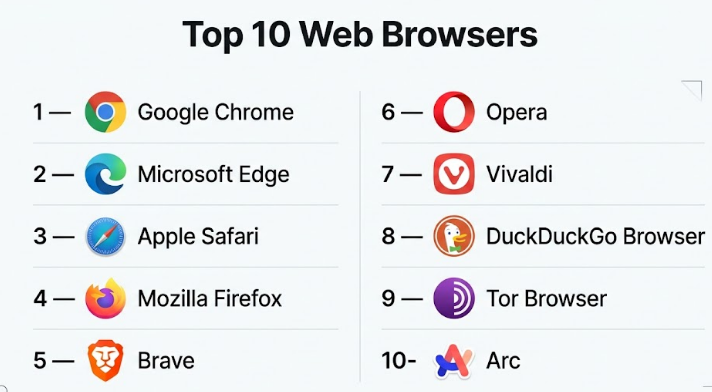
Top 10 Web Browsers
#1 — Google Chrome
Short description :
Google Chrome is one of the most widely used web browsers for personal, professional, developer, and enterprise browsing. It is known for fast performance, strong website compatibility, a large extension ecosystem, and deep integration with Google services. Chrome is suitable for users who depend on Gmail, Google Drive, Google Workspace, YouTube, Search, and Android sync. It also supports modern AI browsing features through Google’s AI ecosystem. For businesses, Chrome Enterprise adds management and security controls.
Key Features
- Large extension library through Chrome Web Store
- Strong sync across desktop, Android, and iOS
- Built-in password manager and safety checks
- Developer tools for debugging and testing
- Profile-based browsing for work and personal separation
- AI features connected with Google ecosystem
- Enterprise policy and device management options
Pros
- Excellent website compatibility and extension support
- Strong choice for Google Workspace users
- Reliable developer tools and enterprise controls
Cons
- Can use high memory with many tabs
- Privacy-conscious users may prefer alternatives
- Best experience depends heavily on Google account ecosystem
Platforms / Deployment
Windows / macOS / Linux / iOS / Android
Cloud / Hybrid
Security & Compliance
Chrome supports safe browsing protections, password alerts, site isolation, sandboxing, automatic updates, enterprise policies, and managed browser controls. Enterprise security features vary by edition. Compliance details depend on Google services and organization configuration.
Integrations & Ecosystem
Chrome has one of the strongest browser ecosystems because of its extension marketplace, Google account sync, Workspace integration, and developer tooling.
- Google Workspace
- Android
- Chrome Web Store extensions
- Password managers
- Developer tools
- Enterprise management consoles
Support & Community
Chrome has extensive documentation, strong community support, developer resources, and enterprise support options through Google’s business offerings.
#2 — Microsoft Edge
Short description :
Microsoft Edge is a Chromium-based browser designed for Windows users, Microsoft 365 customers, enterprises, students, and general users. It combines broad website compatibility with Microsoft services, Copilot support, productivity tools, and business security controls. Edge is especially useful for organizations already using Windows, Microsoft Entra ID, Defender, Intune, and Microsoft 365. It is also a strong browser for managed enterprise environments.
Key Features
- Chromium-based compatibility
- Microsoft Copilot integration
- Microsoft 365 and Windows integration
- Collections, vertical tabs, and productivity features
- Enterprise policies and security management
- Built-in tracking prevention
- Strong PDF and reading tools
Pros
- Strong fit for Microsoft-based businesses
- Good productivity and enterprise security features
- Works well on Windows and supports Chrome extensions
Cons
- Some users may find Microsoft service prompts distracting
- Less attractive for users outside Microsoft ecosystem
- Feature density may feel heavy for simple browsing
Platforms / Deployment
Windows / macOS / Linux / iOS / Android
Cloud / Hybrid
Security & Compliance
Edge includes SmartScreen, tracking prevention, password monitor, enterprise policy controls, Microsoft Defender integration, and managed security features for business environments. Compliance depends on Microsoft licensing and configuration.
Integrations & Ecosystem
Edge integrates deeply with Microsoft services and also supports many Chrome extensions.
- Microsoft 365
- Copilot
- Windows
- Microsoft Defender
- Microsoft Entra ID
- Chrome Web Store extensions
Support & Community
Microsoft provides strong documentation, business support, enterprise deployment guides, and community forums. Enterprise support depends on Microsoft plan and licensing.
#3 — Apple Safari
Short description :
Apple Safari is the default browser for macOS, iPhone, and iPad users. It is designed for performance, energy efficiency, privacy, and deep Apple ecosystem integration. Safari is a strong choice for users who work mainly on Apple devices and want a smooth browsing experience with iCloud, Apple Pay, Keychain, and privacy features. It is especially useful for everyday browsing, media, reading, and mobile-first usage.
Key Features
- Strong Apple ecosystem integration
- Energy-efficient performance on Apple hardware
- Intelligent tracking prevention
- iCloud Keychain support
- Reader mode and privacy reports
- Apple Pay support
- Good mobile browsing experience on iPhone and iPad
Pros
- Excellent for Apple device users
- Strong battery efficiency on macOS and iOS
- Privacy-friendly default controls
Cons
- Limited availability outside Apple ecosystem
- Smaller extension ecosystem than Chrome
- Developers may still need Chrome or Firefox for broader testing
Platforms / Deployment
macOS / iOS / iPadOS
Cloud / Hybrid
Security & Compliance
Safari includes sandboxing, intelligent tracking prevention, secure password suggestions, private browsing, and Apple platform security features. Enterprise compliance varies by Apple device management setup.
Integrations & Ecosystem
Safari works best inside the Apple ecosystem.
- iCloud
- Apple Pay
- iCloud Keychain
- Apple devices
- macOS and iOS apps
- Safari extensions
Support & Community
Apple provides official support, device documentation, developer documentation, and a large user community. Business support depends on Apple enterprise and device management setup.
#4 — Mozilla Firefox
Short description :
Mozilla Firefox is an independent browser known for privacy, open web values, customization, and strong developer tools. It is a good choice for users who want an alternative to Chromium-based browsers. Firefox is popular among privacy-focused users, developers, Linux users, researchers, and people who prefer open-source technology. It offers strong tracking protection and flexible configuration options.
Key Features
- Enhanced tracking protection
- Open-source foundation
- Strong developer tools
- Multi-account containers
- Customizable browser settings
- Extension support
- Cross-platform sync
Pros
- Good privacy controls by default
- Strong choice for developers and open-source users
- Independent browser engine helps web diversity
Cons
- Some websites are optimized first for Chromium
- Extension ecosystem is smaller than Chrome
- Enterprise adoption is lower than Chrome or Edge
Platforms / Deployment
Windows / macOS / Linux / iOS / Android
Cloud / Hybrid
Security & Compliance
Firefox includes tracking protection, phishing and malware protection, sandboxing, private browsing, DNS-over-HTTPS options, and enterprise policies. Compliance certifications are not publicly stated for the browser itself.
Integrations & Ecosystem
Firefox supports privacy tools, developer tools, and add-ons.
- Firefox Add-ons
- Password managers
- Developer tools
- Linux distributions
- Privacy-focused services
Support & Community
Firefox has strong community support, public documentation, developer resources, and open-source community contribution.
#5 — Brave
Short description :
Brave is a privacy-first browser built for users who want faster, cleaner, and more private browsing by default. It blocks many ads, trackers, and privacy-invasive elements without requiring heavy setup. Brave is suitable for privacy-conscious individuals, creators, researchers, crypto users, and users who dislike aggressive tracking. It also includes AI features, private search options, and Chromium extension compatibility.
Key Features
- Built-in ad and tracker blocking
- Brave Shields privacy controls
- Chromium extension support
- Private search options
- Built-in crypto wallet
- AI assistant features
- Fingerprinting protection
Pros
- Strong privacy defaults
- Faster browsing on ad-heavy websites
- Good Chrome extension compatibility
Cons
- Crypto-related features may not appeal to all users
- Some websites may need shield adjustments
- Enterprise management is less mature than Chrome or Edge
Platforms / Deployment
Windows / macOS / Linux / iOS / Android
Cloud / Hybrid
Security & Compliance
Brave includes tracker blocking, fingerprinting protection, HTTPS upgrades, private browsing, and security protections. SOC 2, ISO 27001, and HIPAA details are Not publicly stated for browser usage.
Integrations & Ecosystem
Brave works with many Chromium extensions and privacy-first services.
- Chrome Web Store extensions
- Brave Search
- Brave Wallet
- Password managers
- Privacy tools
- Web3 services
Support & Community
Brave has public documentation, support forums, community discussions, and active product updates. Enterprise-grade support details vary.
#6 — Opera
Short description :
Opera is a feature-rich Chromium-based browser designed for users who want built-in productivity, messaging, AI, media, and convenience tools. It includes features like sidebar apps, built-in ad blocking, browser AI, workspaces, and battery-saving tools. Opera is useful for students, creators, casual users, and multitaskers who want more built-in tools without installing many extensions.
Key Features
- Built-in ad blocker
- Sidebar with messaging and productivity apps
- Workspaces for tab organization
- Built-in AI assistant
- Battery saver tools
- Free built-in VPN-style feature
- Chromium extension support
Pros
- Many useful features included by default
- Good for multitasking and content consumption
- Easy transition for Chrome users
Cons
- Built-in features may feel crowded for minimal users
- Privacy expectations should be reviewed carefully
- Enterprise controls are limited compared with Chrome or Edge
Platforms / Deployment
Windows / macOS / Linux / iOS / Android
Cloud / Hybrid
Security & Compliance
Opera includes ad blocking, fraud protection, private browsing, and security updates. Compliance details such as SOC 2, ISO 27001, and HIPAA are Not publicly stated.
Integrations & Ecosystem
Opera supports Chromium extensions and built-in sidebar services.
- Chrome extensions
- Messaging apps
- AI assistant
- Music services
- Productivity sidebars
- Password managers
Support & Community
Opera offers documentation, help resources, community forums, and product support. Business support details are Varies / Not publicly stated.
#7 — Vivaldi
Short description :
Vivaldi is a highly customizable browser built for power users who want control over tabs, layout, shortcuts, workflows, and interface behavior. It is especially useful for researchers, writers, developers, analysts, and users who manage many tabs daily. Vivaldi is Chromium-based, so it supports many Chrome extensions while offering deeper customization than most mainstream browsers.
Key Features
- Advanced tab management
- Custom keyboard shortcuts
- Built-in notes and panels
- Workspaces and tab stacking
- Mouse gestures
- Chromium extension support
- Strong interface customization
Pros
- Excellent for power users and heavy tab users
- Highly customizable interface
- Good productivity features built in
Cons
- Can feel complex for beginners
- Smaller user base than Chrome or Edge
- Enterprise management is limited
Platforms / Deployment
Windows / macOS / Linux / iOS / Android
Cloud / Hybrid
Security & Compliance
Vivaldi includes Chromium security foundations, tracking protection options, private windows, and update mechanisms. Formal compliance certifications are Not publicly stated.
Integrations & Ecosystem
Vivaldi works well with Chromium extensions and productivity workflows.
- Chrome Web Store extensions
- Notes
- Web panels
- Calendar and mail features
- Password managers
- Developer tools
Support & Community
Vivaldi has a strong power-user community, public forums, documentation, and active product communication. Enterprise support is Varies / Not publicly stated.
#8 — DuckDuckGo Browser
Short description :
DuckDuckGo Browser is built for users who want simple privacy protection without complex setup. It focuses on tracker blocking, private search, email protection, cookie consent handling, and easy privacy controls. It is a good option for users who want privacy but do not want to manage many technical settings. It is especially useful for personal browsing, mobile browsing, and privacy-first everyday use.
Key Features
- Private search integration
- Tracker blocking
- Cookie pop-up management
- Email protection features
- Simple privacy dashboard
- Fire button to clear browsing data
- Easy setup for non-technical users
Pros
- Very simple privacy-first experience
- Good for everyday users
- Reduces tracking without complex configuration
Cons
- Smaller extension ecosystem
- Not ideal for enterprise browser management
- Fewer advanced developer features
Platforms / Deployment
Windows / macOS / iOS / Android
Cloud / Hybrid
Security & Compliance
DuckDuckGo Browser includes tracker blocking, private search, privacy controls, and data-clearing tools. SOC 2, ISO 27001, HIPAA, SSO, RBAC, and audit logs are Not publicly stated for standard browser usage.
Integrations & Ecosystem
DuckDuckGo focuses on privacy services rather than large extension ecosystems.
- DuckDuckGo Search
- Email Protection
- Password managers
- Privacy tools
- Mobile privacy controls
- Browser privacy dashboard
Support & Community
DuckDuckGo provides help documentation and privacy-focused user resources. Enterprise support and community depth are Varies / Not publicly stated.
#9 — Tor Browser
Short description :
Tor Browser is a privacy and anonymity-focused browser designed to route traffic through the Tor network. It is used by journalists, researchers, activists, security professionals, and privacy-conscious users who need stronger anonymity protections than standard browsers. Tor Browser is not designed for maximum speed or mainstream business productivity. It is best for specific privacy-sensitive browsing needs.
Key Features
- Tor network routing
- Strong anonymity-focused design
- Fingerprinting resistance
- No normal browsing history retention by default
- Access to onion services
- Based on Firefox technology
- Privacy-focused defaults
Pros
- Strong anonymity protection compared with regular browsers
- Useful for sensitive research and privacy needs
- Open-source and community-driven
Cons
- Slower than mainstream browsers
- Some websites block or challenge Tor traffic
- Not suitable as a daily enterprise browser for most teams
Platforms / Deployment
Windows / macOS / Linux / Android
Cloud / Hybrid
Security & Compliance
Tor Browser focuses on anonymity, privacy, and fingerprinting resistance. Enterprise compliance certifications such as SOC 2, ISO 27001, and HIPAA are Not publicly stated.
Integrations & Ecosystem
Tor Browser intentionally limits many integrations to reduce tracking and fingerprinting risks.
- Tor network
- Onion services
- Privacy tools
- Security research workflows
- Firefox-based components
- Open-source community tools
Support & Community
Tor has documentation, community support, security research backing, and nonprofit ecosystem support. Formal commercial support is Varies / Not publicly stated.
#10 — Arc
Short description :
Arc is a modern browser focused on productivity, workspace organization, and a cleaner browsing experience. It is designed for users who want a different way to manage tabs, projects, spaces, and daily workflows. Arc is especially useful for creators, founders, designers, researchers, and professionals who live inside browser-based tools. It is not the most traditional browser, but it offers a fresh workflow for people who want better organization.
Key Features
- Spaces for organized workflows
- Sidebar-first browsing experience
- Profile-style separation
- Modern tab management
- Productivity-focused design
- AI-assisted browsing features
- Chromium-based compatibility
Pros
- Strong for project-based browsing
- Clean and modern workflow
- Helpful for users with many web apps and tabs
Cons
- Different interface has a learning curve
- Enterprise readiness is limited compared with Chrome or Edge
- Availability and feature parity may vary by platform
Platforms / Deployment
Windows / macOS / iOS
Cloud / Hybrid
Security & Compliance
Arc includes standard modern browser security foundations and Chromium-based protections. Enterprise compliance details such as SOC 2, ISO 27001, HIPAA, SSO, RBAC, and audit logs are Not publicly stated for general browser usage.
Integrations & Ecosystem
Arc works with modern web apps and Chromium-based extensions where supported.
- Web apps
- Productivity tools
- AI features
- Chromium extensions
- Workspace-based browsing
- Design and creator workflows
Support & Community
Arc has product documentation, user guides, and a growing user community. Enterprise-level support is Varies / Not publicly stated.
Comparison Table
| Tool Name | Best For | Platform(s) Supported | Deployment | Standout Feature | Public Rating |
|---|---|---|---|---|---|
| Google Chrome | General users, developers, enterprises | Windows, macOS, Linux, iOS, Android | Cloud / Hybrid | Largest extension ecosystem and strong compatibility | N/A |
| Microsoft Edge | Windows users and Microsoft 365 businesses | Windows, macOS, Linux, iOS, Android | Cloud / Hybrid | Copilot and enterprise Microsoft integration | N/A |
| Apple Safari | Apple device users | macOS, iOS, iPadOS | Cloud / Hybrid | Battery efficiency and Apple ecosystem integration | N/A |
| Mozilla Firefox | Privacy users, developers, open-source users | Windows, macOS, Linux, iOS, Android | Cloud / Hybrid | Independent engine and strong privacy controls | N/A |
| Brave | Privacy-first users | Windows, macOS, Linux, iOS, Android | Cloud / Hybrid | Built-in ad and tracker blocking | N/A |
| Opera | Multitaskers and casual power users | Windows, macOS, Linux, iOS, Android | Cloud / Hybrid | Built-in productivity sidebar and AI tools | N/A |
| Vivaldi | Power users and researchers | Windows, macOS, Linux, iOS, Android | Cloud / Hybrid | Deep customization and tab control | N/A |
| DuckDuckGo Browser | Simple privacy-first browsing | Windows, macOS, iOS, Android | Cloud / Hybrid | Easy privacy protection by default | N/A |
| Tor Browser | Anonymity-focused browsing | Windows, macOS, Linux, Android | Cloud / Hybrid | Tor network routing | N/A |
| Arc | Productivity-focused professionals | Windows, macOS, iOS | Cloud / Hybrid | Spaces and modern workflow organization | N/A |
Evaluation & Web Browsers
| Tool Name | Core (25%) | Ease (15%) | Integrations (15%) | Security (10%) | Performance (10%) | Support (10%) | Value (15%) | Weighted Total |
|---|---|---|---|---|---|---|---|---|
| Google Chrome | 10 | 9 | 10 | 9 | 8 | 9 | 9 | 9.25 |
| Microsoft Edge | 9 | 8 | 9 | 9 | 8 | 9 | 9 | 8.75 |
| Apple Safari | 8 | 9 | 7 | 8 | 9 | 8 | 9 | 8.25 |
| Mozilla Firefox | 8 | 8 | 8 | 8 | 8 | 8 | 9 | 8.10 |
| Brave | 8 | 8 | 8 | 9 | 8 | 7 | 9 | 8.15 |
| Opera | 8 | 8 | 8 | 7 | 8 | 7 | 8 | 7.75 |
| Vivaldi | 8 | 7 | 8 | 7 | 8 | 7 | 8 | 7.65 |
| DuckDuckGo Browser | 7 | 9 | 6 | 8 | 8 | 6 | 8 | 7.45 |
| Tor Browser | 7 | 6 | 5 | 10 | 5 | 7 | 8 | 6.85 |
| Arc | 7 | 7 | 7 | 7 | 7 | 6 | 7 | 6.95 |
These scores are comparative, not absolute. A higher score does not mean the browser is best for every user. For example, Tor scores lower on performance but much higher for anonymity needs. Chrome and Edge score strongly for enterprise and ecosystem fit, while Brave and Firefox may be better for privacy-focused users.
Which Web Browsers
Solo / Freelancer
Solo users usually need speed, simplicity, sync, and productivity. Google Chrome is a safe default because it works well with most tools and extensions. Microsoft Edge is strong for freelancers using Microsoft 365. Brave is a good option for privacy-focused freelancers who want fewer ads and trackers. Arc and Vivaldi are useful for freelancers who manage many projects and tabs.
SMB
Small businesses should focus on ease of setup, employee familiarity, security basics, and cloud app compatibility. Chrome and Edge are the strongest choices for most SMBs. Chrome fits Google Workspace teams, while Edge fits Microsoft 365 teams. Firefox can work well for privacy-conscious SMBs, but IT teams should confirm policy and extension management needs.
Mid-Market
Mid-market companies need stronger browser governance, identity integration, extension management, and security visibility. Microsoft Edge is strong for companies using Microsoft security and productivity tools. Chrome is strong for Google Workspace and cross-platform teams. Brave or Firefox may be used for specific teams, but standardization is important.
Enterprise
Enterprises should prioritize managed browser policies, security controls, auditability, identity integration, extension governance, and data protection. Microsoft Edge and Google Chrome are the most practical enterprise choices for large managed environments. Safari is important for Apple-heavy fleets. Firefox can be used in enterprise settings, but policy requirements should be reviewed carefully.
Budget vs Premium
Most browsers are free for standard users. The real cost appears in management, security, support, training, and productivity. Chrome and Edge may have paid enterprise management or security layers depending on the organization. For individuals, Brave, Firefox, Safari, Opera, Vivaldi, DuckDuckGo, and Tor offer strong value without direct browser licensing costs.
Feature Depth vs Ease of Use
Chrome and Edge balance depth with familiarity. Safari is very easy for Apple users. Brave and DuckDuckGo are simple for privacy-first browsing. Vivaldi offers deeper customization but needs more learning. Arc offers a modern workflow but may require users to adjust their browsing habits.
Integrations & Scalability
Chrome is strong for Google services and extensions. Edge is strong for Microsoft services and enterprise security. Safari is best inside Apple ecosystems. Firefox, Brave, Opera, Vivaldi, and Arc support many modern web workflows, but large companies should verify management and policy controls before standardizing.
Security & Compliance Needs
For regulated businesses, Chrome Enterprise and Edge for Business are usually the strongest options because they support enterprise management, policies, and security controls. Safari can fit Apple-managed environments. Brave, Firefox, and DuckDuckGo are strong for privacy, but compliance teams should validate audit, identity, and governance requirements before company-wide use.
Frequently Asked Questions
1. What is the best web browser for most users?
For most users, Google Chrome, Microsoft Edge, Safari, and Firefox are safe choices. Chrome is strong for compatibility, Edge is strong for Microsoft users, Safari is best for Apple users, and Firefox is good for privacy-focused users.
2. Which browser is best for business teams?
Chrome and Edge are usually the strongest business options because they support enterprise policies, user management, and broad compatibility. The best choice depends on whether the company uses Google Workspace, Microsoft 365, Apple devices, or mixed systems.
3. Are web browsers free?
Most consumer browsers are free to download and use. However, businesses may pay for enterprise management, security controls, support, device management, or advanced protection features connected to larger software plans.
4. Which browser is best for privacy?
Brave, Firefox, DuckDuckGo Browser, and Tor Browser are strong privacy-focused choices. Brave and DuckDuckGo are easier for everyday users, Firefox gives more control, and Tor is best for stronger anonymity needs.
5. Which browser is best for developers?
Chrome and Firefox are popular among developers because of strong developer tools and testing support. Edge is also useful because it uses Chromium and includes Microsoft ecosystem features. Developers often test across multiple browsers.
6. What mistakes should companies avoid when choosing a browser?
Companies should avoid choosing only based on popularity. They should review security policies, extension control, identity integration, update management, employee workflows, privacy expectations, and support requirements before standardizing.
7. Is it hard to switch from one browser to another?
Switching is usually simple for individuals because bookmarks, passwords, and settings can often be imported. For companies, switching needs planning around policies, extensions, training, bookmarks, SaaS compatibility, and security controls.
8. Which browser works best with AI features?
Chrome, Edge, Brave, Opera, and Arc are among the browsers adding AI-powered features. Edge is strong for Microsoft Copilot users, Chrome is strong for Google AI users, and Brave focuses on privacy-first AI experiences.
9. Which browser is best for low memory usage?
This depends on device, settings, extensions, and tab behavior. Safari is often efficient on Apple devices. Edge has sleeping tab features. Brave may feel faster on ad-heavy sites because it blocks many trackers and ads by default.
10. Are browser extensions safe?
Extensions can be useful, but they can also create security and privacy risks. Users and businesses should install only trusted extensions, review permissions, remove unused extensions, and use enterprise controls where possible.
Conclusion
The best web browser depends on how you work, which devices you use, what apps your team depends on, and how important privacy, security, AI, customization, and enterprise control are for your environment. Google Chrome remains a strong all-round option, Microsoft Edge is excellent for Microsoft-focused organizations, Safari is ideal for Apple users, Firefox is a trusted independent choice, and Brave is a strong privacy-first browser. Opera, Vivaldi, DuckDuckGo Browser, Tor Browser, and Arc each serve more specific needs.
