Introduction
Usability testing platforms help teams understand how real users interact with websites, mobile apps, prototypes, digital products, and software interfaces. In simple English, these platforms show where users get confused, where they click, what they skip, what they say, and why they struggle during a task.
For modern product teams, usability testing is important because users expect simple, fast, and smooth digital experiences. A small friction point in signup, checkout, onboarding, navigation, or feature usage can directly affect conversions, retention, and customer satisfaction.
Best for: UX researchers, product managers, designers, SaaS teams, agencies, startups, enterprise product teams, and companies that want to improve user experience through real user feedback.
Not ideal for: teams that only need basic surveys, companies without digital products, or businesses that do not have enough user traffic or research needs to justify a dedicated usability testing platform.
Key Trends in Usability Testing Platforms
- AI-assisted insight analysis is becoming more useful for summarizing sessions, finding themes, and reducing manual review time.
- Remote usability testing is now standard because teams can test users across regions without arranging physical sessions.
- Unmoderated testing is growing because teams want faster feedback without scheduling live interviews.
- Moderated testing remains important for complex products, enterprise software, and deep user behavior analysis.
- Prototype testing integrations are now critical because designers want to validate flows before engineering work begins.
- Participant recruitment panels are becoming a major buying factor for teams that need fast access to target users.
- Video clips and highlight reels help teams share findings with stakeholders more effectively.
- Security and privacy controls matter more because usability tests often include recordings, voice, personal data, and product screens.
- Continuous discovery workflows are increasing, where teams test small product decisions regularly instead of only testing before launch.
- Cross-functional access is becoming common, allowing product managers, designers, marketers, and researchers to collaborate in one platform.
How We Selected These Tools Methodology
- Tools were selected based on recognition in usability testing, UX research, product discovery, and user feedback workflows.
- The list includes platforms suitable for startups, SMBs, mid-market teams, and enterprise research teams.
- Core testing capabilities such as moderated testing, unmoderated testing, prototype testing, recordings, task analysis, and reporting were considered.
- Ease of use was considered because many product and design teams need self-serve usability testing.
- Integration ecosystem was reviewed at a category level, especially with design, product, analytics, and collaboration tools.
- Security posture was considered, but only confident and commonly known details are included.
- The list balances dedicated usability testing platforms with practical tools used for real-world usability research.
- No public ratings are guessed. Where ratings are uncertain, “N/A” is used.
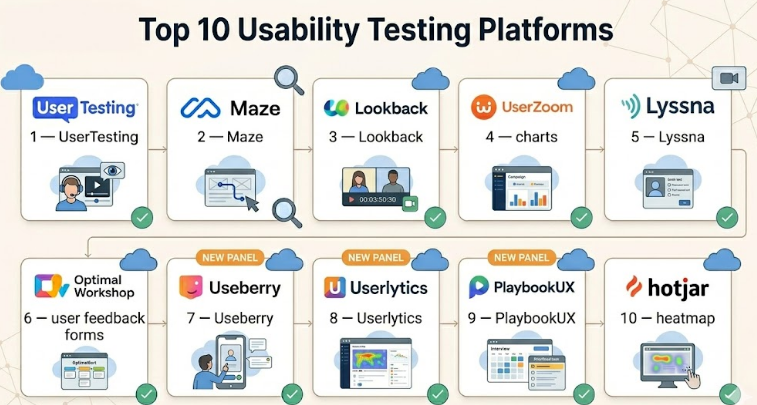
Top 10 Usability Testing Platforms
#1 — UserTesting
Short description :
UserTesting is one of the most recognized usability testing platforms for collecting video-based feedback from real users. It supports moderated and unmoderated testing for websites, apps, prototypes, and product ideas. Teams use it to understand user behavior, emotional reactions, and friction points. It is especially useful for enterprise teams and mature research programs. Product, design, research, and marketing teams can use it to validate digital experiences before and after launch.
Key Features
- Moderated and unmoderated usability testing
- Video feedback from real users
- Participant recruitment options
- Prototype, website, and app testing
- Highlight reels and shareable clips
- Research templates and study workflows
- AI-assisted analysis in selected workflows
Pros
- Strong platform for rich user feedback.
- Useful for both early product validation and live product testing.
- Good fit for teams that need scalable usability research.
Cons
- Can be expensive for small teams.
- May require research planning to get the best results.
- More advanced workflows may need onboarding.
Platforms / Deployment
Web-based platform
Cloud deployment
Security & Compliance
Enterprise security features may include SSO, permissions, and data privacy controls. Exact certifications vary by plan and should be verified. If uncertain, use “Not publicly stated.”
Integrations & Ecosystem
UserTesting fits well into product, design, research, and customer experience workflows. It is commonly used alongside design, analytics, and collaboration tools.
- Design and prototype workflows
- Product research workflows
- Collaboration tools
- Research repository workflows
- Reporting and stakeholder-sharing workflows
Support & Community
UserTesting provides documentation, onboarding resources, customer support, and enterprise support options. It has strong recognition in the UX and product research community.
#2 — Maze
Short description :
Maze is a usability testing and product discovery platform designed for fast feedback on prototypes, concepts, websites, and product flows. It is popular with product designers, UX researchers, and product managers who want quick validation without heavy research setup. Maze is especially useful for testing design decisions before development starts. Teams use it to run unmoderated tests, surveys, and prototype studies. It is a strong choice for continuous discovery and rapid product iteration.
Key Features
- Prototype usability testing
- Unmoderated research studies
- Surveys and feedback forms
- Automated reports
- Participant recruitment options
- Design workflow integrations
- AI-supported research analysis in some workflows
Pros
- Easy to use for product and design teams.
- Strong for fast prototype validation.
- Good fit for continuous discovery.
Cons
- Not always enough for deep moderated interviews.
- Advanced enterprise governance may require higher plans.
- Complex research synthesis may need additional tools.
Platforms / Deployment
Web-based platform
Cloud deployment
Security & Compliance
Security features may vary by plan. Enterprise options may include access controls and SSO. Exact compliance certifications should be verified. If uncertain, use “Not publicly stated.”
Integrations & Ecosystem
Maze works well in design-first product teams. It is commonly used with prototype tools, research workflows, and collaboration systems.
- Prototype design workflows
- Product discovery workflows
- Survey workflows
- Team collaboration tools
- Research reporting workflows
Support & Community
Maze provides documentation, templates, learning materials, and support resources. It has a strong user base among designers, product teams, and startups.
#3 — Lookback
Short description :
Lookback is a usability testing platform focused on live user interviews, moderated sessions, and recorded research. It helps teams observe users as they complete tasks, share thoughts, and interact with digital products. UX researchers often use Lookback for remote testing where screen, camera, and voice capture are important. It is useful for understanding not only what users do, but also why they do it. The platform fits teams that value qualitative research and live observation.
Key Features
- Moderated usability testing
- Unmoderated research support
- Screen, camera, and voice recording
- Live observation
- Session notes and collaboration
- Mobile and desktop testing support
- Research session management
Pros
- Strong for live usability sessions.
- Helps teams capture user behavior and reactions.
- Good for qualitative research depth.
Cons
- May need another tool for large-scale analytics.
- Participant recruitment may require separate planning.
- Repository features may be limited compared with dedicated insight platforms.
Platforms / Deployment
Web-based platform
Cloud deployment
Device support varies by test setup
Security & Compliance
Security and privacy details vary by plan. Access controls and data handling features may be available. Exact certifications are not confidently stated here, so use “Not publicly stated.”
Integrations & Ecosystem
Lookback fits into usability research workflows where live sessions and recordings are central.
- Video interview workflows
- Prototype testing workflows
- Team observation
- Research note-taking
- Insight sharing workflows
Support & Community
Lookback provides help resources, documentation, and support. It is known among UX researchers who run moderated studies and remote usability sessions.
#4 — UserZoom
Short description :
UserZoom is an enterprise-focused usability testing and UX research platform. It supports usability studies, benchmarking, surveys, participant research, and experience measurement. Larger companies use it to manage structured research programs across multiple teams and products. It is suitable for research operations teams that need governance, repeatable workflows, and scalable testing. UserZoom is a strong fit for mature UX research teams.
Key Features
- Moderated and unmoderated usability testing
- Benchmarking studies
- Surveys and research tasks
- Participant management options
- Research operations workflows
- Reporting and analytics
- Enterprise collaboration features
Pros
- Strong fit for enterprise UX research.
- Supports repeatable testing processes.
- Useful for larger teams and complex research programs.
Cons
- May be too advanced for small teams.
- Setup and pricing may be enterprise-oriented.
- Training may be needed for deeper workflows.
Platforms / Deployment
Web-based platform
Cloud deployment
Security & Compliance
Enterprise security features may include access controls, SSO, and privacy-related options. Exact compliance details should be verified. If uncertain, use “Not publicly stated.”
Integrations & Ecosystem
UserZoom works well in enterprise product research environments. It fits with UX operations, product experience measurement, and structured research programs.
- Research operations workflows
- Survey and testing workflows
- Product experience measurement
- Enterprise reporting
- Collaboration processes
Support & Community
UserZoom provides enterprise support, onboarding, documentation, and customer success resources. It is widely recognized among mature UX research teams.
#5 — Lyssna
Short description :
Lyssna is a usability testing and design validation platform used for quick feedback on designs, prototypes, messaging, and user flows. It supports first-click testing, five-second testing, preference testing, and surveys. Product designers and marketers use it to understand how users react to layouts, labels, and visual choices. It is especially helpful for early-stage testing and lightweight usability research. Teams that need fast design feedback often find it practical.
Key Features
- First-click testing
- Five-second testing
- Preference testing
- Surveys
- Prototype feedback
- Participant panel options
- Design validation workflows
Pros
- Easy to use for fast testing.
- Good for early design and messaging validation.
- Useful for designers, marketers, and product teams.
Cons
- Not a complete enterprise research suite.
- Less suited for deep moderated interviews.
- Advanced research repository needs may require another tool.
Platforms / Deployment
Web-based platform
Cloud deployment
Security & Compliance
Security details vary by plan. Access controls and privacy features may be available. Exact certifications are not confidently stated here, so use “Not publicly stated.”
Integrations & Ecosystem
Lyssna supports lightweight usability and design testing workflows. It fits well into teams that need fast validation before making design or content decisions.
- Design testing workflows
- Prototype feedback
- Survey workflows
- Marketing message testing
- Research reporting workflows
Support & Community
Lyssna provides documentation, help resources, and support options. It is known among product designers and UX teams needing fast research feedback.
#6 — Optimal Workshop
Short description :
Optimal Workshop is a UX research and usability testing platform focused on information architecture and navigation testing. It is commonly used for card sorting, tree testing, first-click testing, and surveys. Teams use it to understand how users expect content, menus, categories, and navigation structures to work. It is very useful for website redesigns, content-heavy platforms, SaaS navigation, and product structure decisions. It is especially strong when usability problems are related to findability and organization.
Key Features
- Card sorting
- Tree testing
- First-click testing
- Surveys
- Participant recruitment options
- Information architecture analysis
- Visual reports and research outputs
Pros
- Excellent for navigation and structure testing.
- Useful for website and product redesigns.
- Focused methods make results practical.
Cons
- Less broad than full usability testing suites.
- Not mainly built for video interview research.
- May need supporting tools for moderated testing.
Platforms / Deployment
Web-based platform
Cloud deployment
Security & Compliance
Security details vary by plan. Enterprise features may be available, but exact certifications should be verified. If uncertain, use “Not publicly stated.”
Integrations & Ecosystem
Optimal Workshop fits research workflows focused on information architecture, navigation, and content structure.
- Website redesign workflows
- Information architecture planning
- UX research workflows
- Survey-based testing
- Content strategy workflows
Support & Community
Optimal Workshop provides documentation, guides, and support resources. It has strong recognition among UX researchers, information architects, and content strategy teams.
#7 — Useberry
Short description :
Useberry is a usability testing platform used for prototype testing, user flow analysis, and product feedback. It helps teams test designs before development and collect data on how users interact with prototypes. Designers, startups, and product teams use it to validate ideas, measure task performance, and identify friction. It is especially useful for teams that want visual usability metrics and quick prototype research. Useberry can support both small teams and growing product teams.
Key Features
- Prototype testing
- User flow tracking
- Heatmaps and click tracking
- Task completion analysis
- Feedback collection
- Research reports
- Design tool compatibility
Pros
- Practical for prototype-based usability testing.
- Good visual feedback for design teams.
- Useful for early product validation.
Cons
- May not replace full moderated interview platforms.
- Enterprise controls should be reviewed before adoption.
- Advanced research repository features may be limited.
Platforms / Deployment
Web-based platform
Cloud deployment
Security & Compliance
Security and compliance details vary by plan. Exact certifications are not confidently stated here, so use “Not publicly stated.”
Integrations & Ecosystem
Useberry fits design-led testing workflows where prototype validation and user interaction data are important.
- Design prototype workflows
- Product validation workflows
- Feedback collection
- Usability reporting
- Team collaboration workflows
Support & Community
Useberry provides documentation and support resources. Community strength is moderate compared with larger enterprise research platforms.
#8 — Userlytics
Short description :
Userlytics is a usability testing platform for remote user testing, customer experience research, prototype testing, and user interviews. It supports moderated and unmoderated studies across websites, apps, prototypes, and digital experiences. Product teams use it to capture user behavior, spoken feedback, and task performance. It can be useful for teams that need flexible research options and participant access. It fits UX teams, agencies, product managers, and enterprise research groups.
Key Features
- Moderated usability testing
- Unmoderated usability testing
- Website, app, and prototype testing
- Participant recruitment options
- Video feedback and recordings
- Task-based research
- Reporting and analysis tools
Pros
- Flexible for different usability testing methods.
- Supports remote research across different product types.
- Useful for both UX teams and agencies.
Cons
- Pricing and setup may vary by research needs.
- Teams may need time to structure studies well.
- Advanced integrations should be reviewed before purchase.
Platforms / Deployment
Web-based platform
Cloud deployment
Security & Compliance
Security features may vary by plan. Exact certifications should be verified directly. If uncertain, use “Not publicly stated.”
Integrations & Ecosystem
Userlytics can support product research, usability testing, customer feedback, and agency research workflows.
- Prototype testing workflows
- Website and app testing
- Video research
- Participant research workflows
- Reporting and stakeholder sharing
Support & Community
Userlytics provides documentation, onboarding resources, and support options. It is recognized in the usability testing and remote research space.
#9 — PlaybookUX
Short description :
PlaybookUX is a usability testing and customer research platform that supports interviews, unmoderated tests, prototype testing, and participant recruitment. It is useful for teams that want to collect user feedback without building a complex research process from scratch. Product managers, UX researchers, founders, and design teams can use it for discovery, validation, and experience testing. It supports both qualitative and structured research workflows. It is practical for teams that need research flexibility.
Key Features
- Moderated interviews
- Unmoderated usability testing
- Prototype testing
- Participant recruitment
- Video recordings
- Transcripts and analysis support
- Research templates
Pros
- Good balance of interviews and usability testing.
- Helpful for teams that need recruitment support.
- Suitable for product discovery and validation.
Cons
- May not be as enterprise-heavy as larger platforms.
- Advanced governance needs should be reviewed.
- Research quality depends on good study design.
Platforms / Deployment
Web-based platform
Cloud deployment
Security & Compliance
Security and compliance details vary by plan. Exact certifications are not confidently stated here, so use “Not publicly stated.”
Integrations & Ecosystem
PlaybookUX fits teams that need user interviews, usability testing, and participant recruitment in one workflow.
- Research interview workflows
- Prototype testing
- Participant recruitment
- Video feedback
- Product discovery workflows
Support & Community
PlaybookUX provides support, resources, and onboarding guidance. Community visibility is growing among UX and product research teams.
#10 — Hotjar
Short description :
Hotjar is not a traditional moderated usability testing platform, but it is widely used for usability research through heatmaps, session recordings, surveys, and feedback widgets. It helps teams see how users behave on websites and where they experience friction. Product teams, marketers, UX designers, and conversion teams use Hotjar to improve digital experiences. It is especially useful for live website usability analysis. It works well when teams want behavioral evidence from real visitors.
Key Features
- Heatmaps
- Session recordings
- User feedback widgets
- On-site surveys
- Funnel and behavior insights
- Dashboard reporting
- Website experience analysis
Pros
- Strong for observing real website behavior.
- Easy to understand visual insights.
- Useful for conversion and UX improvement.
Cons
- Not designed for moderated usability interviews.
- Less suitable for prototype testing.
- Privacy settings require careful configuration.
Platforms / Deployment
Web-based platform
Cloud deployment
Security & Compliance
Hotjar provides privacy and data protection controls. GDPR-related features are commonly associated with the platform. Exact certifications and enterprise controls should be verified. If uncertain, use “Not publicly stated.”
Integrations & Ecosystem
Hotjar fits web analytics, product experience, and conversion optimization workflows.
- Website analytics workflows
- Tag management systems
- Product analytics workflows
- Feedback collection
- Marketing and conversion tools
Support & Community
Hotjar has strong documentation, learning resources, and support options. It is widely used, so practical guides and community knowledge are easy to find.
Comparison Table Top 10
| Tool Name | Best For | Platform(s) Supported | Deployment Cloud/Self-hosted/Hybrid | Standout Feature | Public Rating |
|---|---|---|---|---|---|
| UserTesting | Enterprise video-based usability testing | Web | Cloud | Human feedback through moderated and unmoderated tests | N/A |
| Maze | Fast prototype and product flow testing | Web | Cloud | Rapid unmoderated usability testing | N/A |
| Lookback | Live moderated usability sessions | Web, device support varies | Cloud | Screen, voice, and camera-based research sessions | N/A |
| UserZoom | Enterprise UX research programs | Web | Cloud | Scalable usability testing and benchmarking | N/A |
| Lyssna | Quick design validation | Web | Cloud | First-click and five-second testing | N/A |
| Optimal Workshop | Navigation and information architecture testing | Web | Cloud | Card sorting and tree testing | N/A |
| Useberry | Prototype usability testing | Web | Cloud | Visual user flow and click-based feedback | N/A |
| Userlytics | Remote moderated and unmoderated testing | Web | Cloud | Flexible usability testing with participant options | N/A |
| PlaybookUX | Interviews and usability testing | Web | Cloud | Research interviews with usability workflows | N/A |
| Hotjar | Website behavior usability insights | Web | Cloud | Heatmaps and session recordings | N/A |
Evaluation & Usability Testing Platforms
| Tool Name | Core 25% | Ease 15% | Integrations 15% | Security 10% | Performance 10% | Support 10% | Value 15% | Weighted Total 0–10 |
|---|---|---|---|---|---|---|---|---|
| UserTesting | 9 | 8 | 8 | 8 | 8 | 9 | 7 | 8.15 |
| Maze | 8 | 9 | 8 | 7 | 8 | 8 | 8 | 8.05 |
| Lookback | 8 | 8 | 7 | 7 | 8 | 7 | 7 | 7.55 |
| UserZoom | 9 | 7 | 8 | 8 | 8 | 8 | 7 | 7.95 |
| Lyssna | 7 | 9 | 7 | 7 | 8 | 7 | 8 | 7.65 |
| Optimal Workshop | 8 | 8 | 7 | 7 | 8 | 8 | 8 | 7.75 |
| Useberry | 7 | 8 | 7 | 7 | 8 | 7 | 8 | 7.55 |
| Userlytics | 8 | 8 | 7 | 7 | 8 | 8 | 7 | 7.70 |
| PlaybookUX | 8 | 8 | 7 | 7 | 8 | 7 | 8 | 7.70 |
| Hotjar | 7 | 9 | 8 | 7 | 8 | 8 | 8 | 7.80 |
These scores are comparative and should be used as a starting point, not a final buying decision. A platform with a higher score may not be the best fit if your team only needs one specific testing method. For example, Optimal Workshop may be better for navigation testing, while Lookback may be better for moderated research. Always match the score with your research goals, team size, security needs, and budget.
Which Usability Testing Platforms
Solo / Freelancer
Solo consultants and freelance UX designers usually need tools that are affordable, easy to set up, and fast to use. Maze, Lyssna, Useberry, and Hotjar are practical options because they support lightweight testing without heavy research operations.
If you mainly test prototypes, Maze or Useberry can be a good fit. If you need quick design feedback, Lyssna is useful. If you audit live websites, Hotjar can provide practical behavior insights.
SMB
Small and medium businesses need usability testing platforms that balance cost, speed, and team collaboration. Maze, Hotjar, Lyssna, PlaybookUX, and Userlytics can work well depending on the research method.
For product teams testing new flows, Maze and Useberry are useful. For website teams improving conversion, Hotjar is practical. For teams that need interviews and user recordings, PlaybookUX or Userlytics may be better.
Mid-Market
Mid-market teams often need stronger research workflows, better reporting, and repeatable study templates. UserTesting, Maze, Userlytics, PlaybookUX, and Optimal Workshop can be strong options.
A mid-market SaaS team may use Maze for prototype validation, UserTesting or Userlytics for deeper feedback, and Optimal Workshop for navigation testing. The best setup depends on how often the team runs research.
Enterprise
Enterprise teams usually need governance, security review, stakeholder reporting, support, and scalable research operations. UserTesting, UserZoom, and Userlytics are strong candidates for large teams.
Enterprises should check SSO, SAML, RBAC, audit logs, data retention, encryption, compliance documentation, procurement requirements, and support levels before choosing a platform.
Budget vs Premium
Budget-focused teams should start with tools like Maze, Lyssna, Useberry, Hotjar, or PlaybookUX depending on the research need. These tools can support meaningful usability testing without a large enterprise contract.
Premium teams with larger research programs may prefer UserTesting, UserZoom, or Userlytics because they offer more structured workflows, broader testing options, and stronger research scalability.
Feature Depth vs Ease of Use
If ease of use is the main priority, Maze, Lyssna, Hotjar, and Useberry are easier starting points. They help product and design teams test quickly without deep research training.
If feature depth matters more, UserTesting, UserZoom, Userlytics, and Lookback may be stronger choices. These tools are better for deeper usability studies, interviews, video feedback, and research operations.
Integrations & Scalability-
Teams should check whether the platform connects with their design tools, product management systems, analytics platforms, communication tools, and research repositories. Good integrations help research insights move into product decisions faster.
For scalability, look for reusable templates, workspace permissions, role management, reporting exports, participant management, APIs, and support for multiple teams.
Security & Compliance Needs
Security-focused teams should review SSO, MFA, encryption, RBAC, audit logs, data retention, GDPR support, and compliance documentation before purchasing.
If usability tests include sensitive customer data, unreleased product screens, financial workflows, healthcare information, or enterprise software access, security review should happen before pilot testing.
Frequently Asked Questions FAQs
1. What is a usability testing platform?
A usability testing platform helps teams test how real users interact with a product, website, app, or prototype. It usually records user actions, feedback, voice, screen activity, or task completion results so teams can identify problems and improve the experience.
2. What is the difference between moderated and unmoderated usability testing?
Moderated testing happens live with a researcher guiding the participant. Unmoderated testing allows users to complete tasks on their own. Moderated testing gives deeper insights, while unmoderated testing is faster and easier to scale.
3. Which usability testing platform is best for beginners?
Maze, Lyssna, Useberry, and Hotjar are easier starting points for beginners. They have practical workflows and do not require a complex research setup. However, the best option depends on whether you need prototype testing, website recordings, or quick design feedback.
4. How much do usability testing platforms cost?
Pricing varies widely. Some platforms use per-seat pricing, participant credits, study-based pricing, or enterprise contracts. Smaller teams should review usage limits carefully, while larger teams should evaluate total cost across users, studies, and recruitment needs.
5. Can usability testing platforms recruit participants?
Many platforms offer participant recruitment or panel options, but quality, targeting, pricing, and availability vary. Teams should check whether the platform can reach their specific audience, industry, region, and user profile before relying on built-in recruitment.
6. Are usability testing platforms secure?
Many platforms provide security controls, but security varies by vendor and plan. Teams should review SSO, MFA, encryption, RBAC, data retention, recording controls, consent workflows, and compliance documentation before using any platform for sensitive research.
7. What mistakes should teams avoid during usability testing?
Common mistakes include testing too many things at once, writing leading tasks, recruiting the wrong users, ignoring negative feedback, and treating one session as final proof. A good study should have clear goals, realistic tasks, and the right participants.
8. Can usability testing platforms scale for enterprise use?
Yes, but not every platform is designed for enterprise scale. Enterprise teams should look for governance, permission controls, workspace management, reporting, support, security documentation, and integrations with existing product systems.
9. How do usability testing tools integrate with design tools?
Many usability testing tools support prototype testing from design platforms or allow teams to test shared prototype links. Integrations help designers validate flows before development and reduce costly design changes later.
10. When should a company switch usability testing platforms?
A company should consider switching when the current tool lacks required testing methods, has poor reporting, does not support needed integrations, fails security review, or becomes too costly for the value delivered. Before switching, run a small pilot with the new tool.
Conclusion
Usability testing platforms help product teams move from opinions to evidence. They show where users struggle, what they understand, what they ignore, and what needs improvement before or after launch. The best platform depends on your team’s needs. UserTesting and UserZoom are strong for enterprise research programs, Maze and Useberry are practical for prototype testing, Lookback is useful for moderated sessions, Optimal Workshop is strong for navigation testing, and Hotjar helps with live website behavior insights.
