Introduction
IVR Design Tools help businesses create automated phone menus, call routing flows, self-service journeys, voice prompts, keypad options, speech recognition paths, and customer support workflows. In plain English, these tools allow companies to design how a caller moves through a phone system before reaching an agent or completing a task automatically.
For modern customer service teams, IVR design matters because customers expect faster answers, fewer transfers, and more personalized support. IVR is no longer only “Press 1 for Sales.” It now includes AI voice bots, CRM-aware routing, multilingual support, analytics, call deflection, and integration with contact center platforms.
Common use cases include customer support routing, appointment booking, payment reminders, order status checks, helpdesk triage, banking support, healthcare call handling, and lead qualification.
Buyers should evaluate:
- Ease of IVR flow design
- AI and speech recognition capabilities
- CRM and helpdesk integrations
- Call routing flexibility
- Analytics and reporting
- Security controls
- Scalability
- Pricing model
- Developer customization
- Agent handoff experience
Best for: Contact center leaders, IT managers, customer support teams, developers, telecom teams, SaaS companies, banks, healthcare providers, ecommerce businesses, and enterprises that handle high call volumes.
Not ideal for: Very small teams with only basic phone needs, companies that do not receive many inbound calls, or businesses that only need simple voicemail and call forwarding instead of full IVR automation.
Key Trends in IVR Design Tools
- AI-powered conversational IVR is replacing rigid menu trees with natural language call flows.
- Visual drag-and-drop builders are becoming standard, allowing non-technical teams to design IVR journeys.
- CRM-aware routing helps route callers based on customer history, account value, region, or previous tickets.
- Omnichannel integration connects IVR with chat, email, SMS, WhatsApp, and helpdesk systems.
- Voice biometrics and secure authentication are gaining importance in banking, healthcare, and enterprise support.
- Self-service automation is reducing agent workload for repetitive requests like order tracking and appointment updates.
- Real-time analytics helps teams find call drop-offs, long wait points, and poor menu design.
- Cloud contact center adoption is making IVR easier to deploy without heavy telecom infrastructure.
- Low-code and API-first models are supporting both business users and developers.
- Compliance-focused design is becoming important for industries handling sensitive customer data.
How We Selected These Tools
The tools were selected using practical evaluation logic, including:
- Market recognition and adoption across contact centers
- Strength of IVR design and call flow capabilities
- AI, automation, and speech recognition support
- CRM, helpdesk, and API integration options
- Suitability for SMB, mid-market, and enterprise teams
- Reliability and scalability for high call volumes
- Security and compliance posture where publicly known
- Ease of use for non-technical teams
- Developer flexibility for advanced IVR logic
- Overall fit for modern customer experience operations
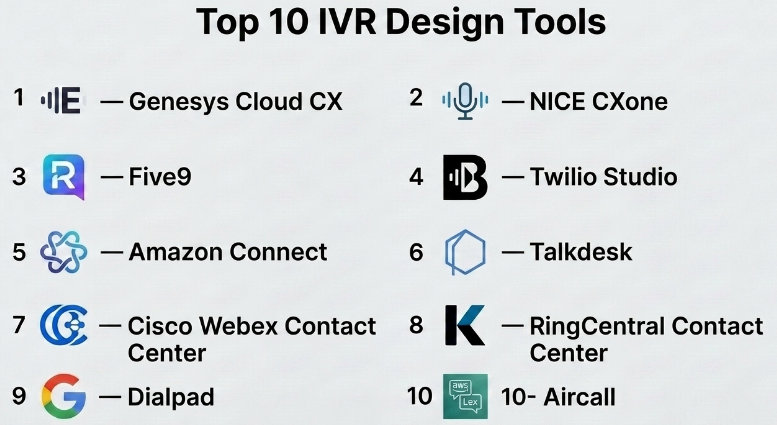
Top 10 IVR Design Tools
#1 — Genesys Cloud CX
Short description :
Genesys Cloud CX is a cloud contact center platform with strong IVR, routing, workforce engagement, analytics, and omnichannel customer experience capabilities. It is commonly used by mid-market and enterprise teams that need advanced call routing and customer journey orchestration. Its IVR tools support visual flow design, AI assistance, speech-enabled interactions, and integration with customer data. Genesys is best suited for organizations that want enterprise-grade scalability and deep customer experience management. It is especially useful for support centers with complex routing, multiple departments, and high call volumes.
Key Features
- Visual IVR and call flow design
- AI-powered routing and automation
- Omnichannel customer journey support
- CRM and business system integrations
- Speech recognition and self-service options
- Advanced analytics and reporting
- Workforce engagement and agent management tools
Pros
- Strong enterprise-grade contact center capabilities
- Good fit for complex routing and large support teams
- Broad ecosystem for integrations and customer experience workflows
Cons
- Can be more complex for small teams
- Implementation may require planning and training
- Pricing and configuration can vary by business needs
Platforms / Deployment
Cloud / Web
Security & Compliance
Security features may include role-based access, encryption, identity controls, and audit-related capabilities. Specific certifications depend on deployment and plan. Use “Not publicly stated” where not confirmed for a specific customer setup.
Integrations & Ecosystem
Genesys Cloud CX connects well with CRM, helpdesk, workforce tools, analytics platforms, and enterprise systems.
- CRM integrations
- Helpdesk integrations
- API-based customization
- Workforce management tools
- Reporting and analytics systems
- Omnichannel messaging platforms
Support & Community
Genesys offers enterprise-focused documentation, onboarding support, partner ecosystem support, and customer success options. Community and knowledge resources are generally strong, but support experience may vary by plan and region.
#2 — NICE CXone
Short description :
NICE CXone is a cloud contact center platform designed for customer service, workforce optimization, analytics, routing, and automation. Its IVR capabilities are useful for businesses that need structured call flows, intelligent routing, self-service, and reporting. It is widely used by larger customer service teams that need both voice automation and agent performance management. NICE CXone is suitable for companies that want IVR, AI, analytics, and workforce tools in one ecosystem. It is especially valuable for regulated and high-volume service environments.
Key Features
- IVR and call routing workflows
- AI-based customer interaction tools
- Workforce optimization capabilities
- Omnichannel contact center support
- Analytics and quality management
- CRM and enterprise integrations
- Customer journey reporting
Pros
- Strong for enterprise contact center operations
- Good analytics and workforce optimization depth
- Supports large-scale customer service environments
Cons
- May be too advanced for very small businesses
- Setup can require expert planning
- Pricing is usually plan-based and may vary
Platforms / Deployment
Cloud / Web
Security & Compliance
Security and compliance capabilities are enterprise-focused, but specific certifications should be verified by the buyer. If details are not confirmed, use “Not publicly stated.”
Integrations & Ecosystem
NICE CXone integrates with major business systems and contact center workflows.
- CRM tools
- Workforce management systems
- Analytics platforms
- Helpdesk systems
- AI and automation modules
- API-based extensions
Support & Community
NICE provides documentation, enterprise support, implementation services, and partner assistance. Community strength is stronger in the enterprise contact center market than in developer-only communities.
#3 — Five9
Short description :
Five9 is a cloud contact center platform with IVR, intelligent routing, predictive dialer, analytics, and automation features. It is commonly used by sales, customer service, and support teams that need reliable inbound and outbound voice workflows. Five9’s IVR design capabilities help teams build call routing paths, automate common requests, and connect customers with the right agent. It is suitable for mid-market and enterprise teams looking for a mature cloud contact center platform. It works well for businesses that need scalability without managing telecom infrastructure directly.
Key Features
- IVR and automatic call distribution
- Intelligent routing
- AI and virtual agent support
- Inbound and outbound calling tools
- CRM integrations
- Real-time dashboards
- Call recording and analytics
Pros
- Strong contact center feature set
- Good for both sales and support use cases
- Mature cloud-based voice platform
Cons
- May require onboarding for advanced workflows
- Not ideal for very lightweight phone systems
- Pricing and packaging can vary by business size
Platforms / Deployment
Cloud / Web
Security & Compliance
Security features may include encryption, access controls, and compliance-oriented capabilities. Specific certifications should be verified directly. If uncertain, use “Not publicly stated.”
Integrations & Ecosystem
Five9 supports a broad contact center ecosystem.
- CRM integrations
- Helpdesk tools
- Workforce management platforms
- Reporting systems
- AI assistant tools
- APIs for customization
Support & Community
Five9 provides product documentation, customer support, training resources, and implementation assistance. Support levels may depend on plan and contract type.
#4 — Twilio Studio
Short description :
Twilio Studio is a visual flow builder for creating communication workflows, including IVR, SMS automation, voice routing, and customer engagement flows. It is developer-friendly but also accessible for teams that want drag-and-drop design. Twilio Studio is a strong choice for companies that need customizable IVR logic and API-based flexibility. It works especially well for startups, SaaS companies, and engineering teams that want to build unique voice workflows. It is not a full traditional contact center by itself, but it can power highly flexible IVR systems.
Key Features
- Drag-and-drop workflow builder
- Programmable voice support
- IVR menu creation
- SMS and messaging automation
- Webhook and API support
- Conditional logic and branching
- Integration with Twilio communication APIs
Pros
- Very flexible for developers
- Good for custom IVR and automation workflows
- Supports multi-channel communication use cases
Cons
- Requires technical understanding for advanced use
- Not a complete contact center without additional setup
- Support and cost depend on usage and configuration
Platforms / Deployment
Cloud / Web / API-based
Security & Compliance
Twilio offers security features such as access controls and encryption capabilities. Specific compliance details depend on product usage and configuration. Buyers should verify requirements directly.
Integrations & Ecosystem
Twilio Studio has a strong developer ecosystem.
- Twilio Voice
- Twilio Messaging
- CRM via APIs
- Webhooks
- Custom backend systems
- Serverless functions
Support & Community
Twilio has strong documentation, developer guides, API references, and a large developer community. Enterprise support may vary by plan.
#5 — Amazon Connect
Short description :
Amazon Connect is a cloud contact center service from AWS that includes IVR design, call routing, analytics, AI-powered assistance, and integration with AWS services. It is useful for businesses that want scalable contact center infrastructure with flexible configuration. Amazon Connect is especially strong for teams already using AWS because it connects with services for AI, data, storage, and automation. It supports self-service flows, agent routing, call recording, and analytics. It is well suited for technical teams and enterprises that want cloud-native control.
Key Features
- Visual contact flow builder
- IVR and call routing workflows
- AI and speech capabilities through AWS services
- Scalable cloud contact center infrastructure
- Call recording and analytics
- Integration with AWS ecosystem
- Pay-as-you-use model
Pros
- Strong cloud scalability
- Good fit for AWS-based organizations
- Flexible for custom contact center use cases
Cons
- Can require AWS knowledge
- Advanced setup may need technical expertise
- Cost planning can be complex for high-volume usage
Platforms / Deployment
Cloud / Web / AWS ecosystem
Security & Compliance
Amazon Connect benefits from AWS security controls, identity management, encryption options, and compliance-oriented cloud infrastructure. Specific compliance fit depends on configuration and region.
Integrations & Ecosystem
Amazon Connect works well with AWS and external systems.
- AWS Lambda
- Amazon Lex
- Amazon S3
- CRM systems
- Analytics tools
- APIs and webhooks
Support & Community
Amazon Connect has AWS documentation, tutorials, partner support, and enterprise support options. Community resources are strong among cloud and AWS professionals.
#6 — Talkdesk
Short description :
Talkdesk is a cloud contact center platform with IVR, routing, automation, AI, analytics, and customer experience tools. It is designed for support teams that want modern voice workflows without managing traditional telecom systems. Talkdesk is useful for companies that need fast deployment, CRM integration, and agent-friendly workflows. Its IVR design features help teams create automated menus, route customers, and improve call handling. It is suitable for SMB, mid-market, and enterprise customer service teams.
Key Features
- IVR and call routing
- AI automation features
- CRM and helpdesk integrations
- Omnichannel support
- Call recording and analytics
- Agent workspace tools
- Workflow automation
Pros
- User-friendly contact center experience
- Good CRM integration focus
- Suitable for growing support teams
Cons
- Advanced features may require higher plans
- Complex enterprise workflows may need implementation help
- Pricing details can vary by package
Platforms / Deployment
Cloud / Web
Security & Compliance
Talkdesk offers enterprise security features, but specific compliance details should be verified by the buyer. If not confirmed, use “Not publicly stated.”
Integrations & Ecosystem
Talkdesk supports common customer service ecosystems.
- CRM integrations
- Helpdesk platforms
- Workforce tools
- Analytics systems
- AI automation tools
- App marketplace options
Support & Community
Talkdesk provides documentation, onboarding, customer support, and partner resources. Community visibility is moderate compared with developer-first platforms.
#7 — Cisco Webex Contact Center
Short description :
Cisco Webex Contact Center is a cloud contact center solution that includes IVR, routing, voice support, digital channels, analytics, and agent experience tools. It is suitable for enterprises already using Cisco communication products or Webex collaboration tools. Its IVR capabilities support customer routing, automation, and structured support flows. Cisco Webex Contact Center is best for businesses needing enterprise-grade communication reliability and integration with collaboration environments. It is a strong option for IT-led organizations with security and governance needs.
Key Features
- IVR and call routing
- Cloud contact center capabilities
- Omnichannel customer engagement
- Agent desktop tools
- Analytics and reporting
- Cisco ecosystem integration
- AI-assisted customer experience options
Pros
- Strong enterprise communication background
- Good fit for Cisco and Webex users
- Suitable for structured contact center operations
Cons
- May feel enterprise-heavy for small teams
- Setup can require IT involvement
- Advanced customization may need specialist support
Platforms / Deployment
Cloud / Web
Security & Compliance
Cisco commonly focuses on enterprise security, identity, encryption, and governance. Specific certifications and controls depend on product configuration and region. Use “Not publicly stated” where details are not confirmed.
Integrations & Ecosystem
Cisco Webex Contact Center connects with business and collaboration systems.
- Webex ecosystem
- CRM platforms
- Workforce tools
- Analytics platforms
- APIs and connectors
- Enterprise communication systems
Support & Community
Cisco offers enterprise documentation, partner support, onboarding services, and global support options. Community and partner ecosystem are strong.
#8 — RingCentral Contact Center
Short description :
RingCentral Contact Center provides voice, routing, IVR, omnichannel communication, and agent productivity tools for customer service teams. It is useful for companies that already use RingCentral for business communications and want to expand into contact center workflows. Its IVR design capabilities help businesses create caller menus, manage routing rules, and improve customer handling. RingCentral is suitable for SMBs, mid-market companies, and distributed teams. It is a practical option for organizations that want unified communication and contact center capabilities together.
Key Features
- IVR and call routing
- Unified communications integration
- Omnichannel contact center support
- Call analytics and reporting
- Agent management tools
- CRM integrations
- Cloud-based deployment
Pros
- Good fit for businesses already using RingCentral
- Combines calling and contact center workflows
- Useful for distributed customer support teams
Cons
- Advanced contact center needs may require higher packages
- Custom IVR flexibility may vary by plan
- Enterprise complexity may need implementation support
Platforms / Deployment
Cloud / Web / Desktop / Mobile
Security & Compliance
Security controls may include access management, encryption, and administrative controls. Specific compliance claims should be verified. If uncertain, use “Not publicly stated.”
Integrations & Ecosystem
RingCentral supports communication and customer service workflows.
- CRM integrations
- Helpdesk tools
- Business phone system
- Analytics tools
- APIs
- Collaboration tools
Support & Community
RingCentral provides support resources, documentation, onboarding, and customer success options. Support quality may depend on plan and region.
#9 — Dialpad
Short description :
Dialpad is a cloud communications and contact center platform with voice, AI, call routing, analytics, and customer support features. It is known for AI-powered call insights, transcription, and modern communication workflows. Dialpad’s IVR capabilities are useful for teams that want call menus, routing, and intelligent support experiences without heavy infrastructure. It works well for SMBs and mid-market teams looking for a modern voice platform. It is especially suitable for teams that value AI call summaries and agent productivity features.
Key Features
- IVR and call routing
- AI transcription and call summaries
- Cloud phone and contact center tools
- Real-time analytics
- CRM integrations
- Agent coaching features
- Unified communications support
Pros
- Strong AI-assisted calling experience
- Good for modern distributed teams
- Easy to use compared with complex enterprise platforms
Cons
- May not match deep enterprise contact center suites
- Advanced features may depend on plan
- Highly custom IVR logic may require workarounds
Platforms / Deployment
Cloud / Web / Desktop / Mobile
Security & Compliance
Dialpad offers security controls, but specific certifications and compliance details should be verified for the selected plan. Use “Not publicly stated” when uncertain.
Integrations & Ecosystem
Dialpad integrates with common business systems.
- CRM platforms
- Productivity tools
- Helpdesk systems
- Calendar tools
- APIs
- AI-powered calling features
Support & Community
Dialpad provides product documentation, customer support, onboarding resources, and knowledge base content. Community strength is moderate.
#10 — Aircall
Short description :
Aircall is a cloud-based phone and call center platform designed for sales and support teams. It includes IVR, call routing, call recording, analytics, and integrations with CRM and helpdesk tools. Aircall is especially useful for SMBs and growing teams that need a simple, clean phone system with contact center-style features. Its IVR design is easier to manage than many enterprise-heavy platforms. It is best for teams that want quick setup, practical routing, and strong app integrations.
Key Features
- IVR and smart call routing
- Cloud business phone system
- Call recording and analytics
- CRM and helpdesk integrations
- Team collaboration features
- Call tagging and notes
- Easy admin controls
Pros
- Simple and user-friendly for growing teams
- Strong CRM and helpdesk integration focus
- Faster setup compared with enterprise platforms
Cons
- Not as deep as large enterprise CCaaS platforms
- May not fit highly complex IVR environments
- Advanced analytics may require higher plans
Platforms / Deployment
Cloud / Web / Desktop / Mobile
Security & Compliance
Aircall provides business phone security controls, but specific certifications and compliance details should be verified by buyers. Use “Not publicly stated” if uncertain.
Integrations & Ecosystem
Aircall is strong in app-based integrations for sales and support teams.
- CRM tools
- Helpdesk platforms
- Sales engagement tools
- Productivity apps
- Reporting tools
- API options
Support & Community
Aircall provides documentation, onboarding resources, and customer support. Community is strongest among SMB and sales/support operations users.
Comparison Table
| Tool Name | Best For | Platform(s) Supported | Deployment | Standout Feature | Public Rating |
|---|---|---|---|---|---|
| Genesys Cloud CX | Enterprise contact centers | Web | Cloud | Advanced customer journey routing | N/A |
| NICE CXone | Large service teams | Web | Cloud | Workforce optimization and analytics | N/A |
| Five9 | Sales and support contact centers | Web | Cloud | Inbound and outbound contact center strength | N/A |
| Twilio Studio | Developer-first IVR workflows | Web / API | Cloud | Programmable visual flow builder | N/A |
| Amazon Connect | AWS-based contact centers | Web / AWS | Cloud | Cloud-native contact flow design | N/A |
| Talkdesk | Modern support teams | Web | Cloud | CRM-friendly contact center workflows | N/A |
| Cisco Webex Contact Center | Enterprise communication teams | Web | Cloud | Cisco ecosystem integration | N/A |
| RingCentral Contact Center | Unified communication users | Web / Desktop / Mobile | Cloud | Phone system and contact center combination | N/A |
| Dialpad | AI-assisted business calling | Web / Desktop / Mobile | Cloud | AI transcription and call insights | N/A |
| Aircall | SMB sales and support teams | Web / Desktop / Mobile | Cloud | Simple setup and app integrations | N/A |
Evaluation & IVR Design Tools
| Tool Name | Core (25%) | Ease (15%) | Integrations (15%) | Security (10%) | Performance (10%) | Support (10%) | Value (15%) | Weighted Total |
|---|---|---|---|---|---|---|---|---|
| Genesys Cloud CX | 9 | 7 | 9 | 8 | 9 | 8 | 7 | 8.25 |
| NICE CXone | 9 | 7 | 8 | 8 | 9 | 8 | 7 | 8.10 |
| Five9 | 8 | 8 | 8 | 8 | 8 | 8 | 8 | 8.00 |
| Twilio Studio | 8 | 7 | 10 | 8 | 8 | 8 | 8 | 8.10 |
| Amazon Connect | 8 | 7 | 9 | 9 | 9 | 8 | 8 | 8.25 |
| Talkdesk | 8 | 8 | 8 | 8 | 8 | 8 | 8 | 8.00 |
| Cisco Webex Contact Center | 8 | 7 | 8 | 9 | 8 | 8 | 7 | 7.85 |
| RingCentral Contact Center | 7 | 8 | 8 | 8 | 8 | 8 | 8 | 7.75 |
| Dialpad | 7 | 9 | 8 | 8 | 8 | 8 | 8 | 7.90 |
| Aircall | 7 | 9 | 8 | 7 | 8 | 8 | 8 | 7.75 |
These scores are comparative, not absolute. A higher score does not mean the tool is best for every company. Enterprise teams may value security, routing depth, and scalability more, while SMB teams may prefer ease of use, quick setup, and price/value. Always validate integrations, compliance needs, and call volume before choosing a platform.
Which IVR Design Tools
Solo / Freelancer
Solo users usually do not need a heavy IVR platform. A simple phone system with basic routing is often enough. Aircall, Dialpad, or RingCentral can be practical if the user needs professional call handling, voicemail, call forwarding, and light automation.
SMB
SMBs should focus on ease of use, fast setup, CRM integration, and affordable scaling. Aircall, Dialpad, RingCentral, and Talkdesk are strong options because they are easier to manage than large enterprise suites.
Mid-Market
Mid-market teams often need better reporting, routing, integrations, and agent performance visibility. Five9, Talkdesk, RingCentral Contact Center, and Amazon Connect can be good choices depending on technical maturity and support needs.
Enterprise
Enterprise teams need scalability, compliance readiness, advanced routing, analytics, workforce tools, and strong governance. Genesys Cloud CX, NICE CXone, Cisco Webex Contact Center, Five9, and Amazon Connect are better suited for complex environments.
Budget vs Premium
Budget-focused teams should start with Aircall, Dialpad, or RingCentral if they need practical IVR without heavy complexity. Premium buyers should evaluate Genesys, NICE CXone, Five9, and Cisco Webex Contact Center for deeper enterprise functionality.
Feature Depth vs Ease of Use
For feature depth, Genesys, NICE CXone, Amazon Connect, and Five9 are stronger. For ease of use, Aircall, Dialpad, Talkdesk, and RingCentral are more approachable. Twilio Studio is powerful but better for teams with developer support.
Integrations & Scalability-
If integrations are the main priority, Twilio Studio, Amazon Connect, Talkdesk, Aircall, and Five9 are strong candidates. For scalability, enterprise contact center platforms like Genesys, NICE CXone, Cisco, and Amazon Connect are better suited.
Security & Compliance Needs
Regulated industries should verify security controls before purchase. Look for SSO, MFA, RBAC, audit logs, encryption, data residency options, call recording controls, and compliance documentation. Do not rely only on marketing claims; ask vendors for official security documentation.
Frequently Asked Questions
1. What is an IVR Design Tool?
An IVR Design Tool helps businesses build automated phone call flows. It controls what callers hear, what options they select, and how they are routed to agents, departments, or self-service actions.
2. How much do IVR Design Tools cost?
Pricing usually depends on users, call volume, minutes, phone numbers, AI usage, and contact center features. Some tools use subscription pricing, while developer-first platforms may use usage-based pricing.
3. Are IVR Design Tools only for large companies?
No. Small businesses can also use IVR tools for basic call routing, voicemail, support menus, and sales calls. However, enterprise platforms may be too complex for smaller teams.
4. What is the biggest mistake in IVR design?
The biggest mistake is creating too many menu layers. Customers become frustrated when they cannot quickly reach the right option or agent. A good IVR should be simple, clear, and tested regularly.
5. Can IVR tools integrate with CRM systems?
Yes, many IVR tools integrate with CRM platforms. This allows calls to be routed based on customer records, ticket history, sales stage, account value, or previous interactions.
6. Are AI IVR systems better than traditional IVR?
AI IVR can be better when customers need natural language support and faster self-service. However, traditional menu-based IVR can still work well for simple use cases with clear options.
7. How long does IVR implementation take?
Implementation depends on complexity. A simple IVR may be created quickly, while enterprise deployments with integrations, compliance checks, call recording, and analytics require more planning.
8. What security features should buyers check?
Buyers should check for SSO, MFA, encryption, RBAC, audit logs, secure call recording, data retention controls, and compliance documentation. Regulated industries should verify vendor claims carefully.
9. Can businesses switch from one IVR platform to another?
Yes, but switching requires planning. Teams should document existing call flows, export reports where possible, review phone number migration, test integrations, and train agents before going live.
10. What are alternatives to IVR Design Tools?
Alternatives include live receptionist services, chatbots, helpdesk ticket forms, website self-service portals, WhatsApp automation, SMS support, and simple business phone systems.
Conclusion
IVR Design Tools are important for businesses that want faster customer support, better call routing, stronger self-service, and more organized contact center operations. The best tool depends on company size, technical skill, call volume, budget, integrations, and compliance needs. Enterprise teams may prefer Genesys Cloud CX, NICE CXone, Cisco Webex Contact Center, Five9, or Amazon Connect because they offer deeper routing and scalability. SMBs may find Aircall, Dialpad, RingCentral, or Talkdesk easier to adopt.
