Introduction
Online course marketplaces are platforms where learners can discover, purchase, enroll in, and complete courses created by instructors, universities, companies, training providers, or independent experts. These platforms bring many subjects into one place, such as technology, business, design, marketing, data science, language learning, personal development, creative skills, leadership, and certification preparation.
Online course marketplaces matter because learners want flexible, affordable, and skill-focused education that fits around work, study, and personal commitments. Professionals use these platforms to upgrade career skills, students use them to build practical knowledge, and companies use them to support employee learning. For instructors and training providers, marketplaces can also provide audience reach, course hosting, payment handling, and learning delivery infrastructure.
Common use cases include:
- Learning job-ready technical skills
- Preparing for professional certifications
- Exploring creative or business skills
- Upskilling employees and teams
- Selling self-paced online courses
- Building instructor-led or recorded learning programs
- Offering short practical courses for working professionals
- Creating learning paths for career growth
Buyers should evaluate:
- Course quality and instructor credibility
- Topic coverage and depth
- Pricing and refund policies
- Certification or completion proof
- Learning experience and video quality
- Practice projects, quizzes, and assignments
- Mobile and offline access
- Enterprise learning options
- Student reviews and course freshness
- Support, community, and learner outcomes
Best for: Students, working professionals, freelancers, career switchers, corporate learners, instructors, coaches, training providers, and companies looking for flexible online learning.
Not ideal for: Learners who need fully accredited degrees, regulated hands-on training, direct university admission, or highly personalized mentoring unless the marketplace specifically provides those options.
Key Trends in Online Course Marketplaces
- Skill-first learning: Learners increasingly choose courses based on job skills, practical outcomes, and portfolio projects rather than only academic theory.
- AI-powered learning support: Some platforms are adding AI assistants, personalized recommendations, coding help, summaries, and learning guidance.
- Microlearning and short courses: Busy professionals prefer shorter, focused modules that solve specific skill gaps quickly.
- Certification preparation: Course marketplaces are popular for cloud, DevOps, cybersecurity, data, project management, and business certification preparation.
- Enterprise learning growth: Companies use marketplaces to train employees through curated learning paths and team dashboards.
- Project-based learning: Learners want hands-on projects, labs, assignments, and real-world practice instead of only watching videos.
- Creator-led education: Independent instructors, coaches, and niche experts are building strong audiences through marketplaces.
- Mobile-first access: Learners expect smooth mobile apps, offline viewing, and progress sync across devices.
- Subscription learning models: Many platforms now offer monthly or annual access to course libraries.
- Quality control pressure: Learners are becoming more careful about outdated courses, weak instructors, and low-value certificates.
How We Selected These Tools
The platforms below were selected based on recognition, course variety, learner experience, instructor ecosystem, enterprise readiness, practical learning value, and fit across different learner types.
The evaluation considered:
- Market adoption and learner mindshare
- Breadth and depth of course catalog
- Instructor and content quality controls
- Learning experience and ease of use
- Pricing flexibility and subscription options
- Certificates and completion tracking
- Enterprise and team learning features
- Practice, projects, and assessments
- Mobile access and platform reliability
- Fit for solo learners, SMBs, mid-market teams, and enterprise learning programs
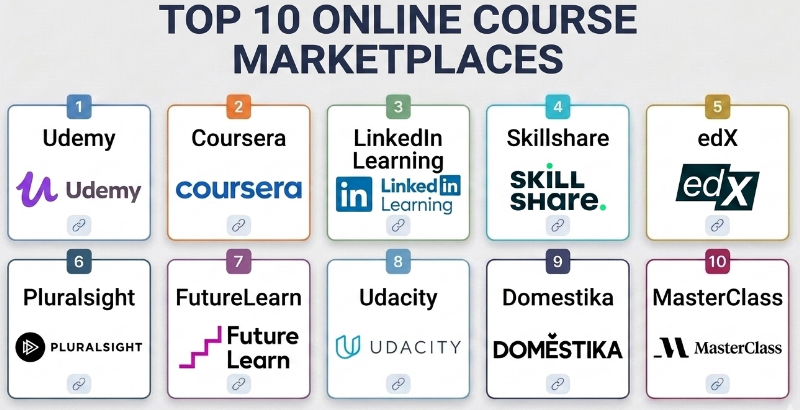
Top 10 Online Course Marketplaces
#1 — Udemy
Short description :
Udemy is one of the most widely recognized online course marketplaces, offering courses across technology, business, design, marketing, personal development, language learning, and many other topics. It is useful for learners who want affordable, self-paced courses on specific skills. Udemy is especially strong for practical, instructor-created learning where learners can choose from many course options. It is also useful for instructors who want to publish courses to a large marketplace audience.
Key Features
- Large course marketplace
- Self-paced video courses
- Lifetime-style access depending on purchase model
- Course ratings and learner reviews
- Instructor-created content
- Quizzes, assignments, and downloadable resources depending on course
- Business learning options for teams
Pros
- Very broad course catalog
- Affordable course options during promotions
- Good for learning specific practical skills
Cons
- Course quality can vary by instructor
- Some courses may become outdated
- Certificates are usually completion-based, not formal academic credentials
Platforms / Deployment
- Web / iOS / Android
- Cloud
Security & Compliance
Not publicly stated for every compliance scenario. Business buyers should review account controls, learner data handling, access management, and enterprise settings before adoption.
Integrations & Ecosystem
Udemy fits personal learning and corporate upskilling workflows.
- Self-paced learning
- Business training libraries
- Instructor publishing
- Mobile learning
- Course reviews and ratings
- Team learning administration depending on plan
Support & Community
Udemy provides learner support, instructor resources, and marketplace guidance. Its community is large because of the number of learners and instructors using the platform.
#2 — Coursera
Short description :
Coursera is an online learning marketplace that offers courses, professional certificates, specializations, and degree-style programs from universities, companies, and institutions. It is useful for learners who want a more academic or career-structured learning experience. Coursera is especially strong for data science, business, technology, healthcare, leadership, and university-backed learning. It fits students, professionals, and enterprises looking for recognized learning paths.
Key Features
- University and company-backed courses
- Professional certificates and specializations
- Guided learning paths
- Quizzes and graded assignments
- Peer review activities depending on course
- Enterprise learning options
- Degree-style learning options depending on program
Pros
- Strong academic and professional credibility
- Good structured learning paths
- Useful for career-oriented learners
Cons
- Some programs can be more expensive than casual marketplaces
- Course pacing may be less flexible in certain programs
- Not every certificate has the same employer recognition
Platforms / Deployment
- Web / iOS / Android
- Cloud
Security & Compliance
Security and compliance details vary by learner, institution, and enterprise setup. Organizations should review data handling, identity, learner records, and enterprise controls.
Integrations & Ecosystem
Coursera supports academic, professional, and enterprise learning workflows.
- University courses
- Professional certificates
- Enterprise learning dashboards
- Skills tracking
- Guided programs
- Assessment workflows
Support & Community
Coursera provides learner support, institutional support, and enterprise resources. It has strong recognition among learners seeking structured online education.
#3 — LinkedIn Learning
Short description :
LinkedIn Learning is an online course platform focused on professional skills, business, technology, creative tools, leadership, productivity, and career development. It is especially useful for working professionals and companies that want learning connected to career profiles and workplace skills. LinkedIn Learning offers short, practical courses that fit busy work schedules. It is often used for employee development and professional upskilling.
Key Features
- Professional skills course library
- Business, technology, and creative courses
- Short modular lessons
- Certificates of completion
- Team and enterprise learning features
- Skill recommendations
- Integration with professional profiles depending on user settings
Pros
- Strong for workplace learning
- Good for short professional courses
- Useful for companies and employee training
Cons
- Less project-heavy than some technical learning platforms
- Certificates are completion-based
- Best value often comes through subscription access
Platforms / Deployment
- Web / iOS / Android
- Cloud
Security & Compliance
Enterprise security and compliance depend on organization settings, identity configuration, admin controls, and data handling policies. Specific requirements should be reviewed by the buyer.
Integrations & Ecosystem
LinkedIn Learning fits professional and corporate training workflows.
- Employee learning
- Professional profile connection
- Skill recommendations
- Team dashboards
- Course collections
- Workplace development programs
Support & Community
LinkedIn Learning provides help resources and enterprise learning support. It benefits from LinkedIn’s professional ecosystem and user base.
#4 — Skillshare
Short description :
Skillshare is an online learning marketplace focused on creative skills, design, illustration, photography, writing, freelancing, marketing, productivity, and creator-focused learning. It is useful for learners who prefer practical creative projects and short lessons. Skillshare is especially popular among designers, creators, artists, freelancers, and hobby learners. It works well for people who want inspiration and hands-on creative practice.
Key Features
- Creative and practical course library
- Short video lessons
- Project-based learning
- Community project sharing
- Subscription access model
- Creator and instructor-led content
- Classes for design, art, writing, and productivity
Pros
- Strong for creative learners
- Good project-based learning style
- Easy to explore multiple topics through subscription
Cons
- Less suitable for formal technical certification preparation
- Course depth can vary
- Not ideal for learners needing accredited credentials
Platforms / Deployment
- Web / iOS / Android
- Cloud
Security & Compliance
Not publicly stated for all compliance requirements. Organizations should review account controls, learner data policies, and team settings if used for business training.
Integrations & Ecosystem
Skillshare fits creative learning and creator education workflows.
- Creative projects
- Community submissions
- Instructor-led classes
- Mobile learning
- Portfolio-style practice
- Subscription-based learning
Support & Community
Skillshare has learner support, instructor resources, and an active creative learning community.
#5 — edX
Short description :
edX is an online learning platform offering courses, professional certificates, bootcamp-style programs, and university-backed learning across technology, business, science, humanities, and career development. It is useful for learners who want structured academic-style education from recognized institutions. edX is especially relevant for students, professionals, and enterprise learners seeking deeper subject understanding and formal learning pathways.
Key Features
- University and institutional courses
- Professional certificate programs
- Structured learning paths
- Assessments and graded activities depending on course
- Self-paced and scheduled course formats depending on program
- Enterprise learning options
- Academic-style learning experience
Pros
- Strong institutional course credibility
- Good for serious learners and professionals
- Useful for structured academic topics
Cons
- Some programs may be costly
- Learning experience can feel more academic than practical
- Course flexibility depends on program format
Platforms / Deployment
- Web / iOS / Android
- Cloud
Security & Compliance
Security and compliance depend on account setup, enterprise configuration, learner data handling, and institutional requirements. Buyers should review details before adoption.
Integrations & Ecosystem
edX supports academic and professional education workflows.
- University courses
- Professional certificates
- Enterprise learning
- Assessment workflows
- Guided programs
- Career learning paths
Support & Community
edX provides learner resources, institutional support, and enterprise learning support depending on program and plan.
#6 — Pluralsight
Short description :
Pluralsight is an online learning platform focused on technology skills, software development, cloud, cybersecurity, data, DevOps, IT operations, and engineering teams. It is useful for professionals and organizations that need structured technical upskilling. Pluralsight is especially strong for enterprise technology teams because it offers skill assessments, learning paths, and role-based development. It fits IT teams, developers, engineers, and technical leaders.
Key Features
- Technology-focused course library
- Skill assessments
- Role-based learning paths
- Cloud, DevOps, cybersecurity, and software development topics
- Team analytics
- Enterprise learning management features
- Hands-on learning options depending on plan
Pros
- Strong for technical upskilling
- Useful for IT and engineering teams
- Good skill assessment and learning path structure
Cons
- Less useful for non-technical creative learners
- Subscription cost may be higher than casual course marketplaces
- Best value appears for committed technical learners or teams
Platforms / Deployment
- Web / iOS / Android
- Cloud
Security & Compliance
Enterprise security and compliance depend on plan, identity configuration, admin controls, learner data policies, and organization setup.
Integrations & Ecosystem
Pluralsight fits technical workforce development workflows.
- Skill assessments
- Engineering learning paths
- Team analytics
- Cloud and DevOps training
- Cybersecurity learning
- Enterprise upskilling programs
Support & Community
Pluralsight provides documentation, learner support, and enterprise customer resources. It is widely used by technical teams for structured skills development.
#7 — FutureLearn
Short description :
FutureLearn is an online course marketplace offering courses, microcredentials, and learning programs from universities, institutions, and organizations. It supports learners interested in business, healthcare, teaching, technology, psychology, language, and social sciences. FutureLearn is useful for people who prefer structured learning from education providers and want a guided course experience. It is especially strong for professional and academic-style learning.
Key Features
- University and institution-backed courses
- Microcredentials and learning programs
- Short courses
- Social learning discussions
- Professional development topics
- Flexible online learning
- Certificates depending on course and plan
Pros
- Good for academic and professional topics
- Social learning style can support engagement
- Useful for structured short courses
Cons
- Catalog depth varies by subject
- Some certificates and programs require payment
- Not as broad in technical depth as specialist platforms
Platforms / Deployment
- Web / Mobile browser experience
- Cloud
Security & Compliance
Not publicly stated for all institutional compliance scenarios. Learners and organizations should review account, privacy, and course data policies.
Integrations & Ecosystem
FutureLearn fits structured online education workflows.
- Short courses
- Microcredentials
- University-backed learning
- Social discussions
- Professional development
- Flexible learning programs
Support & Community
FutureLearn provides learner help resources and course community features depending on course structure.
#8 — Udacity
Short description :
Udacity is an online learning platform focused on career-oriented technology skills such as programming, data science, AI, cloud, cybersecurity, autonomous systems, and business analytics. It is known for structured programs and project-based learning. Udacity is useful for learners who want more guided career development than a casual video course marketplace. It is especially relevant for professionals trying to build job-ready technical portfolios.
Key Features
- Career-focused technical programs
- Project-based learning
- Mentor or reviewer support depending on program
- Skill paths in data, AI, cloud, and programming
- Practical assignments
- Career-oriented curriculum
- Structured learning experience
Pros
- Strong project-based technical learning
- Useful for career-focused learners
- Better structure than casual course browsing
Cons
- Programs can be expensive
- Not ideal for casual low-cost learning
- Topic range is narrower than broad marketplaces
Platforms / Deployment
- Web
- Cloud
Security & Compliance
Not publicly stated for all enterprise compliance needs. Organizations should review learner data, program access, and administrative controls before adoption.
Integrations & Ecosystem
Udacity fits career and technical upskilling workflows.
- Project submissions
- Technical career paths
- AI and data learning
- Cloud and programming programs
- Portfolio-style work
- Professional development pathways
Support & Community
Udacity provides learner support and program resources. Support quality and learner guidance may vary by program type.
#9 — Domestika
Short description :
Domestika is an online course marketplace focused on creative fields such as design, illustration, craft, photography, animation, branding, writing, and visual arts. It is useful for creative professionals, hobbyists, freelancers, and students who want visually rich, project-based learning. Domestika is especially strong for creative inspiration and polished course production. It fits learners who want to build creative skills through guided projects.
Key Features
- Creative course marketplace
- Design, illustration, craft, and visual arts courses
- Project-based learning
- Instructor-led video classes
- Community project sharing
- Creative portfolio development
- Multilingual course availability depending on course
Pros
- Strong creative course production quality
- Good for designers, artists, and makers
- Project-based learning encourages practice
Cons
- Less suitable for technical certification learning
- Course depth varies by instructor
- Not ideal for corporate technical upskilling
Platforms / Deployment
- Web / iOS / Android
- Cloud
Security & Compliance
Not publicly stated for major enterprise compliance certifications. Buyers should review account controls, privacy policies, and team usage needs before adoption.
Integrations & Ecosystem
Domestika fits creative learning workflows.
- Creative projects
- Portfolio practice
- Visual arts learning
- Instructor-led courses
- Community sharing
- Self-paced creative development
Support & Community
Domestika has learner support resources and a strong creative community around project sharing and instructor-led creative education.
#10 — MasterClass
Short description :
MasterClass is an online learning platform focused on premium-style classes taught by well-known experts across creative, business, lifestyle, writing, entertainment, leadership, wellness, cooking, and cultural topics. It is useful for learners seeking inspiration, perspective, storytelling, and high-production lessons from recognized personalities. MasterClass is less focused on hands-on technical skills and more focused on insight, creativity, mindset, and expert-led learning.
Key Features
- Expert-led video classes
- High-production learning content
- Creative, business, lifestyle, and leadership topics
- Subscription access
- Short lesson structure
- Inspirational learning style
- Cross-device access
Pros
- Strong production quality
- Inspiring expert-led content
- Good for creative and personal growth learning
Cons
- Less focused on practical assignments and technical skill mastery
- Not ideal for certification preparation
- Learners needing hands-on projects may prefer other platforms
Platforms / Deployment
- Web / iOS / Android / TV apps depending on device support
- Cloud
Security & Compliance
Not publicly stated for enterprise compliance scenarios. Users and organizations should review account, privacy, and subscription settings.
Integrations & Ecosystem
MasterClass fits inspiration and expert-led learning workflows.
- Video lessons
- Creative learning
- Lifestyle education
- Leadership insights
- Subscription-based content
- Cross-device viewing
Support & Community
MasterClass provides learner support resources. Its community is strongest among learners seeking inspiration and expert perspectives rather than formal coursework.
Comparison Table
| Tool Name | Best For | Platform(s) Supported | Deployment | Standout Feature | Public Rating |
|---|---|---|---|---|---|
| Udemy | Affordable practical skills | Web, iOS, Android | Cloud | Large instructor-led course marketplace | N/A |
| Coursera | University and professional certificates | Web, iOS, Android | Cloud | Institution-backed learning paths | N/A |
| LinkedIn Learning | Workplace professional skills | Web, iOS, Android | Cloud | Career-focused professional learning | N/A |
| Skillshare | Creative and project-based learning | Web, iOS, Android | Cloud | Creative classes and community projects | N/A |
| edX | Academic and professional programs | Web, iOS, Android | Cloud | University-backed structured courses | N/A |
| Pluralsight | Technical workforce upskilling | Web, iOS, Android | Cloud | Skill assessments and tech learning paths | N/A |
| FutureLearn | Short academic and professional courses | Web, mobile browser experience | Cloud | Social learning and microcredentials | N/A |
| Udacity | Career-focused tech programs | Web | Cloud | Project-based technical nanodegree-style learning | N/A |
| Domestika | Creative professionals and makers | Web, iOS, Android | Cloud | Polished creative course production | N/A |
| MasterClass | Inspiration and expert-led learning | Web, iOS, Android, TV apps | Cloud | Premium expert-led video classes | N/A |
Evaluation & Online Course Marketplaces
| Tool Name | Core (25%) | Ease (15%) | Integrations (15%) | Security (10%) | Performance (10%) | Support (10%) | Value (15%) | Weighted Total (0–10) |
|---|---|---|---|---|---|---|---|---|
| Udemy | 9 | 9 | 7 | 8 | 8 | 8 | 9 | 8.35 |
| Coursera | 9 | 8 | 8 | 8 | 8 | 8 | 8 | 8.30 |
| LinkedIn Learning | 8 | 9 | 9 | 8 | 8 | 8 | 8 | 8.30 |
| Skillshare | 8 | 9 | 7 | 7 | 8 | 7 | 8 | 7.80 |
| edX | 9 | 8 | 8 | 8 | 8 | 8 | 8 | 8.30 |
| Pluralsight | 9 | 8 | 9 | 8 | 8 | 8 | 8 | 8.45 |
| FutureLearn | 8 | 8 | 7 | 8 | 8 | 7 | 8 | 7.80 |
| Udacity | 9 | 7 | 8 | 8 | 8 | 8 | 7 | 8.00 |
| Domestika | 8 | 9 | 6 | 7 | 8 | 7 | 8 | 7.65 |
| MasterClass | 7 | 9 | 6 | 8 | 9 | 8 | 7 | 7.65 |
The scoring is comparative and should be used as a shortlist guide, not as a universal ranking. Udemy is strong for broad practical learning, Coursera and edX are better for institution-backed programs, LinkedIn Learning and Pluralsight are stronger for workplace upskilling, Skillshare and Domestika are better for creative learning, and Udacity is useful for structured career-focused technology programs.
Which Online Course Marketplace Is Right for You?
Solo / Freelancer
Solo learners and freelancers should choose based on their immediate goal. Udemy is useful for affordable practical skills, Skillshare and Domestika are strong for creative skills, and Codec-style technical learners may prefer Pluralsight or Udacity-style structured technology learning.
Freelancers should look for courses with projects, templates, assignments, and practical outcomes. A course is more useful when it helps create portfolio work, improve client service, or solve a real business problem.
SMB
Small businesses should choose platforms that support employee upskilling without complex administration. LinkedIn Learning, Udemy Business, Coursera for teams, and Pluralsight can be relevant depending on the skill area.
SMBs should avoid buying subscriptions without a learning plan. Assign role-based learning paths, set goals, and review completion and skill improvement regularly.
Mid-Market
Mid-market companies often need structured learning paths, team dashboards, skills tracking, and role-based upskilling. Pluralsight is strong for technical teams, LinkedIn Learning is useful for professional development, and Coursera or edX can support broader professional education.
Mid-market teams should compare content quality, reporting, integrations, admin controls, and how well the platform supports internal career pathways.
Enterprise
Enterprises should evaluate online course marketplaces based on security, learner analytics, SSO, admin controls, content relevance, compliance training fit, reporting, and integration with learning systems.
Large organizations may need more than one platform. For example, technical teams may use Pluralsight, leadership teams may use LinkedIn Learning, and specialized learners may use Coursera or edX programs.
Budget vs Premium
Budget-focused learners can use individual course purchases or free audit-style learning where available. Udemy, Khan-style learning resources, and selected marketplace promotions may be useful for low-cost learning.
Premium programs may be worth it when learners need structured curriculum, certificates, projects, mentor support, enterprise dashboards, or career-focused outcomes.
Feature Depth vs Ease of Use
For ease of use, Udemy, Skillshare, LinkedIn Learning, Domestika, and MasterClass are simple to start with. They are good for self-paced learners.
For feature depth, Coursera, edX, Pluralsight, Udacity, and enterprise learning versions are stronger. They offer structured paths, assessments, technical depth, or institutional learning support.
Integrations & Scalability
Enterprises and growing businesses should check identity management, learning management integrations, reporting, team administration, content assignment, and analytics.
For individual learners, integrations matter less than course quality, instructor clarity, practice material, and whether the learner can complete the course consistently.
Security & Compliance Needs
Organizations should review data privacy, account security, admin permissions, learner records, certificate handling, and access controls before adopting a platform at scale.
For regulated industries, course marketplaces may support skill development, but they may not replace official compliance training unless the organization validates suitability.
Frequently Asked Questions
1. What is an online course marketplace?
An online course marketplace is a platform where learners can find and enroll in courses from instructors, companies, universities, or training providers. It usually handles course hosting, payments, video delivery, certificates, and learner access.
2. Which online course marketplace is best for beginners?
Udemy, LinkedIn Learning, Skillshare, and Coursera are beginner-friendly depending on the subject. Beginners should choose courses with clear explanations, projects, reviews, and updated content.
3. Which platform is best for professional certificates?
Coursera and edX are strong options for university-backed and professional certificate-style programs. LinkedIn Learning and Pluralsight also provide certificates of completion, but recognition depends on the employer and course type.
4. Which platform is best for technology skills?
Pluralsight, Udacity, Coursera, edX, Udemy, and LinkedIn Learning can be useful for technology learning. Pluralsight is strong for technical workforce skills, while Udacity is more project and career-program oriented.
5. Which platform is best for creative skills?
Skillshare, Domestika, Udemy, and MasterClass are useful for creative skills. Skillshare and Domestika are especially strong for design, illustration, craft, photography, writing, and creative projects.
6. Are online course certificates valuable?
They can be valuable when they support real skills, projects, and career growth. However, not all certificates carry the same weight. Employers usually care more about demonstrated ability than completion badges alone.
7. What is the biggest mistake learners make on course marketplaces?
The biggest mistake is buying many courses but not completing them. Learners should choose one clear goal, complete one course at a time, build projects, and apply the skill immediately.
8. Are subscription course platforms worth it?
Subscription platforms are worth it when learners study regularly and use multiple courses. If a learner only needs one specific topic, a single course purchase may be more cost-effective.
9. Can businesses use online course marketplaces for employee training?
Yes. Many platforms offer business or enterprise plans with team dashboards, course assignments, analytics, and curated learning paths. Companies should match the platform to employee roles and skill goals.
10. How do I judge course quality before enrolling?
Check instructor clarity, course structure, lesson previews, project work, update frequency, learner feedback, course length, and whether the course matches your current skill level.
11. Are online course marketplaces good for career switching?
Yes, but only when learners follow a structured path and build real projects. Career switchers should combine courses with practice, portfolio work, networking, and interview preparation.
12. How should I choose the right online course marketplace?
Start with your goal. Choose Udemy for broad practical skills, Coursera or edX for institution-backed learning, LinkedIn Learning for professional development, Pluralsight for technology teams, Skillshare or Domestika for creative skills, and Udacity for structured technical career programs.
Conclusion
Online course marketplaces make learning more flexible, accessible, and skill-focused for students, professionals, freelancers, businesses, and lifelong learners. The best platform depends on the learner’s goal, budget, subject area, and preferred learning style. Udemy is strong for affordable practical courses, Coursera and edX are better for structured academic and professional programs, LinkedIn Learning fits workplace skills, Pluralsight supports technical workforce development, and Udacity is useful for career-focused technology programs. Skillshare, Domestika, and MasterClass are better for creative inspiration and project-based learning.
