Introduction
Payroll & Benefits Administration refers to the systems and processes used to manage employee salaries, tax deductions, compliance, and benefits such as insurance, retirement plans, and reimbursements. In simple terms, it ensures employees are paid correctly and on time while staying compliant with local labor laws and tax regulations.
In today’s environment, payroll is no longer just a back-office function. With distributed teams, global hiring, and increasing regulatory complexity, modern payroll platforms must handle multi-country compliance, automate calculations, and integrate seamlessly with HR and finance systems.
Real-world use cases:
- Managing multi-country payroll for remote teams
- Automating tax filings and compliance reporting
- Handling employee benefits like insurance, PF, and ESOPs
- Integrating payroll with accounting and HR systems
- Managing contractor payments and reimbursements
What buyers should evaluate:
- Compliance coverage (local and global laws)
- Automation and AI capabilities
- Ease of use for HR and finance teams
- Integration with HRMS, ERP, and accounting tools
- Reporting and analytics features
- Pricing transparency and scalability
- Security and data protection
- Employee self-service features
- Support and onboarding quality
Best for: HR managers, finance teams, founders, and operations leaders in SMBs, mid-market companies, and enterprises—especially those managing multiple employees or operating across regions.
Not ideal for: Solo freelancers or very small teams with minimal payroll complexity, where manual or basic accounting tools may suffice.
Key Trends in Payroll & Benefits Administration
- AI-driven payroll automation: Automated anomaly detection, error reduction, and predictive insights.
- Global payroll platforms: Unified systems for managing payroll across multiple countries.
- Employee self-service portals: Employees can access payslips, tax forms, and benefits independently.
- Real-time payroll processing: Faster payroll cycles and on-demand payments.
- Compliance automation: Systems auto-update based on changing labor laws and tax regulations.
- API-first ecosystems: Integration with HR, finance, and productivity tools.
- Embedded analytics: Dashboards for payroll costs, workforce insights, and forecasting.
- Flexible benefits management: Customizable benefits packages for diverse workforce needs.
- Cloud-native platforms: Scalable, secure, and accessible systems.
How We Selected These Tools (Methodology)
- Evaluated market adoption and brand recognition
- Assessed feature completeness across payroll and benefits
- Reviewed reliability and performance indicators
- Considered security and compliance capabilities
- Analyzed integration ecosystem and extensibility
- Checked fit across SMB, mid-market, and enterprise segments
- Compared ease of use and onboarding experience
- Looked at support quality and community presence
- Ensured global vs regional coverage balance
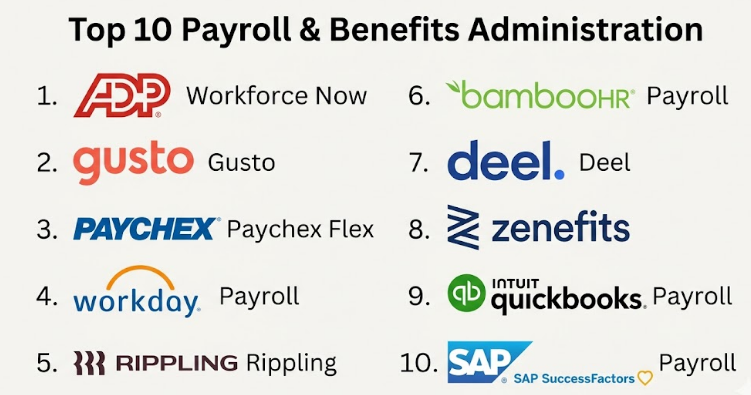
Top 10 Payroll & Benefits Administration
#1 — ADP Workforce Now
Short description (2–3 lines): A comprehensive payroll and HR platform designed for mid-market and enterprise businesses, offering advanced payroll processing and compliance features.
Key Features
- Automated payroll processing
- Tax compliance management
- Benefits administration
- Workforce analytics
- Employee self-service portal
- Multi-country payroll support
Pros
- Strong compliance capabilities
- Scalable for large organizations
Cons
- Complex interface for new users
- Higher cost for small businesses
Platforms / Deployment
Web / iOS / Android
Cloud
Security & Compliance
SSO, MFA, encryption, audit logs; SOC 2, GDPR (varies by region)
Integrations & Ecosystem
Integrates with HR, finance, and ERP systems
- SAP
- Oracle
- QuickBooks
- API support
Support & Community
Strong enterprise support; onboarding assistance available
#2 — Gusto
Short description (2–3 lines): A user-friendly payroll and benefits platform tailored for small to medium-sized businesses.
Key Features
- Automated payroll runs
- Benefits management
- Tax filing
- Employee onboarding
- Time tracking
- Compliance alerts
Pros
- Easy to use
- Transparent pricing
Cons
- Limited global payroll
- Fewer advanced enterprise features
Platforms / Deployment
Web / iOS / Android
Cloud
Security & Compliance
Encryption, MFA; Not publicly stated for certifications
Integrations & Ecosystem
- QuickBooks
- Xero
- Slack
- API integrations
Support & Community
Good documentation; responsive support for SMB users
#3 — Paychex Flex
Short description (2–3 lines): A flexible payroll and HR solution for SMBs and growing companies.
Key Features
- Payroll automation
- Tax compliance
- Benefits management
- Time and attendance tracking
- HR services
Pros
- Flexible plans
- Good customer support
Cons
- Interface can feel dated
- Add-ons increase cost
Platforms / Deployment
Web / Mobile
Cloud
Security & Compliance
MFA, encryption; Not publicly stated certifications
Integrations & Ecosystem
- Accounting tools
- HR systems
- API support
Support & Community
Strong customer support; onboarding assistance
#4 — Workday Payroll
Short description (2–3 lines): Enterprise-grade payroll system integrated with Workday’s HCM platform.
Key Features
- Global payroll processing
- Real-time analytics
- Compliance automation
- Benefits integration
- Reporting tools
Pros
- Unified enterprise system
- Strong analytics
Cons
- Expensive
- Complex implementation
Platforms / Deployment
Web
Cloud
Security & Compliance
SSO, RBAC, encryption; SOC 2, ISO (varies)
Integrations & Ecosystem
- ERP systems
- HR platforms
- APIs
Support & Community
Enterprise-level support; strong ecosystem
#5 — Rippling
Short description (2–3 lines): A modern workforce platform combining payroll, HR, and IT management.
Key Features
- Automated payroll
- Benefits administration
- Device and app management
- Global payroll support
- Workflow automation
Pros
- Highly integrated platform
- Strong automation
Cons
- Pricing can scale quickly
- Learning curve
Platforms / Deployment
Web
Cloud
Security & Compliance
SSO, MFA, audit logs; Not publicly stated certifications
Integrations & Ecosystem
- Slack
- Google Workspace
- HR tools
- APIs
Support & Community
Responsive support; growing community
#6 — BambooHR Payroll
Short description (2–3 lines): Payroll solution integrated with BambooHR’s HR platform for SMBs.
Key Features
- Payroll processing
- Benefits tracking
- Employee records
- Reporting
- Time-off management
Pros
- Clean interface
- Strong HR integration
Cons
- Limited global payroll
- Add-on pricing
Platforms / Deployment
Web / Mobile
Cloud
Security & Compliance
Encryption, RBAC; Not publicly stated
Integrations & Ecosystem
- HR tools
- Accounting systems
- APIs
Support & Community
Good documentation; helpful onboarding
#7 — Deel
Short description (2–3 lines): Global payroll and compliance platform for remote and distributed teams.
Key Features
- Global payroll processing
- Contractor management
- Compliance automation
- Localized benefits
- Multi-currency payments
Pros
- Excellent global coverage
- Strong compliance
Cons
- Pricing varies by country
- Limited HR features
Platforms / Deployment
Web
Cloud
Security & Compliance
Encryption, GDPR compliance; Not publicly stated certifications
Integrations & Ecosystem
- HR tools
- Accounting software
- APIs
Support & Community
Strong global support
#8 — Zenefits
Short description (2–3 lines): HR and payroll platform focused on SMBs with benefits administration.
Key Features
- Payroll automation
- Benefits management
- Compliance tools
- Employee self-service
- Time tracking
Pros
- Affordable
- Easy onboarding
Cons
- Limited enterprise features
- Some integrations missing
Platforms / Deployment
Web / Mobile
Cloud
Security & Compliance
MFA, encryption; Not publicly stated
Integrations & Ecosystem
- Accounting tools
- HR apps
- APIs
Support & Community
Good SMB support
#9 — QuickBooks Payroll
Short description (2–3 lines): Payroll solution integrated with QuickBooks accounting software.
Key Features
- Automated payroll
- Tax filing
- Direct deposit
- Reporting
- Integration with accounting
Pros
- Strong accounting integration
- Easy setup
Cons
- Limited HR features
- Mostly US-focused
Platforms / Deployment
Web / Mobile
Cloud
Security & Compliance
Encryption, MFA; Not publicly stated
Integrations & Ecosystem
- QuickBooks
- Banking tools
- APIs
Support & Community
Strong documentation; large user base
#10 — SAP SuccessFactors Payroll
Short description (2–3 lines): Enterprise payroll solution integrated with SAP’s HR ecosystem.
Key Features
- Global payroll
- Compliance automation
- Workforce analytics
- Benefits integration
- Reporting
Pros
- Enterprise-grade scalability
- Strong compliance
Cons
- High implementation cost
- Complex setup
Platforms / Deployment
Web
Cloud
Security & Compliance
SSO, encryption, audit logs; ISO, GDPR (varies)
Integrations & Ecosystem
- SAP ERP
- HR systems
- APIs
Support & Community
Strong enterprise support
Comparison Table (Top 10)
| Tool Name | Best For | Platform(s) Supported | Deployment | Standout Feature | Public Rating |
|---|---|---|---|---|---|
| ADP Workforce Now | Enterprise | Web, Mobile | Cloud | Compliance automation | N/A |
| Gusto | SMB | Web, Mobile | Cloud | Ease of use | N/A |
| Paychex Flex | SMB | Web, Mobile | Cloud | Flexible plans | N/A |
| Workday Payroll | Enterprise | Web | Cloud | Real-time analytics | N/A |
| Rippling | Mid-market | Web | Cloud | HR + IT integration | N/A |
| BambooHR Payroll | SMB | Web, Mobile | Cloud | HR integration | N/A |
| Deel | Global teams | Web | Cloud | Global payroll | N/A |
| Zenefits | SMB | Web, Mobile | Cloud | Benefits management | N/A |
| QuickBooks Payroll | SMB | Web, Mobile | Cloud | Accounting integration | N/A |
| SAP SuccessFactors | Enterprise | Web | Cloud | Enterprise scalability | N/A |
Evaluation & Scoring of Payroll & Benefits Administration
| Tool Name | Core (25%) | Ease (15%) | Integrations (15%) | Security (10%) | Performance (10%) | Support (10%) | Value (15%) | Weighted Total |
|---|---|---|---|---|---|---|---|---|
| ADP Workforce Now | 9 | 7 | 8 | 9 | 9 | 8 | 7 | 8.3 |
| Gusto | 8 | 9 | 7 | 7 | 8 | 8 | 9 | 8.2 |
| Paychex Flex | 8 | 7 | 7 | 7 | 8 | 9 | 8 | 7.9 |
| Workday Payroll | 9 | 6 | 9 | 9 | 9 | 8 | 6 | 8.2 |
| Rippling | 9 | 8 | 9 | 8 | 8 | 8 | 7 | 8.3 |
| BambooHR Payroll | 7 | 9 | 7 | 7 | 7 | 8 | 8 | 7.8 |
| Deel | 9 | 8 | 8 | 8 | 8 | 8 | 7 | 8.2 |
| Zenefits | 7 | 8 | 7 | 7 | 7 | 7 | 8 | 7.5 |
| QuickBooks Payroll | 7 | 9 | 8 | 7 | 8 | 8 | 9 | 8.0 |
| SAP SuccessFactors | 9 | 6 | 9 | 9 | 9 | 8 | 6 | 8.2 |
How to interpret scores:
These scores are comparative, not absolute. A higher score reflects stronger overall capability across multiple dimensions. However, the “best” tool depends on your specific needs—SMBs may prioritize ease and value, while enterprises may focus on compliance and scalability. Always align scoring with your business context.
Which Payroll & Benefits Administration
Solo / Freelancer
Basic tools or accounting software may be enough. Full payroll systems are usually unnecessary.
SMB
Gusto, Zenefits, and QuickBooks Payroll offer ease of use, affordability, and essential features.
Mid-Market
Rippling and Paychex Flex provide scalability and integrations without enterprise complexity.
Enterprise
Workday, ADP, and SAP SuccessFactors are best for compliance-heavy, global operations.
Budget vs Premium
- Budget: Zenefits, QuickBooks Payroll
- Premium: Workday, SAP, ADP
Feature Depth vs Ease of Use
- Deep features: Workday, SAP
- Easy to use: Gusto, BambooHR
Integrations & Scalability
- Strong integrations: Rippling, Workday
- Moderate: Zenefits, Paychex
Security & Compliance Needs
- High compliance: ADP, SAP, Deel
- Moderate: Gusto, Zenefits
Frequently Asked Questions (FAQs)
1. What is payroll software pricing based on?
Pricing typically depends on number of employees, features, and add-ons like benefits or compliance services.
2. How long does implementation take?
SMB tools can be set up in days, while enterprise systems may take weeks or months.
3. Can payroll systems handle global employees?
Yes, but only certain tools like Deel and Workday specialize in global payroll.
4. What are common mistakes when choosing payroll software?
Ignoring compliance needs, underestimating integrations, and choosing based only on price.
5. Is payroll data secure?
Most platforms use encryption and access controls, but certifications vary.
6. Can employees access their own payroll data?
Yes, most tools provide self-service portals.
7. How do integrations work?
Payroll systems connect via APIs to HR, accounting, and ERP tools.
8. Can I switch payroll providers easily?
Switching is possible but requires data migration and careful planning.
9. Do payroll tools handle tax filings?
Most modern systems automate tax calculations and filings.
10. What alternatives exist?
Small businesses may use accounting tools, spreadsheets, or outsourcing services.
Conclusion
Payroll & Benefits Administration platforms have evolved into strategic systems that go far beyond salary processing. They now handle compliance, global workforce management, analytics, and employee experience. While enterprise tools like Workday and SAP provide deep capabilities for large organizations, SMB-focused platforms like Gusto and Zenefits prioritize simplicity and cost efficiency. The right choice depends heavily on your company size, geographic footprint, compliance needs, and integration requirements. Instead of chasing a single “best” tool, shortlist two or three options that align with your business goals. Run a pilot, validate integrations, assess usability, and ensure compliance coverage before making a final decision.
