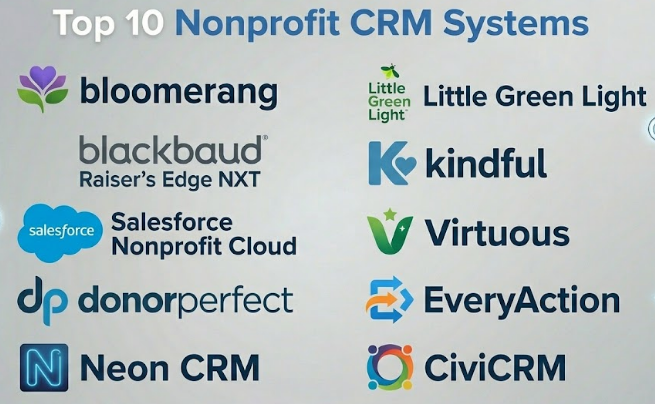
Introduction
Nonprofit CRM Systems help nonprofit organizations manage relationships with donors, volunteers, members, beneficiaries, partners, alumni, sponsors, and supporters in one central place. In simple words, a nonprofit CRM is a relationship database that helps teams track people, donations, communications, events, campaigns, tasks, and engagement history.
For modern nonprofits, a CRM is no longer just a contact list. It is the main system that connects fundraising, donor retention, email outreach, volunteer engagement, event management, grant tracking, and reporting. Without a CRM, teams often depend on spreadsheets, inboxes, paper records, and disconnected tools, which can lead to missed follow-ups, duplicate donor records, weak reporting, and poor supporter experience.
Real-world use cases include:
- Managing donor profiles and giving history
- Tracking fundraising campaigns and appeals
- Sending donor emails and acknowledgments
- Managing volunteers, members, and event attendees
- Segmenting supporters based on behavior and interests
- Reporting fundraising performance to boards and leadership
Buyers should evaluate:
- Donor and constituent management
- Fundraising and donation tracking
- Email and communication tools
- Reporting and dashboard capabilities
- Event and volunteer management support
- Integration with donation, accounting, and marketing tools
- Ease of use for non-technical staff
- Data migration and cleanup support
- Security, permissions, and access control
- Pricing, support, and implementation effort
Best for: nonprofits, charities, foundations, schools, churches, membership organizations, community programs, advocacy groups, healthcare foundations, universities, and fundraising teams that need structured relationship management.
Not ideal for: very small informal groups with only a few contacts, teams that only need a simple donation form, or organizations that are not ready to maintain clean data. In such cases, a spreadsheet, email tool, or basic donation platform may be enough at the beginning.
Key Trends in Nonprofit CRM Systems
- Donor retention focus: Nonprofits are paying more attention to recurring donors, lapsed donors, donor engagement scores, and relationship-based fundraising.
- Integrated fundraising workflows: Modern nonprofit CRMs increasingly combine donor management, donation forms, email outreach, event tracking, and campaign reporting.
- Automation for small teams: Automated receipts, reminders, task creation, donor journeys, and follow-up workflows help small nonprofit teams save time.
- Better supporter segmentation: Organizations want to group supporters by gift size, interests, engagement level, location, event attendance, volunteer history, and campaign behavior.
- AI-assisted insights: Some CRM systems are beginning to use AI-style features for donor recommendations, predictive engagement, email personalization, and campaign analysis.
- Cloud-first systems: Most nonprofit CRMs are now cloud-based, making them easier to access remotely and manage across distributed teams.
- More focus on data quality: Duplicate records, incomplete profiles, inconsistent tags, and poor import practices can weaken fundraising. Clean CRM data is becoming a priority.
- Deeper accounting integration: Nonprofits need donation data, restricted funds, pledges, and campaign revenue to connect properly with finance workflows.
- Omnichannel engagement: Email, SMS, events, social campaigns, donation pages, and peer-to-peer fundraising increasingly need to connect with CRM records.
- Security and permissions: CRM systems store sensitive donor and supporter data, so role-based access, audit history, encryption, and privacy controls are important.
How We Selected These Tools Methodology
The tools below were selected based on nonprofit relevance, market recognition, feature depth, ease of use, fundraising support, and CRM maturity.
- Market adoption and mindshare: Tools commonly recognized in nonprofit fundraising and constituent management were prioritized.
- CRM depth: Donor profiles, contact records, relationship history, segmentation, tasks, and engagement tracking were important.
- Fundraising capabilities: Donation tracking, recurring gifts, pledges, campaigns, receipts, and appeals were considered.
- Ease of use: Nonprofit teams often have limited technical resources, so usability was a key factor.
- Reporting quality: Dashboards, donor retention reports, campaign reports, and export options were evaluated.
- Integration ecosystem: Donation platforms, accounting tools, email tools, event platforms, and payment workflows were considered.
- Scalability: The list includes tools for small nonprofits, growing organizations, and large enterprise fundraising teams.
- Support and onboarding: Training, documentation, implementation support, and customer success were considered.
- Security posture: Access control, data protection, and permission management were treated as important evaluation areas.
- Practical fit: The goal is not one universal winner, but a useful comparison for different nonprofit needs.
Top 10 Nonprofit CRM Systems
#1 — Bloomerang
Short description :
Bloomerang is a nonprofit CRM built around donor management, donor retention, and relationship-based fundraising. It helps organizations track donor profiles, gifts, communications, tasks, engagement history, and fundraising performance. The platform is especially useful for small and mid-sized nonprofits that want a user-friendly CRM without heavy enterprise complexity. Bloomerang focuses strongly on helping nonprofits understand donor relationships and improve supporter engagement. It is a strong option for organizations moving away from spreadsheets or disconnected fundraising tools.
Key Features
- Donor and constituent management
- Gift and donation tracking
- Donor engagement insights
- Email communication tools
- Task and interaction history
- Online giving support
- Reporting and fundraising dashboards
Pros
- Strong focus on donor retention and engagement
- User-friendly for nonprofit teams
- Good fit for small and mid-sized organizations
Cons
- May not be enough for very large enterprise fundraising operations
- Advanced workflows may require integrations or add-ons
- Pricing should be reviewed based on database size and needs
Platforms / Deployment
Web
Cloud deployment
Security & Compliance
Role-based access, donor data protection, and payment-related controls are expected in this category. Specific certifications such as SOC 2, ISO 27001, HIPAA, or GDPR should be verified directly.
Not publicly stated.
Integrations & Ecosystem
Bloomerang can connect nonprofit fundraising, donor communication, and engagement workflows.
- Online giving workflows
- Email communication
- Event and campaign workflows
- Accounting-related exports or integrations
- Donor engagement tracking
- Reporting dashboards
Support & Community
Bloomerang provides nonprofit-focused support, training materials, and customer education. Its community is strong among small and mid-sized nonprofit fundraising teams.
#2 — Blackbaud Raiser’s Edge NXT
Short description :
Blackbaud Raiser’s Edge NXT is an enterprise-grade nonprofit CRM and fundraising platform designed for established organizations with mature fundraising operations. It is commonly used by universities, healthcare foundations, arts organizations, large nonprofits, and institutional fundraising teams. The system supports donor management, major gifts, campaign tracking, prospect management, analytics, pledges, and reporting. It is best suited for organizations that need deep fundraising CRM capabilities and can support a more advanced implementation. Raiser’s Edge NXT is a strong option when fundraising complexity and scale are high.
Key Features
- Advanced constituent and donor management
- Gift, pledge, and campaign tracking
- Major gift and prospect management
- Fundraising analytics
- Donor segmentation
- Reporting and dashboards
- Integration with broader nonprofit technology workflows
Pros
- Strong fit for large and mature fundraising teams
- Deep donor CRM and reporting capabilities
- Useful for major gifts and institutional fundraising
Cons
- May be too complex for small nonprofits
- Implementation and data migration require planning
- Cost can be higher than simpler CRM tools
Platforms / Deployment
Web
Cloud deployment
Security & Compliance
Enterprise access controls, user permissions, and donor data protection are expected. Specific certifications and compliance documentation should be verified directly.
Not publicly stated.
Integrations & Ecosystem
Raiser’s Edge NXT fits best in a broader nonprofit technology environment where fundraising, finance, events, and analytics need to connect.
- Online giving systems
- Accounting and finance workflows
- Email and marketing tools
- Event fundraising tools
- Prospect research workflows
- Reporting and analytics systems
Support & Community
Blackbaud has a large nonprofit technology ecosystem, training resources, partner network, and user community. Support levels may vary by plan, contract, and implementation model.
#3 — Salesforce Nonprofit Cloud
Short description :
Salesforce Nonprofit Cloud is a CRM solution built on the Salesforce platform for nonprofits that need flexible constituent management, fundraising, program management, case management, and engagement workflows. It is highly configurable and can support complex nonprofit operations across fundraising, services, marketing, grants, and community programs. It is best for organizations that want a powerful CRM platform and have the resources to configure, maintain, and govern it properly. Salesforce Nonprofit Cloud can support both growing nonprofits and large organizations with advanced needs. Its biggest strength is flexibility, but that flexibility also requires planning.
Key Features
- Constituent and relationship management
- Fundraising and gift tracking workflows
- Program and service management capabilities
- Custom objects and configurable workflows
- Automation and reporting
- Large integration ecosystem
- Role-based user access and permissions
Pros
- Highly flexible and scalable
- Strong ecosystem of apps, partners, and integrations
- Useful for nonprofits with complex workflows
Cons
- Can require significant implementation effort
- Not ideal for teams without CRM administration capacity
- Customization can become complex if not governed well
Platforms / Deployment
Web / mobile app availability
Cloud deployment
Security & Compliance
Salesforce as a platform supports enterprise security controls, including user permissions, role-based access, authentication options, and audit-related capabilities depending on configuration. Specific nonprofit implementation controls should be verified directly.
SOC 2 / ISO 27001 / HIPAA: Not publicly stated here for the specific nonprofit implementation.
Integrations & Ecosystem
Salesforce Nonprofit Cloud has one of the strongest CRM ecosystems because it can connect with many nonprofit, marketing, finance, donation, and analytics tools.
- Donation and fundraising platforms
- Marketing automation tools
- Accounting and finance systems
- Data warehouse and analytics tools
- Event and volunteer management tools
- App marketplace extensions
Support & Community
Salesforce has a large global community, partner ecosystem, documentation library, and nonprofit user network. However, most organizations benefit from skilled admins or implementation partners.
#4 — DonorPerfect
Short description :
DonorPerfect is a nonprofit CRM and fundraising platform designed to help organizations manage donors, gifts, campaigns, appeals, receipts, and reports. It is a practical option for nonprofits that need structured donor management without moving into heavy enterprise CRM complexity. The platform supports online fundraising, recurring gifts, donor records, communication tracking, and reporting. DonorPerfect is suitable for small to mid-sized organizations and growing fundraising teams. It is a strong choice for nonprofits that want a proven donor management system with broad fundraising functionality.
Key Features
- Donor and gift management
- Campaign and appeal tracking
- Online donation forms
- Recurring gift support
- Receipt and acknowledgment workflows
- Reporting and analytics
- Communication tracking
Pros
- Strong all-around donor CRM functionality
- Useful for structured fundraising teams
- Good reporting and campaign tracking features
Cons
- Setup requires thoughtful field and campaign planning
- Some teams may need training for advanced features
- Add-ons and pricing should be reviewed carefully
Platforms / Deployment
Web
Cloud deployment
Security & Compliance
Donor data permissions, user access controls, and payment-related security expectations apply. Specific certifications should be verified directly.
Not publicly stated.
Integrations & Ecosystem
DonorPerfect fits nonprofit fundraising operations where donation data, communication, reporting, and campaign activity need to connect.
- Online giving workflows
- Email marketing tools
- Accounting-related exports or integrations
- Event fundraising tools
- Payment processing
- Reporting exports
Support & Community
DonorPerfect offers support, training, and nonprofit-focused resources. It has a long presence in the nonprofit CRM category and is familiar to many fundraising teams.
#5 — Neon CRM
Short description :
Neon CRM is a nonprofit CRM system that supports donor management, fundraising, memberships, events, communications, and reporting. It is useful for nonprofits that need one system to manage multiple supporter relationships, not only donations. The platform is often a good fit for membership organizations, associations, arts groups, community nonprofits, and growing fundraising teams. Neon CRM helps organizations track constituents, gifts, event participation, email activity, and membership records. It is a balanced choice for teams that need broader nonprofit operations in one CRM.
Key Features
- Donor and constituent management
- Online donation forms
- Event registration and management
- Membership management
- Email marketing workflows
- Reporting and dashboards
- Recurring gift support
Pros
- Broad nonprofit CRM functionality
- Useful for donor, member, and event management
- Good fit for growing organizations with multiple programs
Cons
- Setup may take time for data structure and workflows
- Some advanced needs may require integrations
- Smaller nonprofits may not use all features fully
Platforms / Deployment
Web
Cloud deployment
Security & Compliance
User permissions, donor data protection, and payment-related controls are expected. Specific security certifications should be verified directly.
Not publicly stated.
Integrations & Ecosystem
Neon CRM works well for nonprofits that want fundraising, events, membership, and communication workflows in one system.
- Donation forms
- Email communication tools
- Event registration
- Membership workflows
- Accounting-related exports
- Reporting dashboards
Support & Community
Neon CRM provides nonprofit-focused support and resources. It is helpful for organizations that need a wider CRM system rather than only a donation database.
#6 — Little Green Light
Short description :
Little Green Light is a donor management CRM built for small and mid-sized nonprofits that need practical fundraising tools without unnecessary complexity. It helps teams manage donor records, gifts, pledges, relationships, tasks, mailings, and reports. The platform is suitable for organizations moving from spreadsheets to a more organized fundraising database. It is especially useful when teams want strong donor tracking at a manageable cost and complexity level. Little Green Light is a good option for nonprofits that need reliable CRM basics and flexible reporting.
Key Features
- Donor and constituent management
- Gift and pledge tracking
- Relationship and household tracking
- Task and interaction management
- Mailing and communication support
- Reporting and exports
- Campaign tracking
Pros
- Strong value for small and mid-sized nonprofits
- Practical donor management features
- Easier to manage than many enterprise CRM tools
Cons
- Online donation workflows may require integrations
- Not ideal for very large enterprise fundraising teams
- Setup still requires clean data planning
Platforms / Deployment
Web
Cloud deployment
Security & Compliance
Donor data access controls and account security are expected. Specific certifications should be verified directly.
Not publicly stated.
Integrations & Ecosystem
Little Green Light fits nonprofits that want a central donor database with practical fundraising workflows.
- Donation tracking
- Email and mailing workflows
- Payment and donation integrations
- Event records
- Reporting exports
- Task management
Support & Community
Little Green Light provides support resources and is popular among small nonprofit teams. Its practical approach makes it approachable for organizations with limited technical staff.
#7 — Kindful
Short description :
Kindful is a nonprofit CRM focused on donor management, donation tracking, online giving, campaign reporting, and supporter visibility. It helps organizations centralize donor profiles and giving activity in one place. The platform is useful for nonprofits that want a clean donor management experience with fundraising tools. Kindful is suitable for small and mid-sized teams that need better organization around donor data and donation history. It is a practical option for teams looking to reduce disconnected fundraising workflows.
Key Features
- Donor profiles and giving history
- Online donation forms
- Recurring gift support
- Campaign reporting
- Transaction tracking
- Donor communication workflows
- Integrations with nonprofit tools
Pros
- Helps centralize donor and donation data
- Good fit for small and mid-sized nonprofits
- Clean donor management experience
Cons
- Advanced enterprise requirements may need a larger CRM
- Integration needs should be reviewed carefully
- Pricing and product packaging should be validated directly
Platforms / Deployment
Web
Cloud deployment
Security & Compliance
Donor data protection and payment security are category-relevant. Specific certifications such as SOC 2, ISO 27001, HIPAA, or PCI documentation should be verified directly.
Not publicly stated.
Integrations & Ecosystem
Kindful fits nonprofit fundraising workflows where donation records, donor profiles, and communication need to connect.
- Donation forms
- Payment processing workflows
- Donor records
- Email and communication tools
- Campaign reporting
- Nonprofit platform integrations
Support & Community
Support is available through vendor channels. Organizations should review onboarding resources, documentation, and customer service options before purchase.
#8 — Virtuous
Short description :
Virtuous is a nonprofit CRM and fundraising platform focused on responsive fundraising, donor engagement, automation, and relationship management. It is designed for organizations that want to personalize supporter communication and improve donor journeys. Virtuous supports donor profiles, gift tracking, automation, segmentation, campaigns, and fundraising insights. It is useful for growing nonprofits that want to move beyond static donor databases into more active engagement workflows. Virtuous is a good fit for teams that care about donor experience, automation, and relationship growth.
Key Features
- Donor and constituent management
- Fundraising automation
- Gift and campaign tracking
- Donor segmentation
- Personalized engagement workflows
- Reporting and analytics
- Communication and journey management
Pros
- Strong focus on donor engagement and automation
- Useful for relationship-based fundraising
- Good fit for growing nonprofits with active campaigns
Cons
- May require thoughtful strategy to use automation well
- Not always necessary for very small organizations
- Buyers should validate integration and pricing needs
Platforms / Deployment
Web
Cloud deployment
Security & Compliance
User access controls, donor data management, and payment-related security expectations apply. Specific certifications should be verified directly.
Not publicly stated.
Integrations & Ecosystem
Virtuous works best when fundraising, marketing, and donor engagement workflows need to connect.
- Online giving tools
- Email and marketing workflows
- Campaign management
- Donor segmentation
- Automation workflows
- Reporting and analytics tools
Support & Community
Virtuous provides customer support, learning resources, and fundraising-focused guidance. It is especially relevant for teams investing in donor experience and engagement automation.
#9 — EveryAction
Short description :
EveryAction is a nonprofit CRM and engagement platform often used by advocacy organizations, political groups, nonprofits, and fundraising teams that need supporter management, fundraising, email, digital organizing, and outreach tools. It is useful for organizations running campaigns, petitions, events, fundraising appeals, and supporter engagement programs. The platform combines CRM, communications, and organizing workflows. It is a strong fit for mission-driven teams that need fundraising and advocacy tools together. EveryAction may be more than a simple donor database, but it can be powerful for engagement-heavy organizations.
Key Features
- Supporter and donor management
- Fundraising and donation tracking
- Email and digital engagement tools
- Advocacy and organizing workflows
- Event and campaign management
- Segmentation and targeting
- Reporting and analytics
Pros
- Strong for advocacy and engagement-based nonprofits
- Combines CRM, communication, and campaign tools
- Useful for supporter mobilization
Cons
- May be too complex for small donation-only programs
- Best fit depends on advocacy and campaign needs
- Setup and training may require planning
Platforms / Deployment
Web
Cloud deployment
Security & Compliance
Access controls, supporter data management, and communication permissions are expected. Specific certifications should be verified directly.
Not publicly stated.
Integrations & Ecosystem
EveryAction is useful where fundraising, advocacy, email, and campaign activity need to operate together.
- Online fundraising workflows
- Email and digital outreach
- Advocacy campaigns
- Event management
- Supporter segmentation
- Reporting dashboards
Support & Community
Support is typically available through vendor channels. The platform is especially relevant for nonprofits and advocacy teams with active digital engagement programs.
#10 — CiviCRM
Short description :
CiviCRM is an open-source CRM designed for nonprofits, associations, civic groups, advocacy organizations, and membership-based communities. It supports contact management, contributions, memberships, events, email campaigns, and case management. Because it is open-source, it can offer flexibility and control, especially for organizations with technical support or implementation partners. CiviCRM is useful for teams that want more ownership over their CRM environment and are comfortable managing technical setup. It can be a strong option for nonprofits that value customization and open-source software.
Key Features
- Open-source constituent management
- Donation and contribution tracking
- Membership management
- Event registration
- Email campaign tools
- Case and activity tracking
- Customization and extension options
Pros
- Open-source and flexible
- Strong fit for technical teams or partner-supported nonprofits
- Useful for memberships, events, and contributions
Cons
- Requires technical setup and ongoing maintenance
- User experience depends on implementation quality
- Not ideal for teams needing fully managed simplicity
Platforms / Deployment
Web
Self-hosted / Hybrid depending on implementation
Security & Compliance
Security depends heavily on hosting, configuration, maintenance, permissions, and implementation practices. Specific certifications are not standard across all deployments.
Varies / N/A.
Integrations & Ecosystem
CiviCRM can be extended and integrated depending on technical resources and implementation approach.
- Website CMS workflows
- Donation and contribution tracking
- Membership systems
- Event registration
- Email tools
- Custom extensions and APIs
Support & Community
CiviCRM has an open-source community, documentation, and implementation partner ecosystem. Support quality depends on whether the organization uses internal technical resources or a professional service provider.
Comparison Table Top 10
| Tool Name | Best For | Platform(s) Supported | Deployment | Standout Feature | Public Rating |
|---|---|---|---|---|---|
| Bloomerang | Small and mid-sized nonprofits focused on donor retention | Web | Cloud | Donor engagement and retention insights | N/A |
| Blackbaud Raiser’s Edge NXT | Large nonprofits and mature fundraising teams | Web | Cloud | Enterprise fundraising CRM depth | N/A |
| Salesforce Nonprofit Cloud | Flexible and scalable nonprofit operations | Web, mobile app availability | Cloud | Highly configurable nonprofit CRM platform | N/A |
| DonorPerfect | Structured donor and campaign management | Web | Cloud | Gift, appeal, and donor tracking | N/A |
| Neon CRM | Nonprofits managing donors, events, and memberships | Web | Cloud | Broad nonprofit CRM functionality | N/A |
| Little Green Light | Small and mid-sized donor management | Web | Cloud | Practical donor CRM at manageable complexity | N/A |
| Kindful | Centralized donor and donation management | Web | Cloud | Donor profiles and giving history | N/A |
| Virtuous | Donor engagement and fundraising automation | Web | Cloud | Responsive fundraising workflows | N/A |
| EveryAction | Advocacy, campaigns, and supporter engagement | Web | Cloud | CRM plus digital organizing tools | N/A |
| CiviCRM | Open-source nonprofit CRM customization | Web | Self-hosted / Hybrid | Open-source flexibility | N/A |
Evaluation & Nonprofit CRM Systems
| Tool Name | Core 25% | Ease 15% | Integrations 15% | Security 10% | Performance 10% | Support 10% | Value 15% | Weighted Total 0–10 |
|---|---|---|---|---|---|---|---|---|
| Bloomerang | 8.8 | 8.6 | 8.0 | 8.0 | 8.5 | 8.5 | 8.2 | 8.42 |
| Blackbaud Raiser’s Edge NXT | 9.5 | 7.2 | 9.0 | 8.5 | 8.8 | 8.5 | 7.2 | 8.41 |
| Salesforce Nonprofit Cloud | 9.3 | 7.0 | 9.5 | 9.0 | 9.0 | 8.2 | 7.5 | 8.56 |
| DonorPerfect | 8.7 | 8.0 | 8.0 | 8.0 | 8.4 | 8.3 | 8.1 | 8.28 |
| Neon CRM | 8.5 | 8.0 | 8.0 | 8.0 | 8.3 | 8.2 | 8.0 | 8.17 |
| Little Green Light | 8.0 | 8.4 | 7.5 | 7.8 | 8.2 | 8.2 | 8.7 | 8.10 |
| Kindful | 8.1 | 8.3 | 7.8 | 7.8 | 8.2 | 8.0 | 8.0 | 8.04 |
| Virtuous | 8.6 | 8.0 | 8.2 | 8.0 | 8.4 | 8.2 | 7.8 | 8.22 |
| EveryAction | 8.5 | 7.8 | 8.3 | 8.0 | 8.3 | 8.0 | 7.8 | 8.15 |
| CiviCRM | 8.0 | 6.8 | 8.0 | 7.2 | 7.8 | 7.0 | 8.8 | 7.69 |
These scores are comparative and should be used as a starting point, not a final decision. A small nonprofit may value ease of use and affordability more than deep customization. A large fundraising team may prioritize enterprise controls, integrations, reporting, and major gift management. An advocacy group may rate EveryAction higher, while a technical nonprofit may prefer CiviCRM because of open-source flexibility.
Which Nonprofit CRM System Should You Choose?
Solo / Small Community Group
Small community groups should avoid overbuying. If the organization has only a few donors and supporters, a simple donation platform or spreadsheet may work for the beginning. However, once donor follow-ups, receipts, and campaign tracking become difficult, a lightweight CRM becomes useful.
For small teams, Little Green Light, Bloomerang, or Kindful can be practical options. If the group has technical support and wants open-source control, CiviCRM may also be considered.
Small Nonprofit
Small nonprofits need a CRM that is easy to use, affordable, and strong enough to manage donors, gifts, campaigns, and communications. Bloomerang, DonorPerfect, Little Green Light, Kindful, and Neon CRM are good options to compare.
At this stage, the organization should focus on clean donor records, simple reporting, receipt workflows, and staff adoption. A CRM only works well if the team actually uses it consistently.
Mid-Market Nonprofit
Mid-sized nonprofits often need better segmentation, donor journeys, campaign reporting, integrations, event tracking, and communication workflows. Bloomerang, DonorPerfect, Neon CRM, Virtuous, and Salesforce Nonprofit Cloud can be strong choices depending on internal capacity.
The decision should consider data migration, integrations, automation needs, donor communication strategy, and reporting requirements. Mid-market nonprofits should also check whether the CRM can grow with them.
Enterprise / Large Nonprofit
Large nonprofits, universities, hospitals, foundations, and national organizations usually need enterprise-grade donor management, permissions, reporting, integrations, major gift tracking, and campaign analytics. Blackbaud Raiser’s Edge NXT, Salesforce Nonprofit Cloud, Virtuous, and EveryAction may be strong options depending on the organization’s model.
Enterprise teams should involve fundraising, finance, IT, data, security, and leadership stakeholders. Data governance and implementation quality are just as important as software features.
Budget vs Premium
Budget-focused nonprofits should look at total cost, not only subscription price. Data migration, payment fees, training, integrations, implementation support, and staff time can affect the real cost.
Premium systems are useful when the nonprofit has complex fundraising, multiple departments, large donor databases, major gift programs, or advanced reporting needs. Smaller teams should choose simpler systems that match their current capacity.
Feature Depth vs Ease of Use
Feature-rich CRMs like Salesforce Nonprofit Cloud and Blackbaud Raiser’s Edge NXT are powerful, but they require planning and administration. Easier systems like Bloomerang, Little Green Light, Kindful, and DonorPerfect may be better for teams that want faster adoption.
The best CRM is not always the one with the most features. It is the one your team can use properly every day.
Integrations & Scalability
Nonprofit CRMs should connect with donation forms, accounting tools, email marketing platforms, event systems, volunteer tools, payment processors, and reporting tools. Integration quality becomes more important as the organization grows.
Scalability also means handling more donors, more campaigns, more staff users, better permissions, cleaner reporting, and stronger data governance over time.
Security & Compliance Needs
Nonprofit CRMs store sensitive donor, volunteer, member, and supporter information. Buyers should review role-based access, data exports, authentication options, audit history, encryption, privacy controls, and backup practices.
Organizations working with healthcare, youth, education, advocacy, or sensitive communities should be especially careful with data access and privacy policies.
Frequently Asked Questions FAQs
1. What is a Nonprofit CRM System?
A Nonprofit CRM System is software that helps nonprofits manage relationships with donors, volunteers, members, supporters, partners, and beneficiaries. It tracks contact details, donations, communication history, campaigns, events, tasks, and engagement data.
2. How is a nonprofit CRM different from a regular business CRM?
A regular business CRM usually focuses on sales leads, deals, pipelines, and customers. A nonprofit CRM focuses on donors, gifts, campaigns, pledges, volunteers, memberships, events, grants, and supporter engagement.
3. What features should a nonprofit CRM include?
A strong nonprofit CRM should include donor profiles, gift tracking, communication history, segmentation, campaign management, reporting, task management, receipt workflows, integrations, and user permissions.
4. How much does a nonprofit CRM cost?
Pricing varies based on donor count, users, features, implementation needs, integrations, and support level. Some tools are affordable for small nonprofits, while enterprise systems may require larger budgets and implementation planning.
5. Can a nonprofit CRM manage donations?
Yes, most nonprofit CRM systems track donations, giving history, pledges, recurring gifts, campaigns, and receipts. Some include built-in donation forms, while others connect with separate online giving platforms.
6. Can nonprofit CRM systems help with donor retention?
Yes. Many nonprofit CRMs help identify lapsed donors, recurring donors, first-time donors, major donors, and engaged supporters. This helps fundraising teams plan better follow-ups and build stronger donor relationships.
7. What are common mistakes when choosing a nonprofit CRM?
Common mistakes include choosing only based on price, ignoring data migration, underestimating training needs, failing to clean old data, buying too many features, and not testing real workflows before purchase.
8. How long does CRM implementation take?
Implementation time depends on database size, data quality, integrations, reporting needs, and staff readiness. A simple CRM setup may be quick, while enterprise CRM implementation can require detailed planning, migration, testing, and training.
9. Can nonprofit CRM systems integrate with accounting tools?
Many nonprofit CRMs support accounting exports or integrations. However, the depth varies. Nonprofits should check how gifts, funds, fees, restrictions, pledges, and campaign revenue will move into accounting workflows.
10. Is nonprofit CRM data secure?
Reputable CRM vendors usually provide access controls and data protection features, but buyers should verify details directly. Important areas include permissions, encryption, authentication, audit logs, data exports, backups, and privacy policies.
Conclusion
Nonprofit CRM Systems help organizations build stronger relationships, manage donor data, improve fundraising, track engagement, and make better decisions. The best CRM is not the same for every nonprofit. A small organization may need a simple, affordable, easy-to-use system like Little Green Light, Bloomerang, Kindful, or DonorPerfect. A mid-sized nonprofit may need stronger segmentation, reporting, and integrations through Neon CRM, Virtuous, or Salesforce Nonprofit Cloud. A large institution may need enterprise depth from Blackbaud Raiser’s Edge NXT or Salesforce Nonprofit Cloud. Advocacy-focused organizations may find EveryAction more relevant, while technical teams may value the flexibility of CiviCRM.
