Introduction
Facilities Space Planning Tools help organizations plan, manage, visualize, and optimize how physical spaces are used across offices, campuses, factories, hospitals, schools, warehouses, coworking spaces, and corporate real estate portfolios. In simple words, these tools help teams understand who sits where, how rooms are used, which spaces are underused, how departments are arranged, and how future space needs should be planned.
Space planning is important because real estate is expensive, employee work patterns are changing, and organizations need better visibility into how space supports productivity, collaboration, safety, and cost control. Without proper space planning software, teams often depend on floor plans, spreadsheets, manual seat maps, emails, and outdated occupancy records.
Common use cases include office seating plans, floor plan management, move management, occupancy tracking, desk booking, meeting room planning, hybrid workplace planning, space utilization reporting, department stacking, scenario planning, facility audits, real estate optimization, and workplace experience planning.
Buyers should evaluate floor plan visualization, occupancy tracking, scenario planning, move management, desk and room booking, integrations, reporting dashboards, employee directory mapping, mobile access, security, permissions, scalability, and ease of use.
Best for: facilities managers, workplace teams, corporate real estate teams, office managers, HR teams, IT teams, space planners, universities, hospitals, enterprise organizations, coworking operators, and companies managing multiple offices or hybrid workplace environments.
Not ideal for: very small offices with fixed seating, teams that only need a simple seating chart, or organizations that do not need occupancy analytics, move planning, booking workflows, or real estate portfolio visibility.
Key Trends in Facilities Space Planning Tools
- Hybrid workplace planning is now a major driver, helping organizations balance assigned seating, flexible desks, shared spaces, collaboration zones, and quiet work areas.
- Space utilization analytics are becoming essential, because leaders want to know which areas are actually being used and which spaces can be redesigned or reduced.
- Interactive floor plans are replacing static drawings, allowing facilities teams to update seat maps, rooms, zones, assets, and occupancy information more easily.
- Desk booking and room booking are becoming connected with space planning, helping teams understand real demand for desks, meeting rooms, and shared workspaces.
- Scenario planning is becoming more important, especially for relocations, office redesigns, department moves, expansions, consolidations, and cost reduction projects.
- IoT and sensor integrations are gaining attention, helping teams measure occupancy, traffic flow, room usage, and environmental conditions.
- Employee experience is influencing space decisions, with organizations designing workplaces around collaboration, focus, comfort, accessibility, and team presence.
- Facilities and HR data are becoming more connected, helping teams map departments, employee locations, teams, roles, and seating policies.
- Real estate cost optimization is a key focus, as companies look for ways to reduce unused space and improve portfolio efficiency.
- Security and privacy controls are increasingly important, because space planning tools may store employee locations, seating assignments, access zones, visitor areas, and occupancy data.
How We Selected These Tools
The tools below were selected using practical facilities, workplace, and corporate real estate evaluation logic.
- Market recognition: Tools known in workplace management, facilities planning, IWMS, CAFM, desk booking, occupancy analytics, and space management were prioritized.
- Feature completeness: Floor plans, seating, occupancy, space utilization, move management, booking, reporting, and scenario planning were reviewed.
- Facilities workflow fit: Tools that help facilities teams manage daily space changes, future planning, and workplace operations were given stronger consideration.
- Hybrid workplace support: Desk booking, room booking, flexible seating, employee location visibility, and workplace experience features were considered important.
- Visualization quality: Interactive floor plans, maps, zones, departments, and occupancy overlays were reviewed.
- Integration ecosystem: HR systems, identity providers, calendars, sensors, access control, room systems, CAFM, IWMS, and business intelligence integrations were considered.
- Security and governance: Role-based access, employee privacy, admin controls, audit history, and portfolio permissions were reviewed.
- Scalability: Tools suitable for small offices, mid-sized companies, enterprise campuses, and global workplace portfolios were included.
- Reporting value: Space utilization, occupancy, capacity, department usage, booking trends, and real estate planning insights were considered important.
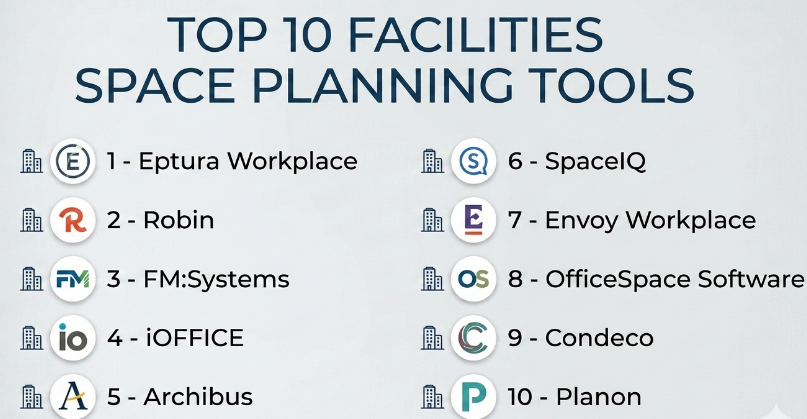
Top 10 Facilities Space Planning Tools
#1 — Eptura Workplace
Short description :
Eptura Workplace is a workplace and facilities management platform that helps organizations manage space planning, desk booking, room booking, workplace experience, move management, and utilization insights. It is useful for companies managing hybrid offices, multi-location workplaces, and corporate real estate portfolios. Eptura helps facilities teams understand how spaces are used, support employees with flexible workplace tools, and plan office layouts more effectively. It is best for mid-market and enterprise organizations that need space planning connected with workplace operations and employee experience.
Key Features
- Interactive floor plans.
- Desk and room booking.
- Space utilization insights.
- Move management support.
- Workplace experience features.
- Occupancy and capacity tracking.
- Portfolio-level workplace reporting.
Pros
- Strong fit for hybrid workplace planning.
- Connects space planning with desk and room booking.
- Useful for enterprise workplace and facilities teams.
Cons
- May be more than small offices need.
- Implementation requires clean floor plan and employee data.
- Best value depends on employee adoption and integration quality.
Platforms / Deployment
Web / iOS / Android
Cloud
Security & Compliance
Supports role-based permissions, user access controls, workplace data management, and administrative settings depending on plan. Specific compliance details should be validated directly with the vendor.
Integrations & Ecosystem
Eptura Workplace connects space planning with workplace operations.
- Calendar systems.
- Employee directories.
- Desk booking workflows.
- Room booking systems.
- Workplace analytics.
- Facilities workflows.
Support & Community
Eptura provides onboarding, documentation, customer support, and workplace management guidance. It is suitable for organizations that need scalable space and workplace planning.
#2 — Robin
Short description :
Robin is a workplace management platform focused on desk booking, room scheduling, office maps, hybrid workplace coordination, and space utilization analytics. It helps employees find desks, book meeting rooms, locate teammates, and plan office days. Facilities and workplace teams can use Robin to understand occupancy trends, room usage, desk demand, and space behavior. It is especially useful for companies managing hybrid work environments. It is best for organizations that want employee-friendly space planning and workplace booking tools.
Key Features
- Desk booking.
- Meeting room scheduling.
- Office maps and wayfinding.
- Hybrid work coordination.
- Space utilization reporting.
- Employee presence visibility.
- Calendar integrations.
Pros
- Easy for employees to use.
- Strong desk and room booking experience.
- Useful for hybrid workplace planning.
Cons
- Not a full IWMS or facilities asset management platform.
- Advanced portfolio planning may require additional tools.
- Best value depends on workplace booking adoption.
Platforms / Deployment
Web / iOS / Android
Cloud
Security & Compliance
Supports user permissions, workplace access controls, employee booking data management, and administrative features depending on plan. Specific compliance details should be validated directly with the vendor.
Integrations & Ecosystem
Robin connects workplace booking with collaboration and office planning workflows.
- Calendar systems.
- Employee directories.
- Desk booking.
- Meeting room tools.
- Workplace analytics.
- Office maps.
Support & Community
Robin provides documentation, onboarding resources, customer support, and workplace experience guidance. It is practical for hybrid office teams.
#3 — FM:Systems
Short description :
FM:Systems is a facilities and workplace management platform that supports space management, occupancy planning, move management, workplace analytics, facilities data, and portfolio visibility. It is useful for corporate real estate teams, facilities departments, universities, healthcare systems, and enterprises managing complex spaces. FM:Systems helps teams maintain accurate floor plans, track occupancy, plan moves, analyze utilization, and support workplace strategy. It is best for organizations that need deep facilities space planning and enterprise space governance.
Key Features
- Space and occupancy management.
- Interactive floor plans.
- Move management.
- Workplace analytics.
- Facilities data management.
- Portfolio reporting.
- Sensor and utilization integrations may vary.
Pros
- Strong enterprise facilities management depth.
- Useful for complex campuses and large portfolios.
- Good for occupancy planning and move management.
Cons
- Implementation can require detailed data preparation.
- May be too complex for small companies.
- Requires process ownership for accurate space data.
Platforms / Deployment
Web / Mobile options may vary
Cloud / Enterprise deployment options vary
Security & Compliance
Supports enterprise permissions, role-based access, facility data controls, portfolio security, and administrative governance depending on deployment and configuration.
Integrations & Ecosystem
FM:Systems connects space planning with facilities and real estate workflows.
- CAD and floor plan workflows.
- Occupancy data.
- Move management.
- Sensor systems.
- Real estate reporting.
- Workplace analytics.
Support & Community
FM:Systems provides enterprise support, implementation resources, documentation, and facilities management expertise.
#4 — iOFFICE
Short description :
iOFFICE is a workplace and facilities management platform that supports space planning, move management, employee experience, service requests, room booking, visitor management, and workplace analytics. It helps facilities teams manage office layouts, employee seating, workspace utilization, and workplace services. iOFFICE is useful for companies that need to connect facilities operations with employee workplace needs. It is best for organizations that want space planning inside a broader workplace management platform.
Key Features
- Space management.
- Move management.
- Employee seating and directory support.
- Room booking.
- Service request workflows.
- Workplace analytics.
- Visitor and workplace experience features may vary.
Pros
- Good balance of facilities and workplace experience features.
- Useful for move planning and office coordination.
- Helps centralize workplace operations.
Cons
- May require setup effort for floor plans and workflows.
- Smaller offices may not need full platform depth.
- Some advanced features may depend on modules.
Platforms / Deployment
Web / iOS / Android options may vary
Cloud
Security & Compliance
Supports user permissions, workplace data controls, admin settings, and facility-level access controls depending on plan. Specific compliance details should be validated directly with the vendor.
Integrations & Ecosystem
iOFFICE connects facilities space planning with workplace operations.
- Service requests.
- Room booking.
- Employee directories.
- Move workflows.
- Visitor workflows.
- Workplace dashboards.
Support & Community
iOFFICE provides onboarding, documentation, support resources, and workplace management guidance.
#5 — Archibus
Short description :
Archibus is an integrated workplace management system used for space management, facilities operations, asset management, maintenance, real estate, and capital planning. It is useful for large organizations, universities, government agencies, healthcare systems, and enterprises that manage complex facilities and real estate portfolios. Archibus helps teams track space usage, occupancy, floor plans, departments, moves, assets, and facility operations. It is best for organizations that need enterprise-grade space planning connected with broader facilities and real estate management.
Key Features
- Space management.
- Occupancy planning.
- Move management.
- Facilities operations.
- Asset and maintenance workflows.
- Real estate portfolio support.
- Enterprise reporting.
Pros
- Strong enterprise IWMS capabilities.
- Useful for large and complex facility portfolios.
- Connects space planning with assets, maintenance, and real estate.
Cons
- Implementation can be significant.
- Requires strong data governance.
- May be too heavy for smaller workplace teams.
Platforms / Deployment
Web / Deployment options vary
Cloud / Enterprise options vary
Security & Compliance
Supports enterprise role-based access, data permissions, audit controls, facility records, and administrative governance depending on deployment.
Integrations & Ecosystem
Archibus connects space planning with enterprise facilities operations.
- CAD and floor plans.
- Facilities maintenance.
- Real estate management.
- Asset records.
- Move management.
- Enterprise reporting.
Support & Community
Archibus provides enterprise support, implementation services, documentation, and facilities management resources.
#6 — SpaceIQ
Short description :
SpaceIQ is a space planning and workplace management platform that helps organizations manage floor plans, seating assignments, workplace moves, occupancy, desk booking, and space utilization. It is useful for companies managing hybrid offices, growing teams, office redesigns, and workplace planning. SpaceIQ helps workplace teams visualize space, assign employees, plan changes, and understand how offices are being used. It is best for organizations that need practical space planning with workplace flexibility.
Key Features
- Floor plan management.
- Seating charts.
- Move planning.
- Desk booking features may vary.
- Occupancy tracking.
- Space utilization reporting.
- Workplace scenario planning.
Pros
- Strong for visual space planning.
- Useful for hybrid office and seating management.
- Helps facilities teams plan moves and layouts.
Cons
- May need integration for deeper facilities operations.
- Advanced IWMS features may require broader tools.
- Data accuracy depends on regular updates.
Platforms / Deployment
Web / Mobile options may vary
Cloud
Security & Compliance
Supports user permissions, employee location data controls, workplace administration, and portfolio access settings depending on plan.
Integrations & Ecosystem
SpaceIQ connects space planning with workplace data.
- Floor plans.
- Employee directories.
- Desk booking workflows.
- Move management.
- Workplace analytics.
- Occupancy reporting.
Support & Community
SpaceIQ provides onboarding, documentation, customer support, and workplace planning resources.
#7 — Envoy Workplace
Short description :
Envoy Workplace helps companies manage hybrid workplace operations, including desk booking, room booking, visitor management, employee check-ins, workplace maps, and occupancy insights. It is useful for office teams that want a simple, modern workplace experience while collecting useful space usage data. Envoy is especially strong where visitor management and employee workplace coordination are important. It is best for organizations that need space planning support connected with workplace access, visitors, and hybrid office usage.
Key Features
- Desk booking.
- Workplace maps.
- Visitor management.
- Employee check-ins.
- Room booking support may vary.
- Occupancy insights.
- Workplace notifications.
Pros
- Strong workplace experience and visitor management.
- Easy for employees and office teams to use.
- Useful for hybrid workplace visibility.
Cons
- Not a full enterprise IWMS.
- Deep space planning and move management may require other tools.
- Best fit is workplace operations rather than full facilities planning.
Platforms / Deployment
Web / iOS / Android
Cloud
Security & Compliance
Supports user permissions, visitor data controls, workplace access settings, employee check-in records, and administrative controls depending on plan.
Integrations & Ecosystem
Envoy connects space usage with workplace operations.
- Visitor management.
- Employee directories.
- Desk booking.
- Access workflows.
- Workplace notifications.
- Occupancy reporting.
Support & Community
Envoy provides documentation, onboarding resources, support, and workplace operations guidance.
#8 — OfficeSpace Software
Short description :
OfficeSpace Software is a workplace management and space planning platform that helps organizations manage floor plans, seating, moves, desk booking, room booking, service requests, and workplace analytics. It is useful for facilities managers, workplace teams, corporate real estate leaders, and office managers. OfficeSpace helps teams visualize office layouts, plan seating, manage employee moves, and support hybrid work. It is best for organizations that need easy-to-use workplace space planning with strong floor plan and employee seating features.
Key Features
- Interactive floor plans.
- Seating and neighborhood planning.
- Move management.
- Desk booking.
- Room booking.
- Workplace service requests.
- Space utilization reporting.
Pros
- Strong visual space planning experience.
- Useful for employee seating and office moves.
- Good fit for workplace and facilities teams.
Cons
- Not a full enterprise real estate financial platform.
- Sensor and advanced analytics needs should be validated.
- Best value depends on clean workplace data.
Platforms / Deployment
Web / iOS / Android options may vary
Cloud
Security & Compliance
Supports role-based permissions, employee seating data controls, administrative settings, and workplace access management depending on plan.
Integrations & Ecosystem
OfficeSpace connects workplace planning with daily office operations.
- Employee directories.
- Calendar systems.
- Desk booking.
- Floor plans.
- Move workflows.
- Workplace analytics.
Support & Community
OfficeSpace provides onboarding, documentation, support, and workplace planning guidance.
#9 — Condeco
Short description :
Condeco is a workplace scheduling platform focused on desk booking, meeting room booking, space reservation, and hybrid workplace coordination. It helps employees book workspaces, find available rooms, plan office visits, and coordinate presence. Facilities teams can use utilization data to understand demand and improve space planning decisions. Condeco is useful for organizations with flexible seating, shared workspaces, and hybrid work policies. It is best for companies that need booking-led space planning and workplace scheduling.
Key Features
- Desk booking.
- Meeting room booking.
- Workspace reservation.
- Hybrid work scheduling.
- Room panel and booking workflows may vary.
- Utilization reporting.
- Employee workplace visibility.
Pros
- Strong for desk and room booking.
- Useful for hybrid office coordination.
- Helps improve workspace utilization visibility.
Cons
- Not a full facilities asset or maintenance platform.
- Deep scenario planning may require additional tools.
- Adoption depends on employee booking discipline.
Platforms / Deployment
Web / iOS / Android
Cloud
Security & Compliance
Supports user permissions, booking records, workspace access settings, and administrative controls depending on plan. Specific compliance details should be validated directly with the vendor.
Integrations & Ecosystem
Condeco connects workplace reservations with office planning.
- Calendar systems.
- Room booking panels.
- Desk booking.
- Employee directories.
- Workplace analytics.
- Hybrid scheduling workflows.
Support & Community
Condeco provides documentation, onboarding support, customer resources, and workplace scheduling guidance.
#10 — Planon
Short description :
Planon is an integrated workplace management and smart building platform that supports space management, facilities operations, maintenance, real estate management, workplace services, sustainability, and building data. It is useful for enterprises, universities, healthcare organizations, government agencies, and corporate real estate teams managing complex facilities. Planon helps organizations manage space utilization, occupancy, workplace services, asset data, and real estate operations in one broader platform. It is best for enterprises that need space planning connected with IWMS, smart building, and facilities management.
Key Features
- Space and workplace management.
- Occupancy and utilization insights.
- Facilities operations.
- Maintenance management.
- Real estate portfolio support.
- Smart building integrations may vary.
- Enterprise reporting.
Pros
- Strong enterprise IWMS and smart building capabilities.
- Useful for large facilities and real estate portfolios.
- Connects space planning with operations and assets.
Cons
- May be too complex for small workplace teams.
- Implementation requires structured data and governance.
- Best value depends on enterprise facilities maturity.
Platforms / Deployment
Web / Mobile options may vary
Cloud / Enterprise deployment options vary
Security & Compliance
Supports enterprise permissions, facility data controls, role-based access, audit records, and administrative governance depending on deployment and configuration.
Integrations & Ecosystem
Planon connects space planning with facilities and building operations.
- Real estate management.
- Maintenance systems.
- Smart building data.
- Occupancy analytics.
- Workplace services.
- Enterprise reporting.
Support & Community
Planon provides enterprise support, implementation services, documentation, and facilities management guidance.
Comparison Table
| Tool Name | Best For | Platform(s) Supported | Deployment | Standout Feature | Public Rating |
|---|---|---|---|---|---|
| Eptura Workplace | Enterprise workplace and space planning | Web / iOS / Android | Cloud | Space planning connected with workplace experience | N/A |
| Robin | Hybrid workplace booking and maps | Web / iOS / Android | Cloud | Employee-friendly desk and room booking | N/A |
| FM:Systems | Enterprise space and occupancy planning | Web / Mobile varies | Cloud / Enterprise varies | Deep facilities space management and analytics | N/A |
| iOFFICE | Workplace operations and move planning | Web / Mobile varies | Cloud | Space planning with workplace services | N/A |
| Archibus | Enterprise IWMS and facilities portfolios | Web / Varies | Cloud / Enterprise varies | Space, assets, maintenance, and real estate in one platform | N/A |
| SpaceIQ | Visual office space planning | Web / Mobile varies | Cloud | Floor plans, seating, and workplace scenarios | N/A |
| Envoy Workplace | Visitor-connected hybrid workplace operations | Web / iOS / Android | Cloud | Visitor, desk, check-in, and occupancy workflows | N/A |
| OfficeSpace Software | Seating, floor plans, and moves | Web / Mobile varies | Cloud | Easy visual space planning and employee seating | N/A |
| Condeco | Desk and room booking-led planning | Web / iOS / Android | Cloud | Workplace reservation and hybrid scheduling | N/A |
| Planon | Enterprise IWMS and smart building space planning | Web / Mobile varies | Cloud / Enterprise varies | Space planning connected with facilities and smart building data | N/A |
Evaluation & Facilities Space Planning Tools
| Tool Name | Core (25%) | Ease (15%) | Integrations (15%) | Security (10%) | Performance (10%) | Support (10%) | Value (15%) | Weighted Total (0–10) |
|---|---|---|---|---|---|---|---|---|
| Eptura Workplace | 9 | 8 | 9 | 9 | 8 | 9 | 7 | 8.45 |
| Robin | 8 | 9 | 9 | 8 | 8 | 8 | 8 | 8.30 |
| FM:Systems | 10 | 7 | 9 | 9 | 9 | 9 | 7 | 8.65 |
| iOFFICE | 8 | 8 | 8 | 8 | 8 | 8 | 8 | 8.00 |
| Archibus | 10 | 6 | 9 | 9 | 9 | 9 | 7 | 8.45 |
| SpaceIQ | 8 | 9 | 8 | 8 | 8 | 8 | 8 | 8.15 |
| Envoy Workplace | 8 | 9 | 9 | 8 | 8 | 8 | 8 | 8.30 |
| OfficeSpace Software | 9 | 9 | 8 | 8 | 8 | 8 | 8 | 8.40 |
| Condeco | 8 | 8 | 9 | 8 | 8 | 8 | 8 | 8.15 |
| Planon | 10 | 6 | 9 | 9 | 9 | 9 | 7 | 8.45 |
These scores are comparative and should be used as a practical guide, not a fixed ranking. FM:Systems, Archibus, and Planon are stronger for enterprise space and facilities management. Eptura Workplace, OfficeSpace Software, and SpaceIQ are strong for workplace space planning and move management. Robin, Envoy Workplace, and Condeco are better when desk booking, room booking, and hybrid workplace coordination are key priorities.
Which Facilities Space Planning Tools
Solo / Freelancer
Solo consultants, office planners, and small workplace advisors usually need simple visual planning, floor plan review, and seating layout tools. SpaceIQ, OfficeSpace Software, or lightweight floor planning tools may be practical depending on the project.
A solo user should focus on floor plan clarity, seating layouts, move scenarios, reporting exports, and ease of sharing with clients. Enterprise IWMS tools may be unnecessary unless the client already uses them.
SMB
Small and mid-sized businesses should focus on easy space planning, desk booking, room booking, office maps, and simple occupancy reporting. Robin, Envoy Workplace, OfficeSpace Software, SpaceIQ, and Condeco are strong options.
SMBs should avoid overcomplicating space planning. Start with the biggest pain point: unused desks, meeting room conflicts, hybrid office coordination, employee seating confusion, or upcoming office moves.
Mid-Market
Mid-market organizations usually need stronger floor plan management, employee seating, move planning, desk booking, utilization reporting, and HR directory integration. Eptura Workplace, OfficeSpace Software, FM:Systems, iOFFICE, and Robin are strong candidates.
At this stage, teams should define seating policies, flexible desk rules, department neighborhoods, space ownership, booking behavior, and how occupancy data will be reviewed.
Enterprise
Enterprises should prioritize portfolio scalability, space standards, occupancy analytics, move governance, floor plan accuracy, integrations, security, and real estate reporting. FM:Systems, Archibus, Planon, Eptura Workplace, and iOFFICE are strong options.
Large organizations should involve facilities, corporate real estate, HR, IT, security, finance, workplace experience, and business unit leaders before selecting a platform.
Budget vs Premium
Budget-conscious teams may prefer booking-first or lightweight space planning tools such as Robin, Envoy Workplace, Condeco, or simpler visual planning platforms.
Premium platforms such as FM:Systems, Archibus, Planon, and enterprise-grade Eptura Workplace are better when organizations need portfolio-level space governance, move management, real estate reporting, sensor data, and broader facilities integration.
Feature Depth vs Ease of Use
If ease of use matters most, Robin, Envoy Workplace, OfficeSpace Software, and SpaceIQ are practical choices because employees and workplace teams can adopt them faster.
If feature depth matters more, FM:Systems, Archibus, Planon, and Eptura Workplace provide stronger enterprise support for occupancy planning, portfolio reporting, move governance, IWMS workflows, and facilities integration.
Integrations & Scalability
Facilities space planning tools should integrate with HR systems, employee directories, calendar platforms, identity providers, access control, visitor systems, occupancy sensors, room booking tools, CAFM, IWMS, maintenance systems, and business intelligence tools.
For booking-led hybrid offices, Robin, Condeco, and Envoy Workplace are practical. For enterprise space management, FM:Systems, Archibus, and Planon are stronger. For visual seating and move planning, OfficeSpace Software and SpaceIQ are useful.
Security & Compliance Needs
Space planning tools may store employee names, seating locations, department assignments, desk bookings, room usage, visitor records, occupancy patterns, and workplace access-related data.
Buyers should validate role-based access, employee privacy controls, SSO, MFA, data retention, admin permissions, floor plan security, occupancy data handling, and integration permissions before rollout.
Frequently Asked Questions
1. What is a Facilities Space Planning Tool?
A Facilities Space Planning Tool helps organizations plan, manage, and optimize physical workspaces. It can support floor plans, seating assignments, desk booking, room booking, occupancy tracking, move planning, and space utilization reporting.
2. How is space planning software different from facility management software?
Space planning software focuses on how physical space is assigned, used, and optimized. Facility management software is broader and may include maintenance, assets, service requests, inspections, real estate, energy, and building operations.
3. What pricing models are common for Facilities Space Planning Tools?
Pricing may be based on users, employees, desks, buildings, square footage, modules, integrations, sensors, support level, or enterprise contracts. Booking-first tools may price differently from enterprise IWMS platforms.
4. What are common mistakes when choosing space planning software?
Common mistakes include using outdated floor plans, ignoring employee directory integration, not defining hybrid work policies, failing to assign data owners, and choosing a tool that employees will not use. Another mistake is buying a complex IWMS when only desk booking is needed.
5. Which tool is best for hybrid workplace planning?
Robin, Envoy Workplace, Condeco, Eptura Workplace, and OfficeSpace Software are strong options for hybrid workplace planning. Buyers should evaluate desk booking, room booking, employee presence, office maps, and utilization reporting.
6. Which tool is best for enterprise facilities teams?
FM:Systems, Archibus, Planon, Eptura Workplace, and iOFFICE are strong options for enterprise facilities teams. They are better suited for complex portfolios, space governance, move management, reporting, and facilities integration.
7. Can space planning tools track desk usage?
Yes, many space planning tools can track desk booking, employee check-ins, assigned seats, flexible desks, and occupancy patterns. Some tools may also integrate with sensors or access systems for more accurate utilization data.
8. Can these tools support office moves?
Yes, many facilities space planning tools support move management. They can help plan employee moves, department relocations, seating changes, floor changes, and office reconfigurations.
9. Do space planning tools support floor plans?
Yes, interactive floor plans are one of the most important features. They help teams visualize desks, rooms, departments, neighborhoods, assets, capacity, and occupancy.
10. Are Facilities Space Planning Tools secure?
They can be secure when configured correctly. Buyers should review user permissions, employee privacy controls, floor plan access, booking data, occupancy data handling, SSO, audit logs, and admin settings.
Conclusion
Facilities Space Planning Tools help organizations manage physical space with better visibility, stronger planning, and more useful workplace data. The best tool depends on company size, workplace model, portfolio complexity, and planning goals. Robin, Envoy Workplace, and Condeco are strong when desk booking, room booking, and hybrid workplace coordination are the main priorities. OfficeSpace Software and SpaceIQ are practical for visual floor plans, seating, and move planning. Eptura Workplace and iOFFICE are useful when space planning must connect with broader workplace operations. FM:Systems, Archibus, and Planon are better for enterprise facilities teams that need portfolio-level governance, occupancy analytics, move management, and IWMS capabilities.
