Introduction
Construction Estimating Software helps contractors, builders, estimators, project managers, subcontractors, and construction companies calculate project costs more accurately before work begins. In simple words, these tools help teams estimate labor, materials, equipment, subcontractor costs, overhead, markup, taxes, takeoffs, quantities, bids, and proposals from one organized system.
Construction estimating is important because even a small mistake in quantities, pricing, labor hours, or scope assumptions can reduce profit, delay projects, or create disputes later. Manual estimating through spreadsheets, paper drawings, and disconnected files can work for small jobs, but it becomes risky when projects grow in size and complexity.
Common use cases include quantity takeoff, cost estimating, bid preparation, subcontractor quotes, proposal generation, labor costing, material pricing, change order estimation, budget forecasting, bid comparison, and preconstruction planning.
Buyers should evaluate takeoff accuracy, cost database support, bid management, proposal generation, integration with accounting or project management tools, ease of use, collaboration, reporting, templates, assemblies, labor rates, cloud access, permissions, security, and scalability.
Best for: general contractors, subcontractors, residential builders, commercial contractors, remodelers, estimators, preconstruction teams, specialty trades, construction consultants, and companies that need faster, more consistent, and more accurate project pricing.
Not ideal for: very small contractors who only estimate simple jobs occasionally, teams that already use a simple spreadsheet successfully, or companies that need only basic quote creation without quantity takeoff, cost tracking, or bid management.
Key Trends in Construction Estimating Software
- Cloud-based estimating is becoming standard, helping estimators, project managers, owners, and subcontractors collaborate from different locations.
- Digital takeoff is replacing manual measurement, allowing teams to measure quantities directly from drawings, PDFs, plans, and digital documents.
- Estimating and project management are becoming more connected, so approved estimates can flow into budgets, contracts, schedules, purchase orders, and change orders.
- Cost databases are becoming more important, helping estimators use consistent labor rates, material pricing, assemblies, production rates, and historical cost data.
- AI-assisted estimating is emerging, helping teams summarize scopes, identify missing items, compare documents, and improve estimate review workflows.
- Bid management is becoming more integrated, allowing general contractors to invite subcontractors, compare bids, manage alternates, and reduce bid-day confusion.
- Version control is now critical, especially when drawings change and teams need to compare estimate revisions, scope updates, and pricing changes.
- Trade-specific estimating tools remain important, because electrical, mechanical, plumbing, civil, and roofing estimates often require specialized assemblies and workflows.
- Mobile access is becoming useful, especially when teams need to review estimates, plans, quantities, or change requests from the field.
- Data-driven preconstruction is growing, with teams using estimate history, win/loss data, cost trends, and production rates to improve future bids.
How We Selected These Tools
The tools below were selected using practical business-focused evaluation logic.
- Market recognition: Tools commonly known in construction estimating, digital takeoff, bid management, preconstruction, and contractor pricing workflows were prioritized.
- Feature completeness: Takeoff, estimating, cost databases, assemblies, bid management, proposal generation, reporting, and integrations were reviewed.
- Ease of use: Estimators and project teams should be able to build estimates without unnecessary complexity.
- Trade fit: Tools suitable for general contractors, subcontractors, specialty trades, residential builders, and commercial teams were considered.
- Preconstruction workflow depth: Bid invitations, subcontractor management, scope comparison, alternates, revisions, and estimate approvals were evaluated.
- Integration ecosystem: Accounting, project management, document management, BIM, CRM, and construction ERP integrations were considered.
- Collaboration: Cloud access, multi-user estimating, permissions, comments, and team review workflows were reviewed.
- Security and governance: Role-based access, estimate versioning, user permissions, and project data controls were considered.
- Scalability: Tools suitable for small contractors, growing construction teams, and enterprise preconstruction departments were included.
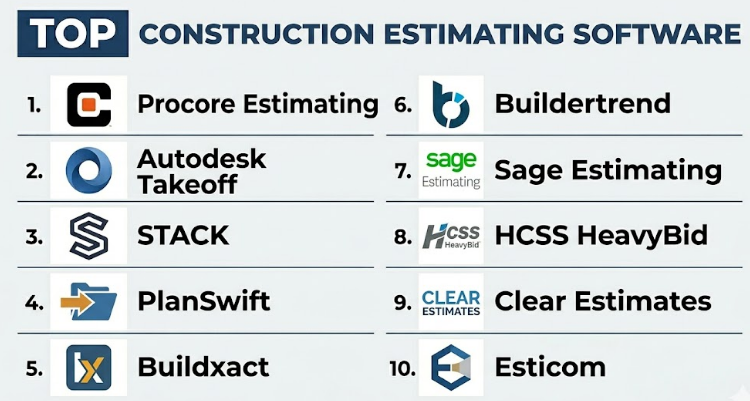
Top 10 Construction Estimating Software
#1 — Procore Estimating
Short description :
Procore Estimating is part of the broader Procore construction management ecosystem and helps teams manage digital takeoffs, estimates, bids, budgets, and preconstruction workflows. It is useful for general contractors, subcontractors, and construction companies that want estimating connected with project management. Procore Estimating helps users measure quantities, build estimates, manage bid packages, and move approved estimates into project workflows. It is especially valuable for teams already using Procore for project execution. It is best for construction companies that want estimating connected with broader project control.
Key Features
- Digital takeoff tools.
- Estimate creation.
- Bid package management.
- Cost item organization.
- Integration with project management workflows.
- Budget and preconstruction alignment.
- Cloud collaboration.
Pros
- Strong fit for teams already using Procore.
- Connects estimating with project execution.
- Useful for general contractors and growing construction teams.
Cons
- Best value depends on Procore ecosystem adoption.
- May be more than small contractors need.
- Implementation requires process planning.
Platforms / Deployment
Web / Mobile access may vary
Cloud
Security & Compliance
Supports role-based project permissions, user access controls, and cloud-based construction data management depending on plan. Specific compliance details should be validated directly with the vendor.
Integrations & Ecosystem
Procore Estimating connects preconstruction with project delivery workflows.
- Procore project management.
- Budget workflows.
- Bid management.
- Document control.
- Construction financial workflows.
- Reporting dashboards.
Support & Community
Procore provides onboarding, documentation, training resources, customer support, and a large construction technology ecosystem.
#2 — Autodesk Takeoff
Short description :
Autodesk Takeoff is a cloud-based quantity takeoff tool inside the Autodesk Construction Cloud ecosystem. It helps estimators perform 2D and 3D takeoffs, measure quantities, organize takeoff items, and collaborate across preconstruction teams. It is useful for contractors, estimators, owners, and construction teams that work with Autodesk design and construction tools. Autodesk Takeoff is especially strong when teams need takeoff connected with drawings, models, and construction document workflows. It is best for teams that want digital takeoff with BIM-connected construction collaboration.
Key Features
- 2D quantity takeoff.
- 3D model-based takeoff.
- Cloud collaboration.
- Drawing and model access.
- Quantity organization.
- Integration with Autodesk Construction Cloud.
- Version and document coordination.
Pros
- Strong for Autodesk ecosystem users.
- Supports both 2D and 3D takeoff workflows.
- Good for design-to-estimating coordination.
Cons
- Estimating depth may require other connected tools.
- Best value depends on Autodesk adoption.
- Teams without BIM workflows may prefer simpler tools.
Platforms / Deployment
Web
Cloud
Security & Compliance
Supports Autodesk cloud project permissions, document controls, and administrative access depending on plan. Specific compliance details should be validated directly with the vendor.
Integrations & Ecosystem
Autodesk Takeoff fits into design and construction workflows.
- Autodesk Construction Cloud.
- BIM workflows.
- Drawing management.
- Document control.
- Preconstruction coordination.
- Quantity reporting.
Support & Community
Autodesk provides documentation, training resources, support, and a large design and construction professional ecosystem.
#3 — STACK
Short description :
STACK is a cloud-based construction takeoff and estimating platform designed for contractors, subcontractors, estimators, and preconstruction teams. It helps users measure quantities from plans, create estimates, manage bid documents, build proposals, and collaborate with team members. STACK is useful for general contractors and specialty trades such as concrete, drywall, roofing, flooring, painting, masonry, and landscaping. It is known for ease of use and cloud-based accessibility. It is best for contractors that need digital takeoff and estimating without heavy enterprise complexity.
Key Features
- Cloud-based takeoff.
- Quantity measurement tools.
- Cost estimating.
- Proposal generation.
- Plan and document management.
- Team collaboration.
- Trade-specific estimating workflows.
Pros
- Easy to use for many contractor types.
- Strong for takeoff and estimate building.
- Good cloud access for distributed teams.
Cons
- Advanced ERP-style financial controls may be limited.
- Complex enterprise workflows may need integrations.
- Cost databases and setup require discipline.
Platforms / Deployment
Web
Cloud
Security & Compliance
Supports user permissions, project access controls, and cloud-based estimate management depending on plan. Specific security details should be validated directly with the vendor.
Integrations & Ecosystem
STACK connects estimating with contractor workflows.
- Plan documents.
- Proposal workflows.
- Cost databases.
- Bid management.
- Accounting exports may vary.
- Construction project workflows.
Support & Community
STACK provides documentation, onboarding resources, customer support, and estimator-focused training materials.
#4 — PlanSwift
Short description :
PlanSwift is a construction takeoff and estimating tool widely used by contractors and estimators for digital plan measurement and cost calculation. It helps users perform takeoffs from digital plans, calculate quantities, apply labor and material costs, and build estimates. PlanSwift is useful for general contractors and specialty trades such as flooring, drywall, concrete, painting, roofing, and electrical workflows. It is especially relevant for teams that want desktop-style takeoff with flexible customization. It is best for estimators who need practical quantity takeoff and cost estimation tools.
Key Features
- Digital plan takeoff.
- Quantity measurement.
- Custom assemblies and templates.
- Labor and material costing.
- Area, linear, and count takeoffs.
- Estimate generation.
- Trade-specific workflows.
Pros
- Flexible takeoff and estimating tool.
- Good for many specialty trades.
- Useful for estimators who prefer desktop-style workflows.
Cons
- May feel less cloud-native than newer tools.
- Collaboration may require additional process planning.
- Setup quality depends on templates and cost data.
Platforms / Deployment
Windows
Desktop
Security & Compliance
Security depends on local device controls, file storage, and organizational policies. Specific enterprise security details should be validated based on deployment setup.
Integrations & Ecosystem
PlanSwift supports contractor estimating workflows.
- Digital plan files.
- Cost templates.
- Trade assemblies.
- Estimating spreadsheets.
- Proposal workflows.
- Contractor documentation.
Support & Community
PlanSwift provides documentation, training resources, customer support, and a user base across many construction trades.
#5 — Buildxact
Short description :
Buildxact is construction estimating and job management software designed for residential builders, remodelers, and small construction companies. It helps users create estimates, manage takeoffs, prepare quotes, track jobs, handle purchase orders, and connect estimating with project delivery. Buildxact is useful for builders that need estimating, quoting, scheduling, and job costing in one simple system. It is especially relevant for residential construction businesses moving away from spreadsheets. It is best for small and mid-sized builders who need estimating plus project management basics.
Key Features
- Estimating and quoting.
- Digital takeoff.
- Job costing.
- Purchase order management.
- Scheduling support.
- Supplier and pricing workflows.
- Project management features.
Pros
- Strong fit for residential builders and remodelers.
- Combines estimating with job management.
- Easier than heavy enterprise construction systems.
Cons
- May not fit large commercial estimating teams.
- Advanced trade-specific workflows may be limited.
- Best value depends on residential construction needs.
Platforms / Deployment
Web
Cloud
Security & Compliance
Supports user access controls and business project data management depending on plan. Specific security details should be validated directly with the vendor.
Integrations & Ecosystem
Buildxact connects estimating with small builder workflows.
- Supplier pricing workflows.
- Accounting tools.
- Quote generation.
- Scheduling workflows.
- Purchase orders.
- Job management.
Support & Community
Buildxact provides onboarding, support resources, and guidance for residential builders and remodelers.
#6 — Buildertrend
Short description :
Buildertrend is a construction management platform for home builders, remodelers, and residential contractors that includes estimating, proposals, change orders, scheduling, client communication, selections, and project management. While it is broader than estimating alone, it is relevant because residential builders often need estimates connected with customer approvals and project execution. Buildertrend helps teams manage preconstruction and customer-facing workflows from estimate to delivery. It is best for residential builders who want estimating inside a broader project and client management platform.
Key Features
- Estimate and proposal workflows.
- Change order management.
- Scheduling.
- Client communication.
- Selections and approvals.
- Budget and project tracking.
- Payment and invoicing workflows may vary.
Pros
- Strong for residential builders.
- Good client-facing communication tools.
- Connects estimating with project management.
Cons
- Not a dedicated advanced takeoff-only tool.
- May not fit large commercial estimating teams.
- Best value depends on using broader Buildertrend workflows.
Platforms / Deployment
Web / iOS / Android
Cloud
Security & Compliance
Supports project access controls, client permissions, user management, and cloud data controls depending on plan. Specific security details should be validated directly with the vendor.
Integrations & Ecosystem
Buildertrend connects estimating with residential construction workflows.
- Client portals.
- Accounting tools.
- Scheduling.
- Change orders.
- Selections.
- Project communication.
Support & Community
Buildertrend provides onboarding, training resources, documentation, and customer support for residential construction teams.
#7 — Sage Estimating
Short description :
Sage Estimating is construction estimating software designed for contractors that need detailed cost estimating, cost databases, assemblies, bid preparation, and integration with construction financial systems. It is useful for commercial contractors, specialty contractors, and construction companies that need structured cost data and estimating controls. Sage Estimating is especially relevant for teams already using Sage construction accounting or ERP products. It is best for construction companies that need detailed estimating connected with cost management and financial workflows.
Key Features
- Detailed cost estimating.
- Cost database support.
- Assemblies and item catalogs.
- Bid preparation.
- Estimate reports.
- Integration with Sage construction systems.
- Historical cost workflows.
Pros
- Strong cost database and detailed estimating capabilities.
- Good fit for Sage ecosystem users.
- Useful for commercial and specialty contractors.
Cons
- May require training and setup.
- Interface may feel traditional compared with newer cloud tools.
- Best value depends on Sage product ecosystem adoption.
Platforms / Deployment
Windows / Web options may vary
Desktop / Cloud or hosted options may vary
Security & Compliance
Security depends on deployment, user controls, hosting setup, and Sage environment configuration. Specific compliance details should be validated directly with the vendor.
Integrations & Ecosystem
Sage Estimating connects estimating with construction financial workflows.
- Sage construction accounting.
- Cost databases.
- Job cost workflows.
- Bid reports.
- ERP processes.
- Estimate history.
Support & Community
Sage provides documentation, training, customer support, and partner resources for construction financial and estimating workflows.
#8 — HCSS HeavyBid
Short description :
HCSS HeavyBid is estimating software designed for heavy civil construction contractors. It helps teams build bids for infrastructure, roadwork, utilities, earthwork, excavation, paving, and large civil projects. HeavyBid supports crew-based estimating, production rates, equipment costing, subcontractor quotes, bid analysis, and historical estimate data. It is especially useful for contractors that need detailed heavy construction estimating workflows. It is best for heavy civil contractors needing specialized estimating depth beyond general construction tools.
Key Features
- Heavy civil estimating.
- Crew-based production rates.
- Equipment and labor costing.
- Subcontractor quote management.
- Historical bid data.
- Bid review and analysis.
- Cost item and activity-based estimating.
Pros
- Strong fit for heavy civil contractors.
- Good for equipment, crews, and production-based estimates.
- Useful for complex infrastructure bids.
Cons
- Not ideal for residential or light commercial estimating.
- Requires training and civil estimating knowledge.
- Best value depends on heavy construction workflow needs.
Platforms / Deployment
Windows / Web options may vary
Desktop / Cloud or hosted options may vary
Security & Compliance
Security depends on deployment setup, user access controls, and company infrastructure. Specific security details should be validated directly with the vendor.
Integrations & Ecosystem
HCSS HeavyBid connects with heavy construction operations.
- Heavy civil project workflows.
- Equipment costing.
- Crew production data.
- Bid management.
- Construction accounting workflows.
- Project management systems.
Support & Community
HCSS provides training, support resources, documentation, and industry-focused guidance for heavy civil contractors.
#9 — Clear Estimates
Short description :
Clear Estimates is estimating software designed for remodelers, contractors, handymen, and residential construction professionals who need quick, professional estimates and proposals. It helps users create estimates using templates, cost data, line items, and customer-ready proposals. Clear Estimates is especially useful for smaller contractors that want a simple estimating tool without complex enterprise workflows. It is best for residential remodelers and small contractors who need fast estimates and polished proposals.
Key Features
- Estimate creation.
- Cost item templates.
- Proposal generation.
- Residential remodeling workflows.
- Line item pricing.
- Customer-ready documents.
- Simple project organization.
Pros
- Easy for small contractors and remodelers.
- Good for fast proposal creation.
- Less complex than enterprise estimating tools.
Cons
- Limited for large commercial or heavy civil estimating.
- Advanced takeoff features may be limited.
- Best fit is simple residential estimating.
Platforms / Deployment
Web
Cloud
Security & Compliance
Supports user account access and business data management depending on plan. Specific security details should be validated directly with the vendor.
Integrations & Ecosystem
Clear Estimates supports residential estimating workflows.
- Proposal generation.
- Cost item templates.
- Customer estimates.
- Remodeling workflows.
- Business documents.
- Simple reporting.
Support & Community
Clear Estimates provides documentation, support, and resources for small contractors and residential remodelers.
#10 — Esticom
Short description :
Esticom is a cloud-based estimating and takeoff platform built for construction contractors and specialty trades. It supports digital takeoff, estimating, bid management, and collaboration workflows. Esticom is especially relevant for electrical, plumbing, HVAC, low voltage, and other trade contractors that need faster estimating from digital plans. It helps teams measure quantities, apply costs, prepare bids, and organize estimate details. It is best for specialty contractors that want cloud-based takeoff and estimating workflows.
Key Features
- Cloud-based digital takeoff.
- Trade-focused estimating.
- Quantity measurement.
- Bid management.
- Cost item workflows.
- Team collaboration.
- Proposal support.
Pros
- Strong for specialty trade contractors.
- Cloud-based estimating access.
- Useful for faster takeoff and bid preparation.
Cons
- Best fit depends on trade-specific requirements.
- May need integration with other project or accounting tools.
- Advanced enterprise workflows should be validated.
Platforms / Deployment
Web
Cloud
Security & Compliance
Supports user permissions, project access controls, and cloud estimate management depending on plan. Specific security details should be validated directly with the vendor.
Integrations & Ecosystem
Esticom connects estimating with specialty trade workflows.
- Digital plans.
- Trade assemblies.
- Bid workflows.
- Proposal documents.
- Cost tracking.
- Cloud collaboration.
Support & Community
Esticom provides onboarding, support, documentation, and contractor-focused resources for digital estimating workflows.
Comparison Table
| Tool Name | Best For | Platform(s) Supported | Deployment | Standout Feature | Public Rating |
|---|---|---|---|---|---|
| Procore Estimating | Estimating connected with project management | Web / Mobile varies | Cloud | Estimating inside broader construction workflows | N/A |
| Autodesk Takeoff | BIM-connected quantity takeoff | Web | Cloud | 2D and 3D takeoff in Autodesk ecosystem | N/A |
| STACK | Cloud takeoff and estimating | Web | Cloud | Easy digital takeoff for contractors | N/A |
| PlanSwift | Desktop takeoff and estimating | Windows | Desktop | Flexible quantity takeoff for many trades | N/A |
| Buildxact | Residential builders and remodelers | Web | Cloud | Estimating plus job management for builders | N/A |
| Buildertrend | Residential construction estimating and projects | Web / iOS / Android | Cloud | Estimates connected with client communication | N/A |
| Sage Estimating | Detailed cost database estimating | Windows / Web varies | Desktop / Hosted varies | Structured cost databases and assemblies | N/A |
| HCSS HeavyBid | Heavy civil construction estimating | Windows / Web varies | Desktop / Hosted varies | Crew, equipment, and production-based estimating | N/A |
| Clear Estimates | Small residential contractors | Web | Cloud | Fast estimates and proposals for remodelers | N/A |
| Esticom | Specialty trade estimating | Web | Cloud | Cloud takeoff and estimating for trade contractors | N/A |
Evaluation & Construction Estimating Software
| Tool Name | Core (25%) | Ease (15%) | Integrations (15%) | Security (10%) | Performance (10%) | Support (10%) | Value (15%) | Weighted Total (0–10) |
|---|---|---|---|---|---|---|---|---|
| Procore Estimating | 9 | 8 | 9 | 9 | 8 | 9 | 7 | 8.40 |
| Autodesk Takeoff | 9 | 7 | 10 | 9 | 9 | 9 | 7 | 8.50 |
| STACK | 9 | 9 | 8 | 8 | 8 | 8 | 8 | 8.40 |
| PlanSwift | 8 | 8 | 7 | 7 | 8 | 8 | 8 | 7.75 |
| Buildxact | 8 | 9 | 8 | 8 | 8 | 8 | 8 | 8.20 |
| Buildertrend | 8 | 8 | 8 | 8 | 8 | 8 | 8 | 8.00 |
| Sage Estimating | 9 | 7 | 9 | 8 | 8 | 8 | 7 | 8.10 |
| HCSS HeavyBid | 10 | 7 | 8 | 8 | 9 | 9 | 7 | 8.35 |
| Clear Estimates | 7 | 9 | 6 | 7 | 8 | 8 | 9 | 7.75 |
| Esticom | 8 | 8 | 8 | 8 | 8 | 8 | 8 | 8.00 |
These scores are comparative and should be used as a practical guide, not a fixed ranking. Autodesk Takeoff and Procore Estimating are strong for connected construction ecosystems. STACK is strong for cloud takeoff and estimating. HCSS HeavyBid is best for heavy civil estimating. Sage Estimating is strong for detailed cost database workflows. Buildxact, Buildertrend, and Clear Estimates are practical for residential builders and remodelers.
Which Construction Estimating Software
Solo / Freelancer
Solo contractors, estimators, and consultants usually need simple estimating, takeoff, proposal creation, and cost templates. Clear Estimates, PlanSwift, STACK, and Buildxact can be practical depending on project type.
A solo remodeler may prefer Clear Estimates or Buildxact. A freelance estimator handling digital plans may prefer PlanSwift or STACK. The goal should be speed, accuracy, and professional proposal output without unnecessary platform complexity.
SMB
Small and medium contractors should focus on ease of use, takeoff accuracy, proposal generation, cost templates, and basic integration with accounting or project management tools. STACK, Buildxact, PlanSwift, Clear Estimates, and Buildertrend are strong options.
Residential builders may prefer Buildxact or Buildertrend, while trade contractors may prefer STACK, PlanSwift, or Esticom depending on takeoff and bid workflow needs.
Mid-Market
Mid-market construction companies usually need better collaboration, estimate versioning, cost databases, bid management, change estimate workflows, and connection with project budgets. Procore Estimating, Autodesk Takeoff, STACK, Sage Estimating, and Esticom are strong candidates.
At this stage, teams should define cost codes, approval workflows, estimate templates, subcontractor bid workflows, and how estimates convert into budgets before choosing software.
Enterprise
Large contractors and enterprise preconstruction teams should prioritize scalability, cost database governance, permissions, bid management, model-based takeoff, financial integration, estimate history, and portfolio visibility. Procore Estimating, Autodesk Takeoff, Sage Estimating, and HCSS HeavyBid are strong options depending on construction type.
Heavy civil enterprises should strongly evaluate heavy civil estimating depth, crew production rates, equipment costing, and historical bid analysis.
Budget vs Premium
Budget-conscious teams may prefer Clear Estimates, PlanSwift, Buildxact, or lightweight cloud estimating tools if needs are straightforward.
Premium platforms such as Procore Estimating, Autodesk Takeoff, Sage Estimating, and HCSS HeavyBid are better when organizations need connected workflows, advanced cost databases, project controls, BIM takeoff, and enterprise support.
Feature Depth vs Ease of Use
If ease of use matters most, Clear Estimates, Buildxact, STACK, and Buildertrend are practical choices because they are easier for small and mid-sized teams to adopt.
If feature depth matters more, HCSS HeavyBid, Sage Estimating, Autodesk Takeoff, and Procore Estimating provide stronger support for complex estimating, cost governance, heavy civil workflows, and integrated preconstruction processes.
Integrations & Scalability
Construction estimating software should integrate with accounting, ERP, construction project management, scheduling, BIM, bid management, document control, CRM, and reporting systems.
For Procore users, Procore Estimating is a natural fit. For Autodesk users, Autodesk Takeoff is strong. For Sage users, Sage Estimating may align well. For heavy civil contractors, HCSS HeavyBid is highly relevant. For residential builders, Buildxact and Buildertrend are practical.
Security & Compliance Needs
Construction estimates may include confidential pricing, subcontractor bids, labor rates, supplier terms, project margins, bid strategy, owner documents, drawings, and contract assumptions.
Buyers should validate role-based access, estimate version history, project permissions, bid privacy, cloud security, user activity records, data export controls, and admin governance before rollout.
Frequently Asked Questions
1. What is Construction Estimating Software?
Construction Estimating Software helps contractors calculate project costs before construction begins. It can support quantity takeoff, labor costing, material pricing, equipment costs, subcontractor quotes, bid preparation, proposal generation, and estimate reporting.
2. How is estimating software different from takeoff software?
Takeoff software focuses on measuring quantities from plans, such as area, length, volume, counts, and materials. Estimating software uses those quantities with labor rates, material prices, equipment costs, overhead, and markup to create a full project estimate.
3. What pricing models are common for Construction Estimating Software?
Pricing may be based on users, projects, modules, cloud access, takeoff features, estimating features, integrations, support level, or enterprise contracts. Some tools are subscription-based, while more specialized systems may use custom pricing.
4. What are common mistakes when choosing estimating software?
Common mistakes include choosing a tool without testing real plans, ignoring cost database setup, failing to define cost codes, not training estimators, and assuming software will fix poor estimating processes. Another mistake is choosing a tool that does not match the company’s trade or project type.
5. Which software is best for small contractors?
Clear Estimates, Buildxact, STACK, PlanSwift, and Buildertrend can be practical for small contractors. The best choice depends on whether the contractor needs simple proposals, digital takeoff, residential estimating, or trade-specific bid preparation.
6. Which software is best for commercial contractors?
Procore Estimating, Autodesk Takeoff, STACK, Sage Estimating, and Esticom can be useful for commercial contractors. The right choice depends on project complexity, estimating team size, cost database needs, and integration with project management or accounting systems.
7. Which software is best for heavy civil estimating?
HCSS HeavyBid is a strong option for heavy civil estimating because it supports crew-based production rates, equipment costing, labor planning, subcontractor quotes, and activity-based estimating. Heavy civil teams should prioritize tools built around production and equipment-heavy workflows.
8. Can estimating software reduce bid errors?
Yes, estimating software can reduce bid errors by standardizing cost items, improving quantity takeoff, applying consistent labor and material rates, organizing scope, and improving estimate review. However, accurate results still depend on good project understanding and estimator judgment.
9. Can estimating software create proposals?
Yes, many estimating tools can generate proposals, bid summaries, quote documents, or customer-facing estimates. Proposal quality varies by tool, so buyers should test branding, formatting, line item visibility, alternates, and approval workflows.
10. Does estimating software integrate with accounting?
Many estimating platforms integrate with accounting or construction ERP systems, but integration depth varies. Buyers should check cost codes, job costing, budgets, purchase orders, change orders, and approved estimate transfer workflows before choosing a tool.
Conclusion
Construction Estimating Software helps contractors create more accurate bids, reduce manual errors, speed up preconstruction work, and improve cost visibility before projects begin. The best tool depends on company size, construction type, estimating complexity, and existing systems. Procore Estimating is strong when estimating needs to connect with broader construction project management. Autodesk Takeoff is useful for BIM-connected and 2D or 3D quantity workflows. STACK is practical for cloud-based takeoff and estimating across many trades. PlanSwift is flexible for desktop-based estimators. Buildxact, Buildertrend, and Clear Estimates are strong for residential builders and remodelers.
