Introduction
Donation Management Software helps nonprofits, charities, religious organizations, schools, foundations, political groups, community programs, and fundraising teams collect, track, manage, and report donations in one organized system. In simple words, it helps organizations manage donor records, online donations, recurring gifts, campaigns, receipts, payment processing, donor communication, and fundraising performance.
This category matters because donors now expect simple, secure, and digital giving experiences. At the same time, nonprofits need better visibility into who is donating, how much they give, which campaigns work, and how to build long-term donor relationships. A good donation management platform does more than collect money. It helps improve donor retention, automate receipts, segment supporters, track campaigns, and report fundraising impact to boards, teams, and stakeholders.
Real-world use cases include:
- Accepting online donations through branded donation forms
- Managing one-time and recurring donors
- Running fundraising campaigns and peer-to-peer campaigns
- Sending automated donation receipts and thank-you messages
- Tracking donor history, pledges, and communication
- Reporting campaign performance and donor engagement
Buyers should evaluate:
- Donation form customization
- Payment processing options
- Donor database and CRM capabilities
- Recurring donation management
- Fundraising campaign tools
- Peer-to-peer fundraising support
- Email and communication features
- Reporting and analytics
- Security and compliance controls
- Pricing, transaction fees, and support quality
Best for: nonprofits, charities, fundraising teams, donor relations teams, churches, schools, community organizations, political fundraising teams, foundations, and social impact organizations that need a structured way to collect and manage donations.
Not ideal for: very small informal groups that only collect occasional contributions, organizations that already have a full CRM and only need a basic payment link, or teams that do not need donor records, receipts, reporting, or campaign tracking. In those cases, a simple payment tool or form builder may be enough.
Key Trends in Donation Management Software
- Recurring giving is becoming more important: Nonprofits are focusing more on monthly donors because recurring gifts create predictable revenue and stronger donor relationships.
- Mobile-first donation experience: Donors expect donation forms to work smoothly on mobile devices with simple payment options and minimal friction.
- Donor retention analytics: Platforms are helping teams identify lapsed donors, high-value donors, first-time donors, and supporters likely to give again.
- Integrated fundraising CRM: Donation tools are increasingly combining payment collection, donor records, email communication, campaigns, and reporting in one platform.
- Peer-to-peer and social fundraising: More organizations use supporters to raise funds from their personal networks through campaign pages and team fundraising.
- Automation for receipts and acknowledgments: Donation receipts, thank-you emails, pledge reminders, and campaign updates are becoming more automated.
- Security and payment compliance: Donor data, payment security, fraud protection, and access control are now major evaluation points.
- AI-assisted donor engagement: Some platforms are starting to support smarter donor segmentation, suggested outreach, campaign insights, and message personalization.
- More transparent reporting: Boards, donors, and grant partners expect clear reporting on fundraising performance and impact.
- Integration with accounting and marketing tools: Donation platforms increasingly need to connect with accounting, email marketing, CRM, event, and website tools.
How We Selected These Tools Methodology
The tools below were selected based on practical nonprofit relevance, fundraising capabilities, donation management features, market visibility, and fit across different organization sizes.
- Market adoption and recognition: Platforms commonly used or recognized by nonprofits and fundraising teams were prioritized.
- Donation management depth: We looked for donation forms, recurring gifts, donor profiles, receipts, campaign tracking, and payment workflows.
- Fundraising functionality: Peer-to-peer fundraising, campaign pages, events, pledges, and donor communication were considered.
- Ease of use: Donor-facing forms and admin workflows should be simple enough for nonprofit teams to manage.
- CRM strength: Tools with stronger donor records, segmentation, notes, and engagement history received higher consideration.
- Reporting quality: Campaign reporting, donor retention, revenue tracking, and export options were important.
- Integration ecosystem: Accounting, email marketing, website, payment, and CRM integrations were considered.
- Security posture: Payment security, access controls, permissions, and data protection expectations were included.
- Customer fit: The list includes tools for small nonprofits, growing teams, churches, enterprise nonprofits, and digital-first fundraisers.
- Practical value: The goal is not one universal winner, but a useful comparison for different fundraising needs.
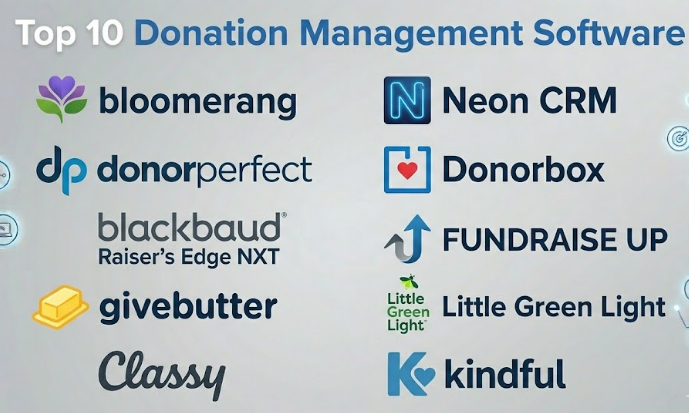
Top 10 Donation Management Software
#1 — Bloomerang
Short description :
Bloomerang is a donor management and fundraising CRM platform designed mainly for nonprofits that want to improve donor relationships and retention. It helps organizations manage donor profiles, track gifts, run campaigns, send communications, and analyze donor engagement. The platform is useful for small to mid-sized nonprofits that want a user-friendly donor database with fundraising tools. Bloomerang is especially strong when the organization wants to understand donor behavior and build better long-term relationships. It is a good option for teams moving away from spreadsheets or disconnected donation tools.
Key Features
- Donor database and giving history
- Online donation forms
- Recurring donation management
- Donor engagement and retention insights
- Email communication tools
- Reporting and fundraising dashboards
- Task and interaction tracking
Pros
- Strong donor relationship and retention focus
- User-friendly for nonprofit teams
- Good fit for small and mid-sized nonprofits
Cons
- May not be ideal for very large enterprise fundraising operations
- Advanced needs may require integrations or add-ons
- Pricing should be reviewed carefully based on donor database size
Platforms / Deployment
Web
Cloud deployment
Security & Compliance
Role-based access, payment-related controls, and donor data protection are expected in this category. Specific certifications such as SOC 2, ISO 27001, HIPAA, or PCI details should be verified directly.
Not publicly stated.
Integrations & Ecosystem
Bloomerang can support fundraising, donor communication, and nonprofit operations through integrations and connected workflows.
- Email marketing workflows
- Online donation forms
- Accounting-related exports or integrations
- Event and campaign workflows
- Donor engagement tracking
- Payment processing workflows
Support & Community
Bloomerang provides nonprofit-focused support, training resources, and customer education. Its community is strong among small and mid-sized nonprofit fundraisers.
#2 — DonorPerfect
Short description :
DonorPerfect is a donation management and nonprofit CRM platform built to help organizations manage donors, gifts, fundraising campaigns, receipts, reports, and communications. It is commonly used by nonprofits that need structured donor records and flexible fundraising workflows. The platform supports online fundraising, recurring donations, reporting, and donor engagement. DonorPerfect is useful for organizations that want a long-standing donor management system with broad nonprofit functionality. It can fit small nonprofits, growing organizations, and teams with more structured fundraising operations.
Key Features
- Donor and gift management
- Online donation forms
- Recurring giving support
- Campaign and appeal tracking
- Reporting and analytics
- Email and communication workflows
- Receipt and acknowledgment management
Pros
- Strong all-around donation and donor management capabilities
- Useful for structured fundraising teams
- Good reporting and campaign tracking options
Cons
- Setup may require planning for fields, campaigns, and workflows
- Some teams may need training to use advanced features well
- Pricing and add-ons should be reviewed carefully
Platforms / Deployment
Web
Cloud deployment
Security & Compliance
Donor data permissions and payment-related security controls are expected. Specific certifications and compliance details should be verified directly with the vendor.
Not publicly stated.
Integrations & Ecosystem
DonorPerfect fits into nonprofit fundraising operations where donor data, payments, reports, and communication need to connect.
- Accounting workflows
- Email marketing tools
- Payment processing
- Event fundraising tools
- Online giving pages
- Data exports and reports
Support & Community
DonorPerfect offers support, training, and nonprofit-focused resources. Its long market presence makes it familiar to many fundraising professionals.
#3 — Blackbaud Raiser’s Edge NXT
Short description :
Blackbaud Raiser’s Edge NXT is a fundraising and donor management platform designed for established nonprofits, universities, healthcare foundations, arts organizations, and large fundraising teams. It provides donor records, gift management, prospect tracking, analytics, campaign management, and reporting. The platform is especially useful for organizations with mature fundraising operations and larger donor databases. It supports major giving, annual giving, alumni relations, and institutional fundraising workflows. Raiser’s Edge NXT is a strong choice for organizations that need enterprise-level fundraising CRM depth.
Key Features
- Advanced donor and constituent management
- Gift and pledge tracking
- Major gift and prospect management
- Campaign and appeal reporting
- Fundraising analytics
- Donor segmentation
- Integration with broader nonprofit technology ecosystem
Pros
- Strong fit for large and mature fundraising programs
- Deep donor CRM and reporting capabilities
- Useful for major gift and institutional fundraising
Cons
- May be too complex for small nonprofits
- Implementation and administration require planning
- Cost can be higher than simpler donation tools
Platforms / Deployment
Web
Cloud deployment
Security & Compliance
Enterprise-grade access controls, donor data permissions, and payment-related security expectations apply. Exact certifications and compliance details should be verified directly.
Not publicly stated.
Integrations & Ecosystem
Raiser’s Edge NXT fits organizations that need donor CRM depth and integration with broader nonprofit operations.
- Online giving tools
- Accounting and finance workflows
- Email and marketing tools
- Event fundraising systems
- Prospect research workflows
- Reporting and analytics tools
Support & Community
Blackbaud has a large nonprofit technology ecosystem, training resources, partner network, and user community. Support level may depend on contract and plan.
#4 — Givebutter
Short description :
Givebutter is a modern fundraising platform that helps nonprofits and groups collect donations, run campaigns, manage events, and engage supporters. It is especially useful for digital-first fundraising, peer-to-peer campaigns, livestream-style campaigns, ticketed events, and donor communication. The platform is popular with small and growing organizations because it is simple, modern, and campaign-friendly. Givebutter can help teams launch fundraising pages quickly and manage supporter activity in one place. It is a good choice for organizations that want donation tools with strong social and campaign engagement features.
Key Features
- Online donation forms and campaign pages
- Peer-to-peer fundraising
- Event ticketing and registration
- Donor management tools
- Recurring donation support
- Automated receipts and messages
- Fundraising activity dashboards
Pros
- Modern and easy fundraising experience
- Strong for campaigns, events, and peer-to-peer fundraising
- Good fit for small and growing nonprofits
Cons
- May not replace an enterprise donor CRM for complex organizations
- Advanced donor management needs may require another CRM
- Pricing and transaction costs should be reviewed carefully
Platforms / Deployment
Web
Cloud deployment
Security & Compliance
Payment security and donor data protection are important. Specific certifications such as SOC 2, ISO 27001, HIPAA, or detailed PCI scope should be verified directly.
Not publicly stated.
Integrations & Ecosystem
Givebutter works well for digital fundraising teams that need donation pages, campaign tools, and supporter engagement workflows.
- Payment processing
- Email and SMS-style communication workflows
- Event registration
- Donor exports
- CRM-related workflows
- Peer-to-peer fundraising pages
Support & Community
Givebutter provides support resources and has a strong modern fundraising user base. It is especially approachable for smaller teams and campaign-focused organizations.
#5 — Classy
Short description :
Classy is a fundraising platform built for nonprofits that need modern donation pages, campaign management, peer-to-peer fundraising, recurring giving, and event fundraising. It is often used by growing and larger nonprofits that want polished donor experiences and strong digital fundraising workflows. Classy supports branded campaigns, supporter fundraising, and donation conversion optimization. It is a good fit for organizations that want to run professional fundraising campaigns across multiple channels. Classy is especially useful where donor experience and campaign design matter.
Key Features
- Branded donation pages
- Peer-to-peer fundraising
- Recurring donation tools
- Campaign management
- Event fundraising support
- Donor and transaction reporting
- Integration with nonprofit CRM systems
Pros
- Strong digital fundraising experience
- Good for peer-to-peer and campaign-based fundraising
- Useful for growing nonprofits with active campaigns
Cons
- May require a separate CRM for deep donor management
- Cost may be higher than basic donation tools
- Best results require strong campaign strategy and setup
Platforms / Deployment
Web
Cloud deployment
Security & Compliance
Payment security, donor data controls, and admin permissions are expected. Specific certifications and compliance details should be verified directly.
Not publicly stated.
Integrations & Ecosystem
Classy is commonly used as part of a broader fundraising technology stack where campaign activity connects with CRM and marketing tools.
- CRM workflows
- Payment processing
- Email marketing tools
- Event fundraising
- Peer-to-peer campaigns
- Analytics and reporting workflows
Support & Community
Classy provides support, fundraising education, and customer resources. It is well known among digital fundraising teams and nonprofit campaign managers.
#6 — Neon CRM
Short description :
Neon CRM is a nonprofit CRM and donation management platform that helps organizations manage donors, memberships, events, communications, and fundraising. It is useful for nonprofits that need more than donation collection and want a broader system for supporter management. The platform supports donor records, online giving, recurring donations, email campaigns, event registration, and reporting. Neon CRM fits small to mid-sized organizations with multiple engagement channels. It is a good option for nonprofits that want donor management, fundraising, and engagement tools in one system.
Key Features
- Donor and constituent management
- Online donation forms
- Recurring giving support
- Event registration and management
- Email marketing workflows
- Membership management
- Reporting and dashboards
Pros
- Broad nonprofit CRM functionality
- Useful for nonprofits managing donors, members, and events
- Good fit for growing organizations with multiple programs
Cons
- May require setup time for workflows and data structure
- Some advanced needs may require integrations
- Smaller teams may not use all features fully
Platforms / Deployment
Web
Cloud deployment
Security & Compliance
Access controls, donor data management, and payment-related security expectations apply. Specific certifications should be verified directly.
Not publicly stated.
Integrations & Ecosystem
Neon CRM can support nonprofit operations across fundraising, membership, communication, and events.
- Donation forms
- Email marketing
- Event registration
- Membership workflows
- Accounting-related exports
- Reporting and dashboards
Support & Community
Neon CRM provides support resources and nonprofit-focused guidance. It is useful for teams that want a broader CRM approach rather than only a donation form.
#7 — Donorbox
Short description :
Donorbox is an online donation platform focused on helping organizations collect donations through customizable donation forms, recurring giving, crowdfunding, and payment processing. It is suitable for nonprofits, churches, schools, and community organizations that want a simple way to accept online donations. Donorbox is especially useful for teams that already have a website and need easy donation forms. It can support recurring donations, donor records, and fundraising campaigns. Donorbox is a strong fit for organizations that want donation collection without implementing a heavy CRM.
Key Features
- Customizable donation forms
- Recurring donation management
- Crowdfunding and campaign pages
- Donor records and giving history
- Automated receipts
- Payment processing support
- Embeddable forms and donation buttons
Pros
- Simple and fast to launch
- Strong recurring donation support
- Good for small and mid-sized organizations
Cons
- May not replace a full nonprofit CRM
- Advanced donor engagement workflows may be limited
- Pricing and processing fees should be reviewed carefully
Platforms / Deployment
Web
Cloud deployment
Security & Compliance
Payment security and donor data protection are expected. Specific certifications and compliance documentation should be verified directly.
Not publicly stated.
Integrations & Ecosystem
Donorbox is often used as an online giving layer connected with websites, payment processors, and nonprofit workflows.
- Website donation forms
- Payment processing
- CRM exports or integrations
- Recurring giving workflows
- Campaign pages
- Receipt automation
Support & Community
Donorbox provides documentation and support resources. It is approachable for small organizations and teams that need simple online giving tools.
#8 — Fundraise Up
Short description :
Fundraise Up is a donation platform focused on improving online donation conversion through modern donation forms, payment options, personalization, and smart giving experiences. It is useful for nonprofits that want to optimize digital giving and reduce friction in the donor journey. The platform supports one-time gifts, recurring donations, modern checkout experiences, and donor-friendly payment methods. Fundraise Up is a strong fit for organizations with meaningful website traffic and a need to improve online fundraising performance. It is more focused on donation experience and conversion than full nonprofit CRM depth.
Key Features
- Optimized online donation forms
- Recurring giving workflows
- Modern payment options
- Donor experience personalization
- Campaign and conversion tracking
- Integrations with CRM and analytics systems
- Automated receipts and donor communications
Pros
- Strong focus on donation conversion
- Modern donor checkout experience
- Useful for digital-first fundraising teams
Cons
- Not a complete donor CRM by itself
- Best value depends on website traffic and digital fundraising volume
- Integration needs should be reviewed before rollout
Platforms / Deployment
Web
Cloud deployment
Security & Compliance
Payment security and donor data controls are important. Specific certifications such as SOC 2, ISO 27001, HIPAA, or detailed PCI scope should be verified directly.
Not publicly stated.
Integrations & Ecosystem
Fundraise Up works best as a digital donation layer connected to broader nonprofit systems.
- Nonprofit CRM systems
- Payment processors
- Website donation pages
- Analytics tools
- Email marketing workflows
- Campaign reporting
Support & Community
Support is typically focused on digital fundraising implementation, donation experience, and integrations. Community strength is strongest among online fundraising and digital growth teams.
#9 — Little Green Light
Short description :
Little Green Light is a donor management and fundraising CRM built for small and mid-sized nonprofits. It helps teams manage donors, gifts, relationships, tasks, mailings, events, and reports. The platform is known for being practical, affordable, and useful for organizations that need donor management without enterprise-level complexity. It can support fundraising teams moving from spreadsheets to a more organized CRM. Little Green Light is especially suitable for nonprofits that want strong donor tracking and reporting at a manageable level.
Key Features
- Donor and constituent management
- Gift tracking and pledge records
- Fundraising campaign tracking
- Task and relationship management
- Mailing and communication support
- Reporting and exports
- Event and volunteer-related tracking options
Pros
- Good value for small and mid-sized nonprofits
- Practical donor management features
- Easier than many enterprise CRM systems
Cons
- Online donation tools may require integrations
- Not ideal for very large enterprise fundraising operations
- Interface and setup require thoughtful data planning
Platforms / Deployment
Web
Cloud deployment
Security & Compliance
Donor data access controls and account security are expected. Specific certifications should be verified directly with the vendor.
Not publicly stated.
Integrations & Ecosystem
Little Green Light fits organizations that want a central donor database connected to practical fundraising workflows.
- Gift tracking
- Donor communication workflows
- Payment and donation integrations
- Event records
- Reporting exports
- Task management
Support & Community
Little Green Light provides support resources and is popular among small nonprofit teams. Its community strength comes from practical nonprofit users who value straightforward donor management.
#10 — Kindful
Short description :
Kindful is a donor management platform designed to help nonprofits manage donors, gifts, online giving, campaigns, and fundraising data. It is useful for organizations that want to centralize donor information and connect giving activity with fundraising workflows. Kindful supports donor profiles, transaction tracking, donation forms, and reporting. It can be a good fit for nonprofits that need donation management and supporter visibility without building a highly customized CRM from scratch. The platform is often considered by teams looking for a clean donor management experience.
Key Features
- Donor management
- Gift and transaction tracking
- Online donation forms
- Recurring gift support
- Campaign reporting
- Donor communication workflows
- Integrations with nonprofit tools
Pros
- Useful donor management and giving history
- Good fit for small to mid-sized nonprofits
- Helps centralize fundraising data
Cons
- Advanced enterprise needs may require a larger CRM
- Integration needs should be reviewed carefully
- Pricing and product packaging should be validated directly
Platforms / Deployment
Web
Cloud deployment
Security & Compliance
Donor data protection and payment security are category-relevant. Specific certifications such as SOC 2, ISO 27001, HIPAA, or PCI documentation should be verified directly.
Not publicly stated.
Integrations & Ecosystem
Kindful works as part of nonprofit fundraising and donor engagement workflows.
- Donation forms
- Payment processing
- Donor records
- Email and communication tools
- Fundraising campaign reporting
- Nonprofit platform integrations
Support & Community
Support is available through vendor channels. Organizations should validate onboarding support, documentation, and customer service options before purchase.
Comparison Table Top 10
| Tool Name | Best For | Platform(s) Supported | Deployment | Standout Feature | Public Rating |
|---|---|---|---|---|---|
| Bloomerang | Donor retention and nonprofit CRM | Web | Cloud | Donor engagement and retention insights | N/A |
| DonorPerfect | Structured donation and donor management | Web | Cloud | Gift, campaign, and donor tracking | N/A |
| Blackbaud Raiser’s Edge NXT | Large nonprofits and mature fundraising teams | Web | Cloud | Enterprise fundraising CRM depth | N/A |
| Givebutter | Digital campaigns and peer-to-peer fundraising | Web | Cloud | Modern campaign and event fundraising | N/A |
| Classy | Growing nonprofits with branded digital fundraising | Web | Cloud | Peer-to-peer and campaign fundraising experience | N/A |
| Neon CRM | Nonprofits needing donor, event, and membership CRM | Web | Cloud | Broad nonprofit CRM functionality | N/A |
| Donorbox | Simple online donations and recurring giving | Web | Cloud | Easy donation forms and recurring gifts | N/A |
| Fundraise Up | Online donation conversion optimization | Web | Cloud | Modern donor checkout and conversion tools | N/A |
| Little Green Light | Small and mid-sized nonprofit donor tracking | Web | Cloud | Practical donor CRM at manageable complexity | N/A |
| Kindful | Centralized donor and donation management | Web | Cloud | Donor profiles and giving history | N/A |
Evaluation & Donation Management Software
| Tool Name | Core 25% | Ease 15% | Integrations 15% | Security 10% | Performance 10% | Support 10% | Value 15% | Weighted Total 0–10 |
|---|---|---|---|---|---|---|---|---|
| Bloomerang | 8.8 | 8.5 | 8.0 | 8.0 | 8.5 | 8.5 | 8.2 | 8.40 |
| DonorPerfect | 8.7 | 8.0 | 8.0 | 8.0 | 8.4 | 8.3 | 8.1 | 8.28 |
| Blackbaud Raiser’s Edge NXT | 9.5 | 7.2 | 9.0 | 8.5 | 8.8 | 8.5 | 7.2 | 8.41 |
| Givebutter | 8.3 | 9.0 | 7.8 | 7.8 | 8.5 | 8.2 | 8.8 | 8.37 |
| Classy | 8.7 | 8.4 | 8.3 | 8.2 | 8.6 | 8.3 | 7.8 | 8.35 |
| Neon CRM | 8.5 | 8.0 | 8.0 | 8.0 | 8.3 | 8.2 | 8.0 | 8.17 |
| Donorbox | 8.0 | 9.0 | 7.5 | 7.8 | 8.4 | 8.0 | 8.5 | 8.20 |
| Fundraise Up | 8.4 | 8.8 | 8.3 | 8.0 | 8.7 | 8.0 | 8.0 | 8.35 |
| Little Green Light | 8.0 | 8.3 | 7.5 | 7.8 | 8.2 | 8.2 | 8.7 | 8.09 |
| Kindful | 8.1 | 8.3 | 7.8 | 7.8 | 8.2 | 8.0 | 8.0 | 8.04 |
These scores are comparative and should be used as a starting point. A large university or healthcare foundation may rate Blackbaud Raiser’s Edge NXT higher because enterprise CRM depth matters. A small nonprofit may prefer Givebutter, Donorbox, Little Green Light, or Bloomerang because ease of use and value matter more. A digital-first fundraising team may rate Fundraise Up or Classy higher because donation conversion and campaign experience are critical.
Which Donation Management Software Should You Choose?
Solo / Small Community Group
Small community groups should start simple. If the main goal is to collect online donations, Donorbox or Givebutter can be practical options. If the group only needs occasional fundraising pages, a full donor CRM may be unnecessary.
The key is to avoid complexity. Small teams should choose a tool that makes it easy to create a donation form, collect payments, send receipts, and export basic donor information.
Small Nonprofit
Small nonprofits usually need donation forms, donor records, recurring giving, receipts, and simple reporting. Bloomerang, Donorbox, Givebutter, Little Green Light, and Kindful are good tools to compare.
If donor retention is the main focus, Bloomerang may be useful. If online donation simplicity is the main goal, Donorbox or Givebutter may be better. If practical donor tracking matters most, Little Green Light can be a strong option.
Mid-Market Nonprofit
Mid-market nonprofits often need stronger donor segmentation, campaigns, integrations, events, recurring giving, and reporting. DonorPerfect, Bloomerang, Neon CRM, Classy, Fundraise Up, and Kindful are worth evaluating.
At this stage, organizations should review how donor data flows between donation forms, CRM records, email tools, accounting systems, and event platforms. Integration quality becomes very important.
Enterprise / Large Nonprofit
Large nonprofits, universities, hospitals, foundations, and national organizations usually need deeper CRM controls, major gift tracking, multi-team workflows, permissions, reporting, and integrations. Blackbaud Raiser’s Edge NXT, Classy, Fundraise Up, DonorPerfect, and Neon CRM may be suitable depending on the fundraising model.
Enterprise buyers should involve fundraising, finance, IT, security, donor relations, and leadership teams in evaluation. Data migration and process design are critical.
Budget vs Premium
Budget-focused teams should compare platform fees, transaction fees, donor-covered fee options, CRM cost, implementation cost, and support costs. A low monthly price may not always be cheaper if payment fees are high or staff must do extra manual work.
Premium tools are more useful when the organization has a large donor base, multiple fundraising programs, advanced reporting needs, and complex integration requirements.
Feature Depth vs Ease of Use
Simple tools like Donorbox and Givebutter are easier to launch. Deeper systems like Blackbaud Raiser’s Edge NXT, DonorPerfect, Neon CRM, and Bloomerang offer more structured donor management. Classy and Fundraise Up are strong when campaign experience and online fundraising performance matter.
The best choice depends on whether your biggest problem is donation collection, donor relationship management, digital campaign performance, or enterprise fundraising operations.
Integrations & Scalability
Donation management software should connect with the systems your nonprofit already uses. This may include accounting, email marketing, CRM, event management, payment processors, website tools, analytics, and donor communication platforms.
Scalability is not only about handling more donors. It also means supporting more campaigns, more staff users, better permissions, more reporting needs, and cleaner donor data over time.
Security & Compliance Needs
Donation platforms handle sensitive donor data and payment information. Buyers should review payment security, admin permissions, access logs, encryption, data exports, password controls, privacy policies, and data retention rules.
Organizations should also check receipt compliance, tax acknowledgment workflows, donor privacy, restricted fund tracking, and data handling policies before rollout.
Frequently Asked Questions FAQs
1. What is Donation Management Software?
Donation Management Software helps organizations collect, track, manage, and report donations. It usually includes donor records, online donation forms, recurring giving, receipts, campaign tracking, and fundraising reports.
2. Who needs Donation Management Software?
Nonprofits, charities, churches, schools, foundations, community groups, and fundraising teams can benefit from it. Any organization that collects donations regularly and needs donor records should consider using a proper platform.
3. What is the difference between donation software and donor CRM?
Donation software focuses mainly on collecting gifts and processing payments. Donor CRM goes deeper by managing donor relationships, communication history, segmentation, tasks, campaigns, and long-term engagement.
4. What features should I look for first?
Start with online donation forms, recurring giving, donor profiles, receipts, campaign tracking, reporting, payment processing, and data export options. Larger teams should also check permissions, integrations, automation, and security controls.
5. How much does Donation Management Software cost?
Pricing varies by platform, donation volume, donor count, features, users, support, and transaction fees. Some tools may offer low entry costs but include processing fees. Others use subscription or enterprise pricing models.
6. Can these platforms manage recurring donations?
Yes, many donation management platforms support recurring gifts. This is important because monthly giving helps nonprofits create more predictable revenue and build stronger donor relationships over time.
7. Do these tools send donation receipts automatically?
Most modern donation platforms can send automated receipts and thank-you messages. However, customization, tax language, receipt templates, and compliance settings vary by platform and should be tested before launch.
8. Can Donation Management Software support peer-to-peer fundraising?
Yes, platforms like Givebutter, Classy, and some broader fundraising tools support peer-to-peer campaigns. This allows supporters to create their own fundraising pages and invite friends, family, or networks to donate.
9. What are common mistakes when choosing donation software?
Common mistakes include focusing only on price, ignoring transaction fees, choosing a tool without checking integrations, failing to plan donor data migration, and selecting software that does not match the organization’s fundraising maturity.
10. Is Donation Management Software secure?
Most reputable platforms take payment and donor data security seriously, but buyers should verify details directly. Important areas include payment processing security, admin permissions, encryption, access controls, audit logs, and data privacy practices.
Conclusion
Donation Management Software helps nonprofits move from manual fundraising work to a more organized, secure, and donor-friendly system. The right platform can improve online giving, strengthen donor relationships, automate receipts, support recurring donations, and give teams better visibility into fundraising performance. However, the best tool depends on the organization’s size, fundraising model, donor volume, budget, and internal process maturity.
