Introduction
Emergency Services Records Management systems, commonly called RMS platforms, are software tools used by public safety agencies to store, manage, search, report, and analyze emergency service records. In simple words, an RMS helps agencies keep accurate records of incidents, cases, reports, evidence, people, vehicles, arrests, citations, fire calls, EMS responses, inspections, and operational history.
For police, fire, EMS, emergency communication centers, and public safety departments, records are not only paperwork. They support investigations, compliance, reporting, accountability, resource planning, and long-term operational decisions. A strong RMS helps agencies reduce duplicate work, improve data quality, connect field teams with back-office staff, and maintain better visibility across public safety operations.
Common use cases include law enforcement case reporting, fire incident reporting, EMS documentation, evidence tracking, accident reports, citations, investigations, analytics, compliance reporting, and integration with CAD systems.
Buyers should evaluate ease of report writing, CAD integration, mobile access, security controls, audit logs, reporting depth, data migration, search quality, workflow flexibility, scalability, and vendor support.
Best for: police departments, sheriff offices, fire departments, EMS agencies, emergency service providers, county agencies, public safety departments, city governments, campus police, and multi-agency public safety operations.
Not ideal for: small private teams that only need basic incident notes, simple spreadsheets, help desk software, or lightweight case tracking without public safety reporting requirements.
Key Trends in Emergency Services Records Management RMS
- Cloud-based RMS adoption is increasing because agencies want easier updates, better remote access, and reduced infrastructure management.
- CAD and RMS integration is now essential because incident data should move smoothly from dispatch to reporting without repeated manual entry.
- Mobile reporting is becoming more important as responders need to complete reports, add notes, and access records from the field.
- Data quality and validation features are gaining importance because poor records can affect investigations, reporting, compliance, and leadership decisions.
- Interoperability between agencies is a growing priority, especially for counties, regions, and public safety networks that share information.
- Security and auditability are major buying factors because RMS platforms store sensitive public safety, personal, incident, and investigative data.
- Analytics dashboards are becoming more useful for tracking trends, response patterns, workload, case volume, incident types, and operational performance.
- Evidence and case workflow integration is becoming stronger, especially where RMS connects with digital evidence, body-worn cameras, citations, and case management tools.
- Role-based access controls are more important as agencies need to limit who can view, edit, approve, or export sensitive records.
- Modern user experience matters more than before because officers, firefighters, EMS staff, and records teams need faster report completion with fewer clicks.
How We Selected These Tools
- We selected RMS platforms that are widely recognized in public safety, emergency services, law enforcement, fire, EMS, or multi-agency records management.
- We included a balanced mix of enterprise RMS platforms, modern cloud-first systems, law enforcement-focused tools, fire and EMS records platforms, and multi-discipline public safety suites.
- We evaluated core RMS capabilities such as incident records, report writing, case management, search, workflows, approvals, reporting, and data management.
- We considered integrations with CAD, mobile CAD, evidence systems, citation tools, analytics, GIS, fire reporting, EMS reporting, and public safety databases.
- We considered suitability for different agency sizes, from small departments to large regional public safety agencies.
- We focused on practical use cases rather than marketing claims.
- We avoided guessing ratings, certifications, or exact compliance claims.
- We used “Not publicly stated” where security, compliance, deployment, or support information is not clearly available.
- We considered long-term fit, including data migration, training, configuration, reporting, and vendor support.
- We scored tools comparatively based on public safety RMS relevance, not as a universal ranking for every agency.
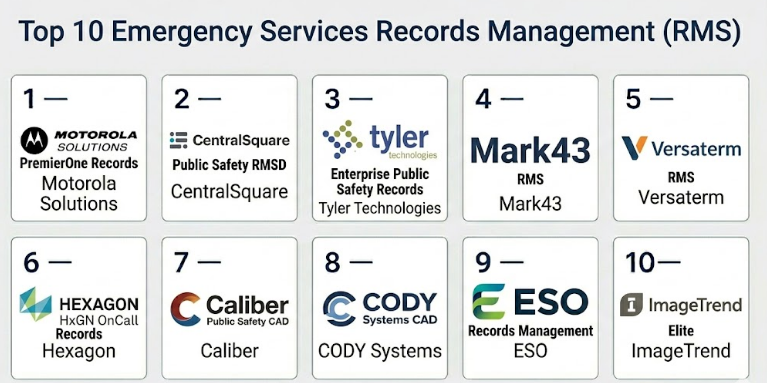
Top 10 Emergency Services Records Management RMS
#1 — Motorola Solutions PremierOne Records
Short description :
Motorola Solutions PremierOne Records is an enterprise-grade public safety RMS designed for agencies that need detailed records management, case reporting, investigative workflows, and integration with dispatch and field operations. It is commonly suited for large law enforcement agencies, regional public safety environments, and organizations already using Motorola public safety systems. The platform helps agencies manage incident reports, people, vehicles, cases, property, evidence-related data, and operational records. It is best for agencies that need a mature RMS connected with CAD, mobile, and broader public safety workflows. It may be more than what smaller agencies need if their reporting requirements are simple.
Key Features
- Incident and case records management
- Law enforcement report writing workflows
- Person, vehicle, property, and case data handling
- Integration with CAD and mobile workflows
- Search and data retrieval capabilities
- Reporting and operational data support
- Public safety ecosystem connectivity
Pros
- Strong fit for large and complex public safety agencies.
- Useful when RMS must connect with CAD, mobile, and agency-wide systems.
- Mature public safety ecosystem for enterprise operations.
Cons
- May require significant implementation planning.
- Can be too complex for smaller agencies with basic needs.
- Cost and configuration effort may be higher than lighter RMS tools.
Platforms / Deployment
Web / Windows / Mobile-supported workflows
Cloud / On-premise / Hybrid
Security & Compliance
SSO/SAML: Varies / N/A
MFA: Varies / N/A
Encryption: Not publicly stated
Audit logs: Varies / N/A
RBAC: Varies / N/A
CJIS alignment: Varies / N/A
SOC 2 / ISO 27001 / HIPAA: Not publicly stated
Integrations & Ecosystem
PremierOne Records is strongest when used as part of a connected Motorola public safety environment. It can support agencies that need records, dispatch, mobile workflows, and operational data to work together.
- CAD integration
- Mobile responder workflows
- Evidence-related workflows
- Reporting and analytics
- GIS and public safety data systems
- Broader Motorola public safety ecosystem
Support & Community
Support is generally enterprise-focused and depends on agency contract, deployment model, and implementation scope. Agencies should plan for administrator training, end-user training, data migration, and long-term vendor support.
#2 — CentralSquare Public Safety RMS
Short description :
CentralSquare Public Safety RMS is a records management platform designed for law enforcement, fire, EMS, and local government public safety agencies. It helps agencies manage reports, cases, incidents, records, citations, arrests, and operational data. The platform is useful for agencies that need RMS connected with CAD, mobile tools, analytics, and local government workflows. It fits small, mid-sized, and larger agencies depending on configuration and operational needs. It is a practical choice for agencies seeking a public sector-focused software ecosystem.
Key Features
- Incident and case report management
- Law enforcement, fire, and EMS workflow support
- Integration with CAD and mobile tools
- Searchable public safety records
- Reporting and analytics capabilities
- Workflow and approval support
- Local government software ecosystem connectivity
Pros
- Strong fit for public sector agencies and local governments.
- Useful when CAD, RMS, and mobile need to work together.
- Flexible enough for different agency sizes and workflows.
Cons
- Implementation experience can vary by agency complexity.
- Integration details should be validated carefully before purchase.
- User experience may depend on configuration and training quality.
Platforms / Deployment
Web / Windows / Mobile-supported workflows
Cloud / On-premise / Hybrid
Security & Compliance
SSO/SAML: Varies / N/A
MFA: Varies / N/A
Encryption: Not publicly stated
Audit logs: Varies / N/A
RBAC: Varies / N/A
CJIS alignment: Varies / N/A
SOC 2 / ISO 27001 / HIPAA: Not publicly stated
Integrations & Ecosystem
CentralSquare RMS is commonly considered as part of a broader public safety and local government technology ecosystem.
- CAD workflows
- Mobile reporting tools
- Fire and EMS reporting workflows
- GIS systems
- Analytics and reporting
- Local government system connections
Support & Community
Support depends on contract, product version, implementation scope, and agency size. Agencies should confirm onboarding, migration assistance, training, and ongoing support expectations during evaluation.
#3 — Tyler Technologies Enterprise Public Safety Records
Short description :
Tyler Technologies Enterprise Public Safety Records supports public safety agencies with records management, incident reporting, case tracking, data search, and broader civic technology integration. It is suited for agencies that need RMS connected with dispatch, courts, corrections, law enforcement, and local government systems. The platform can support police records, emergency service reporting, operational documentation, and reporting workflows. It is useful for agencies that want RMS to connect with a wider government software environment. It is best for organizations that already use or plan to use Tyler’s broader public sector ecosystem.
Key Features
- Public safety records management
- Incident and case reporting
- Searchable agency data
- Integration with CAD and related systems
- Workflow and approval support
- Public sector data connectivity
- Reporting and operational oversight
Pros
- Strong fit for agencies using broader Tyler public sector systems.
- Useful where public safety records must connect with justice and government workflows.
- Supports structured records and reporting processes.
Cons
- Best value may depend on broader Tyler ecosystem adoption.
- Migration and implementation can require careful planning.
- Configuration and integrations should be reviewed in detail.
Platforms / Deployment
Web / Windows / Mobile-supported workflows
Cloud / On-premise / Hybrid
Security & Compliance
SSO/SAML: Varies / N/A
MFA: Varies / N/A
Encryption: Not publicly stated
Audit logs: Varies / N/A
RBAC: Varies / N/A
CJIS alignment: Varies / N/A
SOC 2 / ISO 27001 / HIPAA: Not publicly stated
Integrations & Ecosystem
Tyler RMS is most useful when agencies want public safety records connected with wider government and justice workflows.
- CAD systems
- Court and justice workflows
- Mobile public safety tools
- Reporting and dashboards
- GIS and location systems
- Public sector software ecosystem
Support & Community
Support is generally vendor-led and depends on deployment size, product configuration, and contract terms. Agencies should plan for records staff training, administrator setup, and workflow validation.
#4 — Mark43 RMS
Short description :
Mark43 RMS is a modern cloud-based records management system built for public safety agencies, especially law enforcement organizations. It focuses on simplified report writing, cleaner user experience, cloud access, fast search, and connected workflows. The platform is useful for agencies that want to modernize legacy records processes and improve officer productivity. It connects well with Mark43 CAD and related public safety tools. It is best for agencies that want a modern interface, cloud-first approach, and easier field reporting experience.
Key Features
- Cloud-based records management
- Incident and case reporting
- Modern report writing interface
- Fast search and data retrieval
- Integration with Mark43 CAD
- Mobile and field reporting workflows
- Analytics and operational visibility
Pros
- Modern interface can improve user adoption.
- Good fit for agencies moving toward cloud public safety systems.
- Strong focus on reducing report writing friction.
Cons
- Agencies with deep legacy workflows should validate fit carefully.
- Cloud adoption may require policy and IT approval.
- Fire and EMS workflow depth should be reviewed based on need.
Platforms / Deployment
Web / Mobile-supported workflows
Cloud
Security & Compliance
SSO/SAML: Varies / N/A
MFA: Varies / N/A
Encryption: Not publicly stated
Audit logs: Varies / N/A
RBAC: Varies / N/A
CJIS alignment: Varies / N/A
SOC 2 / ISO 27001 / HIPAA: Not publicly stated
Integrations & Ecosystem
Mark43 RMS works best inside a modern public safety platform environment, especially where CAD and RMS are expected to share data smoothly.
- Mark43 CAD
- Mobile reporting workflows
- Analytics dashboards
- Public safety data workflows
- Mapping and location data
- API-supported integrations where available
Support & Community
Support is usually structured for public safety agency deployments. Agencies should plan for migration, officer training, administrator setup, and leadership reporting requirements.
#5 — Versaterm RMS
Short description :
Versaterm RMS is a public safety records platform used by agencies that need structured incident records, report writing, search, data management, and integration with dispatch and mobile systems. It is commonly suited for law enforcement and public safety agencies that want configurable records workflows. The platform helps agencies manage operational data and connect records with broader public safety processes. It can support agencies that need CAD, RMS, and field tools to operate together. It is best for departments seeking a configurable system with a public safety focus.
Key Features
- Public safety records management
- Incident and case reporting
- Report review and approval workflows
- Search and data retrieval
- CAD and mobile integration support
- Configurable agency workflows
- Operational reporting capabilities
Pros
- Useful for agencies needing connected CAD and RMS workflows.
- Configurable for agency-specific reporting processes.
- Good fit for law enforcement and public safety operations.
Cons
- Implementation may require detailed workflow mapping.
- Public security and compliance details may be limited.
- Buyers should validate fit for fire and EMS use cases.
Platforms / Deployment
Web / Windows / Mobile-supported workflows
Cloud / On-premise / Hybrid
Security & Compliance
SSO/SAML: Varies / N/A
MFA: Varies / N/A
Encryption: Not publicly stated
Audit logs: Varies / N/A
RBAC: Varies / N/A
CJIS alignment: Varies / N/A
SOC 2 / ISO 27001 / HIPAA: Not publicly stated
Integrations & Ecosystem
Versaterm RMS is useful when records need to connect with dispatch, field reporting, and broader public safety operations.
- CAD integration
- Mobile responder tools
- Public safety data workflows
- Reporting and analytics
- GIS and location systems
- Records sharing workflows
Support & Community
Support is usually vendor-led and implementation-focused. Agencies should plan for training, administrator configuration, data migration, and ongoing workflow improvement.
#6 — Hexagon HxGN OnCall Records
Short description :
Hexagon HxGN OnCall Records is part of Hexagon’s public safety software ecosystem and supports records management for emergency response and public safety agencies. It is designed to help agencies manage incident data, reports, records, investigations, and operational information. The system can work alongside dispatch and command center tools, making it useful for agencies that want connected public safety workflows. It is suited for multi-agency and multi-discipline environments where situational awareness and data continuity matter. It is best for organizations that need RMS as part of a broader emergency response platform.
Key Features
- Public safety records management
- Incident and operational reporting
- Investigation and case data support
- Integration with dispatch workflows
- Search and data management
- Multi-agency public safety support
- Reporting and analytics capabilities
Pros
- Strong fit for agencies using Hexagon public safety tools.
- Useful where records need to connect with dispatch and operational response.
- Supports complex agency environments.
Cons
- Implementation may be complex for legacy environments.
- Best value is often within the wider Hexagon ecosystem.
- Agencies should validate exact RMS modules and workflow fit.
Platforms / Deployment
Web / Windows / Mobile-supported workflows
Cloud / On-premise / Hybrid
Security & Compliance
SSO/SAML: Varies / N/A
MFA: Varies / N/A
Encryption: Not publicly stated
Audit logs: Varies / N/A
RBAC: Varies / N/A
CJIS alignment: Varies / N/A
SOC 2 / ISO 27001 / HIPAA: Not publicly stated
Integrations & Ecosystem
HxGN OnCall Records fits best where agencies need RMS connected with dispatch, analytics, and operational response systems.
- HxGN OnCall Dispatch
- GIS and mapping systems
- Mobile responder tools
- Reporting dashboards
- Emergency operations workflows
- Public safety information systems
Support & Community
Support is generally enterprise-oriented and may include implementation planning, training, and configuration support. Agencies should confirm project scope and post-launch support before selection.
#7 — Caliber Public Safety RMS
Short description :
Caliber Public Safety RMS is a records management solution designed for law enforcement, fire, EMS, and emergency service agencies. It supports incident reporting, case records, data management, reporting, and integration with CAD and mobile systems. The platform is suitable for local and regional agencies that need practical RMS capabilities without unnecessary complexity. It can help agencies manage public safety information across dispatch, records, and field workflows. It is best for agencies that want a functional RMS with multi-discipline public safety support.
Key Features
- Incident and case record management
- Police, fire, and EMS reporting support
- CAD integration workflows
- Mobile access support
- Search and records retrieval
- Reporting and operational data
- Configurable agency workflows
Pros
- Practical fit for local and regional public safety agencies.
- Supports multiple emergency service disciplines.
- Useful when CAD and RMS need to work together.
Cons
- Agencies should validate scalability for larger deployments.
- Interface and workflow fit should be tested during demos.
- Security and compliance details should be reviewed directly.
Platforms / Deployment
Web / Windows / Mobile-supported workflows
Cloud / On-premise / Hybrid
Security & Compliance
SSO/SAML: Varies / N/A
MFA: Varies / N/A
Encryption: Not publicly stated
Audit logs: Varies / N/A
RBAC: Varies / N/A
CJIS alignment: Varies / N/A
SOC 2 / ISO 27001 / HIPAA: Not publicly stated
Integrations & Ecosystem
Caliber Public Safety RMS is relevant for agencies needing connected dispatch, records, and mobile workflows.
- CAD systems
- Mobile CAD and reporting
- GIS systems
- Fire and EMS workflows
- Reporting tools
- Public safety data workflows
Support & Community
Support may vary by contract and deployment scope. Agencies should confirm implementation help, migration support, user training, and administrator support.
#8 — CODY Systems RMS
Short description :
CODY Systems RMS is a public safety records management solution used by law enforcement and related public safety agencies. It supports incident reporting, records management, search, data sharing, case documentation, and operational information workflows. The platform is useful for agencies that want records and intelligence-style public safety data to work together. It can support departments that need practical recordkeeping and information access without always requiring the largest enterprise suite. It is best for agencies focused on law enforcement records and data-driven operations.
Key Features
- Law enforcement records management
- Incident and case reporting
- Search and information retrieval
- Records and intelligence data support
- Reporting and operational visibility
- CAD and mobile workflow support where applicable
- Agency-specific configuration
Pros
- Strong fit for law enforcement records workflows.
- Useful for agencies that value data search and information access.
- Practical for small and mid-sized public safety organizations.
Cons
- Fire and EMS workflow depth should be validated.
- May not fit very large multi-agency environments without review.
- Public compliance and deployment details may be limited.
Platforms / Deployment
Web / Windows / Mobile-supported workflows
Cloud / On-premise / Hybrid
Security & Compliance
SSO/SAML: Not publicly stated
MFA: Not publicly stated
Encryption: Not publicly stated
Audit logs: Varies / N/A
RBAC: Varies / N/A
CJIS alignment: Varies / N/A
SOC 2 / ISO 27001 / HIPAA: Not publicly stated
Integrations & Ecosystem
CODY Systems RMS can fit environments where records, investigations, and public safety data need to be searchable and operationally useful.
- CAD workflows
- Law enforcement records systems
- Mobile workflows
- Reporting and analytics
- Public safety data sharing
- Case and investigation workflows
Support & Community
Support is typically vendor-led. Agencies should confirm training, administrator configuration, migration support, and long-term upgrade planning before purchase.
#9 — ESO Records Management
Short description :
ESO Records Management is commonly associated with fire and EMS data workflows, including incident documentation, patient care reporting, fire records, and emergency service analytics. It is useful for fire departments, EMS agencies, and emergency service organizations that need strong reporting and data visibility. The platform helps teams document incidents, analyze performance, and support operational improvement. It is especially relevant where emergency medical response, fire operations, and reporting requirements are central. It is best for fire and EMS-focused agencies rather than law enforcement-only departments.
Key Features
- Fire and EMS records support
- Incident documentation workflows
- Patient care and response data support
- Analytics and reporting
- Operational performance visibility
- Integration with emergency service workflows
- Useful for fire departments and EMS agencies
Pros
- Strong fit for fire and EMS documentation needs.
- Useful analytics for emergency service performance.
- Good option where medical and fire reporting are central.
Cons
- Not primarily a law enforcement RMS.
- Agencies should validate CAD integration and workflow needs.
- Security and compliance details should be reviewed directly.
Platforms / Deployment
Web / Mobile-supported workflows
Cloud
Security & Compliance
SSO/SAML: Varies / N/A
MFA: Varies / N/A
Encryption: Not publicly stated
Audit logs: Varies / N/A
RBAC: Varies / N/A
HIPAA: Varies / N/A
SOC 2 / ISO 27001 / CJIS: Not publicly stated
Integrations & Ecosystem
ESO Records Management works well in fire and EMS environments where incident data, medical documentation, and reporting need to connect.
- EMS reporting workflows
- Fire incident reporting
- Analytics dashboards
- CAD integration where configured
- Hospital and clinical data workflows where applicable
- Emergency service operational reporting
Support & Community
Support is generally focused on fire, EMS, and healthcare-adjacent emergency service workflows. Agencies should plan for user training, reporting configuration, and data quality review.
#10 — ImageTrend Elite
Short description :
ImageTrend Elite is a records and reporting platform commonly used by EMS, fire, and emergency response organizations. It supports electronic patient care reporting, incident documentation, fire reporting, data analytics, and compliance-oriented workflows. The system is especially useful for EMS agencies that need detailed response documentation and operational reporting. It can support emergency service organizations that need accurate data capture in the field and strong reporting after response. It is best for EMS and fire-focused agencies rather than general law enforcement RMS needs.
Key Features
- EMS electronic patient care reporting
- Fire incident reporting support
- Emergency response documentation
- Data analytics and dashboards
- Mobile field documentation workflows
- Compliance and reporting support
- Useful for EMS agencies and fire departments
Pros
- Strong fit for EMS and fire reporting workflows.
- Useful for field documentation and response data capture.
- Good option for agencies focused on patient care and incident reporting.
Cons
- Not designed as a full law enforcement RMS.
- Agencies should validate CAD and third-party integration requirements.
- Implementation and configuration depend on agency reporting needs.
Platforms / Deployment
Web / Mobile-supported workflows
Cloud
Security & Compliance
SSO/SAML: Varies / N/A
MFA: Varies / N/A
Encryption: Not publicly stated
Audit logs: Varies / N/A
RBAC: Varies / N/A
HIPAA: Varies / N/A
SOC 2 / ISO 27001 / CJIS: Not publicly stated
Integrations & Ecosystem
ImageTrend Elite is strongest in EMS and fire ecosystems where reporting, response documentation, and analytics are important.
- EMS documentation workflows
- Fire reporting systems
- CAD integration where configured
- Analytics dashboards
- State and agency reporting workflows
- Mobile field reporting
Support & Community
Support is generally focused on EMS, fire, and emergency service customers. Agencies should confirm onboarding, reporting setup, state reporting needs, and field user training.
Comparison Table
| Tool Name | Best For | Platform(s) Supported | Deployment | Standout Feature | Public Rating |
|---|---|---|---|---|---|
| Motorola Solutions PremierOne Records | Large public safety agencies | Web, Windows, mobile-supported workflows | Cloud / On-premise / Hybrid | Enterprise public safety records ecosystem | N/A |
| CentralSquare Public Safety RMS | Local government and public safety agencies | Web, Windows, mobile-supported workflows | Cloud / On-premise / Hybrid | Connected CAD, RMS, and public sector workflows | N/A |
| Tyler Technologies Enterprise Public Safety Records | Agencies using broader civic technology systems | Web, Windows, mobile-supported workflows | Cloud / On-premise / Hybrid | Public safety and government data connectivity | N/A |
| Mark43 RMS | Agencies seeking modern cloud RMS | Web, mobile-supported workflows | Cloud | Cloud-first report writing and search | N/A |
| Versaterm RMS | Configurable law enforcement RMS workflows | Web, Windows, mobile-supported workflows | Cloud / On-premise / Hybrid | Connected records, CAD, and mobile workflows | N/A |
| Hexagon HxGN OnCall Records | Multi-agency public safety operations | Web, Windows, mobile-supported workflows | Cloud / On-premise / Hybrid | Records connected with dispatch and response | N/A |
| Caliber Public Safety RMS | Local and regional emergency service agencies | Web, Windows, mobile-supported workflows | Cloud / On-premise / Hybrid | Practical multi-discipline records support | N/A |
| CODY Systems RMS | Law enforcement records and data workflows | Web, Windows, mobile-supported workflows | Cloud / On-premise / Hybrid | Records and intelligence-style data access | N/A |
| ESO Records Management | Fire and EMS agencies | Web, mobile-supported workflows | Cloud | Fire, EMS, and response analytics | N/A |
| ImageTrend Elite | EMS and fire response documentation | Web, mobile-supported workflows | Cloud | EMS ePCR and emergency service reporting | N/A |
Evaluation & Emergency Services Records Management RMS
| Tool Name | Core (25%) | Ease (15%) | Integrations (15%) | Security (10%) | Performance (10%) | Support (10%) | Value (15%) | Weighted Total (0–10) |
|---|---|---|---|---|---|---|---|---|
| Motorola Solutions PremierOne Records | 9 | 7 | 9 | 8 | 9 | 8 | 6 | 8.00 |
| CentralSquare Public Safety RMS | 8 | 7 | 8 | 7 | 8 | 7 | 7 | 7.50 |
| Tyler Technologies Enterprise Public Safety Records | 8 | 7 | 8 | 7 | 8 | 7 | 7 | 7.50 |
| Mark43 RMS | 8 | 8 | 8 | 8 | 8 | 7 | 7 | 7.85 |
| Versaterm RMS | 8 | 7 | 8 | 7 | 8 | 7 | 7 | 7.50 |
| Hexagon HxGN OnCall Records | 8 | 7 | 9 | 8 | 8 | 8 | 7 | 7.85 |
| Caliber Public Safety RMS | 7 | 7 | 7 | 7 | 7 | 7 | 7 | 7.00 |
| CODY Systems RMS | 7 | 7 | 7 | 6 | 7 | 7 | 7 | 6.90 |
| ESO Records Management | 8 | 8 | 7 | 7 | 8 | 8 | 7 | 7.65 |
| ImageTrend Elite | 8 | 8 | 7 | 7 | 8 | 8 | 7 | 7.65 |
These scores are comparative and should be interpreted based on agency needs. A law enforcement agency may value case reporting, CAD integration, and evidence workflows more heavily, while an EMS agency may prioritize ePCR, patient care documentation, and clinical reporting. A higher score does not automatically mean a tool is best for every buyer. Agencies should validate workflows, security controls, integrations, data migration, and user experience through demos and pilot testing.
Which Emergency Services Records Management RMS Should You Choose?
Solo / Freelancer
Solo professionals, consultants, or small private operators usually do not need a full emergency services RMS. These systems are designed for agencies that manage sensitive public safety records, official incident reports, responder documentation, and compliance-driven workflows.
If the requirement is basic incident tracking, simple case notes, or private security documentation, a lightweight case management or incident logging tool may be enough. A full RMS becomes necessary when official public safety reporting, auditability, CAD integration, and secure records management are required.
SMB
Small police departments, volunteer fire departments, EMS agencies, campus safety teams, and local emergency service providers should focus on usability, affordability, migration support, and core reporting features. Caliber Public Safety RMS, CODY Systems RMS, CentralSquare Public Safety RMS, ESO Records Management, and ImageTrend Elite may be practical depending on the agency type.
Smaller agencies should avoid buying overly complex systems that require heavy administration. The best RMS should make reporting easier, not harder. Field users should be involved in demos because poor usability can reduce adoption.
Mid-Market
Mid-sized public safety agencies need stronger reporting, integrations, search, mobile access, supervisor workflows, and analytics. CentralSquare Public Safety RMS, Tyler Technologies Enterprise Public Safety Records, Versaterm RMS, Mark43 RMS, and Hexagon HxGN OnCall Records can be suitable depending on existing systems and modernization goals.
Mid-market buyers should review CAD integration, state reporting needs, approval workflows, records retention, field reporting, analytics, and data migration. They should also compare cloud and hybrid deployment models carefully.
Enterprise
Large law enforcement agencies, regional public safety organizations, countywide emergency service networks, and multi-agency environments need advanced scalability, strong integrations, security controls, auditability, and vendor implementation support. Motorola Solutions PremierOne Records, Hexagon HxGN OnCall Records, Mark43 RMS, CentralSquare Public Safety RMS, and Tyler Technologies Enterprise Public Safety Records may be stronger options for enterprise environments.
Enterprise buyers should run detailed evaluations involving dispatch, records, patrol, investigations, fire, EMS, IT, legal, compliance, and leadership teams. A large RMS project should include data migration planning, integration testing, security review, and training strategy.
Budget vs Premium
Budget-focused agencies should prioritize practical fit, data quality, report completion speed, and essential integrations. A lower-cost RMS can work well if it meets agency requirements and does not create hidden workflow problems.
Premium RMS platforms usually provide deeper integrations, broader ecosystems, stronger configuration options, better scalability, and more structured vendor support. However, premium does not always mean better for every agency. The best choice depends on operational complexity, staff capacity, and long-term modernization plans.
Feature Depth vs Ease of Use
A feature-rich RMS is valuable only if users can actually work with it efficiently. Report writing should be clear, search should be fast, and approval workflows should not slow down daily operations.
Agencies should let actual officers, firefighters, EMS responders, records clerks, supervisors, and administrators test the system before buying. If the system is powerful but difficult to use, adoption may suffer.
Integrations & Scalability-
RMS integrations are critical. Agencies should validate connections with CAD, mobile CAD, ePCR tools, evidence systems, citation systems, jail systems, courts, fire reporting, EMS reporting, GIS, analytics, and data-sharing platforms.
Scalability should include user growth, data growth, report volume, mobile usage, multi-agency workflows, public records requests, disaster recovery, and long-term retention. A strong RMS should support both daily operations and future agency growth.
Security & Compliance Needs
Emergency services RMS platforms store sensitive public safety, medical, personal, investigative, and operational records. Security should be reviewed carefully before purchase. Agencies should ask about SSO, MFA, RBAC, audit logs, encryption, backup, disaster recovery, data retention, CJIS alignment, HIPAA relevance, and administrative controls.
Do not assume compliance based on product category alone. Agencies should request official documentation, involve IT and legal teams, and validate security responsibilities before signing a contract.
Frequently Asked Questions
1. What is an Emergency Services Records Management RMS?
An Emergency Services RMS is software used to manage official records for police, fire, EMS, and public safety operations. It helps agencies document incidents, reports, cases, patient care records, investigations, citations, and operational history.
2. How is RMS different from CAD?
CAD is used for live dispatch and response coordination, while RMS is used to store and manage records after or around the incident lifecycle. CAD helps dispatch responders, while RMS helps document, search, report, and analyze incident details.
3. How much does an RMS usually cost?
Pricing varies widely based on agency size, number of users, modules, deployment model, integrations, support, data migration, and training. Most public safety RMS platforms require custom pricing rather than simple public pricing.
4. What are the most important RMS features?
Important features include report writing, incident records, case management, search, approval workflows, mobile access, CAD integration, audit logs, reporting, role-based permissions, data migration support, and analytics dashboards.
5. Can one RMS support police, fire, and EMS together?
Some RMS platforms support multiple emergency service disciplines, while others focus mainly on law enforcement, fire, or EMS. Agencies should validate exact workflows before purchase because each discipline has different reporting and compliance needs.
6. What are common mistakes when buying an RMS?
Common mistakes include ignoring user experience, underestimating data migration, failing to test CAD integration, choosing based only on price, not involving records staff, and skipping security or compliance review.
7. Why is mobile access important in RMS?
Mobile access helps responders complete reports in the field, review incident details, update records, and reduce duplicate data entry. It can improve productivity when designed well, but it must be secure and easy to use.
8. Is cloud RMS safe for public safety agencies?
Cloud RMS can be suitable when the vendor provides strong security controls, access management, auditability, backup, disaster recovery, and public safety data protections. Agencies should review official documentation before deciding.
9. How long does RMS implementation take?
Implementation time depends on agency size, data migration complexity, integrations, report templates, training, and workflow customization. Small deployments may be simpler, while large multi-agency projects require careful planning.
10. What should agencies check before switching RMS platforms?
Agencies should review data migration, report formats, CAD integration, user permissions, records retention, training needs, reporting obligations, security controls, and contract terms. A pilot or phased rollout can reduce risk.
Conclusion
Emergency Services Records Management RMS platforms are essential for agencies that need accurate, secure, searchable, and operationally useful public safety records. The right RMS can improve report quality, reduce duplicate work, strengthen accountability, support investigations, connect field and office teams, and provide leadership with better operational insight. However, there is no single best RMS for every agency. A police department may need strong case reporting and CAD integration, a fire department may need incident and inspection workflows, and an EMS agency may need detailed patient care documentation. Large agencies may prefer enterprise systems such as Motorola Solutions PremierOne Records or Hexagon HxGN OnCall Records, while cloud-focused agencies may evaluate Mark43 RMS.
