Introduction
Application Lifecycle Management (ALM) suites are platforms that help teams manage the entire lifecycle of an application—from planning and development to testing, deployment, and ongoing maintenance. In simple terms, ALM tools bring together people, processes, and tools into one system so software delivery becomes more structured, traceable, and predictable.
In modern software environments, especially with DevOps, cloud-native architectures, and continuous delivery, ALM suites have become critical. Organizations are no longer building software once and releasing it—they are constantly evolving applications. This makes visibility, traceability, and collaboration across teams essential.
Real-world use cases include:
- Managing requirements and backlog for agile teams
- Tracking defects and test cases across releases
- Ensuring compliance and audit readiness in regulated industries
- Coordinating development across distributed teams
- Integrating CI/CD pipelines with planning and testing workflows
What buyers should evaluate:
- End-to-end lifecycle coverage
- Integration with DevOps tools
- Ease of use and onboarding
- Scalability for large teams
- Security and compliance capabilities
- Reporting and analytics
- Customization and flexibility
- Deployment options (cloud vs on-premise)
- Cost and licensing model
Best for: Software engineering teams, IT managers, product owners, QA teams, and enterprises that need structured development workflows and traceability.
Not ideal for: Very small teams or startups that only need basic issue tracking—lightweight tools like task managers may be more suitable.
Key Trends in Application Lifecycle Management (ALM) Suites
- AI-powered development insights: Automated code suggestions, defect prediction, and test generation are becoming common.
- Shift-left testing: Testing is moving earlier into the development cycle with integrated ALM pipelines.
- DevOps and CI/CD integration: Seamless integration with pipelines is now expected rather than optional.
- Cloud-first ALM platforms: Most vendors are prioritizing SaaS offerings with hybrid flexibility.
- Security-first development (DevSecOps): Built-in vulnerability tracking and compliance workflows.
- Low-code/no-code customization: Easier workflow configuration without heavy scripting.
- Cross-team collaboration: ALM tools are evolving into collaboration hubs for Dev, QA, and business teams.
- Real-time analytics dashboards: Data-driven insights for release performance and quality metrics.
- Open APIs and extensibility: Ecosystem integrations are becoming a key differentiator.
How We Selected These Tools (Methodology)
- Evaluated market adoption and industry presence
- Assessed feature completeness across the lifecycle
- Considered performance and reliability indicators
- Reviewed security posture and compliance capabilities
- Analyzed integration ecosystems and API availability
- Examined customer fit across SMB to enterprise segments
- Looked at ease of use and onboarding experience
- Considered vendor maturity and community strength
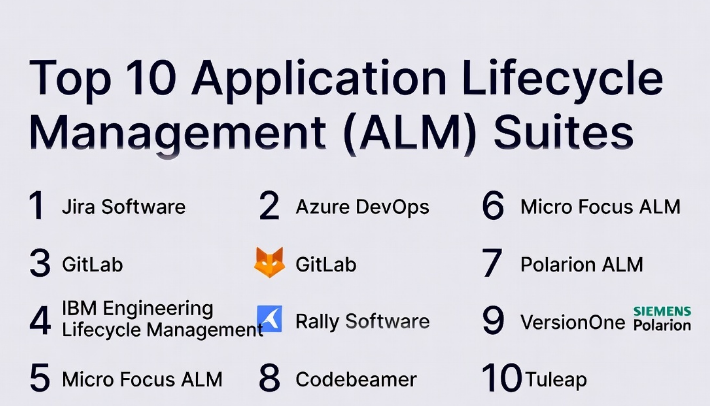
Top 10 Application Lifecycle Management (ALM) Suites
#1 — Jira Software (Atlassian)
Short description: Jira Software is one of the most widely used ALM tools, designed for agile development teams. It offers strong issue tracking, sprint planning, and integration capabilities, making it ideal for teams practicing Scrum or Kanban.
Key Features
- Agile boards (Scrum/Kanban)
- Advanced issue tracking and workflows
- Customizable dashboards and reporting
- Integration with CI/CD tools
- Automation rules for workflows
- Roadmapping features
Pros
- Highly customizable workflows
- Massive integration ecosystem
Cons
- Can become complex for beginners
- Performance may degrade with large datasets
Platforms / Deployment
Web / iOS / Android
Cloud / Self-hosted
Security & Compliance
SSO/SAML, MFA, RBAC, audit logs
Compliance: Varies by deployment
Integrations & Ecosystem
Jira integrates deeply with development tools like Git repositories, CI/CD platforms, and communication tools.
- Bitbucket, GitHub
- Jenkins
- Slack
- Confluence
Support & Community
Strong documentation and one of the largest user communities. Enterprise support available.
#2 — Azure DevOps
Short description: Azure DevOps provides a complete ALM ecosystem including repositories, pipelines, boards, and test plans. It is widely used by enterprises leveraging Microsoft technologies.
Key Features
- Integrated CI/CD pipelines
- Agile planning boards
- Test management
- Git repositories
- Artifact management
Pros
- All-in-one DevOps suite
- Strong Microsoft ecosystem integration
Cons
- Complex for non-Microsoft users
- UI can feel overwhelming
Platforms / Deployment
Web / Windows / macOS / Linux
Cloud / Self-hosted
Security & Compliance
SSO, RBAC, encryption, audit logs
Compliance: Not publicly stated
Integrations & Ecosystem
Works seamlessly with Microsoft tools and supports third-party integrations.
- Visual Studio
- GitHub
- Docker
- Kubernetes
Support & Community
Enterprise-grade support with strong enterprise adoption.
#3 — GitLab
Short description: GitLab is a DevOps platform that combines source control, CI/CD, and ALM capabilities into a single application, popular among developer-first teams.
Key Features
- Built-in CI/CD pipelines
- Issue tracking and planning
- Code review tools
- Security scanning
- DevOps analytics
Pros
- Single unified platform
- Strong DevSecOps capabilities
Cons
- Resource-intensive for self-hosting
- Learning curve for new users
Platforms / Deployment
Web / Linux / macOS
Cloud / Self-hosted
Security & Compliance
RBAC, audit logs, encryption
Compliance: Varies / Not publicly stated
Integrations & Ecosystem
Extensive API support and integrations.
- Kubernetes
- Jenkins
- Slack
- Terraform
Support & Community
Strong open-source community and enterprise support tiers.
#4 — IBM Engineering Lifecycle Management
Short description: A comprehensive ALM suite designed for complex engineering environments, especially in regulated industries like automotive and aerospace.
Key Features
- Requirements management
- Test and defect tracking
- Configuration management
- Traceability across lifecycle
- Compliance workflows
Pros
- Strong compliance capabilities
- End-to-end traceability
Cons
- Expensive
- Complex setup
Platforms / Deployment
Web / Windows
Self-hosted / Hybrid
Security & Compliance
RBAC, audit logs
Compliance: Not publicly stated
Integrations & Ecosystem
Focuses on enterprise integrations.
- Engineering tools
- DevOps pipelines
- APIs for extensibility
Support & Community
Enterprise-level support, smaller community compared to modern tools.
#5 — Micro Focus ALM (OpenText ALM)
Short description: A mature ALM solution focused on test management and quality assurance for enterprise environments.
Key Features
- Test planning and execution
- Defect tracking
- Requirements management
- Reporting and analytics
Pros
- Strong QA capabilities
- Proven enterprise reliability
Cons
- Legacy UI
- Limited modern DevOps features
Platforms / Deployment
Web / Windows
Self-hosted
Security & Compliance
RBAC, audit logs
Compliance: Not publicly stated
Integrations & Ecosystem
Integrates with testing tools and enterprise systems.
- UFT
- Jenkins
- SAP tools
Support & Community
Enterprise-focused support, declining community momentum.
#6 — Rally Software (Broadcom)
Short description: Rally is an enterprise agile ALM platform focused on scaling agile practices across large organizations.
Key Features
- Agile portfolio management
- Team-level planning
- Metrics and analytics
- Custom workflows
Pros
- Strong for large enterprises
- Advanced reporting
Cons
- Expensive
- Steep learning curve
Platforms / Deployment
Web
Cloud
Security & Compliance
SSO, RBAC
Compliance: Not publicly stated
Integrations & Ecosystem
Supports enterprise integrations.
- Jira
- Git tools
- APIs
Support & Community
Enterprise-grade support.
#7 — Polarion ALM (Siemens)
Short description: Polarion is widely used in regulated industries requiring traceability and compliance, especially for embedded systems.
Key Features
- Requirements traceability
- Test management
- Workflow automation
- Compliance tracking
Pros
- Excellent traceability
- Strong compliance support
Cons
- Expensive
- Complex configuration
Platforms / Deployment
Web
Self-hosted
Security & Compliance
RBAC, audit logs
Compliance: Not publicly stated
Integrations & Ecosystem
Engineering-focused integrations.
- PLM systems
- Dev tools
- APIs
Support & Community
Enterprise support with niche community.
#8 — Codebeamer
Short description: Codebeamer is a modern ALM platform focused on product development lifecycle and compliance-heavy industries.
Key Features
- Requirements management
- Risk management
- Test management
- Workflow automation
Pros
- Strong compliance features
- Modern UI compared to legacy tools
Cons
- Expensive
- Limited SMB suitability
Platforms / Deployment
Web
Cloud / Self-hosted
Security & Compliance
RBAC, audit logs
Compliance: Not publicly stated
Integrations & Ecosystem
Supports integrations with engineering and DevOps tools.
Support & Community
Enterprise-focused support.
#9 — VersionOne (Digital.ai Agility)
Short description: VersionOne is designed for agile portfolio management, helping enterprises scale agile practices.
Key Features
- Agile planning
- Portfolio management
- Reporting dashboards
- Team collaboration
Pros
- Strong agile scaling
- Good reporting
Cons
- UI can feel outdated
- Complex configuration
Platforms / Deployment
Web
Cloud
Security & Compliance
SSO, RBAC
Compliance: Not publicly stated
Integrations & Ecosystem
Supports integrations with DevOps tools.
Support & Community
Enterprise-level support.
#10 — Tuleap
Short description: Tuleap is an open-source ALM platform offering flexibility and customization for teams needing self-hosted solutions.
Key Features
- Agile planning
- Issue tracking
- Document management
- CI/CD integration
Pros
- Open-source flexibility
- Cost-effective
Cons
- Limited enterprise features
- Smaller ecosystem
Platforms / Deployment
Web / Linux
Self-hosted
Security & Compliance
RBAC, audit logs
Compliance: Not publicly stated
Integrations & Ecosystem
Supports integrations via plugins and APIs.
Support & Community
Community-driven with optional enterprise support.
Comparison Table (Top 10)
| Tool Name | Best For | Platform(s) Supported | Deployment | Standout Feature | Public Rating |
|---|---|---|---|---|---|
| Jira Software | Agile teams | Web, Mobile | Cloud/Self-hosted | Custom workflows | N/A |
| Azure DevOps | Enterprise DevOps | Cross-platform | Cloud/Self-hosted | End-to-end DevOps | N/A |
| GitLab | DevOps teams | Web/Linux | Cloud/Self-hosted | Unified platform | N/A |
| IBM ELM | Regulated industries | Web/Windows | Hybrid | Traceability | N/A |
| Micro Focus ALM | QA-heavy teams | Web/Windows | Self-hosted | Test management | N/A |
| Rally Software | Enterprises | Web | Cloud | Agile scaling | N/A |
| Polarion ALM | Compliance teams | Web | Self-hosted | Traceability | N/A |
| Codebeamer | Product lifecycle | Web | Hybrid | Risk management | N/A |
| VersionOne | Agile portfolio | Web | Cloud | Portfolio planning | N/A |
| Tuleap | Open-source teams | Web/Linux | Self-hosted | Flexibility | N/A |
Evaluation & Scoring of Application Lifecycle Management (ALM) Suites
| Tool Name | Core | Ease | Integrations | Security | Performance | Support | Value | Weighted Total |
|---|---|---|---|---|---|---|---|---|
| Jira Software | 9 | 7 | 10 | 8 | 8 | 9 | 8 | 8.6 |
| Azure DevOps | 9 | 7 | 9 | 9 | 9 | 9 | 8 | 8.7 |
| GitLab | 9 | 7 | 9 | 8 | 8 | 8 | 8 | 8.4 |
| IBM ELM | 9 | 6 | 7 | 9 | 9 | 8 | 6 | 8.0 |
| Micro Focus ALM | 8 | 6 | 7 | 8 | 8 | 7 | 6 | 7.4 |
| Rally Software | 8 | 6 | 7 | 8 | 8 | 8 | 6 | 7.5 |
| Polarion ALM | 9 | 6 | 7 | 9 | 8 | 8 | 6 | 7.9 |
| Codebeamer | 8 | 7 | 7 | 8 | 8 | 7 | 7 | 7.6 |
| VersionOne | 8 | 6 | 7 | 8 | 8 | 7 | 6 | 7.3 |
| Tuleap | 7 | 6 | 6 | 7 | 7 | 6 | 8 | 7.0 |
How to interpret scores:
- Scores are comparative, not absolute.
- Higher totals indicate better overall balance across features and usability.
- Enterprise tools score higher in security but lower in ease of use.
- Open-source tools often score higher in value but lower in integrations.
Which Application Lifecycle Management (ALM) Suites
Solo / Freelancer
Lightweight tools or open-source options like Tuleap are sufficient. Full ALM suites may be excessive.
SMB
Jira Software or GitLab offers a good balance of features, cost, and scalability.
Mid-Market
Azure DevOps and GitLab provide strong DevOps integration and lifecycle coverage.
Enterprise
IBM ELM, Polarion, and Codebeamer are ideal for compliance-heavy environments.
Budget vs Premium
- Budget: Tuleap, GitLab
- Premium: IBM ELM, Polarion
Feature Depth vs Ease of Use
- Feature-heavy: IBM ELM, Azure DevOps
- Easier to use: Jira Software, GitLab
Integrations & Scalability
Azure DevOps and Jira lead due to ecosystem depth.
Security & Compliance Needs
Polarion and IBM ELM are best suited for regulated industries.
Frequently Asked Questions (FAQs)
1. What is an ALM suite?
An ALM suite is a platform that manages the entire software lifecycle, from planning to deployment and maintenance.
2. How is ALM different from DevOps tools?
ALM focuses on lifecycle management, while DevOps tools focus on automation and delivery pipelines.
3. Are ALM tools expensive?
Pricing varies widely. Enterprise tools are expensive, while open-source options are more affordable.
4. How long does implementation take?
Implementation can take weeks to months depending on complexity and organization size.
5. Do ALM tools support agile methodologies?
Yes, most modern ALM tools are built around agile frameworks.
6. Can ALM tools integrate with CI/CD pipelines?
Yes, integration with CI/CD is a standard capability in modern tools.
7. Are ALM tools secure?
Most tools provide RBAC, encryption, and audit logs, but compliance varies.
8. Can small teams use ALM tools?
Yes, but lightweight alternatives may be more practical for very small teams.
9. What are common mistakes when adopting ALM?
Over-customization, poor onboarding, and lack of training are common issues.
10. Can you switch ALM tools easily?
Switching is possible but requires data migration and workflow adjustments.
Conclusion
Application Lifecycle Management suites are no longer optional for teams building complex software systems. They provide structure, visibility, and control across the entire development lifecycle. However, the “best” ALM tool depends heavily on your organization’s size, complexity, compliance needs, and existing ecosystem.
