Introduction
Retail Category Management Tools help retailers plan, analyze, and optimize product categories to improve sales, margins, and customer satisfaction. In simple terms, these tools help businesses decide what products to sell, where to place them, how to price them, and how to manage inventory effectively.
In the current retail environment, data-driven decision-making is critical. With increasing competition, omnichannel retailing, and rising customer expectations, category management tools have evolved to include AI-driven insights, predictive analytics, and automation. These capabilities help retailers respond faster to demand shifts and optimize assortments dynamically.
Common use cases include:
- Assortment planning across multiple stores or regions
- Shelf space optimization and planogram design
- Pricing and promotion analysis
- Demand forecasting and inventory alignment
- Supplier and product performance tracking
What buyers should evaluate:
- Data analytics and reporting capabilities
- AI and forecasting features
- Integration with ERP, POS, and supply chain systems
- Scalability and performance
- User experience and learning curve
- Security and compliance
- Customization and flexibility
- Deployment model (cloud vs hybrid)
- Cost and ROI alignment
Best for: Retail chains, supermarkets, eCommerce platforms, category managers, merchandising teams, and supply chain leaders across SMB to enterprise levels.
Not ideal for: Small businesses with limited SKU complexity or those using basic inventory tools; in such cases, lightweight inventory or POS systems may be sufficient.
Key Trends in Retail Category Management Tools
- AI-driven assortment optimization enabling predictive product mix decisions
- Real-time data analytics for faster category performance tracking
- Cloud-first deployment models replacing legacy on-prem systems
- Integration with pricing optimization and demand planning tools
- Omnichannel category management across physical and digital stores
- Automation of planogram creation and shelf optimization
- Advanced supplier collaboration features
- Data governance and compliance focus (GDPR, regional data laws)
- Embedded BI dashboards reducing dependency on external analytics tools
- Subscription-based pricing models improving accessibility
How We Selected These Tools (Methodology)
- Evaluated tools with strong market adoption and enterprise usage
- Assessed feature completeness across assortment, pricing, and analytics
- Reviewed performance and scalability indicators for large datasets
- Considered security posture signals such as authentication and compliance
- Examined integration capabilities with retail ecosystems (ERP, POS, SCM)
- Included tools suitable for different business sizes
- Prioritized solutions offering AI/ML-driven insights
- Balanced enterprise-grade platforms and flexible solutions
- Considered vendor reputation and industry presence
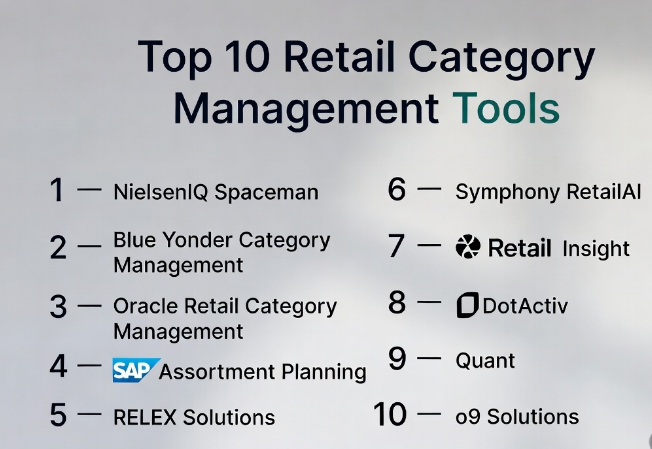
Top 10 Retail Category Management Tools
#1 — NielsenIQ Spaceman
Short description: A widely used category management and planogram tool focused on shelf space optimization and retail analytics. Ideal for large retailers and CPG companies managing in-store layouts.
Key Features
- Planogram creation and visualization
- Shelf space optimization analytics
- Category performance insights
- Demand-based assortment planning
- Data integration with retail analytics platforms
Pros
- Strong industry adoption
- Advanced visualization tools
Cons
- Complex learning curve
- Enterprise-focused pricing
Platforms / Deployment
Web / Cloud
Security & Compliance
Not publicly stated
Integrations & Ecosystem
Integrates with retail analytics and POS systems.
- Data import/export tools
- API-based integrations
- BI tool compatibility
Support & Community
Strong enterprise support; documentation available but learning curve exists.
#2 — Blue Yonder Category Management
Short description: An AI-powered retail planning solution focused on category optimization, pricing, and supply chain integration.
Key Features
- AI-driven category insights
- Demand forecasting
- Promotion optimization
- Assortment planning
- Real-time analytics
Pros
- Strong AI capabilities
- End-to-end retail planning
Cons
- High implementation effort
- Costly for smaller businesses
Platforms / Deployment
Cloud / Hybrid
Security & Compliance
Not publicly stated
Integrations & Ecosystem
Works with ERP and supply chain systems.
- API integrations
- Data connectors
- Enterprise ecosystem compatibility
Support & Community
Enterprise-grade support; onboarding may require consulting.
#3 — Oracle Retail Category Management
Short description: A comprehensive solution integrated with Oracle Retail suite, designed for enterprise retailers managing large-scale operations.
Key Features
- Category planning and analysis
- Assortment optimization
- Pricing and promotion tools
- Data-driven insights
- Integration with Oracle ecosystem
Pros
- Robust enterprise features
- Scalable architecture
Cons
- Requires Oracle ecosystem
- Complex setup
Platforms / Deployment
Cloud / On-prem
Security & Compliance
Not publicly stated
Integrations & Ecosystem
Deep integration with Oracle Retail suite.
- ERP integration
- POS compatibility
- Data warehouse connections
Support & Community
Strong enterprise support and documentation.
#4 — SAP Assortment Planning
Short description: Part of SAP retail solutions, focusing on assortment planning and merchandise management for large retailers.
Key Features
- Assortment planning tools
- Inventory optimization
- Sales forecasting
- Data analytics dashboards
- Retail integration
Pros
- Strong SAP ecosystem
- Reliable performance
Cons
- Expensive licensing
- Requires SAP expertise
Platforms / Deployment
Cloud / Hybrid
Security & Compliance
Not publicly stated
Integrations & Ecosystem
Seamless SAP integration.
- ERP connections
- Supply chain tools
- Analytics integration
Support & Community
Extensive enterprise support and training resources.
#5 — RELEX Solutions
Short description: A modern AI-driven retail planning platform focused on demand forecasting, replenishment, and category optimization.
Key Features
- AI forecasting
- Assortment planning
- Inventory optimization
- Promotion planning
- Real-time analytics
Pros
- Strong AI capabilities
- User-friendly interface
Cons
- Requires data maturity
- Pricing not transparent
Platforms / Deployment
Cloud
Security & Compliance
Not publicly stated
Integrations & Ecosystem
Integrates with retail ERP and POS systems.
- APIs
- Data connectors
- Cloud integrations
Support & Community
Good onboarding and customer support.
#6 — Symphony RetailAI
Short description: Focused on retail analytics and category management with AI insights and customer-centric data.
Key Features
- Customer insights analytics
- Category optimization
- Promotion analysis
- Data visualization
- AI-powered recommendations
Pros
- Strong analytics
- Retail-specific focus
Cons
- Complex deployment
- Enterprise-focused
Platforms / Deployment
Cloud
Security & Compliance
Not publicly stated
Integrations & Ecosystem
Integrates with CRM, POS, and ERP.
- API support
- Data pipelines
- BI integration
Support & Community
Enterprise support; documentation available.
#7 — Retail Insight
Short description: A data-driven platform offering category performance analytics and retail execution insights.
Key Features
- Category analytics
- Performance dashboards
- Data visualization
- Forecasting tools
- Supplier insights
Pros
- Easy to use
- Strong reporting
Cons
- Limited advanced features
- Smaller ecosystem
Platforms / Deployment
Cloud
Security & Compliance
Not publicly stated
Integrations & Ecosystem
Supports data integrations.
- APIs
- Data import/export
- BI tools
Support & Community
Good support for SMB and mid-market.
#8 — DotActiv
Short description: A planogram and category management tool focused on shelf optimization and data-driven merchandising.
Key Features
- Planogram automation
- Data analytics
- Shelf optimization
- Product performance tracking
- Retail insights
Pros
- Affordable
- Easy adoption
Cons
- Limited enterprise features
- Basic AI capabilities
Platforms / Deployment
Windows / Cloud
Security & Compliance
Not publicly stated
Integrations & Ecosystem
Basic integrations available.
- Data imports
- POS data integration
- Reporting tools
Support & Community
Strong customer support and training.
#9 — Quant
Short description: A visual merchandising and category management tool for planograms and retail optimization.
Key Features
- Planogram design
- Visual merchandising tools
- Data analytics
- Store layout planning
- Reporting
Pros
- Strong visualization
- Flexible deployment
Cons
- Limited AI features
- Smaller ecosystem
Platforms / Deployment
Cloud / Windows
Security & Compliance
Not publicly stated
Integrations & Ecosystem
Supports standard integrations.
- API access
- Data exchange tools
- Reporting integrations
Support & Community
Good documentation and support.
#10 — o9 Solutions
Short description: A digital planning platform with category management capabilities integrated into supply chain and demand planning.
Key Features
- Integrated business planning
- AI forecasting
- Category optimization
- Real-time analytics
- Scenario planning
Pros
- Advanced AI platform
- End-to-end planning
Cons
- Complex implementation
- Enterprise-focused
Platforms / Deployment
Cloud
Security & Compliance
Not publicly stated
Integrations & Ecosystem
Enterprise integrations.
- ERP systems
- Supply chain platforms
- API integrations
Support & Community
Strong enterprise support with consulting services.
Comparison Table (Top 10)
| Tool Name | Best For | Platform(s) Supported | Deployment | Standout Feature | Public Rating |
|---|---|---|---|---|---|
| NielsenIQ Spaceman | Shelf optimization | Web | Cloud | Planogram analytics | N/A |
| Blue Yonder | AI retail planning | Web | Cloud/Hybrid | AI forecasting | N/A |
| Oracle Retail | Enterprise retail | Web | Cloud/On-prem | Full retail suite | N/A |
| SAP Assortment Planning | SAP users | Web | Cloud/Hybrid | SAP integration | N/A |
| RELEX Solutions | AI forecasting | Web | Cloud | Real-time analytics | N/A |
| Symphony RetailAI | Customer insights | Web | Cloud | AI analytics | N/A |
| Retail Insight | SMB analytics | Web | Cloud | Easy reporting | N/A |
| DotActiv | Planograms | Windows/Web | Cloud | Shelf optimization | N/A |
| Quant | Visual merchandising | Windows/Web | Cloud | Store layout design | N/A |
| o9 Solutions | Digital planning | Web | Cloud | Scenario planning | N/A |
Evaluation & Scoring of Retail Category Management Tools
| Tool Name | Core (25%) | Ease (15%) | Integrations (15%) | Security (10%) | Performance (10%) | Support (10%) | Value (15%) | Weighted Total |
|---|---|---|---|---|---|---|---|---|
| NielsenIQ Spaceman | 9 | 6 | 7 | 6 | 8 | 7 | 6 | 7.3 |
| Blue Yonder | 9 | 7 | 9 | 7 | 9 | 8 | 6 | 8.0 |
| Oracle Retail | 9 | 6 | 9 | 7 | 9 | 8 | 6 | 7.9 |
| SAP Assortment | 9 | 6 | 9 | 7 | 9 | 8 | 6 | 7.9 |
| RELEX | 9 | 8 | 8 | 7 | 9 | 8 | 7 | 8.3 |
| Symphony RetailAI | 8 | 7 | 8 | 7 | 8 | 7 | 7 | 7.6 |
| Retail Insight | 7 | 8 | 6 | 6 | 7 | 7 | 8 | 7.2 |
| DotActiv | 7 | 8 | 6 | 6 | 7 | 7 | 8 | 7.2 |
| Quant | 7 | 7 | 6 | 6 | 7 | 7 | 7 | 7.0 |
| o9 Solutions | 9 | 7 | 9 | 7 | 9 | 8 | 6 | 8.0 |
How to interpret scores:
- Scores are comparative across tools in this category
- Higher total indicates stronger overall capability
- Enterprise tools score high in features but may be lower in ease/value
- SMB tools may score higher in ease and value but lower in advanced features
Which Retail Category Management Tools
Solo / Freelancer
Lightweight tools like DotActiv or Retail Insight are sufficient for small-scale category analysis.
SMB
Retail Insight and Quant offer a balance of usability and cost.
Mid-Market
RELEX and Symphony RetailAI provide advanced analytics without full enterprise complexity.
Enterprise
Blue Yonder, SAP, Oracle, and o9 Solutions are ideal for large-scale operations.
Budget vs Premium
- Budget: DotActiv, Retail Insight
- Premium: Blue Yonder, SAP, Oracle
Feature Depth vs Ease of Use
- Deep features: Oracle, SAP, o9
- Easy to use: Retail Insight, DotActiv
Integrations & Scalability
- Strong integrations: SAP, Oracle, Blue Yonder
- Moderate: RELEX, Symphony
Security & Compliance Needs
- Enterprise tools generally offer better compliance capabilities
- Smaller tools may require additional security layers
Frequently Asked Questions (FAQs)
1. What is a retail category management tool?
It is software that helps retailers plan, analyze, and optimize product categories for better sales and efficiency.
2. How much do these tools cost?
Pricing varies widely. Enterprise tools are premium, while SMB tools offer subscription-based pricing.
3. Are these tools suitable for eCommerce?
Yes, many support omnichannel retail including eCommerce platforms.
4. Do these tools require technical expertise?
Some enterprise tools require training, while others are more user-friendly.
5. Can they integrate with POS systems?
Most tools support POS and ERP integrations through APIs or connectors.
6. What is the biggest mistake when choosing a tool?
Ignoring scalability and integration needs.
7. Are AI features important?
Yes, AI helps in forecasting, pricing, and demand planning.
8. How long does implementation take?
From a few weeks (SMB tools) to several months (enterprise solutions).
9. Can I switch tools later?
Yes, but data migration and retraining may be required.
10. What are alternatives?
Basic inventory systems or spreadsheets for smaller businesses.
Conclusion
Retail Category Management Tools have become essential for modern retailers aiming to stay competitive in a data-driven environment. From AI-powered forecasting to real-time analytics and seamless integrations, these tools enable smarter decisions across assortment planning, pricing, and inventory management. However, the “best” solution depends heavily on your business size, complexity, and technical maturity. Enterprise platforms offer deep capabilities but come with higher cost and complexity, while SMB-friendly tools prioritize usability and affordability. The practical next step is to shortlist two or three tools that match your requirements, test them through a pilot, and validate how well they integrate with your existing systems before making a long-term commitment.
