Introduction
Session Replay Tools are software platforms that record and visualize how users interact with a website or application. They capture clicks, scrolls, navigation paths, and sometimes user frustration signals (like rage clicks), allowing teams to “replay” real user sessions. In simple terms, they help you see your product through your users’ eyes.
This category has become critical as digital experiences grow more complex. With rising expectations around performance, usability, and personalization, businesses need deeper behavioral insights—not just analytics dashboards. Session replay tools bridge that gap by combining qualitative and quantitative insights.
Common use cases include:
- Debugging user issues and identifying bugs
- Improving UI/UX and conversion rates
- Understanding drop-offs in funnels
- Supporting customer success and support teams
- Enhancing product decisions with real behavior data
What buyers should evaluate:
- Data privacy and compliance controls
- Performance impact on applications
- Session sampling and storage options
- Integration with analytics and APM tools
- Ease of use and visualization quality
- AI-based insights and automation
- Cost and scalability
- Deployment model (cloud vs self-hosted)
Best for: Product managers, UX designers, developers, QA teams, marketers, and customer support teams across startups, SaaS companies, and enterprises.
Not ideal for: Small static websites with minimal user interaction, or teams that only need high-level analytics without behavioral insights.
Key Trends in Session Replay Tools
- AI-driven insights: Automatic detection of rage clicks, dead clicks, and anomalies is becoming standard.
- Privacy-first recording: Masking sensitive data, consent-based tracking, and regional compliance are now core features.
- Real-time session monitoring: Teams can now view sessions live for faster debugging and support.
- Integration with observability tools: Tight integration with APM, logging, and error tracking platforms.
- Heatmaps + replay convergence: Unified tools offering both aggregated heatmaps and granular session replays.
- Low-code/no-code adoption: Non-technical teams can use these tools without developer dependency.
- Edge and performance optimization: Lightweight SDKs to reduce performance overhead.
- Cloud-native deployment dominance: Most tools are SaaS-first, though some offer self-hosted options.
- User journey analytics: Combining replay with funnel analysis and path tracking.
- Usage-based pricing models: Pricing often tied to session volume or events.
How We Selected These Tools (Methodology)
- Evaluated market adoption and popularity across startups and enterprises.
- Assessed feature completeness, including replay fidelity, heatmaps, and analytics.
- Considered performance impact and reliability signals.
- Reviewed security and compliance readiness where available.
- Analyzed integration ecosystems with analytics, CRM, and DevOps tools.
- Checked customer segment fit (developer-first vs business-friendly).
- Looked at innovation trends, including AI and automation features.
- Balanced enterprise-grade and SMB-friendly solutions.
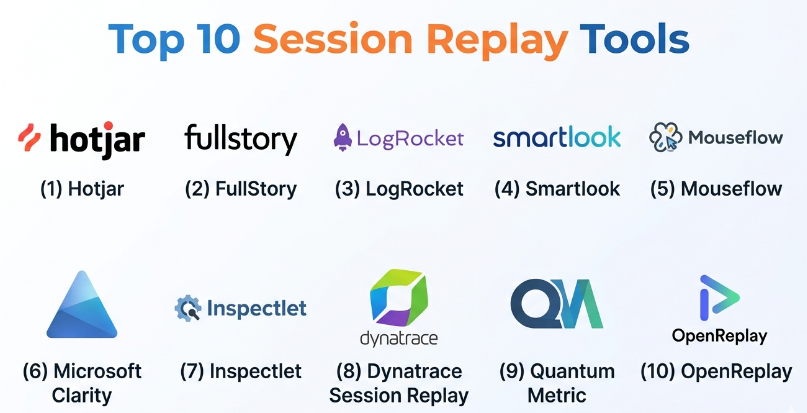
Top 10 Session Replay Tools
#1 — Hotjar
Short description (5-6 lines):
Hotjar is a widely used behavior analytics platform that combines session replay with heatmaps and feedback tools. It is designed for product teams and marketers who want to understand user behavior without deep technical expertise. Its intuitive interface makes it easy to identify friction points. Hotjar is especially popular among SMBs and mid-sized companies. It also includes surveys and feedback tools for qualitative insights.
Key Features
- Session replay with filtering
- Heatmaps (click, scroll, move)
- Feedback polls and surveys
- Funnel analysis
- Rage click detection
Pros
- Easy to use and quick setup
- Strong combination of qualitative and quantitative insights
Cons
- Limited deep technical debugging features
- Data sampling on lower plans
Platforms / Deployment
Web / Cloud
Security & Compliance
GDPR support, data masking; other details not publicly stated
Integrations & Ecosystem
Hotjar integrates with common analytics and CMS tools. It offers APIs for data export and connections to marketing stacks.
- Google Analytics
- Slack
- Zapier
Support & Community
Strong documentation and onboarding resources; widely used with active community.
#2 — FullStory
Short description (5-6 lines):
FullStory is an enterprise-grade digital experience analytics platform with advanced session replay capabilities. It focuses on capturing high-fidelity user interactions and providing AI-driven insights. FullStory is widely used by large organizations that need deep behavioral analysis. It offers powerful search and segmentation features. Its focus on data privacy and compliance makes it suitable for regulated industries.
Key Features
- High-fidelity session replay
- AI-powered insights
- Advanced segmentation
- Error tracking
- Funnel analysis
Pros
- Deep analytics and replay capabilities
- Strong enterprise security features
Cons
- Higher pricing compared to SMB tools
- Learning curve for advanced features
Platforms / Deployment
Web / Cloud
Security & Compliance
SOC 2, GDPR support; additional certifications not publicly stated
Integrations & Ecosystem
FullStory integrates deeply with analytics and engineering tools.
- Segment
- Salesforce
- Jira
Support & Community
Enterprise-grade support with onboarding assistance; strong documentation.
#3 — LogRocket
Short description (5-6 lines):
LogRocket combines session replay with performance monitoring and error tracking. It is developer-focused and helps teams debug issues by replaying sessions alongside logs and errors. It captures frontend performance metrics. LogRocket is popular among engineering teams building modern web apps. It bridges the gap between UX and engineering.
Key Features
- Session replay with logs
- Error tracking
- Performance monitoring
- Redux/State tracking
- Console logs capture
Pros
- Excellent for debugging
- Developer-centric features
Cons
- Less focus on marketing insights
- Requires technical setup
Platforms / Deployment
Web / Cloud
Security & Compliance
Encryption, access control; other details not publicly stated
Integrations & Ecosystem
Strong integration with developer tools.
- GitHub
- Jira
- Slack
Support & Community
Good documentation; strong developer adoption.
#4 — Smartlook
Short description (5-6 lines):
Smartlook offers session replay for both web and mobile apps. It provides event tracking and funnel analysis alongside replay. It is known for its affordability and ease of use. Smartlook is popular among startups and SMBs. It supports cross-platform analytics.
Key Features
- Session replay for web and mobile
- Event tracking
- Funnel analysis
- Heatmaps
- User segmentation
Pros
- Affordable pricing
- Mobile support
Cons
- Limited enterprise features
- Basic AI insights
Platforms / Deployment
Web / iOS / Android / Cloud
Security & Compliance
GDPR support; other details not publicly stated
Integrations & Ecosystem
Integrates with analytics and product tools.
- Google Analytics
- Slack
Support & Community
Moderate support resources; growing user base.
#5 — Mouseflow
Short description (5-6 lines):
Mouseflow is a session replay and heatmap tool designed for website optimization. It provides detailed insights into user behavior and funnels. It includes form analytics. Mouseflow is popular among marketers and CRO specialists. It balances usability with analytics depth.
Key Features
- Session replay
- Heatmaps
- Form analytics
- Funnel tracking
- Feedback tools
Pros
- Strong CRO features
- Easy to implement
Cons
- UI can feel dated
- Limited advanced debugging
Platforms / Deployment
Web / Cloud
Security & Compliance
GDPR support; other details not publicly stated
Integrations & Ecosystem
- CMS platforms
- Analytics tools
Support & Community
Good documentation; moderate support.
#6 — Microsoft Clarity
Short description (5-6 lines):
Microsoft Clarity is a free session replay and heatmap tool. It is designed for simplicity and accessibility. It provides insights into user behavior without complex setup. Clarity is ideal for small teams and startups. It includes AI-based insights like rage clicks.
Key Features
- Session replay
- Heatmaps
- AI insights
- No traffic limits
- Easy setup
Pros
- Free to use
- Simple interface
Cons
- Limited advanced features
- Fewer integrations
Platforms / Deployment
Web / Cloud
Security & Compliance
Basic privacy controls; details not publicly stated
Integrations & Ecosystem
- Microsoft ecosystem tools
- Analytics platforms
Support & Community
Basic support; widely adopted.
#7 — Inspectlet
Short description (5-6 lines):
Inspectlet provides session recording and heatmap tools with detailed filtering. It focuses on usability insights. It supports tagging and segmentation. Inspectlet is used by SMBs and marketers. It offers a balance between simplicity and functionality.
Key Features
- Session replay
- Heatmaps
- Filtering and tagging
- Form analytics
- A/B testing insights
Pros
- Easy to use
- Good filtering options
Cons
- Limited scalability
- Basic UI
Platforms / Deployment
Web / Cloud
Security & Compliance
Not publicly stated
Integrations & Ecosystem
- Analytics tools
- CMS platforms
Support & Community
Moderate support resources.
#8 — Dynatrace Session Replay
Short description (5-6 lines):
Dynatrace offers session replay as part of its observability platform. It is designed for enterprise environments. It combines replay with performance monitoring and AI insights. It is used in complex IT ecosystems. Dynatrace provides deep technical visibility.
Key Features
- Session replay
- AI-powered observability
- Performance monitoring
- Root cause analysis
- Real-time insights
Pros
- Enterprise-grade capabilities
- Strong AI integration
Cons
- Expensive
- Complex setup
Platforms / Deployment
Web / Cloud / Hybrid
Security & Compliance
Enterprise-grade security; certifications not publicly stated
Integrations & Ecosystem
- DevOps tools
- Cloud platforms
Support & Community
Enterprise-level support.
#9 — Quantum Metric
Short description (5-6 lines):
Quantum Metric is a digital experience analytics platform with advanced session replay. It focuses on enterprise use cases. It provides AI-driven insights and anomaly detection. It is used in industries like finance and retail. It emphasizes performance and compliance.
Key Features
- Session replay
- AI anomaly detection
- Funnel analytics
- Performance tracking
- User journey mapping
Pros
- Strong enterprise features
- Advanced analytics
Cons
- High cost
- Requires onboarding
Platforms / Deployment
Web / Cloud
Security & Compliance
Enterprise compliance features; details not publicly stated
Integrations & Ecosystem
- Analytics tools
- Enterprise systems
Support & Community
Strong enterprise support.
#10 — OpenReplay
Short description (5-6 lines):
OpenReplay is an open-source session replay platform. It allows teams to self-host and control their data. It is developer-focused and privacy-friendly. OpenReplay is ideal for organizations needing full control. It supports customization and extensibility.
Key Features
- Open-source session replay
- Self-hosted deployment
- Dev tools integration
- Performance monitoring
- Custom plugins
Pros
- Full data control
- Flexible deployment
Cons
- Requires setup and maintenance
- Smaller community
Platforms / Deployment
Web / Self-hosted
Security & Compliance
Depends on deployment; not publicly stated
Integrations & Ecosystem
- APIs for customization
- Developer tools
Support & Community
Community-driven support.
Comparison Table (Top 10)
| Tool Name | Best For | Platform(s) Supported | Deployment | Standout Feature | Public Rating |
|---|---|---|---|---|---|
| Hotjar | SMB UX teams | Web | Cloud | Heatmaps + replay | N/A |
| FullStory | Enterprise analytics | Web | Cloud | AI insights | N/A |
| LogRocket | Developers | Web | Cloud | Logs + replay | N/A |
| Smartlook | Cross-platform apps | Web, Mobile | Cloud | Mobile replay | N/A |
| Mouseflow | CRO teams | Web | Cloud | Form analytics | N/A |
| Microsoft Clarity | Free usage | Web | Cloud | Free unlimited sessions | N/A |
| Inspectlet | SMB marketers | Web | Cloud | Filtering | N/A |
| Dynatrace | Enterprise IT | Web | Hybrid | Observability | N/A |
| Quantum Metric | Enterprise CX | Web | Cloud | AI analytics | N/A |
| OpenReplay | Privacy-focused teams | Web | Self-hosted | Open-source | N/A |
Evaluation & Scoring of Session Replay Tools
| Tool Name | Core (25%) | Ease (15%) | Integrations (15%) | Security (10%) | Performance (10%) | Support (10%) | Value (15%) | Weighted Total |
|---|---|---|---|---|---|---|---|---|
| Hotjar | 8 | 9 | 7 | 7 | 7 | 8 | 8 | 7.9 |
| FullStory | 9 | 7 | 9 | 9 | 9 | 9 | 6 | 8.5 |
| LogRocket | 9 | 7 | 8 | 8 | 9 | 8 | 7 | 8.2 |
| Smartlook | 7 | 8 | 6 | 7 | 7 | 7 | 8 | 7.4 |
| Mouseflow | 7 | 8 | 6 | 7 | 7 | 7 | 7 | 7.2 |
| Microsoft Clarity | 6 | 9 | 5 | 6 | 7 | 6 | 10 | 7.3 |
| Inspectlet | 6 | 7 | 5 | 6 | 6 | 6 | 7 | 6.3 |
| Dynatrace | 10 | 6 | 9 | 9 | 10 | 9 | 6 | 8.8 |
| Quantum Metric | 9 | 6 | 8 | 9 | 9 | 9 | 6 | 8.4 |
| OpenReplay | 8 | 6 | 7 | 8 | 8 | 6 | 9 | 7.8 |
How to interpret scores:
These scores are comparative, not absolute. A higher score indicates better performance in that category relative to others. Enterprise tools score higher in security and integrations, while SMB tools excel in ease of use and value. Choose based on your specific needs rather than overall ranking.
Which Session Replay Tools
Solo / Freelancer
Microsoft Clarity and Hotjar are ideal due to simplicity and low cost.
SMB
Hotjar, Smartlook, and Mouseflow provide strong usability insights with manageable pricing.
Mid-Market
LogRocket and FullStory offer deeper analytics and integration capabilities.
Enterprise
Dynatrace and Quantum Metric provide advanced features, scalability, and compliance.
Budget vs Premium
- Budget: Clarity, Smartlook
- Premium: FullStory, Dynatrace
Feature Depth vs Ease of Use
- Easy: Hotjar, Clarity
- Advanced: FullStory, LogRocket
Integrations & Scalability
- Best integrations: FullStory, Dynatrace
- Moderate: Smartlook, Mouseflow
Security & Compliance Needs
- High compliance: FullStory, Quantum Metric
- Flexible/self-hosted: OpenReplay
Frequently Asked Questions (FAQs)
1. What are session replay tools used for?
They help visualize user interactions on websites or apps, enabling teams to identify usability issues and improve user experience.
2. Are session replay tools safe to use?
Yes, when properly configured with data masking and compliance controls, they are safe and widely used.
3. Do these tools affect website performance?
Most modern tools use optimized scripts, but poorly configured setups can impact performance slightly.
4. How much do session replay tools cost?
Pricing varies widely, often based on sessions or users. Some tools offer free plans.
5. Can session replay tools track mobile apps?
Yes, tools like Smartlook support mobile platforms.
6. What integrations are important?
Common integrations include analytics platforms, CRMs, and developer tools.
7. Are these tools suitable for enterprises?
Yes, tools like FullStory and Dynatrace are designed for enterprise use.
8. Can I self-host session replay tools?
Yes, tools like OpenReplay support self-hosting.
9. What are common mistakes when using these tools?
Not configuring privacy settings and over-recording sessions are common issues.
10. How do I choose the right tool?
Evaluate based on your budget, team size, integration needs, and compliance requirements.
Conclusion
Session replay tools have evolved into essential platforms for understanding user behavior at a granular level. Whether you are optimizing conversions, debugging technical issues, or improving customer experience, these tools provide insights that traditional analytics cannot. However, the “best” tool depends heavily on your context—your team size, technical maturity, compliance needs, and budget all play a role. Enterprise organizations may prioritize scalability and security, while smaller teams often value ease of use and affordability. The most practical next step is to shortlist two or three tools that align with your needs, run a controlled pilot, and validate how well they integrate into your workflow before making a final decision.