Introduction
A Library Management System (LMS) is software designed to manage library operations such as cataloging, circulation, acquisitions, user management, and reporting. In simple terms, it helps libraries organize books, track borrowers, and automate day-to-day tasks.
In today’s digital-first environment, modern LMS platforms go beyond just book tracking. They integrate with digital resources, support remote access, enable analytics, and even use AI for recommendations and cataloging. As libraries evolve into hybrid knowledge centers—combining physical and digital assets—having a scalable and intelligent LMS has become essential.
Real-world use cases:
- Managing academic libraries in schools, colleges, and universities
- Public library systems handling thousands of members
- Corporate knowledge libraries and document repositories
- Digital libraries and e-learning platforms
- Archival and research institutions managing specialized collections
What buyers should evaluate:
- Cataloging standards (MARC, Z39.50 support)
- Circulation and user management capabilities
- Digital resource handling (eBooks, journals)
- Integration with discovery tools and databases
- Reporting and analytics features
- Deployment flexibility (cloud vs on-premise)
- Security and user access controls
- Scalability and performance
- Ease of use and staff training requirements
Best for: Educational institutions, public libraries, research centers, and organizations managing large collections of physical or digital resources.
Not ideal for: Very small personal libraries or teams that only need simple inventory tracking—basic tools or spreadsheets may be sufficient.
Key Trends in Library Management Systems
- AI-powered cataloging: Automated metadata tagging and classification using machine learning
- Cloud-first deployments: SaaS LMS solutions reducing infrastructure overhead
- Digital-first libraries: Integration with eBooks, journals, and digital archives
- Self-service kiosks: Automated check-in/check-out systems for users
- Mobile accessibility: Apps for browsing, reserving, and borrowing materials
- Open-source adoption: Growing use of customizable platforms like Koha and Evergreen
- API-driven ecosystems: Integration with learning management systems (LMS), ERP, and databases
- Data analytics & insights: Usage tracking, demand forecasting, and reporting dashboards
- RFID & IoT integration: Smart tracking of books and assets
- Subscription-based pricing: Flexible pricing models replacing traditional licensing
How We Selected These Tools (Methodology)
- Evaluated market adoption and global usage across academic and public libraries
- Assessed feature completeness, including cataloging, circulation, and digital support
- Reviewed performance and scalability signals from large deployments
- Considered security and compliance readiness where available
- Analyzed integration capabilities with third-party systems
- Looked at ease of use and onboarding experience
- Included open-source and enterprise-grade solutions for balance
- Factored in community support and vendor ecosystem strength
- Ensured coverage across different organization sizes and budgets
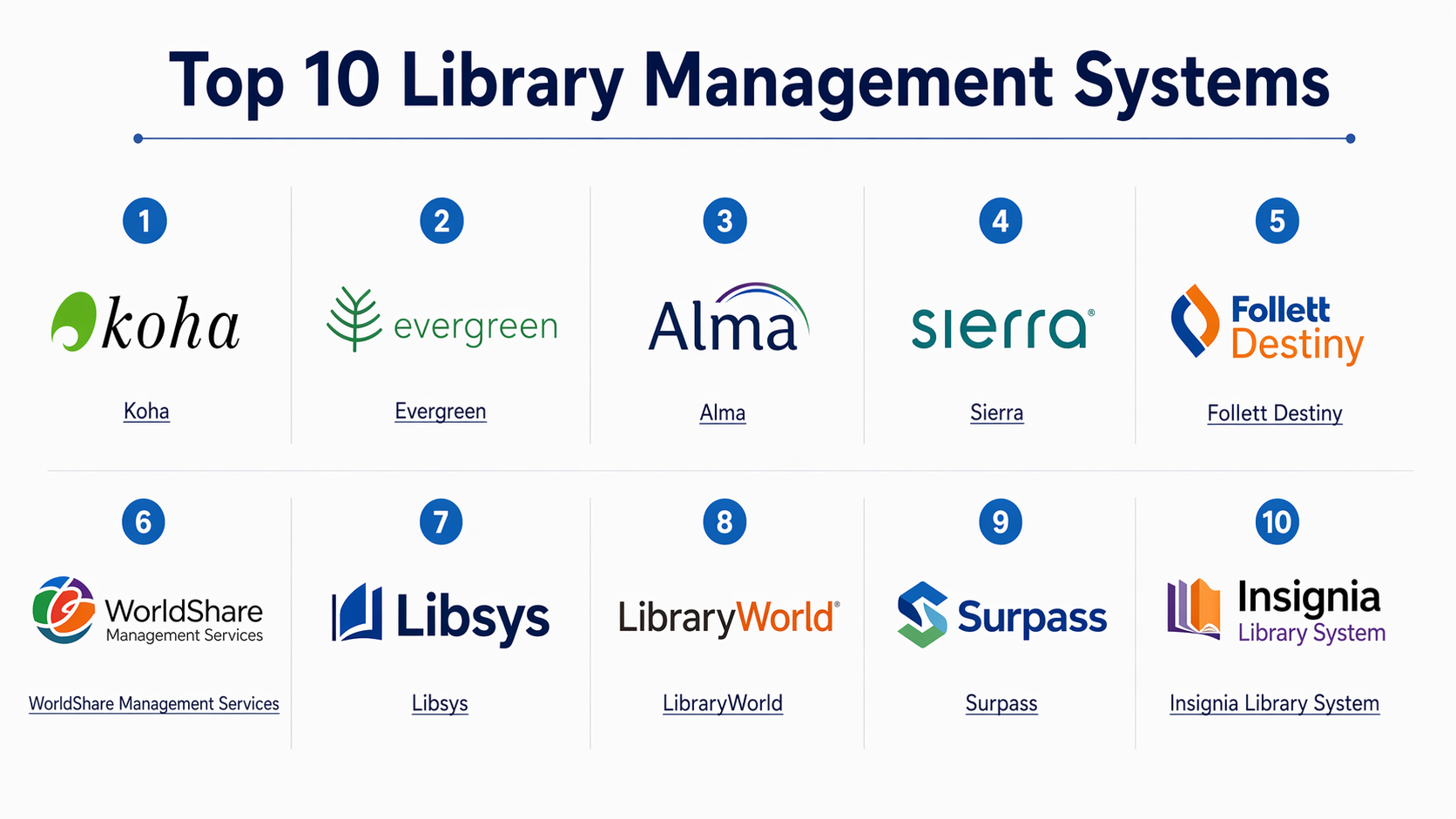
Top 10 Library Management Systems
#1 — Koha
Short description:
Koha is a widely adopted open-source library management system used globally by academic, public, and special libraries. It offers full-featured modules for cataloging, circulation, acquisitions, and serials management. Being open-source, it is highly customizable and supported by a large community. It is particularly suitable for institutions looking for cost-effective and flexible solutions.
Key Features
- Full MARC-based cataloging system
- Circulation and patron management
- Web-based OPAC (Online Public Access Catalog)
- Acquisitions and serials tracking
- Reporting and analytics tools
- Multi-branch support
Pros
- Highly customizable and cost-effective
- Strong global community support
Cons
- Requires technical expertise for setup
- UI may feel outdated compared to modern SaaS tools
Platforms / Deployment
- Web
- Self-hosted / Cloud
Security & Compliance
- Role-based access control, audit logs
- Other compliance: Not publicly stated
Integrations & Ecosystem
Koha supports integrations with various library protocols and tools.
- Z39.50 servers
- RFID systems
- Discovery layers
- APIs for extensions
Support & Community
Strong open-source community, extensive documentation, and third-party support vendors.
#2 — Evergreen
Short description:
Evergreen is another open-source LMS designed for large-scale library systems. It is known for its robustness and ability to handle high transaction volumes, making it suitable for consortia and large public libraries.
Key Features
- Scalable circulation system
- Advanced cataloging features
- Consortia support
- Staff client interface
- Reporting tools
Pros
- Highly scalable
- Ideal for large library networks
Cons
- Complex setup
- Limited modern UI features
Platforms / Deployment
- Web
- Self-hosted
Security & Compliance
- RBAC, authentication controls
- Not publicly stated for certifications
Integrations & Ecosystem
- Z39.50
- SIP2 integrations
- APIs for extensions
Support & Community
Active open-source community, but requires technical resources.
#3 — Alma (Ex Libris)
Short description:
Alma is a cloud-based library services platform designed for academic institutions. It unifies print, electronic, and digital resource management in a single system.
Key Features
- Unified resource management
- Analytics and reporting
- Cloud-based architecture
- Workflow automation
- Integration with discovery tools
Pros
- Modern cloud platform
- Strong analytics capabilities
Cons
- Premium pricing
- Requires training for full utilization
Platforms / Deployment
- Web
- Cloud
Security & Compliance
- SSO, RBAC
- Compliance: Not publicly stated
Integrations & Ecosystem
- Learning systems
- Discovery platforms
- APIs
Support & Community
Vendor-backed support with strong enterprise documentation.
#4 — Sierra (Innovative Interfaces)
Short description:
Sierra is a high-performance LMS designed for large libraries requiring reliability and scalability. It combines traditional LMS capabilities with modern APIs.
Key Features
- High-performance database architecture
- Advanced cataloging
- Reporting tools
- API support
- Resource management
Pros
- Reliable and scalable
- Strong performance
Cons
- Expensive
- Complex implementation
Platforms / Deployment
- Web
- Cloud / Self-hosted
Security & Compliance
- RBAC, authentication
- Not publicly stated
Integrations & Ecosystem
- Discovery tools
- APIs
- Third-party plugins
Support & Community
Vendor-driven support with enterprise focus.
#5 — Follett Destiny
Short description:
Follett Destiny is a cloud-based LMS widely used in K-12 schools. It is known for ease of use and integration with educational tools.
Key Features
- Student-friendly interface
- Circulation and cataloging
- Digital content integration
- Reporting dashboards
- Mobile access
Pros
- Easy to use
- Ideal for schools
Cons
- Limited enterprise features
- Less customization
Platforms / Deployment
- Web
- Cloud
Security & Compliance
- User authentication
- Not publicly stated
Integrations & Ecosystem
- School systems
- Educational apps
Support & Community
Strong vendor support for education sector.
#6 — WorldShare Management Services (OCLC)
Short description:
WorldShare is a cloud-based LMS offering global resource sharing and cataloging services.
Key Features
- Global catalog access
- Cloud-based operations
- Workflow automation
- Resource sharing
- Analytics
Pros
- Strong global network
- Cloud-native
Cons
- Expensive
- Vendor lock-in risk
Platforms / Deployment
- Web
- Cloud
Security & Compliance
- Authentication, RBAC
- Not publicly stated
Integrations & Ecosystem
- OCLC services
- APIs
Support & Community
Enterprise-level support with global reach.
#7 — Libsys
Short description:
Libsys is a library automation solution widely used in India and other regions, offering modules for cataloging, circulation, and acquisitions.
Key Features
- Multi-library support
- Cataloging tools
- Circulation management
- Reporting
- Web OPAC
Pros
- Regionally popular
- Feature-rich
Cons
- UI needs modernization
- Limited global presence
Platforms / Deployment
- Web / Windows
- Self-hosted / Cloud
Security & Compliance
- Basic access controls
- Not publicly stated
Integrations & Ecosystem
- RFID systems
- APIs
Support & Community
Vendor support available, moderate community.
#8 — LibraryWorld
Short description:
LibraryWorld is a cloud-based LMS focused on simplicity and ease of use for small to mid-sized libraries.
Key Features
- Cataloging and circulation
- Online catalog
- Reporting tools
- User management
- Cloud hosting
Pros
- Simple interface
- Affordable
Cons
- Limited advanced features
- Not ideal for large libraries
Platforms / Deployment
- Web
- Cloud
Security & Compliance
- Authentication controls
- Not publicly stated
Integrations & Ecosystem
- Basic APIs
- Limited integrations
Support & Community
Good customer support for SMB users.
#9 — Surpass (Library Software)
Short description:
Surpass is designed for schools and small libraries, offering a balance of simplicity and essential features.
Key Features
- Easy cataloging
- Circulation tracking
- Reporting
- Web OPAC
- Mobile-friendly interface
Pros
- Easy setup
- Good for small libraries
Cons
- Limited scalability
- Fewer integrations
Platforms / Deployment
- Web / Windows
- Cloud / Self-hosted
Security & Compliance
- Basic controls
- Not publicly stated
Integrations & Ecosystem
- Basic integrations
- APIs limited
Support & Community
Vendor support with simple onboarding.
#10 — Insignia Library System
Short description:
Insignia is a comprehensive LMS for schools and public libraries with strong multimedia and reporting capabilities.
Key Features
- Multimedia cataloging
- Circulation tools
- Reporting dashboards
- Web OPAC
- User management
Pros
- Feature-rich for schools
- Flexible deployment
Cons
- UI not very modern
- Limited global reach
Platforms / Deployment
- Web / Windows
- Cloud / Self-hosted
Security & Compliance
- Access control
- Not publicly stated
Integrations & Ecosystem
- School systems
- APIs
Support & Community
Moderate support and documentation.
Comparison Table (Top 10)
| Tool Name | Best For | Platform(s) Supported | Deployment | Standout Feature | Public Rating |
|---|---|---|---|---|---|
| Koha | Open-source users | Web | Self-hosted/Cloud | Full customization | N/A |
| Evergreen | Large consortia | Web | Self-hosted | Scalability | N/A |
| Alma | Universities | Web | Cloud | Unified resource management | N/A |
| Sierra | Large libraries | Web | Hybrid | High performance | N/A |
| Follett Destiny | Schools | Web | Cloud | Easy interface | N/A |
| WorldShare | Global libraries | Web | Cloud | Global catalog | N/A |
| Libsys | Regional libraries | Web/Windows | Hybrid | Multi-library support | N/A |
| LibraryWorld | SMB libraries | Web | Cloud | Simplicity | N/A |
| Surpass | Small libraries | Web/Windows | Hybrid | Ease of use | N/A |
| Insignia | Schools | Web/Windows | Hybrid | Multimedia support | N/A |
Evaluation & Library Management Systems
| Tool Name | Core (25%) | Ease (15%) | Integrations (15%) | Security (10%) | Performance (10%) | Support (10%) | Value (15%) | Weighted Total |
|---|---|---|---|---|---|---|---|---|
| Koha | 9 | 7 | 8 | 6 | 8 | 8 | 9 | 8.1 |
| Evergreen | 9 | 6 | 7 | 6 | 9 | 7 | 8 | 7.9 |
| Alma | 9 | 8 | 9 | 7 | 9 | 9 | 7 | 8.5 |
| Sierra | 9 | 7 | 8 | 7 | 9 | 8 | 6 | 8.0 |
| Follett Destiny | 7 | 9 | 7 | 6 | 8 | 8 | 8 | 7.8 |
| WorldShare | 9 | 8 | 9 | 7 | 9 | 9 | 6 | 8.4 |
| Libsys | 7 | 7 | 6 | 6 | 7 | 7 | 8 | 7.1 |
| LibraryWorld | 6 | 9 | 5 | 6 | 7 | 8 | 9 | 7.3 |
| Surpass | 6 | 8 | 5 | 6 | 7 | 7 | 8 | 7.0 |
| Insignia | 7 | 7 | 6 | 6 | 7 | 7 | 7 | 7.0 |
How to interpret scores:
- Scores are comparative across tools, not absolute performance metrics
- Higher scores indicate better alignment with enterprise-grade needs
- Open-source tools often score high on value but lower on ease
- Enterprise tools score high on integrations and performance
- Always validate based on your specific requirements
Which Library Management Systems
Solo / Freelancer
- Use simple tools like LibraryWorld or Surpass
- Focus on ease of use and low cost
SMB
- Koha or Follett Destiny offer a good balance
- Prioritize usability and basic integrations
Mid-Market
- Libsys or Insignia provide more advanced features
- Suitable for growing libraries with moderate complexity
Enterprise
- Alma, Sierra, or WorldShare are ideal
- Focus on scalability, analytics, and integrations
Budget vs Premium
- Budget: Koha, Evergreen
- Premium: Alma, WorldShare
Feature Depth vs Ease of Use
- Deep features: Alma, Sierra
- Ease of use: LibraryWorld, Follett Destiny
Integrations & Scalability
- Strong integrations: Alma, WorldShare
- Limited integrations: Surpass, LibraryWorld
Security & Compliance Needs
- Enterprise-grade needs: Alma, Sierra
- Basic needs: LibraryWorld, Surpass
Frequently Asked Questions (FAQs)
1. What is the cost of a Library Management System?
Costs vary widely. Open-source tools like Koha are free but require hosting and support, while enterprise solutions follow subscription models.
2. How long does implementation take?
Implementation can take from a few days for cloud systems to several months for large enterprise deployments.
3. Can LMS handle digital resources?
Yes, modern LMS platforms support eBooks, journals, and digital archives alongside physical collections.
4. What are common mistakes when choosing an LMS?
Ignoring scalability, underestimating integration needs, and choosing based only on price are common mistakes.
5. Are open-source LMS reliable?
Yes, tools like Koha and Evergreen are widely used and reliable but require technical expertise.
6. How secure are LMS platforms?
Security varies by vendor. Most provide authentication and access control, but compliance certifications are often not publicly stated.
7. Can LMS integrate with school or ERP systems?
Many modern systems offer APIs and integrations with learning platforms and enterprise tools.
8. Is cloud better than on-premise LMS?
Cloud offers ease of maintenance and scalability, while on-premise gives more control.
9. How easy is it to switch LMS platforms?
Switching can be complex due to data migration and training requirements.
10. What alternatives exist to LMS?
Small libraries may use spreadsheets or inventory tools, but these lack advanced features.
Conclusion
Library Management Systems have evolved from simple cataloging tools into comprehensive platforms that support digital transformation, analytics, and automation. The right choice depends heavily on your organization’s size, technical capability, and long-term goals. Open-source tools offer flexibility and cost savings, while enterprise platforms provide scalability and deep integrations. Instead of searching for a single “best” system, focus on aligning features with your operational needs.