Introduction
Archive Cataloging Software helps organizations organize, describe, store, and retrieve records—whether physical or digital—in a structured and searchable way. In simple terms, it is the backbone system that ensures archives are not lost, duplicated, or difficult to access. These systems are widely used by libraries, museums, universities, government agencies, and enterprises managing large volumes of documents or media.
In the current landscape, where data volumes are exploding and compliance requirements are increasing, archive cataloging has become more critical than ever. Organizations are expected to manage digital assets efficiently, ensure long-term preservation, and provide quick access when needed. This is especially relevant in environments with strict regulatory obligations or historical preservation goals.
Common use cases include:
- Managing historical records in museums and libraries
- Archiving legal and compliance documents
- Organizing digital media collections
- Preserving research data in universities
- Managing corporate knowledge repositories
What buyers should evaluate:
- Metadata management and standards support
- Search and retrieval capabilities
- Scalability and performance
- Integration with existing systems
- Security and compliance features
- Ease of use and onboarding
- Automation and AI capabilities
- Deployment flexibility (cloud vs on-premise)
- Cost and long-term value
Best for: Libraries, archives, universities, museums, government bodies, and enterprises managing large document or media repositories.
Not ideal for: Small teams with minimal data needs or organizations that only require simple file storage—basic document management systems may be sufficient.
Key Trends in Archive Cataloging Software
- AI-driven metadata tagging: Automatic classification and tagging using machine learning models
- Cloud-first deployment: Increased adoption of SaaS models for scalability and accessibility
- Digital preservation standards: Growing focus on long-term data integrity and compliance
- Integration with DAM and ECM systems: Seamless workflows across content ecosystems
- Advanced search capabilities: Natural language and semantic search improvements
- Automation of archival workflows: Reduced manual intervention in cataloging and indexing
- Compliance-driven features: Enhanced support for GDPR and other regulatory frameworks
- API-first architecture: Easier integration with enterprise systems
- Hybrid storage models: Combining on-premise and cloud for flexibility
- User experience improvements: Simplified interfaces for non-technical users
How We Selected These Tools (Methodology)
- Evaluated market adoption and recognition across archives, libraries, and enterprises
- Assessed feature completeness, especially metadata and cataloging capabilities
- Considered performance and scalability signals from enterprise use
- Reviewed security and compliance readiness where publicly known
- Analyzed integration ecosystems and API capabilities
- Included tools serving multiple segments (SMB to enterprise)
- Prioritized long-term viability and vendor maturity
- Considered community support and documentation quality
- Balanced open-source and commercial solutions
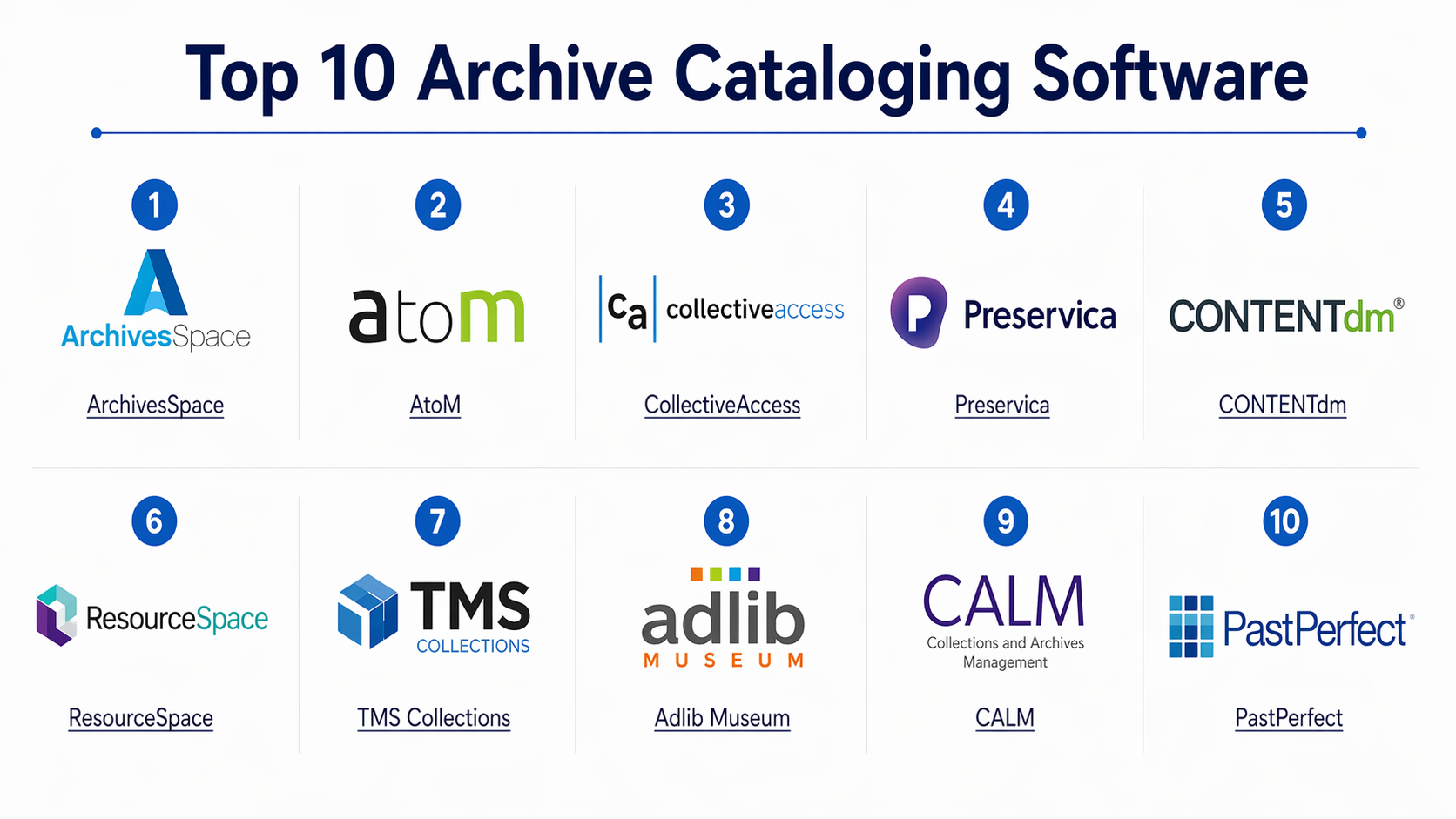
Top 10 Archive Cataloging Software
#1 — ArchivesSpace
Short description:
ArchivesSpace is a widely used open-source archive management system designed for libraries, museums, and academic institutions. It provides robust tools for cataloging, managing, and providing access to archival collections. The platform supports standard metadata schemas and is highly customizable. It is best suited for organizations seeking flexibility and community-driven development. Its open nature makes it attractive for institutions with technical resources.
Key Features
- Standards-based metadata support
- Archival description management
- Public access interface
- Customizable workflows
- API-driven integrations
Pros
- Strong community support
- Highly customizable
Cons
- Requires technical expertise
- Limited out-of-the-box UI polish
Platforms / Deployment
Web / Self-hosted
Security & Compliance
Not publicly stated
Integrations & Ecosystem
Supports integrations via APIs and community plugins. Often used with library systems and digital repositories.
- REST APIs
- Integration with discovery systems
- Custom plugins
Support & Community
Strong open-source community, extensive documentation, community forums.
#2 — AtoM (Access to Memory)
Short description:
AtoM is an open-source web-based application designed for archival description and access. It supports international archival standards and is widely used by cultural heritage institutions. It is ideal for organizations looking for a cost-effective, standards-compliant solution. Its web-based nature ensures easy accessibility across teams.
Key Features
- Multi-language support
- Standards compliance (ISAD(G), ISAAR)
- Web-based access
- Hierarchical descriptions
- Digital object linking
Pros
- Free and open-source
- Strong standards support
Cons
- Requires hosting and maintenance
- UI can feel outdated
Platforms / Deployment
Web / Self-hosted
Security & Compliance
Not publicly stated
Integrations & Ecosystem
Integrates with digital repositories and library systems. API support enables extensions.
- REST APIs
- CMS integrations
- Digital asset linking
Support & Community
Active global community, documentation available.
#3 — CollectiveAccess
Short description:
CollectiveAccess is a flexible open-source system designed for managing collections and archives. It supports complex metadata structures and is used by museums and archives worldwide. It is highly configurable and supports a wide range of content types.
Key Features
- Flexible metadata schemas
- Media management
- Advanced search
- Multi-user support
- Custom workflows
Pros
- Highly flexible
- Supports diverse collections
Cons
- Complex setup
- Requires customization
Platforms / Deployment
Web / Self-hosted
Security & Compliance
Not publicly stated
Integrations & Ecosystem
Offers APIs and plugin architecture for integrations.
- API support
- Integration with DAM systems
- Custom extensions
Support & Community
Moderate community support, documentation available.
#4 — Preservica
Short description:
Preservica is a cloud-based digital preservation platform designed for long-term archiving. It is widely used by government and enterprise organizations for compliance and preservation. It combines archival storage with cataloging and access features.
Key Features
- Digital preservation workflows
- Automated metadata extraction
- Secure storage
- Access controls
- Compliance tools
Pros
- Enterprise-grade reliability
- Strong preservation capabilities
Cons
- Higher cost
- Less flexibility than open-source
Platforms / Deployment
Cloud
Security & Compliance
Encryption, access control, audit logs (specific certifications not publicly stated)
Integrations & Ecosystem
Integrates with enterprise systems and storage platforms.
- Cloud storage integrations
- APIs
- Workflow tools
Support & Community
Enterprise support with onboarding and SLAs.
#5 — CONTENTdm
Short description:
CONTENTdm is a digital collection management system designed for libraries and archives. It provides tools for managing and sharing digital collections online. It is widely used in academic institutions.
Key Features
- Digital collection management
- Metadata customization
- Web publishing
- Search tools
- User access control
Pros
- Easy to use
- Strong academic adoption
Cons
- Limited customization
- Cloud dependency
Platforms / Deployment
Cloud
Security & Compliance
Not publicly stated
Integrations & Ecosystem
Integrates with library systems and discovery platforms.
- Library system integration
- APIs
- Discovery tools
Support & Community
Vendor-supported with documentation.
#6 — ResourceSpace
Short description:
ResourceSpace is an open-source digital asset management system that also supports archival cataloging. It is suitable for organizations managing media-heavy archives.
Key Features
- Asset management
- Metadata tagging
- Search and retrieval
- User permissions
- Workflow automation
Pros
- Open-source flexibility
- Strong media handling
Cons
- Requires setup
- Limited archival standards
Platforms / Deployment
Web / Self-hosted
Security & Compliance
Not publicly stated
Integrations & Ecosystem
Supports integrations with DAM and CMS tools.
- APIs
- Plugin support
- Media integrations
Support & Community
Active community and documentation.
#7 — TMS Collections
Short description:
TMS Collections is a museum-focused collection management system designed for managing art and cultural assets. It offers robust cataloging and reporting features.
Key Features
- Collection management
- Reporting tools
- Metadata standards
- Workflow automation
- User roles
Pros
- Industry-specific features
- Strong reporting
Cons
- Costly
- Limited outside museums
Platforms / Deployment
Varies / N/A
Security & Compliance
Not publicly stated
Integrations & Ecosystem
Integrates with museum systems and reporting tools.
- APIs
- Reporting integrations
- DAM tools
Support & Community
Vendor support with training.
#8 — Adlib Museum
Short description:
Adlib Museum is designed for museums and archives to manage collections and documentation. It offers structured cataloging and reporting capabilities.
Key Features
- Cataloging tools
- Metadata management
- Reporting
- Collection tracking
- User roles
Pros
- Easy to use
- Good reporting
Cons
- Limited customization
- Legacy interface
Platforms / Deployment
Varies / N/A
Security & Compliance
Not publicly stated
Integrations & Ecosystem
Supports integrations with collection systems.
- APIs
- Reporting tools
- Database integration
Support & Community
Vendor support available.
#9 — CALM (Collections and Archive Management)
Short description:
CALM is a professional archive management system designed for institutions managing large collections. It supports cataloging, indexing, and retrieval.
Key Features
- Archival cataloging
- Search and indexing
- User management
- Reporting
- Metadata standards
Pros
- Mature system
- Strong indexing
Cons
- UI can be dated
- Limited flexibility
Platforms / Deployment
Windows / Self-hosted
Security & Compliance
Not publicly stated
Integrations & Ecosystem
Integrates with archival and library tools.
- Database integrations
- Reporting tools
- APIs
Support & Community
Vendor-supported.
#10 — PastPerfect
Short description:
PastPerfect is a collection management software designed for small to mid-sized museums and archives. It provides cataloging and reporting tools.
Key Features
- Collection cataloging
- Reporting
- Image management
- Donor tracking
- Inventory tools
Pros
- Easy to use
- Affordable
Cons
- Limited scalability
- Desktop-focused
Platforms / Deployment
Windows / Self-hosted
Security & Compliance
Not publicly stated
Integrations & Ecosystem
Limited integrations compared to enterprise tools.
- Basic APIs
- Reporting tools
Support & Community
Vendor support and documentation available.
Comparison Table (Top 10)
| Tool Name | Best For | Platform(s) Supported | Deployment | Standout Feature | Public Rating |
|---|---|---|---|---|---|
| ArchivesSpace | Universities | Web | Self-hosted | Standards-based cataloging | N/A |
| AtoM | Cultural institutions | Web | Self-hosted | Multi-language support | N/A |
| CollectiveAccess | Museums | Web | Self-hosted | Flexible metadata | N/A |
| Preservica | Enterprise | Web | Cloud | Digital preservation | N/A |
| CONTENTdm | Academic libraries | Web | Cloud | Digital publishing | N/A |
| ResourceSpace | Media archives | Web | Self-hosted | Asset management | N/A |
| TMS Collections | Museums | Varies | Varies | Reporting tools | N/A |
| Adlib Museum | Archives | Varies | Varies | Cataloging tools | N/A |
| CALM | Institutions | Windows | Self-hosted | Indexing | N/A |
| PastPerfect | SMB museums | Windows | Self-hosted | Ease of use | N/A |
Evaluation & Archive Cataloging Software
| Tool Name | Core (25%) | Ease (15%) | Integrations (15%) | Security (10%) | Performance (10%) | Support (10%) | Value (15%) | Weighted Total |
|---|---|---|---|---|---|---|---|---|
| ArchivesSpace | 9 | 6 | 7 | 6 | 8 | 8 | 9 | 7.7 |
| AtoM | 8 | 6 | 6 | 6 | 7 | 7 | 9 | 7.2 |
| CollectiveAccess | 9 | 5 | 7 | 6 | 7 | 7 | 8 | 7.3 |
| Preservica | 9 | 8 | 8 | 8 | 9 | 8 | 6 | 8.2 |
| CONTENTdm | 8 | 8 | 7 | 6 | 8 | 7 | 7 | 7.5 |
| ResourceSpace | 7 | 7 | 7 | 6 | 7 | 7 | 8 | 7.1 |
| TMS Collections | 8 | 7 | 6 | 6 | 7 | 7 | 6 | 7.0 |
| Adlib Museum | 7 | 7 | 6 | 6 | 7 | 7 | 7 | 6.9 |
| CALM | 7 | 6 | 6 | 6 | 7 | 7 | 7 | 6.8 |
| PastPerfect | 6 | 8 | 5 | 5 | 6 | 6 | 8 | 6.7 |
How to interpret scores:
These scores are comparative and reflect relative strengths within this category. A higher score indicates better balance across features, usability, and value. Enterprise tools tend to score higher in performance and security, while open-source tools often lead in value. Buyers should align scores with their specific needs rather than selecting based purely on totals.
Which Archive Cataloging Software
Solo / Freelancer
Lightweight tools like PastPerfect or ResourceSpace are sufficient due to ease of use and affordability.
SMB
CONTENTdm or ResourceSpace provide a good balance of usability and functionality.
Mid-Market
CollectiveAccess or ArchivesSpace offer flexibility and scalability with moderate complexity.
Enterprise
Preservica is the strongest choice for compliance, scalability, and long-term preservation.
Budget vs Premium
Open-source tools offer high value but require technical effort. Premium tools provide ease and support at higher cost.
Feature Depth vs Ease of Use
Complex systems like CollectiveAccess offer depth, while CONTENTdm prioritizes usability.
Integrations & Scalability
APIs and ecosystem support are critical for scaling—ArchivesSpace and Preservica stand out.
Security & Compliance Needs
Enterprise environments should prioritize Preservica or similar solutions with stronger security capabilities.
Frequently Asked Questions (FAQs)
1. What is Archive Cataloging Software?
It is software used to organize, describe, and manage archival collections. It helps in storing and retrieving information efficiently.
2. How much does it cost?
Pricing varies widely. Open-source tools are free, while enterprise tools follow subscription or licensing models.
3. Is cloud or on-premise better?
Cloud offers scalability and ease, while on-premise provides control and customization.
4. How long does implementation take?
It can range from a few days for simple tools to several months for enterprise deployments.
5. Can it integrate with other systems?
Most modern tools support APIs and integrations with CMS, DAM, and ERP systems.
6. Is it secure?
Security depends on the tool. Look for encryption, access controls, and audit logs.
7. Can small organizations use it?
Yes, especially open-source or low-cost solutions designed for SMBs.
8. What are common mistakes?
Choosing overly complex tools, ignoring scalability, and not planning metadata standards.
9. Can I migrate from one tool to another?
Yes, but migration requires planning, especially for metadata and formats.
10. Does it support digital and physical archives?
Most tools support both, though capabilities vary by product.
Conclusion
Archive cataloging software is no longer a niche requirement—it is a foundational system for organizations dealing with structured data, historical records, or compliance-driven archives. The right tool depends heavily on your scale, technical capabilities, and long-term goals. Open-source platforms offer flexibility and cost advantages, while enterprise solutions provide reliability, support, and compliance readiness. There is no single “best” option; instead, the ideal choice aligns with your operational needs, budget, and growth plans. The practical next step is to shortlist two or three tools, run pilot implementations, and validate how well they integrate with your workflows and security requirements before making a final decision.