Introduction
Geofencing Tools help organizations create virtual boundaries around real-world locations. In simple words, a geofence is a digital boundary around a place such as a store, warehouse, construction site, city zone, school, airport, event venue, delivery area, or restricted facility. When a mobile device, vehicle, asset, drone, or user enters or exits that boundary, the system can trigger an action.
These actions may include sending alerts, starting check-ins, tracking field workers, triggering marketing messages, enforcing safety rules, monitoring fleets, supporting logistics, or protecting restricted areas.
Geofencing is used in retail, logistics, field service, employee safety, fleet management, smart cities, construction, healthcare, public safety, event management, and mobile apps. Modern tools combine GPS, Wi-Fi, Bluetooth, cellular data, maps, APIs, automation, analytics, and user permissions.
Buyers should evaluate:
- Accuracy of location detection
- Real-time enter and exit alerts
- Mobile SDK and API support
- Battery efficiency for mobile apps
- Privacy and consent management
- Integration with CRM, marketing, fleet, HR, and operations systems
- Reporting and analytics
- Scalability for many users or assets
- Security controls and access permissions
- Pricing based on users, events, API calls, or tracked assets
Best for: retailers, logistics companies, fleet managers, app developers, field service teams, construction companies, event organizers, safety teams, smart city teams, and businesses that need location-triggered workflows.
Not ideal for: teams that only need basic map viewing, simple GPS tracking, or one-time location sharing. In those cases, a basic mapping tool or device tracking app may be enough.
Key Geofencing Tools Trends
- Privacy-first geofencing is becoming essential. Users and regulators expect clear consent, data minimization, and transparent location tracking.
- Mobile SDK quality matters more than ever. Poor SDKs can drain battery, reduce app performance, or create unreliable triggers.
- Real-time automation is growing. Businesses want geofence triggers to activate workflows in CRM, dispatch, marketing, safety, or fleet systems.
- Indoor and micro-location use cases are increasing. Bluetooth beacons, Wi-Fi, and indoor positioning are used where GPS is not enough.
- Fleet and logistics geofencing is expanding. Delivery teams use geofences for arrival alerts, proof of service, route compliance, and yard management.
- Marketing geofencing is becoming more targeted. Retailers and event brands use location-based campaigns, but privacy and consent are critical.
- Asset tracking is becoming more connected. Geofencing now supports equipment, containers, vehicles, tools, and high-value assets.
- Developer-friendly APIs are important. Product teams need flexible APIs, SDKs, webhooks, and geospatial data tools.
- Compliance and auditability matter. Enterprises need clear logs of who entered, exited, approved, or triggered a geofence event.
- Geofencing is moving into broader platforms. Many tools now include geofencing inside fleet, workforce, marketing, IoT, or GIS platforms instead of offering it as a standalone feature.
How We Selected These Tools
The tools below were selected based on:
- Recognition in geofencing, location intelligence, fleet tracking, mobile SDKs, marketing automation, or asset monitoring
- Strength of geofence creation, monitoring, alerts, and event triggers
- Suitability for developers, enterprises, logistics teams, marketers, and operations teams
- Ability to support real-time location workflows
- API, SDK, webhook, and integration capabilities
- Reporting, analytics, and operational visibility
- Support for mobile, vehicle, asset, or workforce tracking
- Security, privacy, and consent management considerations
- Practical value across SMB, mid-market, and enterprise use cases
- Balance between developer platforms, marketing tools, fleet systems, and operational geofencing tools
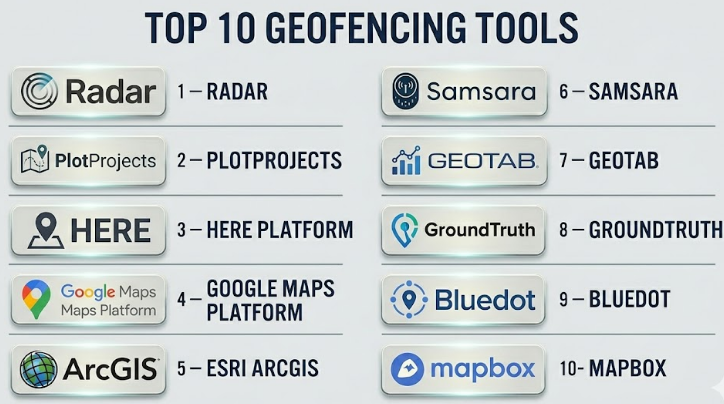
Top 10 Geofencing Tools
#1 — Radar
Short description :
Radar is a location platform focused on geofencing, trip tracking, location context, and developer-friendly location services. It is widely used by mobile app teams, retail brands, delivery platforms, and product teams that need accurate location-triggered workflows. Radar helps businesses create geofences, detect user entry and exit events, trigger notifications, power location-based experiences, and connect location events with backend systems. It is especially strong for mobile apps that need reliable SDK-based geofencing. Radar is a good fit for teams that want a developer-first geofencing platform with APIs and automation.
Key Features
- Geofencing and location event detection
- Mobile SDKs for app-based tracking
- Trip tracking and location context
- APIs and webhooks
- Place detection and location intelligence
- Real-time enter and exit triggers
- Analytics and developer tools
Pros
- Strong developer-friendly geofencing platform
- Good fit for mobile apps and location-triggered workflows
- Useful for retail, delivery, travel, and consumer app use cases
Cons
- Requires developer resources for full implementation
- Not ideal for teams needing a simple no-code geofence tool
- Pricing and usage limits should be reviewed carefully
Platforms / Deployment
Web / iOS / Android
Cloud deployment with APIs and SDKs
Security & Compliance
Not publicly stated. Buyers should validate SSO/SAML, MFA, encryption, RBAC, audit logs, GDPR, CCPA, consent management, and data retention policies.
Integrations & Ecosystem
Radar works well in mobile product and backend automation workflows.
- Mobile apps
- APIs and webhooks
- CRM systems
- Marketing automation tools
- Delivery and trip tracking systems
- Analytics platforms
Support & Community
Support is vendor-led and may include documentation, developer guides, onboarding, and enterprise support depending on plan.
#2 — PlotProjects
Short description :
PlotProjects is a geofencing and location-based marketing platform designed for mobile apps and customer engagement. It helps businesses trigger messages, campaigns, and app experiences when users enter or leave specific locations. It is useful for retailers, event organizers, travel companies, hospitality brands, and mobile marketing teams. The platform focuses on improving location-based engagement while managing location triggers through SDK-based workflows. PlotProjects is a strong option for teams that want to combine geofencing with mobile marketing and customer activation.
Key Features
- Mobile geofencing SDK
- Location-triggered notifications
- Campaign management
- Entry and exit event detection
- Audience segmentation based on location
- Analytics for location campaigns
- Support for location-based engagement workflows
Pros
- Strong fit for mobile marketing and engagement
- Useful for retail, events, travel, and customer apps
- Helps connect location signals with campaigns
Cons
- Best suited for mobile app-based use cases
- Requires proper user consent and privacy planning
- Not designed as a fleet or asset tracking platform
Platforms / Deployment
Web / iOS / Android
Cloud deployment with mobile SDK
Security & Compliance
Not publicly stated. Buyers should validate consent management, encryption, access controls, GDPR, CCPA, audit logs, and privacy controls.
Integrations & Ecosystem
PlotProjects fits marketing and mobile engagement workflows.
- Mobile apps
- Push notification systems
- Marketing automation platforms
- Customer segmentation tools
- Campaign analytics
- Location-based engagement workflows
Support & Community
Support is vendor-led and may include developer documentation, onboarding help, and campaign setup guidance depending on plan.
#3 — HERE Platform
Short description :
HERE Platform provides location services, maps, routing, geocoding, fleet tools, and geofencing capabilities for enterprises and developers. It is suitable for logistics companies, automotive teams, mobility platforms, smart city teams, transportation providers, and software developers. HERE is especially strong when geofencing must work with routing, maps, traffic, fleet movement, and large-scale location intelligence. It is more than a simple geofencing tool; it is a broader location platform. HERE is a strong choice for organizations that need enterprise-grade location services and geospatial APIs.
Key Features
- Geofencing APIs
- Maps, routing, and traffic data
- Location intelligence services
- Fleet and mobility workflows
- Geocoding and reverse geocoding
- Developer APIs and SDKs
- Enterprise-scale geospatial services
Pros
- Strong enterprise location platform
- Useful for mobility, logistics, and transportation use cases
- Broad ecosystem beyond geofencing
Cons
- May be more complex than small teams need
- Requires technical implementation
- Pricing may depend on API usage and enterprise needs
Platforms / Deployment
Web / APIs / SDKs
Cloud deployment
Security & Compliance
Not publicly stated. Buyers should validate SSO/SAML, MFA, encryption, RBAC, audit logs, GDPR, ISO 27001, SOC 2, and data residency requirements.
Integrations & Ecosystem
HERE works well for location-heavy enterprise systems.
- Fleet management systems
- Logistics platforms
- Mobility applications
- Smart city systems
- APIs and SDKs
- Mapping and routing workflows
Support & Community
HERE provides documentation, developer resources, enterprise support, and partner ecosystem options. Support depends on plan and contract.
#4 — Google Maps Platform
Short description :
Google Maps Platform provides mapping, places, geocoding, routes, and location APIs that developers can use to build geofencing-like experiences into applications. It is widely used by app developers, logistics platforms, delivery teams, retailers, and businesses that need location-aware products. While geofencing may require custom application logic depending on the use case, Google Maps Platform is valuable for building map-based location workflows. It is especially useful when teams already depend on Google Maps for navigation, places, address validation, or user-facing maps. It is best for developer teams that can build and manage custom geofence logic.
Key Features
- Maps and location APIs
- Places and geocoding services
- Routes and distance calculations
- Developer SDKs
- Custom geofence logic support
- Integration with web and mobile apps
- Strong map and place data ecosystem
Pros
- Familiar map experience for users
- Strong developer ecosystem
- Useful for apps that need maps, places, and routing
Cons
- Geofencing may require custom development
- API usage costs should be monitored carefully
- Not a full fleet or marketing geofencing platform by itself
Platforms / Deployment
Web / iOS / Android / APIs
Cloud-based API deployment
Security & Compliance
Not publicly stated for buyer-specific implementation. Buyers should validate API key security, access controls, encryption, data handling, privacy rules, and compliance needs.
Integrations & Ecosystem
Google Maps Platform works well for product and developer workflows.
- Web applications
- Mobile apps
- Delivery platforms
- Store locators
- Routing and ETA systems
- Location-based user experiences
Support & Community
Google Maps Platform has strong developer documentation, examples, community usage, and support options depending on billing and enterprise arrangements.
#5 — Esri ArcGIS
Short description :
Esri ArcGIS is a professional GIS platform that supports geospatial analysis, mapping, location intelligence, field operations, and geofencing-style workflows through its broader ecosystem. It is suitable for governments, utilities, public safety agencies, environmental teams, smart cities, telecom companies, and enterprises. ArcGIS is especially strong when geofencing needs to connect with maps, field data, asset layers, operational dashboards, and spatial analysis. It is not only a geofencing tool; it is a full GIS platform. ArcGIS is a strong choice for organizations that need geofencing inside a broader location intelligence program.
Key Features
- Advanced GIS mapping and analysis
- Spatial boundaries and location-based rules
- Field data collection integration
- Operational dashboards
- Geospatial data management
- Web maps and enterprise GIS services
- Support for public-sector and enterprise workflows
Pros
- Strong for geofencing connected with GIS and operations
- Excellent fit for governments, utilities, and smart city teams
- Broad ecosystem for maps, dashboards, and field workflows
Cons
- May be too complex for simple app-based geofencing
- Licensing can be expensive
- Requires GIS expertise for advanced use
Platforms / Deployment
Windows / Web / iOS / Android
Cloud / Self-hosted / Hybrid
Security & Compliance
Not publicly stated. Buyers should validate SSO/SAML, MFA, encryption, audit logs, RBAC, FedRAMP, SOC 2, ISO 27001, GDPR, and data residency needs based on deployment.
Integrations & Ecosystem
ArcGIS works best in organizations with serious geospatial and operational workflows.
- GIS databases
- Field apps
- Dashboards
- Asset management systems
- Public safety systems
- Smart city and planning workflows
Support & Community
ArcGIS has extensive documentation, training, professional support, certification paths, and a large GIS community. Support depends on license and contract.
#6 — Samsara
Short description :
Samsara is an operations platform used for fleet management, driver safety, equipment tracking, and physical operations. Its geofencing capabilities help businesses monitor when vehicles, equipment, or workers enter and exit specific locations. It is especially useful for logistics, construction, field service, transportation, and industrial operations. Samsara is not only a geofencing tool; it combines vehicle telematics, cameras, asset tracking, workflows, and reporting. It is a strong option for companies that need geofencing tied to fleet operations and real-world assets.
Key Features
- Fleet and asset geofencing
- Real-time vehicle and equipment tracking
- Arrival and departure alerts
- Driver and operations workflows
- Dashboards and reporting
- Route and site visibility
- Integration with physical operations data
Pros
- Strong for fleet and field operations
- Useful for vehicle, asset, and site monitoring
- Good fit for logistics, construction, and transportation teams
Cons
- Not designed for mobile marketing geofencing
- Requires hardware and operational setup
- May be more than needed for simple boundary alerts
Platforms / Deployment
Web / iOS / Android
Cloud deployment with hardware devices
Security & Compliance
Not publicly stated. Buyers should validate SSO/SAML, MFA, encryption, RBAC, audit logs, data retention, driver privacy, and compliance requirements.
Integrations & Ecosystem
Samsara fits physical operations and fleet workflows.
- Fleet telematics
- Asset tracking devices
- Driver safety systems
- Dispatch and routing workflows
- Maintenance systems
- Operations reporting
Support & Community
Support is vendor-led and may include onboarding, documentation, customer success, and hardware support. Enterprise support depends on plan and contract.
#7 — Geotab
Short description :
Geotab is a fleet management and telematics platform that includes geofencing, vehicle tracking, driver behavior monitoring, asset visibility, reporting, and marketplace integrations. It is useful for logistics, transportation, field service, government fleets, utilities, and enterprises managing vehicles at scale. Geotab’s geofencing capabilities can help track arrivals, departures, route adherence, jobsite activity, and location-based events. It is strongest when geofencing is part of fleet intelligence rather than a standalone location feature. Geotab is a good choice for organizations managing large vehicle fleets and operational reporting.
Key Features
- Fleet geofencing and zone management
- Vehicle tracking and telematics
- Arrival and departure alerts
- Driver behavior data
- Fleet reporting and analytics
- Marketplace integrations
- Asset and route visibility
Pros
- Strong for fleet-heavy organizations
- Useful for route compliance and operational reporting
- Large ecosystem of fleet and telematics integrations
Cons
- Not suitable for mobile app marketing use cases
- Requires telematics hardware and setup
- Can be complex for small fleets
Platforms / Deployment
Web / Mobile apps
Cloud deployment with telematics hardware
Security & Compliance
Not publicly stated. Buyers should validate SSO, MFA, encryption, RBAC, audit logs, privacy controls, data retention, and fleet compliance needs.
Integrations & Ecosystem
Geotab works well in fleet and transportation ecosystems.
- Telematics hardware
- Fleet management systems
- Maintenance tools
- Dispatch platforms
- Marketplace add-ons
- Reporting and analytics workflows
Support & Community
Geotab has documentation, partner ecosystem, marketplace resources, and reseller support. Support quality may depend on partner and contract.
#8 — GroundTruth
Short description :
GroundTruth is a location-based marketing and advertising platform that uses real-world location signals to help businesses reach audiences and measure visits. It is useful for retailers, restaurants, agencies, event marketers, and brands that want location-based campaign targeting. Geofencing is commonly used in this type of platform to define audiences around stores, competitor locations, event venues, or service areas. GroundTruth is strongest for marketing and advertising use cases, not for fleet tracking or operational safety. It is a practical option for teams focused on location-based customer engagement.
Key Features
- Location-based advertising
- Audience targeting using real-world location signals
- Visit measurement and campaign reporting
- Geofence-based campaign logic
- Retail and local marketing use cases
- Mobile audience activation
- Performance analytics
Pros
- Strong for location-based marketing campaigns
- Useful for retail, restaurant, and event promotion
- Helps connect location targeting with campaign measurement
Cons
- Not suitable for operational geofencing or asset tracking
- Privacy and consent review is important
- Marketing performance depends on campaign quality and audience strategy
Platforms / Deployment
Web-based advertising platform
Cloud deployment
Security & Compliance
Not publicly stated. Buyers should validate privacy practices, consent management, data protection, GDPR, CCPA, access control, and reporting governance.
Integrations & Ecosystem
GroundTruth fits marketing and advertising workflows.
- Digital advertising campaigns
- Audience targeting
- Retail visit measurement
- Campaign analytics
- Agency reporting
- Location-based customer engagement
Support & Community
Support is vendor-led and may include campaign support, account management, reporting assistance, and onboarding depending on contract.
#9 — Bluedot
Short description :
Bluedot is a location technology platform focused on mobile geofencing, location-triggered experiences, and customer engagement. It is used by brands that need precise location events for mobile apps, drive-thru, pickup, loyalty, retail, and on-site customer workflows. Bluedot helps detect when users approach, arrive, or leave specific locations so businesses can trigger actions. It is especially useful for restaurants, retailers, and service brands that need location-aware customer experiences. Bluedot is a strong choice when geofencing must be accurate enough to support operational customer journeys.
Key Features
- Mobile geofencing and location triggers
- Arrival detection
- Customer pickup and drive-thru workflows
- Mobile SDK integration
- Location-based customer engagement
- Real-time event triggers
- Analytics for location experiences
Pros
- Strong for customer arrival and mobile engagement workflows
- Useful for retail, restaurant, and pickup operations
- Good fit for app-based location experiences
Cons
- Requires mobile app integration
- Not a fleet or asset tracking platform
- Privacy and user consent must be handled carefully
Platforms / Deployment
Web / iOS / Android SDK
Cloud deployment
Security & Compliance
Not publicly stated. Buyers should validate encryption, access controls, consent management, GDPR, CCPA, data retention, and privacy policies.
Integrations & Ecosystem
Bluedot fits mobile app and customer experience workflows.
- Mobile apps
- Order pickup systems
- Loyalty programs
- Customer engagement platforms
- APIs and webhooks
- Retail and restaurant operations
Support & Community
Support is vendor-led and may include documentation, developer resources, onboarding, and enterprise customer success depending on plan.
#10 — Mapbox
Short description :
Mapbox is a developer-focused location platform used to build custom maps, navigation, search, routing, and location-aware applications. Developers can use Mapbox tools to support geofencing-style experiences by combining maps, location data, APIs, and application logic. It is useful for mobility companies, logistics platforms, travel apps, retail tools, real estate platforms, and custom software teams. Mapbox is not only a geofencing platform, but it gives developers flexible building blocks for custom location products. It is best for teams with engineering resources that want design control and custom geospatial workflows.
Key Features
- Custom maps and location APIs
- Web and mobile SDKs
- Search and geocoding
- Routing and navigation support
- Developer-friendly location workflows
- Custom location-based app logic
- Scalable map rendering and visualization
Pros
- Strong for custom location applications
- Flexible for developers and product teams
- Good map design and mobile SDK ecosystem
Cons
- Geofencing may require custom development
- Not a no-code geofencing platform
- API costs and usage should be monitored carefully
Platforms / Deployment
Web / iOS / Android / APIs
Cloud-based APIs and SDKs
Security & Compliance
Not publicly stated. Buyers should validate API token security, encryption, access controls, data handling, privacy rules, and compliance needs.
Integrations & Ecosystem
Mapbox fits custom software and product development workflows.
- Web apps
- Mobile apps
- Navigation systems
- Logistics platforms
- Custom dashboards
- Location-based product experiences
Support & Community
Mapbox has developer documentation, examples, and commercial support options. Support level depends on plan and contract.
Comparison Table
| Tool Name | Best For | Platform(s) Supported | Deployment | Standout Feature | Public Rating |
|---|---|---|---|---|---|
| Radar | Developer-first mobile geofencing | Web / iOS / Android | Cloud | SDK-based geofencing and location events | N/A |
| PlotProjects | Location-based mobile marketing | Web / iOS / Android | Cloud | Geofence-triggered mobile campaigns | N/A |
| HERE Platform | Enterprise location intelligence | Web / APIs / SDKs | Cloud | Geofencing with maps, routing, and mobility services | N/A |
| Google Maps Platform | Custom location-aware applications | Web / iOS / Android / APIs | Cloud | Familiar maps, places, and routing ecosystem | N/A |
| Esri ArcGIS | GIS-based geofencing and spatial workflows | Windows / Web / iOS / Android | Cloud / Self-hosted / Hybrid | Enterprise GIS and operational location intelligence | N/A |
| Samsara | Fleet and physical operations geofencing | Web / iOS / Android | Cloud + Hardware | Vehicle and asset geofence alerts | N/A |
| Geotab | Fleet telematics and zone management | Web / Mobile | Cloud + Hardware | Fleet zones, tracking, and operational analytics | N/A |
| GroundTruth | Location-based advertising | Web | Cloud | Geofence-based audience targeting and visit measurement | N/A |
| Bluedot | Customer arrival and mobile location triggers | Web / iOS / Android SDK | Cloud | Accurate app-based arrival detection | N/A |
| Mapbox | Custom map and location app development | Web / iOS / Android / APIs | Cloud | Flexible developer tools for custom geospatial apps | N/A |
Evaluation & Geofencing Tools
| Tool Name | Core (25%) | Ease (15%) | Integrations (15%) | Security (10%) | Performance (10%) | Support (10%) | Value (15%) | Weighted Total (0–10) |
|---|---|---|---|---|---|---|---|---|
| Radar | 9 | 8 | 9 | 7 | 8 | 8 | 8 | 8.25 |
| PlotProjects | 8 | 8 | 8 | 7 | 8 | 7 | 8 | 7.75 |
| HERE Platform | 9 | 6 | 9 | 7 | 9 | 8 | 7 | 8.00 |
| Google Maps Platform | 8 | 7 | 10 | 7 | 9 | 8 | 7 | 8.10 |
| Esri ArcGIS | 9 | 6 | 10 | 8 | 9 | 9 | 7 | 8.25 |
| Samsara | 8 | 8 | 8 | 7 | 8 | 8 | 8 | 7.90 |
| Geotab | 8 | 7 | 9 | 7 | 8 | 8 | 8 | 7.90 |
| GroundTruth | 8 | 8 | 7 | 7 | 8 | 8 | 7 | 7.65 |
| Bluedot | 8 | 8 | 8 | 7 | 8 | 8 | 7 | 7.80 |
| Mapbox | 8 | 7 | 9 | 7 | 9 | 8 | 8 | 8.05 |
These scores are comparative and should be treated as a practical guide, not a final universal ranking. A mobile app team may prefer Radar, Bluedot, Mapbox, or Google Maps Platform. A fleet team may prefer Samsara or Geotab. A GIS-heavy organization may prefer Esri ArcGIS. A marketing team may prefer PlotProjects or GroundTruth. The right choice depends on whether your geofencing need is operational, marketing, developer, fleet, safety, or analytics-focused.
Which Geofencing Tool Should You Choose?
Solo / Freelancer
Solo developers, marketers, consultants, or small operators should avoid overly complex enterprise platforms unless the project requires them. A developer building a mobile app may prefer Radar, Mapbox, or Google Maps Platform. A marketing freelancer may prefer a location-based advertising or campaign tool.
If the need is simple boundary alerts, a lightweight tool or custom workflow may be enough.
Recommended direction: Radar or Mapbox for developers, PlotProjects for app-based marketing, and Google Maps Platform for custom map-based projects.
SMB
Small and midsize businesses should focus on practical outcomes. A retailer may need customer arrival alerts. A delivery company may need site-based arrival tracking. A field service company may need technician check-ins. A marketing team may need location-triggered campaigns.
SMBs should avoid overbuilding. Choose a platform that solves the specific business workflow rather than buying a broad location platform that requires heavy technical setup.
Recommended direction: Bluedot or Radar for app-based customer experiences, Samsara or Geotab for fleet operations, PlotProjects or GroundTruth for marketing.
Mid-Market
Mid-market organizations often need stronger integrations, reporting, user permissions, and scalable event handling. They may have multiple regions, teams, apps, vehicles, stores, or job sites.
At this level, API quality, privacy controls, dashboards, analytics, and support become more important. Buyers should test real-world accuracy before rollout.
Recommended direction: Radar, HERE Platform, Esri ArcGIS, Samsara, Geotab, Bluedot, or Mapbox depending on the use case.
Enterprise
Enterprise geofencing requires governance, security, privacy, scalability, audit trails, role permissions, integration, and compliance review. Large organizations may use different tools for different use cases.
For example, a logistics team may use Geotab or Samsara, a GIS team may use ArcGIS, a mobile product team may use Radar or Mapbox, and a marketing team may use GroundTruth or PlotProjects.
Recommended direction: Build a geofencing stack around use cases instead of forcing one tool for every department.
Budget vs Premium
Budget-focused teams should choose tools that match their scale. Developer teams can build custom workflows with map APIs, but they must account for engineering cost. Fleet tools may require hardware cost. Marketing tools may require campaign spend.
Premium tools are better when accuracy, support, uptime, compliance, reporting, and enterprise integrations matter.
Budget direction: Custom workflows using Mapbox or Google Maps Platform, or focused tools for small campaigns.
Premium direction: Radar, HERE Platform, Esri ArcGIS, Samsara, Geotab, Bluedot, or enterprise marketing platforms.
Feature Depth vs Ease of Use
Feature-rich platforms provide more control but require more setup. Easy tools help teams launch quickly but may limit customization.
Developer platforms are best when product teams need custom experiences. Fleet platforms are best when geofencing relates to vehicles or assets. Marketing platforms are best when campaigns and audience targeting matter.
Feature depth: Esri ArcGIS, HERE Platform, Radar, Mapbox, Google Maps Platform.
Ease of use: PlotProjects, GroundTruth, Samsara, Geotab, Bluedot.
Integrations & Scalability
Geofencing becomes more valuable when it connects with business systems. Entry and exit events should trigger useful actions such as notifications, CRM updates, dispatch events, safety alerts, order status changes, attendance records, or campaign actions.
Important integrations include:
- Mobile apps
- CRM systems
- Marketing automation
- Fleet management tools
- Dispatch systems
- GIS platforms
- HR and workforce systems
- Asset tracking systems
- APIs and webhooks
- Reporting dashboards
Strong integration candidates: Radar, HERE Platform, Google Maps Platform, Esri ArcGIS, Mapbox, Samsara, Geotab, Bluedot.
Security & Compliance Needs
Geofencing tools can collect sensitive location data. This makes privacy, consent, retention, and access control very important. Businesses should collect only the location data they truly need and clearly explain how it is used.
Buyers should validate:
- User consent flows
- Location permission handling
- Data minimization
- Encryption
- Role-based access control
- Audit logs
- Data retention policies
- GDPR and CCPA readiness
- API security
- Mobile SDK privacy controls
- Employee monitoring rules
- Customer opt-out options
For workforce, healthcare, public-sector, education, and consumer app use cases, privacy review should happen before launch.
Frequently Asked Questions
1. What is a Geofencing Tool?
A Geofencing Tool helps create virtual boundaries around real-world places. When a user, vehicle, device, or asset enters or exits that boundary, the tool can trigger alerts, workflows, notifications, reports, or automation.
2. How does geofencing work?
Geofencing usually uses GPS, cellular data, Wi-Fi, Bluetooth, or a combination of location signals. The system compares a device or asset location with a defined boundary and triggers an event when movement crosses that boundary.
3. Who uses geofencing software?
Retailers, logistics companies, fleet managers, app developers, marketers, construction teams, field service teams, public agencies, event organizers, and safety teams use geofencing for tracking, alerts, automation, and engagement.
4. What pricing models are common?
Pricing may depend on tracked users, devices, vehicles, assets, API calls, geofence events, monthly active users, campaign size, hardware, or enterprise contracts. Buyers should estimate real usage before choosing a plan.
5. Is geofencing accurate?
Accuracy depends on GPS quality, device settings, environment, signal strength, battery mode, indoor or outdoor location, and the technology used. Urban areas, tall buildings, and indoor spaces can reduce accuracy.
6. Can geofencing work indoors?
Basic GPS geofencing may not work well indoors. Indoor geofencing may require Bluetooth beacons, Wi-Fi signals, indoor positioning systems, or specialized hardware depending on the accuracy required.
7. Is geofencing legal?
Geofencing can be legal when used responsibly, but it depends on region, use case, consent, privacy laws, and data handling. Businesses should always review privacy requirements and collect clear consent where needed.
8. What are common mistakes in geofencing projects?
Common mistakes include using geofences that are too small, ignoring battery impact, skipping consent, poor data governance, weak testing, unclear business triggers, and choosing a platform without checking real-world accuracy.
9. What is the best geofencing tool for mobile apps?
Radar, Bluedot, Mapbox, Google Maps Platform, and PlotProjects can be useful for mobile app geofencing. The best choice depends on whether the goal is engagement, arrival detection, custom mapping, or developer control.
10. What is the best geofencing tool for fleets?
Samsara and Geotab are strong options for fleet geofencing because they connect location boundaries with vehicles, drivers, routes, assets, alerts, and operational reporting.
Conclusion
Geofencing Tools help organizations turn location events into useful business actions. The right tool depends on the use case. Radar and Bluedot are strong for mobile app location experiences. HERE Platform, Google Maps Platform, Mapbox, and Esri ArcGIS are strong for developer and geospatial workflows. Samsara and Geotab are better for fleet and asset operations. PlotProjects and GroundTruth are useful for location-based marketing. The best choice depends on whether your priority is customer engagement, fleet tracking, operational automation, field safety, mobile app triggers, or GIS-based location intelligence.
