Introduction
Cartography & Map Design Tools help users create clear, accurate, attractive, and useful maps. In simple words, these tools turn geographic data into maps that people can understand. They are used to design road maps, thematic maps, election maps, climate maps, business territory maps, travel maps, urban planning maps, data journalism maps, emergency maps, and interactive web maps.
A good cartography tool is not only about showing locations. It helps users control colors, labels, symbols, layers, legends, scale, projections, typography, basemaps, data styling, and map storytelling. The goal is to make maps that are both visually professional and easy to read.
Cartography and map design matter because maps are now used in many decisions. Governments use maps for planning. Businesses use maps for markets and territories. Researchers use maps for spatial patterns. Media teams use maps for storytelling. Emergency teams use maps for response planning.
Buyers should evaluate:
- Map styling and design control
- Labeling and typography quality
- Data import and export formats
- Static and interactive map support
- GIS analysis capabilities
- Web map publishing options
- Ease of use for non-GIS users
- Support for vector, raster, and geospatial data
- Collaboration and sharing features
- Pricing, licensing, and learning curve
Best for: GIS analysts, cartographers, urban planners, designers, data journalists, researchers, government teams, environmental consultants, business analysts, educators, and product teams building map-based experiences.
Not ideal for: teams that only need basic address lookup, simple navigation, or quick map screenshots. For very simple needs, a basic online map or presentation tool may be enough.
Key Cartography & Map Design Trends
- Interactive maps are becoming common. Many teams now need maps that users can zoom, filter, click, and explore online.
- Design quality matters more than before. Maps are used in public dashboards, reports, media, apps, and business presentations, so visual clarity is important.
- Web-first cartography is growing. Tools that publish maps directly to websites or applications are becoming more important.
- No-code map design is gaining adoption. Non-technical users want to create maps without writing code or managing complex GIS systems.
- GIS and design workflows are merging. Many professional users analyze data in GIS, then refine the final map in design tools.
- Vector tiles and custom basemaps are widely used. Modern digital maps need fast rendering, scalable styling, and smooth web performance.
- Storytelling maps are becoming more popular. Maps are increasingly used with text, images, charts, and narratives to explain complex topics.
- Data visualization standards are improving. Good map design now requires careful color selection, legend design, accessibility, and avoiding misleading visual choices.
- Collaboration features are important. Teams want shared workspaces, review workflows, comments, and easy publishing.
- Open-source cartography remains strong. Many teams prefer open-source tools for flexibility, cost control, and transparent workflows.
How We Selected These Tools
The tools below were selected based on:
- Recognition in cartography, GIS, data visualization, and map design workflows
- Strength of map styling, layout, labeling, and export capabilities
- Suitability for static, interactive, print, and web maps
- Fit for different users such as GIS professionals, designers, journalists, planners, and businesses
- Support for geographic data formats and mapping standards
- Ability to create clear, professional, and presentation-ready maps
- Integration with GIS, design, web publishing, and data visualization workflows
- Ease of use for technical and non-technical users
- Strength of documentation, support, and user community
- Balance between enterprise GIS tools, design tools, open-source tools, and web-first platforms
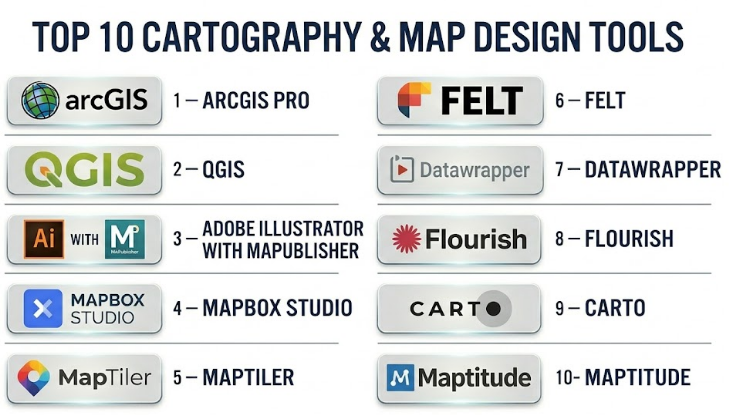
Top 10 Cartography & Map Design Tools
#1 — ArcGIS Pro
Short description :
ArcGIS Pro is a professional GIS and cartography tool used for advanced map creation, spatial analysis, data management, and high-quality map production. It is widely used by governments, utilities, planners, environmental teams, infrastructure organizations, and GIS professionals. ArcGIS Pro is especially strong when map design must be connected with serious GIS analysis, geodatabases, projections, editing, and enterprise workflows. It supports detailed symbology, labeling, layouts, map series, 2D maps, 3D scenes, and print-ready exports. It is a strong choice for professional teams that need both analysis and polished cartographic output.
Key Features
- Advanced map layouts and print-ready cartography
- Strong labeling, symbology, and layer styling
- 2D and 3D map design capabilities
- Spatial analysis and geoprocessing tools
- Support for geodatabases and many GIS formats
- Map series and atlas-style production
- Integration with broader GIS and web mapping workflows
Pros
- Excellent for professional GIS-based cartography
- Strong layout, labeling, and spatial analysis capabilities
- Suitable for enterprise and government mapping workflows
Cons
- Can be complex for beginners
- Licensing may be costly for smaller teams
- Best value comes when used within the broader GIS ecosystem
Platforms / Deployment
Windows
Desktop deployment
Cloud and enterprise sharing through related GIS ecosystem
Security & Compliance
Not publicly stated. Buyers should validate SSO/SAML, MFA, encryption, audit logs, RBAC, data residency, and compliance needs based on deployment and organizational setup.
Integrations & Ecosystem
ArcGIS Pro works well with enterprise GIS, field data, web maps, and spatial databases.
- GIS databases
- Web maps and dashboards
- Field data collection tools
- CAD and BIM data
- Imagery and raster layers
- Enterprise geospatial services
Support & Community
ArcGIS Pro has strong documentation, training options, professional support, a large GIS community, and a mature partner ecosystem. Support level depends on license and service agreement.
#2 — QGIS
Short description :
QGIS is a free and open-source GIS platform widely used for cartography, spatial analysis, and map production. It is popular among GIS analysts, researchers, students, consultants, nonprofits, and public agencies that need strong mapping capabilities without commercial license costs. QGIS supports professional map layouts, labels, symbology, projections, plugins, data editing, and many geospatial formats. It is especially useful for teams that want flexibility, open standards, and cost control. With the right plugins and cartographic skills, QGIS can produce highly professional maps.
Key Features
- Open-source GIS and cartography platform
- Strong map layout and print composer tools
- Support for many spatial data formats
- Advanced labeling and symbology options
- Plugin ecosystem for extended functionality
- Integration with spatial databases
- Raster, vector, and web service support
Pros
- No license cost for core software
- Strong community and plugin ecosystem
- Flexible for research, planning, and professional map design
Cons
- Some advanced workflows require technical knowledge
- Enterprise support depends on third-party providers
- Collaboration workflows may need additional setup
Platforms / Deployment
Windows / macOS / Linux
Desktop deployment
Can connect to cloud, database, and server-based systems
Security & Compliance
Varies / N/A. Security depends on local setup, plugins, database connections, file storage, and organizational policies.
Integrations & Ecosystem
QGIS fits well into open-source and professional geospatial workflows.
- PostGIS and spatial databases
- Web map services
- Open-source geospatial libraries
- Python scripting
- Plugins for cartography and analysis
- Raster and vector data workflows
Support & Community
QGIS has a large global community, documentation, tutorials, forums, and training providers. Formal support is available through consultants and specialist vendors.
#3 — Adobe Illustrator with MAPublisher
Short description :
Adobe Illustrator with MAPublisher is a powerful cartographic design workflow for users who need high-end map graphics with professional design control. Illustrator provides advanced typography, color, layout, and vector design tools, while MAPublisher adds GIS data handling, projections, attributes, and cartographic workflows. This combination is especially useful for professional cartographers, publishers, atlas creators, designers, and organizations producing beautiful static maps. It is ideal when visual quality matters as much as geographic accuracy. It is less suitable for heavy GIS analysis but excellent for final map design and publishing.
Key Features
- Professional vector-based map design
- Advanced typography and graphic styling
- GIS data import and projection support through MAPublisher
- Attribute-driven map styling
- High-quality print and publication output
- Strong control over legends, labels, symbols, and layout
- Suitable for atlas, editorial, and custom map production
Pros
- Excellent visual design control
- Strong for print, publishing, and editorial cartography
- Good balance of GIS data handling and design precision
Cons
- Requires both design and GIS/cartography knowledge
- Licensing can be expensive
- Not ideal for large-scale GIS analysis or real-time maps
Platforms / Deployment
Windows / macOS
Desktop deployment
Security & Compliance
Not publicly stated. Buyers should validate local data handling, licensing controls, file storage, access permissions, and organizational security policies.
Integrations & Ecosystem
This workflow is strong for users who move from GIS data to final design production.
- GIS data formats through MAPublisher
- Adobe Creative Cloud workflows
- Vector illustration formats
- Print production workflows
- Design asset libraries
- PDF and publication exports
Support & Community
Support depends on Adobe and MAPublisher product support, documentation, training providers, and cartography design communities. Many professional cartographers use this workflow for high-quality static maps.
#4 — Mapbox Studio
Short description :
Mapbox Studio is a web-based map design platform used to create custom basemaps and interactive map styles for web and mobile applications. It is popular among developers, product teams, data visualization teams, mobility companies, logistics platforms, media teams, and designers who need modern digital maps. Mapbox Studio is especially strong for custom map styling, vector tiles, brand-aligned maps, and app-based location experiences. It is not a traditional desktop GIS tool, but it is excellent for digital cartography and developer-friendly map design. It is best for teams building interactive maps into products or websites.
Key Features
- Custom basemap and style design
- Vector tile-based map rendering
- Web and mobile map publishing
- Style editor for colors, labels, layers, and symbols
- Developer APIs and SDK ecosystem
- Support for interactive location experiences
- Map design for apps, dashboards, and web products
Pros
- Excellent for digital and interactive maps
- Strong developer ecosystem
- Flexible design control for branded map experiences
Cons
- Not a full GIS analysis platform
- Requires developer knowledge for advanced implementation
- Usage-based pricing can become important at scale
Platforms / Deployment
Web
Cloud-based platform
Web / iOS / Android SDK ecosystem
Security & Compliance
Not publicly stated. Buyers should validate API security, token management, access control, encryption, data handling, and privacy requirements.
Integrations & Ecosystem
Mapbox Studio is strong for product, developer, and web map workflows.
- Web applications
- Mobile applications
- Location APIs
- Custom map tiles
- Data visualization layers
- Front-end development frameworks
Support & Community
Mapbox has strong developer documentation, examples, and community usage. Support level depends on plan and commercial agreement.
#5 — MapTiler
Short description :
MapTiler is a map platform used for creating, hosting, styling, and serving maps with custom tiles and geospatial data. It is useful for developers, GIS teams, publishers, businesses, and organizations that need fast map delivery and flexible basemap styling. MapTiler supports custom map design, tiles, geocoding, server options, and web map publishing. It is especially valuable for teams that want more control over map hosting and styling while still supporting modern web map workflows. MapTiler is a strong choice for organizations building map-based applications or custom digital map experiences.
Key Features
- Custom map tiles and basemap styling
- Map hosting and tile serving
- Web map publishing
- Support for vector and raster tiles
- Geocoding and map APIs
- Options for self-hosting or cloud use
- Developer-friendly mapping workflows
Pros
- Good flexibility for hosting and map delivery
- Strong for custom digital maps and apps
- Useful for teams wanting more control over map infrastructure
Cons
- Advanced workflows may require technical skills
- Not a complete traditional GIS analysis suite
- Buyers should compare hosting and usage costs carefully
Platforms / Deployment
Web
Cloud / Self-hosted options may vary
Developer API workflows
Security & Compliance
Not publicly stated. Buyers should validate API security, authentication, encryption, access control, hosting model, and data residency requirements.
Integrations & Ecosystem
MapTiler fits well with modern web mapping and application development.
- Web map libraries
- Tile servers
- GIS data exports
- Custom basemap workflows
- Developer APIs
- Self-hosted map infrastructure
Support & Community
MapTiler provides documentation and support options. Community strength is strongest among developers, GIS users, and web mapping teams.
#6 — Felt
Short description :
Felt is a modern collaborative mapping platform designed to make map creation, sharing, and teamwork easier. It is useful for planners, analysts, nonprofits, educators, climate teams, civic teams, and organizations that need simple but powerful collaborative maps. Felt focuses on making maps easier to create and share without heavy GIS complexity. It supports layers, annotations, data uploads, collaboration, and interactive map sharing. It is especially useful for teams that want fast map communication and visual collaboration rather than deep desktop GIS analysis.
Key Features
- Collaborative online map creation
- Easy data upload and layer management
- Interactive map sharing
- Drawing and annotation tools
- Team-based collaboration
- Simple visual styling
- Useful for planning, communication, and field-style review
Pros
- Easy to use compared with traditional GIS tools
- Strong collaboration and sharing experience
- Good for fast visual communication with maps
Cons
- Not as deep as professional GIS tools
- Advanced cartographic control may be limited
- Complex analysis may require another GIS platform
Platforms / Deployment
Web-based platform
Cloud deployment
Security & Compliance
Not publicly stated. Buyers should validate SSO/SAML, MFA, encryption, RBAC, audit logs, data retention, and privacy requirements.
Integrations & Ecosystem
Felt is useful when teams need quick map creation and collaboration.
- Data uploads
- Interactive web maps
- Team workspaces
- Public and private sharing
- Planning workflows
- Map annotations and comments
Support & Community
Support is vendor-led and may include documentation, product resources, and customer support. Buyers should validate support tiers and enterprise onboarding options.
#7 — Datawrapper
Short description :
Datawrapper is a data visualization platform used by journalists, researchers, communications teams, nonprofits, and public-sector teams to create charts, tables, and maps. It is especially strong for clean, readable, publishable maps that can be embedded in articles, reports, and websites. Datawrapper supports choropleth maps, symbol maps, locator maps, and simple interactive map outputs. It is not a full GIS tool, but it is excellent for communication-focused cartography. It is a strong choice for teams that need fast, polished maps for storytelling and public communication.
Key Features
- Choropleth maps and symbol maps
- Locator maps for simple geographic storytelling
- Clean publication-ready design
- Easy web embedding
- Chart, table, and map creation in one platform
- Accessible visual design defaults
- Useful for journalism and public communication
Pros
- Very easy to use for non-GIS users
- Strong for clean editorial maps
- Good fit for reports, media, and public dashboards
Cons
- Limited advanced GIS analysis
- Not suitable for complex spatial editing
- Map customization depth is lower than professional GIS tools
Platforms / Deployment
Web-based platform
Cloud deployment
Security & Compliance
Not publicly stated. Buyers should validate SSO, MFA, encryption, user permissions, data privacy, and publishing controls based on plan.
Integrations & Ecosystem
Datawrapper works well in data storytelling and publishing workflows.
- Website embedding
- CSV and spreadsheet-based data
- Editorial workflows
- Public reports
- Data visualization projects
- Communication dashboards
Support & Community
Datawrapper has helpful documentation, examples, and a strong user base among journalists and communicators. Support level depends on plan.
#8 — Flourish
Short description :
Flourish is a data visualization and storytelling platform that helps users create interactive charts, maps, scrollytelling experiences, and visual narratives. It is used by media teams, communications teams, marketers, nonprofits, researchers, and organizations that need engaging visual content. Flourish supports several map types and is useful for interactive storytelling rather than deep GIS analysis. It is especially valuable when maps need to appear inside digital stories, reports, campaigns, or presentations. Flourish is a good choice for teams that want visual impact and easy publishing.
Key Features
- Interactive maps and data visualizations
- Storytelling and presentation-style workflows
- Templates for maps, charts, and visual content
- Web embedding and sharing
- Animation and interactive design options
- Useful for non-technical users
- Data-driven visual storytelling
Pros
- Strong for interactive visual storytelling
- Easy for communication and media teams
- Good templates for quick visual output
Cons
- Not a professional GIS analysis platform
- Advanced cartographic precision may be limited
- Complex geospatial workflows require another tool
Platforms / Deployment
Web-based platform
Cloud deployment
Security & Compliance
Not publicly stated. Buyers should validate SSO, MFA, encryption, user permissions, data privacy, and publishing controls.
Integrations & Ecosystem
Flourish fits well into content, media, and communication workflows.
- Web publishing
- Data visualization projects
- Interactive reports
- Presentation workflows
- Spreadsheet-based data
- Storytelling pages
Support & Community
Flourish offers documentation, templates, examples, and support options. Its community is strong among data visualization and storytelling users.
#9 — CARTO
Short description :
CARTO is a cloud-native geospatial analytics and map visualization platform. It is used by data teams, analysts, businesses, urban teams, mobility companies, retail planners, and organizations that need location intelligence at scale. CARTO is strong for turning large spatial datasets into analytical maps, dashboards, and location intelligence applications. It is more analytics-focused than traditional cartographic design tools, but it provides strong web map and spatial data visualization capabilities. It is best for teams that want map design connected with cloud data and spatial analysis.
Key Features
- Cloud-native spatial analytics
- Web map visualization
- Location intelligence dashboards
- Integration with cloud data warehouses
- Spatial analysis and enrichment
- Developer and analyst workflows
- Scalable data processing for large spatial datasets
Pros
- Strong for data-driven maps and location analytics
- Good fit for modern cloud data teams
- Useful for business, mobility, retail, and urban analytics
Cons
- Less focused on print cartography
- Requires data maturity for best results
- Pricing and value depend on scale and usage
Platforms / Deployment
Web-based platform
Cloud deployment
Security & Compliance
Not publicly stated. Buyers should validate SSO/SAML, MFA, encryption, RBAC, audit logs, SOC 2, ISO 27001, GDPR, and cloud governance needs.
Integrations & Ecosystem
CARTO fits well with analytics and modern data stack workflows.
- Cloud data warehouses
- BI platforms
- APIs
- Web map applications
- Data science notebooks
- Spatial enrichment datasets
Support & Community
CARTO provides documentation, enterprise support options, learning resources, and developer guidance. Support depends on plan and contract.
#10 — Maptitude
Short description :
Maptitude is a desktop mapping and GIS tool focused on business mapping, territory planning, demographic analysis, site selection, and practical cartographic output. It is suitable for business analysts, sales operations teams, logistics planners, local governments, nonprofits, and organizations that need map-based planning without a heavy enterprise GIS system. Maptitude is especially useful for creating business maps, service area maps, market maps, route maps, and territory maps. It combines mapping and location analysis with a practical desktop workflow. It is a good fit for users who need useful maps quickly for planning and reporting.
Key Features
- Business mapping and location analysis
- Territory planning and optimization
- Demographic and market analysis
- Site selection tools
- Thematic maps and reports
- Routing and service area analysis
- Desktop map design and export
Pros
- Practical for business and planning maps
- Easier than many enterprise GIS tools
- Good for territory, market, and service area mapping
Cons
- Less suitable for advanced web map development
- Not as flexible as open-source GIS for customization
- Limited compared with enterprise GIS for large spatial programs
Platforms / Deployment
Windows
Desktop deployment
Security & Compliance
Not publicly stated. Buyers should validate local file security, licensing controls, data storage, user access, and organizational compliance needs.
Integrations & Ecosystem
Maptitude works well for business mapping and planning workflows.
- Customer and sales data
- Demographic datasets
- Territory planning
- Route and service area mapping
- Desktop exports
- Business reports and presentations
Support & Community
Support is vendor-led and may include documentation, tutorials, training resources, and customer support. Buyers should confirm onboarding and support options.
Comparison Table
| Tool Name | Best For | Platform(s) Supported | Deployment | Standout Feature | Public Rating |
|---|---|---|---|---|---|
| ArcGIS Pro | Professional GIS cartography and analysis | Windows | Desktop / Cloud ecosystem | Advanced GIS-based cartographic production | N/A |
| QGIS | Open-source cartography and GIS workflows | Windows / macOS / Linux | Desktop / Self-managed | Free professional GIS with strong map layouts | N/A |
| Adobe Illustrator with MAPublisher | High-end static map design and publishing | Windows / macOS | Desktop | Professional vector cartography and design control | N/A |
| Mapbox Studio | Custom web and mobile map styling | Web / SDK ecosystem | Cloud | Vector tile styling for digital maps | N/A |
| MapTiler | Custom map tiles and map hosting | Web / APIs | Cloud / Self-hosted | Flexible map tile creation and hosting | N/A |
| Felt | Collaborative online map creation | Web | Cloud | Easy team-based map collaboration | N/A |
| Datawrapper | Editorial maps and public communication | Web | Cloud | Clean, accessible, publishable maps | N/A |
| Flourish | Interactive map storytelling | Web | Cloud | Visual storytelling with maps and charts | N/A |
| CARTO | Cloud spatial analytics and data maps | Web | Cloud | Location intelligence for modern data teams | N/A |
| Maptitude | Business mapping and territory planning | Windows | Desktop | Practical business cartography and analysis | N/A |
Evaluation & Cartography & Map Design Tools
| Tool Name | Core (25%) | Ease (15%) | Integrations (15%) | Security (10%) | Performance (10%) | Support (10%) | Value (15%) | Weighted Total (0–10) |
|---|---|---|---|---|---|---|---|---|
| ArcGIS Pro | 10 | 7 | 10 | 8 | 9 | 9 | 7 | 8.65 |
| QGIS | 9 | 7 | 9 | 6 | 8 | 8 | 10 | 8.20 |
| Adobe Illustrator with MAPublisher | 9 | 6 | 8 | 6 | 8 | 8 | 7 | 7.65 |
| Mapbox Studio | 8 | 8 | 9 | 7 | 9 | 8 | 8 | 8.10 |
| MapTiler | 8 | 8 | 8 | 7 | 8 | 8 | 8 | 7.95 |
| Felt | 7 | 9 | 7 | 6 | 8 | 7 | 8 | 7.45 |
| Datawrapper | 7 | 10 | 6 | 6 | 8 | 8 | 9 | 7.75 |
| Flourish | 7 | 9 | 6 | 6 | 8 | 8 | 8 | 7.45 |
| CARTO | 8 | 8 | 9 | 7 | 9 | 8 | 8 | 8.10 |
| Maptitude | 7 | 8 | 6 | 6 | 7 | 7 | 8 | 7.05 |
These scores are comparative and should be treated as a practical guide, not a universal ranking. A high score means the tool performs well across the selected criteria, but the right choice depends on your map purpose. A professional cartographer may prefer ArcGIS Pro, QGIS, or Illustrator with MAPublisher. A product team may prefer Mapbox Studio or MapTiler. A journalist may prefer Datawrapper or Flourish. A business planner may prefer Maptitude or CARTO.
Which Cartography & Map Design Tool Should You Choose?
Solo / Freelancer
Solo cartographers, GIS consultants, designers, and researchers should choose tools based on the type of maps they create. If the work involves GIS analysis and map layouts, QGIS is a strong cost-effective choice. If the work requires premium static map design, Adobe Illustrator with MAPublisher can be powerful. If the work involves interactive digital maps, Mapbox Studio or MapTiler may be better.
Recommended direction: QGIS for general cartography, Illustrator with MAPublisher for premium design, Mapbox Studio for web maps, and Datawrapper for quick publication maps.
SMB
Small and midsize businesses usually need maps for sales territories, customer locations, market planning, logistics, reports, and presentations. They may not need a full enterprise GIS platform unless mapping is central to operations.
Maptitude is practical for business mapping. Datawrapper and Flourish are useful for reports and public communication. CARTO is strong when the business has larger spatial datasets and wants analytics.
Recommended direction: Maptitude for business maps, Datawrapper for simple publishable maps, CARTO for spatial analytics, and Mapbox Studio for custom digital map products.
Mid-Market
Mid-market organizations often need better collaboration, branded map outputs, repeatable workflows, and stronger integrations. They may use a mix of GIS, design, and web mapping tools.
A planning team may choose ArcGIS Pro or QGIS. A communications team may choose Datawrapper or Flourish. A product team may choose Mapbox Studio or MapTiler. A data team may choose CARTO.
Recommended direction: Choose based on department needs rather than forcing one tool for all map types.
Enterprise
Large organizations need governance, security, role management, enterprise data integration, scalable publishing, and repeatable map production workflows. Enterprises may need more than one tool: GIS for analysis, design tools for final maps, and web platforms for public sharing.
ArcGIS Pro is strong for enterprise GIS. QGIS can be powerful with proper support. CARTO is strong for data teams. Mapbox Studio and MapTiler are useful for digital products. Adobe Illustrator with MAPublisher is excellent for high-end static map production.
Recommended direction: Build a map design stack rather than choosing only one tool.
Budget vs Premium
Budget-focused users should start with QGIS, Datawrapper, and open-source mapping workflows. These can support professional output if the team has skill and time.
Premium tools are better when organizations need enterprise support, polished workflows, advanced design control, production reliability, and team collaboration.
Budget direction: QGIS, Datawrapper, basic open-source map workflows.
Premium direction: ArcGIS Pro, Adobe Illustrator with MAPublisher, Mapbox Studio, MapTiler, CARTO, Maptitude.
Feature Depth vs Ease of Use
Advanced GIS and design tools provide more control, but they also require more skill. Simple web tools are easier but may limit precision, customization, and data handling.
If your team has GIS professionals, choose depth. If your team needs quick maps for communication, choose ease of use.
Feature depth: ArcGIS Pro, QGIS, Adobe Illustrator with MAPublisher, CARTO.
Ease of use: Datawrapper, Flourish, Felt, Maptitude.
Integrations & Scalability
Cartography tools should fit into your data workflow. If maps depend on spatial databases, APIs, GIS layers, web apps, dashboards, or data warehouses, integration matters.
Large teams should review data formats, export options, APIs, authentication, team sharing, and publishing workflows before choosing a tool.
Strong integration candidates: ArcGIS Pro, QGIS, Mapbox Studio, MapTiler, CARTO, Adobe Illustrator with MAPublisher.
Security & Compliance Needs
Map data may include sensitive information such as infrastructure, land parcels, customer locations, field assets, protected areas, or internal business territories. Security review is important even for map design tools.
Buyers should validate:
- User permissions
- Data storage location
- Encryption
- Role-based access
- Audit logs
- SSO or MFA where needed
- Public vs private map sharing
- Data export controls
- Licensing rules
- Privacy and compliance requirements
For public-sector, utility, defense, and enterprise use cases, map publishing permissions should be reviewed carefully before sharing maps online.
Frequently Asked Questions
1. What are Cartography & Map Design Tools?
Cartography & Map Design Tools are software platforms used to create maps that are accurate, readable, and visually clear. They help users style layers, labels, symbols, colors, legends, layouts, and interactive map experiences.
2. How are cartography tools different from GIS tools?
GIS tools focus on spatial data management and analysis, while cartography tools focus more on how maps look and communicate information. Many platforms, such as ArcGIS Pro and QGIS, support both GIS analysis and cartographic design.
3. Who uses map design tools?
Cartographers, GIS analysts, urban planners, researchers, journalists, government teams, designers, businesses, educators, nonprofits, and product teams use map design tools to create static, interactive, and data-driven maps.
4. What pricing models are common?
Pricing may be based on desktop licenses, subscriptions, users, usage volume, API calls, hosting, enterprise agreements, or open-source support. Free tools may still require training, hosting, maintenance, or specialist expertise.
5. What is the best tool for static map design?
ArcGIS Pro, QGIS, and Adobe Illustrator with MAPublisher are strong choices for static map design. Illustrator with MAPublisher is especially useful when high-end graphic design and print quality are important.
6. What is the best tool for interactive web maps?
Mapbox Studio, MapTiler, Felt, Datawrapper, Flourish, and CARTO are strong options for interactive maps. The best choice depends on whether you need developer control, storytelling, analytics, or simple publishing.
7. Can non-GIS users create maps?
Yes, tools like Datawrapper, Flourish, Felt, and Maptitude make map creation easier for non-GIS users. However, users still need to understand basic map design principles to avoid misleading or confusing maps.
8. What are common map design mistakes?
Common mistakes include using too many colors, unclear legends, poor label placement, wrong projections, misleading symbol sizes, cluttered layers, low contrast, missing scale, and not considering accessibility.
9. Are open-source tools good for professional cartography?
Yes, QGIS can produce professional-quality maps when used properly. Open-source tools are strong for flexibility and cost control, but teams may need training and support for advanced workflows.
10. What integrations matter most?
Important integrations include GIS databases, spatial files, web map services, cloud storage, APIs, design tools, BI platforms, data warehouses, and publishing systems. Integration needs depend on whether maps are for print, web, analysis, or business use.
Conclusion
Cartography & Map Design Tools help organizations turn geographic data into maps that are clear, accurate, useful, and visually professional. The best tool depends on the kind of map you need. ArcGIS Pro is strong for professional GIS cartography. QGIS is a powerful open-source option. Adobe Illustrator with MAPublisher is excellent for high-end static map design. Mapbox Studio and MapTiler are strong for custom digital maps. Felt is useful for collaboration. Datawrapper and Flourish are excellent for communication and storytelling. CARTO supports data-driven location intelligence, while Maptitude works well for business mapping and territory planning.
