Introduction
Database Administration Tools are software platforms that help manage, monitor, optimize, and secure databases across different environments. These tools simplify tasks like performance tuning, backup management, query optimization, and user access control—making life easier for DBAs, developers, and IT teams.
In the modern data-driven world, especially with cloud-native architectures, microservices, and distributed databases becoming standard, database administration has become more complex than ever. Organizations now deal with multiple database types (SQL, NoSQL, cloud-native), increasing data volumes, and stricter compliance requirements. That’s where robust DBA tools become critical.
Real-world use cases include:
- Monitoring database performance in production environments
- Managing backups and disaster recovery strategies
- Optimizing slow queries and indexes
- Ensuring compliance and security across databases
- Managing multi-cloud or hybrid database environments
What buyers should evaluate:
- Ease of use and UI experience
- Multi-database support (MySQL, PostgreSQL, Oracle, etc.)
- Automation and AI-driven insights
- Security features (RBAC, audit logs, encryption)
- Integration with DevOps and cloud tools
- Performance monitoring and alerting
- Scalability and deployment flexibility
- Pricing and licensing model
Best for: Database administrators, DevOps engineers, backend developers, cloud architects, and enterprises managing critical data infrastructure.
Not ideal for: Small teams using lightweight or single-instance databases where basic tools or built-in DB consoles are sufficient.
Key Trends in Database Administration Tools
- AI-driven optimization: Tools now suggest query improvements, index tuning, and anomaly detection automatically
- Cloud-first management: Increasing support for AWS, Azure, and multi-cloud database environments
- Automation & self-healing systems: Automated backups, failover, and performance tuning
- Unified dashboards: Single pane of glass for managing multiple database types
- Security-first design: Built-in compliance, encryption, and audit logging
- DevOps integration: CI/CD pipelines and infrastructure-as-code compatibility
- Observability integration: Deep metrics, logs, and traces for database performance
- Hybrid deployment models: Support for both on-prem and cloud environments
- Usage-based pricing models: Pay-as-you-go becoming more common
- Cross-platform accessibility: Web-based tools replacing desktop-only solutions
How We Selected These Tools (Methodology)
- Evaluated market adoption and industry usage across enterprises and SMBs
- Assessed feature completeness, including monitoring, tuning, and automation
- Considered performance and reliability indicators from real-world deployments
- Reviewed security capabilities, including access control and compliance support
- Checked integration ecosystems with cloud platforms and DevOps tools
- Analyzed user experience and learning curve
- Included tools for different user segments (developers, DBAs, enterprises)
- Balanced open-source and commercial tools
- Focused on tools with active development and community support
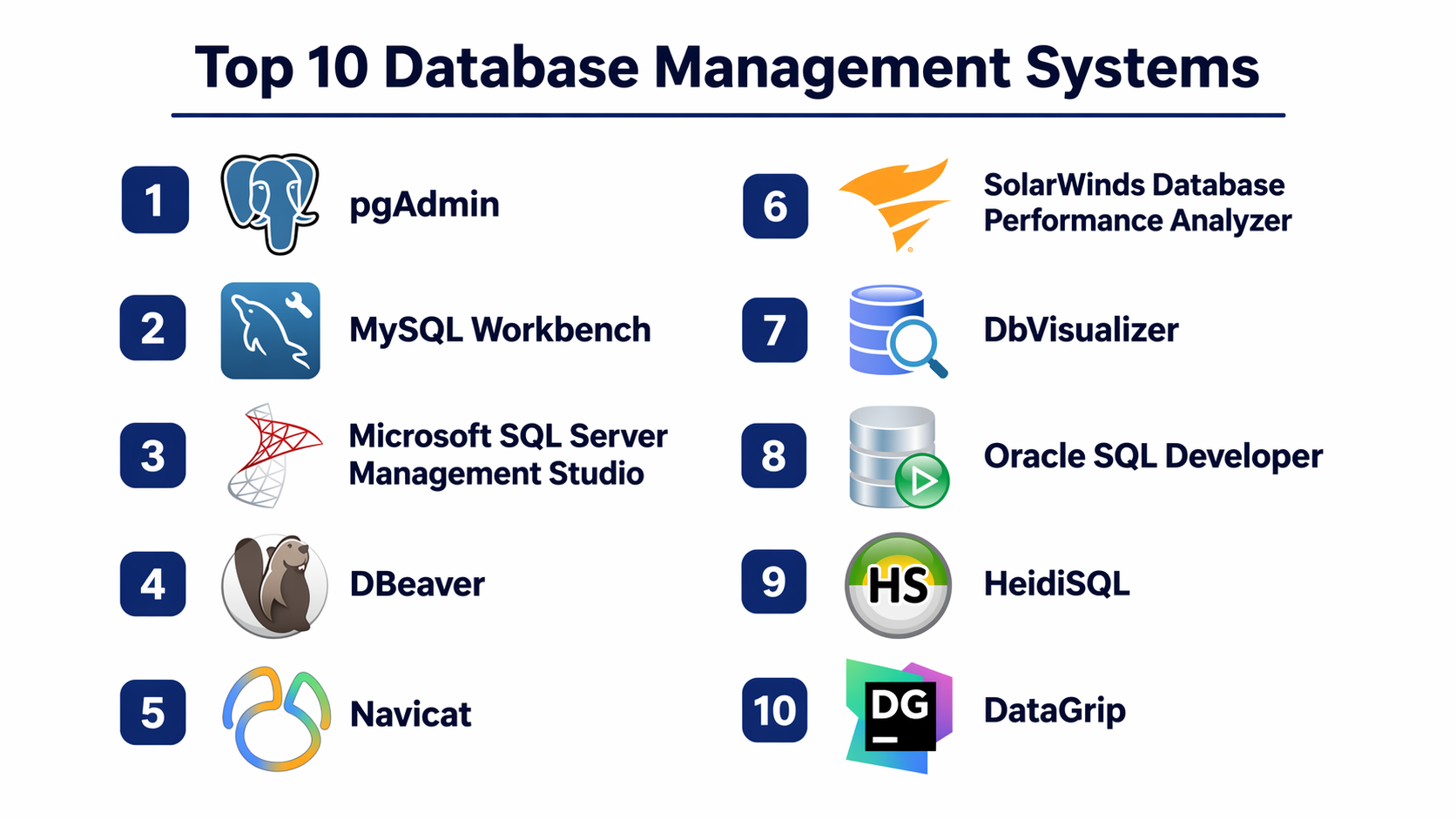
Top 10 Database Administration Tools
#1 — pgAdmin
Short description: A widely used open-source administration and development platform for PostgreSQL databases, ideal for developers and DBAs.
Key Features
- Graphical interface for PostgreSQL management
- Query tool with execution plan analysis
- Backup and restore utilities
- Role and permission management
- Monitoring dashboards
- SQL editor with syntax highlighting
Pros
- Free and open-source
- Strong PostgreSQL ecosystem support
Cons
- Limited to PostgreSQL
- Can be slow with large datasets
Platforms / Deployment
Web / Windows / macOS / Linux
Security & Compliance
RBAC, SSL encryption support; others Not publicly stated
Integrations & Ecosystem
Supports PostgreSQL extensions and APIs
- PostgreSQL tools ecosystem
- Plugin-based extensibility
Support & Community
Strong community support; documentation available
#2 — MySQL Workbench
Short description: Official GUI tool for MySQL database design, administration, and query execution.
Key Features
- Visual database design
- SQL development tools
- Performance dashboard
- User administration
- Backup and recovery tools
Pros
- Native MySQL support
- Easy to use for beginners
Cons
- Limited cross-database support
- UI can lag on large schemas
Platforms / Deployment
Windows / macOS / Linux
Security & Compliance
SSL, user access control; others Not publicly stated
Integrations & Ecosystem
- MySQL ecosystem tools
- Database migration tools
Support & Community
Official documentation; strong community
#3 — Microsoft SQL Server Management Studio (SSMS)
Short description: Enterprise-grade tool for managing SQL Server environments.
Key Features
- Query execution and debugging
- Performance tuning advisor
- Backup and restore management
- Security management
- Reporting services integration
Pros
- Deep integration with SQL Server
- Enterprise-grade capabilities
Cons
- Windows-only
- Limited for non-SQL Server databases
Platforms / Deployment
Windows
Security & Compliance
RBAC, encryption, audit logs; others Not publicly stated
Integrations & Ecosystem
- Azure integration
- Microsoft ecosystem tools
Support & Community
Strong enterprise support and documentation
#4 — DBeaver
Short description: Universal database tool supporting multiple database types.
Key Features
- Multi-database connectivity
- SQL editor and execution
- Data visualization
- ER diagrams
- Plugin architecture
Pros
- Supports many databases
- Free community version
Cons
- Advanced features in paid version
- UI complexity
Platforms / Deployment
Windows / macOS / Linux
Security & Compliance
Encryption support; others Not publicly stated
Integrations & Ecosystem
- JDBC drivers
- Plugin support
Support & Community
Active community and enterprise support
#5 — Navicat
Short description: Premium database administration tool for multiple database platforms.
Key Features
- Multi-database management
- Data synchronization
- Backup automation
- Visual query builder
- Data modeling
Pros
- Clean UI
- Multi-database support
Cons
- Expensive
- Licensing complexity
Platforms / Deployment
Windows / macOS / Linux
Security & Compliance
Encryption, SSH tunneling; others Not publicly stated
Integrations & Ecosystem
- Cloud services
- Database connectors
Support & Community
Commercial support available
#6 — SolarWinds Database Performance Analyzer
Short description: Advanced performance monitoring tool for enterprise databases.
Key Features
- Query performance analysis
- Wait-time analysis
- Real-time monitoring
- Alerts and reporting
- Multi-platform support
Pros
- Deep performance insights
- Enterprise scalability
Cons
- Expensive
- Complex setup
Platforms / Deployment
Web / Cloud / On-prem
Security & Compliance
RBAC, monitoring controls; others Not publicly stated
Integrations & Ecosystem
- Cloud platforms
- Monitoring tools
Support & Community
Enterprise-level support
#7 — DbVisualizer
Short description: Database management tool with strong visualization capabilities.
Key Features
- SQL editor
- Data visualization
- Cross-database support
- Export/import tools
Pros
- Easy to use
- Cross-platform
Cons
- Limited advanced features
- Paid version required for full features
Platforms / Deployment
Windows / macOS / Linux
Security & Compliance
Not publicly stated
Integrations & Ecosystem
- JDBC support
- Plugin ecosystem
Support & Community
Good documentation
#8 — Oracle SQL Developer
Short description: Free tool from Oracle for managing Oracle databases.
Key Features
- SQL worksheet
- Data modeling
- PL/SQL debugging
- Database migration
Pros
- Free
- Oracle optimized
Cons
- Limited for non-Oracle DBs
- Heavy resource usage
Platforms / Deployment
Windows / macOS / Linux
Security & Compliance
Oracle security features integration
Integrations & Ecosystem
- Oracle ecosystem tools
Support & Community
Strong enterprise support
#9 — HeidiSQL
Short description: Lightweight tool for managing MySQL, MariaDB, and PostgreSQL databases.
Key Features
- Query editor
- Data export/import
- Table management
- SSH tunneling
Pros
- Lightweight
- Free
Cons
- Limited advanced features
- Windows-focused
Platforms / Deployment
Windows
Security & Compliance
SSH support; others Not publicly stated
Integrations & Ecosystem
- Basic integrations
Support & Community
Active community
#10 — DataGrip
Short description: Developer-focused database IDE by JetBrains supporting multiple databases.
Key Features
- Intelligent SQL editor
- Schema navigation
- Version control integration
- Code completion
Pros
- Excellent developer experience
- Multi-database support
Cons
- Paid tool
- Resource-heavy
Platforms / Deployment
Windows / macOS / Linux
Security & Compliance
Not publicly stated
Integrations & Ecosystem
- JetBrains ecosystem
- Git integration
Support & Community
Strong documentation and support
Comparison Table (Top 10)
| Tool Name | Best For | Platform(s) Supported | Deployment | Standout Feature | Public Rating |
|---|---|---|---|---|---|
| pgAdmin | PostgreSQL admins | Cross-platform | Self-hosted | PostgreSQL UI | N/A |
| MySQL Workbench | MySQL users | Cross-platform | Local | Visual DB design | N/A |
| SSMS | SQL Server | Windows | Local | Enterprise tools | N/A |
| DBeaver | Multi-DB users | Cross-platform | Local | Universal support | N/A |
| Navicat | Professionals | Cross-platform | Local | UI + automation | N/A |
| SolarWinds DPA | Enterprises | Web | Hybrid | Performance insights | N/A |
| DbVisualizer | Analysts | Cross-platform | Local | Visualization | N/A |
| Oracle SQL Developer | Oracle users | Cross-platform | Local | Oracle integration | N/A |
| HeidiSQL | Small teams | Windows | Local | Lightweight tool | N/A |
| DataGrip | Developers | Cross-platform | Local | Smart SQL editor | N/A |
Evaluation & Scoring of Database Administration Tools
| Tool Name | Core (25%) | Ease (15%) | Integrations (15%) | Security (10%) | Performance (10%) | Support (10%) | Value (15%) | Weighted Total |
|---|---|---|---|---|---|---|---|---|
| pgAdmin | 8 | 7 | 7 | 7 | 7 | 8 | 9 | 7.8 |
| MySQL Workbench | 8 | 8 | 7 | 7 | 7 | 8 | 8 | 7.7 |
| SSMS | 9 | 7 | 8 | 8 | 8 | 9 | 7 | 8.1 |
| DBeaver | 9 | 8 | 9 | 7 | 8 | 8 | 9 | 8.4 |
| Navicat | 8 | 9 | 8 | 7 | 8 | 8 | 7 | 8.0 |
| SolarWinds DPA | 9 | 7 | 8 | 8 | 9 | 9 | 6 | 8.2 |
| DbVisualizer | 7 | 8 | 7 | 6 | 7 | 7 | 7 | 7.2 |
| Oracle SQL Developer | 8 | 7 | 7 | 8 | 8 | 8 | 8 | 7.8 |
| HeidiSQL | 7 | 8 | 6 | 6 | 7 | 7 | 9 | 7.3 |
| DataGrip | 9 | 8 | 9 | 7 | 8 | 8 | 7 | 8.3 |
How to interpret:
Scores are comparative and based on real-world usage patterns. A higher score indicates stronger overall capability but not necessarily the best fit for every use case. Always consider your environment, database type, and team skill level.
Which Database Administration Tools Is Right for You?
Solo / Freelancer
Choose lightweight tools like HeidiSQL or DBeaver
SMB
Use MySQL Workbench or DbVisualizer
Mid-Market
DBeaver or Navicat for flexibility
Enterprise
SolarWinds DPA or SSMS
Budget vs Premium
Free tools work well; premium tools offer automation
Feature Depth vs Ease of Use
Simple UI vs advanced capabilities trade-off
Integrations & Scalability
Choose tools with API and cloud support
Security & Compliance Needs
Enterprise tools provide better controls
Frequently Asked Questions (FAQs)
What are database administration tools?
They are software used to manage, monitor, and optimize databases efficiently.
Are free tools enough?
Yes, for small to mid-level workloads.
Do these tools support cloud databases?
Many tools now support AWS, Azure, and hybrid setups.
Are these tools secure?
Most provide basic security; enterprise tools offer advanced features.
Can developers use these tools?
Yes, especially tools like DataGrip and DBeaver.
Do I need coding knowledge?
Basic SQL knowledge is usually required.
Can I switch tools easily?
Migration depends on database compatibility.
What is the biggest mistake?
Ignoring performance monitoring.
Are AI features available?
Some modern tools include AI-driven optimization.
Which tool is best overall?
Depends on your use case and database environment.
Conclusion
Database administration tools play a critical role in ensuring the performance, security, and scalability of modern data systems. As organizations continue to rely heavily on data-driven decision-making, the need for efficient database management solutions becomes even more important. From open-source tools like pgAdmin to enterprise solutions like SolarWinds Database Performance Analyzer, each tool offers unique strengths tailored to different use cases. There is no single “best” tool for everyone. The right choice depends on your database type, team expertise, budget, and infrastructure complexity. A practical approach is to shortlist two or three tools that match your requirements, run pilot tests, and evaluate how well they integrate with your existing systems. This ensures you select a solution that delivers long-term value while minimizing operational risks.
