Introduction
Ticket Scanning & Access Tools are software and hardware-enabled systems used to validate tickets, control entry points, manage guest flow, reduce fraud, and track attendance in real time. In plain English, these tools help event teams confirm whether a visitor’s ticket is valid before allowing entry. They usually work with QR codes, barcodes, RFID wristbands, NFC passes, mobile tickets, handheld scanners, turnstiles, or check-in apps.
In the 2026+ event environment, fast and secure entry has become more important because venues are handling hybrid ticketing models, mobile-first guests, fraud risks, cashless ecosystems, and higher expectations around crowd safety. These tools are commonly used for concerts, stadiums, conferences, festivals, exhibitions, theatres, sports events, religious events, and corporate gatherings.
Buyers should evaluate scanning speed, offline mode, fraud prevention, mobile compatibility, multi-gate support, reporting, integrations, security controls, hardware flexibility, and ease of staff training.
Best for: event organizers, stadium operators, venue managers, ticketing teams, conference planners, festival operators, sports clubs, theatres, and enterprises managing high-volume visitor access.
Not ideal for: very small private gatherings where a simple RSVP sheet, manual guest list, or basic registration form is enough.
Key Trends in Ticket Scanning & Access Tools
- Mobile-first ticket validation is becoming the default, with QR codes, mobile wallets, and app-based tickets replacing paper-heavy entry workflows.
- Offline scanning mode is now critical for large venues where network connectivity can fail during peak entry times.
- Fraud prevention is becoming stronger through duplicate-scan alerts, dynamic QR codes, ticket status checks, and real-time validation.
- AI-assisted crowd insights are emerging through attendance forecasting, entry bottleneck detection, and operational analytics.
- RFID and NFC access are growing in festivals, stadiums, and premium venues where wristbands, badges, or tap-to-enter access are useful.
- Integration with CRM, ticketing, payments, and venue systems is now a major buying factor for mid-market and enterprise teams.
- Self-service scanning apps are becoming popular for SMB organizers that do not want expensive hardware.
- Enterprise access control is shifting toward connected ecosystems, where ticketing, identity, concessions, loyalty, and security teams share operational data.
- Security expectations are rising, especially around role-based access, audit logs, encrypted data, SSO, and compliance transparency.
- Flexible pricing models are common, including per-ticket fees, event-based pricing, platform subscriptions, and enterprise contracts.
How We Selected These Tools
- We focused on tools that are widely recognized in event ticketing, access control, event check-in, venue entry, and large-scale attendee validation.
- We included a mix of enterprise platforms, SMB-friendly tools, festival-focused platforms, conference check-in systems, and venue-ready access solutions.
- We considered feature completeness, including QR scanning, barcode validation, offline mode, multi-device support, attendee tracking, and reporting.
- We reviewed practical suitability for real-world events such as concerts, conferences, stadiums, theatres, exhibitions, and festivals.
- We considered ecosystem strength, including integrations with registration systems, CRM tools, payment platforms, badge printing, and venue operations.
- We gave preference to tools that support modern mobile-first workflows rather than only legacy ticket validation.
- We considered reliability signals such as suitability for high-volume check-in, multi-gate entry, and real-time synchronization.
- We considered security posture only where confidently known, and used “Not publicly stated” when details are unclear.
- We avoided guessing public ratings, certifications, or exact compliance claims.
- We scored tools comparatively based on category fit, not as a universal ranking for every buyer.
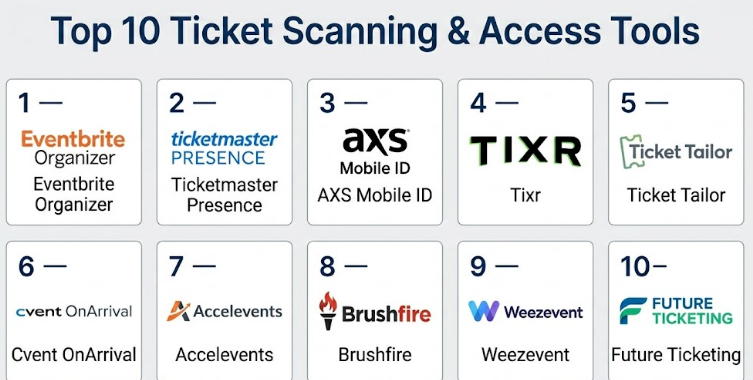
Top 10 Ticket Scanning & Access Tools
#1 — Eventbrite Organizer
Short description :
Eventbrite Organizer is a mobile-friendly event management and ticket scanning tool used by small and mid-sized event organizers. It helps teams scan tickets, check in attendees, monitor sales, and manage event entry from mobile devices. It is commonly used for workshops, concerts, community events, business events, and paid experiences. The platform is especially useful for organizers who want ticketing, promotion, registration, and scanning inside one ecosystem. It works well for teams that need a simple setup without heavy technical configuration.
Key Features
- Mobile ticket scanning through organizer app
- QR code and barcode ticket validation
- Real-time attendee check-in visibility
- Ticket sales and registration management
- Attendee list management
- Basic event reporting and entry tracking
- Useful for free, paid, public, and private events
Pros
- Easy for small teams to learn and operate quickly.
- Strong fit for events that need ticketing and scanning in one platform.
- Good mobile-first experience for organizers and check-in staff.
Cons
- Advanced venue access control may be limited for large stadium operations.
- Pricing and fees may not suit every organizer model.
- Deep customization can be limited compared with enterprise systems.
Platforms / Deployment
Web / iOS / Android
Cloud
Security & Compliance
SSO/SAML: Not publicly stated
MFA: Not publicly stated
Encryption: Not publicly stated
Audit logs: Not publicly stated
RBAC: Varies / N/A
SOC 2 / ISO 27001 / HIPAA: Not publicly stated
Integrations & Ecosystem
Eventbrite works well as an event ticketing and registration ecosystem, especially for organizers who want ticket sales, attendee management, and scanning under one workflow.
- Payment processing ecosystem
- Email and attendee communication workflows
- Marketing and event discovery features
- Export options for attendee data
- Common business and event workflow integrations
- Mobile organizer app ecosystem
Support & Community
Documentation and help resources are generally available for organizers. Support options may vary by plan, event type, region, and account level. Community knowledge is strong because the platform is widely used by event creators.
#2 — Ticketmaster Presence
Short description :
Ticketmaster Presence is an enterprise-grade access and ticket validation solution designed for large venues, sports teams, concerts, arenas, and high-volume live entertainment environments. It is built around digital ticketing, secure entry, mobile access, and venue-level operations. It is best suited for organizations that need reliable entry control across multiple gates and large crowds. The platform fits large-scale event ecosystems where ticketing, identity, fan experience, and access control must work together. It is less suitable for small events that only need basic check-in.
Key Features
- Digital ticket entry and access validation
- Mobile ticket support
- Large venue and stadium access workflows
- Multi-gate entry management
- Fraud reduction through controlled ticket validation
- Support for high-volume live event environments
- Integration with broader Ticketmaster ticketing ecosystem
Pros
- Strong fit for enterprise sports, concerts, and major venues.
- Designed for large-scale guest entry and live event operations.
- Works well when ticketing and access need to be tightly connected.
Cons
- May be too complex or costly for smaller organizers.
- Best value is usually inside the broader Ticketmaster ecosystem.
- Customization and contract terms may vary significantly.
Platforms / Deployment
Web / Mobile / Venue access hardware ecosystem
Cloud / Hybrid
Security & Compliance
SSO/SAML: Not publicly stated
MFA: Not publicly stated
Encryption: Not publicly stated
Audit logs: Varies / N/A
RBAC: Varies / N/A
SOC 2 / ISO 27001 / HIPAA: Not publicly stated
Integrations & Ecosystem
Ticketmaster Presence is strongest when used with Ticketmaster’s wider ticketing, live entertainment, and venue operations ecosystem.
- Ticketmaster ticketing ecosystem
- Venue entry systems
- Mobile ticket workflows
- Fan experience tools
- Reporting and attendance workflows
- Access hardware and gate operations
Support & Community
Support is generally enterprise-oriented and depends on contract, venue type, and deployment model. Onboarding is usually more structured than SMB ticketing platforms because large venues need operational planning.
#3 — AXS Mobile ID
Short description :
AXS Mobile ID is a digital ticketing and access solution used for live entertainment, sports, venues, and event entry. It focuses on mobile ticket delivery, secure entry, ticket ownership, and controlled admission. The tool is useful for venues and promoters that need reliable mobile ticket validation and reduced paper ticket dependency. It supports modern audience expectations where guests enter events through their phones. It is best for organizations already using or considering the AXS ticketing environment.
Key Features
- Mobile ticket-based entry
- Digital ticket identity and validation
- Venue and live event access workflows
- Support for reduced paper ticket usage
- Ticket transfer and attendee access controls
- Scanning and verification at venue entry points
- Useful for sports, concerts, and entertainment venues
Pros
- Strong fit for mobile-first live event access.
- Helps reduce manual paper-ticket handling.
- Useful for venues with recurring event schedules.
Cons
- Best suited to teams using the AXS ecosystem.
- May not be ideal for small independent events.
- Public details on some security and compliance controls are limited.
Platforms / Deployment
Web / iOS / Android
Cloud / Hybrid
Security & Compliance
SSO/SAML: Not publicly stated
MFA: Not publicly stated
Encryption: Not publicly stated
Audit logs: Not publicly stated
RBAC: Varies / N/A
SOC 2 / ISO 27001 / HIPAA: Not publicly stated
Integrations & Ecosystem
AXS Mobile ID works within the broader AXS event and ticketing ecosystem, with a focus on mobile ticket access and venue entry.
- AXS ticketing workflows
- Venue entry systems
- Mobile ticket transfer
- Digital access validation
- Live event operations
- Reporting and attendance workflows
Support & Community
Support is usually tied to ticketing partnerships, venue relationships, and organizer agreements. Documentation and user help may vary depending on whether the user is an attendee, organizer, or venue operator.
#4 — Tixr
Short description :
Tixr is an event commerce and ticketing platform used by concerts, festivals, attractions, sports events, and experience-based brands. It supports ticket selling, customer management, and entry workflows for event organizers. Tixr is useful for teams that want more control over branding, ticket types, upsells, and attendee experience. It can support modern ticketing models where merchandise, parking, VIP packages, and access are part of a wider commerce flow. It is a strong option for event brands that need more than simple registration.
Key Features
- Ticketing and event commerce workflows
- Mobile-friendly entry and validation support
- Support for multiple ticket types
- Customer and attendee management
- Reporting and sales analytics
- Brand-focused event pages
- Useful for festivals, attractions, concerts, and experiences
Pros
- Strong fit for event brands that need ticketing plus commerce.
- Useful for complex ticket packages and premium experiences.
- Good for organizers who care about branded buyer experience.
Cons
- May require more setup than simple check-in apps.
- Best suited for teams needing ticket commerce, not only scanning.
- Some security and compliance details are not publicly stated.
Platforms / Deployment
Web / iOS / Android
Cloud
Security & Compliance
SSO/SAML: Not publicly stated
MFA: Not publicly stated
Encryption: Not publicly stated
Audit logs: Not publicly stated
RBAC: Varies / N/A
SOC 2 / ISO 27001 / HIPAA: Not publicly stated
Integrations & Ecosystem
Tixr is built around ticketing, commerce, and event operations, making it useful when access workflows are connected to broader revenue and customer experience goals.
- Payment and checkout workflows
- Event commerce ecosystem
- Customer data and reporting
- Marketing workflow support
- Mobile ticket access
- Event operations tools
Support & Community
Support is generally platform-led and may vary by customer size, event type, and plan. Larger event organizers may receive more onboarding help, while smaller teams may rely more on documentation and account support.
#5 — Ticket Tailor
Short description :
Ticket Tailor is a ticketing platform often used by small businesses, community organizers, theatres, festivals, workshops, and independent event teams. It includes ticket sales, event pages, attendee management, and check-in functionality. The platform is known for being practical and accessible for organizers that want a straightforward ticketing experience. It works well when teams need QR ticket scanning without complex venue infrastructure. It is a good option for cost-conscious organizers that still need professional entry control.
Key Features
- Ticket creation and sales management
- QR code ticket scanning
- Attendee list and check-in management
- Embeddable ticketing workflows
- Custom event pages
- Basic reporting and sales tracking
- Useful for independent and SMB events
Pros
- Simple to use for small and growing event teams.
- Good fit for organizers that want practical ticket scanning.
- Flexible for many event types, including paid and free events.
Cons
- Not designed as a full stadium-grade access control platform.
- Advanced enterprise security controls may be limited or unclear.
- Deep integrations may depend on available workflows and third-party tools.
Platforms / Deployment
Web / iOS / Android
Cloud
Security & Compliance
SSO/SAML: Not publicly stated
MFA: Not publicly stated
Encryption: Not publicly stated
Audit logs: Not publicly stated
RBAC: Varies / N/A
SOC 2 / ISO 27001 / HIPAA: Not publicly stated
Integrations & Ecosystem
Ticket Tailor is useful for teams that need simple ticketing with flexible distribution and check-in workflows.
- Payment processing workflows
- Website embedding
- Email and attendee exports
- Marketing workflow integrations
- Check-in app ecosystem
- Reporting exports
Support & Community
Documentation is generally accessible for event creators. Support availability may vary by plan and account type. Community knowledge is moderate because the platform is commonly used by independent organizers.
#6 — Cvent OnArrival
Short description :
Cvent OnArrival is an event check-in, badge printing, and onsite attendee management solution designed for conferences, corporate events, trade shows, and enterprise meetings. It supports faster onsite registration, attendee check-in, badge workflows, and event operations. It is best suited for organizations already using Cvent or managing professional events with structured registration needs. Unlike simple ticket scanners, it focuses heavily on corporate event check-in and attendee experience. It is valuable for teams that need professional onsite control and reporting.
Key Features
- Attendee check-in management
- Badge printing workflows
- Onsite registration support
- Event attendance tracking
- Integration with Cvent event management ecosystem
- Useful for conferences and business events
- Supports professional onsite event operations
Pros
- Strong fit for enterprise events and corporate conferences.
- Useful when check-in and badge printing need to work together.
- Good ecosystem fit for teams already using Cvent.
Cons
- May be too advanced for simple public ticketed events.
- Best value is usually inside the Cvent ecosystem.
- Pricing and implementation may be more enterprise-oriented.
Platforms / Deployment
Web / iOS / Hardware-supported onsite workflows
Cloud / Hybrid
Security & Compliance
SSO/SAML: Varies / N/A
MFA: Varies / N/A
Encryption: Not publicly stated
Audit logs: Varies / N/A
RBAC: Varies / N/A
SOC 2 / ISO 27001 / HIPAA: Not publicly stated
Integrations & Ecosystem
Cvent OnArrival fits strongly within the wider Cvent event management suite, especially for enterprise registration and onsite event workflows.
- Cvent registration ecosystem
- Badge printing hardware
- CRM and marketing workflows
- Attendee management
- Reporting and analytics
- Corporate event operations
Support & Community
Cvent generally offers structured onboarding and enterprise support options. Documentation, training, and customer success resources are typically stronger for larger customers and formal event programs.
#7 — Accelevents
Short description :
Accelevents is an event management platform that supports registration, ticketing, check-in, attendee engagement, virtual events, and onsite event workflows. It is suitable for conferences, fundraisers, corporate events, exhibitions, and hybrid experiences. Its access and check-in capabilities are useful for teams that need registration and attendance validation in one system. It works well for organizers managing both digital and physical event touchpoints. The platform is a practical choice for teams that need more than basic ticket scanning.
Key Features
- Event registration and ticketing
- Attendee check-in workflows
- Hybrid and virtual event support
- Badge and onsite event workflows
- Attendee engagement features
- Reporting and analytics
- Useful for conferences, fundraisers, and business events
Pros
- Good balance of registration, check-in, and attendee engagement.
- Useful for hybrid events and multi-format event programs.
- Practical for growing teams needing one event operations platform.
Cons
- May feel broader than needed for simple ticket-only events.
- Some advanced access control use cases may need additional setup.
- Security and compliance details should be validated during buying.
Platforms / Deployment
Web / iOS / Android
Cloud
Security & Compliance
SSO/SAML: Varies / N/A
MFA: Not publicly stated
Encryption: Not publicly stated
Audit logs: Varies / N/A
RBAC: Varies / N/A
SOC 2 / ISO 27001 / HIPAA: Not publicly stated
Integrations & Ecosystem
Accelevents is useful when event teams need ticketing, registration, engagement, and onsite check-in connected in one platform.
- CRM integrations
- Marketing automation workflows
- Payment workflows
- Virtual event ecosystem
- Badge and check-in workflows
- Reporting and analytics exports
Support & Community
Support and onboarding vary by customer plan and event complexity. Documentation is generally available, and business customers may receive more guided implementation support.
#8 — Brushfire
Short description :
Brushfire is an event ticketing and registration platform used by churches, nonprofits, ministries, camps, conferences, concerts, and community events. It supports ticket sales, registration, attendee management, and check-in workflows. It is especially useful for mission-driven organizations that need practical ticketing without enterprise complexity. Brushfire can support both simple and more structured events. It is a good fit for teams that need ticket scanning, group registrations, and attendee communication in one place.
Key Features
- Ticketing and registration workflows
- Attendee check-in support
- Custom event pages
- Group and multi-ticket registration support
- Reporting and attendee tracking
- Useful for nonprofits, ministries, and community events
- Support for different event formats
Pros
- Strong fit for churches, nonprofits, and community organizations.
- Practical event setup and attendee management features.
- Good option for teams that need registration plus check-in.
Cons
- May not be ideal for major stadium-level access operations.
- Enterprise-grade access control features may be limited.
- Some compliance and security details are not publicly stated.
Platforms / Deployment
Web / Mobile-supported workflows
Cloud
Security & Compliance
SSO/SAML: Not publicly stated
MFA: Not publicly stated
Encryption: Not publicly stated
Audit logs: Not publicly stated
RBAC: Varies / N/A
SOC 2 / ISO 27001 / HIPAA: Not publicly stated
Integrations & Ecosystem
Brushfire fits well into event registration workflows where organizers need ticketing, communication, and check-in support.
- Payment workflows
- Attendee registration
- Email communication
- Reporting exports
- Event page tools
- Check-in workflows
Support & Community
Support is generally oriented toward event organizers and organizations running recurring events. Documentation and account support may vary by plan and event needs.
#9 — Weezevent
Short description :
Weezevent is an event ticketing, cashless, access control, and registration platform used by festivals, sports events, cultural events, trade shows, and venues. It is especially relevant for organizers that need ticketing and access control connected with onsite operations. The platform can support QR scanning, attendee validation, and broader event management workflows. It is a strong option for European and international event operators looking for an integrated event technology stack. It is useful where access, ticket sales, and onsite experience need to work together.
Key Features
- Online ticketing workflows
- Access control and ticket validation
- Cashless event support
- Registration and attendee management
- Onsite event operations tools
- Reporting and operational analytics
- Useful for festivals, venues, sports, and cultural events
Pros
- Strong fit for events needing ticketing plus onsite access control.
- Useful for festivals and venues with operational complexity.
- Cashless and access workflows can support broader event operations.
Cons
- May be more than needed for simple one-time events.
- Regional availability and service fit should be checked.
- Security and compliance details should be validated directly.
Platforms / Deployment
Web / Mobile-supported workflows / Hardware-supported access workflows
Cloud / Hybrid
Security & Compliance
SSO/SAML: Not publicly stated
MFA: Not publicly stated
Encryption: Not publicly stated
Audit logs: Varies / N/A
RBAC: Varies / N/A
SOC 2 / ISO 27001 / HIPAA: Not publicly stated
Integrations & Ecosystem
Weezevent offers a broader event operations ecosystem beyond simple ticket scanning, especially where onsite access and cashless workflows matter.
- Ticketing workflows
- Access control tools
- Cashless payment ecosystem
- Registration management
- Reporting and analytics
- Onsite operations support
Support & Community
Support is generally available for event organizers, with stronger onboarding likely for larger event deployments. Community visibility depends on region and event segment.
#10 — Future Ticketing
Short description :
Future Ticketing is a ticketing and access control platform used by sports clubs, venues, attractions, and event organizations. It supports ticket sales, membership-style ticketing, barcode or QR-based access workflows, and venue entry management. The platform is especially useful for organizations that run recurring events and need stronger control over ticket types, season access, and attendance data. It is a good fit for sports and venue operators that need more structured access management than a basic check-in app. It can support practical entry operations across different ticket formats.
Key Features
- Ticket sales and access control workflows
- Barcode and QR ticket validation
- Support for recurring venue events
- Membership and season-style access use cases
- Attendance and entry reporting
- Useful for sports clubs and venues
- Support for different ticket formats
Pros
- Strong fit for sports clubs, venues, and recurring event operators.
- Useful for access control beyond simple one-time ticket scanning.
- Supports operational workflows around entry and ticket validation.
Cons
- May not be the simplest choice for small casual events.
- Best value depends on venue and sports operations needs.
- Public security certification details are limited.
Platforms / Deployment
Web / Mobile-supported workflows / Access hardware-supported workflows
Cloud / Hybrid
Security & Compliance
SSO/SAML: Not publicly stated
MFA: Not publicly stated
Encryption: Not publicly stated
Audit logs: Varies / N/A
RBAC: Varies / N/A
SOC 2 / ISO 27001 / HIPAA: Not publicly stated
Integrations & Ecosystem
Future Ticketing is useful for venue-based organizations that need ticketing, memberships, access control, and attendance reporting connected.
- Ticketing workflows
- Access control hardware workflows
- Sports club and venue operations
- Attendance reporting
- Membership-style ticketing
- External data and ticket import workflows
Support & Community
Support is usually more specialized for venues, sports organizations, and event operators. Onboarding needs can vary based on ticketing structure, access hardware, and operational complexity.
Comparison Table
| Tool Name | Best For | Platform(s) Supported | Deployment | Standout Feature | Public Rating |
|---|---|---|---|---|---|
| Eventbrite Organizer | Small to mid-sized public events | Web, iOS, Android | Cloud | Simple mobile ticket scanning and attendee check-in | N/A |
| Ticketmaster Presence | Stadiums, arenas, and major live events | Web, mobile, venue access ecosystem | Cloud / Hybrid | Enterprise-grade live event access workflows | N/A |
| AXS Mobile ID | Mobile-first live event entry | Web, iOS, Android | Cloud / Hybrid | Digital ticket identity and mobile access | N/A |
| Tixr | Festivals, attractions, concerts, event brands | Web, iOS, Android | Cloud | Ticketing plus event commerce | N/A |
| Ticket Tailor | Independent organizers and SMB events | Web, iOS, Android | Cloud | Practical QR check-in for small teams | N/A |
| Cvent OnArrival | Corporate conferences and enterprise meetings | Web, iOS, onsite hardware workflows | Cloud / Hybrid | Check-in plus badge printing | N/A |
| Accelevents | Hybrid events and business conferences | Web, iOS, Android | Cloud | Registration, check-in, and engagement in one platform | N/A |
| Brushfire | Nonprofits, churches, camps, community events | Web, mobile-supported workflows | Cloud | Registration and check-in for community-led events | N/A |
| Weezevent | Festivals, venues, sports, cultural events | Web, mobile-supported workflows | Cloud / Hybrid | Ticketing, access control, and cashless event support | N/A |
| Future Ticketing | Sports clubs, venues, recurring events | Web, mobile-supported workflows | Cloud / Hybrid | Venue-focused ticketing and access control | N/A |
Evaluation & Ticket Scanning & Access Tools
| Tool Name | Core (25%) | Ease (15%) | Integrations (15%) | Security (10%) | Performance (10%) | Support (10%) | Value (15%) | Weighted Total (0–10) |
|---|---|---|---|---|---|---|---|---|
| Eventbrite Organizer | 8 | 9 | 8 | 6 | 8 | 7 | 8 | 7.90 |
| Ticketmaster Presence | 9 | 6 | 8 | 7 | 9 | 8 | 6 | 7.75 |
| AXS Mobile ID | 8 | 7 | 7 | 6 | 8 | 7 | 6 | 7.10 |
| Tixr | 8 | 7 | 8 | 6 | 8 | 7 | 7 | 7.45 |
| Ticket Tailor | 7 | 9 | 7 | 6 | 7 | 7 | 9 | 7.55 |
| Cvent OnArrival | 8 | 7 | 9 | 7 | 8 | 8 | 6 | 7.65 |
| Accelevents | 8 | 8 | 8 | 6 | 7 | 7 | 7 | 7.45 |
| Brushfire | 7 | 8 | 7 | 6 | 7 | 7 | 8 | 7.15 |
| Weezevent | 8 | 7 | 8 | 6 | 8 | 7 | 7 | 7.45 |
| Future Ticketing | 8 | 7 | 7 | 6 | 8 | 7 | 7 | 7.30 |
These scores are comparative, not absolute. A higher score does not mean the tool is best for every organization. For example, Ticket Tailor may score well for value and ease, while Ticketmaster Presence may be stronger for stadium-scale access. Buyers should treat the scoring table as a shortlist guide, then validate pricing, security, integrations, and real event fit through a pilot.
Which Ticket Scanning & Access Tools
Solo / Freelancer
Solo organizers, trainers, workshop hosts, and independent event creators should focus on tools that are easy to set up and do not require complex onboarding. Eventbrite Organizer and Ticket Tailor are practical choices because they support ticketing and mobile scanning without heavy infrastructure. For simple paid workshops, community events, small performances, and local experiences, ease of use matters more than deep enterprise controls.
The priority should be quick event creation, simple attendee exports, mobile check-in, payment support, and low operational effort. Avoid enterprise venue systems unless the event has complex access requirements.
SMB
Small and mid-sized businesses need a balance of affordability, reliability, and professional attendee experience. Ticket Tailor, Eventbrite Organizer, Brushfire, and Accelevents are good options depending on event type. Brushfire is especially useful for nonprofits and community-led events, while Accelevents works better when registration, engagement, and check-in need to operate together.
SMBs should evaluate whether the tool supports multiple staff scanners, offline check-in, refund workflows, attendee communication, and clean reporting.
Mid-Market
Mid-market event teams often manage larger conferences, recurring events, festivals, or multi-location programs. Tixr, Accelevents, Cvent OnArrival, Weezevent, and Future Ticketing can be stronger options because they support broader event operations. These tools are useful when scanning is only one part of a larger workflow involving ticket sales, CRM, badge printing, memberships, VIP access, or cashless operations.
Mid-market buyers should test how well the tool handles peak entry, multiple gate staff, complex ticket types, and reporting after the event.
Enterprise
Enterprise venues, stadiums, arenas, sports teams, and large entertainment operators should focus on reliability, scalability, hardware support, integration depth, and vendor support. Ticketmaster Presence, AXS Mobile ID, Cvent OnArrival, Weezevent, and Future Ticketing are more suitable for enterprise-style requirements.
Enterprise teams should evaluate SSO, RBAC, audit logs, access hardware compatibility, API availability, service-level expectations, implementation support, and data governance. The cheapest tool is rarely the best option when thousands of guests arrive in a short time window.
Budget vs Premium
For budget-sensitive teams, Ticket Tailor, Eventbrite Organizer, and Brushfire can be practical starting points. They are easier to adopt and generally do not require large technical teams.
For premium or high-volume use cases, Ticketmaster Presence, Cvent OnArrival, Weezevent, Tixr, and Future Ticketing may provide deeper operational control. Premium tools are better when ticket scanning connects with fan experience, identity, venue access, memberships, cashless payments, or enterprise reporting.
Feature Depth vs Ease of Use
If ease of use is the top priority, choose tools with simple mobile scanning, clean dashboards, and minimal setup. Eventbrite Organizer and Ticket Tailor are strong examples.
If feature depth is more important, look at Cvent OnArrival, Tixr, Weezevent, Future Ticketing, or Ticketmaster Presence. These tools are better when the event has complex entry zones, ticket categories, badge requirements, or venue operations.
Integrations & Scalability-
For integrations, buyers should check whether the tool connects with CRM, payment systems, marketing automation, badge printing, access gates, analytics, and attendee databases. Cvent OnArrival is strong for corporate event ecosystems, while Tixr, Weezevent, and Future Ticketing support broader event operations.
For scalability, test the tool under realistic entry conditions. Ask whether scanners sync in real time, whether offline mode is available, how duplicate scans are handled, and how quickly reports update.
Security & Compliance Needs
Security-sensitive buyers should ask direct questions before choosing a tool. Important areas include encryption, role-based access, admin permissions, audit logs, SSO, MFA, data retention, attendee privacy, and regional compliance needs.
If security claims are not clearly published, do not assume them. Enterprise buyers should request formal documentation during procurement. For smaller events, basic admin control and clean attendee data handling may be enough, but for stadiums, corporate conferences, and regulated environments, security review should be mandatory.
Frequently Asked Questions
1. What is a Ticket Scanning & Access Tool?
A Ticket Scanning & Access Tool is software used to validate tickets and control entry at an event or venue. It usually scans QR codes, barcodes, mobile tickets, RFID badges, or NFC passes to confirm whether a guest should be allowed inside.
2. How do these tools usually charge customers?
Pricing models vary widely. Some tools charge per ticket, some take a platform fee, some use monthly subscriptions, and enterprise systems may use custom contracts based on venue size, event volume, support needs, and hardware requirements.
3. Can ticket scanning tools work without internet?
Some tools support offline scanning, but not all do. Offline mode is important for large venues, outdoor festivals, basements, remote locations, and crowded entry points where mobile network quality may drop.
4. What is the biggest mistake buyers make when choosing these tools?
The biggest mistake is choosing only based on ticket-selling features and ignoring entry operations. A tool may sell tickets well but still struggle with multi-gate scanning, duplicate ticket detection, offline mode, or staff usability during peak entry.
5. Are these tools secure enough for large events?
Some are suitable for large events, but buyers should verify security controls before purchase. Ask about encryption, SSO, MFA, RBAC, audit logs, admin permissions, data retention, and compliance documentation instead of assuming security is included.
6. Do ticket scanning tools integrate with CRM and marketing systems?
Many modern platforms offer integrations or data exports, but depth varies. Corporate event platforms may connect better with CRM and marketing systems, while simpler ticketing tools may rely on exports or third-party automation.
7. Can these tools prevent ticket fraud?
They can reduce fraud through real-time validation, duplicate-scan alerts, controlled ticket status, mobile ticketing, and access logs. However, fraud prevention depends on the platform, ticket format, staff process, and whether scanners sync properly.
8. How long does onboarding usually take?
Simple ticket scanning apps can be ready quickly for small events. Enterprise venue systems may need longer planning because they involve staff training, hardware setup, ticketing integration, gate mapping, access rules, and testing.
9. What alternatives exist for very small events?
For very small private events, a spreadsheet, RSVP form, guest list app, or manual check-in process may be enough. Paid ticket scanning tools become more valuable when events involve public entry, paid tickets, multiple staff, or fraud risk.
10. How should a team switch from one ticket scanning tool to another?
Start by exporting attendee and ticketing data, mapping ticket types, checking refund and transfer rules, testing scanner workflows, and running a pilot event. Avoid switching before a major event without testing staff training and entry speed.
Conclusion
Ticket Scanning & Access Tools are no longer simple barcode readers used only at the entrance gate. They are now part of a broader event operations system that connects ticket sales, attendee identity, crowd flow, fraud prevention, reporting, mobile access, and guest experience. The best tool depends on the type of event, the expected crowd size, the technical maturity of the team, the need for integrations, and the level of security required. A small workshop may only need Eventbrite Organizer or Ticket Tailor, while a stadium, sports club, festival, or enterprise conference may require a deeper platform such as Ticketmaster Presence, Cvent OnArrival, Weezevent, Tixr, or Future Ticketing.
