Introduction
Computer Vision Platforms are tools that help machines “see” and understand images and videos. In simple terms, they allow software to detect objects, recognize faces, read text from images, and analyze visual data automatically.
This category has become critical in the AI-driven world. As businesses rely more on automation, visual data is everywhere—from CCTV cameras to mobile apps, manufacturing lines, and medical imaging. In 2026 and beyond, computer vision is no longer experimental; it’s a production-grade capability used across industries.
Real-world use cases include:
- Retail: customer behavior tracking and shelf analytics
- Healthcare: medical image analysis and diagnostics
- Manufacturing: defect detection and quality inspection
- Security: facial recognition and anomaly detection
- Automotive: autonomous driving and driver monitoring
What buyers should evaluate:
- Model accuracy and performance
- Ease of deployment (API vs SDK vs full platform)
- Training and labeling capabilities
- Real-time vs batch processing support
- Integration with existing systems
- Security and compliance features
- Scalability and cost structure
- Support for edge devices
- Customization flexibility
Best for: AI engineers, data scientists, developers, IT teams, startups building AI apps, and enterprises deploying large-scale automation.
Not ideal for: Small teams with no AI use case, or businesses needing simple image editing tools—basic APIs or SaaS tools may be enough.
Key Trends in Computer Vision Platforms
- Generative AI + Vision: Platforms now combine vision with generative AI for image understanding and content creation.
- Edge AI growth: More deployments on edge devices like cameras and IoT hardware.
- AutoML for vision: Non-experts can train models without deep ML knowledge.
- Real-time analytics: Increased demand for low-latency video processing.
- Multimodal AI: Vision combined with text and speech models.
- Privacy-first design: Stronger compliance for GDPR and sensitive data use cases.
- Cloud-native + hybrid deployments: Flexibility between cloud and on-prem.
- Pre-trained model marketplaces: Faster adoption with reusable models.
- Low-code/no-code interfaces: Wider accessibility for business users.
How We Selected These Tools (Methodology)
- Evaluated market adoption and industry usage
- Compared feature completeness across vision workflows
- Considered performance benchmarks and reliability signals
- Reviewed security and compliance posture (where available)
- Assessed integration capabilities and ecosystem maturity
- Included tools for different user segments (enterprise, SMB, developer-first)
- Checked deployment flexibility (cloud, edge, hybrid)
- Balanced innovation vs stability
- Prioritized tools with active development and roadmap relevance
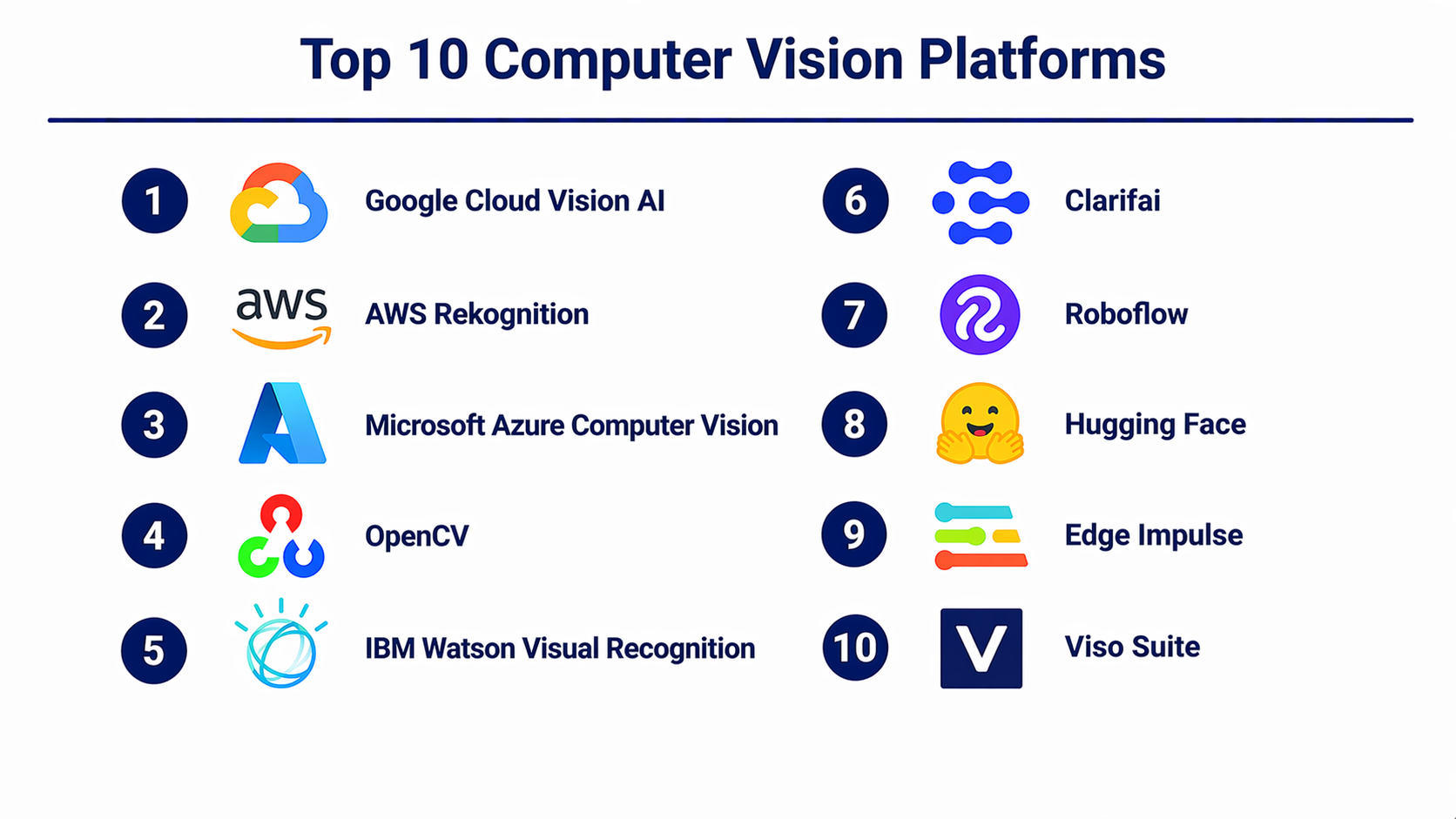
Top 10 Computer Vision Platforms
#1 — Google Cloud Vision AI
Short description: A cloud-based platform offering pre-trained and custom vision models for image and video analysis, ideal for developers and enterprises.
Key Features
- Pre-trained APIs for OCR, object detection, and labeling
- AutoML Vision for custom model training
- Video intelligence capabilities
- Scalable cloud infrastructure
- Integration with Google AI ecosystem
Pros
- High accuracy and scalability
- Easy API integration
Cons
- Cost can grow quickly at scale
- Limited control over underlying models
Platforms / Deployment
Cloud
Security & Compliance
Encryption, IAM, GDPR support (varies by configuration)
Integrations & Ecosystem
Strong integration with Google Cloud services and APIs
- BigQuery
- Vertex AI
- Cloud Storage
Support & Community
Extensive documentation and strong enterprise support
#2 — AWS Rekognition
Short description: Amazon’s vision platform for image and video analysis, widely used in security, retail, and media applications.
Key Features
- Facial recognition and analysis
- Object and scene detection
- Video stream processing
- Real-time alerts
- Integration with AWS ecosystem
Pros
- Reliable and scalable
- Strong AWS integration
Cons
- Pricing complexity
- Limited customization without additional tools
Platforms / Deployment
Cloud
Security & Compliance
IAM, encryption, compliance certifications vary
Integrations & Ecosystem
- S3
- Lambda
- SageMaker
Support & Community
Enterprise-grade support with large community
#3 — Microsoft Azure Computer Vision
Short description: A comprehensive vision API suite integrated with Azure AI services for enterprise applications.
Key Features
- Image tagging and analysis
- OCR and document processing
- Custom Vision model training
- Video analytics
- AI Studio integration
Pros
- Strong enterprise support
- Integrated with Azure ecosystem
Cons
- Complex setup for beginners
- Pricing tiers can be confusing
Platforms / Deployment
Cloud
Security & Compliance
RBAC, encryption, compliance varies
Integrations & Ecosystem
- Azure ML
- Power BI
- Logic Apps
Support & Community
Good enterprise documentation and support
#4 — OpenCV
Short description: An open-source computer vision library widely used by developers for building custom vision applications.
Key Features
- Image and video processing
- Extensive algorithm library
- Cross-platform support
- Real-time processing
- Large developer ecosystem
Pros
- Free and highly flexible
- Strong community support
Cons
- Requires coding expertise
- No built-in cloud services
Platforms / Deployment
Windows / macOS / Linux / Mobile
Security & Compliance
Not publicly stated
Integrations & Ecosystem
- Python
- C++
- Deep learning frameworks
Support & Community
Very large open-source community
#5 — IBM Watson Visual Recognition
Short description: IBM’s AI-powered visual recognition platform for enterprise use cases.
Key Features
- Image classification
- Custom model training
- Visual search capabilities
- Cloud deployment
- API access
Pros
- Enterprise-grade features
- Strong AI integration
Cons
- Limited updates in recent years
- Smaller ecosystem compared to competitors
Platforms / Deployment
Cloud
Security & Compliance
Enterprise security features (varies)
Integrations & Ecosystem
- IBM Cloud
- Watson AI tools
Support & Community
Enterprise-focused support
#6 — Clarifai
Short description: A full-stack AI platform focused on computer vision and NLP, offering model training and deployment.
Key Features
- Custom model training
- Pre-trained vision models
- Workflow automation
- Data labeling tools
- API-first architecture
Pros
- Flexible and developer-friendly
- Strong model management
Cons
- Learning curve for new users
- Pricing varies
Platforms / Deployment
Cloud / Hybrid
Security & Compliance
Not publicly stated
Integrations & Ecosystem
- REST APIs
- SDKs
- AI pipelines
Support & Community
Active community and support
#7 — Roboflow
Short description: A developer-friendly platform for dataset management, annotation, and model deployment.
Key Features
- Image annotation tools
- Dataset versioning
- Model training pipelines
- Edge deployment support
- Pre-trained models
Pros
- Easy to use
- Great for prototyping
Cons
- Limited enterprise features
- Not ideal for large-scale production
Platforms / Deployment
Cloud / Edge
Security & Compliance
Not publicly stated
Integrations & Ecosystem
- YOLO
- TensorFlow
- APIs
Support & Community
Strong developer community
#8 — Hugging Face (Vision Models)
Short description: A platform offering pre-trained models and tools for computer vision and multimodal AI.
Key Features
- Model hub for vision models
- Transformers for vision tasks
- Dataset sharing
- Inference APIs
- Open-source ecosystem
Pros
- Huge model repository
- Strong community
Cons
- Requires ML knowledge
- Limited enterprise features
Platforms / Deployment
Cloud / Local
Security & Compliance
Not publicly stated
Integrations & Ecosystem
- PyTorch
- TensorFlow
- APIs
Support & Community
Very active open-source community
#9 — Edge Impulse
Short description: A platform for building and deploying vision models on edge devices.
Key Features
- Edge AI deployment
- Data collection tools
- Model optimization
- Embedded device support
- Real-time inference
Pros
- Strong edge support
- Easy deployment
Cons
- Limited cloud capabilities
- Niche focus
Platforms / Deployment
Cloud / Edge
Security & Compliance
Not publicly stated
Integrations & Ecosystem
- IoT devices
- Embedded systems
Support & Community
Growing community
#10 — Viso Suite
Short description: An end-to-end platform for building, deploying, and managing vision applications at scale.
Key Features
- No-code/low-code interface
- Application builder
- Edge and cloud deployment
- Device management
- Real-time analytics
Pros
- Easy for non-developers
- Full-stack solution
Cons
- Less flexibility for advanced users
- Pricing not transparent
Platforms / Deployment
Cloud / Edge / Hybrid
Security & Compliance
Not publicly stated
Integrations & Ecosystem
- APIs
- IoT integrations
Support & Community
Enterprise support available
Comparison Table (Top 10)
| Tool Name | Best For | Platform(s) Supported | Deployment | Standout Feature | Public Rating |
|---|---|---|---|---|---|
| Google Cloud Vision AI | Enterprise AI apps | Web | Cloud | AutoML Vision | N/A |
| AWS Rekognition | Security & analytics | Web | Cloud | Facial recognition | N/A |
| Azure Computer Vision | Enterprise integration | Web | Cloud | Azure ecosystem | N/A |
| OpenCV | Developers | Cross-platform | Self-hosted | Open-source flexibility | N/A |
| IBM Watson Visual Recognition | Enterprises | Web | Cloud | AI integration | N/A |
| Clarifai | AI developers | Web | Cloud/Hybrid | Workflow automation | N/A |
| Roboflow | Startups/devs | Web | Cloud/Edge | Dataset management | N/A |
| Hugging Face | AI research | Web | Cloud/Local | Model hub | N/A |
| Edge Impulse | IoT/edge AI | Web | Edge/Cloud | Edge deployment | N/A |
| Viso Suite | Business users | Web | Hybrid | No-code vision apps | N/A |
Evaluation & Scoring of Computer Vision Platforms
| Tool Name | Core (25%) | Ease (15%) | Integrations (15%) | Security (10%) | Performance (10%) | Support (10%) | Value (15%) | Weighted Total |
|---|---|---|---|---|---|---|---|---|
| Google Cloud Vision AI | 9 | 8 | 9 | 8 | 9 | 9 | 7 | 8.5 |
| AWS Rekognition | 9 | 7 | 9 | 8 | 9 | 9 | 7 | 8.4 |
| Azure Computer Vision | 9 | 7 | 9 | 8 | 8 | 8 | 7 | 8.2 |
| OpenCV | 8 | 5 | 8 | 6 | 8 | 9 | 9 | 7.6 |
| IBM Watson | 7 | 6 | 7 | 7 | 7 | 7 | 6 | 6.9 |
| Clarifai | 8 | 7 | 8 | 6 | 8 | 7 | 7 | 7.5 |
| Roboflow | 7 | 9 | 7 | 6 | 7 | 7 | 8 | 7.6 |
| Hugging Face | 8 | 6 | 9 | 6 | 8 | 9 | 8 | 7.9 |
| Edge Impulse | 7 | 8 | 6 | 6 | 8 | 7 | 7 | 7.2 |
| Viso Suite | 8 | 9 | 7 | 6 | 8 | 7 | 7 | 7.7 |
How to interpret scores:
- Scores are relative comparisons, not absolute truths.
- Higher score = better balance across features, usability, and value.
- Enterprise tools score high in integrations and performance.
- Developer tools score high in flexibility but lower in ease.
- Always validate with your own use case before deciding.
Which Computer Vision Platforms for You?
Solo / Freelancer
- Best: OpenCV, Roboflow, Hugging Face
- Focus on low cost and flexibility
SMB
- Best: Roboflow, Clarifai, Viso Suite
- Balance ease of use and scalability
Mid-Market
- Best: Azure, Google Vision, Clarifai
- Need integration and moderate scale
Enterprise
- Best: AWS Rekognition, Azure, Google Vision
- Focus on scalability, compliance, and reliability
Budget vs Premium
- Budget: OpenCV, Hugging Face
- Premium: AWS, Google, Azure
Feature Depth vs Ease of Use
- Feature-rich: AWS, Azure
- Easy-to-use: Roboflow, Viso Suite
Integrations & Scalability
- Best: AWS, Azure, Google Cloud
Security & Compliance Needs
- Best: AWS, Azure, Google Cloud
Frequently Asked Questions (FAQs)
What is a computer vision platform?
It is a system that enables machines to analyze images and videos using AI models.
Are these platforms expensive?
Pricing varies; cloud platforms often use pay-as-you-go models.
Do I need coding skills?
Some platforms require coding, while others offer no-code tools.
Can I deploy models on edge devices?
Yes, platforms like Edge Impulse support edge deployment.
How long does implementation take?
It depends on complexity; simple APIs can be deployed quickly.
Are these platforms secure?
Most cloud providers offer strong security, but details vary.
Can I switch platforms later?
Yes, but migration can require effort depending on architecture.
Do these tools support real-time processing?
Many platforms support real-time video analysis.
What industries use computer vision?
Retail, healthcare, automotive, manufacturing, and security.
What is the biggest mistake buyers make?
Choosing tools without validating integration and scalability.
Conclusion
Computer Vision Platforms have evolved into essential infrastructure for modern AI-driven applications. From simple image recognition APIs to full-scale enterprise platforms, the range of options is wide—and each serves a different purpose. There is no single “best” platform. Instead, the right choice depends on your technical expertise, deployment needs, budget, and long-term scalability goals. Enterprises may prefer cloud-native solutions like AWS or Azure, while developers and startups might lean toward flexible tools like OpenCV or Roboflow.
