Introduction
IP Management Software is designed to help organizations manage intellectual property such as patents, trademarks, copyrights, and trade secrets. In simple terms, it acts as a centralized system to track filings, deadlines, renewals, legal actions, and ownership of IP assets. Without it, managing IP portfolios—especially across countries—can become error-prone and risky.
In today’s innovation-driven economy, IP is a critical business asset. Companies, law firms, and research organizations are under pressure to protect ideas, ensure compliance with global regulations, and optimize IP value. Modern IP management tools help streamline workflows, reduce missed deadlines, and provide visibility into IP strategy.
Common real-world use cases:
- Managing patent and trademark portfolios across jurisdictions
- Tracking renewal deadlines and compliance requirements
- Automating filing workflows and alerts
- Managing IP litigation and legal documentation
- Generating reports for audits and strategic planning
What buyers should evaluate:
- Portfolio and docket management capabilities
- Automation of deadlines and reminders
- Global IP coverage and compliance support
- Integration with legal and financial systems
- Security and access controls
- Reporting and analytics capabilities
- Scalability for large IP portfolios
- Ease of use and onboarding
- Custom workflow support
Best for: Enterprises, legal departments, IP law firms, R&D organizations, universities, and innovation-driven startups managing multiple patents or trademarks.
Not ideal for: Small teams with minimal IP assets or those managing only a few filings manually—simpler tracking tools or spreadsheets may suffice.
Key Trends in IP Management (Patents/Trademarks) Software
- Adoption of AI for prior art search and patent analytics
- Increased use of automation for renewals and compliance tracking
- Growth of cloud-based IP platforms for global collaboration
- Integration with patent offices and e-filing systems
- Advanced analytics for IP valuation and strategy
- Stronger emphasis on data security and compliance frameworks
- Expansion of API-driven integrations with enterprise systems
- Use of workflow automation and low-code customization
- Mobile accessibility for legal teams on the move
How We Selected These Tools (Methodology)
- Evaluated market presence and industry reputation
- Assessed depth of patent and trademark management features
- Reviewed automation and workflow capabilities
- Considered security posture and compliance readiness
- Analyzed integration capabilities with legal and enterprise tools
- Included solutions for different business sizes (SMB to enterprise)
- Focused on user experience and scalability
- Prioritized tools with modern innovation (AI, analytics, automation)
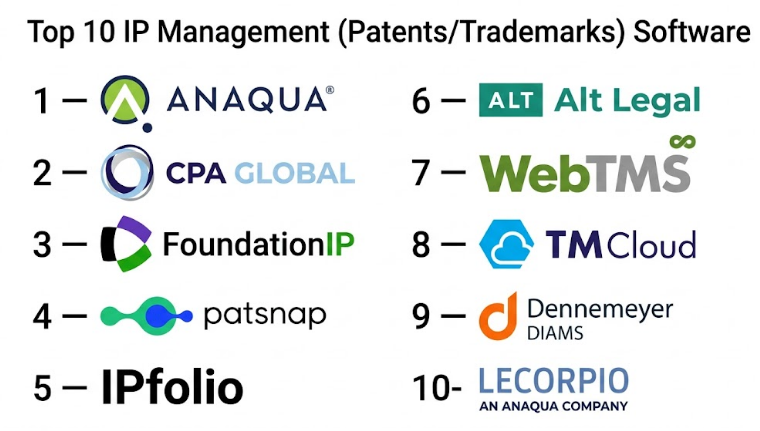
Top 10 IP Management (Patents/Trademarks) Software
#1 — Anaqua
Short description:
Anaqua is an enterprise-grade IP management platform designed for corporations and law firms managing large patent and trademark portfolios. It provides end-to-end lifecycle management, analytics, and workflow automation, making it a strong choice for organizations with complex IP operations.
Key Features
- Patent and trademark portfolio management
- Automated docketing and deadline tracking
- IP analytics and reporting
- Workflow automation
- Global IP coverage
Pros
- Highly scalable for large portfolios
- Advanced analytics capabilities
Cons
- Complex implementation
- Premium pricing
Platforms / Deployment
Web / Cloud
Security & Compliance
RBAC, audit logs (others not publicly stated)
Integrations & Ecosystem
Supports integration with legal systems, financial tools, and patent offices.
- APIs for customization
- ERP integration
- Document management systems
Support & Community
Enterprise-level support with onboarding and training programs.
#2 — CPA Global (Clarivate IP Management)
Short description:
A leading IP management solution offering comprehensive services for patent and trademark lifecycle management. Known for its global reach and strong compliance support.
Key Features
- IP portfolio tracking
- Renewal and compliance management
- Reporting and analytics
- Workflow automation
Pros
- Strong global IP coverage
- Reliable compliance management
Cons
- Less flexible customization
- Enterprise-focused pricing
Platforms / Deployment
Web / Cloud
Security & Compliance
Not publicly stated
Integrations & Ecosystem
- Patent office integrations
- Financial systems
- APIs
Support & Community
Strong enterprise support with global presence.
#3 — FoundationIP
Short description:
A widely used IP management solution focused on patent lifecycle management. It supports automation, analytics, and collaboration across teams.
Key Features
- Patent lifecycle management
- Workflow automation
- Reporting tools
- Document management
Pros
- Strong patent focus
- Good automation
Cons
- Limited trademark capabilities
- UI may feel dated
Platforms / Deployment
Web / Cloud
Security & Compliance
Not publicly stated
Integrations & Ecosystem
- Legal tools
- APIs
- Document systems
Support & Community
Enterprise support with documentation.
#4 — PatSnap
Short description:
An innovation intelligence platform that combines IP management with patent analytics. Suitable for R&D-driven organizations.
Key Features
- Patent analytics
- IP portfolio tracking
- AI-driven insights
- Competitive intelligence
Pros
- Strong analytics and insights
- AI capabilities
Cons
- Less focus on docketing workflows
- Learning curve
Platforms / Deployment
Web / Cloud
Security & Compliance
Not publicly stated
Integrations & Ecosystem
- R&D tools
- APIs
- Data platforms
Support & Community
Strong support for enterprise users.
#5 — IPfolio
Short description:
A user-friendly IP management platform designed for companies and law firms needing simple yet effective portfolio tracking.
Key Features
- Portfolio management
- Deadline tracking
- Reporting
- Workflow automation
Pros
- Easy to use
- Quick onboarding
Cons
- Limited advanced analytics
- Smaller ecosystem
Platforms / Deployment
Web / Cloud
Security & Compliance
Not publicly stated
Integrations & Ecosystem
- APIs
- Document tools
- CRM systems
Support & Community
Responsive support, smaller community.
#6 — Alt Legal
Short description:
A modern IP docketing system focused on automation and ease of use. Popular among law firms for trademark management.
Key Features
- Automated docketing
- Deadline tracking
- USPTO integration
- Reporting
Pros
- Strong automation
- Easy to use
Cons
- Limited enterprise features
- Focused on trademarks
Platforms / Deployment
Web / Cloud
Security & Compliance
Not publicly stated
Integrations & Ecosystem
- USPTO systems
- APIs
- Legal tools
Support & Community
Good support with onboarding assistance.
#7 — WebTMS
Short description:
A trademark management system focused on tracking, compliance, and reporting for trademarks.
Key Features
- Trademark tracking
- Renewal management
- Reporting
- Workflow automation
Pros
- Strong trademark capabilities
- Flexible deployment
Cons
- Limited patent features
- UI limitations
Platforms / Deployment
Web / Cloud
Security & Compliance
Not publicly stated
Integrations & Ecosystem
- APIs
- Legal systems
- Document tools
Support & Community
Standard enterprise support.
#8 — TM Cloud
Short description:
A cloud-based trademark management solution designed for simplicity and accessibility.
Key Features
- Trademark portfolio tracking
- Deadline alerts
- Reporting
- Collaboration tools
Pros
- Easy to use
- Affordable
Cons
- Limited advanced features
- Not suited for large enterprises
Platforms / Deployment
Web / Cloud
Security & Compliance
Not publicly stated
Integrations & Ecosystem
- APIs
- Basic integrations
Support & Community
Responsive support for SMB users.
#9 — Dennemeyer DIAMS
Short description:
An enterprise IP management platform offering full lifecycle management for patents and trademarks.
Key Features
- Portfolio management
- Workflow automation
- Reporting
- Compliance tracking
Pros
- Comprehensive features
- Global coverage
Cons
- Complex setup
- High cost
Platforms / Deployment
Web / Cloud
Security & Compliance
Not publicly stated
Integrations & Ecosystem
- Patent offices
- ERP systems
- APIs
Support & Community
Enterprise-level support.
#10 — Lecorpio
Short description:
A robust IP management solution focusing on automation, analytics, and lifecycle management.
Key Features
- Patent and trademark management
- Workflow automation
- Analytics
- Reporting
Pros
- Strong automation
- Scalable
Cons
- UI complexity
- Requires training
Platforms / Deployment
Web / Cloud
Security & Compliance
Not publicly stated
Integrations & Ecosystem
- APIs
- Legal systems
- Document management
Support & Community
Enterprise support with onboarding.
Comparison Table (Top 10)
| Tool Name | Best For | Platform(s) Supported | Deployment | Standout Feature | Public Rating |
|---|---|---|---|---|---|
| Anaqua | Enterprise IP | Web | Cloud | Advanced analytics | N/A |
| CPA Global | Global IP | Web | Cloud | Compliance | N/A |
| FoundationIP | Patent management | Web | Cloud | Lifecycle tracking | N/A |
| PatSnap | R&D teams | Web | Cloud | AI analytics | N/A |
| IPfolio | SMB | Web | Cloud | Ease of use | N/A |
| Alt Legal | Trademark firms | Web | Cloud | Automation | N/A |
| WebTMS | Trademark tracking | Web | Cloud | Compliance tracking | N/A |
| TM Cloud | SMB | Web | Cloud | Simplicity | N/A |
| DIAMS | Enterprise | Web | Cloud | Global coverage | N/A |
| Lecorpio | Enterprise | Web | Cloud | Automation | N/A |
Evaluation & IP Management Software
| Tool Name | Core | Ease | Integrations | Security | Performance | Support | Value | Weighted Total |
|---|---|---|---|---|---|---|---|---|
| Anaqua | 9 | 6 | 8 | 8 | 8 | 8 | 6 | 7.9 |
| CPA Global | 9 | 6 | 8 | 8 | 8 | 8 | 6 | 7.9 |
| FoundationIP | 8 | 6 | 7 | 7 | 7 | 7 | 7 | 7.2 |
| PatSnap | 8 | 7 | 7 | 7 | 8 | 7 | 7 | 7.5 |
| IPfolio | 7 | 9 | 7 | 7 | 7 | 8 | 8 | 7.9 |
| Alt Legal | 7 | 9 | 7 | 6 | 7 | 8 | 9 | 7.9 |
| WebTMS | 7 | 7 | 6 | 6 | 7 | 7 | 7 | 6.9 |
| TM Cloud | 6 | 9 | 6 | 6 | 7 | 7 | 9 | 7.5 |
| DIAMS | 9 | 6 | 8 | 8 | 8 | 8 | 6 | 7.9 |
| Lecorpio | 8 | 6 | 7 | 7 | 8 | 7 | 7 | 7.4 |
How to interpret scores:
These scores are comparative and meant to help shortlist tools. Enterprise platforms score higher in core features but may lag in ease of use. SMB tools prioritize usability and value. Always validate based on your specific IP workload.
Which IP Management Software
Solo / Freelancer
TM Cloud or Alt Legal for simplicity and cost-effectiveness.
SMB
IPfolio or Alt Legal for ease of use and quick setup.
Mid-Market
PatSnap or Lecorpio for analytics and scalability.
Enterprise
Anaqua, CPA Global, or DIAMS for full lifecycle management.
Budget vs Premium
- Budget: TM Cloud, Alt Legal
- Premium: Anaqua, CPA Global
Feature Depth vs Ease of Use
- Deep features: Anaqua, DIAMS
- Easy to use: IPfolio, TM Cloud
Integrations & Scalability
- Best: Anaqua, CPA Global
Security & Compliance Needs
- Enterprise tools provide stronger compliance support
Frequently Asked Questions (FAQs)
1. What is IP management software?
It helps manage patents, trademarks, and other intellectual property assets.
2. How much does it cost?
Pricing varies widely depending on features and portfolio size.
3. Is it suitable for small firms?
Yes, tools like IPfolio and TM Cloud are designed for smaller teams.
4. Does it support global IP management?
Most enterprise tools support multiple jurisdictions.
5. Can it automate deadlines?
Yes, automation is a core feature.
6. Is it secure?
Security varies; enterprise tools offer stronger protections.
7. How long does implementation take?
From days for SMB tools to months for enterprise platforms.
8. Can I migrate from another system?
Yes, but migration requires planning and data validation.
9. Does it integrate with legal tools?
Most platforms support integrations via APIs.
10. What are alternatives?
Manual tracking or basic case management tools.
Conclusion
IP management software has become essential for organizations that treat intellectual property as a strategic asset rather than just a legal requirement. Whether you are managing a handful of trademarks or a global patent portfolio, the right platform can significantly reduce risk, improve compliance, and provide actionable insights for decision-making. Enterprise solutions offer depth, automation, and global coverage, while SMB-focused tools prioritize simplicity and affordability. The key is not to chase the most feature-rich tool, but the one that aligns with your operational needs, team capabilities, and growth plans. A practical next step is to shortlist two or three tools, test their workflow fit, validate integration capabilities, and ensure they meet your compliance and security expectations before committing long term.