Introduction
Patent Search Tools are specialized software platforms that help individuals and organizations search, analyze, and track patents across global databases. In simple terms, they make it easier to find existing inventions, check originality, and avoid legal risks before developing or launching a product.
In today’s innovation-driven world, patent intelligence is no longer optional. With rapid advancements in AI, biotech, software, and manufacturing, companies must validate ideas quickly and avoid infringement risks. Modern patent tools now use AI, semantic search, and data analytics to go beyond keyword-based lookup.
Common use cases include:
- Conducting prior art searches before filing patents
- Competitive intelligence and technology trend analysis
- Monitoring competitor patent filings
- Supporting legal teams in litigation or due diligence
- Identifying licensing opportunities
What buyers should evaluate:
- Search depth (global databases coverage)
- AI and semantic search capabilities
- Data visualization and analytics
- Ease of use and learning curve
- Integration with IP management systems
- Pricing and licensing flexibility
- Export/reporting capabilities
- Security and access controls
Best for: Patent attorneys, R&D teams, legal professionals, startups, research organizations, and large enterprises managing intellectual property.
Not ideal for: Individuals with basic research needs who can rely on free public patent databases; small teams with no IP strategy may not need advanced tools.
Key Trends in Patent Search Tools
- AI-powered semantic search replacing traditional keyword queries
- Integration of patent analytics with business intelligence platforms
- Real-time patent monitoring and alerts
- Expansion of global patent database coverage
- Visualization tools for technology landscapes and trends
- API-driven ecosystems enabling automation workflows
- Increased focus on compliance and data privacy
- Subscription-based pricing with tiered access
- Cloud-first deployment with scalable infrastructure
- Collaboration features for distributed legal and R&D teams
How We Selected These Tools (Methodology)
- Strong market adoption and industry reputation
- Coverage of global patent databases
- Advanced features such as AI search and analytics
- Reliability and performance across large datasets
- Security features and enterprise readiness
- Integration capabilities with legal and R&D tools
- Suitability across different business sizes
- Balance between usability and feature depth
- Feedback signals from professional communities
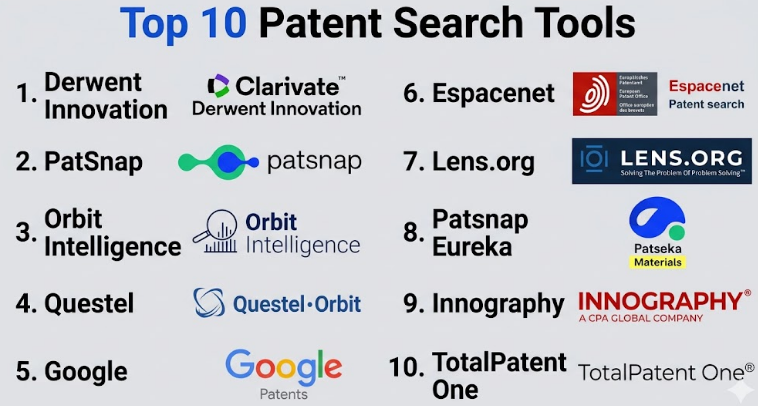
Top 10 Patent Search Tools
#1 — Derwent Innovation
Short description :
A leading enterprise-grade patent intelligence platform widely used by corporations and law firms. It offers deep patent data coverage combined with advanced analytics and AI-driven search capabilities. Designed for complex research workflows, it helps users discover trends and insights. Particularly strong in data accuracy and classification. Ideal for large organizations with heavy IP workloads.
Key Features
- AI-powered semantic search
- Global patent database coverage
- Advanced analytics and visualization
- Citation tracking and mapping
- Custom dashboards and reporting
- Patent family analysis
Pros
- Highly accurate and structured data
- Powerful analytics capabilities
Cons
- Expensive for smaller teams
- Steeper learning curve
Platforms / Deployment
- Web
- Cloud
Security & Compliance
- RBAC, encryption, audit logs (Not publicly stated in detail)
Integrations & Ecosystem
Strong integration capabilities with enterprise IP systems and analytics tools. Supports API-based workflows.
- IP management tools
- BI tools
- Data export formats
- Custom APIs
Support & Community
Enterprise-level support with onboarding assistance. Strong documentation but limited public community.
#2 — PatSnap
Short description :
A modern patent analytics platform focused on AI-driven insights and innovation intelligence. It combines patent data with market and scientific data. Known for intuitive UI and powerful visualization tools. Widely used by R&D and innovation teams. Suitable for both mid-sized and large enterprises.
Key Features
- AI semantic search
- Innovation analytics dashboards
- Technology trend mapping
- Collaboration tools
- Integration with business data
- Real-time monitoring
Pros
- User-friendly interface
- Strong visualization tools
Cons
- Premium pricing tiers
- Some advanced features require training
Platforms / Deployment
- Web
- Cloud
Security & Compliance
- SSO, encryption (Not publicly stated fully)
Integrations & Ecosystem
Integrates with R&D systems and analytics platforms. API access available.
- CRM tools
- BI platforms
- Data exports
- APIs
Support & Community
Good onboarding support and training materials. Growing user community.
#3 — Orbit Intelligence
Short description :
A comprehensive patent search and analytics platform known for its structured workflows. It offers advanced filtering, visualization, and collaboration features. Popular among patent professionals and analysts. Helps in managing large patent datasets efficiently.
Key Features
- Advanced search filters
- Patent landscaping tools
- Data visualization
- Collaboration workflows
- Portfolio analysis
Pros
- Strong workflow management
- Good analytics depth
Cons
- Interface can feel complex
- Requires training
Platforms / Deployment
- Web
- Cloud
Security & Compliance
- Not publicly stated
Integrations & Ecosystem
Supports integration with IP systems and export tools.
- Data exports
- APIs
- External analytics tools
Support & Community
Professional support available; documentation is detailed.
#4 — Questel Orbit
Short description :
A widely used IP intelligence platform offering patent search, analytics, and portfolio management. Known for its flexible modules and comprehensive data coverage. Suitable for law firms and enterprises.
Key Features
- Patent search and monitoring
- Portfolio management
- AI-assisted search
- Analytics dashboards
- Collaboration tools
Pros
- All-in-one platform
- Flexible modules
Cons
- Pricing complexity
- Learning curve
Platforms / Deployment
- Web
- Cloud
Security & Compliance
- Not publicly stated
Integrations & Ecosystem
Integrates with legal systems and enterprise tools.
- IP management tools
- Data exports
- APIs
Support & Community
Enterprise-grade support and training.
#5 — Google Patents
Short description :
A free, widely accessible patent search tool powered by Google. Offers simple search functionality with basic analytics. Ideal for quick searches and initial research. Not designed for enterprise-level workflows.
Key Features
- Free access to global patents
- Simple search interface
- Basic filters
- Patent family view
- Integration with Google tools
Pros
- Free and easy to use
- Fast search results
Cons
- Limited analytics
- Not enterprise-grade
Platforms / Deployment
- Web
- Cloud
Security & Compliance
- Not publicly stated
Integrations & Ecosystem
Limited integrations, mainly within Google ecosystem.
- Export options
- Basic APIs
Support & Community
Minimal support; large general user base.
#6 — Espacenet
Short description :
A free patent search platform maintained by a European authority. Provides access to millions of patent documents. Ideal for academic and initial research.
Key Features
- Extensive patent database
- Advanced search filters
- Classification search
- Multilingual support
Pros
- Free and comprehensive
- Reliable data source
Cons
- Limited analytics
- Basic UI
Platforms / Deployment
- Web
Security & Compliance
- Not publicly stated
Integrations & Ecosystem
Limited integration options.
- Data exports
- Public datasets
Support & Community
Basic support resources available.
#7 — Lens.org
Short description :
An open-access platform combining patent and scholarly data. Focused on transparency and research. Useful for academic and nonprofit use cases.
Key Features
- Patent and research data integration
- Open-access database
- Advanced search
- Visualization tools
Pros
- Free and open
- Strong research integration
Cons
- Limited enterprise features
- Smaller ecosystem
Platforms / Deployment
- Web
Security & Compliance
- Not publicly stated
Integrations & Ecosystem
Supports data exports and APIs.
- APIs
- Research integrations
- Export tools
Support & Community
Active academic community.
#8 — Patsnap Eureka
Short description :
An advanced research tool within the PatSnap ecosystem focused on deep analysis and discovery. Designed for innovation teams needing insights.
Key Features
- AI-driven insights
- Data visualization
- Research integration
- Trend analysis
Pros
- Strong analytics
- Good UI
Cons
- Requires subscription
- Learning curve
Platforms / Deployment
- Web
Security & Compliance
- Not publicly stated
Integrations & Ecosystem
Part of PatSnap ecosystem.
- APIs
- Data exports
Support & Community
Good support and training.
#9 — Innography
Short description :
A patent analytics platform focused on IP strategy and risk analysis. Helps organizations understand patent value and risk.
Key Features
- Patent valuation
- Risk analysis
- Portfolio insights
- Competitive intelligence
Pros
- Strong IP strategy tools
- Good analytics
Cons
- Limited search depth
- Premium pricing
Platforms / Deployment
- Web
Security & Compliance
- Not publicly stated
Integrations & Ecosystem
Supports integrations with IP tools.
- APIs
- Data exports
Support & Community
Professional support available.
#10 — TotalPatent One
Short description :
An enterprise patent search platform known for its deep data coverage and AI features. Designed for professional patent researchers and legal teams.
Key Features
- AI search
- Global patent coverage
- Analytics dashboards
- Monitoring alerts
Pros
- Deep data coverage
- Strong analytics
Cons
- Expensive
- Complex interface
Platforms / Deployment
- Web
Security & Compliance
- Not publicly stated
Integrations & Ecosystem
Enterprise integrations supported.
- APIs
- Data exports
- IP systems
Support & Community
Enterprise-level support.
Comparison Table (Top 10)
| Tool Name | Best For | Platform(s) Supported | Deployment | Standout Feature | Public Rating |
|---|---|---|---|---|---|
| Derwent Innovation | Enterprises | Web | Cloud | High-quality structured data | N/A |
| PatSnap | R&D teams | Web | Cloud | AI analytics | N/A |
| Orbit Intelligence | Analysts | Web | Cloud | Workflow tools | N/A |
| Questel Orbit | Law firms | Web | Cloud | All-in-one IP suite | N/A |
| Google Patents | Beginners | Web | Cloud | Free access | N/A |
| Espacenet | Researchers | Web | Cloud | Large database | N/A |
| Lens.org | Academia | Web | Cloud | Open data integration | N/A |
| Patsnap Eureka | Innovation teams | Web | Cloud | Deep insights | N/A |
| Innography | Strategy teams | Web | Cloud | IP valuation | N/A |
| TotalPatent One | Professionals | Web | Cloud | AI search | N/A |
Evaluation & Patent Search Tools
| Tool Name | Core (25%) | Ease (15%) | Integrations (15%) | Security (10%) | Performance (10%) | Support (10%) | Value (15%) | Weighted Total |
|---|---|---|---|---|---|---|---|---|
| Derwent Innovation | 9 | 7 | 8 | 7 | 9 | 8 | 6 | 7.95 |
| PatSnap | 8 | 8 | 8 | 7 | 8 | 8 | 7 | 7.85 |
| Orbit Intelligence | 8 | 6 | 7 | 6 | 8 | 7 | 7 | 7.15 |
| Questel Orbit | 8 | 7 | 7 | 6 | 8 | 7 | 6 | 7.10 |
| Google Patents | 6 | 9 | 5 | 5 | 8 | 6 | 10 | 7.10 |
| Espacenet | 7 | 7 | 5 | 5 | 8 | 6 | 10 | 7.05 |
| Lens.org | 7 | 7 | 6 | 5 | 7 | 6 | 10 | 7.05 |
| Patsnap Eureka | 8 | 8 | 7 | 6 | 8 | 7 | 7 | 7.55 |
| Innography | 7 | 7 | 6 | 6 | 7 | 7 | 6 | 6.85 |
| TotalPatent One | 9 | 6 | 7 | 6 | 9 | 8 | 6 | 7.65 |
How to interpret scores:
- Scores are comparative across tools, not absolute benchmarks
- Higher scores indicate stronger performance in that category
- Weighting prioritizes core features and value
- Enterprise tools score higher in features but lower in value
- Free tools score higher in value but lower in advanced capabilities
Which Patent Search Tools
Solo / Freelancer
Use Google Patents or Lens.org for cost-effective research.
SMB
PatSnap or Orbit Intelligence provides a good balance of features and usability.
Mid-Market
Questel Orbit or Patsnap Eureka offers better analytics and scalability.
Enterprise
Derwent Innovation and TotalPatent One are best for complex IP workflows.
Budget vs Premium
- Budget: Google Patents, Espacenet
- Premium: Derwent Innovation, PatSnap
Feature Depth vs Ease of Use
- Deep features: Derwent Innovation
- Easy to use: Google Patents
Integrations & Scalability
- Strong integrations: PatSnap, Derwent
- Limited: Free tools
Security & Compliance Needs
- Enterprise tools offer better controls
- Free tools have minimal security features
Frequently Asked Questions (FAQs)
1. What are Patent Search Tools?
They are software platforms used to search and analyze patent data globally. They help identify existing inventions and avoid duplication.
2. Are free tools enough for patent research?
Free tools work for basic research but lack advanced analytics and enterprise features.
3. How much do patent search tools cost?
Pricing varies widely from free to enterprise subscriptions. Exact pricing is often not publicly stated.
4. Can these tools replace patent attorneys?
No, they assist but do not replace legal expertise.
5. What is AI-based patent search?
It uses semantic analysis to find relevant patents beyond keywords.
6. How long does it take to learn these tools?
Basic tools can be learned quickly; advanced tools may take weeks.
7. Are these tools secure?
Enterprise tools offer better security; details vary.
8. Can I integrate these tools with other systems?
Many tools offer APIs and integrations.
9. What mistakes should users avoid?
Relying only on keyword search and ignoring analytics.
10. Can I switch tools easily?
Switching is possible but may require data migration and training.
Conclusion
Patent Search Tools have evolved from simple databases into powerful AI-driven intelligence platforms that support innovation, compliance, and competitive strategy. The right tool depends heavily on your use case, budget, and technical needs. Enterprises will benefit from deep analytics and integrations, while individuals and small teams may find free tools sufficient for early-stage research. There is no single “best” solution—only the best fit for your workflow. The most practical next step is to shortlist two or three tools, test them with real use cases, and validate how well they integrate with your existing processes before making a final decision.