Introduction
Court Docket Management Tools are specialized software systems used by courts, law firms, and legal departments to track, organize, and manage case schedules, filings, hearings, deadlines, and judicial workflows. In simple terms, they act as the central system that keeps court operations running smoothly by ensuring nothing is missed—whether it’s a hearing date, filing deadline, or judicial order.
In the modern legal environment, especially with increasing caseloads and digital transformation across judiciary systems, these tools are no longer optional. They help reduce administrative burden, improve transparency, and ensure compliance with strict legal timelines.
Common real-world use cases:
- Managing court calendars and hearing schedules
- Tracking case filings, motions, and orders
- Automating deadline reminders for legal teams
- Coordinating between judges, clerks, and attorneys
- Maintaining digital case records and audit trails
What buyers should evaluate:
- Case and docket tracking capabilities
- Automation and alerts
- Integration with legal research and case management tools
- Security and compliance features
- Ease of use and onboarding
- Reporting and analytics
- Scalability for growing caseloads
- Deployment model (cloud vs on-premise)
Best for: Courts, legal departments, law firms, government judiciary systems, and litigation-heavy organizations handling large volumes of cases.
Not ideal for: Small teams with minimal legal workflows or businesses that only need basic document storage—simpler case management tools may suffice.
Key Trends in Court Docket Management Tools
- Increasing use of AI for case scheduling optimization and risk prediction
- Adoption of cloud-based systems for remote access and collaboration
- Integration with e-filing systems and digital court records
- Enhanced automation of alerts, reminders, and workflows
- Stronger focus on data privacy, encryption, and compliance
- Use of analytics dashboards for caseload insights and performance tracking
- Growing demand for mobile accessibility for legal professionals
- Shift toward API-driven integrations with legal tech ecosystems
- Adoption of low-code customization for court-specific workflows
How We Selected These Tools (Methodology)
- Evaluated market adoption and industry reputation
- Assessed feature completeness for docket and case management
- Reviewed reliability and performance indicators
- Analyzed security posture and compliance readiness
- Considered integration capabilities with legal ecosystems
- Included tools suited for different organization sizes (SMB to enterprise)
- Prioritized platforms with ongoing innovation (AI, automation)
- Focused on user experience and scalability
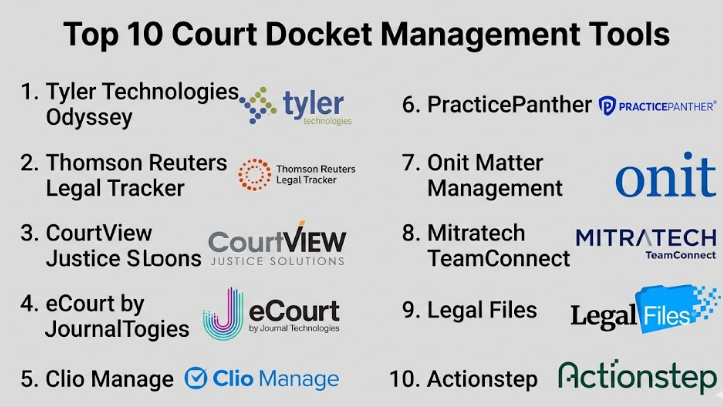
Top 10 Court Docket Management Tools
#1 — Tyler Technologies Odyssey
Short description:
A widely used court case management and docketing platform designed for courts and justice systems. It supports end-to-end case lifecycle management, from filing to disposition. Known for strong government adoption, it offers robust scheduling, document management, and reporting capabilities.
Key Features
- Court calendar and docket scheduling
- Integrated e-filing workflows
- Case lifecycle tracking
- Role-based access control
- Reporting and analytics dashboards
Pros
- Strong adoption in public sector courts
- Comprehensive case management features
Cons
- Complex implementation
- May require customization for specific courts
Platforms / Deployment
Web / Cloud / Hybrid
Security & Compliance
RBAC, audit logs, encryption (others not publicly stated)
Integrations & Ecosystem
Supports integration with e-filing systems, payment platforms, and justice systems.
- API-based integrations
- Government systems compatibility
- Document repositories
Support & Community
Enterprise-level support with structured onboarding. Community knowledge varies by region.
#2 — Thomson Reuters Legal Tracker
Short description:
Primarily known for legal spend management, it also includes docket and case tracking capabilities. Designed for corporate legal teams managing litigation and compliance workflows.
Key Features
- Matter and docket tracking
- Legal spend analytics
- Reporting tools
- Workflow automation
Pros
- Strong analytics capabilities
- Trusted brand in legal tech
Cons
- Focused more on corporate legal teams
- Limited court-specific features
Platforms / Deployment
Web / Cloud
Security & Compliance
Not publicly stated
Integrations & Ecosystem
- Integration with financial systems
- Legal research platforms
- API support
Support & Community
Strong enterprise support and documentation.
#3 — CourtView Justice Solutions
Short description:
A comprehensive court management system tailored for courts of all sizes. Provides tools for docket scheduling, case tracking, and document management.
Key Features
- Case and docket management
- Scheduling tools
- Document management
- Reporting
Pros
- Designed specifically for courts
- Scalable for different jurisdictions
Cons
- UI may feel outdated
- Customization may be needed
Platforms / Deployment
Web / Cloud / On-premise
Security & Compliance
Not publicly stated
Integrations & Ecosystem
- Integration with court systems
- Document systems
- APIs
Support & Community
Standard enterprise support.
#4 — eCourt by Journal Technologies
Short description:
A modern digital court platform focusing on case management and docket automation. Widely used in justice systems for handling case workflows digitally.
Key Features
- Digital case management
- Automated docket scheduling
- Workflow automation
- Reporting dashboards
Pros
- Modern UI and workflow automation
- Strong digital transformation focus
Cons
- Implementation effort required
- Enterprise pricing
Platforms / Deployment
Web / Cloud
Security & Compliance
Not publicly stated
Integrations & Ecosystem
- Integration with justice systems
- APIs
- Document management
Support & Community
Enterprise support with onboarding assistance.
#5 — Clio Manage
Short description:
A popular legal practice management tool that includes docket tracking for law firms. Best suited for small to mid-sized firms.
Key Features
- Case and docket tracking
- Calendar management
- Document storage
- Client management
Pros
- Easy to use
- Strong ecosystem
Cons
- Not designed for courts
- Limited advanced docketing
Platforms / Deployment
Web / iOS / Android / Cloud
Security & Compliance
Encryption, MFA (others not publicly stated)
Integrations & Ecosystem
- Accounting tools
- Document storage
- Legal apps
Support & Community
Strong support and active user community.
#6 — PracticePanther
Short description:
A legal case management tool offering docket tracking, scheduling, and billing capabilities for small firms.
Key Features
- Calendar and docket tracking
- Task automation
- Billing integration
- Reporting
Pros
- User-friendly
- Affordable
Cons
- Limited enterprise features
- Basic reporting
Platforms / Deployment
Web / Mobile / Cloud
Security & Compliance
Not publicly stated
Integrations & Ecosystem
- Payment systems
- CRM tools
- APIs
Support & Community
Responsive support, moderate community.
#7 — Onit Matter Management
Short description:
An enterprise-grade legal operations platform with strong docket and case tracking capabilities.
Key Features
- Matter tracking
- Workflow automation
- Reporting
- Compliance tracking
Pros
- Enterprise scalability
- Strong automation
Cons
- High cost
- Complex setup
Platforms / Deployment
Web / Cloud
Security & Compliance
Not publicly stated
Integrations & Ecosystem
- ERP systems
- Legal tools
- APIs
Support & Community
Enterprise-level support.
#8 — Mitratech TeamConnect
Short description:
A legal operations platform widely used by enterprises to manage litigation, compliance, and docket tracking.
Key Features
- Case tracking
- Workflow automation
- Compliance management
- Reporting
Pros
- Highly customizable
- Enterprise-ready
Cons
- Steep learning curve
- Expensive
Platforms / Deployment
Web / Cloud
Security & Compliance
Not publicly stated
Integrations & Ecosystem
- ERP integration
- Legal systems
- APIs
Support & Community
Strong enterprise support.
#9 — Legal Files
Short description:
A flexible case and docket management system used by legal departments and courts.
Key Features
- Case tracking
- Calendar management
- Document storage
- Workflow automation
Pros
- Flexible deployment
- Easy to customize
Cons
- UI not modern
- Limited advanced analytics
Platforms / Deployment
Web / On-premise / Cloud
Security & Compliance
Not publicly stated
Integrations & Ecosystem
- Document systems
- APIs
- Reporting tools
Support & Community
Standard support with documentation.
#10 — Actionstep
Short description:
A cloud-based legal practice management tool with workflow and docket tracking capabilities.
Key Features
- Case tracking
- Workflow automation
- Document management
- Reporting
Pros
- Strong automation
- Flexible workflows
Cons
- Limited court-specific features
- Requires setup time
Platforms / Deployment
Web / Cloud
Security & Compliance
Not publicly stated
Integrations & Ecosystem
- CRM tools
- Document systems
- APIs
Support & Community
Good support, growing community.
Comparison Table (Top 10)
| Tool Name | Best For | Platform(s) Supported | Deployment | Standout Feature | Public Rating |
|---|---|---|---|---|---|
| Tyler Odyssey | Courts | Web | Cloud/Hybrid | Full court system | N/A |
| Legal Tracker | Corporate legal | Web | Cloud | Spend + docket tracking | N/A |
| CourtView | Courts | Web | Hybrid | Scalable court system | N/A |
| eCourt | Courts | Web | Cloud | Digital workflows | N/A |
| Clio Manage | SMB law firms | Web/Mobile | Cloud | Ease of use | N/A |
| PracticePanther | Small firms | Web/Mobile | Cloud | Affordable | N/A |
| Onit | Enterprise | Web | Cloud | Automation | N/A |
| TeamConnect | Enterprise | Web | Cloud | Customization | N/A |
| Legal Files | Legal teams | Web | Hybrid | Flexible deployment | N/A |
| Actionstep | SMB/Mid | Web | Cloud | Workflow automation | N/A |
Evaluation & Court Docket Management Tools
| Tool Name | Core | Ease | Integrations | Security | Performance | Support | Value | Weighted Total |
|---|---|---|---|---|---|---|---|---|
| Tyler Odyssey | 9 | 6 | 8 | 7 | 8 | 8 | 7 | 7.9 |
| Legal Tracker | 8 | 7 | 8 | 7 | 8 | 8 | 7 | 7.8 |
| CourtView | 8 | 6 | 7 | 7 | 7 | 7 | 7 | 7.2 |
| eCourt | 8 | 7 | 7 | 7 | 8 | 7 | 7 | 7.5 |
| Clio | 7 | 9 | 8 | 7 | 8 | 9 | 8 | 8.1 |
| PracticePanther | 6 | 9 | 7 | 6 | 7 | 8 | 9 | 7.8 |
| Onit | 9 | 6 | 9 | 8 | 8 | 8 | 6 | 7.9 |
| TeamConnect | 9 | 6 | 9 | 8 | 8 | 8 | 6 | 7.9 |
| Legal Files | 7 | 7 | 7 | 6 | 7 | 7 | 7 | 7.0 |
| Actionstep | 7 | 8 | 8 | 7 | 8 | 8 | 8 | 7.9 |
How to interpret scores:
- Scores are comparative, not absolute
- Higher “Core” = stronger docket features
- “Ease” reflects usability and onboarding
- “Value” balances cost vs capability
- Enterprise tools score high on features but lower on ease
Which Court Docket Management Tools
Solo / Freelancer
Clio Manage or PracticePanther are best due to simplicity and affordability.
SMB
Actionstep or Clio provide a balance of features and usability.
Mid-Market
Legal Files or eCourt provide flexibility and scalability.
Enterprise
Onit, TeamConnect, and Tyler Odyssey are ideal for large-scale operations.
Budget vs Premium
- Budget: PracticePanther, Clio
- Premium: Onit, TeamConnect
Feature Depth vs Ease of Use
- Deep features: Odyssey, Onit
- Easy to use: Clio, PracticePanther
Integrations & Scalability
- Best: Onit, TeamConnect
Security & Compliance Needs
- Enterprise tools are better suited
Frequently Asked Questions (FAQs)
1. What is a court docket management tool?
It is software used to track court cases, schedules, and legal deadlines.
2. How much do these tools cost?
Pricing varies widely depending on features and organization size.
3. Are these tools cloud-based?
Most modern tools offer cloud deployment options.
4. Can small firms use these tools?
Yes, tools like Clio are designed for small firms.
5. Do these tools integrate with e-filing systems?
Many enterprise tools support e-filing integration.
6. Are they secure?
Security features vary; enterprise tools offer stronger controls.
7. How long does implementation take?
From weeks to months depending on complexity.
8. Can I switch tools easily?
Migration is possible but requires planning.
9. Do they support mobile access?
Many tools provide mobile apps.
10. What are alternatives?
Basic case management or document tools.
Conclusion
Court docket management tools play a critical role in modern legal operations by ensuring that cases, deadlines, and court schedules are managed efficiently and accurately. As legal systems continue to evolve with digital transformation, the importance of automation, integration, and security becomes even more significant. Choosing the right tool depends heavily on your organization’s size, complexity, and workflow requirements. While enterprise platforms offer depth and scalability, smaller firms may benefit more from user-friendly and cost-effective solutions. The best approach is to shortlist two or three tools that align with your needs, run a pilot implementation, and carefully evaluate integrations, usability, and compliance before making a final decision.