Introduction
DNS Filtering Platforms are cybersecurity solutions that control and inspect domain name system (DNS) requests to block access to malicious, unwanted, or non-compliant websites. Since DNS is the first step in almost every internet connection, filtering at this layer allows organizations to stop threats before a connection is even established.
In modern environments DNS filtering has become a foundational layer of Zero Trust security. With phishing attacks, ransomware distribution sites, malware command-and-control domains, and AI-generated scam infrastructure increasing rapidly, DNS-level protection is often the fastest and most scalable defense.
Common use cases include:
- Blocking phishing and malware domains before connection
- Enforcing corporate internet usage policies
- Protecting remote workers and BYOD devices
- Filtering inappropriate or non-compliant content
- Reducing ransomware and C2 (command-and-control) risk
- Securing branch offices without heavy infrastructure
When evaluating DNS Filtering Platforms, buyers should consider:
- Threat intelligence quality and update frequency
- DNS resolution speed and latency impact
- Policy granularity (user, device, group-level)
- Integration with identity providers (SSO, directory services)
- Reporting and analytics depth
- Malware, phishing, and content category coverage
- Ease of deployment (agent-based vs DNS redirection)
- Global coverage and uptime reliability
- API and automation support
- Pricing scalability
Best for: Enterprises, SMBs, schools, MSPs, government organizations, and remote-first companies needing lightweight but effective perimeter security.
Not ideal for: Organizations requiring full packet inspection, deep endpoint protection, or application-layer firewalling without complementary security tools.
Key Trends in DNS Filtering Platforms
- Shift toward Zero Trust DNS enforcement across hybrid and remote environments
- Integration of AI-based threat intelligence for domain classification
- Expansion into SSE (Security Service Edge) bundles
- Growth of cloud-native DNS resolvers with global anycast networks
- Increased focus on real-time phishing domain detection
- Adoption of device-aware and identity-based filtering policies
- Rising demand for SaaS and app-aware DNS policies
- MSP-driven multi-tenant DNS security platforms
- Stronger privacy-focused DNS filtering models (no-log or minimal-log architectures)
- Convergence of DNS filtering + secure web gateway capabilities
How We Selected These Tools (Methodology)
- Market adoption across enterprise, SMB, and education sectors
- Strength and freshness of threat intelligence feeds
- DNS resolution performance and global reliability
- Depth of policy control and filtering categories
- Integration capabilities with identity and security ecosystems
- Ability to support remote and hybrid workforces
- Scalability for MSP and multi-tenant environments
- Availability of reporting, analytics, and compliance features
- Vendor maturity and continued product innovation
- Support for automation and API-based management
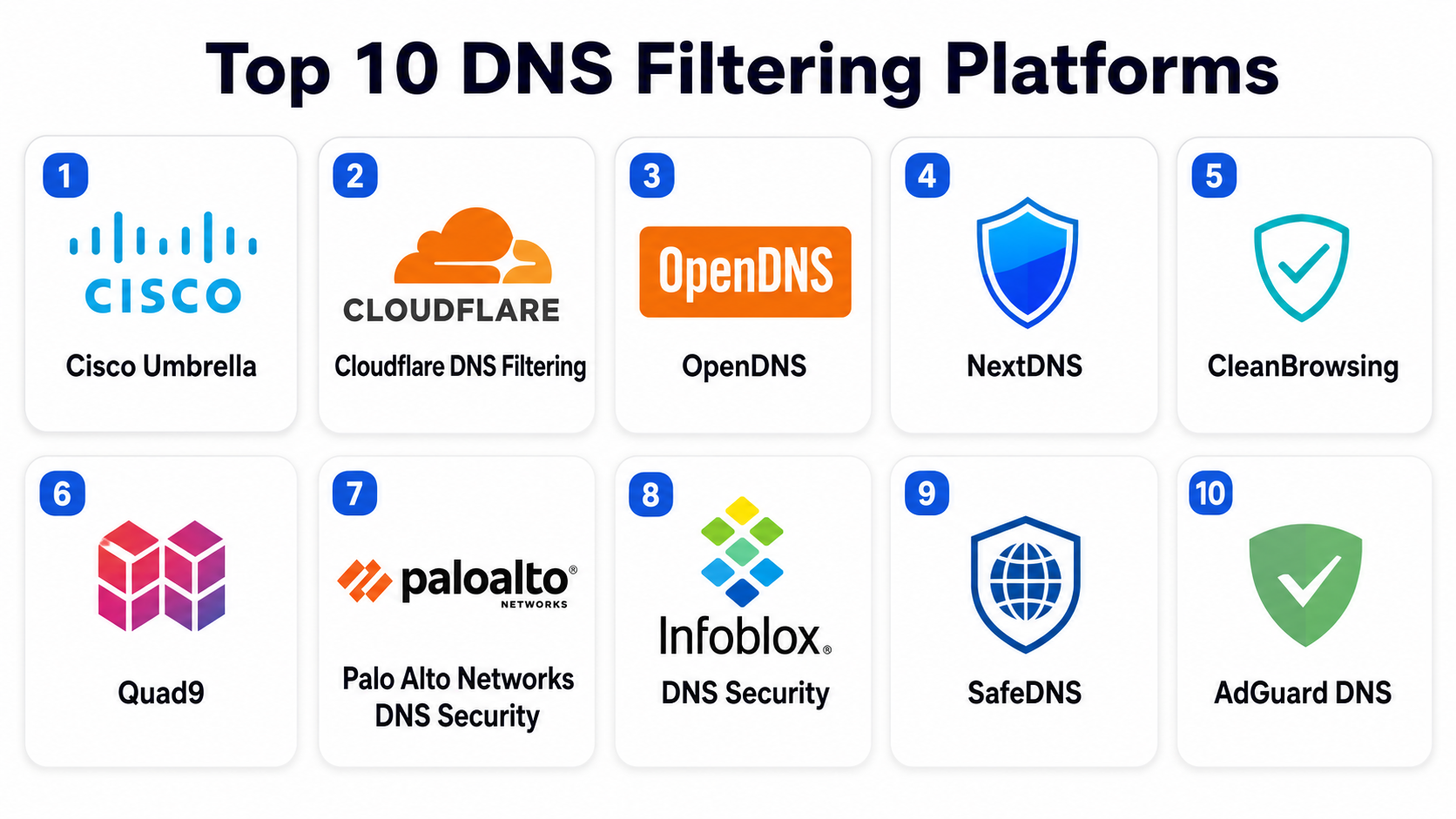
Top 10 DNS Filtering Platforms
#1 — Cisco Umbrella
Short description :
Cisco Umbrella is one of the most widely deployed DNS security platforms globally. It provides DNS-layer protection by blocking malicious domains, phishing sites, and command-and-control infrastructure before a connection is established. It is heavily used by enterprises and large organizations already invested in Cisco security ecosystems. The platform also integrates DNS security with secure web gateway and cloud-delivered firewall capabilities, making it a foundational Zero Trust component.
Key Features
- DNS-layer threat blocking and filtering
- Real-time malware and phishing domain detection
- Roaming client for remote users
- Policy enforcement by user, group, and location
- Cloud security integration with Cisco ecosystem
- Advanced reporting and threat intelligence dashboards
- Secure web gateway extension capabilities
Pros
- Highly mature enterprise-grade platform
- Strong global threat intelligence network
- Excellent scalability for large organizations
Cons
- Complex configuration for smaller teams
- Pricing can be high for SMBs
- Advanced features require ecosystem adoption
Platforms / Deployment
- Web / Windows / macOS / Linux / Mobile
- Cloud-based
Security & Compliance
- SSO/SAML
- MFA
- Encryption in transit
- RBAC
- Audit logs
- Compliance support varies by deployment
Integrations & Ecosystem
Cisco Umbrella integrates tightly with enterprise security and networking stacks.
- Cisco SecureX
- SIEM platforms
- Identity providers (Okta, Azure AD)
- Endpoint protection tools
- Firewall and SD-WAN solutions
Support & Community
Strong enterprise support, large documentation base, and global partner ecosystem.
#2 — Cloudflare DNS Filtering (Gateway DNS Security)
Short description :
Cloudflare DNS Filtering is part of Cloudflare’s broader Zero Trust and security platform. It provides fast DNS resolution with built-in threat intelligence to block malware, phishing, and unsafe domains. It is widely adopted for its performance advantage due to Cloudflare’s global edge network.
Key Features
- DNS-based security filtering
- Malware and phishing domain blocking
- Identity-aware policies
- Fast global DNS resolution
- Integration with Zero Trust access controls
- Logging and analytics dashboard
- DoH (DNS over HTTPS) and DoT support
Pros
- Extremely fast global DNS performance
- Easy deployment and scalability
- Strong Zero Trust alignment
Cons
- Best experience within Cloudflare ecosystem
- Advanced customization may require expertise
- Some enterprise features are plan-dependent
Platforms / Deployment
- Web / Windows / macOS / Linux / Mobile
- Cloud
Security & Compliance
- SSO/SAML
- MFA
- Encryption (DoH/DoT)
- Audit logs
- RBAC
- SOC 2 support (publicly referenced in vendor materials)
Integrations & Ecosystem
- Cloudflare Zero Trust suite
- Identity providers
- SIEM tools
- API-based automation
Support & Community
Strong developer documentation and enterprise support tiers.
#3 — OpenDNS (Cisco DNS Layer)
Short description :
OpenDNS, part of Cisco, is one of the earliest DNS filtering platforms and remains widely used in SMBs, schools, and enterprises. It offers cloud-based DNS protection with easy configuration and reliable filtering policies.
Key Features
- DNS filtering and domain blocking
- Predefined security and content categories
- Custom allow/block lists
- Reporting dashboards
- Phishing protection
- Network-level policy enforcement
Pros
- Simple deployment and configuration
- Reliable baseline security
- Good for education and SMB use
Cons
- Less advanced than modern SSE platforms
- Limited deep analytics compared to enterprise tools
- Fewer advanced Zero Trust features
Platforms / Deployment
- Web / Windows / macOS / Linux / Mobile
- Cloud
Security & Compliance
- SSO/SAML (varies by tier)
- Encryption support
- Basic audit logs
- Compliance support varies
Integrations & Ecosystem
- Cisco security ecosystem
- Endpoint tools
- Router/network-level integration
- Basic API support
Support & Community
Widely documented with large legacy user base.
#4 — NextDNS
Short description :
NextDNS is a modern cloud-based DNS filtering platform popular among individuals, SMBs, and privacy-focused organizations. It provides highly customizable DNS filtering with real-time analytics and strong privacy controls.
Key Features
- Highly customizable DNS filtering rules
- Malware and phishing protection
- Ad and tracker blocking
- Detailed query analytics
- Parental controls
- Device-based policies
- DoH and DoT support
Pros
- Extremely flexible configuration
- Strong privacy-first approach
- Lightweight and easy deployment
Cons
- Less enterprise-focused than larger vendors
- Advanced enterprise controls are limited
- Requires manual tuning for optimal setup
Platforms / Deployment
- Web / Windows / macOS / Linux / Mobile
- Cloud
Security & Compliance
- Encryption via DoH/DoT
- Logging controls (user-defined)
- Basic access control features
- Compliance certifications not broadly emphasized
Integrations & Ecosystem
- API support
- Router-level configuration
- Browser-level DNS integration
- Lightweight automation tools
Support & Community
Strong community-driven support and active user base.
#5 — CleanBrowsing
Short description :
CleanBrowsing is a DNS filtering platform focused on family safety, schools, and SMB content filtering. It provides pre-configured filtering modes that block adult content, malware, and unwanted categories.
Key Features
- Family-safe DNS filtering modes
- Malware and phishing protection
- Content category filtering
- Custom blacklist/whitelist
- Educational filtering profiles
- DNS-over-HTTPS support
Pros
- Very easy setup
- Strong parental control features
- Good for schools and home users
Cons
- Limited enterprise-grade features
- Basic analytics compared to competitors
- Less suitable for complex IT environments
Platforms / Deployment
- Web / Windows / macOS / Linux / Mobile
- Cloud
Security & Compliance
- Encryption support (DoH/DoT)
- Basic logging controls
- Compliance features not deeply emphasized
Integrations & Ecosystem
- Router-level configuration
- Basic API support
- Educational environment integrations
Support & Community
Good documentation and community support, especially for education use cases.
#6 — Quad9
Short description :
Quad9 is a nonprofit DNS security service that provides threat-blocking DNS resolution using global threat intelligence feeds. It is widely respected for privacy-focused, security-first DNS filtering.
Key Features
- Malware domain blocking
- Threat intelligence aggregation
- Global anycast DNS network
- Privacy-focused DNS resolution
- No user data monetization
- Fast DNS performance
Pros
- Strong privacy-first model
- Free public DNS service option
- Reliable global infrastructure
Cons
- Limited customization options
- Fewer enterprise policy controls
- Basic management features
Platforms / Deployment
- Web / Windows / macOS / Linux / Mobile
- Cloud
Security & Compliance
- Encryption (DoH/DoT)
- Minimal logging approach
- Privacy-first architecture
- Compliance varies by deployment use
Integrations & Ecosystem
- Router configuration support
- API-level DNS usage (limited)
- Network-level integration
Support & Community
Strong community support due to nonprofit model.
#7 — Palo Alto Networks DNS Security
Short description :
Palo Alto Networks DNS Security integrates DNS-layer protection into its broader cybersecurity ecosystem. It focuses on advanced threat prevention using machine learning and global threat intelligence.
Key Features
- ML-based DNS threat detection
- Real-time malware blocking
- Command-and-control detection
- Integration with firewall ecosystem
- Policy-based enforcement
- Advanced analytics dashboards
Pros
- Strong enterprise security intelligence
- Tight integration with Palo Alto ecosystem
- Advanced threat detection capabilities
Cons
- Best value within Palo Alto stack
- Complex for small organizations
- Higher cost structure
Platforms / Deployment
- Web / Windows / macOS / Linux
- Cloud / Hybrid
Security & Compliance
- SSO/SAML
- MFA
- Encryption
- Audit logs
- RBAC
- Enterprise compliance support
Integrations & Ecosystem
- Palo Alto NGFW
- Prisma Access
- Cortex XDR
- SIEM platforms
- Identity providers
Support & Community
Strong enterprise support and global deployment experience.
#8 — Infoblox DNS Security
Short description :
Infoblox DNS Security provides enterprise-grade DNS management combined with advanced threat protection. It is widely used in large-scale network infrastructures.
Key Features
- DNS threat detection and blocking
- Network automation and management
- DHCP and IPAM integration
- Threat intelligence feeds
- Centralized policy control
- Advanced reporting
Pros
- Strong enterprise DNS infrastructure
- Excellent network integration
- Highly scalable
Cons
- Complex deployment
- Enterprise-focused pricing
- Requires skilled administration
Platforms / Deployment
- Web / Windows / Linux
- Hybrid / Cloud
Security & Compliance
- SSO/SAML
- MFA
- Audit logs
- RBAC
- Enterprise compliance support
Integrations & Ecosystem
- SIEM platforms
- Network infrastructure tools
- Security analytics platforms
- Identity providers
Support & Community
Strong enterprise support and professional services.
#9 — SafeDNS
Short description :
SafeDNS is a cloud-based DNS filtering platform designed for SMBs, schools, and MSPs. It provides straightforward web filtering and security controls with easy deployment.
Key Features
- Web filtering and category blocking
- Malware protection
- Custom policy controls
- Reporting dashboards
- Multi-tenant MSP support
- Parental control modes
Pros
- Easy setup and management
- Good MSP-friendly design
- Affordable for SMBs
Cons
- Limited advanced enterprise features
- Smaller ecosystem
- Basic threat intelligence compared to leaders
Platforms / Deployment
- Web / Windows / macOS / Linux / Mobile
- Cloud
Security & Compliance
- SSO/SAML (limited tiers)
- Encryption support
- Audit logs (basic)
- Compliance varies
Integrations & Ecosystem
- MSP dashboards
- API support
- Network/router configuration
Support & Community
Good SMB support and MSP-focused documentation.
#10 — AdGuard DNS
Short description :
AdGuard DNS is a privacy-focused DNS filtering service that blocks ads, trackers, and malicious domains. It is widely used for personal privacy and lightweight organizational protection.
Key Features
- Ad and tracker blocking
- Malware domain filtering
- Family protection modes
- DNS-over-HTTPS support
- Lightweight configuration
- Device-level protection
Pros
- Strong privacy focus
- Easy setup
- Good ad-blocking capabilities
Cons
- Limited enterprise features
- Not designed for large-scale IT governance
- Minimal centralized management
Platforms / Deployment
- Web / Windows / macOS / Linux / Mobile
- Cloud
Security & Compliance
- Encryption (DoH/DoT)
- Basic logging controls
- Compliance not enterprise-focused
Integrations & Ecosystem
- Browser integration
- Router-level configuration
- API support (limited)
Support & Community
Community-driven support and documentation.
Comparison Table (Top 10)
| Tool Name | Best For | Platform(s) Supported | Deployment | Standout Feature | Public Rating |
|---|---|---|---|---|---|
| Cisco Umbrella | Enterprises | Multi-platform | Cloud | Enterprise threat intelligence | N/A |
| Cloudflare DNS Filtering | Zero Trust environments | Multi-platform | Cloud | Global edge performance | N/A |
| OpenDNS | SMBs & education | Multi-platform | Cloud | Simple DNS protection | N/A |
| NextDNS | Privacy-focused users | Multi-platform | Cloud | Highly customizable filtering | N/A |
| CleanBrowsing | Families & schools | Multi-platform | Cloud | Content-safe browsing modes | N/A |
| Quad9 | Privacy-first users | Multi-platform | Cloud | Nonprofit security DNS | N/A |
| Palo Alto DNS Security | Enterprise security stacks | Multi-platform | Cloud/Hybrid | ML-based threat detection | N/A |
| Infoblox DNS Security | Large enterprises | Multi-platform | Hybrid | DNS infrastructure + security | N/A |
| SafeDNS | SMBs & MSPs | Multi-platform | Cloud | MSP-friendly management | N/A |
| AdGuard DNS | Personal privacy users | Multi-platform | Cloud | Ad and tracker blocking | N/A |
Evaluation & DNS Filtering Platforms
| Tool Name | Core (25%) | Ease (15%) | Integrations (15%) | Security (10%) | Performance (10%) | Support (10%) | Value (15%) | Weighted Total |
|---|---|---|---|---|---|---|---|---|
| Cisco Umbrella | 9 | 8 | 9 | 9 | 9 | 9 | 7 | 8.6 |
| Cloudflare DNS Filtering | 8 | 9 | 9 | 8 | 10 | 8 | 8 | 8.6 |
| OpenDNS | 7 | 9 | 7 | 8 | 8 | 8 | 9 | 8.0 |
| NextDNS | 8 | 9 | 7 | 8 | 8 | 7 | 9 | 8.1 |
| CleanBrowsing | 7 | 10 | 6 | 7 | 8 | 7 | 10 | 7.9 |
| Quad9 | 8 | 9 | 6 | 9 | 9 | 8 | 10 | 8.3 |
| Palo Alto DNS Security | 9 | 7 | 9 | 9 | 9 | 9 | 7 | 8.5 |
| Infoblox DNS Security | 9 | 6 | 9 | 9 | 8 | 9 | 7 | 8.1 |
| SafeDNS | 7 | 9 | 7 | 7 | 8 | 7 | 9 | 7.9 |
| AdGuard DNS | 6 | 10 | 6 | 7 | 9 | 7 | 10 | 7.7 |
How to interpret scores:
These scores are comparative, not absolute benchmarks. Higher scores reflect stronger performance across enterprise security, usability, and ecosystem integration. Enterprises should prioritize security and integrations, while SMBs may value ease of use and cost efficiency more heavily. DNS filtering effectiveness also depends heavily on deployment quality, policy tuning, and threat intelligence alignment.
Which DNS Filtering Platforms
Solo / Freelancer
Solo users typically need lightweight protection against phishing, ads, and malicious domains. Solutions like AdGuard DNS or NextDNS are sufficient due to simplicity and privacy focus.
SMB
SMBs benefit from easy deployment and balanced security controls. OpenDNS, CleanBrowsing, and SafeDNS provide strong protection without heavy infrastructure requirements.
Mid-Market
Mid-market organizations need scalable policy control and identity integration. Cisco Umbrella, Cloudflare DNS Filtering, and NextDNS (advanced setups) are strong fits.
Enterprise
Enterprises require advanced threat intelligence, SIEM integration, and Zero Trust alignment. Cisco Umbrella, Palo Alto DNS Security, and Infoblox are leading choices.
Budget vs Premium
- Budget-friendly: NextDNS, CleanBrowsing, AdGuard DNS
- Mid-tier: OpenDNS, SafeDNS
- Premium enterprise: Cisco Umbrella, Palo Alto DNS Security, Infoblox
Feature Depth vs Ease of Use
- Most feature-rich: Cisco Umbrella, Infoblox
- Easiest to use: CleanBrowsing, AdGuard DNS, NextDNS
- Balanced approach: Cloudflare DNS Filtering
Integrations & Scalability
- Strong enterprise ecosystems: Cisco, Palo Alto, Infoblox
- Cloud-native scalability leaders: Cloudflare, Cisco Umbrella
- Lightweight integration-focused tools: NextDNS, SafeDNS
Security & Compliance Needs
Highly regulated environments should prioritize:
- Detailed audit logs
- Strong identity integration (SSO/SAML)
- Threat intelligence depth
- Policy enforcement granularity
- Data privacy controls
Cisco Umbrella, Palo Alto DNS Security, and Infoblox are strongest for strict compliance-driven environments.
Frequently Asked Questions (FAQs)
1. What is DNS filtering?
DNS filtering is a security method that blocks access to malicious or unwanted websites by intercepting DNS requests and comparing them against threat intelligence databases.
2. How does DNS filtering improve cybersecurity?
It prevents users from connecting to harmful domains, stopping phishing, malware downloads, and command-and-control traffic before it reaches the device.
3. Is DNS filtering enough for full security?
No. It is a foundational layer but should be combined with endpoint security, firewalls, email security, and Zero Trust controls.
4. Does DNS filtering slow down internet speed?
Most modern platforms are optimized for low latency, but performance depends on provider infrastructure and geographic location.
5. Can DNS filtering work on mobile devices?
Yes. Many platforms offer mobile apps or configuration profiles that enforce DNS policies on smartphones and tablets.
6. What is the difference between DNS filtering and firewall?
DNS filtering blocks domain resolution, while firewalls inspect and control network traffic at deeper layers.
7. Can DNS filtering block ads?
Some platforms like AdGuard DNS and NextDNS include ad and tracker blocking capabilities.
8. Is DNS filtering suitable for schools?
Yes. It is widely used in education to block inappropriate content and enforce safe browsing policies.
9. How is DNS filtering deployed?
It is typically deployed via DNS configuration changes, agents, or network-level settings on routers and gateways.
10. What are common mistakes when using DNS filtering?
Common mistakes include overly strict policies, lack of monitoring, poor category tuning, and ignoring false positives.
11. Can DNS filtering prevent ransomware?
It helps reduce ransomware risk by blocking known malicious domains but should be combined with endpoint protection.
12. What should MSPs look for in DNS filtering tools?
MSPs should prioritize multi-tenancy, centralized dashboards, automation APIs, and scalable pricing models.
Conclusion
DNS Filtering Platforms have become a critical layer in modern cybersecurity architectures, offering fast and scalable protection against phishing, malware, and malicious web infrastructure. As organizations continue adopting Zero Trust models and supporting distributed workforces, DNS-level security provides a lightweight yet powerful defense mechanism that complements endpoint and network security tools. The right solution depends heavily on organizational size, security maturity, and integration needs. Enterprises often gravitate toward Cisco Umbrella, Palo Alto Networks, or Infoblox for advanced capabilities, while SMBs and privacy-focused users prefer simpler platforms like NextDNS or CleanBrowsing.
